안녕하세요, Annie 입니다 :)
지난번 신조어가 나오는 어플을 만들면서 아쉬웠던 점이 아래의 버튼에 나오는 단어가 겹치지 않게 랜덤으로 나오는걸 구현하지 못한 점이었습니다.
그 기능을 넣기 위해서 열심히 검색해서 코드를 짜서 결과적으로 구현에 성공했습니다 🥳
@IBOutlet 컬렉션으로 묶어서 버튼 구현을 한번에 하는 걸 배워보겠습니다.
@IBOutlet 컬렉션을 이용하여 4가지 버튼을 하나로 묶고 한번에 기능 구현하기
원하는 기능
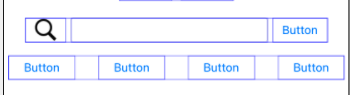
검색 창 밑에 버튼 4개를 하나로 묶어서 각각 랜덤으로 신조어가 나오도록 구현하기.
단, 랜덤으로 나오는 단어가 겹치지 않아야함.
이전 코드
 let wordArray = ["애빼시", "킹받네", "갓생", "댕댕이", "쌉가능", "꾸안꾸"]

    func hashtagButtonSetup(){
        hashtagButton.setTitle("#\(wordArray.randomElement()!)", for: .normal)
        hashtagButton.setTitleColor(.purple, for: .normal)
        hashtag2Button.setTitle("#\(wordArray.randomElement()!)", for: .normal)
        hashtag2Button.setTitleColor(.purple, for: .normal)
        hashtag3Button.setTitle("#\(wordArray.randomElement()!)", for: .normal)
        hashtag3Button.setTitleColor(.purple, for: .normal)
        hashtag4Button.setTitle("#\(wordArray.randomElement()!)", for: .normal)
        hashtag4Button.setTitleColor(.purple, for: .normal)
    }
버튼 4개를 하나하나 @IBOutlet으로 연결 하여 같은 코드를 복사붙여넣기했음.
wordArray의 단어를 랜덤으로 뽑아서 title에 넣다보니 랜덤단어가 겹치는 경우가 발생함.
개선 코드
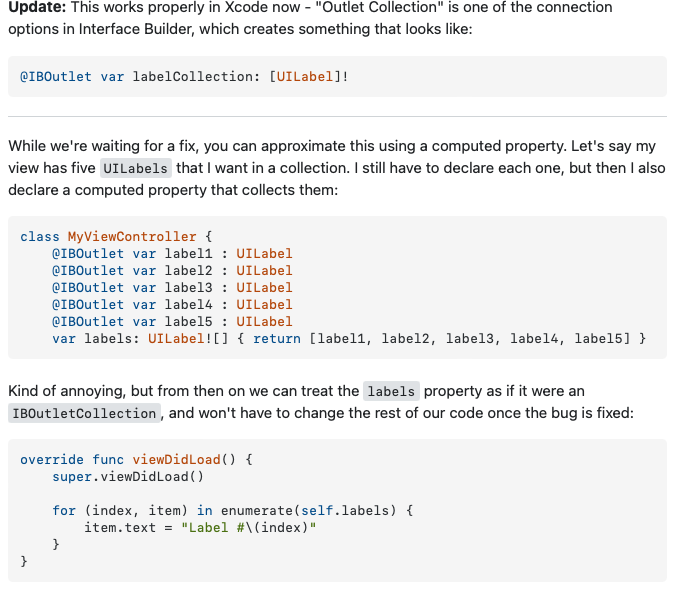
@IBOutlet var hashtagBugtton : [UIButton]!

 for (_, button) in hashtagBugtton.enumerated(){
            button.setTitle("#\(wordArray.randomElement()!)", for: .normal)
            button.setTitleColor(.purple, for: .normal)
1. 4개의 버튼 배열을 IBOutletCollecion을 이용해서 하나로 묶음.
2. enumerated() 메서드를 이용하여 (index, button)으로 정렬
3. for 문을 통해 배열의 random 단어를 제목으로 설정. 정렬한 것에서 랜덤단어를 꺼내기때문에 겹칠일이 없음 !
@IBOutlet Collection 하는 법
우선 기존에 마우스로 IBOutlet을 연결 하는 것과 다르게 IBOulet 배열 코드를 아래와 같이 직접 쳐서 만들어줍니다.

그리고 viewController의 연결속성으로 들어가면 `OutletCollection' 부분에 코드로 연결한
'hashtagButton'이 보입니다.
아직 연결한 버튼이 없기 때문에 비어있는 배열 입니다.
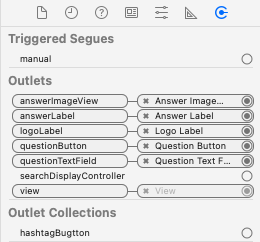
'hashtagButton' 배열의 빈 동그라미를 누르고
버튼과 연결합니다.
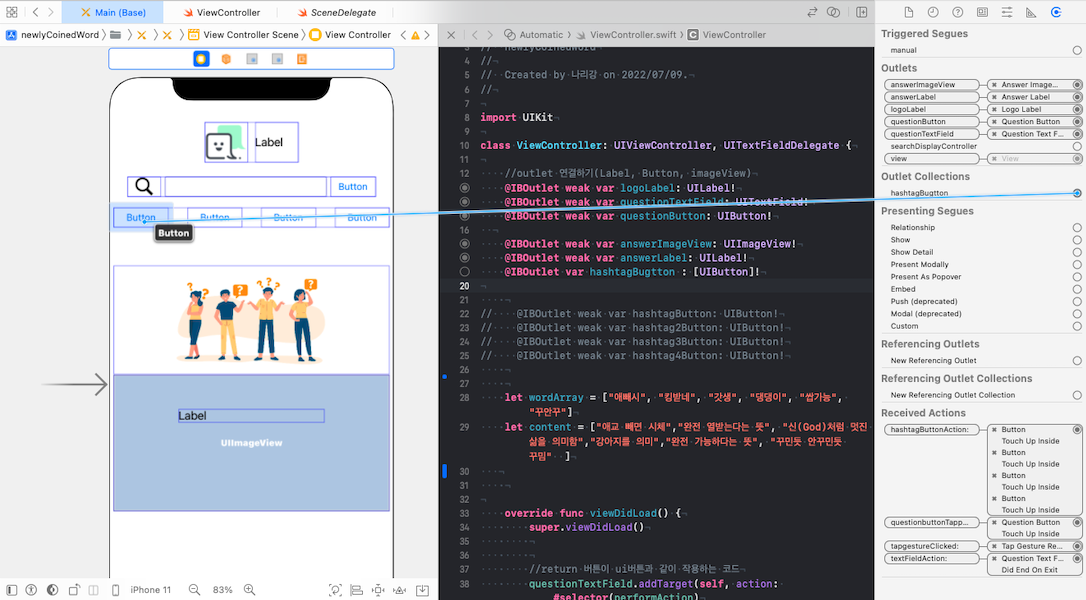
이런식으로 모든 버튼과 연결하면 아래와 같은 상태가 됩니다.
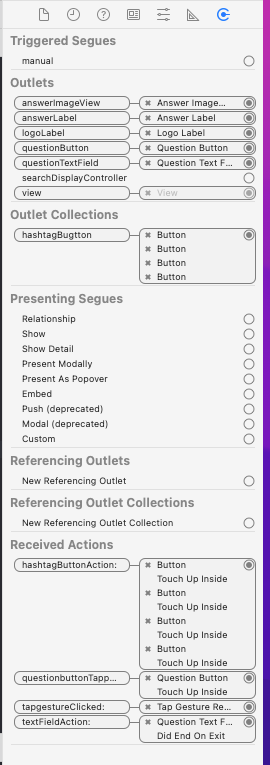
이렇게 IBOutlet Collection이 완성되었습니다 !
연결된 버튼을 한번에 사용할 때 연결한 배열을 사용하여 구현하면 됩니다.
출처 : https://stackoverflow.com/questions/24052459/Swift-iboutletcollection-equivalent
성장하는 iOS 개발자