Event Handling
- HTML DOM에 클릭과 같은 이벤트가 발생하면 그에 맞는 변경이 일어나도록 한다.
- JSX에 이벤트를 설정할 수 있다.
- 이벤트 명은 camelCase로만 사용할 수 있다.
- onClick, onMouseEnter
- 이벤트에 연결된 자바스크립트 코드는 함수이다.
- 이벤트={함수} 와 같이 쓴다.
- 실제 DOM 요소들에만 사용 가능하다.
- 리액트 컴포넌트에 사용하면, 그냥 props로 전달한다.
예시
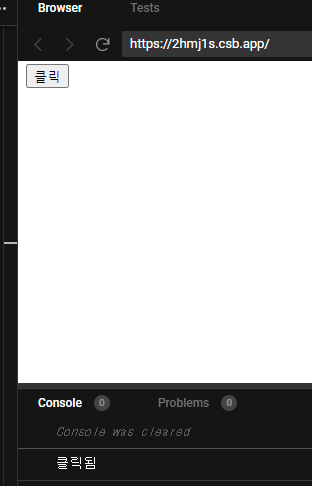
- function 컴포넌트
// function 컴포넌트
function Component() {
  return (
    <div>
      <button
        onClick={() => {
          console.log("클릭됨");
        }}
      >
        클릭
      </button>
    </div>
  );
}
- class 컴포넌트
- 클릭하면 숫자 증가
class Component extends React.Component {
  state = {
    count: 0
  };
  render() {
    return (
      <div>
        <p>{this.state.count}</p>
        <button
          onClick={() => {
            this.setState((state) => ({
              ...state,
              count: state.count + 1
            }));
          }}
        >
          클릭
        </button>
      </div>
    );
  }
}

ReactDOM.render(<Component />, rootEl);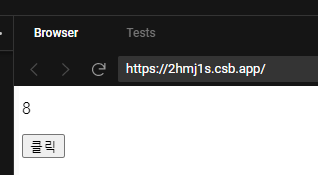
- 인라인으로 쓰지 않고 메소드로 분리
class Component extends React.Component {
  state = {
    count: 0
  };

  // this bind 해주기
  // 1.
  // constructor(props) {
  //   super(props);

  //   this.click = this.click.bind(this);
  // }

  // 2. 기존의 click() 를 에로우 function으로 수정한다.

  render() {
    return (
      <div>
        <p>{this.state.count}</p>
        <button onClick={this.click}>클릭</button>
      </div>
    );
  }

  // click() {
  //   console.log("클릭됨");
  //   this.setState((state) => ({
  //     ...state,
  //     count: state.count + 1
  //   }));
  // }

  click = () => {
    console.log("클릭됨");
    this.setState((state) => ({
      ...state,
      count: state.count + 1
    }));
  };
  // bind 에러 생김
}

ReactDOM.render(<Component />, rootEl);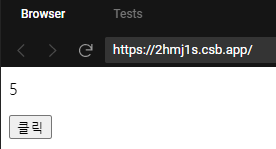
위에 코드를 보면 먼저 click()를 만들어 메소드를 분리해준다.
그리고 실행하면 this가 바인딩 되지 않았다는 error가 생긴다.
그럼 constructor()부분을 해주던가
아니면 click()을 arrow function으로 변경해주면 된다.

프론트엔드 개발자