config파일에 대해서 ~
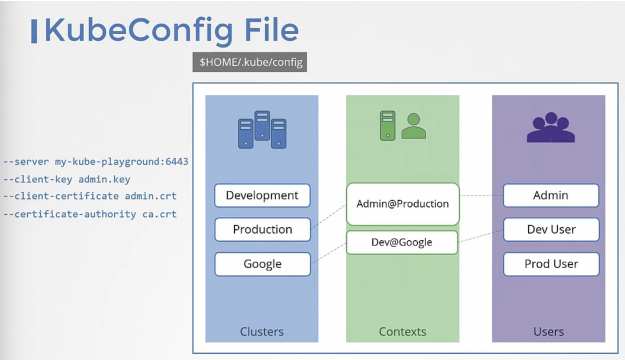
클러스터/컨텍스트/사용자 3가지 영역이 있다.
클러스터와 사용자를 여러개 지정할 수 있으며, 컨텍스트로 묶을 수 있다.
- 컨텍스트 : 사용자가 어떤 클러스터에 액세스 가능할지 정의
kubectl config view //$HOME/.kube/config 파일을 보게 됨
kubectl config use-context prod-user@prodiction-
Where is the default kubeconfig file located in the current environment?
Find the current home directory by looking at the HOME environment variable.ls -al cd .kube ls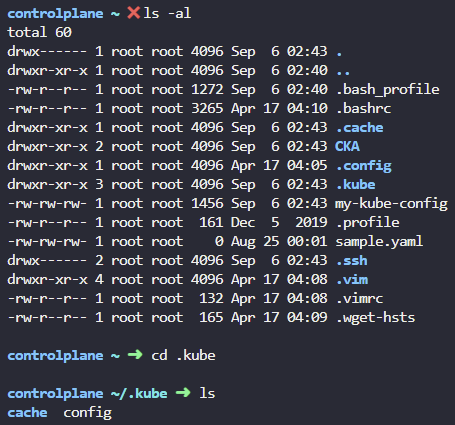
-
How many clusters are defined in the default kubeconfig file?
k config view
-
How many Users are defined in the default kubeconfig file?
k config view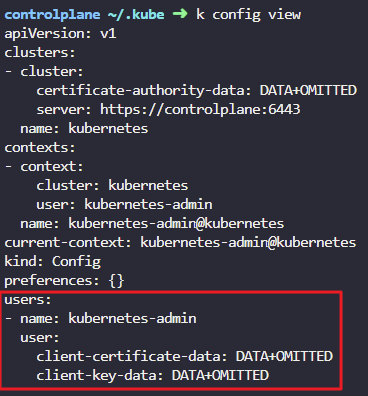
-
How many contexts are defined in the default kubeconfig file?
k config view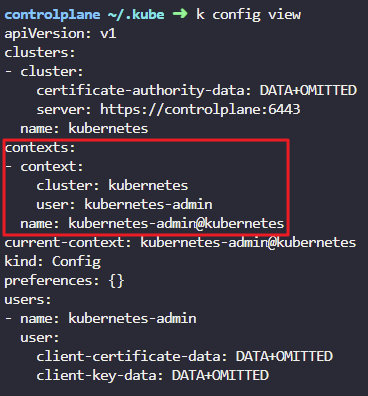
-
What is the user configured in the current context?
k config view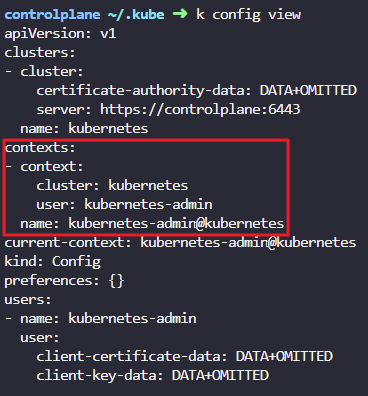
-
What is the name of the cluster configured in the default kubeconfig file?
k config view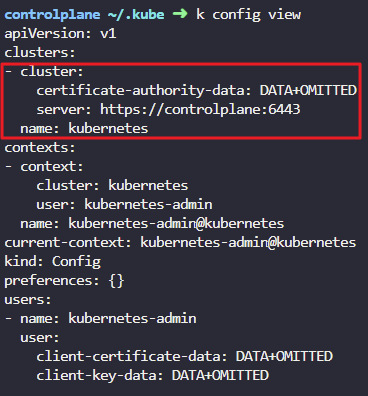
7. A new kubeconfig file named my-kube-config is created. It is placed in the /root directory. How many clusters are defined in that kubeconfig file?
cd ..
ls
cat my-kube-config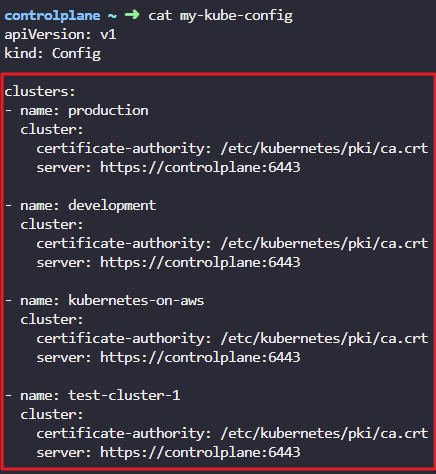
8. How many contexts are configured in the my-kube-config file?
cat my-kube-config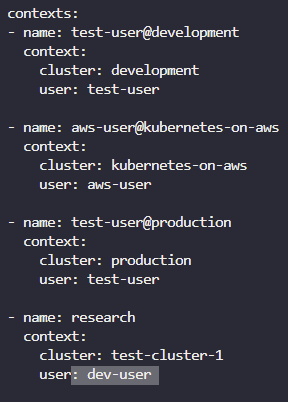
9. What user is configured in the research context?
cat my-kube-config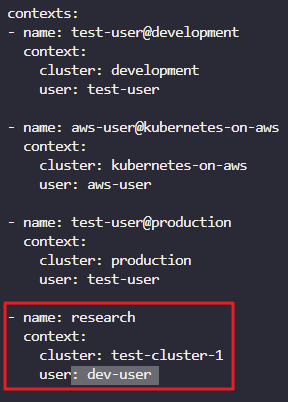
10. What is the name of the client-certificate file configured for the aws-user?
cat my-kube-config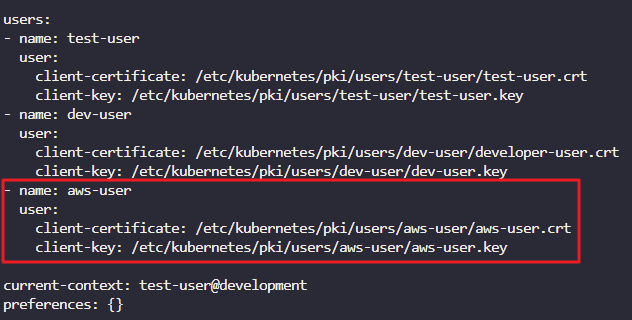
11. What is the current context set to in the my-kube-config file?
cat my-kube-config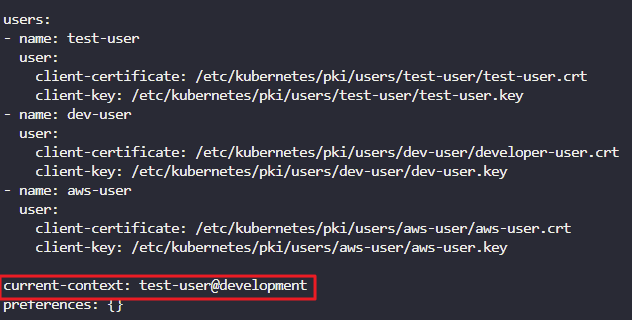
12. I would like to use the dev-user to access test-cluster-1. Set the current context to the right one so I can do that.
Once the right context is identified, use the kubectl config use-context command.
kubectl config --kubeconfig=/root/my-kube-config use-context research
13. We don't want to have to specify the kubeconfig file option on each command. Make the my-kube-config file the default kubeconfig.
//기본 kubeconfig 파일을 my-kube-config 파일로 바꿉니다
cp ./my-kube-config /root/.kube/config
14. With the current-context set to research, we are trying to access the cluster. However something seems to be wrong. Identify and fix the issue.
Try running the kubectl get pods command and look for the error. All users certificates are stored at /etc/kubernetes/pki/users.
k get po
cd .kube/
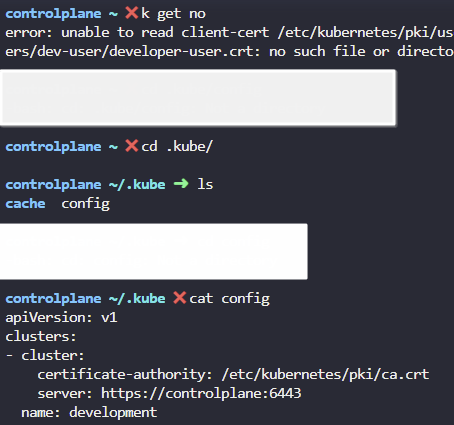
cat config
vi config