- What secret type must we choose for docker registry?
kubectl create secret --help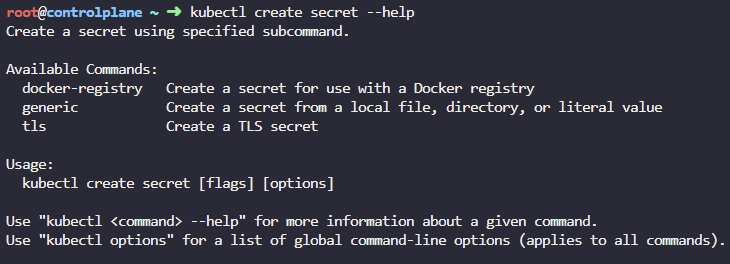
- We have an application running on our cluster. Let us explore it first. What image is the application using?
kubectl get deployments
kubectl describe deployment web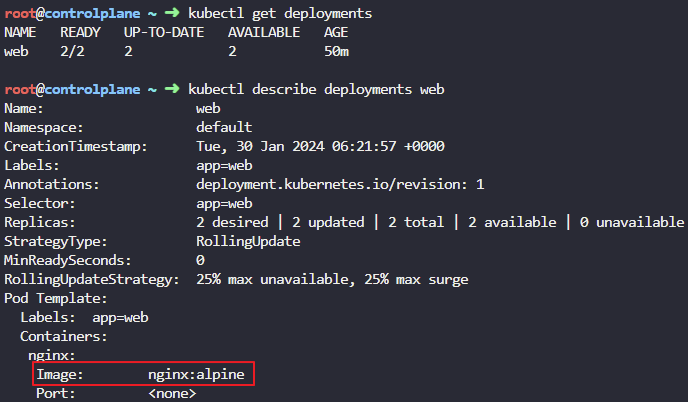
- We decided to use a modified version of the application from an internal private registry. Update the image of the deployment to use a new image from myprivateregistry.com:5000
The registry is located at myprivateregistry.com:5000. Don't worry about the credentials for now. We will configure them in the upcoming steps.
kubectl edit deployments web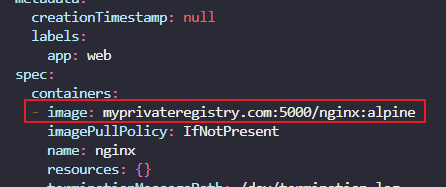
- Are the new PODs created with the new images successfully running?
kubectl get pods
5. Create a secret object with the credentials required to access the registry.
- Name: private-reg-cred
- Username: dock_user
- Password: dock_password
- Server: myprivateregistry.com:5000
- Email: dock_user@myprivateregistry.com

- Configure the deployment to use credentials from the new secret to pull images from the private registry
kubectl edit deployments web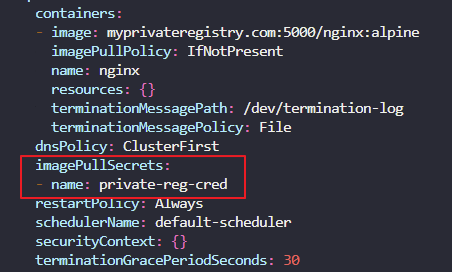
- Check the status of PODs. Wait for them to be running. You have now successfully configured a Deployment to pull images from the private registry.
ok
클라우드하는 귀여운 애