백엔드 개발자여도 ssr을 할 줄은 알아야 된다고 하여 공부하게 되었다.
SSR은 서버 사이드 렌더링(Server Side Rendering)의 약자로, 웹 페이지를 서버에서 미리 렌더링하여 브라우저로 전달하는 방식을 말한다.
Thymeleaf
Thymeleaf는 웹(서블릿 기반) 및 비웹 환경 모두에서 작동할 수 있는 Java XML / XHTML / HTML5 템플릿 엔진이다. MVC 기반 웹 애플리케이션의 뷰 계층에서 XHTML/HTML5를 제공하는 데 더 적합하지만 오프라인 환경에서도 모든 XML 파일을 처리할 수 있습니다. 전체 Spring Framework 통합을 제공한다 .
의존성 추가
implementation 'org.springframework.boot:spring-boot-starter-thymeleaf'
표현식과 문법
표현식
| 표현식 | 설명 |
|---|---|
| ${...} | 변수의 값 표현식 |
| #{...} | 속성 파일 값 표현식 |
| @{...} | URL 표현식 |
| *{...} | 선택한 변수의 표현식, th:object에서 선택한 객체에 접근 |
문법
| 문법 | 설명 | 예제 |
|---|---|---|
| th:text | 텍스트를 표현할 때 사용 | th:text=${post.title} |
| th:each | 컬렉션을 반복할 때 사용 | th:each="post:${posts}" |
| th:if | 조건이 true인 경우에만 표시 | th:if="${post.id} == 1" |
| th:unless | 조건이 false인 경우에만 표시 | th:unless="${post.id} == 1" |
| th:href | 이동 경로 | th:href="@{/post(id=${post.id})}" |
| th:with | 변수값으로 지정 | th:with="title=${post.title}" |
| th:object | 선택한 객체로 지정 | th:object="${post}" |
타임리프 예시 코드
Controller
@Controller
public class ExampleController {

    @GetMapping("/thymeleaf/example")
    public String thymeleafExample(Model model) {
        Post post = new Post("Sample title", "Sample content");

        model.addAttribute("post", post);
        model.addAttribute("today", LocalDateTime.now());
        return "example";
    }
}
모델 객체를 사용하여 뷰로 데이터를 넘겨준다.
View
<!DOCTYPE html>
<html xmlns:th="http://www.thymeleaf.org">
<head>
    <meta charset="UTF-8">
    <title>Title</title>
</head>
<body>
<h1>타임리프</h1>
<p th:text="${#temporals.format(today, 'yyyy-MM-dd')}"></p>
<div th:object="${post}">
    <p th:text="|제목 : *{title}|"></p>
    <p th:text="|내용 : *{content}|"></p>
</div>
<!-- 1번 글 보러 가기 -->
<a th:href="@{/api/post/{id}(id=${post.id})}"> 글 보기</a>
</body>
</html>
글 목록 뷰
Bootstrap 적용
Bootstrap 사이트에서 압축 파일을 다운로드해준다.
static->css 디렉터리 생성->bootstrap.min.css 넣기static->js 디렉터리 생성->bootstrap.min.js 넣기
Controller
@Controller
@RequiredArgsConstructor
public class BlogViewController {

    private final PostService postService;

    @GetMapping("/post")
    public String getPost(Model model, SearchPostRequest searchPostRequest, Pageable pageable) {
        Page<PostResponse> postList = postService.searchAndPagePost(searchPostRequest, pageable);
        model.addAttribute("postList", postList.getContent()); // 데이터 리스트
        model.addAttribute("page", postList); // 페이징 정보
        return "postList";
    }
}
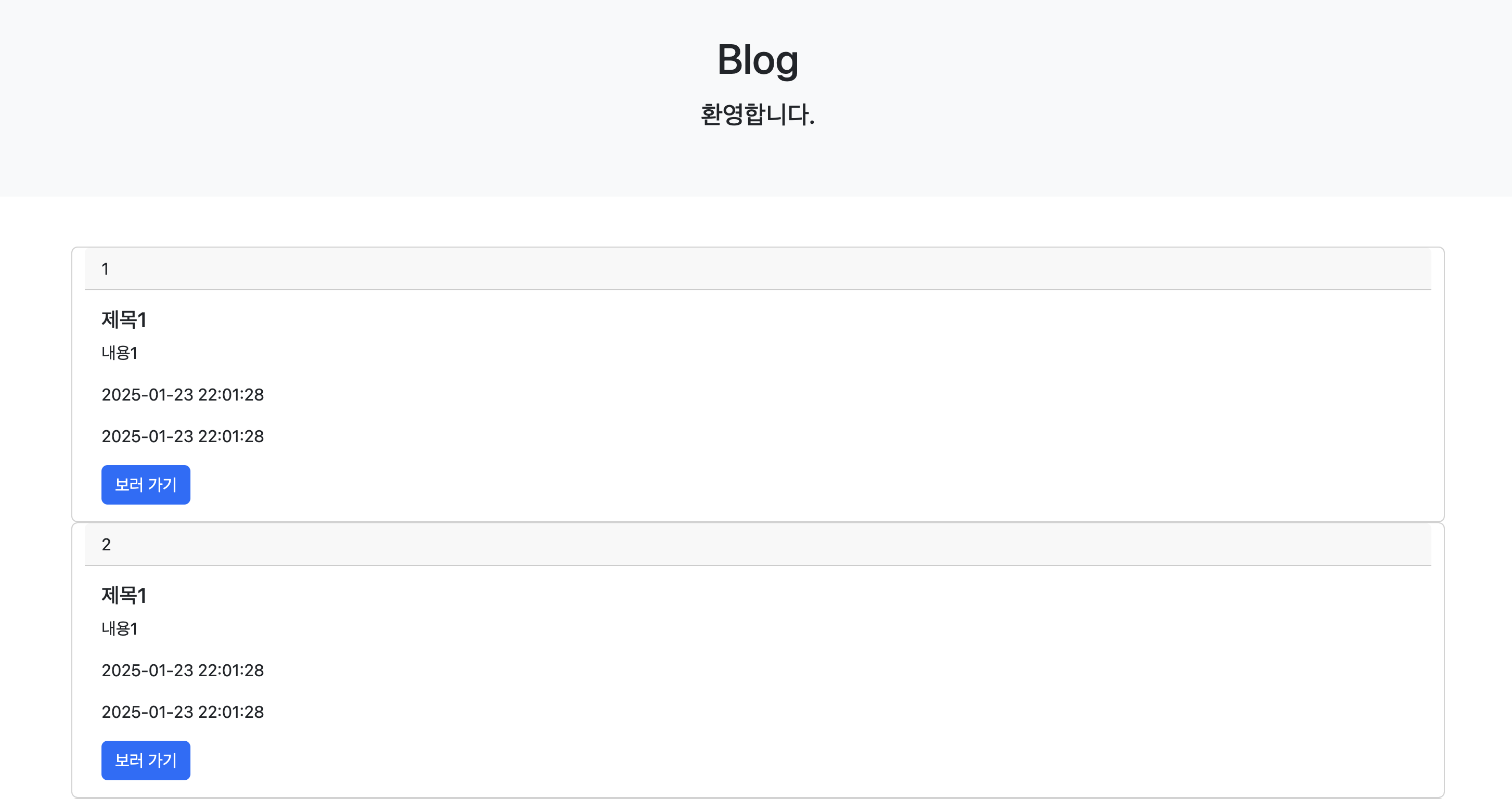
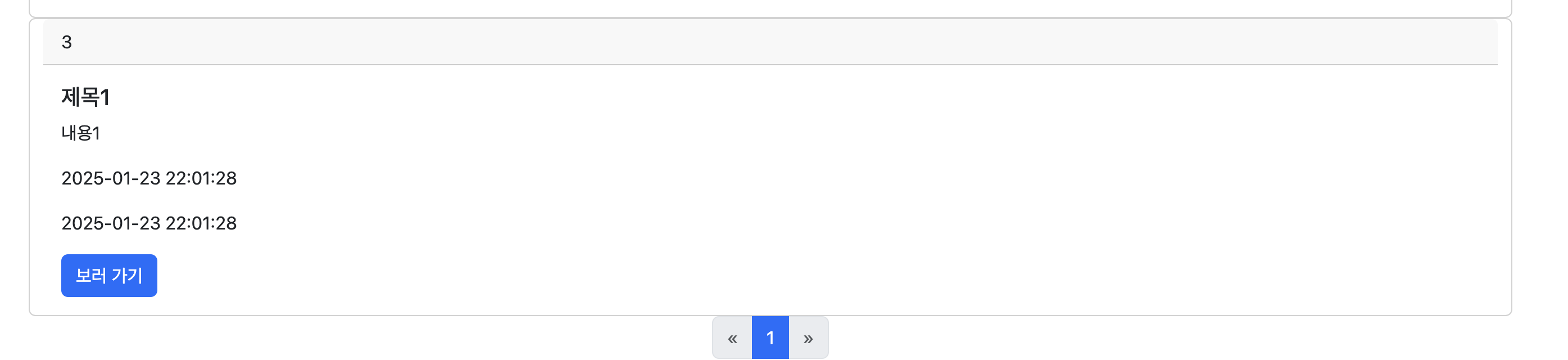
결과 확인을 위해 데이터는 sql이 아니라 JPA를 이용하여 값을 넣어준다.
    @PostConstruct
    public void init() {
        SavePostRequest savePostRequest1 = new SavePostRequest("제목1", "내용1");
        postService.save(savePostRequest1);

        SavePostRequest savePostRequest2 = new SavePostRequest("제목1", "내용1");
        postService.save(savePostRequest2);

        SavePostRequest savePostRequest3 = new SavePostRequest("제목1", "내용1");
        postService.save(savePostRequest3);
    }
JPA를 사용하면 SQL을 직접 작성하지 않아도 createdAt과 lastModifiedAt이 자동으로 처리된다.
View
<!DOCTYPE html>
<html xmlns:th="http://www.thymeleaf.org">
<head>
<meta charset="UTF-8">
<title>PostList</title>
<!-- bootstrap css -->
<link rel="stylesheet" href="/css/bootstrap.min.css">
<!-- bootstrap js -->
<script src="/js/bootstrap.min.js"></script>
</head>
<body>
<div class="p-5 mb-5 text-center bg-light">
<h1 class="mb-3">Blog</h1>
<h4 class="mb-3">환영합니다.</h4>
</div>
<div class="container">
<button type="button" id="create-btn" th:onclick="|location.href='@{/form}'|" class="btn btn-secondary btn-sm mb-3"글 등록></button>
<div class="row" th:each="post : ${postList}">
<div class="card">
<div class="card-header" th:text="${post.id}"></div>
<div class="card-body">
<h5 class="card-title" th:text="${post.title}"></h5>
<p class="card-text" th:text="${post.content}"></p>
<p class="card-text" th:text="${#temporals.format(post.createdAt, 'yyyy-MM-dd HH:mm:ss')}"></p>
<p class="card-text" th:text="${#temporals.format(post.lastModifiedAt, 'yyyy-MM-dd HH:mm:ss')}"></p>
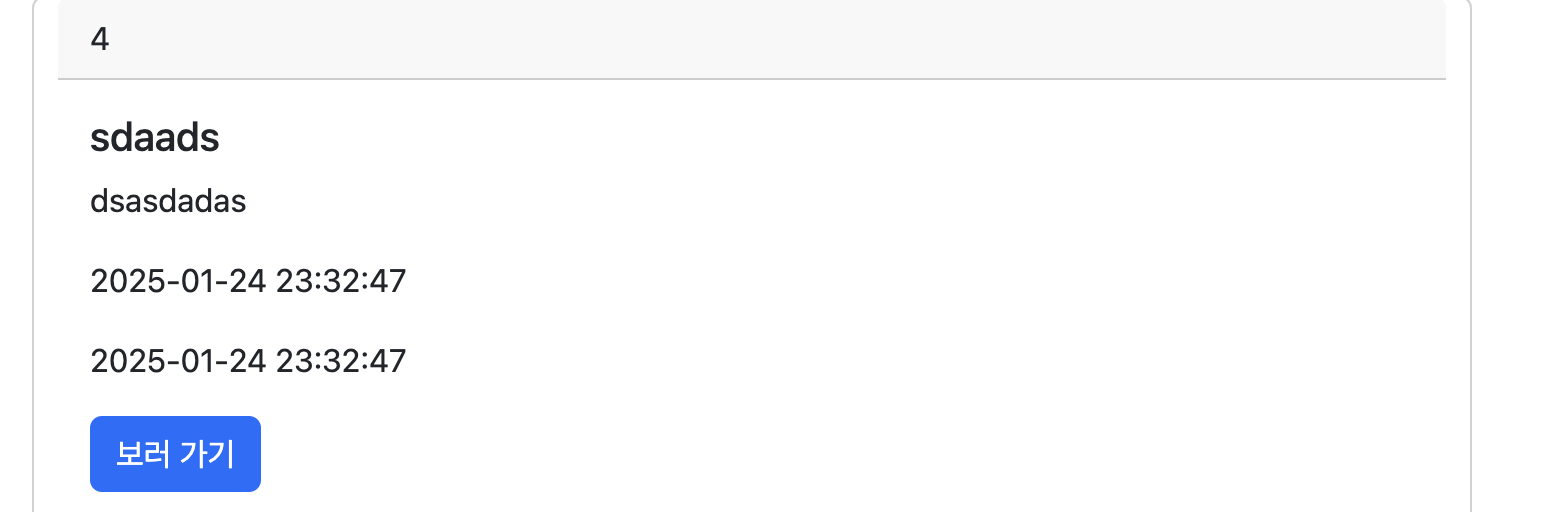
<a th:href="@{/post/{id}(id=${post.id})}" class="btn btn-primary">보러 가기</a>
</div>
</div>
</div>
<!-- Pagination -->
<nav>
<ul class="pagination justify-content-center">
<!-- Previous Page Button -->
<li class="page-item" th:classappend="${page.hasPrevious()} ? '' : 'disabled'">
<a class="page-link" th:href="@{/post(page=${page.number - 1})}" aria-label="Previous">
<span aria-hidden="true">«</span>
</a>
</li>
<!-- Page Numbers -->
<li class="page-item" th:each="i : ${#numbers.sequence(0, page.totalPages - 1)}"
th:classappend="${page.number == i} ? 'active' : ''">
<a class="page-link" th:href="@{/post(page=${i})}" th:text="${i + 1}"></a>
</li>
<!-- Next Page Button -->
<li class="page-item" th:classappend="${page.hasNext()} ? '' : 'disabled'">
<a class="page-link" th:href="@{/post(page=${page.number + 1})}" aria-label="Next">
<span aria-hidden="true">»</span>
</a>
</li>
</ul>
</nav>
</div>
<!-- bootstrap js -->
<script src="/js/bootstrap.min.js"></script>
</body>
</html>
글 상세
Controller
    @GetMapping("/post/{id}")
    public String getPostById(@PathVariable Long id, Model model) {
        PostResponse post = postService.findById(id);
        model.addAttribute("post", post);

        return "post";
    }
View
<!DOCTYPE html>
<html xmlns:th="http://www.thymeleaf.org">
<head>
  <meta charset="UTF-8">
  <title>PostList</title>
  <!-- bootstrap css -->
  <link rel="stylesheet" href="/css/bootstrap.min.css">
</head>
<body>
<div class="p-5 mb-5 text-center bg-light">
  <h1 class="mb-3">Blog</h1>
  <h4 class="mb-3">환영합니다.</h4>
</div>

<div class="container mt-5">
  <div class="row">
    <div class="col-lg-8">
      <article>
        <input type="hidden" id="post-id" th:value="${post.id}">
        <header class="mb-4">
          <h1 class="card-title" th:text="${post.title}"></h1>
          <div class="text-muted fst-italic mb-2" th:text="|Posted on ${#temporals.format(post.lastModifiedAt, 'yyyy-MM-dd HH:mm:ss')}|"></div>
        </header>
        <section class="mb-5">
          <p class="fs-5 mb-4" th:text="${post.content}"></p>
        </section>
        <button type="button" id="modify-btn" th:onclick="|location.href='@{/form?id={postId}(postId=${post.id})}'|" class="btn btn-primary btn-sm">수정</button>
        <button type="button" id="delete-btn" class="btn btn-primary btn-sm">삭제</button>
      </article>
    </div>
  </div>
</div>

<!-- bootstrap js -->
<script src="/js/bootstrap.min.js"></script>
<script src="/js/post.js"></script>
</body>
</html>
삭제 기능 추가
const deleteButton = document.getElementById('delete-btn');

if (deleteButton) {
    deleteButton.addEventListener('click', async () => {
        try {
            // 게시글 ID 확인
            const postIdInput = document.getElementById('post-id');
            const id = postIdInput ? postIdInput.value : null;

            if (!id) {
                alert('게시글 ID를 찾을 수 없습니다.');
                return;
            }

            // DELETE 요청 보내기
            const response = await fetch(`/api/post/${id}`, {
                method: 'DELETE',
                headers: {
                    'Content-Type': 'application/json',
                },
            });

            console.log(`응답 상태 코드: ${response.status}`); // 디버깅용 로그

            if (response.ok) {
                alert('삭제가 완료되었습니다.');
                location.replace('/post'); // 목록 페이지로 리다이렉트
            } else {
                const errorText = await response.text();
                console.error('DELETE 요청 실패:', errorText);
                alert(`삭제 실패: ${errorText}`);
            }
        } catch (error) {
            console.error('DELETE 요청 중 오류:', error);
            alert('삭제 요청 중 문제가 발생했습니다. 다시 시도해주세요.');
        }
    });
} else {
    console.error("'delete-btn' 요소를 찾을 수 없습니다.");
}
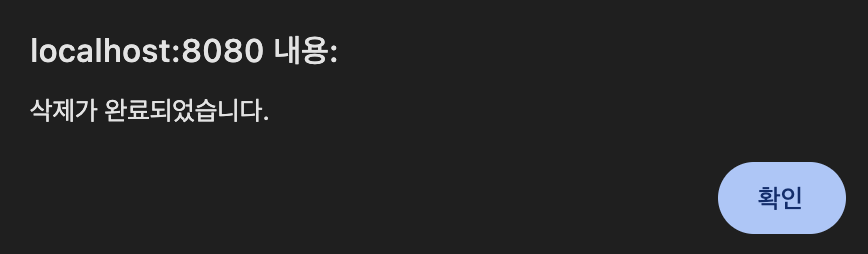
html에서 id를 delete-btn으로 등록한 엘리먼트를 찾아 클릭 이벤트가 발생하면 delete 요청을 보내는 작업이다.
생성, 수정 기능 추가
수정
Controller
    @GetMapping("/form")
    public String newPost(@RequestParam(required = false) Long id, Model model) {
        if (id != null) {
            PostResponse post = postService.findById(id);
            model.addAttribute("post", post);
            model.addAttribute("postId", id);
        } else {
            model.addAttribute("post", new SavePostRequest("", ""));
            model.addAttribute("postId", null);
        }

        return "form";
    }
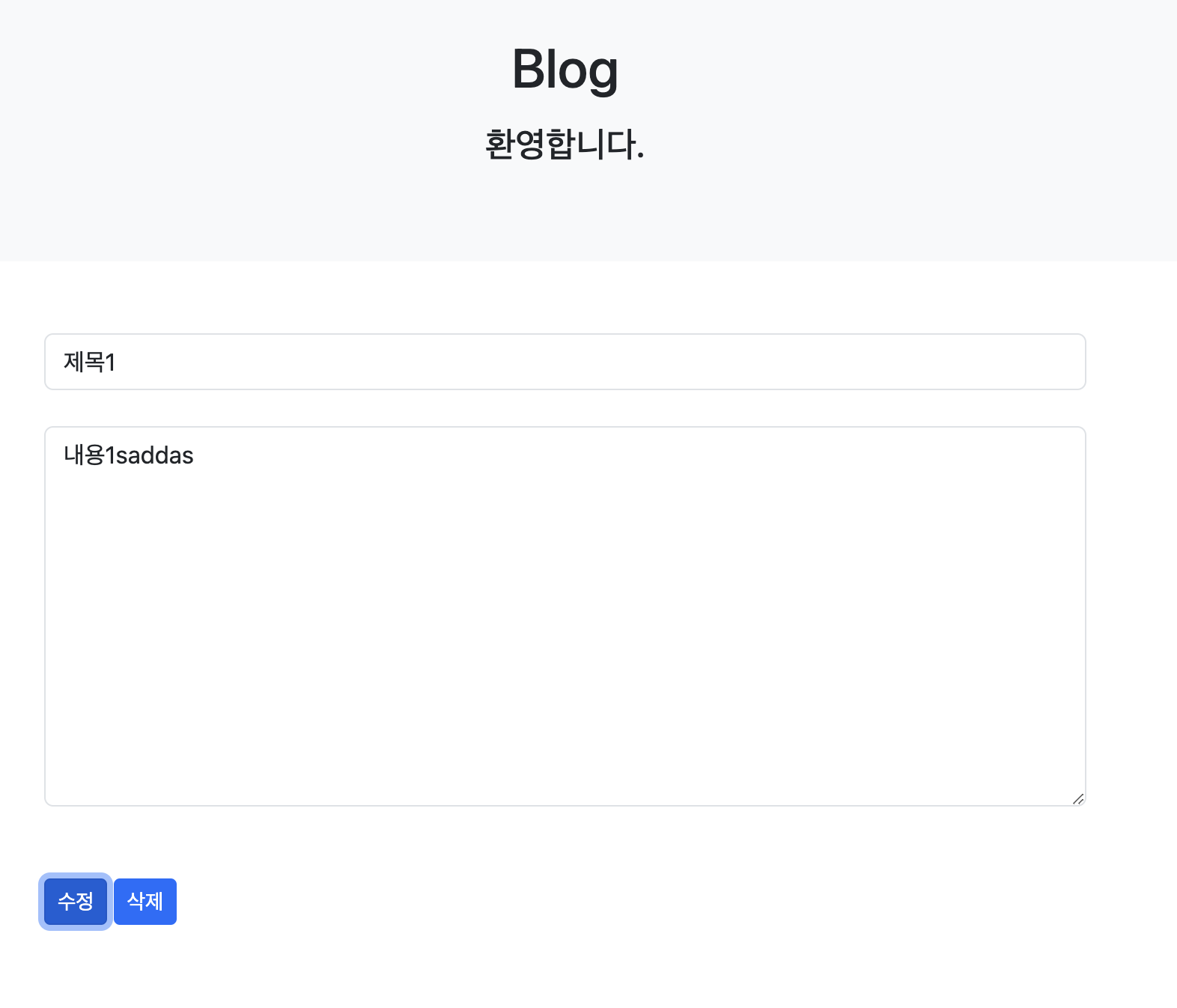
생성 시 Dto에 id 값은 없기 때문에 따로 model 객체에 넣어준다.
JavaScript
const modifyButton = document.getElementById('modify-btn');

if (modifyButton) {
    modifyButton.addEventListener('click', event => {
        let params = new URLSearchParams(location.search);
        let id = params.get('id');

        fetch(`/api/post/${id}`, {
            method: 'PATCH',
            headers: {
                "Content-Type": "application/json",
            },
            body: JSON.stringify({
                title: document.getElementById('title').value,
                content: document.getElementById('content').value
            })
        })
            .then(() => {
                alert('수정이 완료되었습니다.');
                location.replace(`/post/${id}`)
            })
    });
} else {
    console.error("'modify-btn' 요소를 찾을 수 없습니다.");
}
<!DOCTYPE html>
<html xmlns:th="http://www.thymeleaf.org">
<head>
    <meta charset="UTF-8">
    <title>PostList</title>
    <!-- bootstrap css -->
    <link rel="stylesheet" href="/css/bootstrap.min.css">
</head>
<body>
<div class="p-5 mb-5 text-center bg-light">
    <h1 class="mb-3">Blog</h1>
    <h4 class="mb-3">환영합니다.</h4>
</div>

<div class="container mt-5">
    <div class="row">
        <div class="col-lg-8">
            <article>
                <input type="hidden" id="post-id" th:if="${postId != null}" th:value="${postId}">
                <header class="mb-4">
                    <input type="text" class="form-control" placeholder="제목" id="title" th:value="${post.title}">
                </header>
                <section class="mb-5">
                    <textarea class="form-control h-25" rows="10" placeholder="내용" id="content" th:text="${post.content}"></textarea>
                </section>
                <button th:if="${postId} != null" type="button" id="modify-btn" class="btn btn-primary btn-sm">수정</button>
                <button th:if="${postId} == null" type="button" id="create-btn" class="btn btn-primary btn-sm">등록</button>
                <button type="button" id="delete-btn" class="btn btn-primary btn-sm">삭제</button>
            </article>
        </div>
    </div>
</div>

<!-- bootstrap js -->
<script src="/js/bootstrap.min.js"></script>
<script src="/js/post.js"></script>
</body>
</html>
생성
// 등록
const createButton = document.getElementById("create-btn")
if (createButton) {
    createButton.addEventListener("click", event => {
        fetch("/api/post", {
            method: "POST",
            headers: {
                "Content-Type": "application/json",
            },
            body: JSON.stringify({
                title: document.getElementById('title').value,
                content: document.getElementById('content').value
            })
        })
            .then(() =>{
                alert("등록 완료되었습니다.");
                location.replace("/post");
            });
    });
}

공부하는 초보 개발자