1.템플릿에서 사용된 URL의 하드코딩을 없애는 방법
URL 하드코딩
<li><a href="/boards/{{ post.id }}/">{{ post.title }}</a></li>
URL 링크 구조가 자주 변경되면 템플릿에 사용된 모든 URL을 일일이 수정해야 하는 위험이 있다.
이를 해결하려면 해당 URL의 실제 주소 대신 1:1로 매핑된 별칭을 사용하는 것이 좋다.
URL 별칭 사용하기
boards/urls.py
urlpatterns = [
   path("", views.index,name='index'), #boards/ 끝에 슬러시 주의 할것
   path("for_loop/", views.for_loop), #boards/for_loop/ 끝에 슬러시 주의 할것
   path('<int:post_id>/', views.detail, name='detail'),
]
boards/post_list.html
<a href="/boards/{{ post.id }}/">{{ post.title }}</a>
아래로 수정
<a href="{% url "detail" post.id %}">{{ post.title }}</a>
boards/views.py 추가
def detail(request, question_id):
    question = Question.objects.get(id=question_id)
    context = {'question': question}
    return render(request, 'pybo/question_detail.html', context)
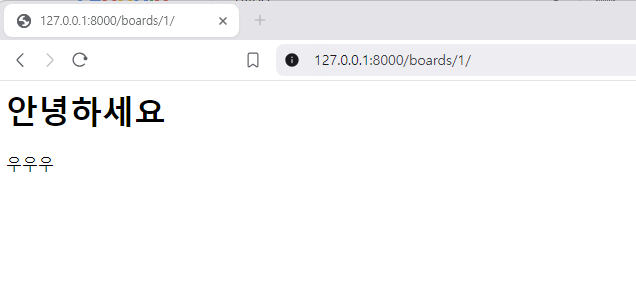
templates/boards/post_detail.html 추가
<h1>{{ post.title }}</h1>
<div>
    {{ post.content }}
</div>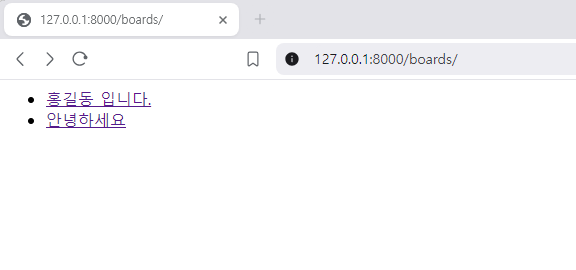
URL 네임스페이스
현재는 boards 앱만 사용 중이지만, 앞으로 boards 외에 다른 앱이 프로젝트에 추가될 가능성이 있다. 이런 경우 서로 다른 앱에서 동일한 URL 별칭을 사용하면 중복 문제가 발생할 수 있다.
이 문제를 해결하려면 boards/urls.py 파일에 네임스페이스를 지정하는 app_name 변수를 추가해야 한다. 다음과 같이 boards/urls.py 파일에 app_name을 추가하자.
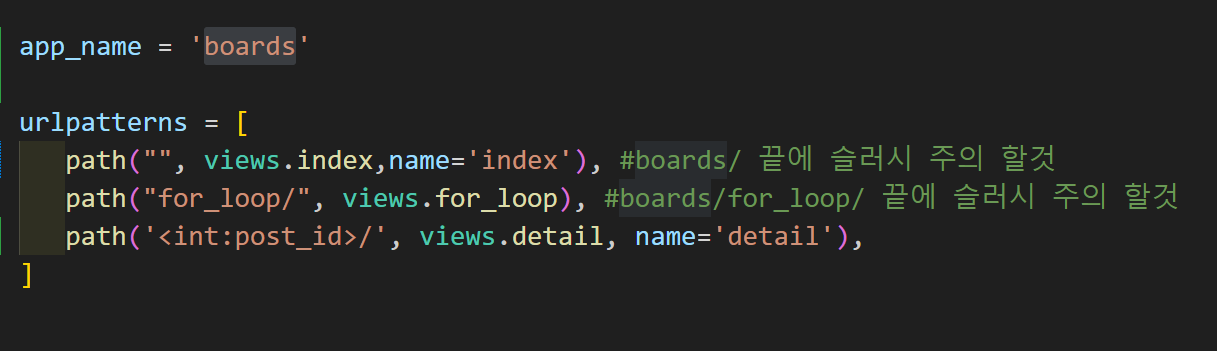
아래와 같이 수정
<a href="{% url "boards:detail" post.id %}">{{ post.title }}</a>
쿵스보이(얼짱뮤지션)