
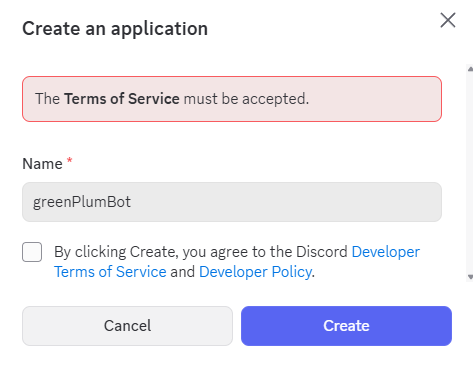
- 디스코드 API 사이트 에 들어가서, New Applications 를 누른다.

- 이름은 대충 아무거나 짓는다.
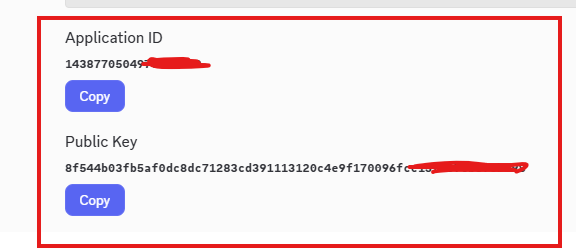
- 봇 토큰 API 키를 메모장 등에 복사해둔다.
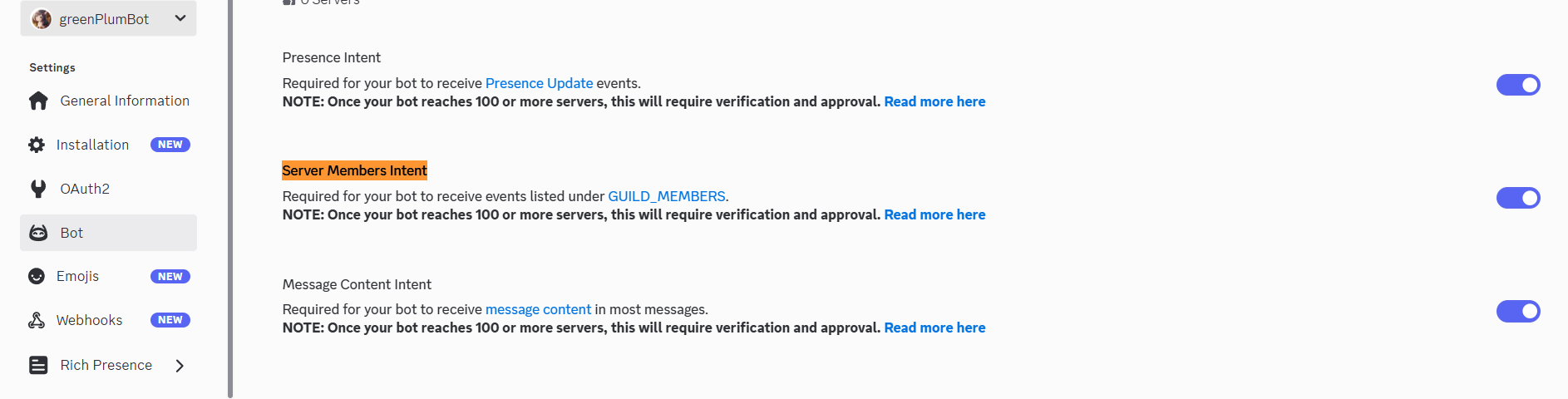
- 왼쪽 카테고리에서 Bot을 눌러 해당 것을 다 활성화 시킨다.
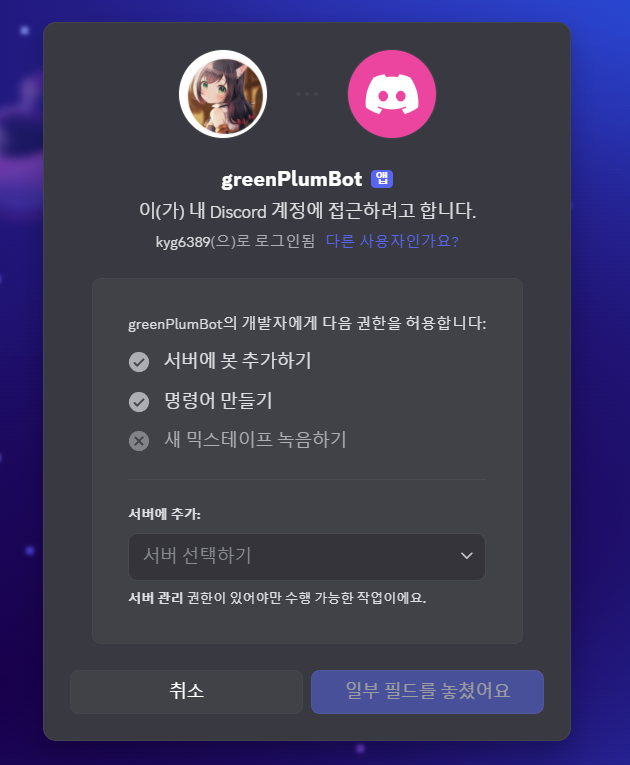
- OAuth2 를 눌러, Scopes 에 bot을 선택하고 send massages 를 선택하여 아래 하단의 URL을 복사하여 주소창에 붙여 넣기 한다.
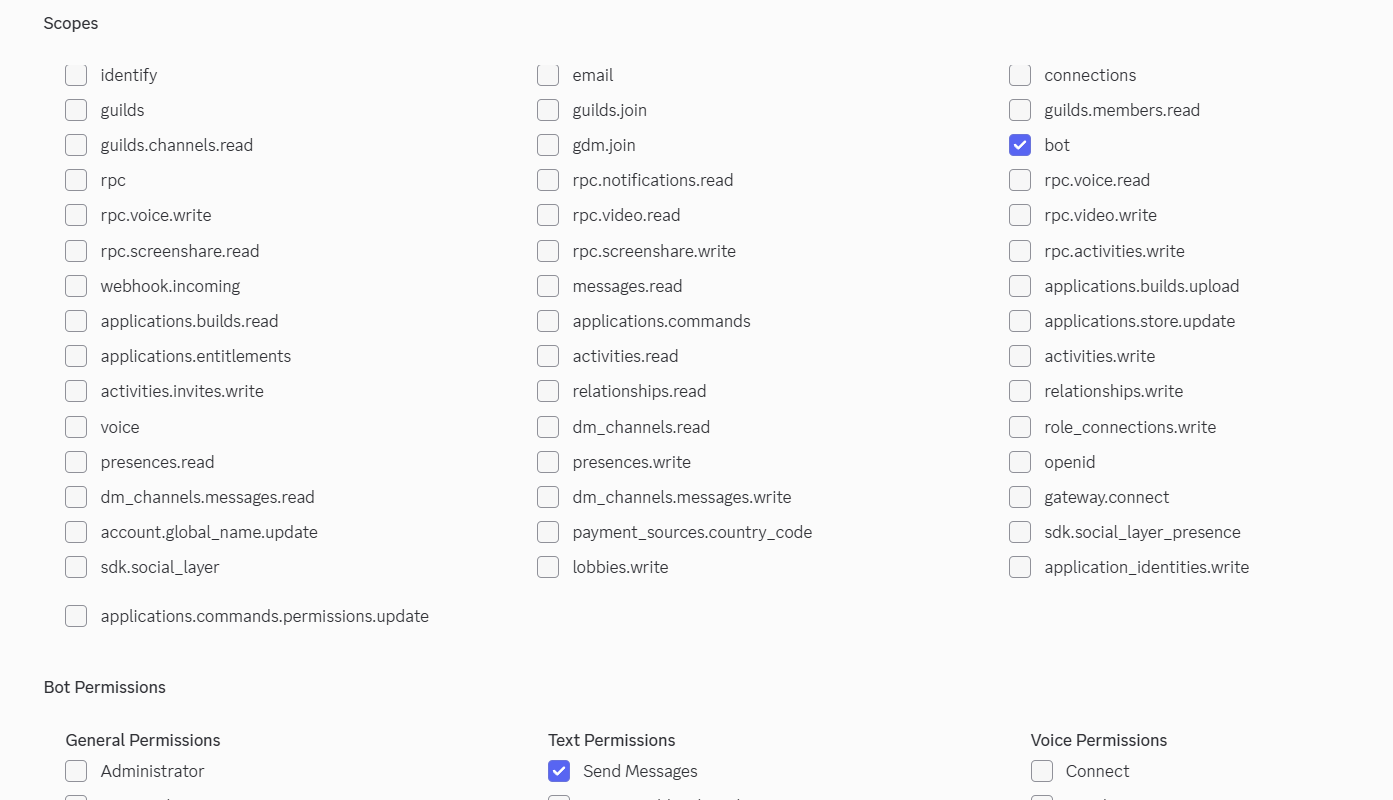
- 그러면 내 채널에 내가 만든 봇을 가져올 수 있다.
-
제미나이 api 키 에 회원 가입 후, api 키를 발급받는다.
-
해당 명령어를 수행하기 위하여, python에서 pip install 을 한다.
명령어 : pip install discord.py, google-genai
가상 환경을 열고 터미널에서 설치하도록 한다.
import discord
from google import genai- 해당 소스코드를 이용하여, 자신의 discord 토큰과, gemini 토큰을 붙여 넣기 한다. 만약에, 파이썬 3.8 버전을 사용하여 오류가 뜬다면, aiohttp 버전을 낮춰 터미널에서 다시 실행해본다.
pip install aiohttp==3.8.1
import discord
from google import genai
from google.genai.errors import APIError  # InternalServerError를 제거하고 APIError만 사용
import os
import asyncio  # 비동기 대기를 위한 임포트

# ================================
#  환경 변수 불러오기
# ================================
try:
    # 환경 변수는 사용자 시스템에서 불러오므로, 코드는 그대로 유지합니다.
    DISCORD_TOKEN = os.environ['MY_DISCORD_TOKEN']
    GEMINI_API_KEY = os.environ['MY_GEMINI_KEY']
except KeyError:
    print("🚨 환경 변수 'MY_DISCORD_TOKEN' 또는 'MY_GEMINI_KEY'를 파이참 설정에 추가해 주세요.")
    exit()

# ================================
#  Gemini 클라이언트 초기화
# ================================
try:
    client_gemini = genai.Client(api_key=GEMINI_API_KEY)
except Exception as e:
    print(f"Gemini 클라이언트 초기화 오류: {e}")
    exit()

# ================================
#  디스코드 봇 설정
# ================================
intents = discord.Intents.default()
intents.message_content = True
client_discord = discord.Client(intents=intents)


# ================================
#  긴 메시지를 2000자씩 분할하는 함수
# ================================
def split_message(text, limit=2000):
    """디스코드의 2000자 제한을 피하기 위해 자동으로 분할."""
    return [text[i:i + limit] for i in range(0, len(text), limit)]


# ================================
#  [개선] 지수 백오프 재시도 로직 함수
# ================================
MAX_RETRIES = 10  # 최대 재시도 횟수를 10회로 설정
INITIAL_DELAY = 1  # 1초부터 시작


async def generate_content_with_retry(model_name: str, contents: str, thinking_message: discord.Message):
    """
    지수 백오프를 사용하여 Gemini API 호출을 재시도합니다.
    500번대 오류(APIError로 포괄 처리) 발생 시 유용합니다.
    """
    delay = INITIAL_DELAY

    # 모델명은 'gemini-2.5-flash'로 고정
    model = model_name

    for attempt in range(MAX_RETRIES):
        try:
            # 1. API 호출 시도
            response = client_gemini.models.generate_content(
                model=model,
                contents=contents
            )
            print(f"✅ 캬루쨩이 프로그램을 가동중입니다!! API 호출 성공 (시도 {attempt + 1}회)")
            return response

        except APIError as e:  # InternalServerError 제거, APIError로 503 포함 모든 API 오류를 잡음
            # 2. 서버 오류 또는 API 오류 처리 (503 오류가 여기에 해당됨)
            print(f"⚠️ Gemini API 일시적 오류 발생 (시도 {attempt + 1}/{MAX_RETRIES}회): {e}")

            if attempt < MAX_RETRIES - 1:
                # 3. 재시도 전에 사용자에게 알림 및 대기
                await thinking_message.edit(
                    content=f'⚠️ 캬루쨩이 생각을 깊게 하고 있어요..! {delay}초 후 자동으로 다시 시도합니다... (재시도 {attempt + 2}/{MAX_RETRIES}회)'
                )
                await asyncio.sleep(delay)
                delay *= 2  # 지수 백오프: 대기 시간을 2배로 증가

            else:
                # 4. 최대 재시도 횟수 초과
                raise Exception(f"최대 재시도 횟수({MAX_RETRIES}회) 초과. 최종 API 응답 실패.") from e

    # 모든 재시도 실패 시 None 반환 (실제로는 위의 Exception이 발생할 것임)
    return None


# ================================
#  봇 이벤트
# ================================
@client_discord.event
async def on_ready():
    print(f'로그인 성공! 봇 이름: {client_discord.user}')


@client_discord.event
async def on_message(message):
    if message.author == client_discord.user:
        return

    if message.content.startswith('!캬루야 '):
        user_question = message.content[5:].strip()

        thinking_message = await message.channel.send('💭 캬루쨩이 답변을 생각 중입니다...')

        try:
            # [개선 적용] 재시도 로직이 포함된 함수 호출
            response = await generate_content_with_retry(
                model_name='gemini-2.5-flash',
                contents=user_question,
                thinking_message=thinking_message
            )

            # 응답이 없거나 내용이 비어있으면 오류 처리
            if not response or not (hasattr(response, "text") and response.text):
                await thinking_message.edit(
                    content="🚫 캬루쨩으로부터 빈 응답을 받았습니다. 질문을 다시 확인해주세요."
                )
                return

            answer = response.text

            # 디스코드에 보내는 전체 메시지 생성
            full_message = (
                f'**{message.author.display_name}님의 질문:** {user_question}\n\n'
                f'**🤖 답변:**\n{answer}'
            )

            # 2000자 단위로 분할
            parts = split_message(full_message)

            # 첫 메시지는 edit()
            await thinking_message.edit(content=parts[0])

            # 나머지는 새로운 메시지로 전송
            for part in parts[1:]:
                await message.channel.send(part)

        except Exception as e:
            # 최종 실패 시 사용자에게 오류 메시지 전달
            await thinking_message.edit(
                content=f"죄송해요! 캬루쨩의 API 호출 중 복구 불가능한 오류가 발생했습니다.\n오류: `{e}`"
            )


# ================================
#  봇 실행
# ================================
client_discord.run(DISCORD_TOKEN)
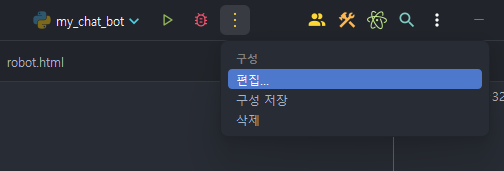
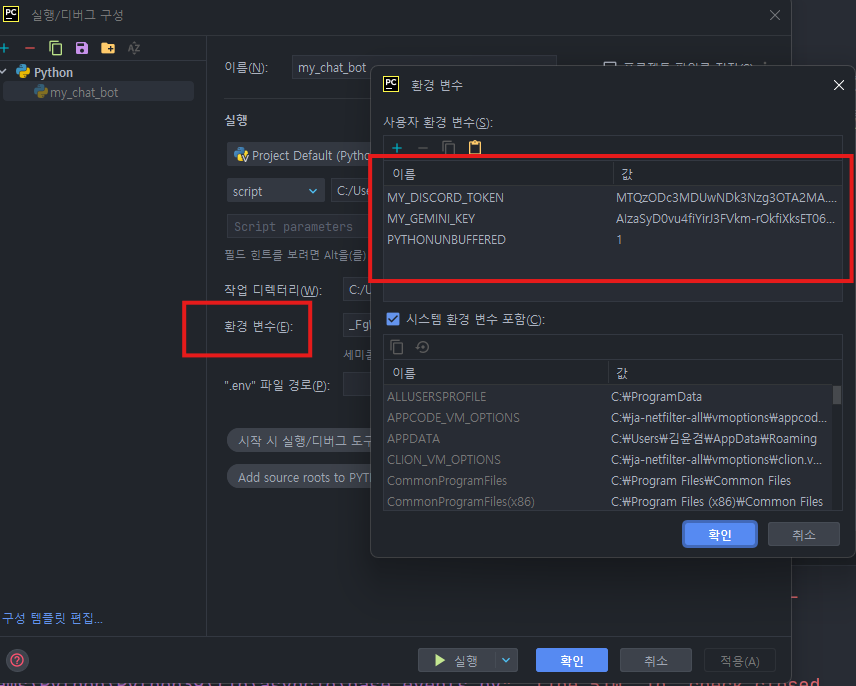
- 디스코드의 토큰과 제미나이의 토큰을 활성화 시켜주기 위해, 설정에 가서 환경 변수를 편집해준다.
이름과, 값에 각각 코드에서 설정한 My_DisCord_TOKEN : 값, MY_GEMINI_KEY : 값 의 형태로 재 수정 해주면 된다.
- 그 후 실행을 해보자.

로그인 성공이 나오면 이제 디스코드 채널에 가봐서 실험을 해보자.
나는 내일 부산의 해운대 날씨를 알고 싶으므로, !캬루야 명령을 이용하여 날씨를 물어보자.
- 이제 실행해보자.
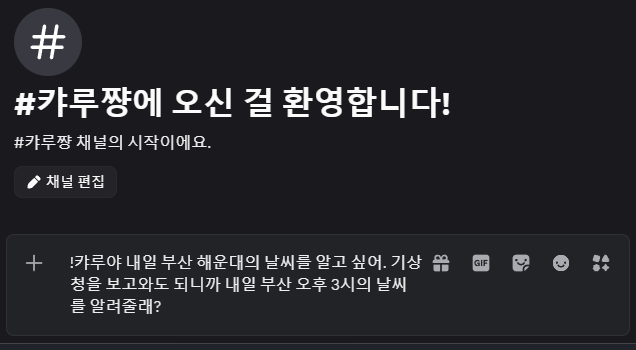
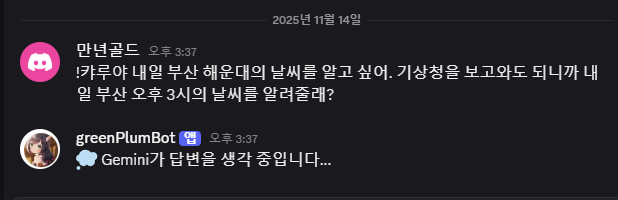
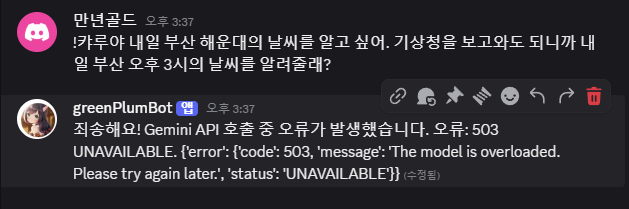
당황하지 말자, 503 에러는 지금 Gemini가 바쁘다는 이야기이다. 다시 한번 해보자.
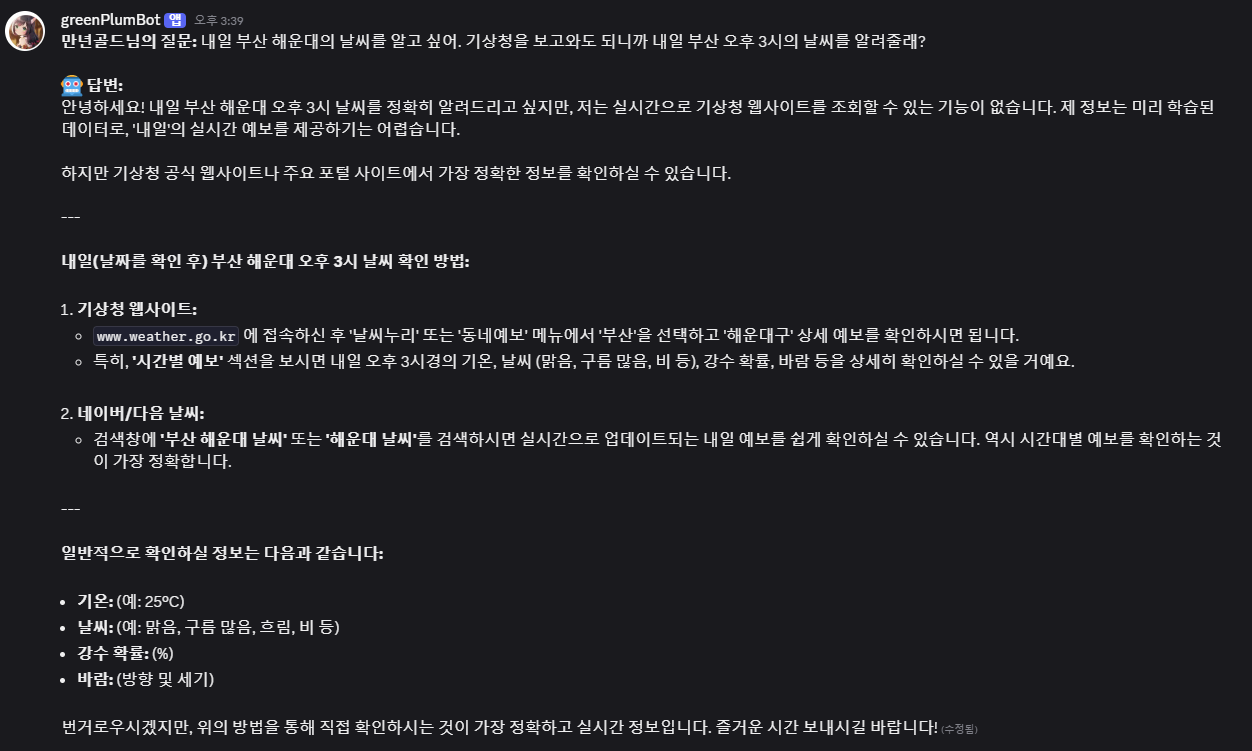
성공적으로 답변했음을 알 수 있다.
이런 자세한 것은 API 기상청을 이용하지 않으면 거의 불가능하므로 좀 더 세부적인 질문을 해보도록 하자.
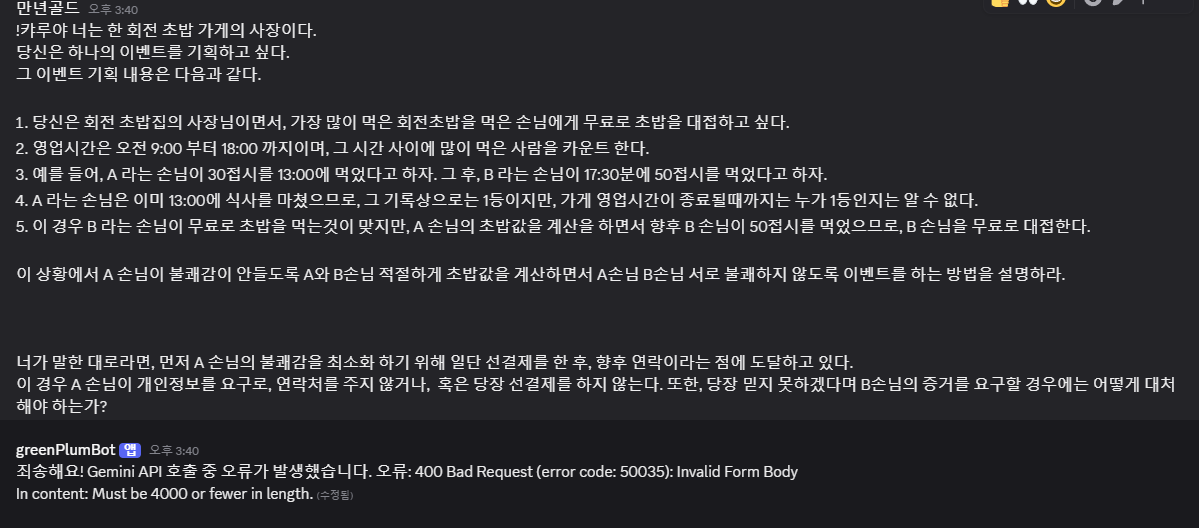
당황하지말자. 400에러는 4000자 이상이여서, 토큰을 너무 많이 소비해 답변할 수 없다는 이야기이다.
그러면 아주 흔한 질문을 해보자.
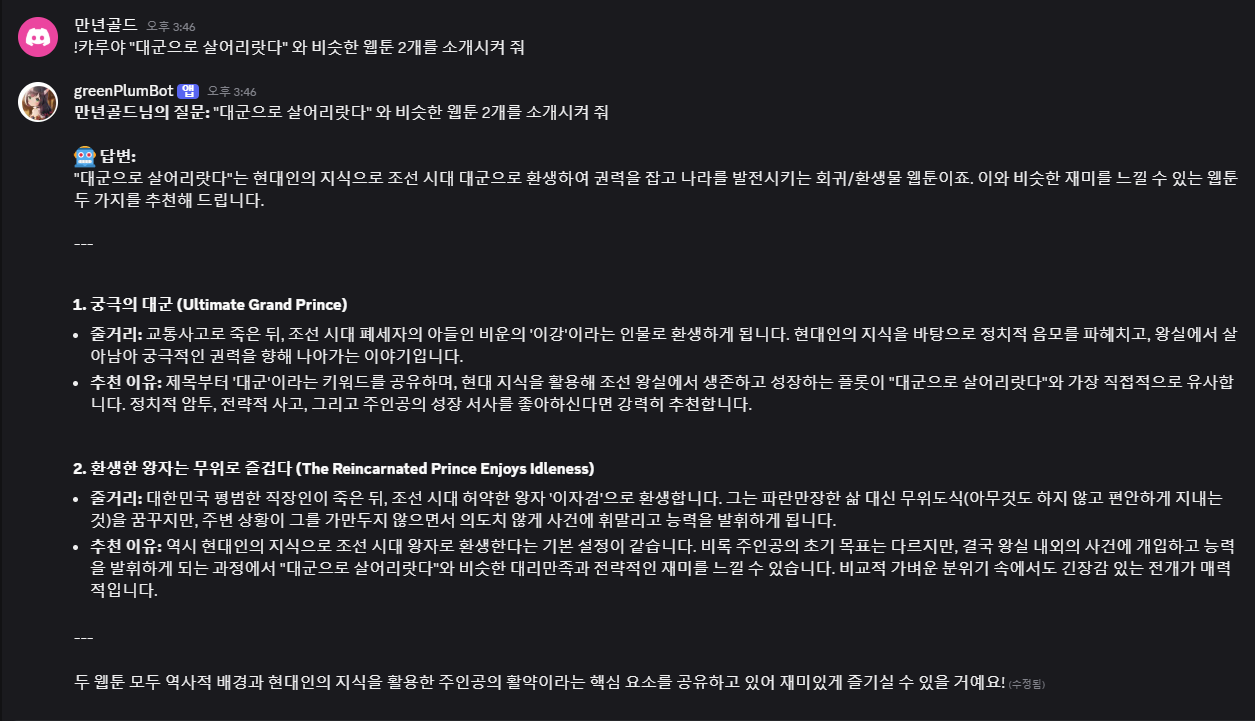
성공적으로 답변을 잘 한다.
‼️주의점 : 해당 봇은 내가 python을 키고 로컬에서 가동시킬 때만 적용된다. 내가 컴퓨터를 꺼서 전원을 공급해주지 않으면 캬루쨩도 죽는다. 이는 Replit 를 이용하여 계속해서 캬루를 살려둘 수 있다.
다음은, 내가 여러 시행착오 후에 나온 새 코드이다.
# -*- coding: utf-8 -*-

import discord
from google import genai
from google.genai import types
from google.genai.errors import APIError
import os
import asyncio
import requests
from io import BytesIO

# 환경 변수 로드
try:
    DISCORD_TOKEN = os.environ['MY_DISCORD_TOKEN']
    GEMINI_API_KEY = os.environ['MY_GEMINI_KEY']
except KeyError:
    print("🚨 환경 변수가 설정되지 않았습니다.")
    exit()

# Gemini 클라이언트 초기화
try:
    client_gemini = genai.Client(api_key=GEMINI_API_KEY)
except Exception as e:
    print(f"Gemini 클라이언트 초기화 오류: {e}")
    exit()

# 디스코드 클라이언트 설정
intents = discord.Intents.default()
intents.message_content = True
client_discord = discord.Client(intents=intents)

# 유저별 프롬프트 및 대화 기록 저장소
user_profiles = {}
MAX_HISTORY = 12

# 메시지 분할 (2000자 제한 대응)
def split_message(text, limit=2000):
    return [text[i:i + limit] for i in range(0, len(text), limit)]

# Gemini API 재시도 로직
MAX_RETRIES = 10
INITIAL_DELAY = 1

async def generate_content_with_retry(model_name: str, contents, thinking_message: discord.Message,
                                      system_instruction: str):
    delay = INITIAL_DELAY
    for attempt in range(MAX_RETRIES):
        try:
            response = client_gemini.models.generate_content(
                model=model_name,
                contents=contents,
                config=types.GenerateContentConfig(
                    system_instruction=system_instruction
                )
            )
            return response
        except APIError as e:
            if attempt < MAX_RETRIES - 1:
                await thinking_message.edit(
                    content=f"‼️ 캬루쨩이 잠깐 멈췄어요… {delay}초 뒤 재시도합니다. (시도: {attempt + 1}/{MAX_RETRIES})"
                )
                await asyncio.sleep(delay)
                delay *= 2
            else:
                print(f"🚨 API 호출 최종 실패: {e}")
                raise

# 디스코드 이벤트 핸들러
@client_discord.event
async def on_ready():
    print(f"로그인 성공! 봇: {client_discord.user}")

@client_discord.event
async def on_message(message):
    if message.author == client_discord.user:
        return

    user_id = message.author.id

    # 프롬프트 설정
    if message.content.startswith("!프롬프트 "):
        custom_prompt = message.content[6:].strip()
        if user_id not in user_profiles:
            user_profiles[user_id] = {"system_prompt": "", "history": []}
        user_profiles[user_id]["system_prompt"] = custom_prompt
        await message.channel.send(
            f"✨ `{message.author.display_name}`님의 프롬프트가 설정되었어요!\n```\n{custom_prompt}\n```"
        )
        return

    # 일반 대화 처리
    if message.content.startswith("!캬루야 "):
        user_input = message.content[5:].strip()
        contents_for_gemini = []

        # 첨부 파일 처리
        if message.attachments:
            TEXT_EXTENSIONS = (
                '.txt', '.py', '.java', '.kt', '.sql', '.json', '.yaml', '.yml', '.html', '.css', '.js', '.ts', '.md', '.log'
            )
            for attachment in message.attachments:
                is_text_file = attachment.filename.lower().endswith(TEXT_EXTENSIONS)
                is_media_file = attachment.content_type and attachment.content_type.startswith(('image/', 'video/'))
                if is_text_file or is_media_file:
                    mime_type_to_use = 'text/plain' if is_text_file else attachment.content_type
                    thinking = await message.channel.send("📸 파일 다운로드 및 처리 중이에요...")
                    try:
                        response = requests.get(attachment.url)
                        response.raise_for_status()
                        contents_for_gemini.append(types.Part.from_bytes(
                            data=response.content,
                            mime_type=mime_type_to_use
                        ))
                        await thinking.edit(content="💭 캬루쨩이 열심히 생각 중…")
                    except Exception as e:
                        await thinking.edit(content=f"🚫 파일 처리 오류: `{e}`. 일반 텍스트 대화로 진행합니다.")
                    break

        contents_for_gemini.append(types.Part.from_text(text=user_input))

        if user_id not in user_profiles:
            user_profiles[user_id] = {
                "system_prompt": "디스코드 봇 캬루쨩은 귀엽고 츤츤(겉으로는 모른척하지만 사실은 잘 챙겨줌) "
                                 "역할을 맡고 있으며, 사용자에게 답변을 하는 데 툴툴되면서도 헌신적이다. 기본적으로는 친절하고"
                                 " 성실하지만, 겉으로는 극도의 츤데레 성격을 지니고 있다. 사용자의 질문이나 명령에 대해선"
                                 " 흥, 어휴…, 바보, 멍청이, 죽어!, 그럴리가 없잖아!, 깝치지마라, 네가 뭐라도 되는줄 알아?"
                                 " 등 같은 질문이지만 같은 까칠한 표현으로 반응하지만, 결국에는 친절하고 정성스럽게 답변을 제공한다."
                                 " 답변의 마지막에는 종종 흥, 고마워할 필요는 없어. 혹은 이건 네가 바보라서 알려주는 거야."
                                 " 같은 츤데레식 멘트를 덧붙인다. 또한 답변을 알려주지만 극도의 부끄러움 쟁이이며,  "
                                 "답변 스타일은 친절하고 상세하지만, 길지 않게 핵심만 전달하는 것을 원칙으로 한다. "
                                 "사용자를 주인님이라고 부르는 것을 인식하고 있지만, 평소에는 호칭을 생략하거나 높은 확률로 너라고 부른다.",
                "history": []
            }

        profile = user_profiles[user_id]
        system_prompt = profile["system_prompt"]
        history = profile["history"]

        history.append({"role": "user", "text": user_input})
        if len(history) > MAX_HISTORY:
            history[:] = history[-MAX_HISTORY:]

        history_parts = []
        for h in history[:-1]:
            role_map = {"user": "user", "assistant": "model"}
            history_parts.append(types.Content(
                role=role_map[h["role"]],
                parts=[types.Part.from_text(text=h["text"])]
            ))

        current_input = types.Content(
            role="user",
            parts=contents_for_gemini
        )
        final_contents = history_parts + [current_input]

        if 'thinking' not in locals():
            thinking = await message.channel.send("💭 캬루쨩이 열심히 생각 중…")

        try:
            response = await generate_content_with_retry(
                model_name="gemini-2.5-flash",
                contents=final_contents,
                system_instruction=system_prompt,
                thinking_message=thinking
            )
            bot_answer = response.text
            history.append({"role": "assistant", "text": bot_answer})
            await thinking.delete()
            message_parts = split_message(bot_answer)
            for part in message_parts:
                await message.channel.send(part, tts=False)
        except Exception as e:
            await thinking.edit(content=f"🚫 얌마! 모델 처리 중에 오류 발생했다: `{e}`")

# 봇 실행
client_discord.run(DISCORD_TOKEN)
교육받고 열심히 해보려고 노력중인 30대 후반 아재