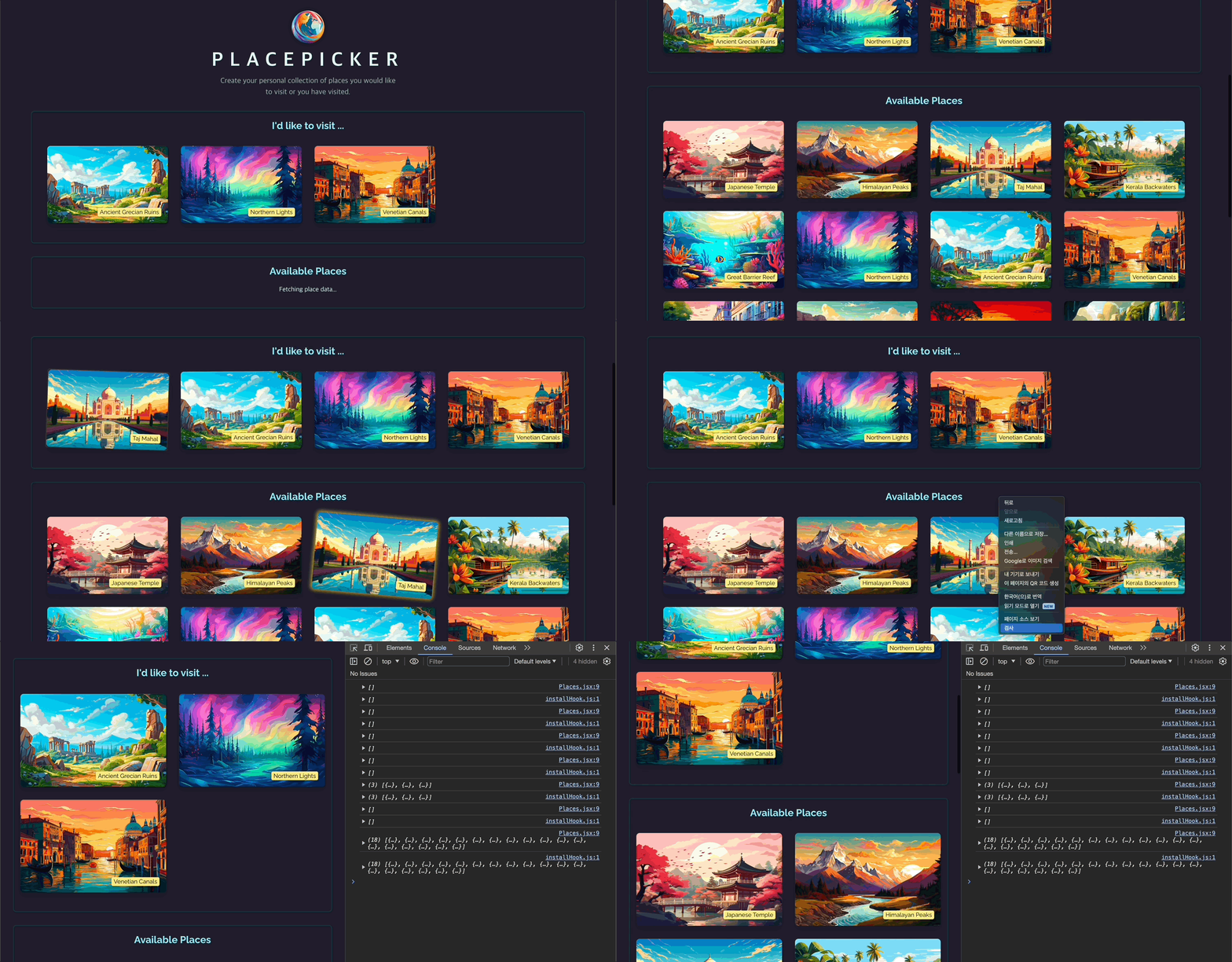
🔗 레파지토리에서 보기
📌 Hooks(훅)의 규칙 복습 & 훅을 사용하는 이유
📖 훅의 규칙
- 리액트 훅은 리액트 컴포넌트 함수 안에서만 사용해야 한다. → 컴포넌트 혹은 다른(커스텀) 훅 안에서만 사용할 수 있다.
- 훅들은 if, for 같은 중첩 함수에 포함(중첩)되어서는 안된다.
📖 커스텀 훅을 사용하는 이유
- 컴포넌트 함수에 들어가는 코드를 항상 감싸고 재사용하기 위함.
- ex. App.jsx와 AvailablePlaces.jsx에서 데이터를 fetch하는 부분의 코드는 꽤나 비슷하다. http 요청을 보내고 로딩 상태, 에러 상태를 사용하고 이를 위해 useEffect를 사용한다.
- 커스텀 훅은 다른 여러 곳에서도 부를 수 있는 함수이다. 하지만 그와 동시에 유효한 곳에서 사용되기를 보장 받아야 한다.
📖 커스텀 Hooks(훅) 생성하기
💎 src/hooks/useFetch.js
import { useEffect, useState } from "react";
export function useFetch(fetchFn, initialValue) {
const [isFetching, setIsFetching] = useState();
const [error, setError] = useState();
const [fetchedData, setFetchedData] = useState(initialValue);
useEffect(() => {
async function fetchData() {
setIsFetching(true);
try {
const data = await fetchFn();
setFetchedData(data);
} catch (error) {
setError({
message: error.message || "Failed to fetch data.",
});
}
setIsFetching(false);
}
fetchData();
}, [fetchFn]);
return {
isFetching,
fetchedData,
error,
};
}
- 리액트 프로젝트 규칙 상 use로 시작하는 함수는 훅으로 인식된다. 따라서 use~로 이름을 짓는다.
- 나중에 이 커스텀 훅을 사용하는 모든 컴포넌트가 그 훅에 입력된 같은 상태값이 필요해진다. → fetch 뿐만 아니라 연관된 모든 state 값을 관리하는 역할을 한다.
- 커스텀 훅이 관리하는 모든 상태값이 커스텀 훅을 사용하고 있는 컴포넌트에 속하게 된다. → 커스텀 훅에서 상태 값을 업데이트하면 커스텀 훅이 있는 컴포넌트도 다시 실행된다.
💎 App.jsx
import { useRef, useState, useCallback, useEffect } from "react";
import Places from "./components/Places.jsx";
import Modal from "./components/Modal.jsx";
import DeleteConfirmation from "./components/DeleteConfirmation.jsx";
import logoImg from "./assets/logo.png";
import AvailablePlaces from "./components/AvailablePlaces.jsx";
import { fetchUserPlaces, updateUserPlaces } from "./http.js";
import Error from "./components/Error.jsx";
import { useFetch } from "./hooks/useFetch.js";
function App() {
const selectedPlace = useRef();
const [errorUpdatingPlaces, setErrorUpdatingPlaces] = useState();
const [modalIsOpen, setModalIsOpen] = useState(false);
const { isFetching, fetchedData, error } = useFetch(fetchUserPlaces, []);
function handleStartRemovePlace(place) {
setModalIsOpen(true);
selectedPlace.current = place;
}
function handleStopRemovePlace() {
setModalIsOpen(false);
}
function handleError() {
setErrorUpdatingPlaces(null);
}
return (
<>
<Modal open={errorUpdatingPlaces} onClose={handleError}>
{errorUpdatingPlaces && (
<Error
title="An error occurred!"
message={errorUpdatingPlaces.message}
onConfirm={handleError}
/>
)}
</Modal>
<Modal open={modalIsOpen} onClose={handleStopRemovePlace}>
<DeleteConfirmation
onCancel={handleStopRemovePlace}
/>
</Modal>
<header>
<img src={logoImg} alt="Stylized globe" />
<h1>PlacePicker</h1>
<p>
Create your personal collection of places you would like to visit or
you have visited.
</p>
</header>
<main>
{error && <Error title="An error occurred!" message={error.message} />}
{!error && (
<Places
title="I'd like to visit ..."
fallbackText="Select the places you would like to visit below."
isLoading={isFetching}
loadingText="Fetching your places..."
places={fetchedData}
onSelectPlace={handleStartRemovePlace}
/>
)}
<AvailablePlaces
/>
</main>
</>
);
}
export default App;
💎 결과

📖 커스텀 훅에서 중첩 함수 노출시키기
💎 useFetch.js
import { useEffect, useState } from "react";
export function useFetch(fetchFn, initialValue) {
const [isFetching, setIsFetching] = useState();
const [error, setError] = useState();
const [fetchedData, setFetchedData] = useState(initialValue);
useEffect(() => {
async function fetchData() {
setIsFetching(true);
try {
const data = await fetchFn();
setFetchedData(data);
} catch (error) {
setError({
message: error.message || "Failed to fetch data.",
});
}
setIsFetching(false);
}
fetchData();
}, [fetchFn]);
return {
isFetching,
fetchedData,
setFetchedData,
error,
};
}
return {setFecthedData} 추가
💎 App.jsx
import { useRef, useState, useCallback, useEffect } from "react";
import Places from "./components/Places.jsx";
import Modal from "./components/Modal.jsx";
import DeleteConfirmation from "./components/DeleteConfirmation.jsx";
import logoImg from "./assets/logo.png";
import AvailablePlaces from "./components/AvailablePlaces.jsx";
import { fetchUserPlaces, updateUserPlaces } from "./http.js";
import Error from "./components/Error.jsx";
import { useFetch } from "./hooks/useFetch.js";
function App() {
const selectedPlace = useRef();
const [errorUpdatingPlaces, setErrorUpdatingPlaces] = useState();
const [modalIsOpen, setModalIsOpen] = useState(false);
const {
isFetching,
fetchedData: userPlaces,
setFetchedData: setUserPlaces,
error,
} = useFetch(fetchUserPlaces, []);
function handleStartRemovePlace(place) {
setModalIsOpen(true);
selectedPlace.current = place;
}
function handleStopRemovePlace() {
setModalIsOpen(false);
}
async function handleSelectPlace(selectedPlace) {
setUserPlaces((prevPickedPlaces) => {
if (!prevPickedPlaces) {
prevPickedPlaces = [];
}
if (prevPickedPlaces.some((place) => place.id === selectedPlace.id)) {
return prevPickedPlaces;
}
return [selectedPlace, ...prevPickedPlaces];
});
try {
await updateUserPlaces([selectedPlace, ...userPlaces]);
} catch (error) {
setUserPlaces(userPlaces);
setErrorUpdatingPlaces({
message: error.message || "Failed to update places.",
});
}
}
const handleRemovePlace = useCallback(
async function handleRemovePlace() {
setUserPlaces((prevPickedPlaces) =>
prevPickedPlaces.filter(
(place) => place.id !== selectedPlace.current.id
)
);
try {
await updateUserPlaces(
userPlaces.filter((place) => place.id !== selectedPlace.current.id)
);
} catch (error) {
setUserPlaces(userPlaces);
setErrorUpdatingPlaces({
message: error.message || "Failed to delete place.",
});
}
setModalIsOpen(false);
},
[userPlaces, setUserPlaces]
);
function handleError() {
setErrorUpdatingPlaces(null);
}
return (
<>
<Modal open={errorUpdatingPlaces} onClose={handleError}>
{errorUpdatingPlaces && (
<Error
title="An error occurred!"
message={errorUpdatingPlaces.message}
onConfirm={handleError}
/>
)}
</Modal>
<Modal open={modalIsOpen} onClose={handleStopRemovePlace}>
<DeleteConfirmation
onCancel={handleStopRemovePlace}
onConfirm={handleRemovePlace}
/>
</Modal>
<header>
<img src={logoImg} alt="Stylized globe" />
<h1>PlacePicker</h1>
<p>
Create your personal collection of places you would like to visit or
you have visited.
</p>
</header>
<main>
{error && <Error title="An error occurred!" message={error.message} />}
{!error && (
<Places
title="I'd like to visit ..."
fallbackText="Select the places you would like to visit below."
isLoading={isFetching}
loadingText="Fetching your places..."
places={userPlaces}
onSelectPlace={handleStartRemovePlace}
/>
)}
<AvailablePlaces onSelectPlace={handleSelectPlace} />
</main>
</>
);
}
export default App;
- App에서 useFetch를 사용하면 useFetch에서 관리되는 새로 만들어지는 상태값(isFetching, error, fetchedData)은 해당 컴포넌트와만 연결된다.
- useFetch를 다른 컴포넌트에서 사용하게 되면 같은 상태값이 생성되나 해당 상태값 역시 useFetch가 정의된 그 컴포넌트에만 적용되는 "독립적인 상태 스냅샷"이다.
💎 결과

📖 다중 컴포넌트에서 커스텀 훅 사용하기
- 커스텀 훅은 컴포넌트를 가볍게 만들기 위해서 사용한다.
- 또다른 이유로는 여러 컴포넌트가 외부로 의탁 가능한 비슷한 원리를 가지는 경우 같은 훅을 공유해서 쓸 수 있다.
💎 AvailablePlaces.jsx
import { useState, useEffect } from 'react';
import Places from './Places.jsx';
import Error from './Error.jsx';
import { sortPlacesByDistance } from '../loc.js';
import { fetchAvailablePlaces } from '../http.js';
export default function AvailablePlaces({ onSelectPlace }) {
const [isFetching, setIsFetching] = useState(false);
const [availablePlaces, setAvailablePlaces] = useState([]);
const [error, setError] = useState();
useEffect(() => {
async function fetchPlaces() {
setIsFetching(true);
try {
const places = await fetchAvailablePlaces();
navigator.geolocation.getCurrentPosition((position) => {
const sortedPlaces = sortPlacesByDistance(
places,
position.coords.latitude,
position.coords.longitude
);
setAvailablePlaces(sortedPlaces);
setIsFetching(false);
});
} catch (error) {
setError({
message:
error.message || 'Could not fetch places, please try again later.',
});
setIsFetching(false);
}
}
fetchPlaces();
}, []);
if (error) {
return <Error title="An error occurred!" message={error.message} />;
}
return (
<Places
title="Available Places"
places={availablePlaces}
isLoading={isFetching}
loadingText="Fetching place data..."
fallbackText="No places available."
onSelectPlace={onSelectPlace}
/>
);
}
import { useState, useEffect } from "react";
import Places from "./Places.jsx";
import Error from "./Error.jsx";
import { sortPlacesByDistance } from "../loc.js";
import { fetchAvailablePlaces } from "../http.js";
import { useFetch } from "../hooks/useFetch.js";
export default function AvailablePlaces({ onSelectPlace }) {
const {
isFetching,
error,
fetchedData: availablePlaces,
setFetchedData: setAvailablePlaces,
} = useFetch(fetchAvailablePlaces, []);
if (error) {
return <Error title="An error occurred!" message={error.message} />;
}
return (
<Places
title="Available Places"
places={availablePlaces}
isLoading={isFetching}
loadingText="Fetching place data..."
fallbackText="No places available."
onSelectPlace={onSelectPlace}
/>
);
}
💎 결과

📖 유동성 있는 커스텀 훅 생성하기
💎 AvailablePlaces.jsx
import Places from "./Places.jsx";
import Error from "./Error.jsx";
import { sortPlacesByDistance } from "../loc.js";
import { fetchAvailablePlaces } from "../http.js";
import { useFetch } from "../hooks/useFetch.js";
async function fetchSortedPlaces() {
const places = await fetchAvailablePlaces();
return new Promise((resolve, reject) => {
navigator.geolocation.getCurrentPosition((position) => {
const sortedPlaces = sortPlacesByDistance(
places,
position.coords.latitude,
position.coords.longitude
);
resolve(sortedPlaces);
});
});
}
export default function AvailablePlaces({ onSelectPlace }) {
const {
isFetching,
error,
fetchedData: availablePlaces,
} = useFetch(fetchSortedPlaces, []);
if (error) {
return <Error title="An error occurred!" message={error.message} />;
}
return (
<Places
title="Available Places"
places={availablePlaces}
isLoading={isFetching}
loadingText="Fetching place data..."
fallbackText="No places available."
onSelectPlace={onSelectPlace}
/>
);
}
- useFetch 함수에서 fetchFn을 받아와
const data = await fetchFn();로 사용했다. 따라서 이 커스텀 훅은 fetchFn이 프로미스를 반환할 것이라고 예측할 것.
- 이렇게 커스텀 훅에 넘겨질 fetchFn을 미리 작성을 하는데, Promise를 이용해서 그에 대한 place 리턴값을 주자는 아이디어!
💎 결과