📌 리덕스(Redux)
- 리덕스는 크로스 컴포넌트 또는 웹 와이드 상태를 위한 상태 관리 시스템
- 리덕스는 우리가 상태를 다수의 컴포넌트나 심지어는 앱 전체에서 관리하도록 도와준다.
- 상태(State)
-
Local State : 데이터가 변경되어서 하나의 컴포넌트에 속하는 UI에 영향을 미치는 상태
- ex1. 사용자 입력을 청취하고 useState를 이용해서 그 입력을 모든 키 입력과 함께 state 변수에 저장
- ex2. 토글(클릭하면 보였다가 안보이게 되는)
- useState/useReducer를 이용해서 컴포넌트 안에서 로컬 상태를 관리한다.
-
Cross-Component State : 다양한 컴포넌트에 영향을 미치는 상태
- ex1. 모달 컴포넌트를 표시하고 감추는 것.
- prop 체인 이나 prop drilling이 필요하다.
-
App-Wide State : 애플리케이션의 모든 컴포넌트에 영향을 미치는 상태
- ex1. 사용자 인증(로그인/로그아웃의 따라 네비게이션을 변화)
- prop 체인이나 prop drilling이 필요하다.
Cross-Component State, App-Wide State는 모두 prop을 쉽게 처리하기 위해 Context API를 사용하거나 Redux를 사용해야 한다.
📖 리덕스 vs. 리액트의 컨텍스트
- 리액트 컨텍스트의 잠재적인 단점
- 리액트 컨텍스트를 사용하면 설정이 아주 복잡해질 수 있고 상태 관리가 복잡해질 수 있다.
- 여러 개의 ContextProvider를 사용하거나 하나의 컨텍스트 Provider를 사용하더라도 해당 컨텍스트는 매우 매우 복잡해질 것이다.
- 성능 : 데이터가 자주 변경되는 경우에는 좋지 않다. 유동적인 상태 확산을 대체할 수는 없다.
- 리액트 컨텍스트를 사용하면 설정이 아주 복잡해질 수 있고 상태 관리가 복잡해질 수 있다.
📖 리덕스 작동 방식
- 어플리케이션에 있는 하나의 중앙 데이터 저장소 이다. → 전체 어플리케이션의 모든 상태를 저장
- 컴포넌트가 데이터 저장소를 구독(Subscription)을 하고 데이터가 변경될 때마다 저장소가 컴포넌트에게 알림을 준다. 그러면 컴포넌트는 필요한 데이터를 받게 된다.(리덕스의 일부 데이터를 받음)
- 컴포넌트는 절대로 저장된 데이터를 직접 조작하지 않는다.
- 리듀서 함수를 이용하여 변형(저장소 내의 데이터를 변경, 업데이트)을 담당한다. → useReducer()가 아니다. 리듀서 함수는 일반적인 개념.
- 리듀서 함수와 컴포넌트를 연결하기 위해 Action(자바스크립트의 객체, 리듀서가 실행해야 할 작업을 설명)을 이용한다.
- 컴포넌트는 액션을 트리거 → 리덕스는 액션을 리듀서로 전달하고 원하는 작업에 대한 설명(description)을 읽는다. → 해당 작업을 리듀서가 수행
컴포넌트가 액션을 발송(dispatch)하고 그 액션에는 수행해야 할 작업이 서술되어있다(하지만 그것을 직접 하지는 않는다.). 그리고 액션들을 리듀서로 전달해서 액션이 원하는 것을 리듀서가 실행한다. → 리듀서는 새로운 상태를 내보내고 그것잉 중앙 데이터 저장소의 기존 상태를 대체한다. → 데이터 저장소가 업데이트가 되면 구독 중이던 컴포넌트가 알림을 받고 컴포넌트는 UI를 업데이트하게 된다.
📖 핵심 리덕스 개념 탐색하기
- redux-demo.js 생성
npm initnpm install redux
💎 redux-demo.js 작성
// 리듀서 함수
const redux = require("redux");

// 초기에 실행될 때 초기 상태값을 지정
const counterReducer = (state = { counter: 0 }, action) => {
  return {
    counter: state.counter + 1,
  };
};

const store = redux.createStore(counterReducer); // 저장소는 어떤 리듀서가 그 저장소를 변경하는지 알아야 한다.- 리듀서 함수 : 표준 자바스크립트 함수이지만 리덕스 라이브러리에 의해 호출될 것이다.
- 항상 2개의 입력(파라미터)를 받는다. 기존의 상태 + 발송된 액션
- 항상 새로운 상태 객체를 리턴해야 한다.
- → 리듀서 함수는 순수한 함수여야 한다.동일한 입력 값을 넣으면 동일한 출력을 내보내야 한다.
// 구독자
const counterSubscriber = () => {
  const latestState = store.getState();
  console.log(latestState);
};

store.subscribe(counterSubscriber);- 구독자
store.getState():createStore()로 생성된 저장소에서 업데이트 된 이후의 최신 상태 스냅샷을 제공한다
// 액션
store.dispatch({ type: "increment" });-
액션
- 액션을 발송하는 메서드. 액션은 자바스크립트 Object로 식별자 역할을 하는 type 프로퍼티를 가진다.
-
node redux-demo.js를 터미널에 입력하여 실행 → { counter: 2 } (초기 값은 counter:1 )
📖 더 많은 리덕스 기본 사항
💎 redux-demo.js - 1
// 리듀서 함수
const redux = require("redux");

const counterReducer = (state = { counter: 0 }, action) => {
  if (action.type === "increment") {
    return {
      counter: state.counter + 1,
    };
  }

  return state;
};

const store = redux.createStore(counterReducer);

// 구독자
const counterSubscriber = () => {
  const latestState = store.getState();
  console.log(latestState);
};

store.subscribe(counterSubscriber);

// 액션
store.dispatch({ type: "increment" });
💎 node redux-demo.js
- 결과 : { counter: 1 }
💎 redux-demo.js - 2
// 리듀서 함수
const redux = require("redux");

const counterReducer = (state = { counter: 0 }, action) => {
  if (action.type === "increment") {
    return {
      counter: state.counter + 1,
    };
  }

  if (action.type === "decrement") {
    return {
      counter: state.counter - 1,
    };
  }

  return state;
};

const store = redux.createStore(counterReducer);

// 구독자
const counterSubscriber = () => {
  const latestState = store.getState();
  console.log(latestState);
};

store.subscribe(counterSubscriber);

// 액션
store.dispatch({ type: "increment" });
store.dispatch({ type: "decrement" });
💎 node redux-demo.js
- 결과
{ counter: 1 }
{ counter: 0 }- 첫번째 결과 : 증가 액션 다음에
store.subscribe()에서 왔다. - 두번째 결과 : 상태를 변경 → subscription을 트리거하여 결과가 나옴.
📌 프로젝트에 적용해보기
npm install redux react-redux: react-redux는 리액트 앱과 리덕스 저장소와 리듀서에 간단히 접속하게 함.npm start

📖 리액트 용 리액스 store 만들기
💎 src/store/index.jsx
import { createStore } from "redux";

const counterReducer = (state = { counter: 0 }, action) => {
  if (action.type === "increment") {
    return {
      counter: state.counter + 1,
    };
  }

  if (action.type === "decrement") {
    return {
      counter: state.counter - 1,
    };
  }

  return state;
};

const store = createStore(counterReducer);

export default store;
📖 스토어 제공하기
- 앱 전체를 렌더링한 index.js에서
react-redux에서Provider컴포넌트를 import 할 수 있다. - Provider를 import한다고 해서 현재 react-redux가 index.jsx에서 우리가 만든 store에 대해서 알지 못한다. 따라서 다음과 같이 작성하여 Provider의 store 속성에 우리가 만든 store를 전달한다.
import React from "react";
import ReactDOM from "react-dom/client";
import { Provider } from "react-redux";

import "./index.css";
import App from "./App";
import store from "./store/index.jsx";

const root = ReactDOM.createRoot(document.getElementById("root"));
root.render(
  <Provider store={store}>
    <App />
  </Provider>
);- 이제, App 컴포넌트와 하위 컴포넌트들은 해당 저장소에 접근할 수 있다.
📖 리액트 컴포넌트에서 리덕스 데이터 사용하기
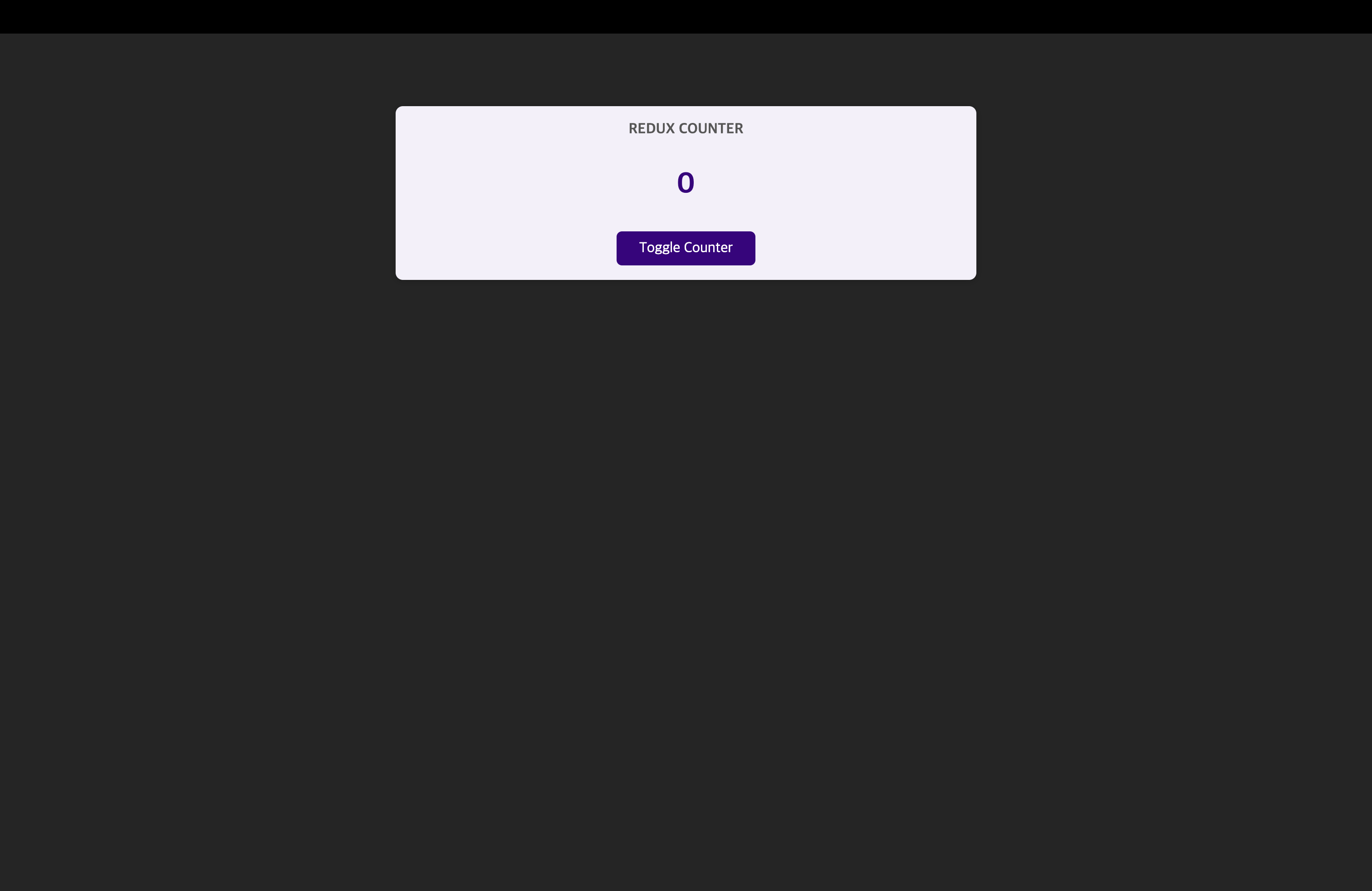
💎 Counter.js
import classes from "./Counter.module.css";
import { useSelector } from "react-redux";

const Counter = () => {
  // 해당 함수를 react-redux가 수행. 이 컴포넌트에 필요로 하는 상태 부분을 받아온다.
  // useSelector를 사용할 때 react-redux는 이 컴포넌트를 위해 리덕스 저장소에 자동으로 구독을 설정함.
  // 이제 이 컴포넌트는 리덕스 저장소에서 데이터가 변경될 때마다 자동으로 업데이트되고 최신 카운터를 받는다.
  const counter = useSelector((state) => state.counter);

  const toggleCounterHandler = () => {};

  return (
    <main className={classes.counter}>
      <h1>Redux Counter</h1>
      <div className={classes.value}>{counter}</div>
      <button onClick={toggleCounterHandler}>Toggle Counter</button>
    </main>
  );
};

export default Counter;useSelector: react-redux 팀이 만든 커스텀 훅으로 저장소가 관리하는 상태 부분을 우리가 자동으로 선택할 수 있다.useStore도 있으나useSelector가 사용하기 더 편하다.- 만약 함수형 컴포넌트가 아닌 클래스 기반 컴포넌트를 사용한다면
useSelector대신connect를 사용할 수 있다.
📖 내부 컴포넌트에서 Action을 Dispatch하기
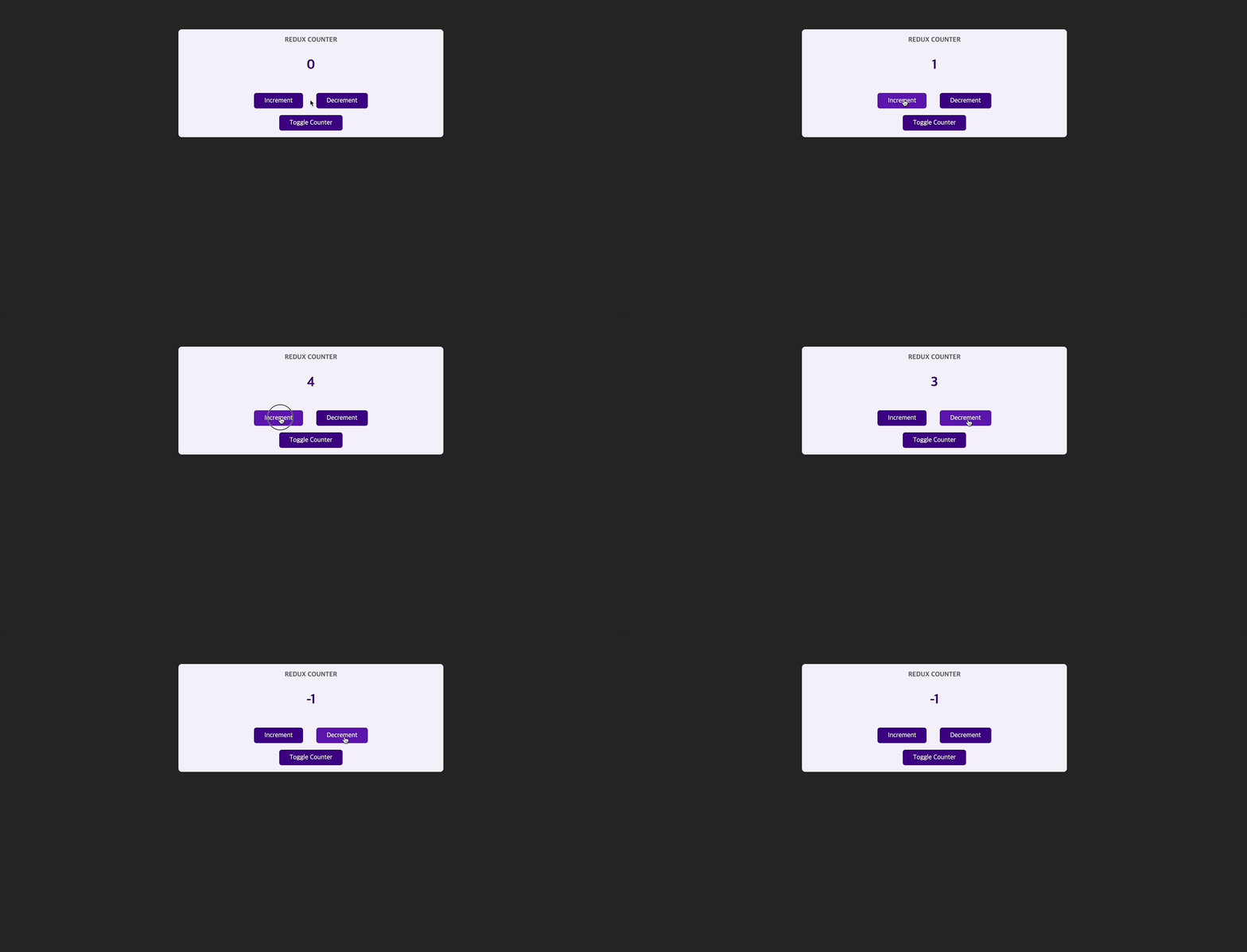
💎 Counter.js
import classes from "./Counter.module.css";
import { useSelector, useDispatch } from "react-redux";

const Counter = () => {
  const counter = useSelector((state) => state.counter);

  const dispatch = useDispatch();

  const incrementHandler = () => {
    dispatch({ type: "increment" });
  };

  const decrementHandler = () => {
    dispatch({ type: "decrement" });
  };

  const toggleCounterHandler = () => {};

  return (
    <main className={classes.counter}>
      <h1>Redux Counter</h1>
      <div className={classes.value}>{counter}</div>
      <div className="counter">
        <button onClick={incrementHandler}>Increment</button>
        <button onClick={decrementHandler}>Decrement</button>
      </div>
      <button onClick={toggleCounterHandler}>Toggle Counter</button>
    </main>
  );
};

export default Counter;useDispatch: 실행할 수 있는 dispatch function을 반환한다.- 반환된
dispatch함수는 redux store에 대한 action을 보낸다.
- 반환된
📖 클래스 기반 컴포넌트가 있는 리덕스
import { Component } from "react";
import classes from "./Counter.module.css";
import { connect } from "react-redux";

class Counter extends Component {
  incrementHandler() {
    this.props.increment();
  }

  decrementHandler() {
    this.props.decrement();
  }

  toggleCounterHandler() {}
  render() {
    return (
      <main className={classes.counter}>
        <h1>Redux Counter</h1>
        <div className={classes.value}>{this.props.counter}</div>
        <div className="counter">
          <button onClick={this.incrementHandler.bind(this)}>Increment</button>
          <button onClick={this.decrementHandler.bind(this)}>Decrement</button>
        </div>
        <button onClick={this.toggleCounterHandler.bind(this)}>
          Toggle Counter
        </button>
      </main>
    );
  }
}

// 리덕스 상태를 받는 함수 => useSelector와 비슷
const mapStateToProps = (state) => {
  return {
    counter: state.counter,
  };
};

const mapDispatchToProps = (dispatch) => {
  return {
    increment: () => dispatch({ type: "increment" }),
    decrement: () => dispatch({ type: "decrement" }),
  };
};

export default connect(mapStateToProps, mapDispatchToProps)(Counter);
// 커넥트가 실행되면 새로운 함수를 그 값으로 리턴한다.- connect는 기본적으로 useSelector와 비슷하다.
- connect는 두 개의 함수를 파라미터로 받는다. 하나는
mapStateToProps이고 다른 하나는mapDispatchToProps이다. - props를 이용해서 해당 컴포넌트에 state, dispatch를 전달할 것이다.
📖 작업에 페이로드 연결하기
💎 index.jsx
import { createStore } from "redux";

const counterReducer = (state = { counter: 0 }, action) => {
  if (action.type === "increment") {
    return {
      counter: state.counter + 1,
    };
  }

  // 5씩 증가하기 위한 리듀서 함수 작성
  if (action.type === "increase") {
    return {
      counter: state.counter + action.amount,
    };
  }

  if (action.type === "decrement") {
    return {
      counter: state.counter - 1,
    };
  }

  return state;
};

const store = createStore(counterReducer);

export default store;
💎 Counter.js
import classes from "./Counter.module.css";
import { useSelector, useDispatch, connect } from "react-redux";

const Counter = () => {
  const counter = useSelector((state) => state.counter);

  const dispatch = useDispatch();

  const incrementHandler = () => {
    dispatch({ type: "increment" });
  };

  // 5씩 증가하기 위한 함수 작성 -> index.jsx에서 작성된 리듀서 함수와 같은 action 프로퍼티(amount)를 사용해야한다.
  const increseHandler = () => {
    dispatch({ type: "increase", amount: 5 });
  };

  const decrementHandler = () => {
    dispatch({ type: "decrement" });
  };

  const toggleCounterHandler = () => {};

  return (
    <main className={classes.counter}>
      <h1>Redux Counter</h1>
      <div className={classes.value}>{counter}</div>
      <div className="counter">
        <button onClick={incrementHandler}>Increment</button>
        {/* increaseHandler 연결 */}
        <button onClick={increseHandler}>Increse by 5</button>
        <button onClick={decrementHandler}>Decrement</button>
      </div>
      <button onClick={toggleCounterHandler}>Toggle Counter</button>
    </main>
  );
};

export default Counter;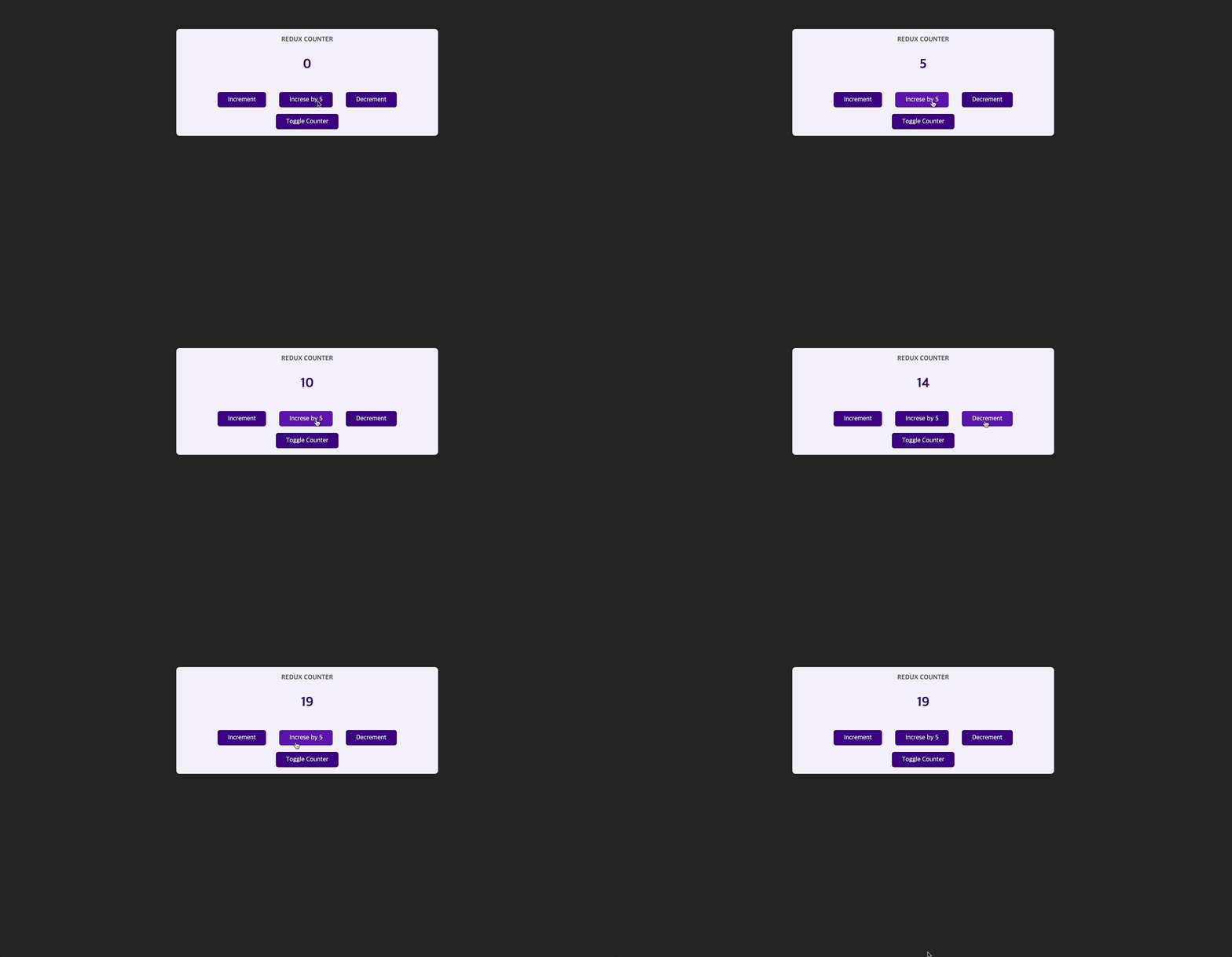
📖 여러 State 속성 작업하기
💎 index.jsx
import { createStore } from "redux";

const initailState = { counter: 0, showCounter: true }; // 초기 상태

const counterReducer = (state = initailState, action) => {
  if (action.type === "increment") {
    return {
      counter: state.counter + 1,
      showCounter: state.showCounter,
    };
  }

  if (action.type === "increase") {
    return {
      counter: state.counter + action.amount,
      showCounter: state.showCounter,
    };
  }

  if (action.type === "decrement") {
    return {
      counter: state.counter - 1,
      showCounter: state.showCounter,
    };
  }

  // 토글 버튼을 위한 리듀서 함수 작성
  if (action.type === "toggle") {
    return {
      showCounter: !state.showCounter,
      counter: state.counter,
    };
  }

  return state;
};

const store = createStore(counterReducer);

export default store;
💎 Counter.js
import classes from "./Counter.module.css";
import { useSelector, useDispatch, connect } from "react-redux";

const Counter = () => {
  const counter = useSelector((state) => state.counter);
  const show = useSelector((state) => state.showCounter); // showCounter 상태 받아옴

  const dispatch = useDispatch();

  const incrementHandler = () => {
    dispatch({ type: "increment" });
  };

  const increseHandler = () => {
    dispatch({ type: "increase", amount: 5 });
  };

  const decrementHandler = () => {
    dispatch({ type: "decrement" });
  };

  // 토글 동작
  const toggleCounterHandler = () => {
    dispatch({ type: "toggle" });
  };

  return (
    <main className={classes.counter}>
      <h1>Redux Counter</h1>
      {show && <div className={classes.value}>{counter}</div>}
      <div className="counter">
        <button onClick={incrementHandler}>Increment</button>
        <button onClick={increseHandler}>Increse by 5</button>
        <button onClick={decrementHandler}>Decrement</button>
      </div>
      <button onClick={toggleCounterHandler}>Toggle Counter</button>
    </main>
  );
};

export default Counter;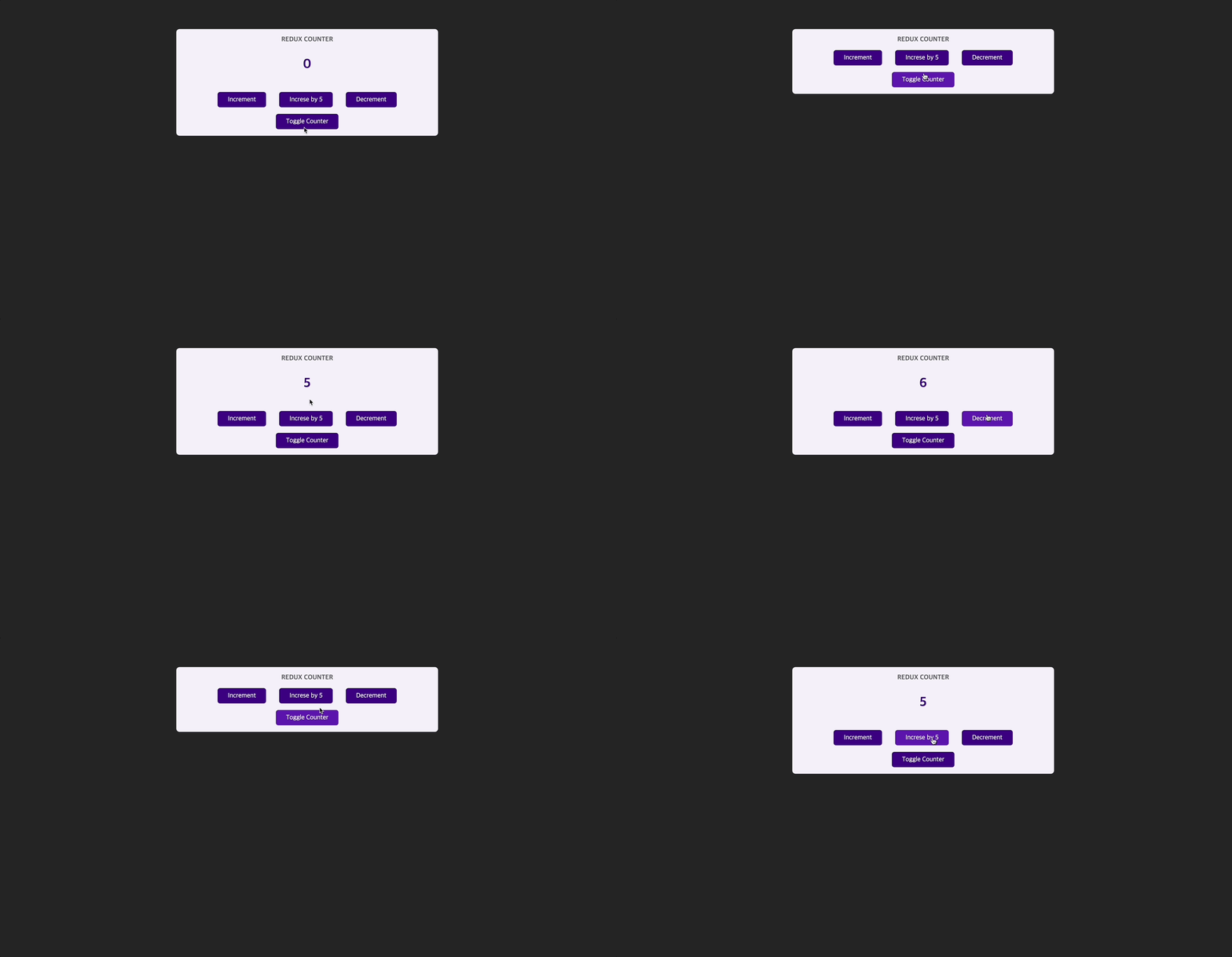
📖 리덕스 State를 올바르게 사용하는 방법
// index.jsx
const counterReducer = (state = initailState, action) => {
  if (action.type === "increment") {
    return {
      counter: state.counter + 1,
      showCounter: state.showCounter, // 꼭 이런식으로 계속해서 오버라이딩을 해줘야 한다.
    };
  }
  return state;
};- 리덕스가 기존의 상태를 업데이트하려면 완전히 새로운 객체인 새 Snapshot을 항상 반환해야한다.
- 기존의 상태와 병합하지 않고 기존의 상태를 '오버라이딩'한다.
// index.jsx
// 🚨 잘못된 방법 🚨
const counterReducer = (state = initailState, action) => {
  if (action.type === "increment") {
    state.counter++;
    return state;
  }
  return state;
};- 위처럼
state.counter++처럼 절대 기존의 state를 변형해서는 안된다!! - 리덕스로 작업할 때는 원본의 state를 절대 변경해서는 안된다.
항상 새로운 state 객체를 반환해서 재정의해야한다.
📌 리덕스 툴킷(Toolkit)
리덕스에서 관리해야 할 상태가 더 많아질 경우
- 액션 타입에서 문제가 발생할 수 있다. → 어떠한 오타가 나면 리듀서가 처리하지 못한다.
- 관리하는 데이터와 상태가 많을 수록 상태 객체도 점점 커진다. 즉, 많은 상태를 복사해서 계속해서 새로운 객체를 리턴해야하므로 리듀서의 함수 길이가 길어지고 관리하기가 힘들어 진다.
- 위와 비슷하게 새로운 상태를 리턴하는 과정에서 실수를 할 가능성이 높아진다.
위와 같은 문제점을 해결하기 위해서 Redux toolkit을 사용한다.
📖 State 슬라이스 추가하기
- 설치하기 :
npm install @reduxjs/toolkit - package.json에서 redux를 삭제해야한다. 왜냐하면 이미 redux toolkit에 포함되어있기 때문.
npm start
💎 index.jsx
import { createSlice } from "@reduxjs/toolkit";

const initailState = { counter: 0, showCounter: true };

// 전역 상태의 slice 미리 만들기
createSlice({
  name: "counter",
  initialState: initailState,
  reducers: {
    increment(state) {
      // 바로 상태를 변경할 수 있다. => 그러나 상태를 직접 변경하는 것처럼 보일 뿐이다.
      state.counter++;
    },
    decrement(state) {
      state.counter--;
    },
    increase(state, action) {
      state.counter = state.counter + action.amount;
    },
    toggleCounter(state) {
      state.showCounter = !state.showCounter;
    },
  },
});createSlice- immer라는 내부 패키지를 이용해서 자동으로 원래있던 상태를 복제. → 새로운 상태 객체를 생성하고 오버라이딩해준다.
- 즉 보이기는 상태를 직접 변경하는 것처럼 보일 뿐 실제로 직접 변경하는 것은 아니다.
📖 리덕스 Toolkit State 연결하기
💎 index.jsx
import { createSlice, configureStore } from "@reduxjs/toolkit";

const initailState = { counter: 0, showCounter: true };

// 전역 상태의 slice 미리 만들기
const counterSlice = createSlice({
  name: "counter",
  initialState: initailState,
  reducers: {
    increment(state) {
      state.counter++;
    },
    decrement(state) {
      state.counter--;
    },
    increase(state, action) {
      state.counter = state.counter + action.amount;
    },
    toggleCounter(state) {
      state.showCounter = !state.showCounter;
    },
  },
});

const store = configureStore({
  reducer: {
    // 여러개의 리듀서를 가질때
    counter: counterSlice.reducer,
  },
});

export default store;configureStore:createStore처럼 store를 만든다.- 여러 개의 리듀서를 하나의 리듀서로 쉽게 합칠 수 있다.
- configureStore가 모든 리듀서를 하나의 큰 리듀서로 병합할 것이다.
📖 리덕스 Toolkit으로 모든 것을 마이그레이션하기
💎 index.jsx
import { createSlice, configureStore } from "@reduxjs/toolkit";

const initailState = { counter: 0, showCounter: true };

const counterSlice = createSlice({
  name: "counter",
  initialState: initailState,
  reducers: {
    increment(state) {
      state.counter++;
    },
    decrement(state) {
      state.counter--;
    },
    increase(state, action) {
      state.counter = state.counter + action.payload; // 툴킷에서 디폴트로 설정된 프로퍼티 네임
    },
    toggleCounter(state) {
      state.showCounter = !state.showCounter;
    },
  },
});

const store = configureStore({
  reducer: counterSlice.reducer,
});

// 액션 생성자 메서드를 사용하여 리듀서 매서드와 이름이 같으면 액션을 전달한다.
export const counterActions = counterSlice.actions;

export default store;
💎 Counter.js
import classes from <"./Counter.module.css";
import { useSelector, useDispatch } from "react-redux";
import { counterActions } from "../store/index"; // action들 가져옴

const Counter = () => {
  const counter = useSelector((state) => state.counter);
  const show = useSelector((state) => state.showCounter);
  const dispatch = useDispatch();

  const incrementHandler = () => {
    dispatch(counterActions.increment());
  };

  const increseHandler = () => {
    dispatch(counterActions.increase(5)); // {type: SOME_UNIQUE_IDENTIFIER, payload: 5}
  };

  const decrementHandler = () => {
    dispatch(counterActions.decrement());
  };

  const toggleCounterHandler = () => {
    dispatch(counterActions.toggleCounter());
  };

  return (
    <main className={classes.counter}>
      <h1>Redux Counter</h1>
      {show && <div className={classes.value}>{counter}</div>}
      <div className="counter">
        <button onClick={incrementHandler}>Increment</button>
        <button onClick={increseHandler}>Increse by 5</button>
        <button onClick={decrementHandler}>Decrement</button>
      </div>
      <button onClick={toggleCounterHandler}>Toggle Counter</button>
    </main>
  );
};

export default Counter;
📖 다중 슬라이스 작업하기
💎 index.jsx
import { createSlice, configureStore } from "@reduxjs/toolkit";

const initailCounterState = { counter: 0, showCounter: true };

const counterSlice = createSlice({
  name: "counter",
  initialState: initailCounterState,
  reducers: {
    increment(state) {
      state.counter++;
    },
    decrement(state) {
      state.counter--;
    },
    increase(state, action) {
      state.counter = state.counter + action.payload; // 툴킷에서 디폴트로 설정된 프로퍼티 네임
    },
    toggleCounter(state) {
      state.showCounter = !state.showCounter;
    },
  },
});

const initialAuthState = {
  isAuthenticated: false,
};

const authSlice = createSlice({
  name: "auth",
  initialState: initialAuthState,
  reducers: {
    login(state) {
      state.isAuthenticated = true;
    },
    logout(state) {
      state.isAuthenticated = false;
    },
  },
});

const store = configureStore({
  reducer: {
    counter: counterSlice.reducer,
    auth: authSlice.reducer,
  },
});

export const counterActions = counterSlice.actions;
export const authActions = authSlice.actions;

export default store;
💎 App.js
import Counter from "./components/Counter";
import Header from "./components/Header";
import Auth from "./components/Auth";
import UserProfile from "./components/UserProfile";

import { useSelector } from "react-redux";

function App() {
  const isAuth = useSelector((state) => state.auth.isAuthenticated);

  return (
    <>
      <Header />
      {!isAuth && <Auth />}
      {isAuth && <UserProfile />}
      <Counter />
    </>
  );
}

export default App;
💎 Header.js
import { useDispatch, useSelector } from "react-redux";
import { authActions } from "../store/index";

import classes from "./Header.module.css";

const Header = () => {
  const isAuth = useSelector((state) => state.auth.isAuthenticated);
  const dispatch = useDispatch();
  const onLogout = () => {
    dispatch(authActions.logout());
  };
  return (
    <header className={classes.header}>
      <h1>Redux Auth</h1>
      {isAuth && (
        <nav>
          <ul>
            <li>
              <a href="/">My Products</a>
            </li>
            <li>
              <a href="/">My Sales</a>
            </li>
            <li>
              <button onClick={onLogout}>Logout</button>
            </li>
          </ul>
        </nav>
      )}
    </header>
  );
};

export default Header;
💎 Auth.js
import { useDispatch } from "react-redux";
import { authActions } from "../store/index";

import classes from "./Auth.module.css";

const Auth = () => {
  const dispatch = useDispatch();
  const onLogin = (event) => {
    event.preventDefault();
    dispatch(authActions.login());
  };

  return (
    <main className={classes.auth}>
      <section>
        <form onSubmit={onLogin}>
          <div className={classes.control}>
            <label htmlFor="email">Email</label>
            <input type="email" id="email" />
          </div>
          <div className={classes.control}>
            <label htmlFor="password">Password</label>
            <input type="password" id="password" />
          </div>
          <button>Login</button>
        </form>
      </section>
    </main>
  );
};

export default Auth;
📖 코드 분할하기
💎 store/counter.js
import { createSlice } from "@reduxjs/toolkit";

const initailCounterState = { counter: 0, showCounter: true };

// 전역 상태의 slice 미리 만들기
const counterSlice = createSlice({
  name: "counter",
  initialState: initailCounterState,
  reducers: {
    increment(state) {
      state.counter++;
    },
    decrement(state) {
      state.counter--;
    },
    increase(state, action) {
      state.counter = state.counter + action.payload;
    },
    toggleCounter(state) {
      state.showCounter = !state.showCounter;
    },
  },
});

export const counterActions = counterSlice.actions;
export default counterSlice.reducer;
💎 store/auth.js
import { createSlice } from "@reduxjs/toolkit";

const initialAuthState = {
  isAuthenticated: false,
};

const authSlice = createSlice({
  name: "auth",
  initialState: initialAuthState,
  reducers: {
    login(state) {
      state.isAuthenticated = true;
    },
    logout(state) {
      state.isAuthenticated = false;
    },
  },
});

export const authActions = authSlice.actions;
export default authSlice.reducer;
💎 store/index.js
import { configureStore } from "@reduxjs/toolkit";
import counterReducer from "./counter.js";
import authReducer from "./auth.js";

const store = configureStore({
  reducer: {
    counter: counterReducer,
    auth: authReducer,
  },
});

export default store;