🔗 레파지토리에서 커밋 히스토리 별로 보기
📌 리덕스 및 부수 효과(및 비동기 코드)
- 리덕스는 반드시 순수 함수여야 하며 부수 효과가 없고 동기식이어야 한다.
- 리듀서함수는 input이 꼭 필요하고 output을 만들어 낸다.
- 리덕스로 작업할 때 부수효과나 비동기 함수는 어디에서 실행되야하는가..?
📌 복습
🔗 스스로 작성한 코드 보러가기
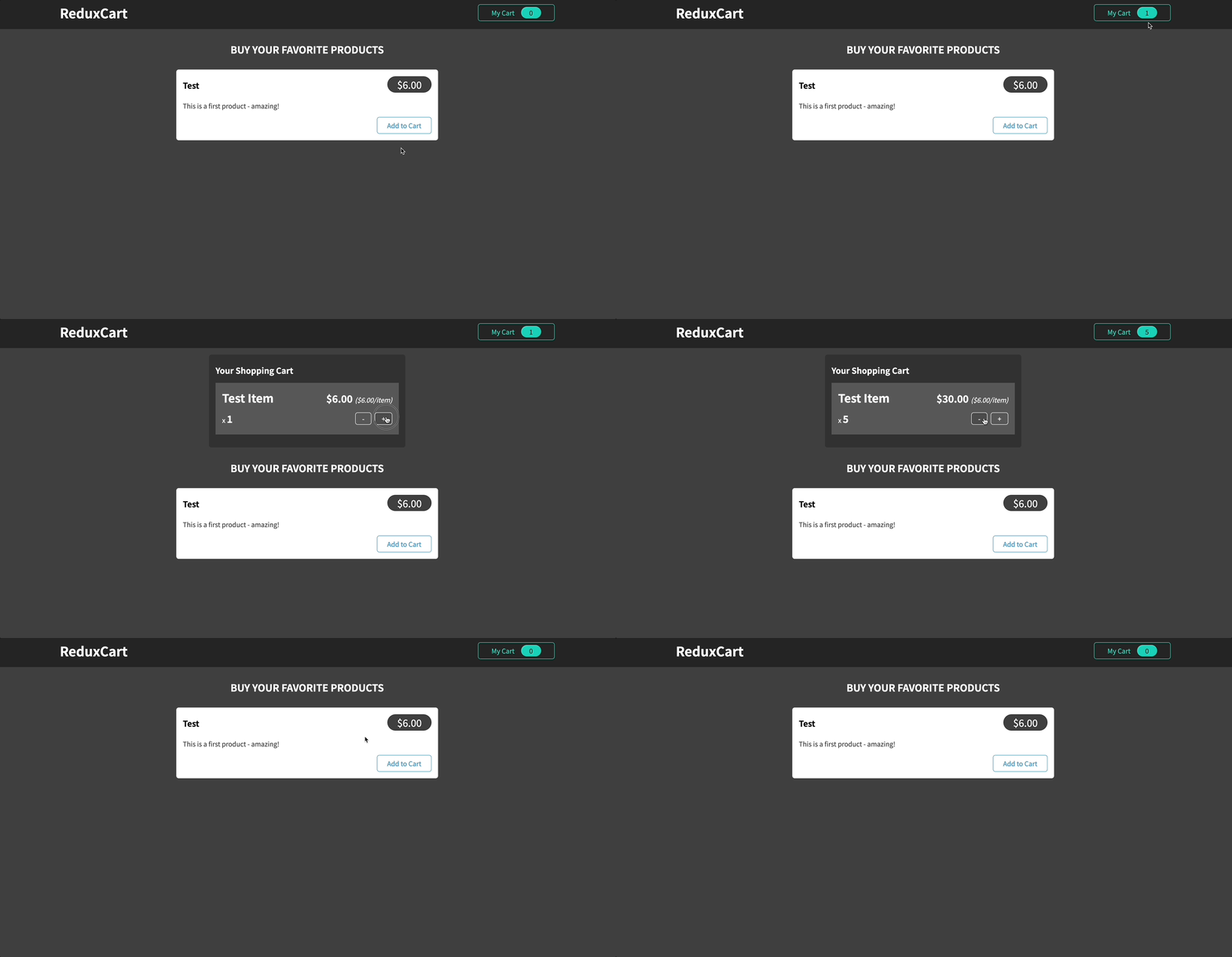
📖 강사 코드
🔗 레파지토리에서 보기
📌 리덕스 및 비동기 코드
- 리듀서는 순수한 함수여야하고 부수 효과가 없어야 하며 동기적인 함수이다.
- http 요청은 비동기 함수라서 해당 코드는 리듀서 함수에 들어갈 수 없다.
- http 요청을 보내기 위해선
- useEffect를 이용해서 컴포넌트 안에서 실행
- 액션 생성 함수를 만들고 그 안에 작성한다.
📖 컴포넌트 안에서 실행하기
🔗 강사의 코드 살펴보기
- 컴포넌트 안에서 http 요청을 하기 위해선 위의 링크 처럼 코드를 변경해야한다.
- 이런 방식은 어플리케이션의 모든 부분에서 사용한다면 장바구니를 업데이트 해야한다. 즉, 장바구니를 사용하는 모든 코드에서 사용해야한다.
- 리덕서 리듀서의 일이 현저하게 줄어든다(그냥 데이터 전달만 하니까). 이는 리덕스를 사용하는 주요 이유가 아니다.
- 리덕스를 사용할 때 동기적이고 부수효과가 없는 코드는 리듀서를 활용하는 것이 좋다.(단순 데이터 변환 코드)
- 비동기적이거나 부수효과가 있는 코드는 액션 생성자나 컴포넌트를 활용하는 것이 좋다.
💎 App.js
- 항상 App에서 할 필요는 없으나 이번 예시는 App에서 진행하였다.
import Cart from "./components/Cart/Cart";
import Layout from "./components/Layout/Layout";
import Products from "./components/Shop/Products";
import Notification from "./components/UI/Notification";
import { useSelector, useDispatch } from "react-redux";
import { useEffect } from "react";
import { uiActions } from "./store/ui-slice";
let isInitial = true;
function App() {
const showCart = useSelector((state) => state.ui.cartIsVisible);
const cart = useSelector((state) => state.cart);
const notification = useSelector((state) => state.ui.notification);
const dispatch = useDispatch();
useEffect(() => {
const sendCartData = async () => {
dispatch(
uiActions.showNotification({
status: "pending",
title: "Sending...",
message: "Sending cart data!",
})
);
const response = await fetch(
"https://react-http-480df-default-rtdb.firebaseio.com/cart.json",
{
method: "PUT",
body: JSON.stringify(cart),
}
);
if (!response.ok) {
throw new Error("Sending cart data failed.");
}
dispatch(
uiActions.showNotification({
status: "success",
title: "Success!",
message: "Sending cart data successfully",
})
);
};
if (isInitial) {
isInitial = false;
return;
}
sendCartData().catch((error) => {
dispatch(
uiActions.showNotification({
status: "error",
title: "Error!",
message: "Sending cart data failed.",
})
);
});
}, [cart, dispatch]);
return (
<>
{notification && (
<Notification
state={notification.status}
title={notification.title}
message={notification.message}
/>
)}
<Layout>
{showCart && <Cart />}
<Products />
</Layout>
</>
);
}
export default App;
📖 액션 생성자(Action creator) 사용하기
- Thunk란 무엇인가?
- Thunk는 다른 작업이 완료될 때까지 작업을 지연시키는 단순한 함수
💎 src/store/cart-slice.js
import { createSlice } from "@reduxjs/toolkit";
import { uiActions } from "./ui-slice";
const cartSlice = createSlice({
name: "cart",
initialState: {
items: [],
totalQuantity: 0,
},
reducers: {
addItemToCart(state, action) {
const newItem = action.payload;
const existingItem = state.items.find((item) => item.id === newItem.id);
state.totalQuantity++;
if (!existingItem) {
state.items.push({
id: newItem.id,
price: newItem.price,
quantity: 1,
totalPrice: newItem.price,
title: newItem.title,
});
} else {
existingItem.quantity++;
existingItem.totalPrice = existingItem.totalPrice + newItem.price;
}
},
removeItemFromCart(state, action) {
const id = action.payload;
const existingItem = state.items.find((item) => item.id === id);
state.totalQuantity--;
if (existingItem.quantity === 1) {
state.items = state.items.filter((item) => item.id !== id);
} else {
existingItem.quantity--;
existingItem.totalPrice = existingItem.totalPrice - existingItem.price;
}
},
},
});
export const sendCartData = (cart) => {
return async (dispatch) => {
dispatch(
uiActions.showNotification({
status: "pending",
title: "Sending...",
message: "Sending cart data!",
})
);
const sendRequest = async () => {
const response = await fetch(
"https://react-http-480df-default-rtdb.firebaseio.com/cart.json",
{
method: "PUT",
body: JSON.stringify(cart),
}
);
if (!response.ok) {
throw new Error("Sending cart data failed.");
}
};
try {
await sendRequest();
dispatch(
uiActions.showNotification({
status: "success",
title: "Success!",
message: "Sending cart data successfully",
})
);
} catch (error) {
dispatch(
uiActions.showNotification({
status: "error",
title: "Error!",
message: "Sending cart data failed.",
})
);
}
};
};
export const cartActions = cartSlice.actions;
export default cartSlice.reducer;
💎 App.js
import Cart from "./components/Cart/Cart";
import Layout from "./components/Layout/Layout";
import Products from "./components/Shop/Products";
import Notification from "./components/UI/Notification";
import { useSelector, useDispatch } from "react-redux";
import { useEffect } from "react";

import { sendCartData } from "./store/cart-slice";

let isInitial = true;

function App() {
  const showCart = useSelector((state) => state.ui.cartIsVisible);
  const cart = useSelector((state) => state.cart);
  const notification = useSelector((state) => state.ui.notification);
  const dispatch = useDispatch();

  useEffect(() => {
    if (isInitial) {
      isInitial = false;
      return;
    }

    dispatch(sendCartData(cart));
  }, [cart, dispatch]);

  return (
    <>
      {notification && (
        <Notification
          state={notification.status}
          title={notification.title}
          message={notification.message}
        />
      )}
      <Layout>
        {showCart && <Cart />}
        <Products />
      </Layout>
    </>
  );
}

export default App;
📖 데이터 가져오기(Fetching)
💎 cart-actions.js
- 기존에 cart-slice.js에 있던 데이터 PUT 코드(sendCartData)도 해당 파일로 옮겼다.
import { uiActions } from "./ui-slice";
import { cartActions } from "./cart-slice";

export const fetchCartData = () => {
  return async (dispatch) => {
    const fetchData = async () => {
      const response = await fetch(
        "https://react-http-480df-default-rtdb.firebaseio.com/cart.json"
      );

      if (!response.ok) {
        throw new Error("Could not fetch cart data!");
      }

      const data = await response.json();

      return data;
    };

    try {
      const cartData = await fetchData();
      dispatch(
        cartActions.replaceCart({
          items: cartData.items || [],
          totalQuantity: cartData.totalQuantity,
        })
      );
    } catch (error) {
      dispatch(
        uiActions.showNotification({
          status: "error",
          title: "Error!",
          message: "Fetching cart data failed.",
        })
      );
    }
  };
};

export const sendCartData = (cart) => {
  return async (dispatch) => {
    dispatch(
      uiActions.showNotification({
        status: "pending",
        title: "Sending...",
        message: "Sending cart data!",
      })
    );

    const sendRequest = async () => {
      const response = await fetch(
        "https://react-http-480df-default-rtdb.firebaseio.com/cart.json",
        {
          method: "PUT",
          body: JSON.stringify({
            items: cart.items,
            totalQuantity: cart.totalQuantity,
          }),
        }
      );
      if (!response.ok) {
        throw new Error("Sending cart data failed.");
      }
    };

    try {
      await sendRequest();

      dispatch(
        uiActions.showNotification({
          status: "success",
          title: "Success!",
          message: "Sending cart data successfully",
        })
      );
    } catch (error) {
      dispatch(
        uiActions.showNotification({
          status: "error",
          title: "Error!",
          message: "Sending cart data failed.",
        })
      );
    }
  };
};
💎 App.js
import Cart from "./components/Cart/Cart";
import Layout from "./components/Layout/Layout";
import Products from "./components/Shop/Products";
import Notification from "./components/UI/Notification";
import { useSelector, useDispatch } from "react-redux";
import { useEffect } from "react";

import { sendCartData, fetchCartData } from "./store/cart-actions";

let isInitial = true;

function App() {
  const showCart = useSelector((state) => state.ui.cartIsVisible);
  const cart = useSelector((state) => state.cart);
  const notification = useSelector((state) => state.ui.notification);
  const dispatch = useDispatch();

  useEffect(() => {
    dispatch(fetchCartData());
  }, [dispatch]);

  useEffect(() => {
    if (isInitial) {
      isInitial = false;
      return;
    }

    if (cart.changed) {
      dispatch(sendCartData(cart));
    }
  }, [cart, dispatch]);

  return (
    <>
      {notification && (
        <Notification
          state={notification.status}
          title={notification.title}
          message={notification.message}
        />
      )}
      <Layout>
        {showCart && <Cart />}
        <Products />
      </Layout>
    </>
  );
}

export default App;
🔗 레파지토리에서 보기
🔗 Redux Devtools
