윈도우의 파워셸 말고 내게 좀 익숙한 우분투로 윈도우 디렉토리에 있는 파일을 깃할 수 있는지 궁금해서 알아봄. 우분투 설치한 게 아깝기도 하고..
- 내 wsl2의 깃상태 알아보기
- 깃허브 계정과 repository 생성
- 깃 사용법
wsl2에서 윈도우 디렉토리 접근
✨✨explorer.exe .
- 현 저장소가 어디에 있는지 창이 뜬다.
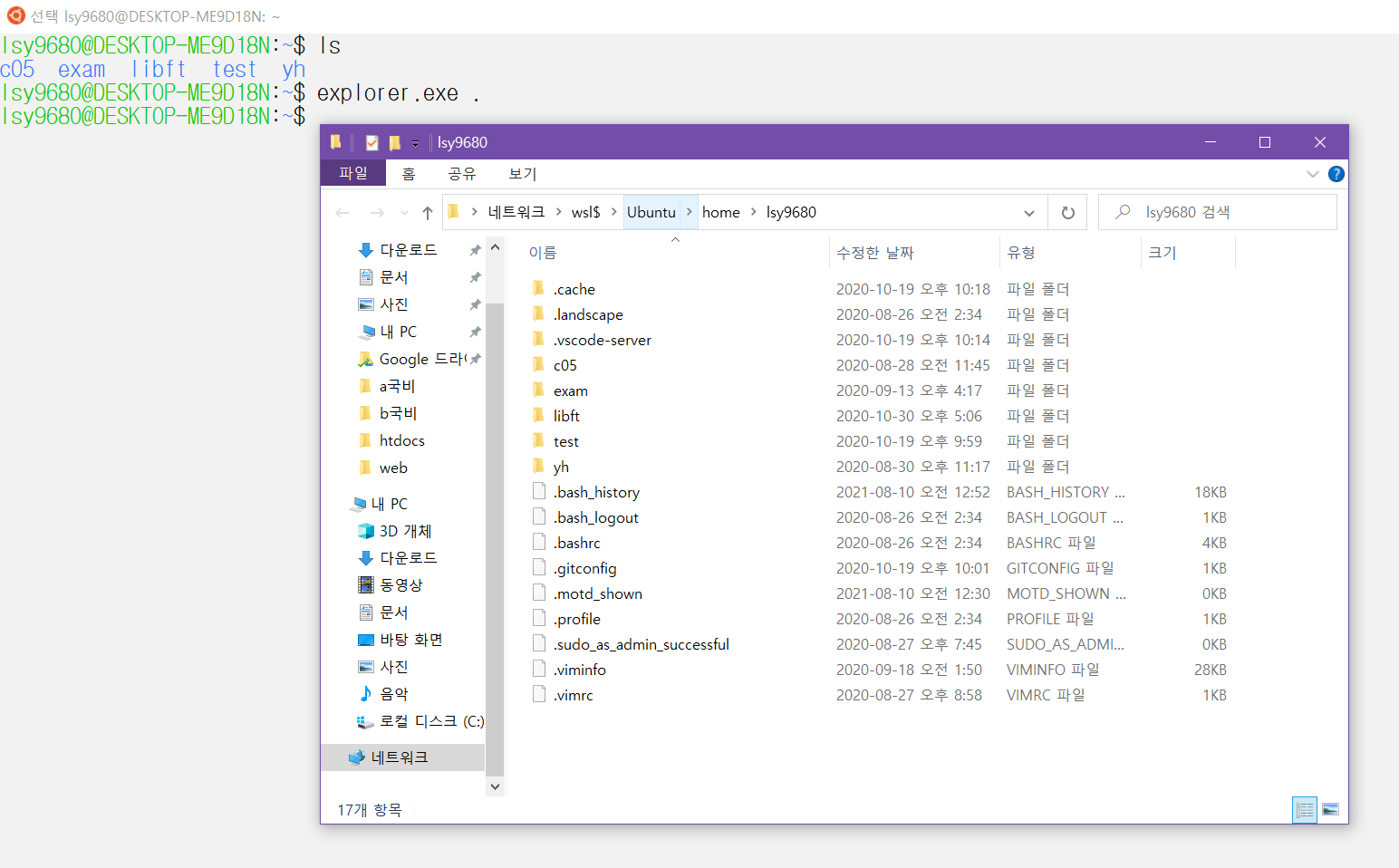
- ✨✨ 네트워크 > wsl$ > Ubuntu > home > lsy9680
에 있다는 걸 알았다!
다른 디렉토리에서 가져온 파일을 wsl2에서 사용할 수 있는가?
- 그렇다! 이클립스로 만든 .java파일이 든 폴더를 넣은 결과 편집도 가능하다 😊
내 깃 상태를 보자.
wsl2의 git의 username과 이메일주소를 알아보자
있는지 확인
✨git config --global user.name
✨git config --global user.email
lsy9680@DESKTOP-ME9D18N:~$ git config --global user.name
seungyle
lsy9680@DESKTOP-ME9D18N:~$ git config --global user.email
seungyle@student.42seoul.kr
lsy9680@DESKTOP-ME9D18N:~$
... 있었다. 와 얼마만이야
수정 및 생성
✨git config --global user.name "이름"
✨git config --global user.email "이메일"
바꾸었다.
깃 사용준비 완료!
깃허브 가입
계정이 두 개인데 하나를 선택하고 공부기록용으로 사용할 예정.
깃허브 new repository 생성
- Create a new repository
- repository의 이름을 잘 짓자.
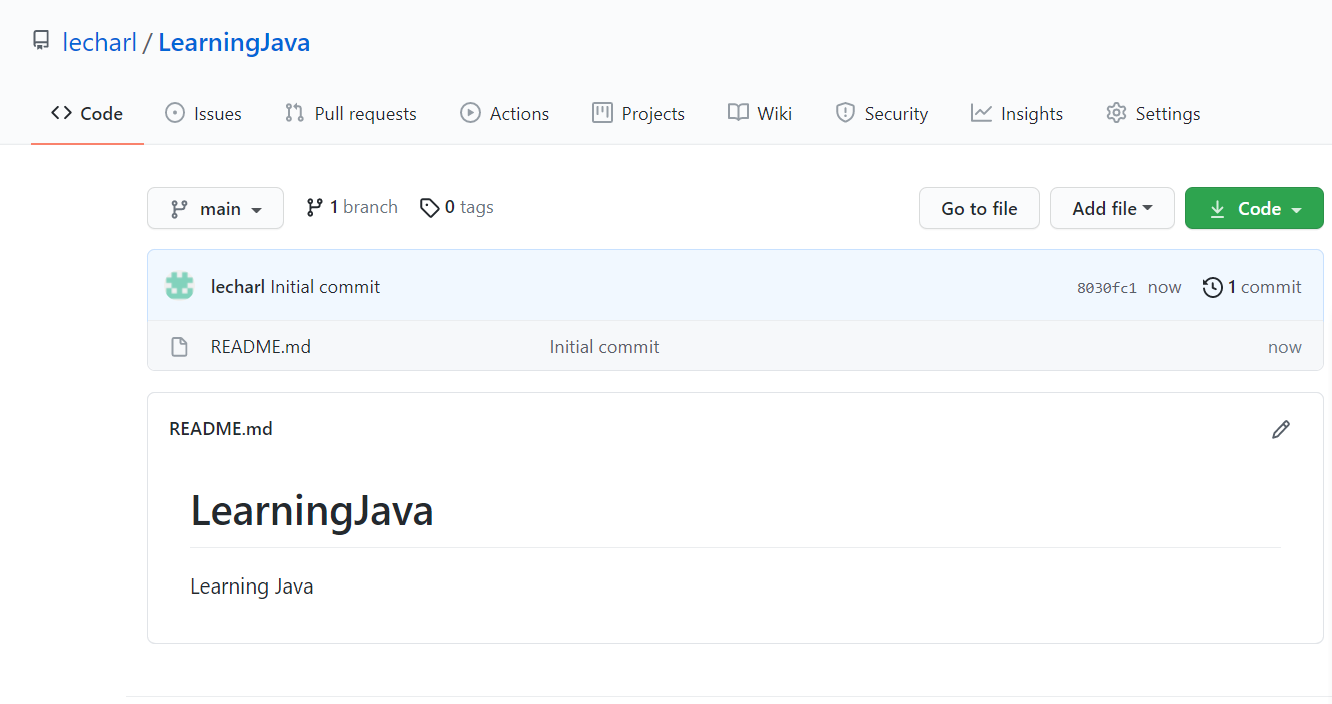
LearningJava 라는 이름의 repository를 만들었다.
https://github.com/lecharl/LearningJava
가 내 코드가 저장될 장소! = remote repository이다.
💖깃 사용 단계
터미널에서 해당 프로젝트 경로에 들어가서
1. git init
: 현재 이 디렉토리에 git repository 생성
lsy9680@DESKTOP-ME9D18N:~/Tutorial2$ git init
Initialized empty Git repository in /home/lsy9680/Tutorial2/.git/
lsy9680@DESKTOP-ME9D18N:~/Tutorial2$
이 상태에서 git status를 하면
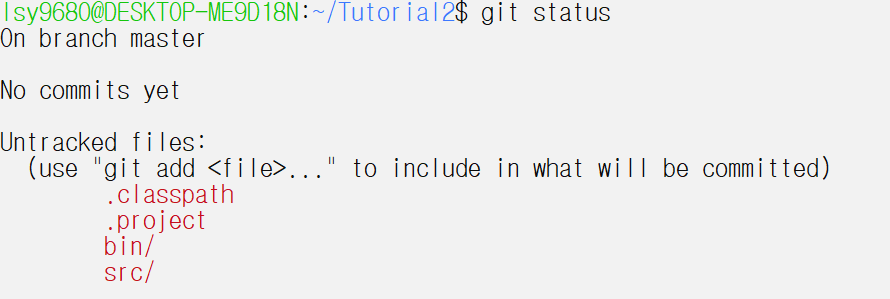
아직 올려놓지 않은 상태의 파일들이 있는 것을 알 수 있다. git add 를 하라고 말한다.
2. git add
: 변경될 파일을 storage에 올려놓기
-
git add -파일이름
: 해당 파일을 올려놓기 -
git add .
: 모든 파일을 올려놓기
-> 이 상태에서 git status를 하면
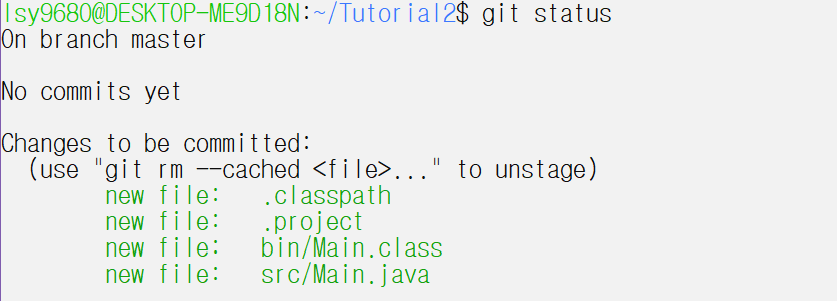
커밋할 변경된 파일들이다.
3. git commit -m "커밋메세지"
: 내 컴퓨터에 있는 local repository에 올려놓기
git commit -m "first commit"
그러면 이렇게 뭐라뭐라 뜬다.
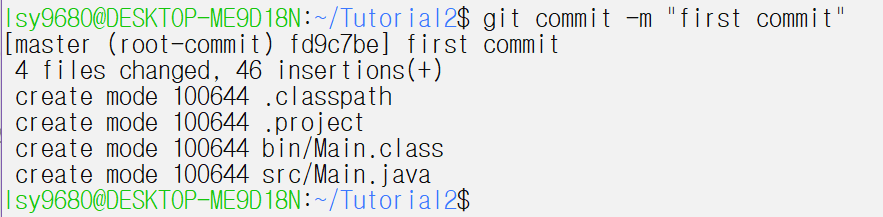
4. git remote add origin <remote repository 경로>.git
: 내 컴퓨터가 어떤 remote repository에 파일을 올릴건데, 그 경로는 (위에서 언급한)
-> https://github.com/lecharl/LearningJava 이다!
-
remote repository인 origin을 추가할 건데, 그 주소는 <~>이다.
-
주소를 가져오는 방법은
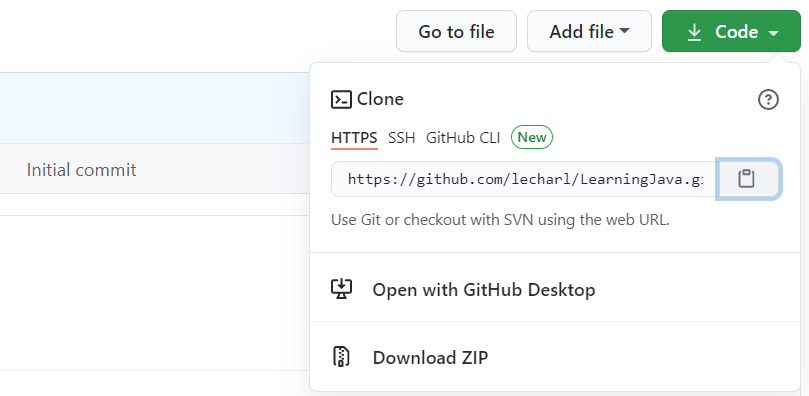
git remote add origin https://github.com/lecharl/LearningJava.git

5. git push -u origin master
: local repository에 commit한 파일들을 remote repository에 업로드(push)한다.
git push -u origin master
하면 깃허브 아이디(이메일주소 말고)와 비밀번호를 치라고 뜬다.
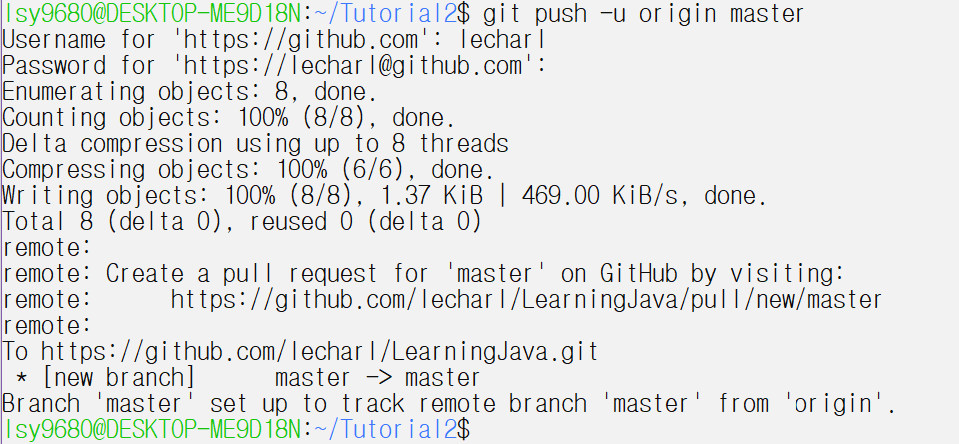
하면 성공!!
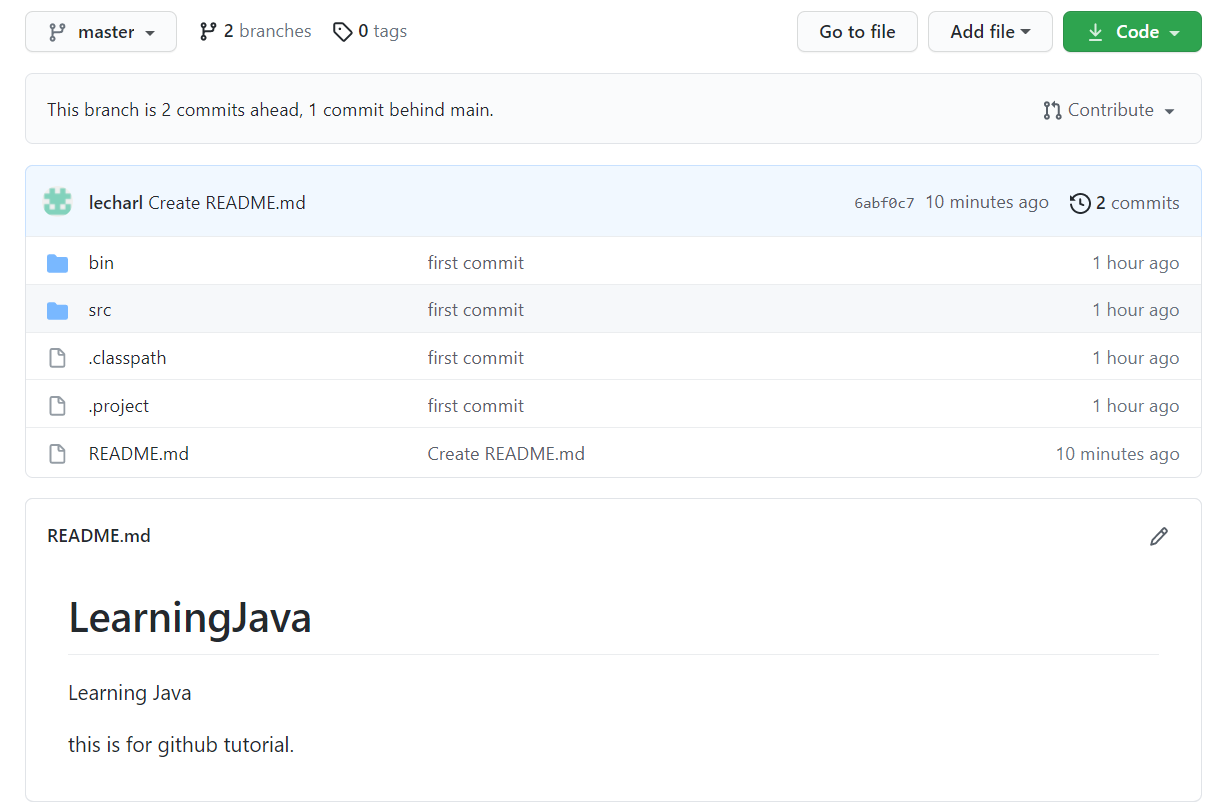
master 브랜치로 가야지 볼 수 있다.
처음에 main에서 아무것도 보이지 않아 몇십분 소모했다. (...)
하는 김에 README도 추가해 봄.
-> git log 하면

요런 방식도 있다!
노션에 예전에 정리했던 거 올려본다.