이제 Tv Show 부분이다

자 이제 header에 있는 tv Show 부분을 누르면 tv 링크로 이동하고,
tv와 관련된 정보를 쫙 뿌려주면 된다
사실 거의 코드 패턴튼 Home (movie)를 불러왔던 부분과 똑같기 때문에 쉽게 진행할 수 있었다.
Tv Shows 관련 API
Tv도 마찬가지로 겹치는 tv show 는 보여주지 않기 위해서
getDistinctTvs() 로popular, ontheAir, topRanked를 각각의 tvId를 가져온 뒤, 겹치지 않게 filter 처리를 해준 뒤 return 해주었다!
export interface ITv {
  id: number;
  backdrop_path: string;
  poster_path: string;
  name: string;
  overview: string;
  vote_average: string;
  release_date: string;
  genre_ids: [];
}

export interface IGetTvResult {
  dates: {
    maximum: string;
    minimum: string;
  };
  page: number;
  total_pages: number;
  total_results: number;
  results: ITv[];
}

export interface IGetTvDetail {
  episode_run_time: number;
  first_air_date: string;
  last_air_date: string;
  genres: IDetailTv[];
  number_of_episodes: number;
  number_of_seasons: number;
  seasons: ISeason[];
  status: string;
  tagline: string;
  type: string;
  vote_average: number;
  id: number;
  backdrop_path: string;
  name: string;
  overview: string;
}

export interface IDetailTv {
  id: number;
  name: string;
}

export interface ISeason {
  air_date: string;
  episode_count: number;
  id: number;
  name: string;
  overview: string;
  poster_path: string;
  season_number: number;
  vote_average: number;
}

export async function getDistinctTvs(): Promise<{
  popular: ITv[];
  ontheAir: ITv[];
  topRanked: ITv[];
}> {
  const popularResult = await getPopularTvs();
  const onTheAirResult = await getOnTheAirTvs();
  const topRankedResult = await getTopRatedTvs();

  const popularIds = new Set(popularResult.results.map((tv) => tv.id));

  const ontheAirTvs = onTheAirResult.results.filter(
    (tv) => !popularIds.has(tv.id)
  );

  const topRankedTvs = topRankedResult.results.filter(
    (tv) =>
      !popularIds.has(tv.id) &&
      !ontheAirTvs.some((ontheAirTv) => ontheAirTv.id === tv.id)
  );

  return {
    popular: popularResult.results,
    ontheAir: ontheAirTvs,
    topRanked: topRankedTvs,
  };
}

export function getTvDetail(tvId: string) {
  return fetch(
    `${BASE_PATH}/tv/${tvId}?api_key=${API_KEY}&language=ko-KR`
  ).then((response) => response.json());
}
Tv

const TV = () => {
  const { data, isLoading } = useQuery(['tvs', 'distinct'], getDistinctTvs);
  return (
    <>
      <Wrapper>
        {isLoading ? (
          <Loader>
            <Loading />
          </Loader>
        ) : (
          <>
            <Banner
              bgPhoto={makeImagePath(data?.popular[0].backdrop_path || '')}
            >
              <Title>{data?.popular[0].name}</Title>
              <Overview>{data?.popular[0].overview}</Overview>
            </Banner>
            <TvComponent />
          </>
        )}
      </Wrapper>
    </>
  );
};

export default TV;
딱 배너에 나타날 부분을 작성해주었다.
tvShow의 api중, popular에서 첫번째 data (data?.popular[0]) 를 가져와서 뿌려주었다
Tv Component
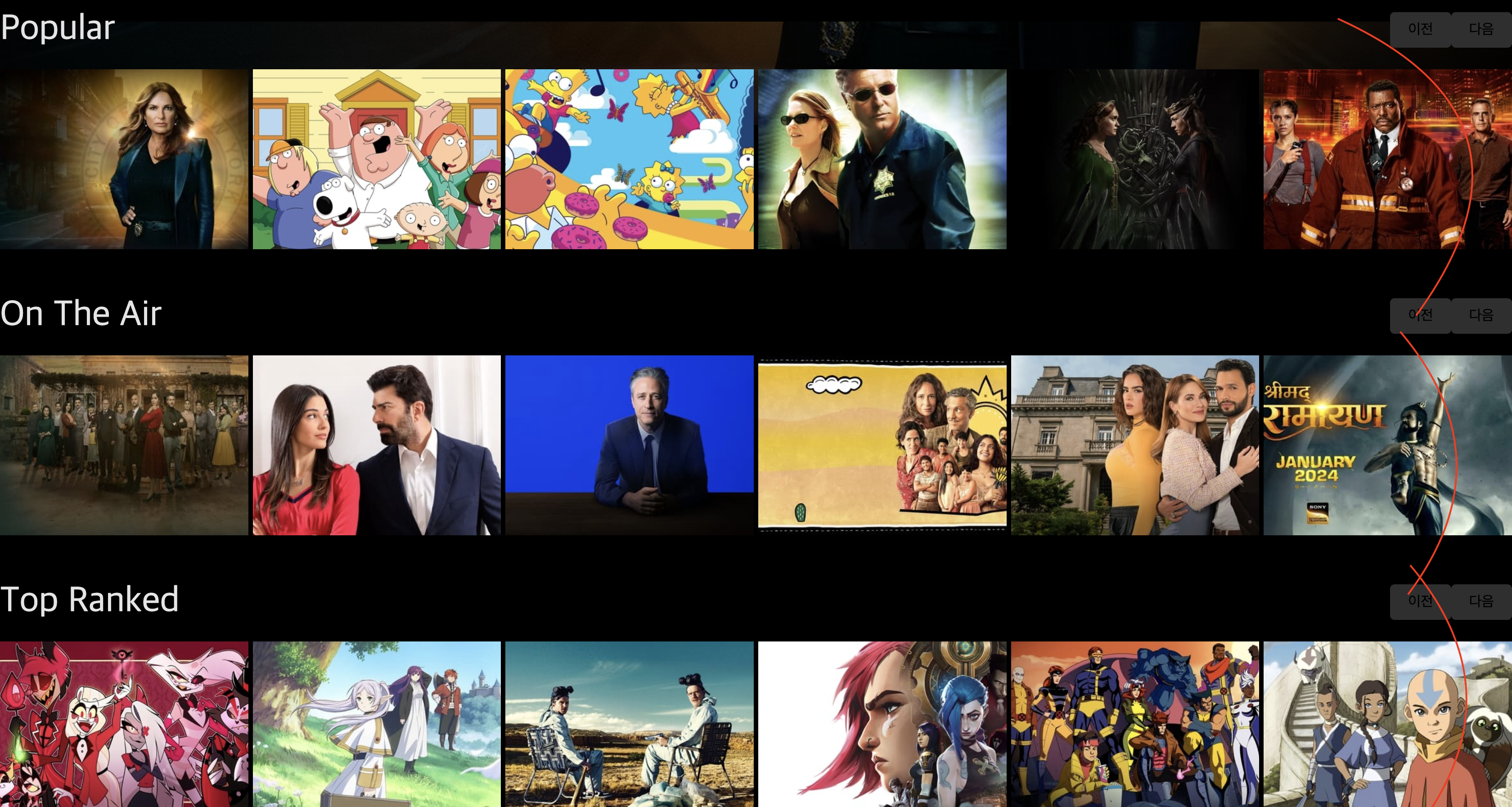
먼저 이 부분을 구현하기 위해
슬라이더 부분, 영화를 하나 눌렀을 때 자세한 정보를 보여줄 Box 부분 이렇게 두 컴포넌트로 나눠서 코드를 작성해보았다.
tv부분에서는 --> Popular, On The Air, Top Ranked 3가지이 데이터를 받아오는데, 이는 위에서 설명했듯이 getDistinctTvs()로 서로 겹치는 데이터를 제거해 놓았기 때문에
getDistinctTvs()를 통해서 세개를 모두 받아오면 된다.
const { data, isLoading } = useQuery('distinctTvs', getDistinctTvs);- 여기서 제공하는 정보가 부족해 tv에 대해 더 자세한 정보를 불러오기 위해서
const { data: tvDetail } = useQuery<IGetTvDetail>(['detail', tvId], () =>
    getTvDetail(tvId || '')
  );
도 같이 데이터를 불러온다
getTvDetail() 를 사용하기 위해서는 해당 tvId를 전달해주면, 해당 tv Show에 대한 자세한 정보를 불러올 수 있다.
{data && (
        <>
          <SliderTv
          title="Popular"
          tvs={data.popular}
          category="popular"
          />
          <SliderTv
            title="On The Air"
            tvs={data.ontheAir}
            category="ontheAir"
          />
          <SliderTv
            title="Top Ranked"
            tvs={data.topRanked}
            category="topRanked"
          />
        </>
      )}
getDistinctTvs()에서 불러오는 data에서 각각 해당하는 정보를 나눠서 SliderTv 컴포넌트에게 보내주면,
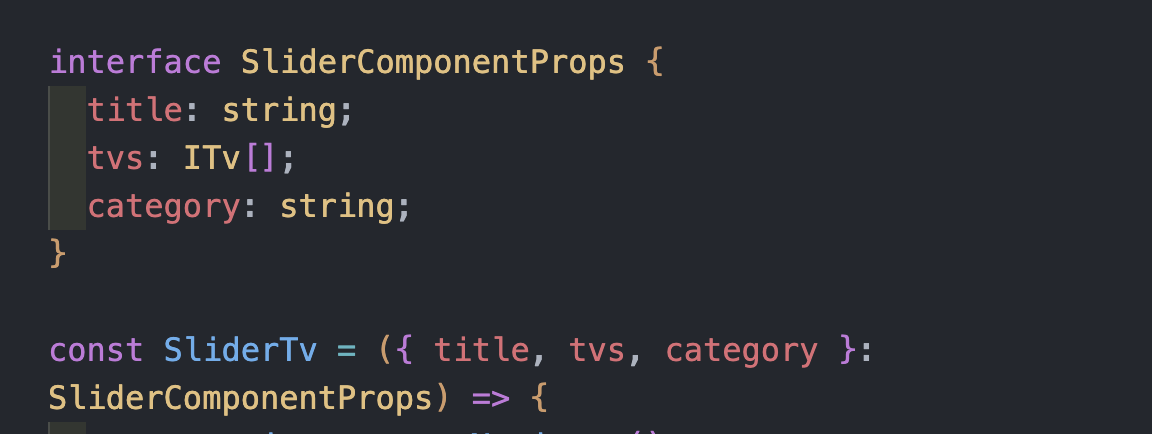
요렇게 interface에 타입을 지정해주고 받아서 사용할 수 있다
(return 부분은 home(movie)부분과 비슷하기 때문에 설명하지 않고 넘어가겠다)
BigTvShows
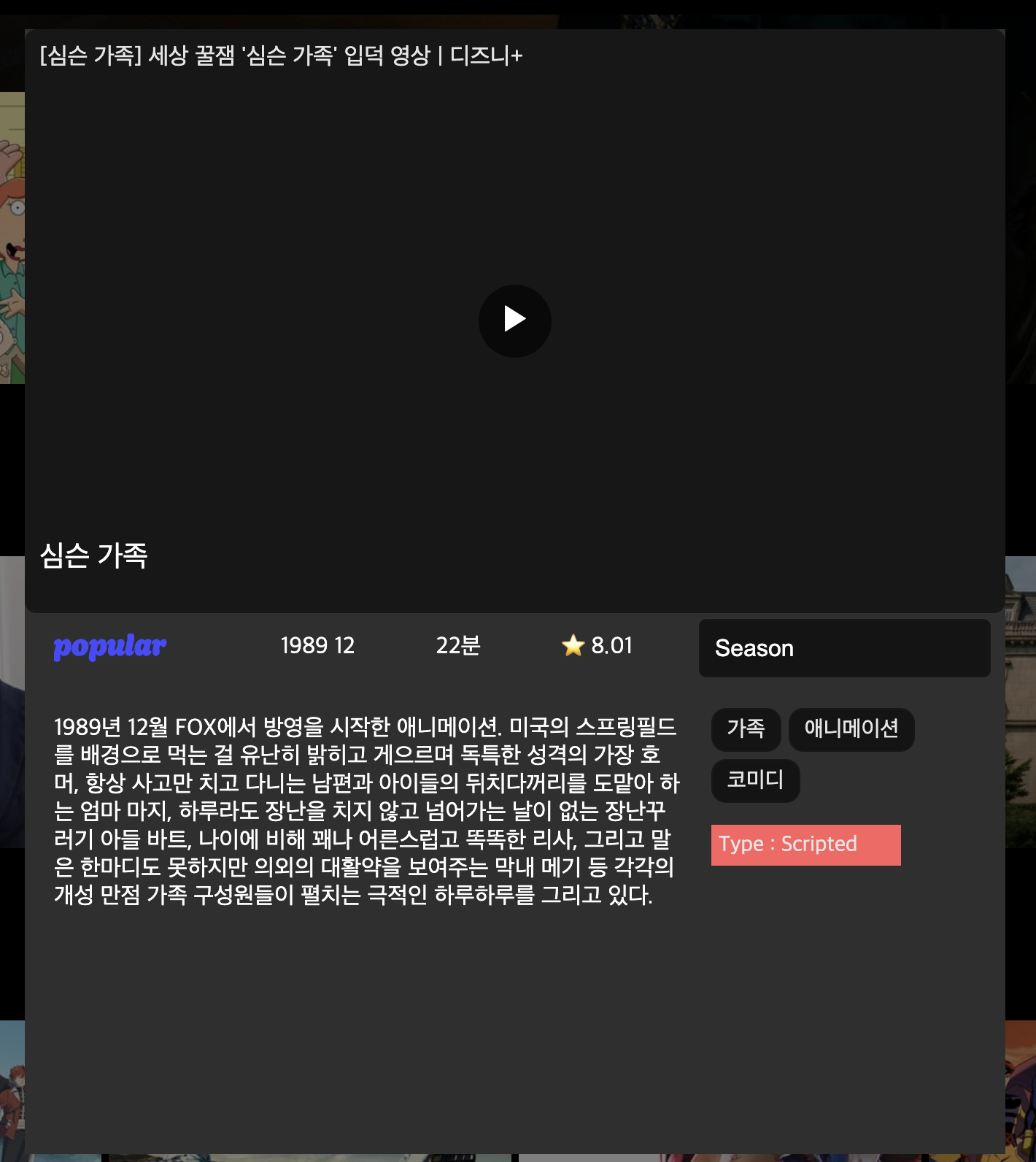
BigTvShow는 이렇게 구성을 해봤다.
movie와 다른 점은 season이 추가가 됬다는 점이다
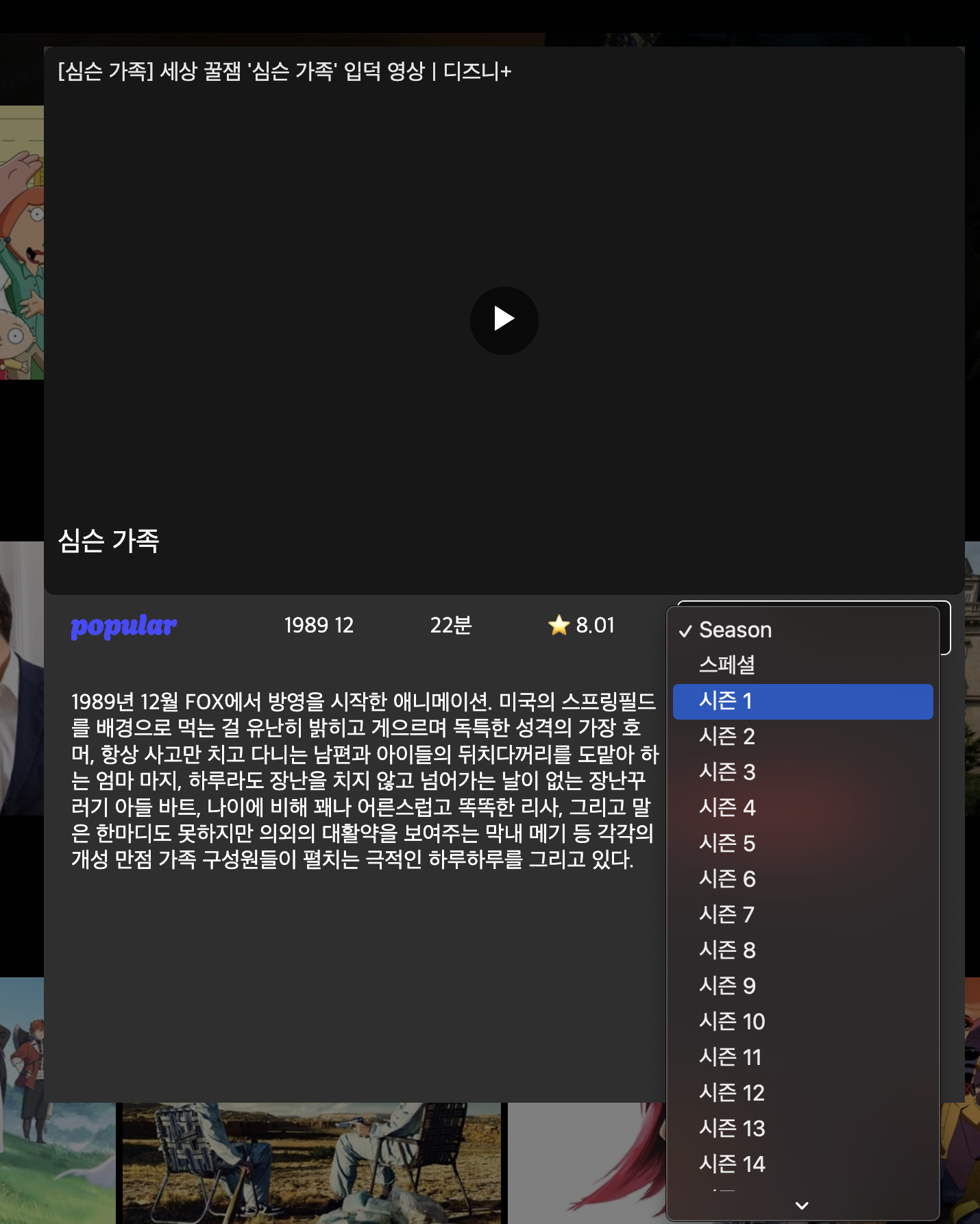
이렇게 시즌을 선택할 수 있고,
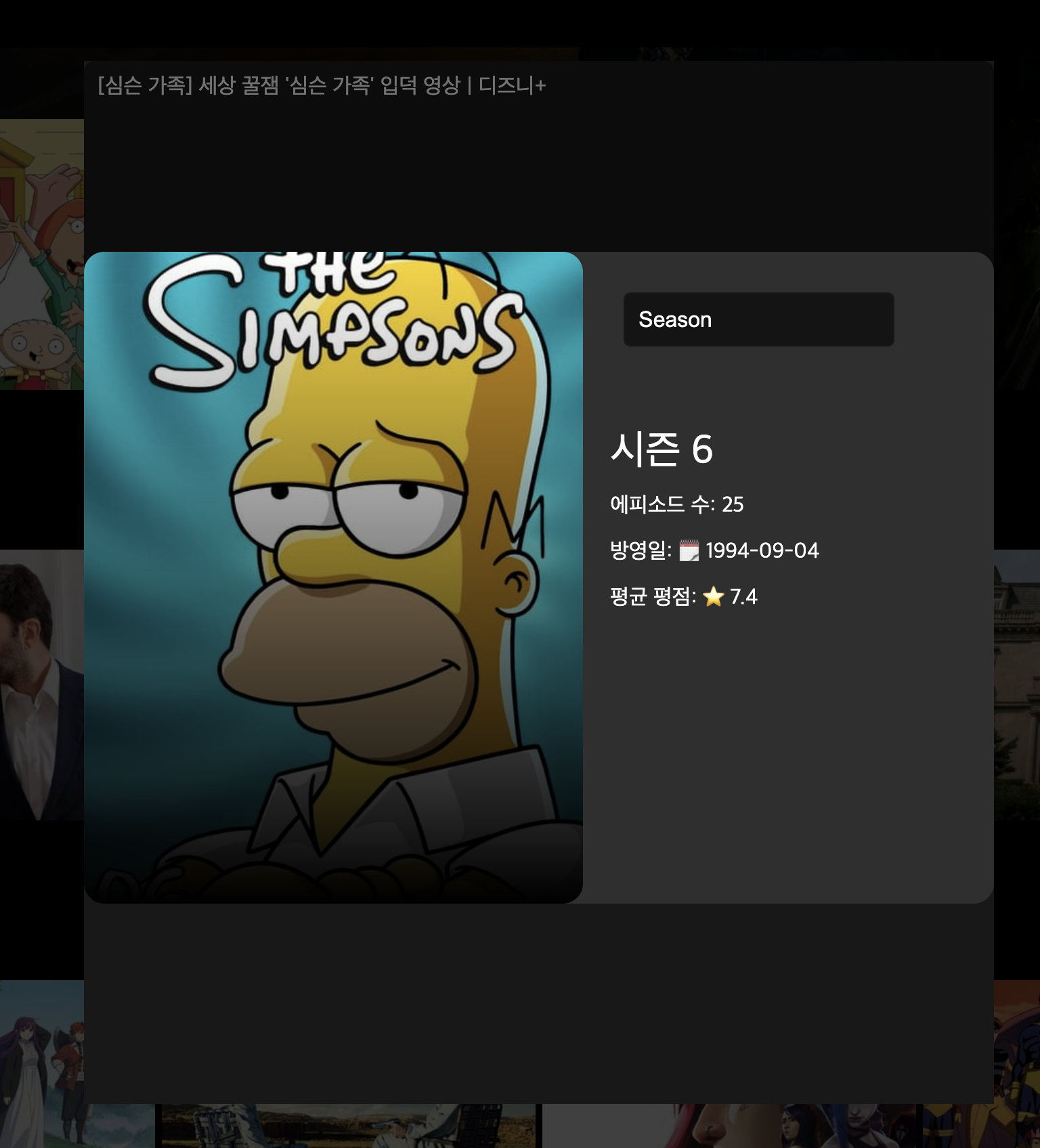
해당 시즌에 대한 간단한 정보를 이렇게 띄워주는 것까지 완료했다.
Season
(season을 제외한 나머지 부분은 home(Movie) 부분과 비슷하기 때문에 생략하겠다)
interface ISeasonProps {
  seasons: ISeason[];
  onSeasonSelect: (seasonId: number) => void;
}

const SeasonSelector = ({ seasons, onSeasonSelect }: ISeasonProps) => {
  return (
    <Select onChange={(e) => onSeasonSelect(Number(e.target.value))}>
      <Option value="">Season</Option>
      {seasons.map((season) => (
        <Option key={season.id} value={season.id}>
          {season.name}
        </Option>
      ))}
    </Select>
  );
};

export default SeasonSelector;
TV 시리즈의 시즌을 선택할 수 있는 셀렉트 박스를 표시해 주었다.
- SeasonSelector 컴포넌트는 seasons 배열을 반복하여 각 시즌의 이름과 ID를 Option 요소로 생성하고, onChange 이벤트 핸들러를 사용하여 셀렉트 박스에서 선택한 값이 변경될 때마다 onSeasonSelect 콜백을 호출한다.
--> 선택된 시즌의 ID를 Number(e.target.value)를 통해 콜백 함수로 전달하게 된다
Season Modal
시즌을 선택하면 해당 시즌에 대한 모달을 보여주도록 구성했다.
const TvComponent = () => {
  const navigate = useNavigate();
  const { scrollY } = useScroll();
  const bigTvMatch = useMatch('/tv/:category/:tvId');
  const tvId = bigTvMatch?.params.tvId;
  const category = bigTvMatch?.params.category;

  const { data, isLoading } = useQuery('distinctTvs', getDistinctTvs);
  const [videoData, setVideoData] = useState<IGetVideosResult>();
  const [selectedSeason, setSelectedSeason] = useState<ISeason | null>(null);
  const [showSeasonModal, setShowSeasonModal] = useState(false); // State for modal visibility

  const { data: tvDetail } = useQuery<IGetTvDetail>(['detail', tvId], () =>
    getTvDetail(tvId || '')
  );

  const onOverlayClicked = () => {
    navigate('/tv');
  };

  useEffect(() => {
    const fetchVideoData = async () => {
      if (tvId) {
        const videoData = await getTvVideos(tvId);
        setVideoData(videoData);
      }
    };
    fetchVideoData();
  }, [tvId]);

  const clickTv =
    tvId &&
    data &&
    category &&
    data[category as keyof typeof data].find((tv) => tv.id + '' === tvId);

  const handleSeasonSelect = (seasonId: number) => {
    const selected =
      tvDetail?.seasons.find((season) => season.id === seasonId) || null;
    setSelectedSeason(selected);
    setShowSeasonModal(true); // Show the modal on season select
  };

  const closeSeasonModal = () => {
    setShowSeasonModal(false);
  };

  return (
    <Container>
      {data && (
        <>
          <SliderTv title="Popular" tvs={data.popular} category="popular" />
          <SliderTv
            title="On The Air"
            tvs={data.ontheAir}
            category="ontheAir"
          />
          <SliderTv
            title="Top Ranked"
            tvs={data.topRanked}
            category="topRanked"
          />
        </>
      )}

      <AnimatePresence>
        {bigTvMatch && clickTv ? (
          <>
            <Overlay
              onClick={onOverlayClicked}
              exit={{ opacity: 0 }}
              animate={{ opacity: 1 }}
            />
            <BigMovie style={{ top: scrollY.get() + 100 }} layoutId={tvId}>
              {clickTv && videoData && videoData.results.length > 0 ? (
                <Video videos={videoData.results} />
              ) : (
                <BigCover
                  style={{
                    backgroundImage: `linear-gradient(to top , black, transparent), url(${makeImagePath(
                      clickTv.backdrop_path,
                      'w500'
                    )})`,
                  }}
                />
              )}
              <BigTitle>{clickTv.name}</BigTitle>
              <Explanation>
                <CategoryLabel>
                  {category === 'popular' && popularFont}
                  {category === 'ontheAir' && ontheAirFont}
                  {category === 'topRanked' && topRankedTvFont}
                </CategoryLabel>
                <BigRelease>
                  {tvDetail?.first_air_date.slice(0, 4) +
                    ' ' +
                    tvDetail?.first_air_date.slice(5, 7)}
                </BigRelease>
                {tvDetail &&
                tvDetail.episode_run_time &&
                tvDetail.episode_run_time + '' !== '' ? (
                  <RunTime>{tvDetail.episode_run_time}분</RunTime>
                ) : null}
                <BigVoteAverage>
                  ⭐️ {Number(clickTv.vote_average).toFixed(2)}
                </BigVoteAverage>

                {tvDetail && tvDetail.seasons.length > 0 && (
                  <>
                    <SeasonSelector
                      seasons={tvDetail.seasons}
                      onSeasonSelect={handleSeasonSelect}
                    />
                  </>
                )}
              </Explanation>
              <ExplanationSub>
                <BigOverview>{clickTv.overview}</BigOverview>

                {tvDetail && (
                  <Detail>
                    {tvDetail.genres.map((genre) => (
                      <GenreTitle key={genre.id}>{genre.name}</GenreTitle>
                    ))}

                    <Type>Type : {tvDetail?.type}</Type>
                  </Detail>
                )}
              </ExplanationSub>
            </BigMovie>
          </>
        ) : null}
      </AnimatePresence>

      {selectedSeason && showSeasonModal && (
        <SeasonModal
          season={selectedSeason}
          seasons={tvDetail!.seasons}
          onClose={closeSeasonModal}
          onSeasonSelect={handleSeasonSelect}
        />
      )}
    </Container>
  );
};

export default TvComponent;
const SeasonModal = ({
season,
seasons,
onClose,
onSeasonSelect,
}: SeasonModalProps) => {
const [selectedSeason, setSelectedSeason] = useState<ISeason>(season);
const [videoData, setVideoData] = useState<IGetVideosResult>();
const tvId = season.id;
useEffect(() => {
setSelectedSeason(season);
}, [season]);
const handleSeasonChange = (seasonId: number) => {
const selected = seasons.find((s) => s.id === seasonId);
if (selected) {
setSelectedSeason(selected);
onSeasonSelect(seasonId);
}
};
const overview =
selectedSeason.overview.length > 200
? selectedSeason.overview.slice(0, 200) + '...'
: selectedSeason.overview;
useEffect(() => {
const fetchVideoData = async () => {
if (tvId) {
const videoData = await getTvVideos(tvId + '');
setVideoData(videoData);
}
};
fetchVideoData();
}, [tvId]);
return (
<ModalOverlay
initial={{ opacity: 0 }}
animate={{ opacity: 1 }}
exit={{ opacity: 0 }}
onClick={onClose}
>
<SeasonBox onClick={(e) => e.stopPropagation()}>
{videoData && videoData.results && videoData.results.length > 0 ? (
<Video videos={videoData.results} />
) : (
<CoverImage
backgroundImage={`linear-gradient(to top, black, transparent), url(${makeImagePath(
selectedSeason.poster_path,
'w500'
)})`}
/>
)}
<Explanation>
<SeasonSelector
seasons={seasons}
onSeasonSelect={handleSeasonChange}
/>
<SeasonTitle>{selectedSeason.name}</SeasonTitle>
<ExplanationText>
에피소드 수: {selectedSeason.episode_count}
</ExplanationText>
<ExplanationText>
방영일: 🗓️ {selectedSeason.air_date}
</ExplanationText>
<ExplanationText>
평균 평점: ⭐️ {selectedSeason.vote_average}
</ExplanationText>
{selectedSeason.overview && (
<SeasonOverview>{overview}</SeasonOverview>
)}
</Explanation>
</SeasonBox>
</ModalOverlay>
);
};
export default SeasonModal;간단하게 두 코드에 대해서 설명하자면
- TvComponent에서 TV 프로그램을 클릭하면 SeasonModal이 열리고, 선택된 TV 프로그램의 시즌 정보를 모달 형태로 보여준다.
- SeasonSelector를 통해 시즌을 선택하면 handleSeasonSelect 함수가 호출되어 선택된 시즌의 정보를 업데이트하고, 모달을 열어 해당 시즌의 상세 정보를 보여준다.
켈켈.. season 요녀석 생각보다 시간이 많이 걸렸다
Tv 마무리
불러오는 Api와 저 Season을 제외하고는 거의 Home(Movie)의 코드와 거의 비슷해서 시간은 오래 걸리진 않은 것 같다!
그래도 똑같은 형태로 코드를 작성해도 왜 다르게 나오고 오류가 뜨는지 나는 알 수 가 없었지만 ~~~ 생각보다 예쁘게 잘 마무리 지은 것 같다!