
7강 / 스크롤 이벤트로 만드는 재밌는 기능들
1. 스크롤바 100px 내리면 로고 폰트사이즈 작게 만들기
재밌는 애니메이션을 만들어보자
.navbar {
  position : fixed;
  width : 100%;
  z-index : 5
}
.navbar-brand {
  font-size : 30px;
  transition : all 1s;
}
먼저 네비게이션바를 만들고 스크롤 바를 내리면 애니메이션이 나타나는 코드를 만들 것이다.
일단 상단메뉴는 상단고정하고
로고 폰트사이즈를 키운 채로 시작한다.
그리고 스크롤바를 100px 정도 내리면 폰트사이즈를 줄여보는 애니메이션을 만들어보자.
그럼 스크롤바를 얼마나 내렸는지 알 수 있어야 할 것같다.
스크롤 이벤트리스너
window.addEventListener('scroll', function(){
  console.log('안녕')
});
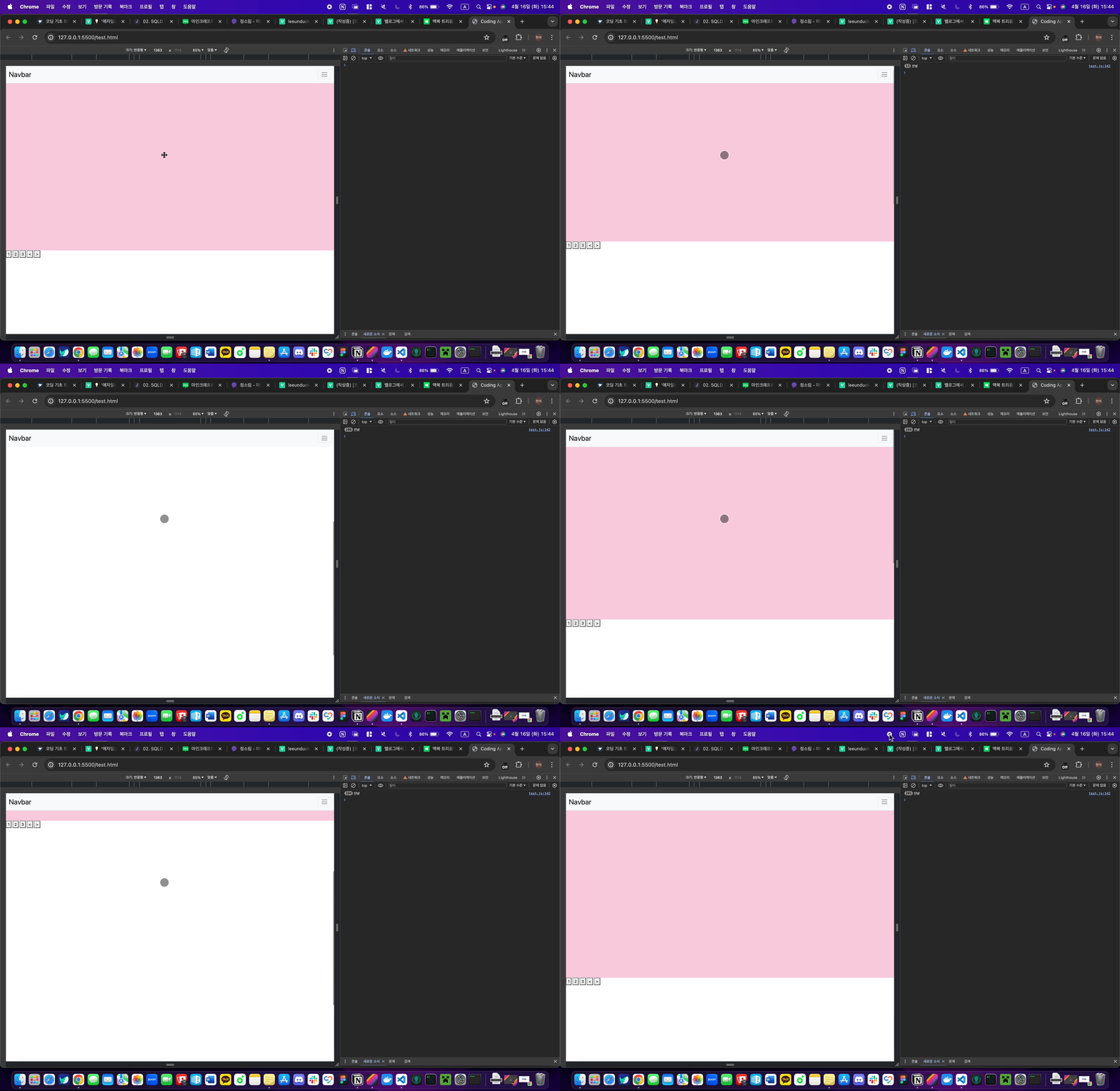
스크롤바를 조작하면 scroll 이벤트가 발생한다.
그래서 scroll 이벤트리스너를 전체 페이지에 달면
전체 페이지를 스크롤할 때마다 원하는 코드를 실행할 수 있다.
진짜 스크롤바 만질 때 마다 '안녕' 출력되나 보자.
Window와 document
참고로
window는 그냥 전체 페이지를 의미한다.
document도 전체 페이지이다.
window가 약간 더 큰 개념인데 scroll 이벤트리스너는 관습적으로 window에 붙인다.
Window와 document
스크롤 관련 유용한 기능들
스크롤 이벤트리스너안에서 쓰는 유용한 기능들이 몇개 있다.
window.addEventListener('scroll', function(){
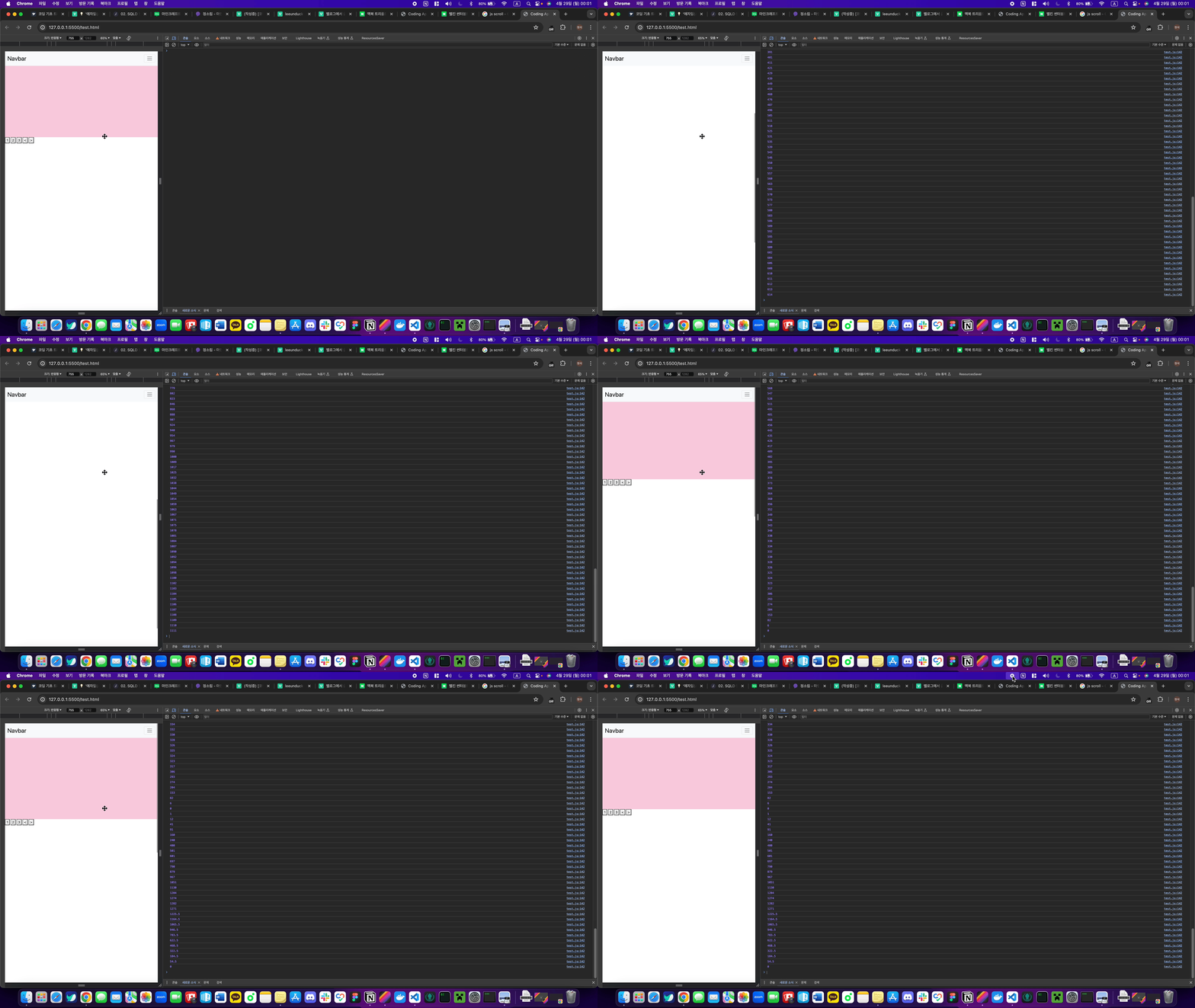
  console.log( window.scrollY )
});
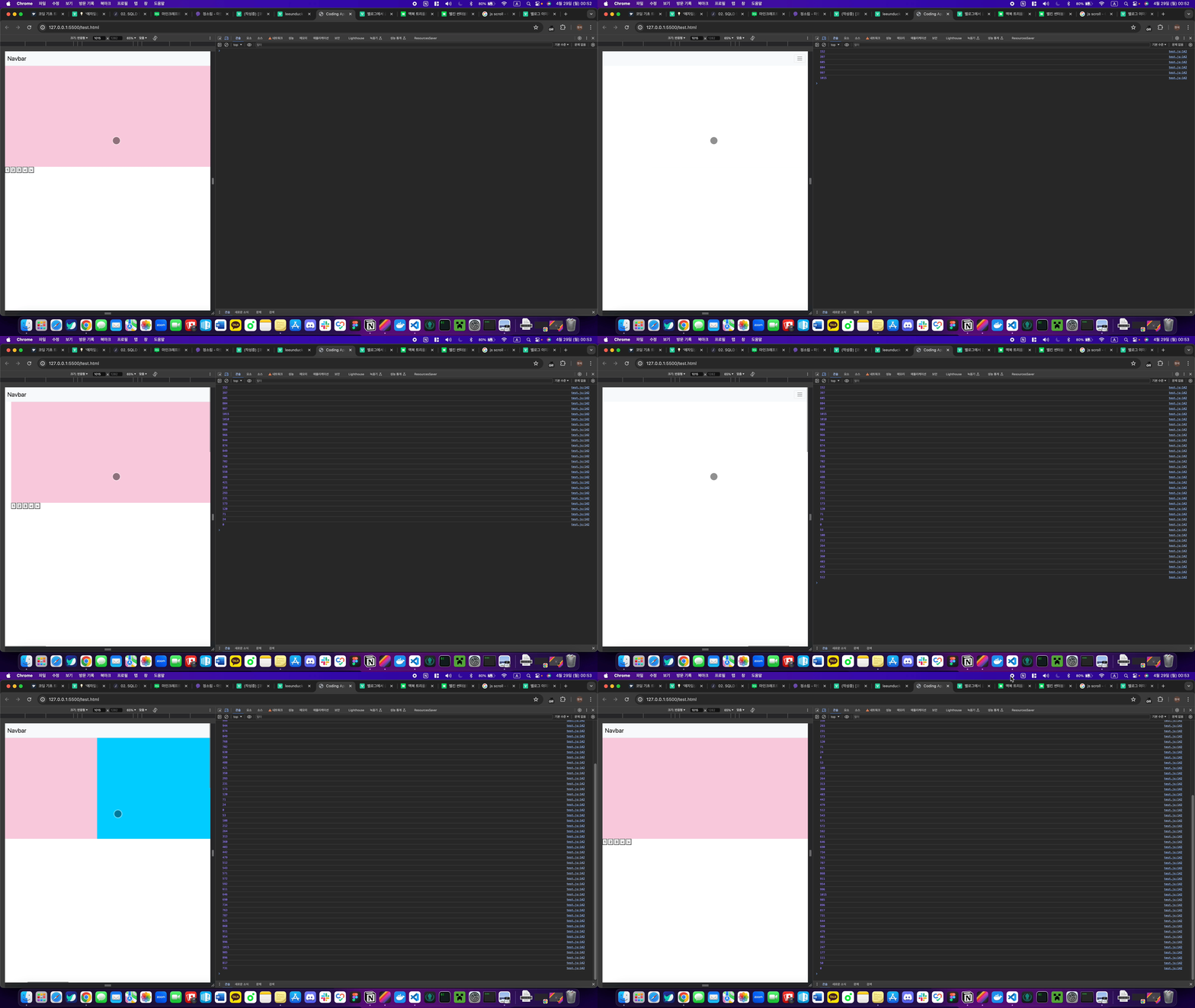
window.scrollY 사용하면 현재 페이지를 얼마나 위에서 부터 스크롤했는지 px 단위로 알려준다.
window.scrollX 는 가로로 얼마나 스크롤했는지 알려준다. (가로 스크롤바가 있으면)
 |  |
|---|
window.scrollTo(0, 100)window.scrollTo(x, y) 실행하면 강제로 스크롤바를 움직일 수 있다.
위 코드는 위에서부터 100px 위치로 스크롤해준다.
window.scrollBy(0, 100)window.scrollBy(x, y) 실행하면 현재 위치에서부터 스크롤해준다.
위 코드는 현재 위치에서부터 +100px 만큼 스크롤해준다.
근데 원래 저거 실행하면 스크롤 위치가 순간이동해야되는데
bootstrap을 설치했을 경우 이상하게 천천히 이동할 수 있다.
그게 싫으면 :root { scroll-behavior : auto } 이걸 css 파일 맨 위에 추가하자.
위 내용들을 토대로 숙제 1번을 해오면 될 것같다.
2. 박스 끝까지 스크롤시 알림띄우기
<div class="lorem" style="width: 200px; height: 100px; overflow-y: scroll">
Lorem ipsum dolor sit amet, consectetur adipisicing elit. Quae voluptas voluptatum minus praesentium fugit debitis at, laborum ipsa itaque placeat sit, excepturi eius. Nostrum perspiciatis, eligendi quae consectetur praesentium exercitationem.
</div>
위 박스를 아무데나 추가하자.
회원약관인데 이 박스를 끝까지 스크롤하면 alert() 띄우고싶다.
그럼 코드를 어떻게 짜야할까?
div 스크롤바 내린 양 + div가 화면에 보이는 높이 == div 실제높이일 경우 alert 띄워주세요~
라고 코드를 짜면 될 것 같다.
div 스크롤바 내린 양과 div가 화면에 보이는 높이, div 실제높이를 구하는 방법을 알아보자
div 박스의 스크롤바 내린 양은
class가 lorem인 박스를 셀렉터로 선택하고 scrollTop기능을 이용하여 내린 양을 알아볼 것이다.
scrollTop에 대해 더 자세히 알아야하기 때문에 아래 사이트를 읽어본 뒤 정확히 어떤 기능을 하는지 이해한 뒤에 넘어가도록 하자
scrollTop
document.querySelector(".lorem").addEventListener("scroll", function () {
  let scrollAmount = document.querySelector(".lorem").scrollTop;
  console.log(scrollAmount);
});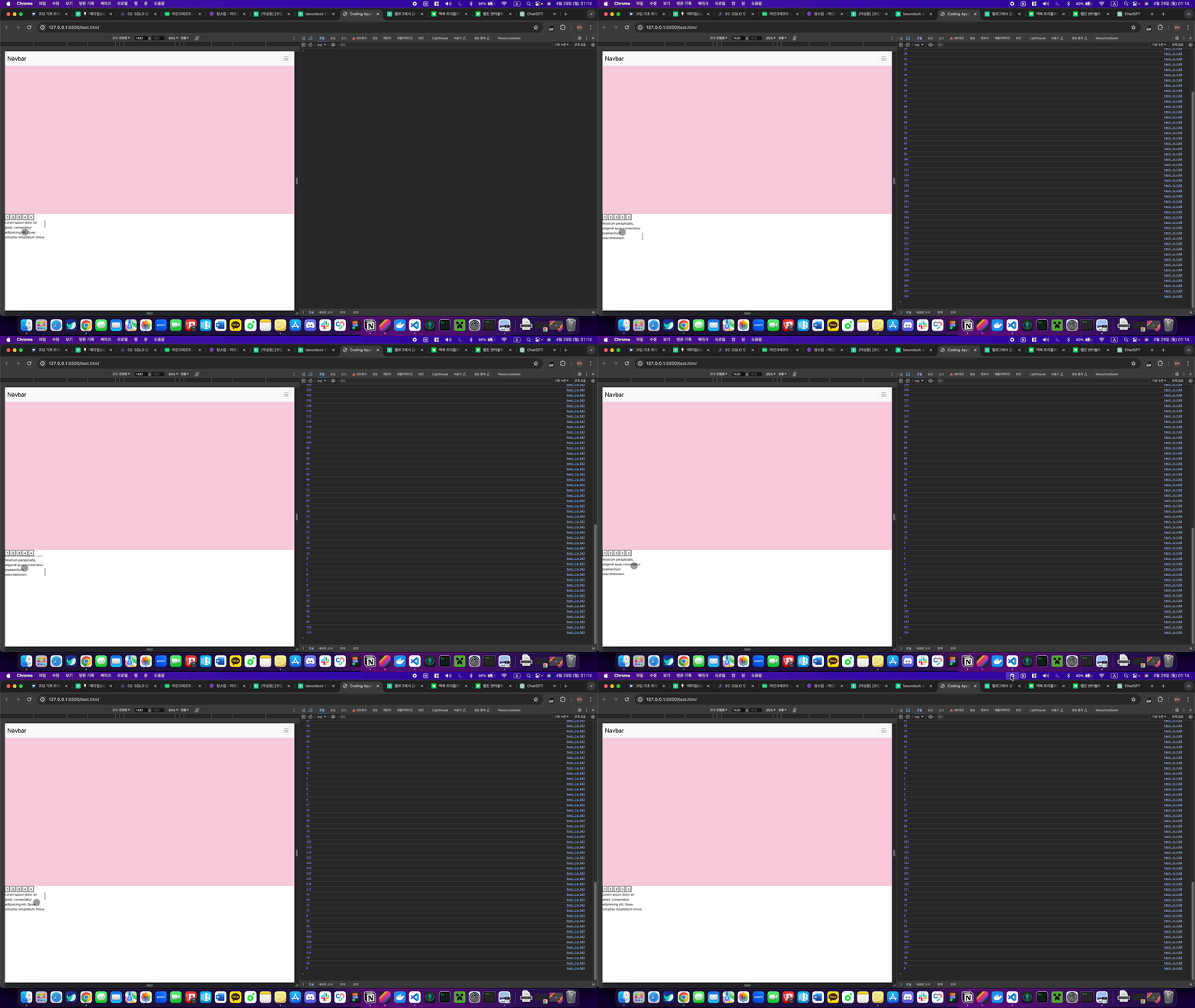
콘솔창에 lorem에 대한 스크롤양이 나오는 것을 볼 수 있다.
이 부분은 전체 페이지에 대해서도 스크롤양을 구할 수 있다고 볼 수 있다.
div가 화면에 보이는 높이 구하는 법
요소의 높이 혹은 화면의 높이를 구하는 방법은 여러가지가 있지만 그 중 사용하는 방법은 clientHeight 기능이다.
clientHeight과 또 다른 기능에 대해 더 알아야하기 때문에 아래 사이트를 읽어본 뒤 넘어가도록 하자
clientHeight, offsetHeight, scrollHeight
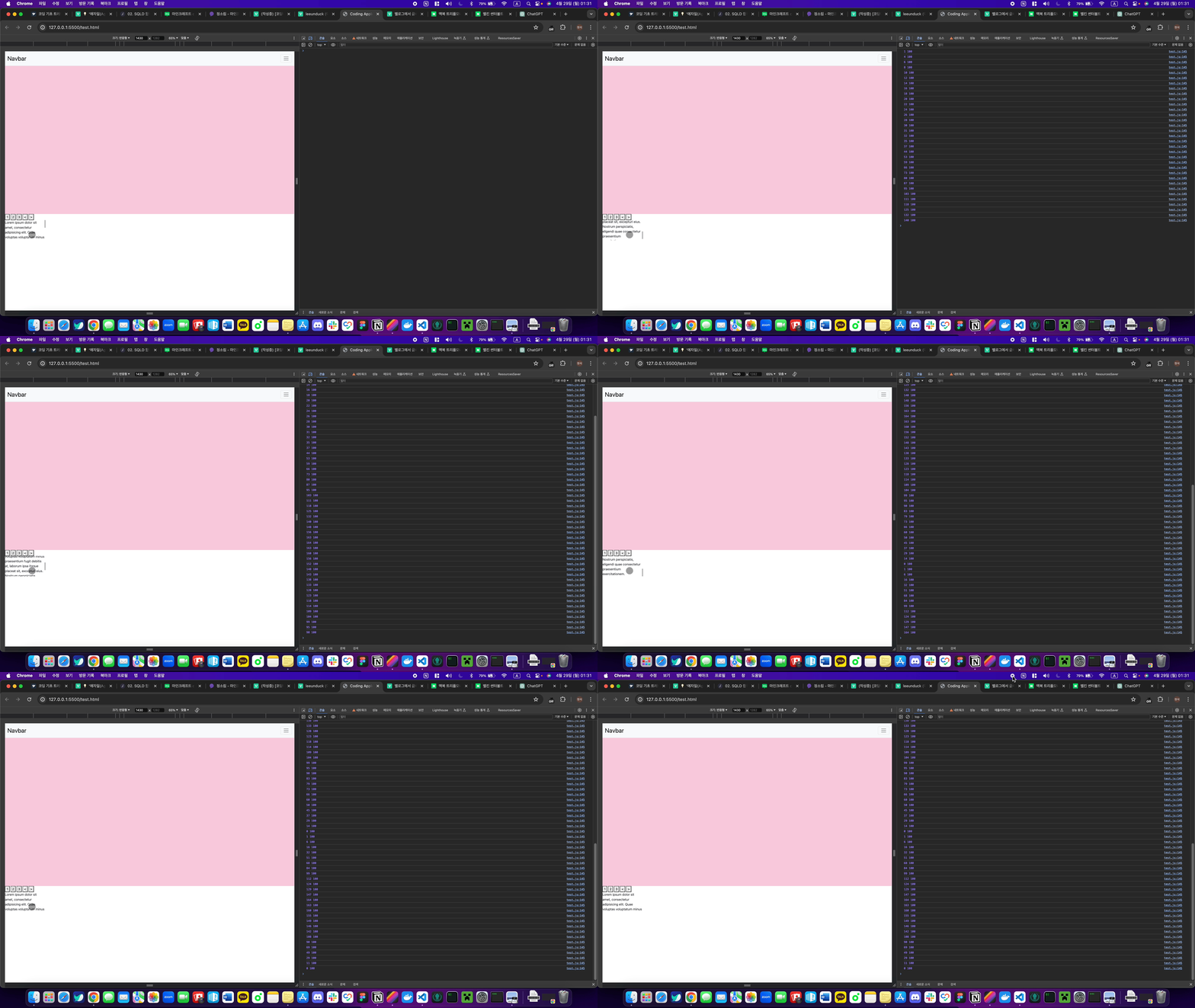
document.querySelector(".lorem").addEventListener("scroll", function () {
  let scrollAmount = document.querySelector(".lorem").scrollTop;
  let clientHeight = document.querySelector('.lorem').clientHeight;
  console.log(scrollAmount, clientHeight);
});
div 박스 높이 구하는 법
위 사이트를 읽어 봤다면 scrollHeight에 대한 기능을 읽어보았을 것이다. 이 기능은 한마디로 요약하자면 박스의 실제 높이라고 생각하면 된다.
위 clientHeight는 보이는 박스의 높이라면 scrollHeight는 안보이는 높이까지 포함하여 총 높이를 알려준다.
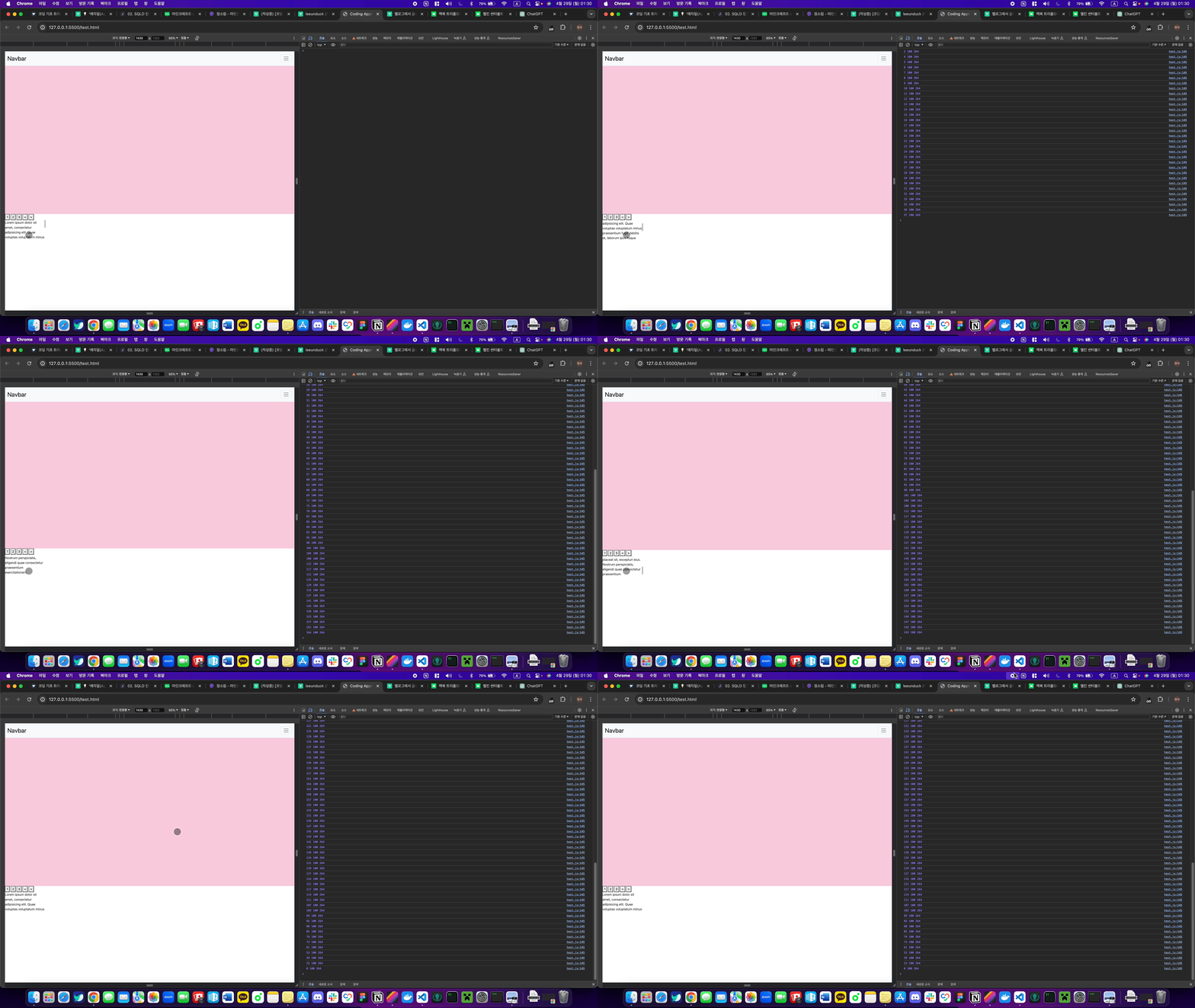
document.querySelector(".lorem").addEventListener("scroll", function () {
  let scrollAmount = document.querySelector(".lorem").scrollTop;
  let clientHeight = document.querySelector('.lorem').clientHeight;
  let realHeight = document.querySelector('.lorem').scrollHeight;
  console.log(scrollAmount, clientHeight, realHeight);
});
숙제
위에서 배운 것을 토대로 1, 2번 숙제를 해보자
1번 스크롤바를 100px 내리면 로고 폰트사이즈를 작게 만들어오십시오. 반대로 100px 미만으로 내리면 로고 폰트사이즈를 크게 만들어옵시다.
JS코드를 3분할로 나누어서 작성해보자
navar 글자요소를 변수로 지정
const scrollNavFont = document.querySelector(".navbar-brand");
navar 글자요소에 이벤트 리스너 부착
window.addEventListener("scroll", handleScroll1);전체 화면이 스크롤 됐을 시
handleScroll1함수가 실행된다.
navar글자가 작아졌다 커지는
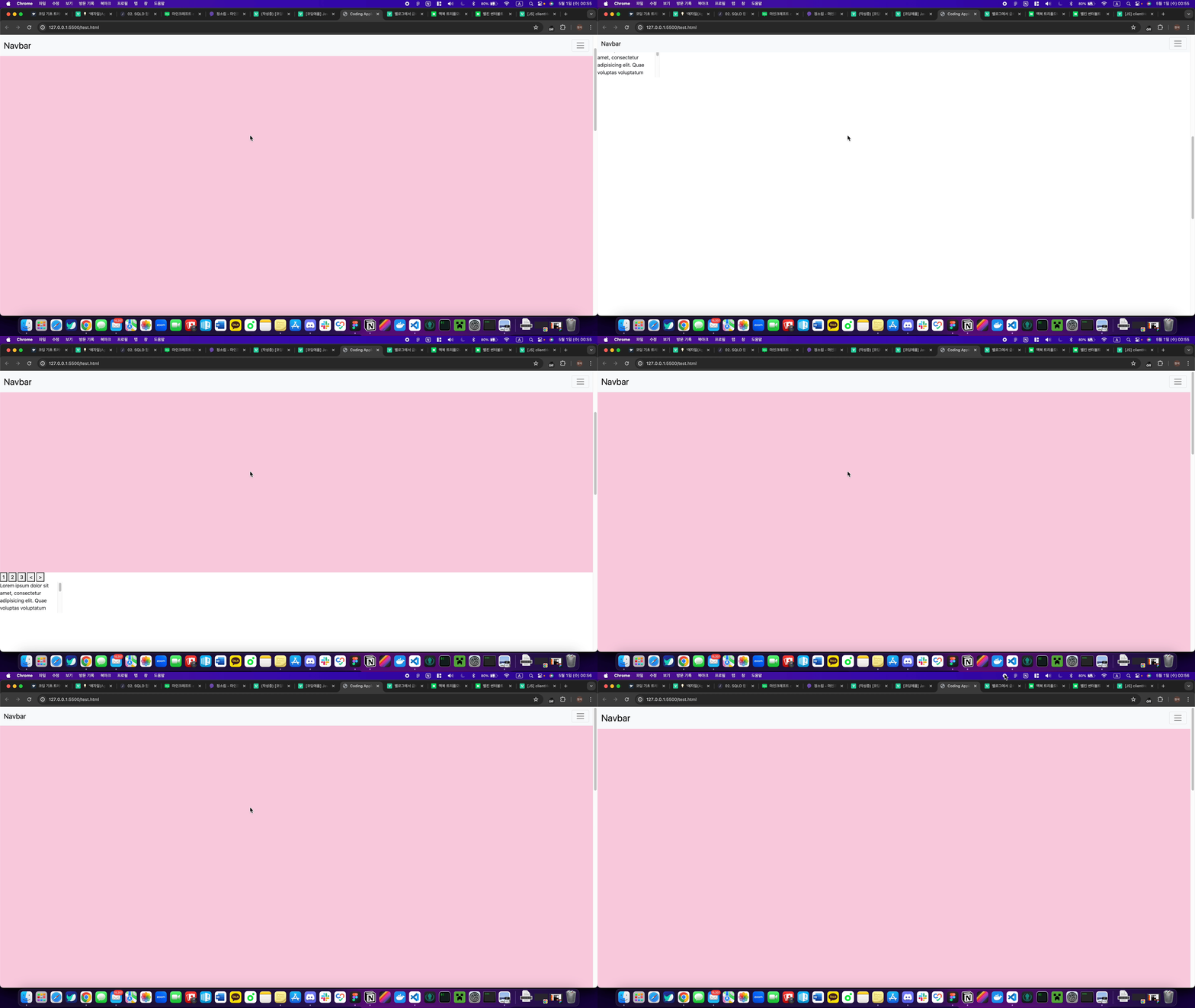
handleScroll1실행function handleScroll1() { console.log(window.scrollY); if (window.scrollY >= 100) { scrollNavFont.style.fontSize = "20px"; } else if (window.scrollY <= 100) { scrollNavFont.style.fontSize = "30px"; } }
결과
2번 회원약관 박스를 거의 끝까지 스크롤하면 alert를 띄워줍시다.
class가
lorem인 박스를 변수로 지정const scrollAlert = document.querySelector(".lorem");
class가
lorem인 박스에 이벤트리스너 부착scrollAlert.addEventListener("scroll", handleScroll2);
class가
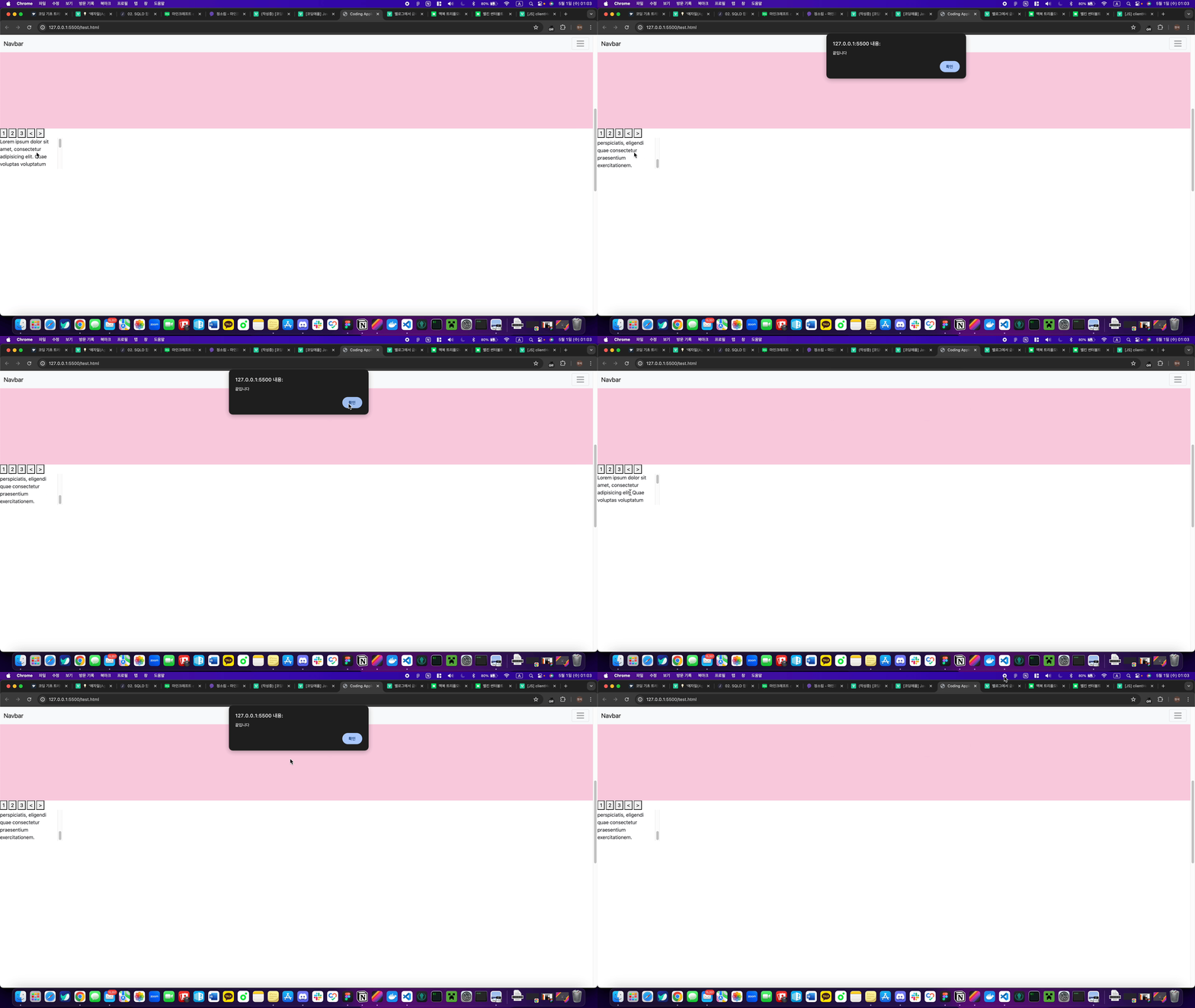
lorem인 박스끝에 도달하면 alert알림이 뜨는 handleScroll2 함수 실행function handleScroll2() { const scroll = scrollAlert.scrollTop; const height = scrollAlert.scrollHeight; const clientHeight = scrollAlert.clientHeight; if (scroll + clientHeight == height) { alert("끝입니다"); } }
결과
8강 / 스크롤 이벤트 숙제 해설 & 페이지 스크롤 응용
스크롤 다룰 때 주의점
1. 스크롤이벤트리스너 안의 코드는 1초에 60번 이상 실행된다.
그래서 스크롤 이벤트리스너는 많이 달면 성능저하가 일어나니 스크롤바 1개마다 1개만 써야 한다.
2. 스크롤이벤트리스너 안의 코드는 1초에 여러번 실행되다보니 바닥체크하는 코드도 여러번 실행될 수 있다.
숙제2에서 alert가 2번 뜨고 그럴 수 있다는 뜻이다.
그걸 방지하고 싶으면 구글에 검색해보는 것도 나쁘지않다. 변수같은걸 활용하면 된다.
현재 페이지를 끝까지 스크롤했는지 체크하려면?
숙제2랑 똑같이하면 된다.
근데 div 박스를 찾는게 아니라 이번엔 현재페이지를 찾아서 .scrollTop, .scrollHeight, `.clientHeight 붙이면 된다.
현재페이지를 찾으려면
document.querySelector('html').scrollTop;//현재 웹페이지 스크롤양 or `window.scrollY`
document.querySelector('html').scrollHeight;//현재 웹페이지 실제높이
document.querySelector('html').clientHeight;//현재 웹페이지 보이는 높이임html 태그 찾으면 된다.
.scrollTop 은 너무 길면 window.scrollY 써도 똑같다.
(주의)
1. 웹페이지 scrollHeight 구할 땐 브라우저마다 아주 약간의 오차가있을 수 있어서 테스트해보는게 좋다.
2. 웹페이지 scrollHeight 구하는 코드는 페이지 로드가 완료되고나서 실행해야 정확한다. 그래서
<body>끝나기 전에 적는게 좋다.
오늘의 교훈이 뭐냐면
-
스크롤바 조작할 때 마다 코드실행가능하다.
-
박스의 숨겨진 실제 높이도 구할 수 있다
-
스크롤내린 양도 구할 수 있다
이런거 이해하고 지나가면 충분할 것 같다. 문법은 필요할 때 찾아쓰면 된다!
(응용)
페이지 내릴 때 마다 페이지를 얼마나 읽었는지 진척도를 알려주는 UI 같은건 어떻게 만들면 될까요?
까만색의 가로로 긴 div 박스 하나 만들고
페이지를 1% 읽으면 div 박스 길이는 1%
페이지를 50%정도 읽으면 div 박스 길이는 50%
페이지 다 읽으면 div 박스 길이는 100%
이런거 만들어보면 재미있을듯요
전체 코드
index.html
<!DOCTYPE html>
<html lang="en">
<head>
<meta charset="UTF-8" />
<link
href="https://cdn.jsdelivr.net/npm/bootstrap@5.1.3/dist/css/bootstrap.min.css"
rel="stylesheet"
integrity="sha384-1BmE4kWBq78iYhFldvKuhfTAU6auU8tT94WrHftjDbrCEXSU1oBoqyl2QvZ6jIW3"
crossorigin="anonymous" />
<meta name="viewport" content="width=device-width, initial-scale=1.0" />
<link rel="stylesheet" type="text/css" href="./test.css" />
<title>Coding Apple JavaScript</title>
</head>
<body>
<!-- <div id="alert-box">
알림창임
<button id="alert-close-btn">❌</button>
</div>
<button id="alert-notification-btn">알림창 여는 버튼</button>
<button id="alert-id-btn">
로그인
</button>
<button
id="alert-password-btn"
>
비밀번호
</button> -->
<nav class="navbar navbar-light bg-light">
<div class="container-fluid">
<span class="navbar-brand">Navbar</span>
<button class="navbar-toggler" type="button">
<span class="navbar-toggler-icon"></span>
</button>
</div>
</nav>
<ul class="list-group">
<li class="list-group-item">An item</li>
<li class="list-group-item">A second item</li>
<li class="list-group-item">A third item</li>
<li class="list-group-item">A fourth item</li>
<li class="list-group-item">And a fifth one</li>
</ul>
<!-- <button class="modal-btn">모달창 버튼</button>
<div class="black-bg">
<div class="white-bg">
<h4>로그인하세요</h4>
<form action="success.html">
<div class="my-3">
<input type="text" class="form-control" id="modal-id" />
</div>
<div class="my-3">
<input type="password" class="form-control" id="modal-password" />
</div>
<button type="submit" class="btn btn-primary">전송</button>
<button type="button" class="btn btn-danger" id="close">닫기</button>
</form>
</div>
</div> -->
<!-- <span class="badge bg-dark">Dark 🔄</span> -->
<div style="overflow: hidden">
<div class="slide-container">
<div class="slide-box">
<img src="./assets/car1.png" />
</div>
<div class="slide-box">
<img src="./assets/car2.png" />
</div>
<div class="slide-box">
<img src="./assets/car3.png" />
</div>
</div>
</div>
<button class="btn1">1</button>
<button class="btn2">2</button>
<button class="btn3">3</button>
<button class="prev"><</button>
<button class="next">></button>
<div class="lorem" style="width: 200px; height: 100px; overflow-y: scroll">
Lorem ipsum dolor sit amet, consectetur adipisicing elit. Quae voluptas
voluptatum minus praesentium fugit debitis at, laborum ipsa itaque placeat
sit, excepturi eius. Nostrum perspiciatis, eligendi quae consectetur
praesentium exercitationem.
</div>
<script src="./test.js"></script>
<script
src="https://cdn.jsdelivr.net/npm/bootstrap@5.1.3/dist/js/bootstrap.bundle.min.js"
integrity="sha384-ka7Sk0Gln4gmtz2MlQnikT1wXgYsOg+OMhuP+IlRH9sENBO0LRn5q+8nbTov4+1p"
crossorigin="anonymous"></script>
</body>
</html>
index.css
body {
height: 3000px;
}
#alert-box {
background-color: skyblue;
padding: 20px;
color: white;
border-radius: 5px;
display: none;
}
.list-group {
display: none;
}
.black-bg {
visibility: hidden;
opacity: 0;
width: 100%;
height: 100%;
position: fixed;
background: rgba(0, 0, 0, 0.5);
z-index: 5;
padding: 30px;
transition: all 1s;
}
.white-bg {
background: white;
border-radius: 5px;
padding: 30px;
}
.show {
visibility: visible;
opacity: 1;
}
.slide-container {
width: 300vw;
transition: all 1s;
}
.slide-box {
width: 100vw;
float: left;
}
.slide-box img {
width: 100%;
}
.navbar {
position: fixed;
width: 100%;
z-index: 5;
}
.navbar-brand {
font-size: 30px;
transition: all 1s;
}
index.js
// const notification = document.querySelector("#alert-box");
// const notificationBtn = document.querySelector("#alert-notification-btn");
// const closeBtn = document.querySelector("#alert-close-btn");
// const idBtn = document.querySelector("#alert-id-btn");
// const passwordBtn = document.querySelector("#alert-password-btn");
// const navbarBtn = document.querySelector(".navbar-toggler");
// const subMenu = document.querySelector(".list-group");
// const modalBtn = document.querySelector(".modal-btn");
// const modal = document.querySelector(".black-bg");
// const modalCloseBtn = document.querySelector("#close");
// const formIdInput = document.querySelector("#modal-id");
// const formPassWordInput = document.querySelector("#modal-password");
// const submitBtn = document.querySelector(".btn-primary");
// const darkmodeBtn = document.querySelector(".badge");
// const slideContainer = document.querySelector(".slide-container");
// const carouselBtn1 = document.querySelector(".btn1");
// const carouselBtn2 = document.querySelector(".btn2");
// const carouselBtn3 = document.querySelector(".btn3");
// const carouselNext = document.querySelector(".next");
// const carouselPrev = document.querySelector(".prev");
const scrollNavFont = document.querySelector(".navbar-brand");
const scrollAlert = document.querySelector(".lorem");
// notificationBtn.addEventListener("click", showNotification);
// closeBtn.addEventListener("click", closeNotification);
// navbarBtn.addEventListener("click", showSubmenu);
// navbarBtn.addEventListener("click", closeSubmenu);
// modalBtn.addEventListener("click", showModal);
// modalCloseBtn.addEventListener("click", closeModal);
// submitBtn.addEventListener("click", checkInput);
// formIdInput.addEventListener("change", test);
// darkmodeBtn.addEventListener("click", changeMode);
// carouselBtn1.addEventListener("click", handleCarousel1);
// carouselBtn2.addEventListener("click", handleCarousel2);
// carouselBtn3.addEventListener("click", handleCarousel3);
// carouselNext.addEventListener("click", handleCarouselNext);
// carouselPrev.addEventListener("click", handleCarouselPrev);
window.addEventListener("scroll", handleScroll1);
scrollAlert.addEventListener("scroll", handleScroll2);
// function showNotification() {
// notification.style.display = "block";
// }
// function closeNotification() {
// notification.style.display = "none";
// }
// function handleIdBox(text) {
// notification.style.display = "block";
// notification.innerText = text;
// }
// function handlePassWordBox(text) {
// notification.style.display = "block";
// notification.innerText = text;
// }
// function toggleSubmenu() {
// subMenu.classList.toggle("show");
// }
// function showModal() {
// modal.classList.add("show");
// }
// function closeModal() {
// modal.classList.remove("show");
// }
// function checkInput(event) {
// if (formIdInput.value == "") {
// event.preventDefault();
// alert("아이디를 입력하세요");
// } else if (/\S+@\S+\.\S+/.test(formIdInput.value) == false) {
// event.preventDefault();
// alert("이메일 형식이 아닙니다");
// } else if (formPassWordInput.value == "") {
// event.preventDefault();
// alert("비밀번호를 입력하세요");
// } else if (formPassWordInput.value.length <= 6) {
// event.preventDefault();
// alert("비밀번호 7자리 이상 입력하세요");
// } else if (/[A-Z]/.test(formPassWordInput.value) == false) {
// event.preventDefault();
// alert("비밀번호에 영어 대문자를 넣으세요");
// }
// }
// let darkCount = 1;
// function changeMode() {
// darkCount += 1;
// if (darkCount % 2 == 0) {
// darkmodeBtn.classList.remove("bg-dark");
// darkmodeBtn.classList.add("bg-light");
// darkmodeBtn.style.color = "black";
// } else {
// darkmodeBtn.classList.remove("bg-light");
// darkmodeBtn.classList.add("bg-dark");
// darkmodeBtn.style.color = "white";
// }
// }
//캐러쉘 1번
// let nowPhoto = 0;
// function handleCarousel1() {
// nowPhoto = 0;
// slideContainer.style.transform = `translateX(-${nowPhoto}00vw)`;
// }
//캐러쉘 2번
// function handleCarousel2() {
// nowPhoto = 1;
// slideContainer.style.transform = `translateX(-${nowPhoto}00vw)`;
// }
//캐러쉘 3번
// function handleCarousel3() {
// nowPhoto = 2;
// slideContainer.style.transform = `translateX(-${nowPhoto}00vw)`;
// }
//캐러쉘 Next버튼
// function handleCarouselNext() {
// if (nowPhoto == 0) {
// nowPhoto += 1;
// slideContainer.style.transform = `translateX(-${nowPhoto}00vw)`;
// } else if (nowPhoto == 1) {
// nowPhoto += 1;
// slideContainer.style.transform = `translateX(-${nowPhoto}00vw)`;
// }
// }
//캐러쉘 Prev버튼
// function handleCarouselPrev() {
// if (nowPhoto == 2) {
// nowPhoto -= 1;
// slideContainer.style.transform = `translateX(-${nowPhoto}00vw)`;
// } else if (nowPhoto == 1) {
// nowPhoto -= 1;
// slideContainer.style.transform = `translateX(-${nowPhoto}00vw)`;
// }
// }
function handleScroll1() {
if (window.scrollY >= 100) {
scrollNavFont.style.fontSize = "20px";
} else if (window.scrollY <= 100) {
scrollNavFont.style.fontSize = "30px";
}
}
function handleScroll2() {
  const scroll = scrollAlert.scrollTop;
  const height = scrollAlert.scrollHeight;
  const clientHeight = scrollAlert.clientHeight;
  if (scroll + clientHeight == height) {
    alert("끝입니다");
  }
}