
13강 / 장바구니 기능과 localStorage
오늘은 장바구니 기능을 만들어보자.
유저가 구매버튼을 누르면 그 상품명을 어딘가 저장하면 끝인데
실제 서비스였으면 서버로 보내서 DB 이런데 저장하는게 좋겠지만
우리는 서버같은게 없기 때문에 브라우저 저장공간을 이용해보자.
브라우저 저장공간이 여러개 있는데
크롬 개발자도구의 Application 탭 들어가보면 구경가능하다.
Local Storage / Session Storage (key : value 형태로 문자, 숫자 데이터 저장가능)

Indexed DB (크고 많은 구조화된 데이터를 DB처럼 저장가능, 문법더러움)
Cookies (유저 로그인정보 저장공간)

Cache Storage (html css js img 파일 저장해두는 공간)
골라쓰면 되는데 우린 범용적으로 쓸 수 있는 Local Storage를 사용해볼 것이다.
Local Storage / Session Storage 는
문자, 숫자만 key : value 형태로 저장가능하고
5MB까지만 저장가능하다.
Local Storage는 브라우저 재접속해도 영구적으로 남아있는데 Session Storage는 브라우저 끄면 날아간다.
유저가 브라우저 청소하지 않는 이상 반영구적으로 데이터저장이 가능하다.
로컬스토리지 사용법
localStorage.setItem('이름', 'kim') //자료저장하는법
localStorage.getItem('이름')       //자료꺼내는법
localStorage.removeItem('이름')    //자료삭제하는법
수정하는 법은 없어서 꺼내서 수정하고 다시 저장하면 된다.
진짜로 저장 잘 되는지 개발자도구에서 테스트해보자.

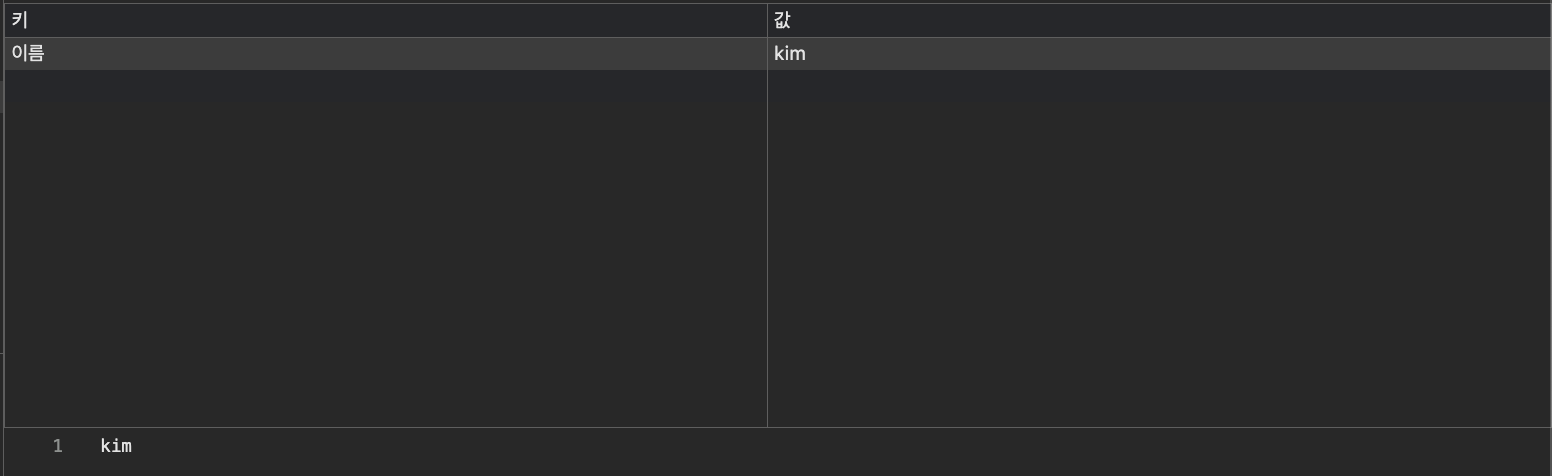
자료가 잘 저장되는 것을 볼 수 있다.
- 문자나 숫자만 저장할 수 있다.
sessionStorage.어쩌구로 바꾸면Session Storage에 저장가능하다.
로컬스토리지에 array/object 저장하려면
array/object를 Local Storage 저장하면 강제로 문자로 바꿔서 저장된다.
그래서 자료가 깨지고 그럴 수 있다.
그래서 약간 편법같은건데 array/object를 JSON으로 바꾸면 문자취급을 받기 때문에 안전하게 로컬스토리지에 저장할 수 있다.
JSON은 그냥 따옴표친 array/object이다.
let arr = [1,2,3];
let newArr = JSON.stringify(arr);

localStorage.setItem('num', newArr)JSON.stringify()안에array/object집어넣으면JSON으로 바꿔준다. (그럼 문자취급받음)- 그걸
localStorage에 저장하라고 코드짠 것이다.
그럼 깨지지 않게 저장가능하다.
그냥 저장하는거랑 비교해보자
let arr = [1,2,3];
let newArr = JSON.stringify(arr);

localStorage.setItem('num', newArr);
//꺼내서 쓸 땐  `let tookOut = localStorage.getItem('num');`

let tookOut = localStorage.getItem('num');
tookOut = JSON.parse(tookOut);
console.log(tookOut);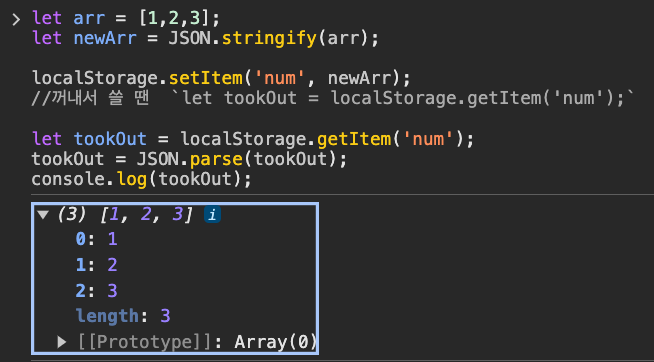
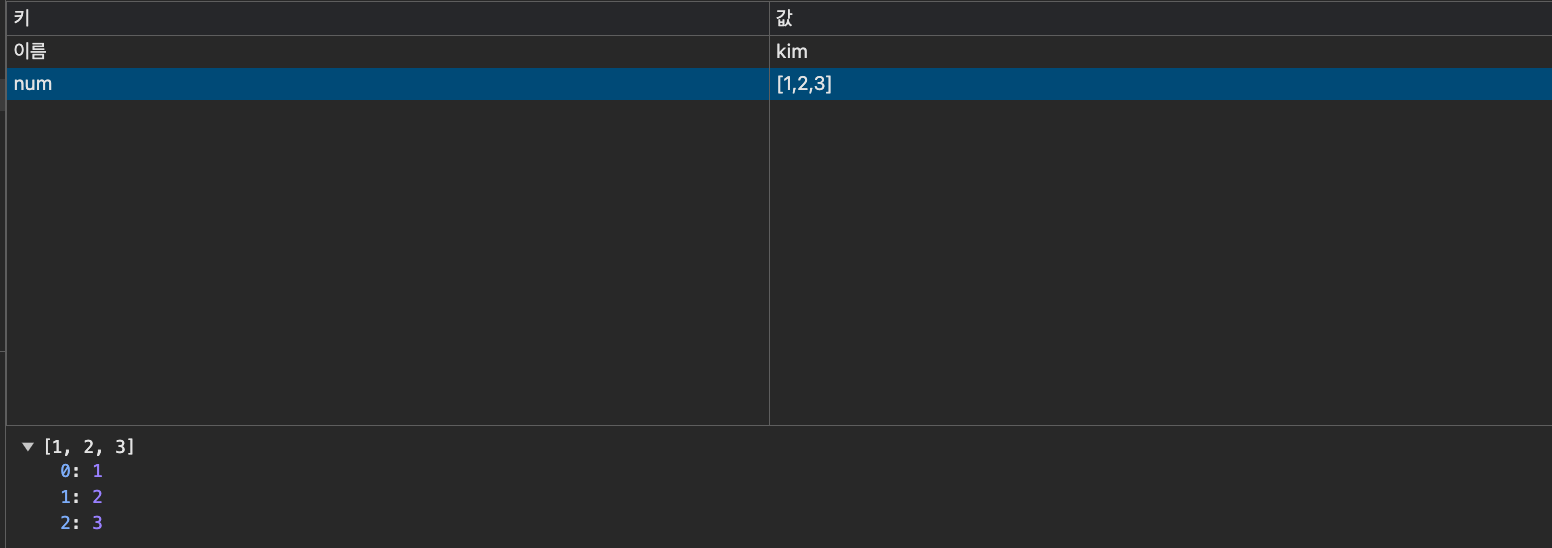
JSON으로 저장했으니 꺼내도 JSON이다.
그래서 꺼낸걸 다시 array/object로 바꾸고 싶으면
JSON.parse() 안에 넣으면 된다.
요약
array/object->JSON변환하고 싶으면JSON.stringify()
JSON->array/object변환하고 싶으면JSON.parse()
숙제
1. 카드하단 구매버튼추가하고 그거 누르면 누른 상품의 이름을 localStorage에 저장하기
▲ 저장하는 형태는 자유지만 이렇게array안에 전부 저장해보는게 어떨까요.
구매 누를 때 마다array에 항목이 저렇게 추가되도록 해봅시다.
(팁1) 내가 누른 요소의 형제요소를 찾는 법을 알아야될 수도 있겠군요
(팁2)localStorage가 비어있을 때는array를 추가하면 되겠지만
localStorage에 이미 뭐가 있을 때는array를 수정해야합니다.
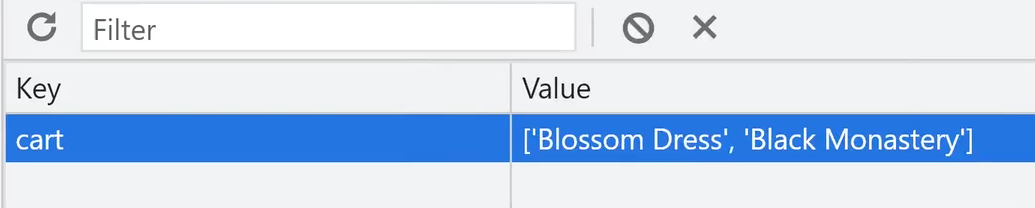
먼저 이전에 했던 코드들은 너무 복잡하니 상품들만 남기고 버튼과 카드를 냅두고 나머지는 모두 없애고 시작하자
<!DOCTYPE html>
<html lang="en">
  <head>
    <link
      href="https://cdn.jsdelivr.net/npm/bootstrap@5.1.3/dist/css/bootstrap.min.css"
      rel="stylesheet"
      integrity="sha384-1BmE4kWBq78iYhFldvKuhfTAU6auU8tT94WrHftjDbrCEXSU1oBoqyl2QvZ6jIW3"
      crossorigin="anonymous" />
    <meta charset="UTF-8" />
    <meta name="viewport" content="width=device-width, initial-scale=1.0" />
    <title>Level3</title>
  </head>
  <body>
    <div class="container">
      <div class="row"></div>
    </div>

    <script src="./list.js"></script>
  </body>
</html>
const card = document.querySelector(".row");
const buyBtn = document.querySelector("#buy");
let products = [
  { id: 0, price: 70000, title: "Blossom Dress" },
  { id: 1, price: 50000, title: "Springfield Shirt" },
  { id: 2, price: 60000, title: "Black Monastery" },
];

/** 더보기 버튼 **/
function appendProducts(products) {
  products.forEach((product) => {
    let template = `<div class="col-sm-4">
        <img src="https://via.placeholder.com/600" class="w-100">
        <h5>${product.title}</h5>
        <p>가격 : ${product.price}</p>
        <button class="btn btn-danger" id="buy">구매</button>
        </div>`;
    card.insertAdjacentHTML("beforeend", template);
  });
}
appendProducts(products);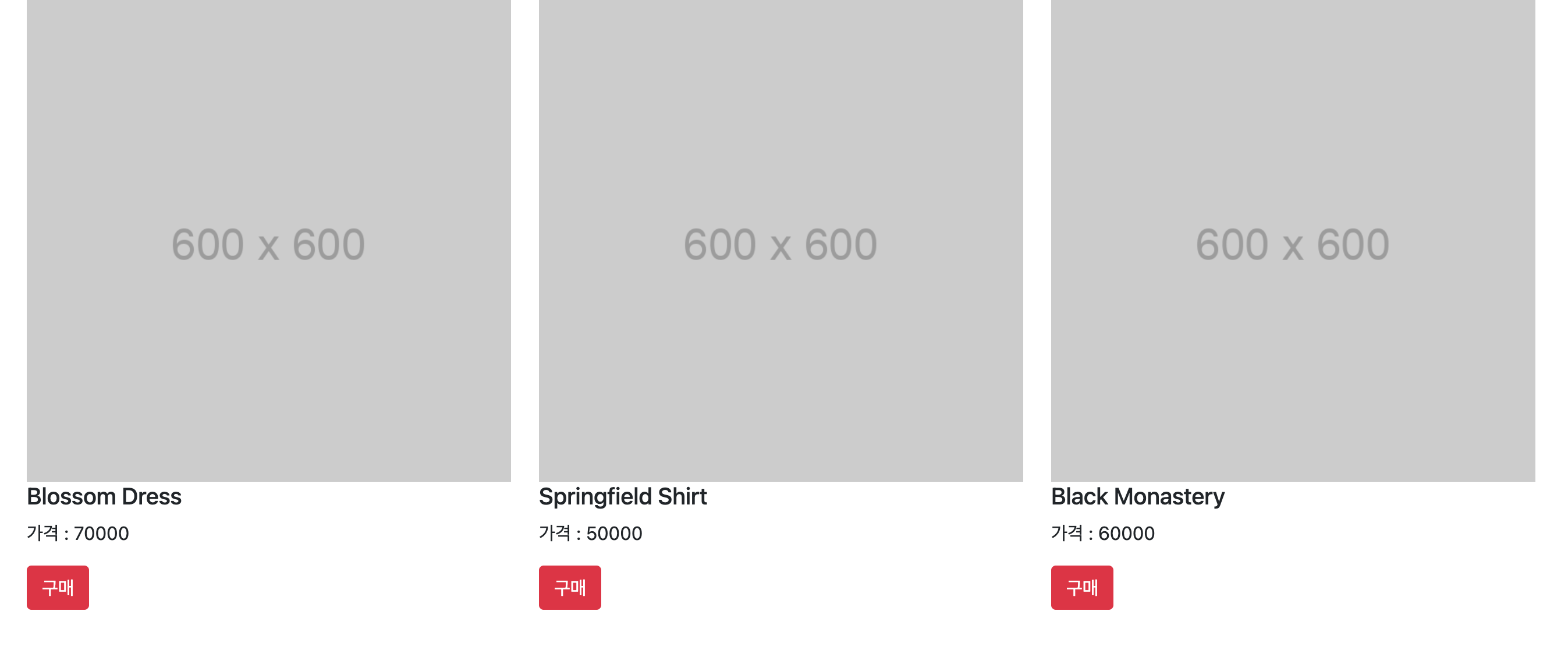
풀이
내가 어떤 상품을 구매버튼 눌렀는지 알아야한다.
const buyBtn = document.querySelectorAll(".buy");
buyBtn.forEach((button) => {
  button.addEventListener("click", (e) => {
    let title =
      e.target.previousElementSibling.previousElementSibling.textContent;
    console.log(title);
  });
});
주의사항은
buyBtn를 변수로 지정한다고 해서 맨위에 두면 안된다.
JS는 위에서 아래로 읽기 때문에 맨위에buyBtn를 두면 아직 만들어지지 않은buyBtn이 생기기 때문에buyBtn는 쓸모없어지기 때문이다.
상품을 구매버튼 누르면
localStorage에 저장하기const buyBtn = document.querySelectorAll(".buy"); buyBtn.forEach((button) => { button.addEventListener("click", (e) => { let title = e.target.previousElementSibling.previousElementSibling.textContent; localStorage.setItem("cart", JSON.stringify([title])); }); });
잘 저장되는 것을 볼 수 있다.
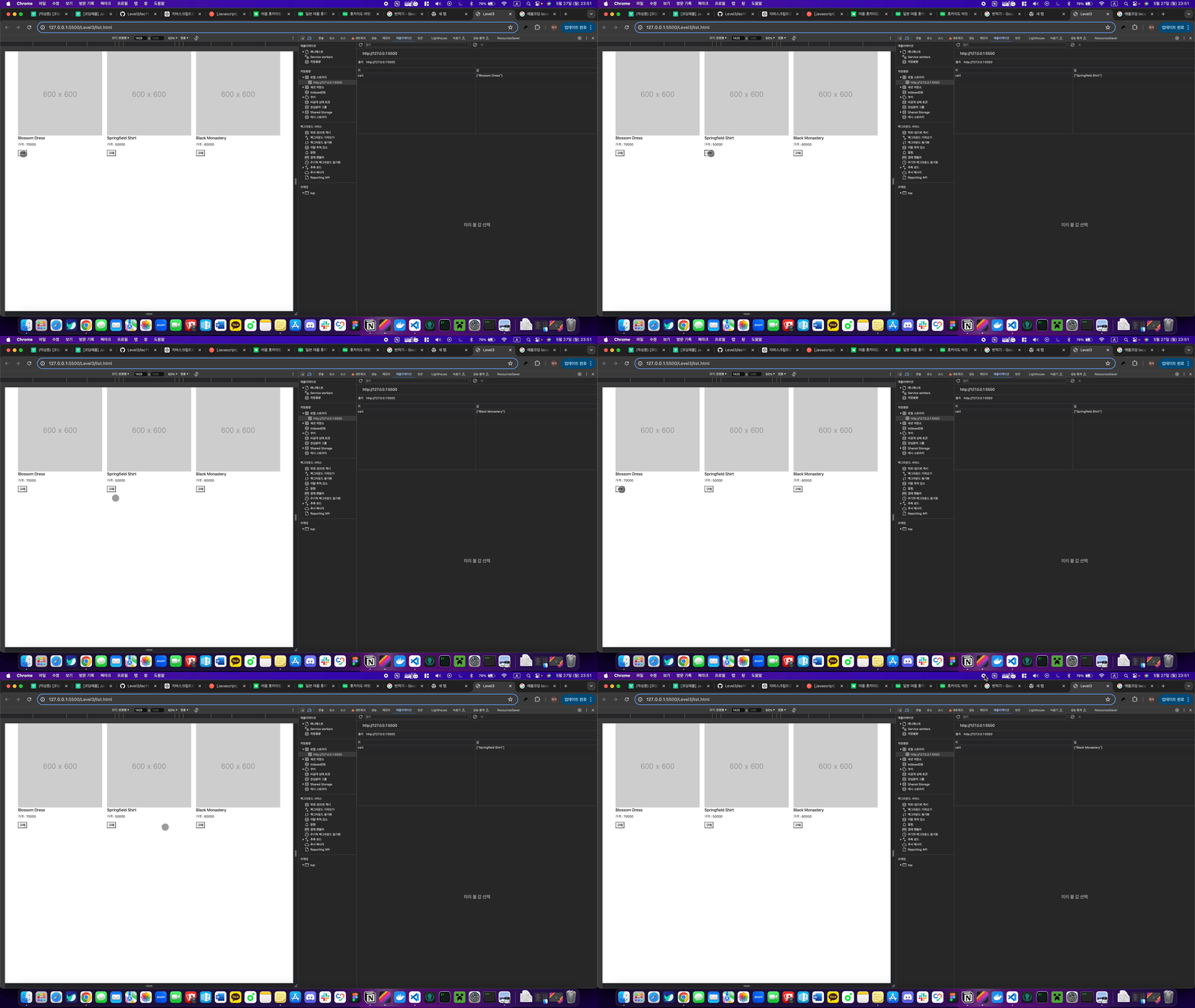
문제점은 구매버튼 누를 때 마다 array가 새로 생성만 되고 있고 추가는 안되는 것을 볼 수 있다.
상품 추가 시키기
const buyBtn = document.querySelectorAll(".buy");
buyBtn.forEach((button) => {
  button.addEventListener("click", (e) => {
    let title =
      e.target.previousElementSibling.previousElementSibling.textContent;
    if (localStorage.getItem("cart") != null) {
      let tookOut = JSON.parse(localStorage.cart);
      tookOut.push(title);
      localStorage.setItem("cart", JSON.stringify(tookOut));
    } else {
      localStorage.setItem("cart", JSON.stringify([title]));
    }
  });
});
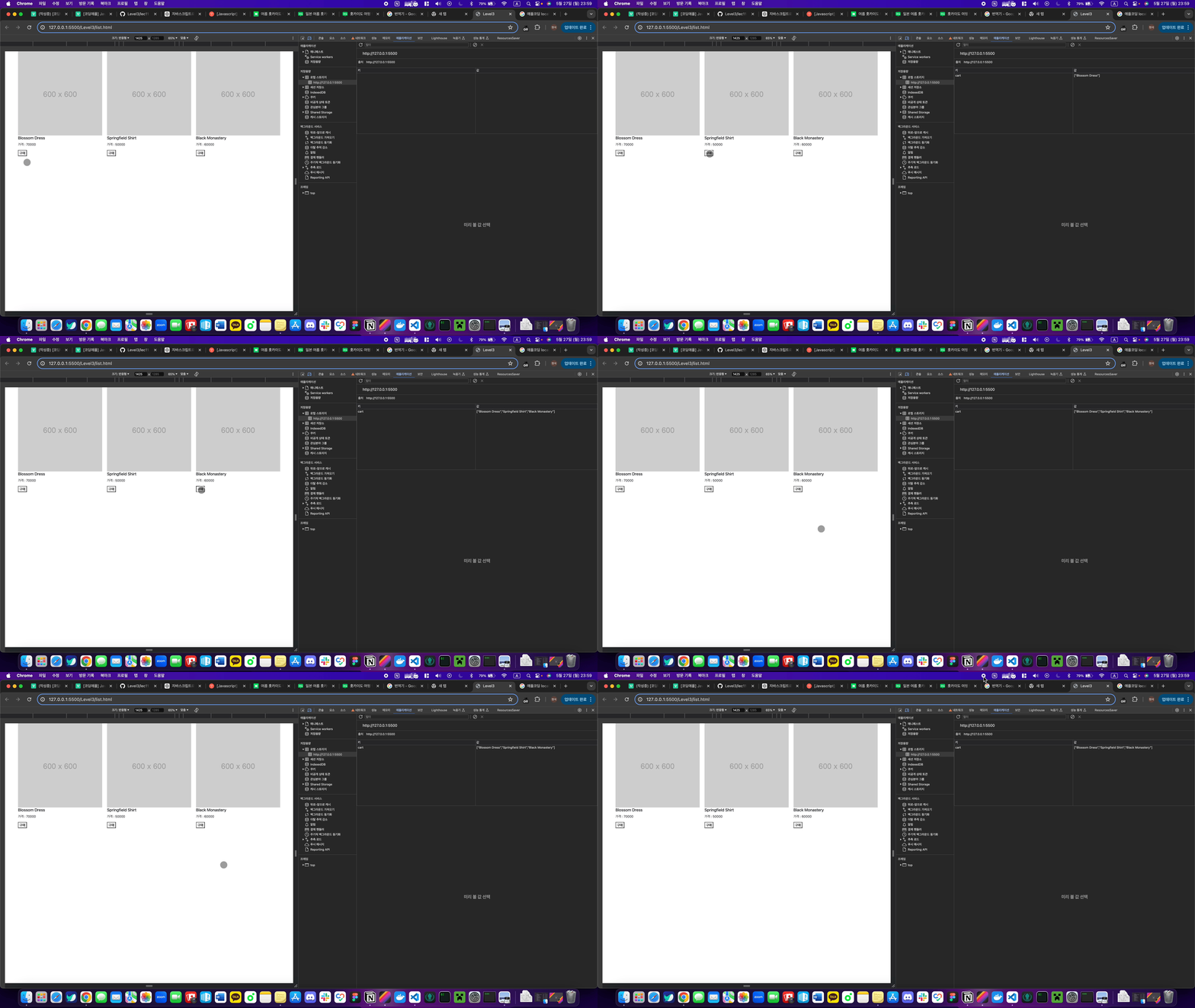
cart가 비어있지 않다면 다시 꺼내서 수정한 뒤 집어넣어주는 코드를 짰다.
2. cart.html 같은 파일 하나 만들어서 (장바구니 페이지)
그 페이지 방문시 localStorage에 있던 상품명들을 꺼내서 전부 진열해서 보여주면 됩니다.
디자인 신경쓸 필요없이 상품명들만 전부 잘 보이면 성공입니다.
우리가 처음에 했던 방식대로 하면 된다.
localStorage에 있는 상품들array로 꺼내오기let productOut = localStorage.getItem("cart"); productOut = JSON.parse(productOut); console.log(productOut);
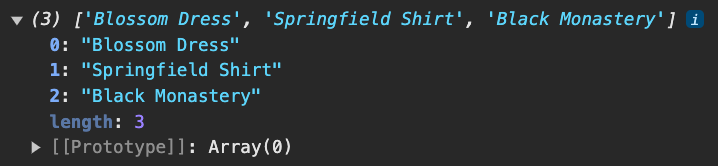
localStorage에 있는 상품들이 productOut변수에 담겨 array형태로 보여진다.
array에 담긴 상품들을html로 보여주기
productOut.forEach((arr, i) => {
  let template = `<div class="col-sm-4">
      <h5>${productOut[i]}</h5>
    </div>`;

  productCard.insertAdjacentHTML("beforeend", template);
});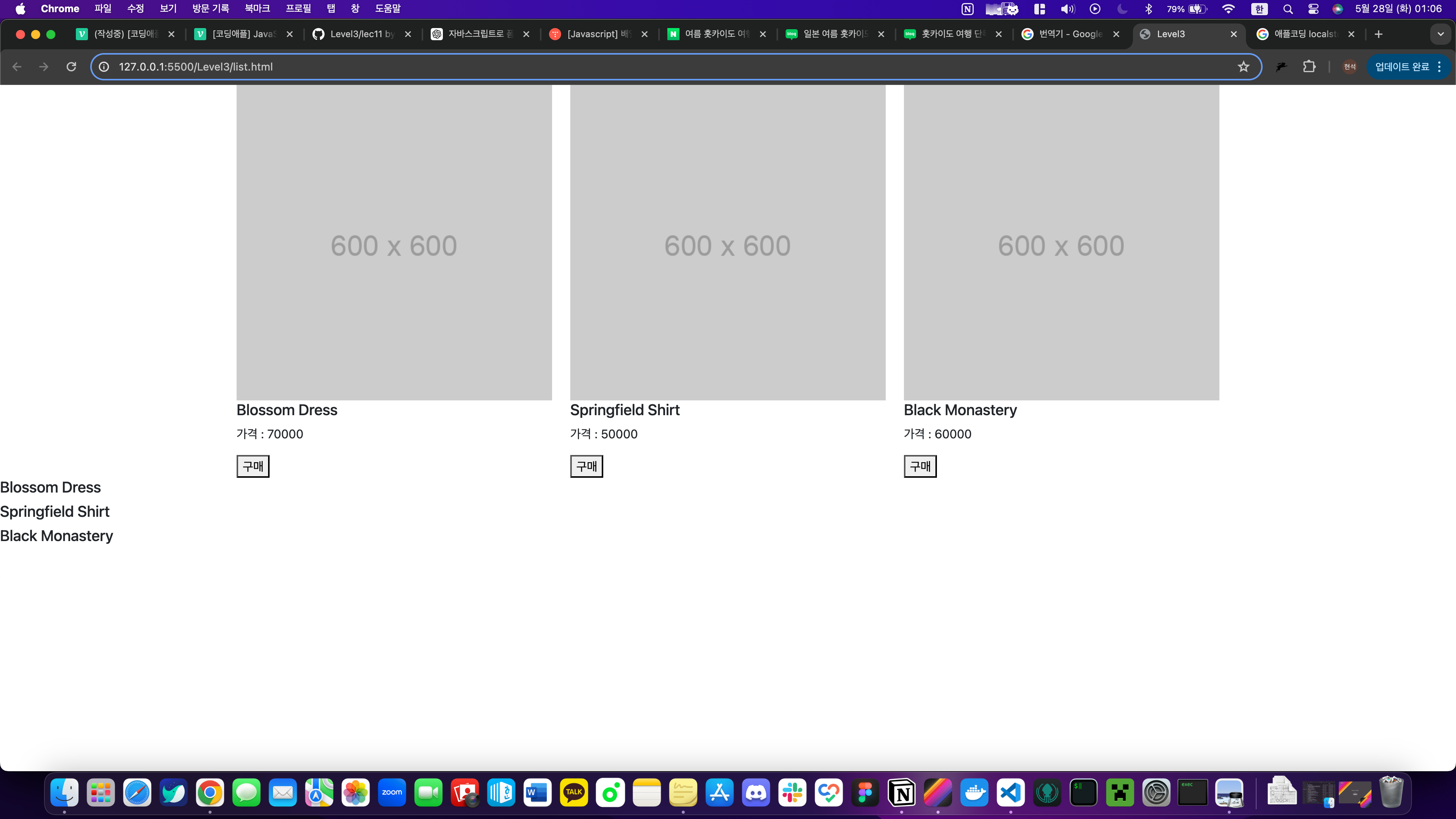
구매한 상품들이 화면에 나열되었다.
14강 / 장바구니 기능과 localStorage 응용숙제
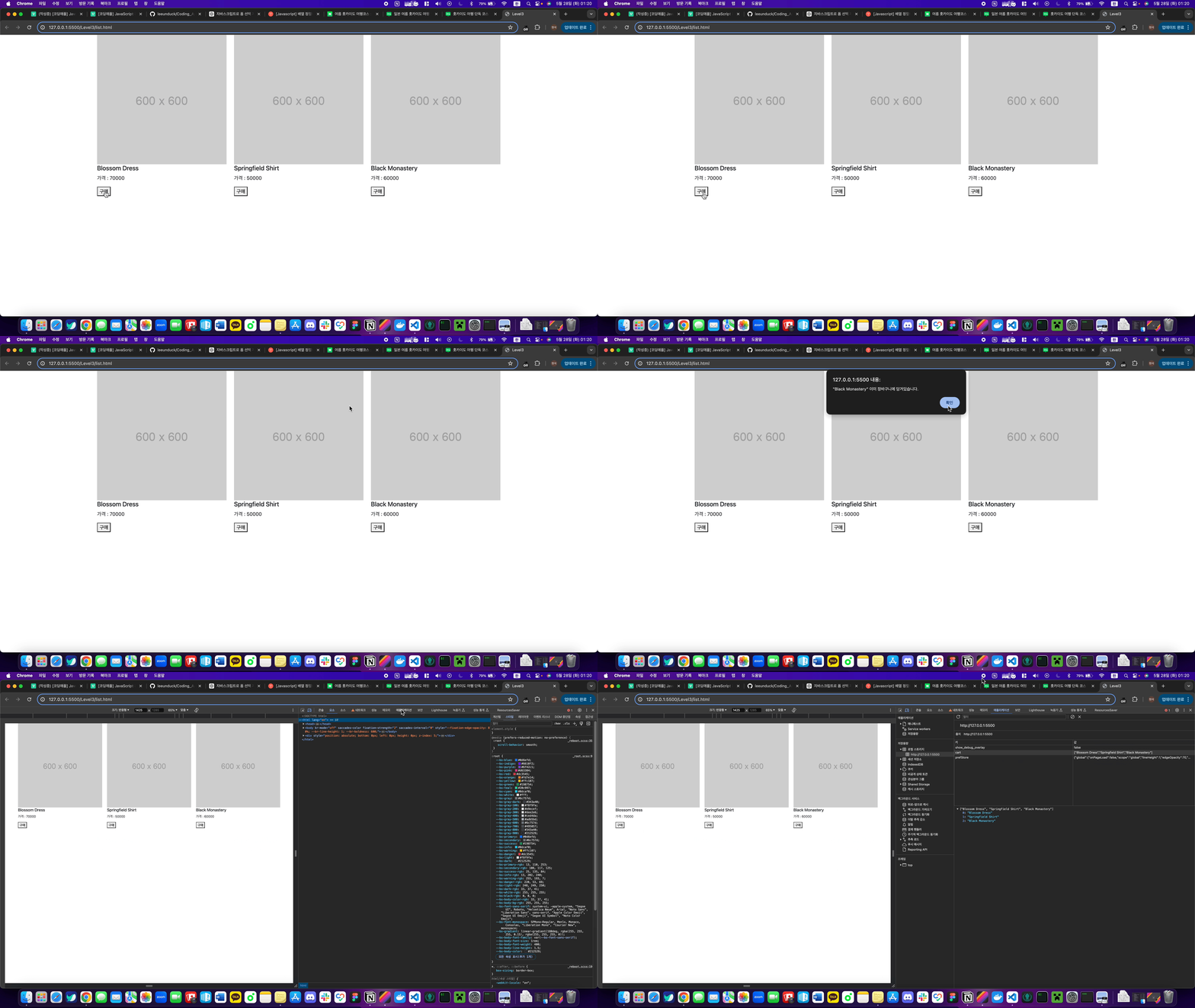
1. 같은 상품은 중복으로 추가되지 않게하고 싶으면?
const buyBtn = document.querySelectorAll(".buy");
buyBtn.forEach((button) => {
  button.addEventListener("click", (e) => {
    let title =
      e.target.previousElementSibling.previousElementSibling.textContent;
    if (localStorage.getItem("cart") != null) {
      let cart = JSON.parse(localStorage.getItem("cart"));

      // 중복체크
      if (!cart.includes(title)) {
        cart.push(title);
        localStorage.setItem("cart", JSON.stringify(cart));
      } else {
        alert(`"${title}" 이미 장바구니에 담겨있습니다.`);
      }
    } else {
      localStorage.setItem("cart", JSON.stringify([title]));
    }
  });
});
이런식으로 코드를 수정해주었다.
코드를 해석해보자
- 구매 버튼을 누르면 각 구매 버튼에 이벤트리스너들이 달리고
title변수에 구매버튼 눌림 상품명이 담긴다. - 조건1:
key: cart가 비어있지 않다면?
key: cart의value를 가지고와array로 바꾸어준뒤cart변수에 넣어준다. - 조건2:
cart변수가title변수와 중복되지 않는다면?
cart변수에 상품명을 추가해주고localStorage에 추가해준다.
중복되었다면이미 장바구니에 담겨있습니다.라는 알림이 뜬다. - 만약
localStorage가 비어있다면 상품명을localStorage에 추가해준다.
2. 같은 상품 구매 누르면 상품 갯수가 올라가게하기
const buyBtn = document.querySelectorAll(".buy");
buyBtn.forEach((button) => {
  button.addEventListener("click", (e) => {
    let title =
      e.target.previousElementSibling.previousElementSibling.textContent;
    let cart = JSON.parse(localStorage.getItem("cart")) || {};

    if (cart[title]) {
      // 이미 장바구니에 있는 경우, 개수를 증가시킴
      cart[title]++;
    } else {
      // 장바구니에 없는 경우, 새로 추가하고 개수를 1로 설정
      cart[title] = 1;
    }

    localStorage.setItem("cart", JSON.stringify(cart));
    displayCartItems();
  });
});

function displayCartItems() {
  let cart = JSON.parse(localStorage.getItem("cart")) || {};
  productCard.innerHTML = ""; // 기존 상품 목록을 비움

  for (let title in cart) {
    let template = `<div class="col-sm-4">
        <h5>${title}</h5>
        <p>수량: ${cart[title]}</p>
      </div>`;
    productCard.insertAdjacentHTML("beforeend", template);
  }
}

// 페이지 로드 시 장바구니 상품 표시
displayCartItems();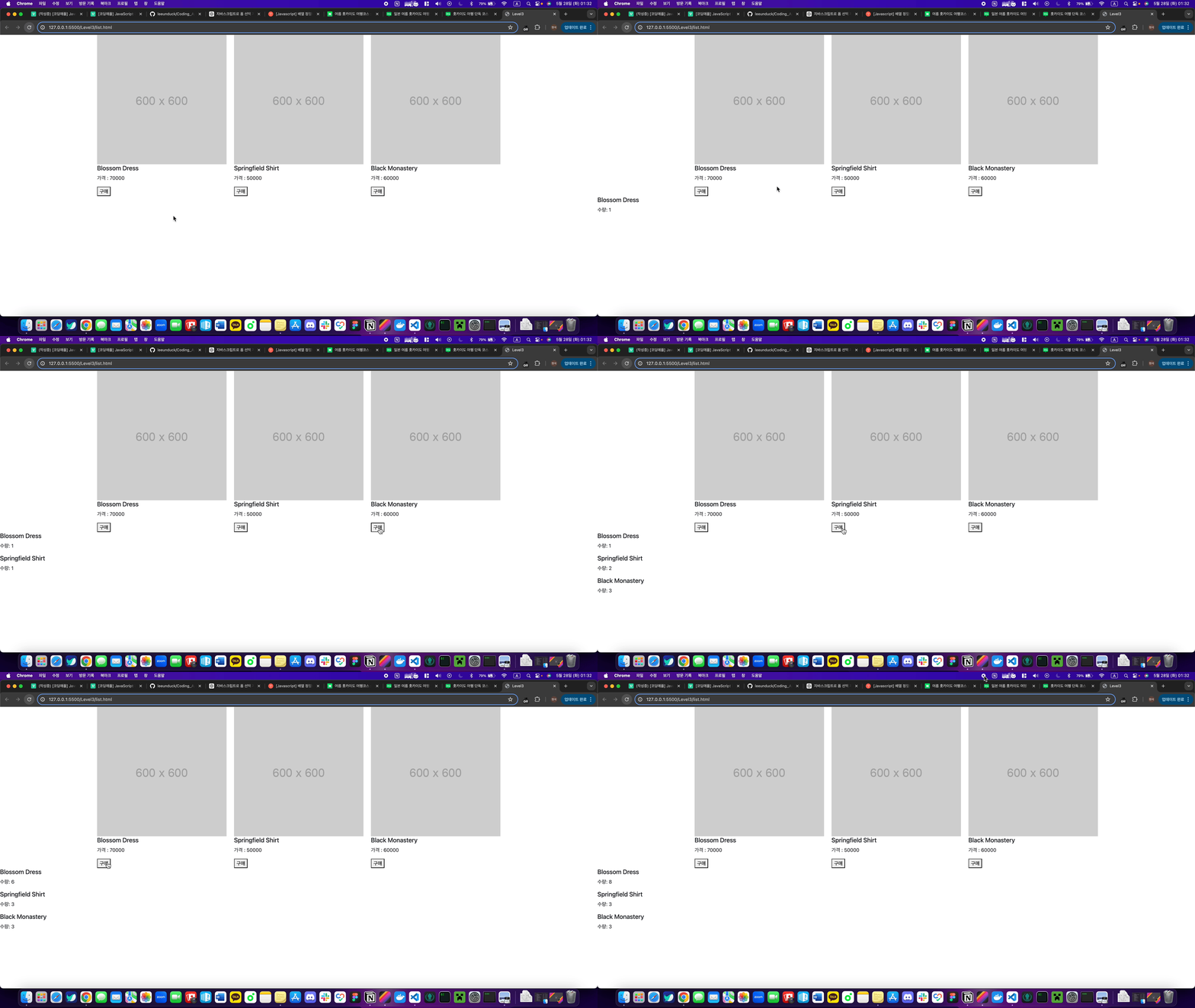
전체코드
list.html
<!DOCTYPE html>
<html lang="en">
  <head>
    <link
      href="https://cdn.jsdelivr.net/npm/bootstrap@5.1.3/dist/css/bootstrap.min.css"
      rel="stylesheet"
      integrity="sha384-1BmE4kWBq78iYhFldvKuhfTAU6auU8tT94WrHftjDbrCEXSU1oBoqyl2QvZ6jIW3"
      crossorigin="anonymous" />
    <meta charset="UTF-8" />
    <meta name="viewport" content="width=device-width, initial-scale=1.0" />
    <title>Level3</title>
  </head>
  <body>
    <div class="container">
      <div class="row"></div>
    </div>

    <div class="products"></div>
    <script src="./list.js"></script>
  </body>
</html>
list.js
const card = document.querySelector(".row");
const productCard = document.querySelector(".products");
let products = [
  { id: 0, price: 70000, title: "Blossom Dress" },
  { id: 1, price: 50000, title: "Springfield Shirt" },
  { id: 2, price: 60000, title: "Black Monastery" },
];

products.forEach((arr, i) => {
  let template = `<div class="col-sm-4">
      <img src="https://via.placeholder.com/600" class="w-100">
      <h5>${products[i].title}</h5>
      <p>가격 : ${products[i].price}</p><button class="buy">구매</button>
    </div>`;

  card.insertAdjacentHTML("beforeend", template);
});

const buyBtn = document.querySelectorAll(".buy");
buyBtn.forEach((button) => {
  button.addEventListener("click", (e) => {
    let title =
      e.target.previousElementSibling.previousElementSibling.textContent;
    let cart = JSON.parse(localStorage.getItem("cart")) || {};

    if (cart[title]) {
      // 이미 장바구니에 있는 경우, 개수를 증가시킴
      cart[title]++;
    } else {
      // 장바구니에 없는 경우, 새로 추가하고 개수를 1로 설정
      cart[title] = 1;
    }

    localStorage.setItem("cart", JSON.stringify(cart));
    displayCartItems();
  });
});

function displayCartItems() {
  let cart = JSON.parse(localStorage.getItem("cart")) || {};
  productCard.innerHTML = ""; // 기존 상품 목록을 비움

  for (let title in cart) {
    let template = `<div class="col-sm-4">
        <h5>${title}</h5>
        <p>수량: ${cart[title]}</p>
      </div>`;
    productCard.insertAdjacentHTML("beforeend", template);
  }
}

// 페이지 로드 시 장바구니 상품 표시
displayCartItems();