[Terraform] Author Phase Terms and Concepts
[1] main.tf
1. What is a Resource?
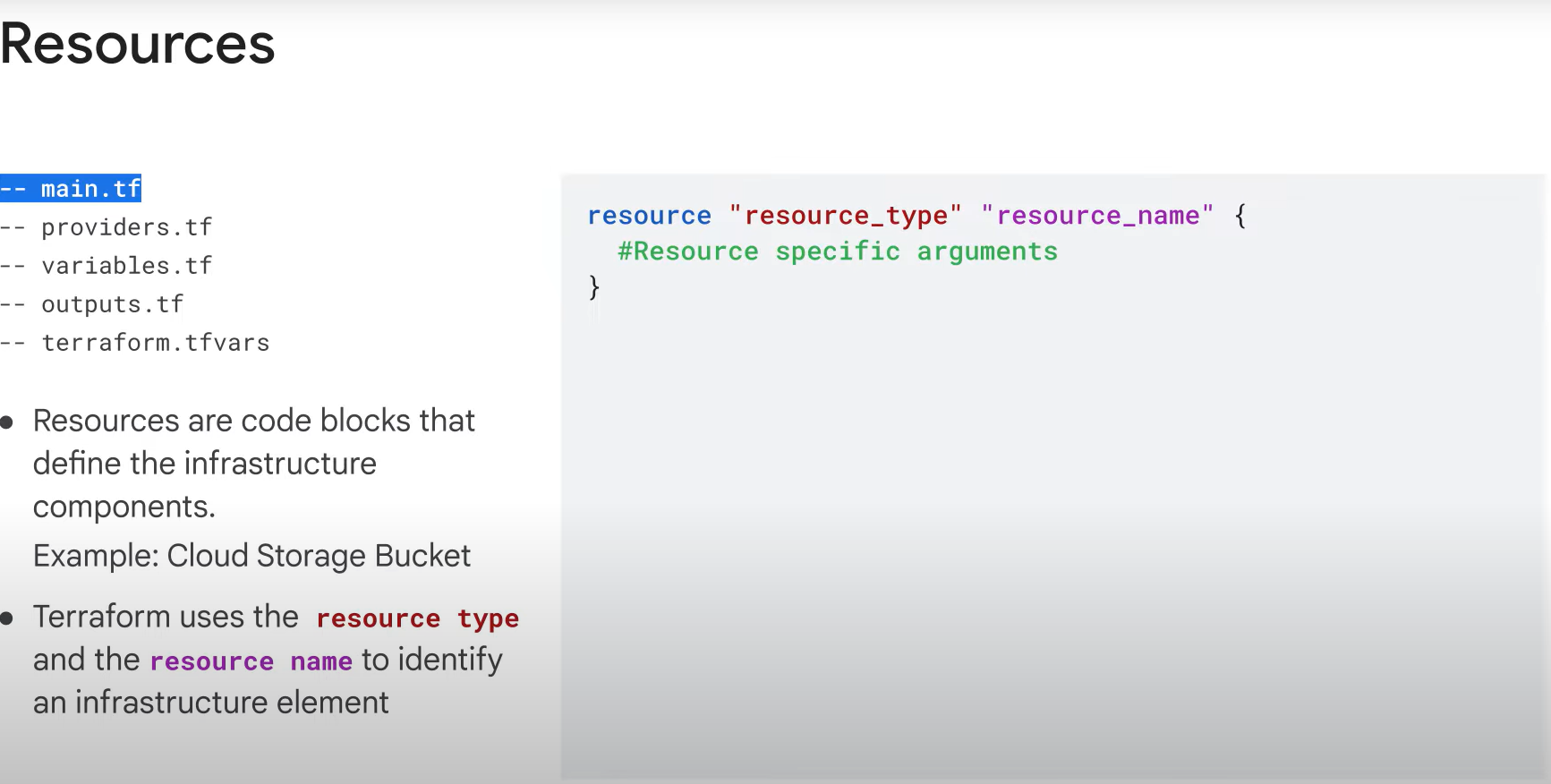
- Resources are code blocks that define infrastructure components.
- A resource is declared using the
resourcekeyword, followed by the resource type and a custom resource name.
2. Resource Type and Name
- The resource type depends on the provider (e.g., Google Cloud) defined in your configuration.
- Example:
  resource "google_storage_bucket" "example-bucket" {
    name     = "example-bucket"
    location = "US"
}- Resource type (e.g.,
google_storage_bucket) identifies the cloud resource being provisioned. - The resource name (e.g.,
example-bucket) is a custom identifier that distinguishes different resources of the same type within your configuration. - Terraform uses the resource type and resource name together to uniquely identify each infrastructure component.
3. Resource Arguments
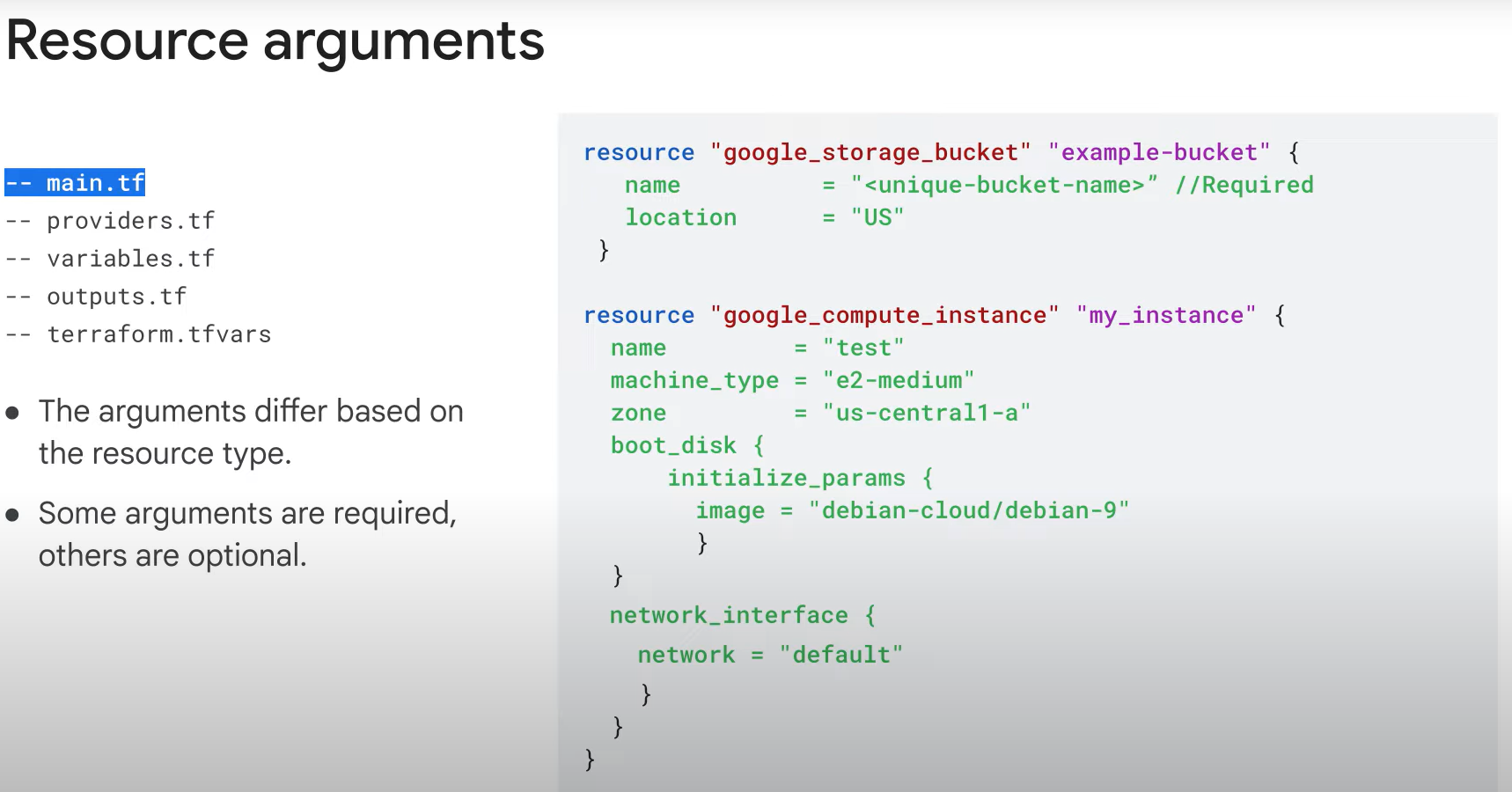
- Within the
{}brackets, you define the arguments required for the resource configuration. - Required arguments vary depending on the resource type:
- For
google_storage_bucket, you need to specify thenameandlocationto create the resource. - For
google_compute_instance, you must providename,machine_type, andnetwork_interface.
- For
4. Optional Arguments
- Some arguments, like
zoneandtags, are optional when defining certain resource types (e.g.,google_compute_instance).
5. Organizing Resource Blocks
- If your configurations become lengthy, you can split them into separate files. For example, use different files for instances, storage buckets, and datasets to keep the code organized.
[2] providers.tf
Configuring Providers in Terraform
1. Provider Local Name
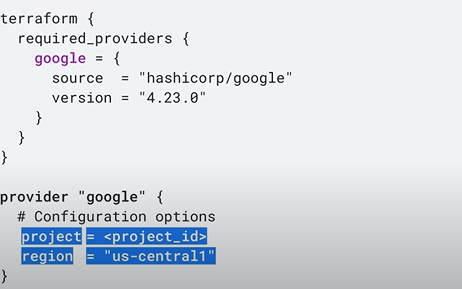
- The provider's local name (e.g.,
google) is used to specify which cloud provider to configure. - To ensure the correct configuration, the provider must be included in the
required_providersblock.
2. Provider-Specific Arguments
- Arguments like
projectandregionare specific to the Google provider.
3. Default Provider Configuration
- If a provider block is not included, Terraform assumes a default empty configuration.
4. Provider Versioning
- You can assign a version to each provider.
- Although the
versionargument is optional, it's recommended to avoid downloading breaking changes with new versions. - The
versionargument constrains the provider to a specific version or a range of versions. - If no version is specified, Terraform will download the most recent provider during initialization.
[3] variables.tf
1. What Are Variables?
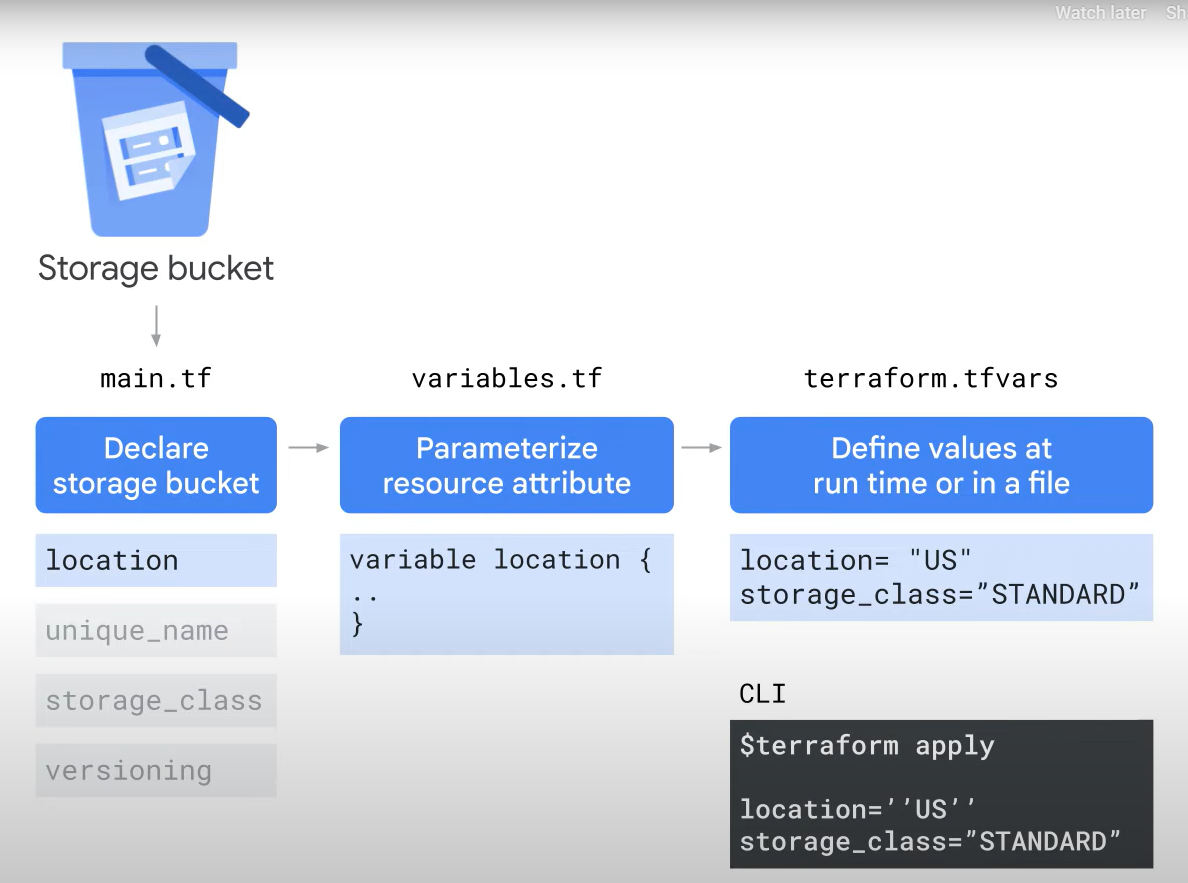
- Variables are used to parameterize your configuration, making it flexible and reusable.
- Input variables act as parameters that allow easy customization and sharing without modifying the source code.
2. Setting Variable Values
- Once defined, variable values can be set in various ways at runtime:
- Environment variables
- CLI options
- Key-value files (e.g.,
.tvarsextension)
- This enables you to define resource attributes centrally or at runtime.
3. Parameterizing Attributes
- You can separate attributes from deployment plans for better organization.
- Example: In
main.tf, a Cloud Storage bucket is declared, and thelocationattribute is parameterized. - The
locationvalue is declared as a variable in thevariables.tffile, allowing you to define it dynamically during runtime.
[4] output.tf
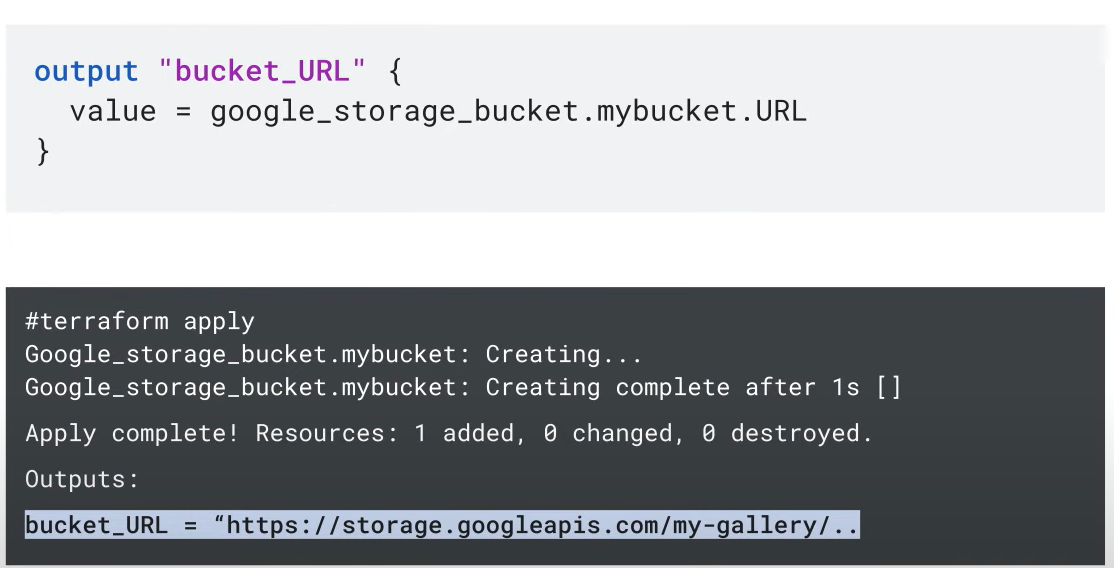
1. What Are Output Values?
- The
outputs.tffile is used to hold output values from your resources. - Resource instances managed by Terraform export attributes, which can be used elsewhere in the configuration.
2. Purpose of Output Values
- Output values allow you to expose and access important resource attributes.
- Some attributes, like a resource's self-link or a bucket URL, are computed upon creation and may be required for tasks like accessing the resource or uploading objects.
3. Defining Output Values
- The label after the
outputkeyword is the name, which must be a valid identifier. - In the root module, the output name is displayed to the user.
- In a child module, the output name can be used to access the value.
4. Value Expression
- The
valueargument takes an expression that returns the result to the user.
[5] terraform.tfstate
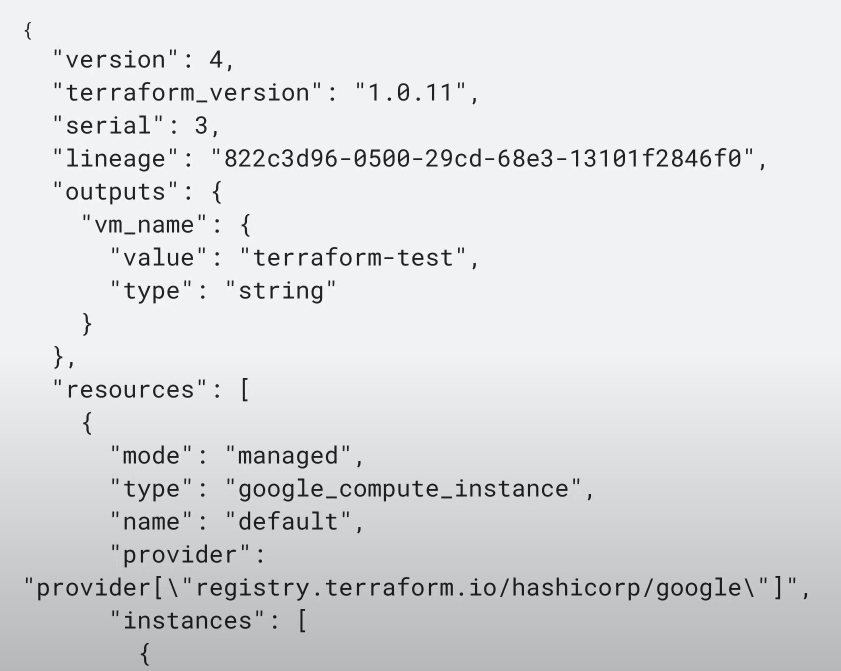
- Terraform saves the state of managed resources in a state file.
- By default, the state file is stored locally, but it can also be stored remotely, which is preferred in team environments .
- The state file is automatically created and updated by Terraform, so do not modify it manually.
[6] modules
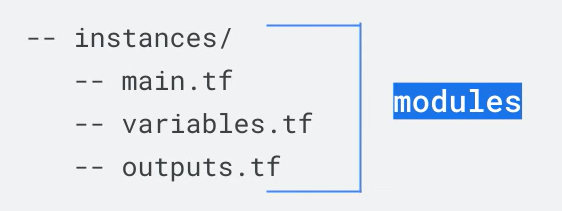
- A module is a set of Terraform configuration files in a single directory.
- Even a simple configuration with one or more
.tffiles in a directory is considered a module. - Modules are the primary method for code reuse in Terraform.
- They can be reused by specifying the source from which the module's code can be retrieved.
- Sources can be either local or remote.
Reference: https://youtu.be/nnxC2RYhcCI