[Terraform] Module
Config Module!
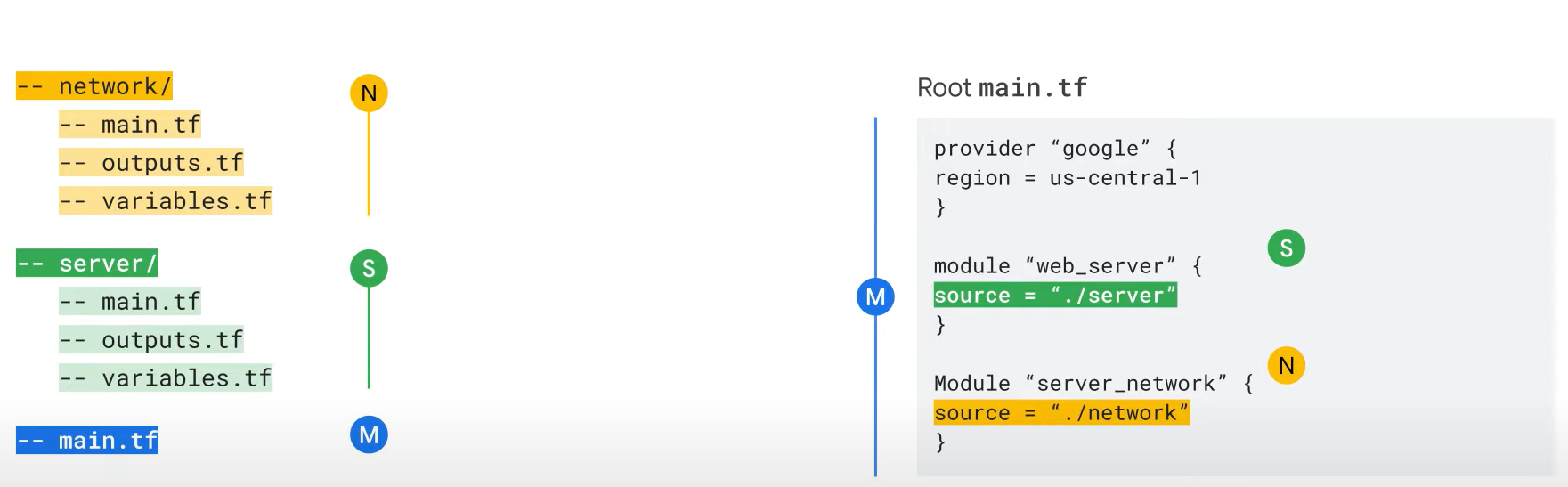
Calling Modules from the Parent main.tf File:
- Once modules are created, the next step is to call them from the parent
main.tffile. - Calling a module refers to reusing it in your configuration by referencing the code in the module block.
Example:
- In this example, the
main.tffile calls the server and network modules using thesourceargument.
Running terraform init:
- Run the
terraform initcommand to download any modules referenced in the configuration.
source Argument:
- The
sourceargument defines the location of the module’s source code and is mandatory for every module call. - Source locations can be either a local path or a remote path (e.g., Terraform Registry, GitHub, Bitbucket, HTTP URLs, Cloud Storage buckets).
Source Types Supported by Terraform:
- Local Paths
- Terraform Registry
- GitHub
Local Path:

- A local path is used to reference a module stored within the same directory as the calling module.
- Example:
- If the module is stored in a folder named “servers” within the same directory, the root configuration will reference it like
./servers.
- If the module is stored in a folder named “servers” within the same directory, the root configuration will reference it like
- Local paths do not require installation and are directly referenced, so no explicit update is required.
Terraform Registry:
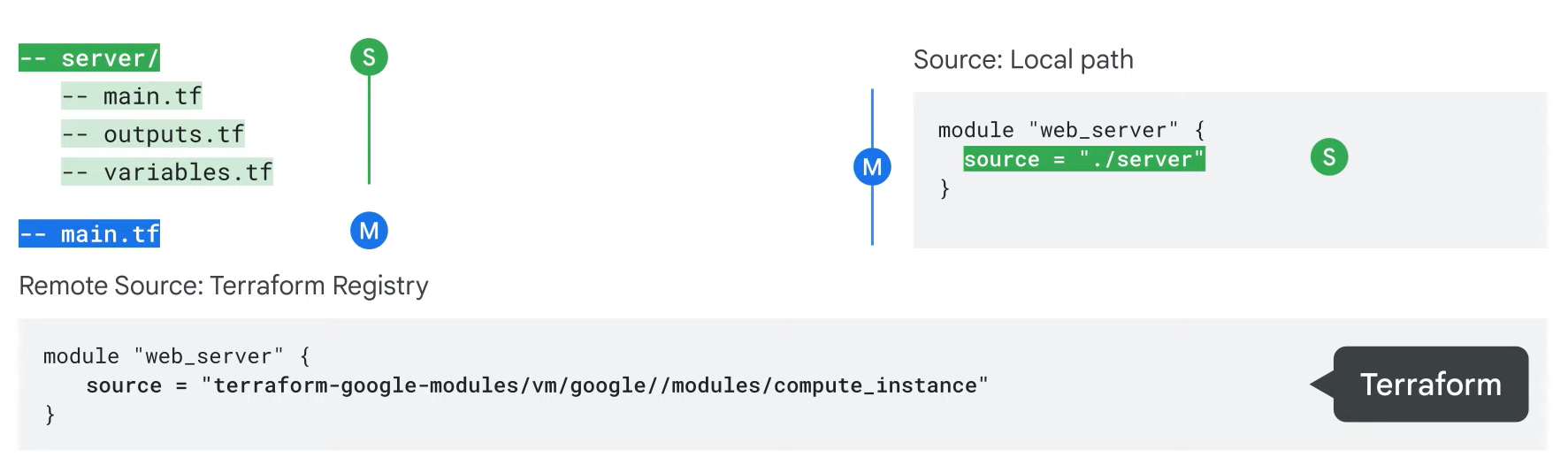
- The Terraform Registry provides publicly available modules for various infrastructure components, like load balancers or SQL instances.
- The source address format for the Google Cloud provider is
terraform-google-modules/gcloud/google.
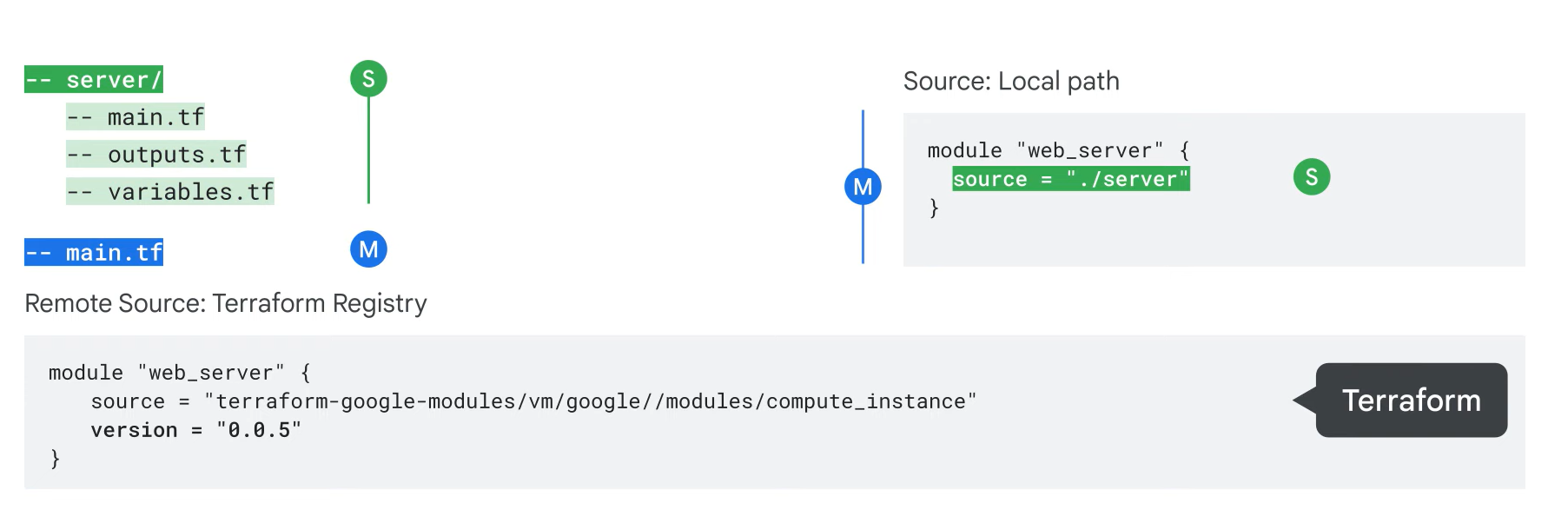
- To prevent unwanted changes, use version constraints.
- The
versionargument can specify a version string to allow automatic upgrades of patch releases.
- The
GitHub Repositories:

- GitHub is another popular source for Terraform modules.
- Similar to the Terraform Registry, you can enter the GitHub URL where the source code is located.
Use variables and outputs!
- Variables are useful for customizing modules without modifying source code.
- Output values let you pass resource attributes outside a module to another module.
Variable
Hardcoded Resource Attributes:
- In previous examples, some attributes, such as network names, were hardcoded in the
main.tffile.- Hardcoding leads to name conflict errors when reusing a module.
- Variables provide the flexibility to avoid conflicts and tailor configurations for different environments (e.g., development vs. production).
Steps for Parameterizing a Module:
- Replace the hardcoded value with a variable using
var.<variable_name>. - Declare the variable in the
variables.tffile.- Ensure the variable type is specified correctly.
- Pass values to the input variables when calling the module.
- Example:
- By parameterizing the
network_name, you can reuse the network module multiple times in the same configuration with different names.
- By parameterizing the
Terraform Init:
- Remember to run the
terraform initcommand to download any modules referenced by the configuration.
Output
- To pass resource arguments, such as network names, from one module to another, use output values.
Steps for Passing Attributes Between Modules:
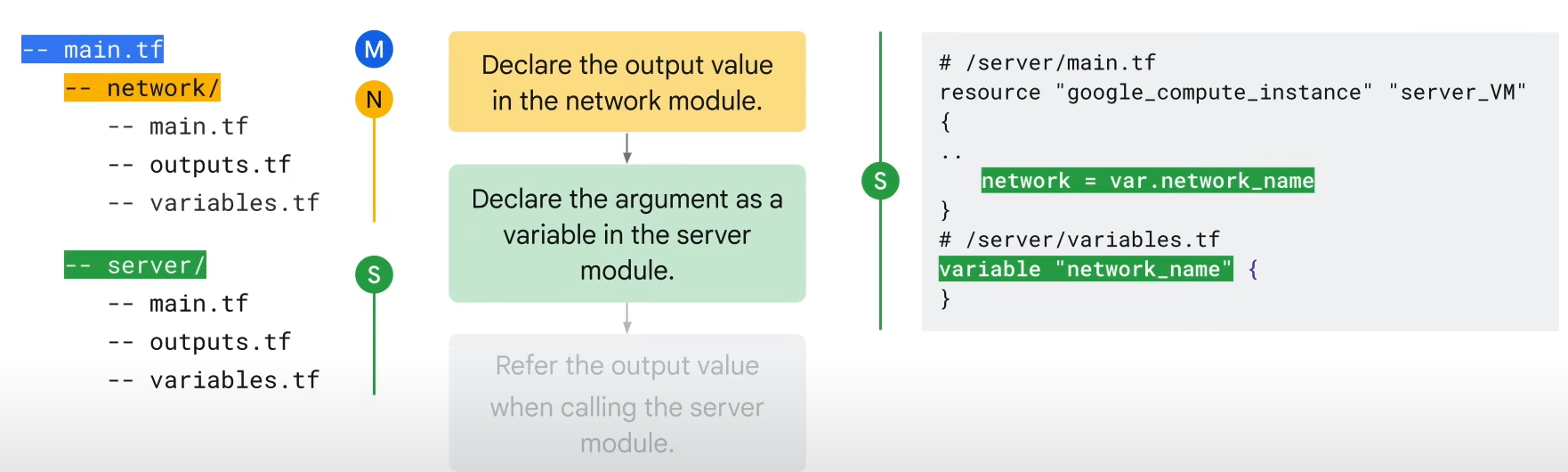
1. Declare the resource attribute (e.g., network name) as an output value in the first module.
2. In the second module, declare the attribute as an input variable to accept the value.
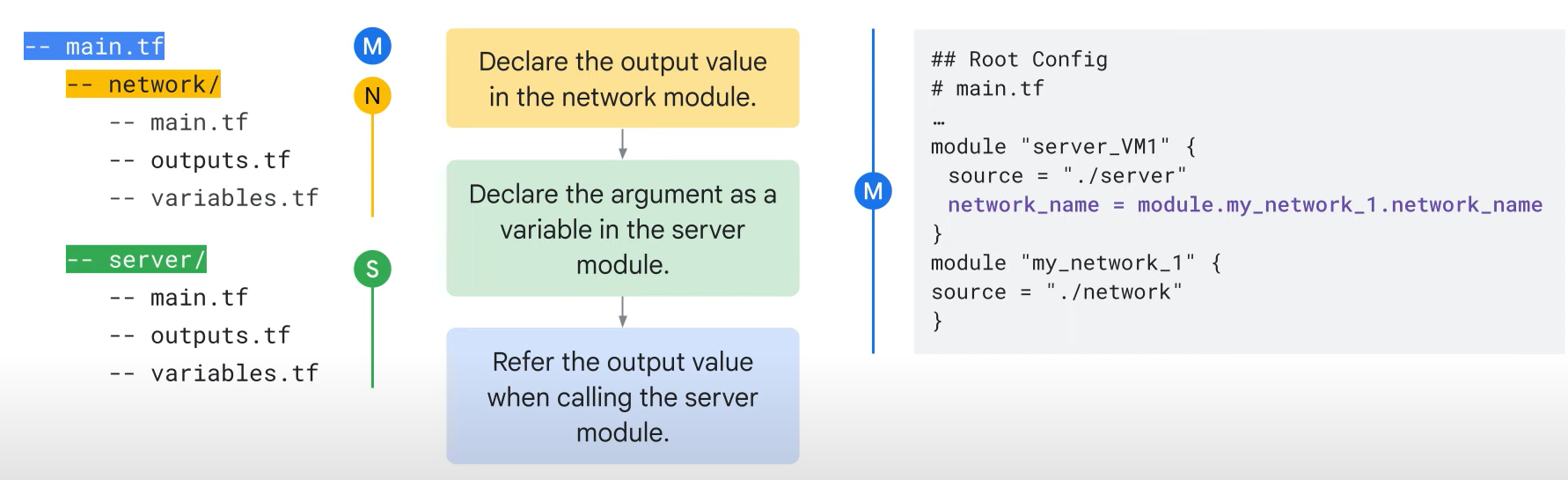
3. Reference the output value when calling the second module using the format module.<module_name>.<output_name>.
- Example:
module.my_network_1.network_name.
Execution:
- Each time a module is instantiated, run
terraform init. - After running
terraform init, the network name from the network module can be passed to the server module.
Working with a realtime scenario!
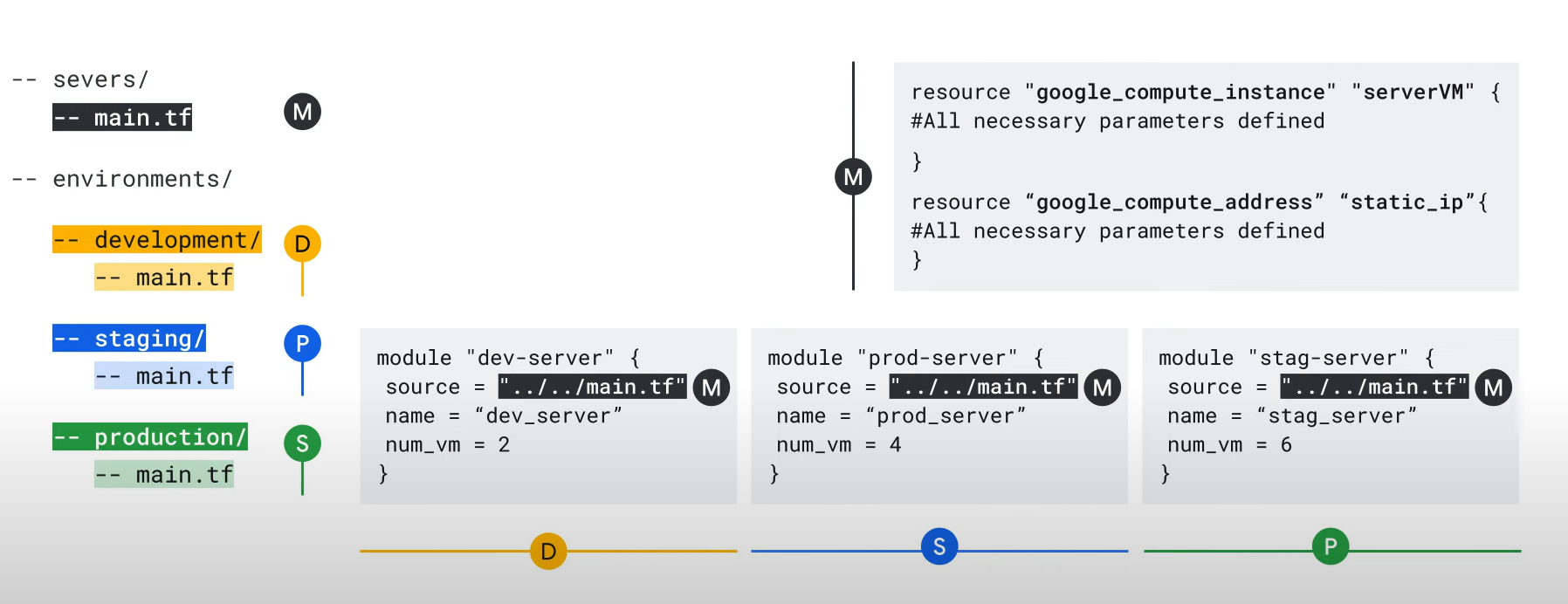
- Reusable modules enable you to make changes that are reflected across all environments without manual intervention.
- Example: Define a server module that can be reused in development, staging, and production environments.
- Each environment can use the same module but with different configurations (e.g., names and number of servers).
- This approach provides flexibility while reducing the need for repetitive changes across environments.
Reference