[ React Native / Android ]Intent 설정하기
오늘의 이슈
기존에 작업하고 있던 Intent 관련 포스팅을 진행해보려고 합니다
React-Native에서 WebView를 이용할 경우 Android에서 Intent가 동작하지 않는 경우가 있어요.
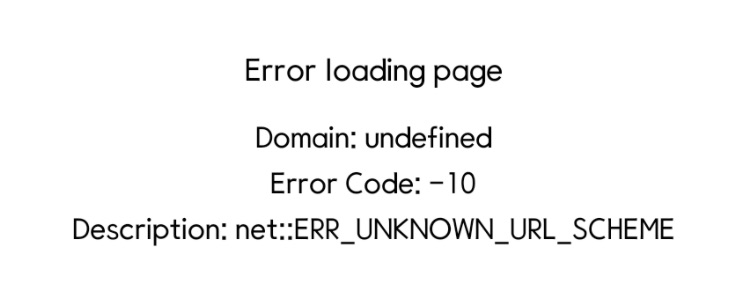
대표적으로 많이 사용하는 카카오톡 공유하기 기능을 사용할 때 카카오 JavaScript SDK에서는 Intent로 카카오 링크를 전송하는데 WebView에 Intent를 처리하는 로직이 구성되어 있지 않으면 net::ERR_UNKNOWN_URL_SCHEME 에러 메시지를 만나 당황스러우실 거에요
해결방법
npm install react-native-send-intent
또는
yarn add react-native-send-intent
Terminal에서 둘 중 하나를 선택해서 설치해주면 된다.
import SendIntentAndroid from 'react-native-send-intent';설치 후 SendIntentAndroid를 선언을 해줌과 동시에 아래 코드를 App.tsx function App() 안에 작성텍스트해주면 된다.
const onShouldStartLoadWithRequest = (event: any) => {
    if (Platform.OS === 'android' && event.url.includes('intent')) {
      SendIntentAndroid.openChromeIntent(event.url)
        .then(isOpened => {
          console.log(isOpened);
          if (!isOpened) {
            ToastAndroid.show('앱 실행에 실패했습니다.', ToastAndroid.SHORT);
          }
          console.log(event.url);
          return false;
        })
        .catch(err => {
          console.log(err);
        });
      return false;
    } else {
      Linking.openURL(event.url).catch(err => {
        alert(
          '앱 실행에 실패했습니다. 설치가 되어있지 않은 경우 설치하기 버튼을 눌러주세요.',
        );
      });
      return false;
    }
  };
<WebView
onShouldStartLoadWithRequest={(event: any) => {
return onShouldStartLoadWithRequest(event);
}}
/>이렇게 하면 intent를 처리해주는 코드가 완성이 되는데,
앱이 깔려있지 않을 때에는 토스트박스를 노출시켜 앱이 설치되어 있지 않음을 알려주고 깔려있다면 정상적으로 넘어갈 거에요
아직 개발 실력이 좋지 않아 차근차근 고도화 해볼 예정입니다! RN 제가 한번 정복해보겠습니다!

어쩌다 앱 개발