OpenCV 응용 - 명함 검출과 인식
(3) 객체의 외곽선 검출
객체 단위 분석
-
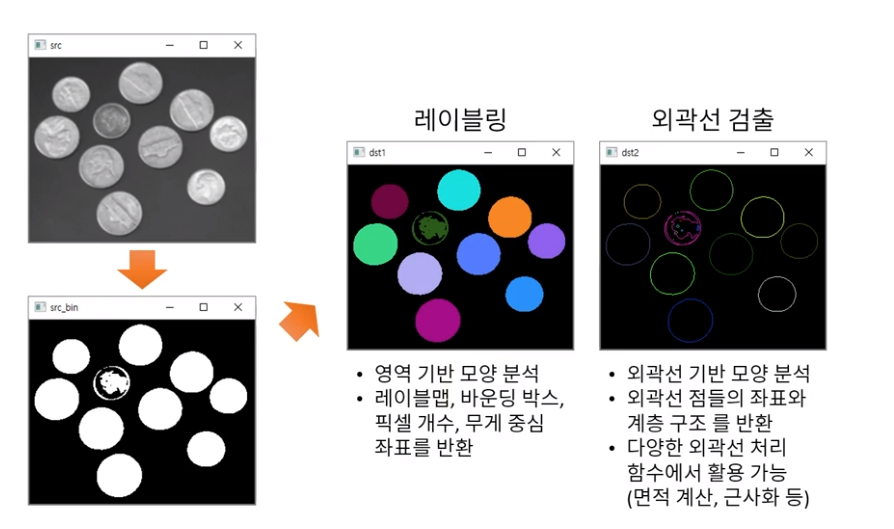
레이블링
- 영역 기반 모양 분석
- 레이블 맵, 바운딩 박스, 픽셀 개수, 무게 중심 좌표를 반환
-
외곽선 검출
- 외곽선 기반 모양 분석
- 외곽선 점들의 좌표와 계층 구조를 반환
- 다양한 외곽선 처리 함수에서 활용(면적 계산, 근사화 등)
객체의 외곽선 검출
-
외곽선 검출이란?
- 객체의 외곽선 좌표를 모두 추출하는 작업 Boundary tracking, Counter tracing
- 바깥쪽 & 안쪽 외곽선 -> 외곽선의 계층 구조도 표현 가능
-
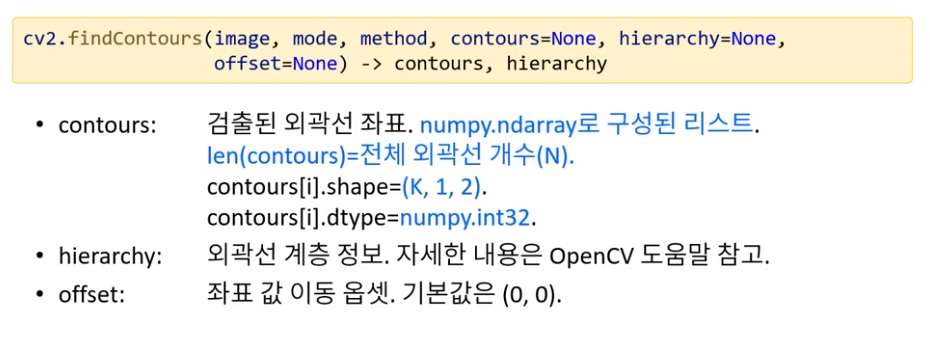
외곽선 객체 하나의 표현 방법
- numpy.ndarray
- shape = (k, 1, 2) : k = 외곽선 좌표 개수
- dtype = numpy.int32
-
여러 객체의 전체 외곽선 표현 방법
- '객체 하나의 외곽선'을 원소로 갖는 리스트
- len(리스트) = 전체 외곽선 개수(N)
-
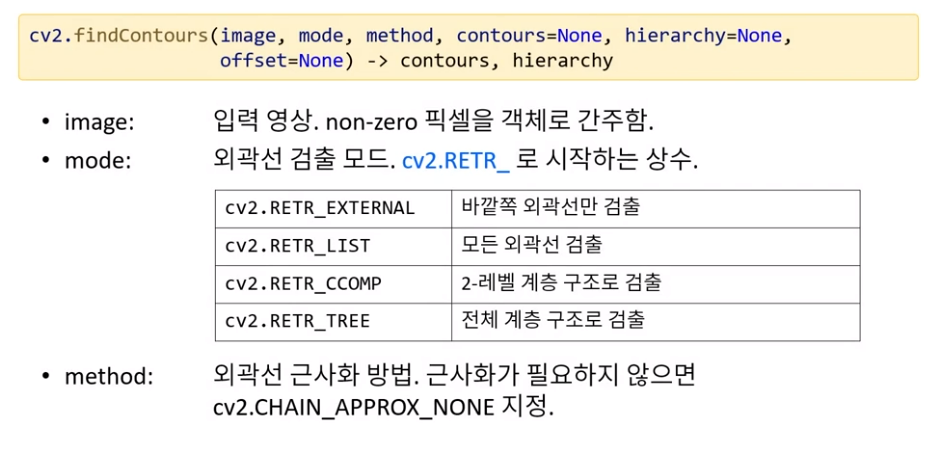
외곽선 검출 함수
-
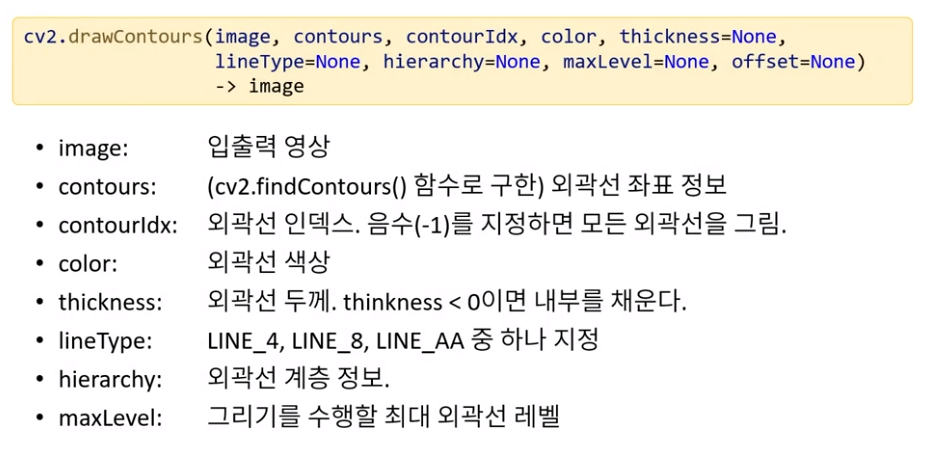
외곽선 그리기 함수
-
이진화된 명함 영상에서 외곽선 검출 및 표현 예제
import cv2
import sys
import random

# 영상 불러오기
src = cv2.imread('./data/namecard1.jpg')

if src is None:
    print('Image load failed')
    sys.exit()

# 입력 영상을 그레이스케일 영상으로 변환
src_gray = cv2.cvtColor(src, cv2.COLOR_BGR2GRAY)

# 자동 이진화
th, src_bin = cv2.threshold(src_gray, 0, 255, cv2.THRESH_BINARY | cv2.THRESH_OTSU)
#외곽선 검출 및 명함 검출
contours, th = cv2.findContours(src_bin, cv2.RETR_EXTERNAL, cv2.CHAIN_APPROX_NONE)
# 이진 영상을 컬러 영상 형식으로 변환
dst = cv2.cvtColor(src_bin, cv2.COLOR_GRAY2BGR)

# 검출된 외곽선 모두 그리기
for i in range(len(contours)):
    c = (random.randint(0, 255), random.randint(0, 255), random.randint(0,255))
    cv2.drawContours(dst, contours, i, c, 2)

cv2.imshow('src', src)
cv2.imshow('dst', dst)
cv2.waitKey()
cv2.destroyAllWindows()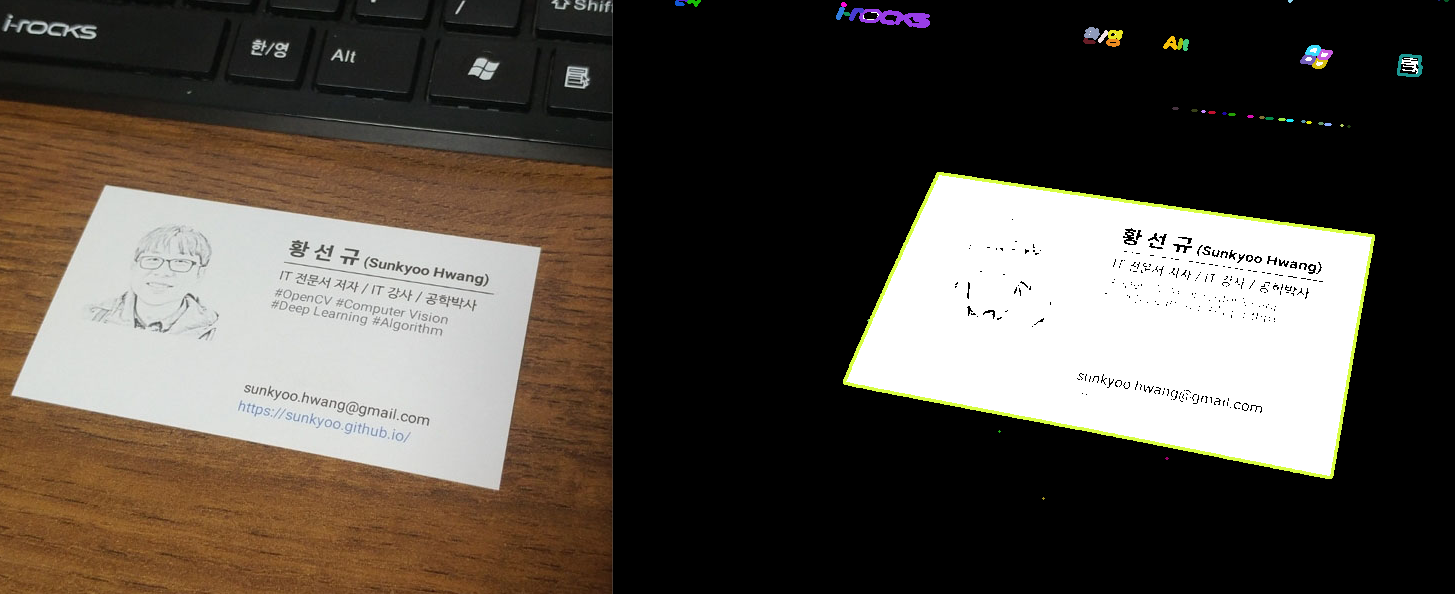
(4) OpenCV 외곽선 함수
OpenCV 주요 외곽선 관련 함수
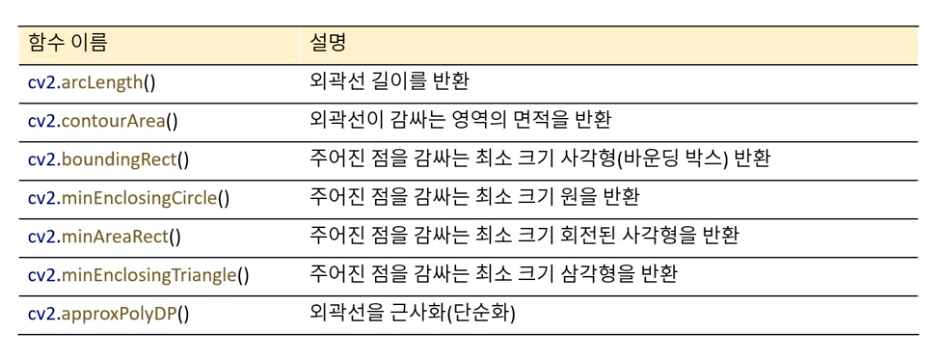
-
외곽선 길이 구하기
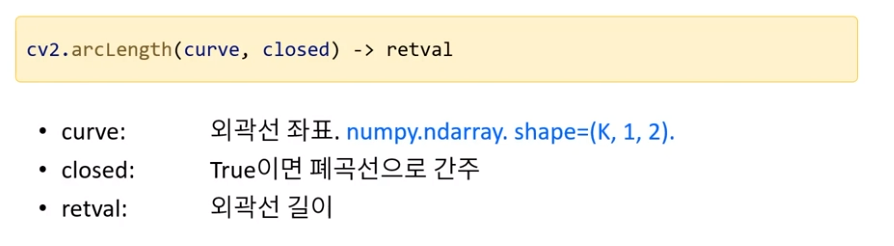
-
면적 구하기
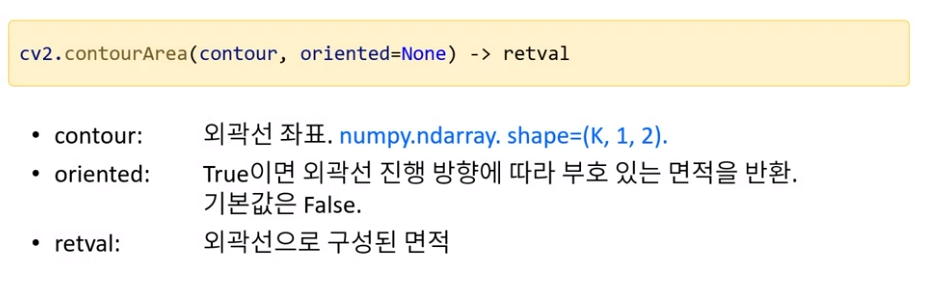
-
외곽선 근사화
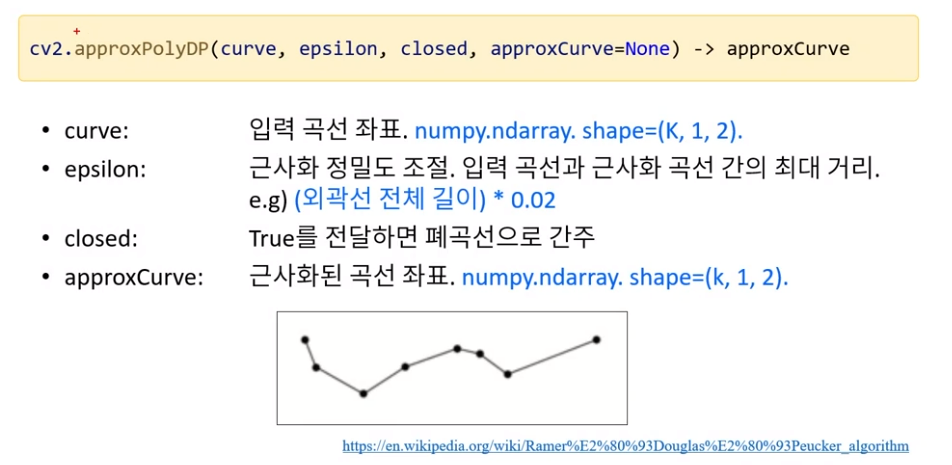
-
명함 영역 구하기 예제
- 명함 객체는 충분히 크다
- 명함 객체는 사각형으로 근사화 될 수 있다
import cv2
import sys
import random

# 영상 불러오기
src = cv2.imread('./data/namecard1.jpg')

if src is None:
    print('Image load failed')
    sys.exit()

# 입력 영상을 그레이스케일 영상으로 변환
src_gray = cv2.cvtColor(src, cv2.COLOR_BGR2GRAY)

# 자동 이진화
th, src_bin = cv2.threshold(src_gray, 0, 255, cv2.THRESH_BINARY | cv2.THRESH_OTSU)
#외곽선 검출 및 명함 검출
contours, th = cv2.findContours(src_bin, cv2.RETR_EXTERNAL, cv2.CHAIN_APPROX_NONE)

for pts in  contours:
    # 너무 작은 객체는 무시
    if cv2.contourArea(pts) < 1000:
        continue

    # 외곽선 근사화
    approx = cv2.approxPolyDP(pts, cv2.arcLength(pts, True)*0.02, True)

    # 사각형으로 근사화되면 외곽선 표시
    if len(approx) == 4:
        cv2.polylines(src, [approx], True, (0, 255, 0), 2, cv2.LINE_AA)

cv2.imshow('src', src)
cv2.waitKey()
cv2.destroyAllWindows()
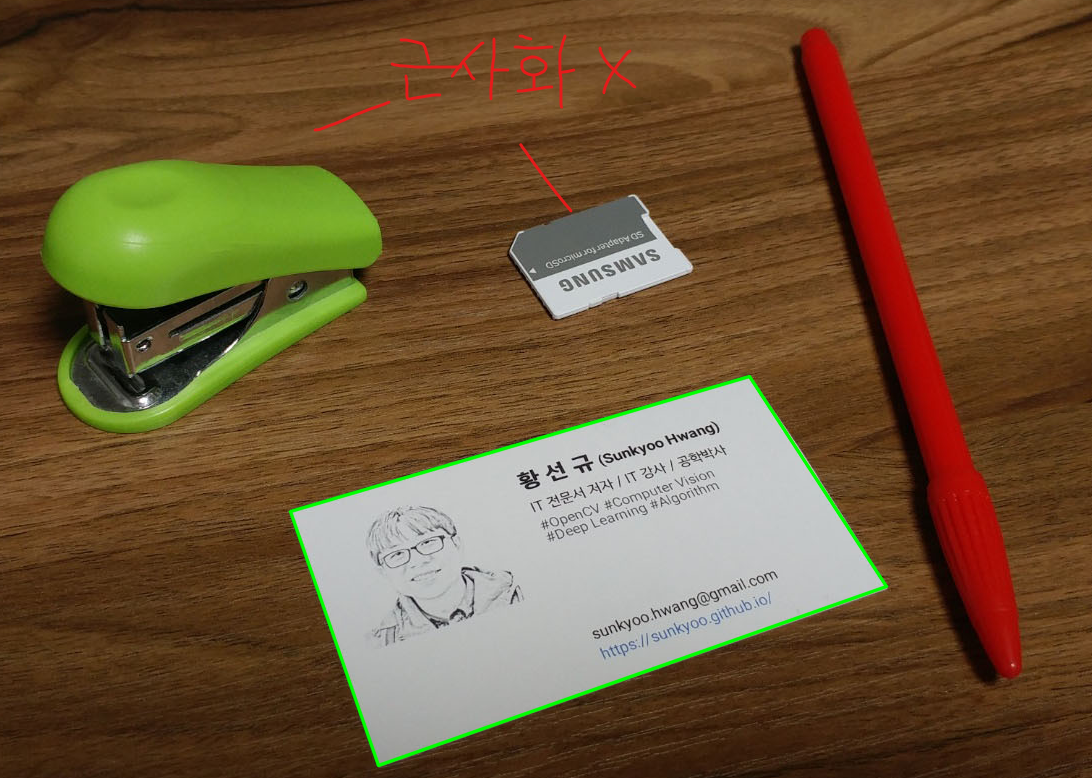
-> 위의 2개도 외곽선이 표시되어야 하지만 사각형으로 근사화 되지 않아 외곽선이 표지되지 않음!

Hi.