OpenCV 응용 - 얼굴 검출과 응용
(4) 얼굴 모자이크
-
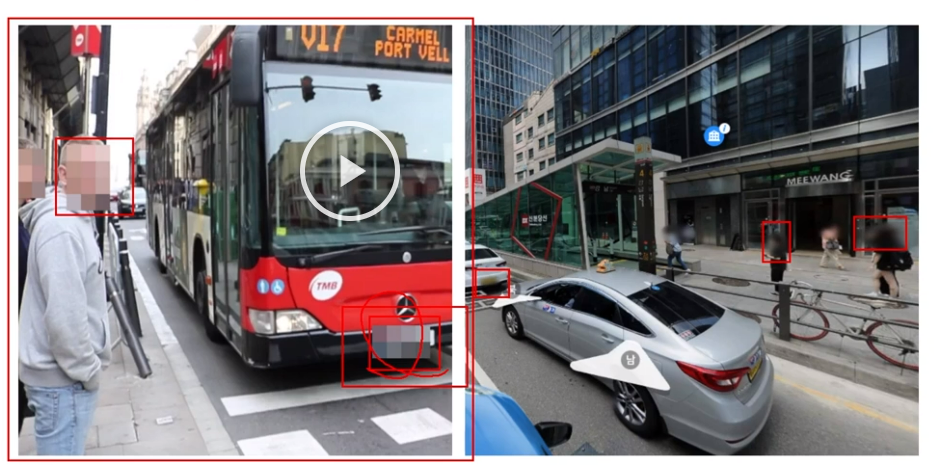
프라이버시 얼굴 모자이크
-
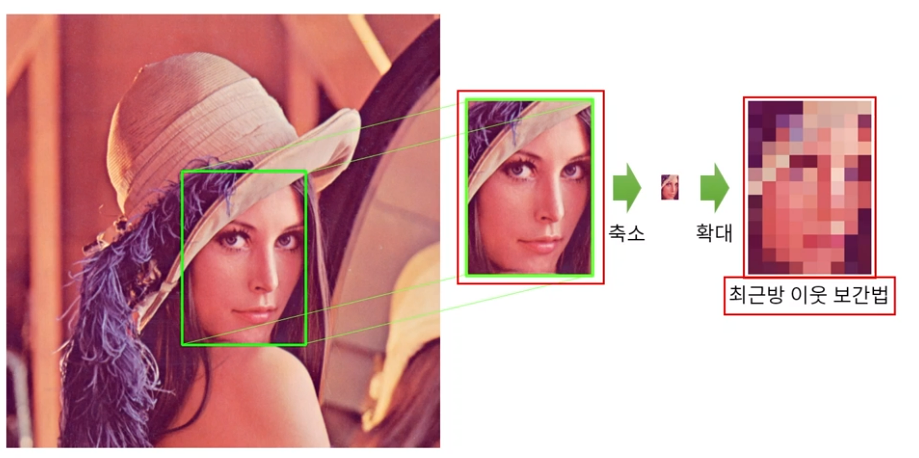
얼굴 모자이크 기법 개요
-
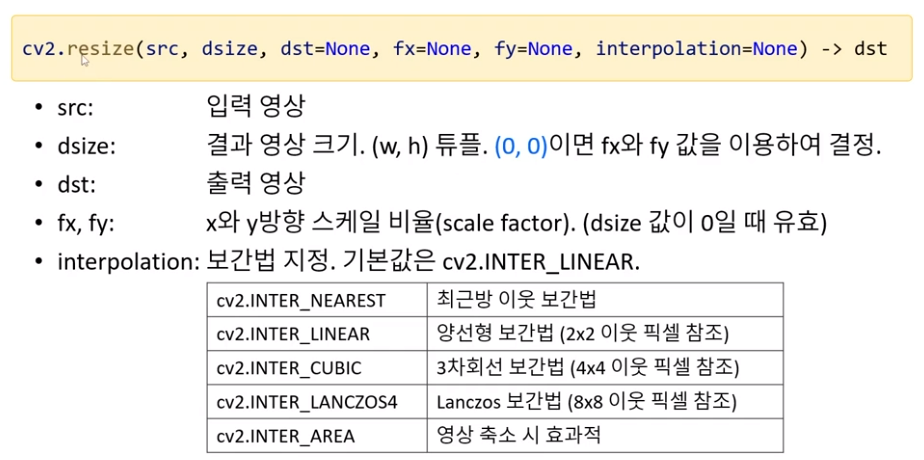
영상의 크기 변환 함수
-
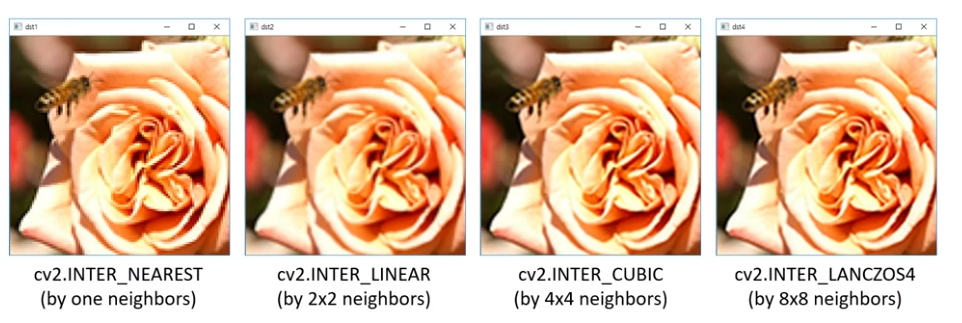
보간법에 따른 영상의 크기 변환 결과(4배 확대)
-
OpenCV DNN 얼굴 검출 후 모자이크 입히기 예제
import sys
import numpy as np
import cv2


# model = 'opencv_face_detector/res10_300x300_ssd_iter_140000_fp16.caffemodel'
# config = 'opencv_face_detector/deploy.prototxt'
model = 'opencv_face_detector/opencv_face_detector_uint8.pb'
config = 'opencv_face_detector/opencv_face_detector.pbtxt'

cap = cv2.VideoCapture(0)

if not cap.isOpened():
    print('Camera open failed!')
    sys.exit()

net = cv2.dnn.readNet(model, config)

if net.empty():
    print('Net open failed!')
    sys.exit()

while True:
    ret, frame = cap.read()

    if not ret:
        break

    blob = cv2.dnn.blobFromImage(frame, 1, (300, 300), (104, 177, 123))
    net.setInput(blob)

    out = net.forward()
    detect = out[0, 0, :, :]

    (h, w) = frame.shape[:2]

    for i in range(detect.shape[0]):
        confidence = detect[i, 2]
        if confidence < 0.5:
            break

        x1 = int(detect[i, 3] * w)
        y1 = int(detect[i, 4] * h)
        x2 = int(detect[i, 5] * w)
        y2 = int(detect[i, 6] * h)

        #cv2.rectangle(frame, (x1, y1), (x2, y2), (0, 255, 0), 2)

        face_img = frame[y1:y2, x1:x2]
        fh, fw = face_img.shape[:2]

        face_img2 = cv2.resize(face_img, (0, 0), fx=1./16, fy=1./16)
        cv2.resize(face_img2, (fw, fh), dst=face_img, interpolation=cv2.INTER_NEAREST)
        #frame[y1:y2, x1:x2] = cv2.resize(face_img2, (fw, fh), interpolation=cv2.INTER_NEAREST)

    cv2.imshow('frame', frame)

    if cv2.waitKey(1) == 27:
        break

cap.release()
cv2.destroyAllWindows()

Hi.