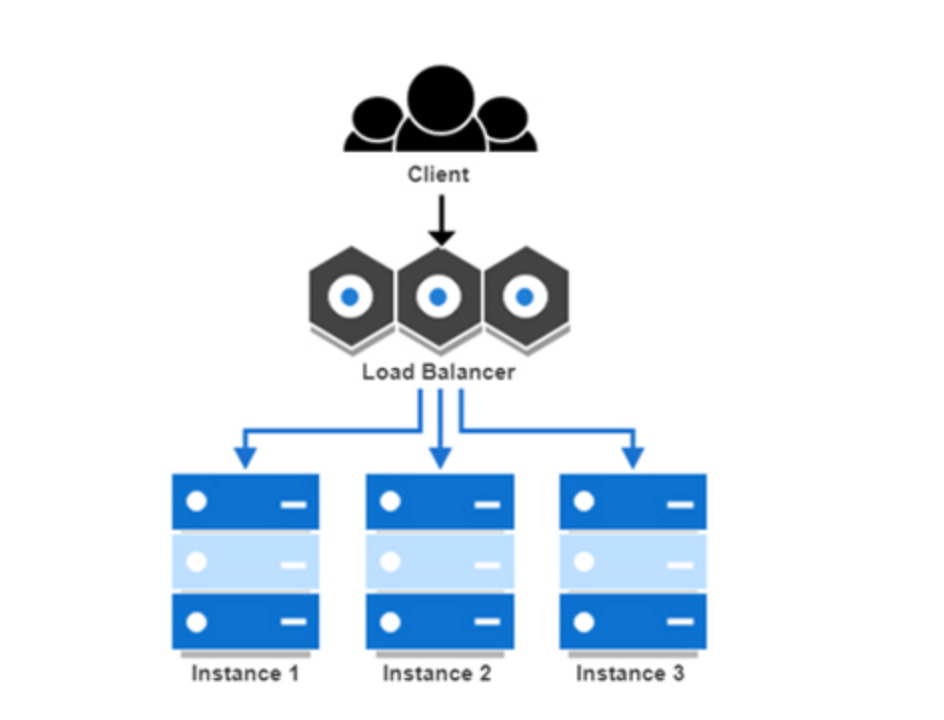
🔧 프로젝트 개요
이 글에서는 GCP의 Managed Instance Group (MIG) 환경에서 Blue-Green 배포 전략을 적용하고, GitHub Actions로 CI/CD를 자동화한 전체 구현 과정을 정리합니다.
✅ 목표
- 여러 GCP VM 인스턴스(MIG)에 동일한 Docker 기반 백엔드 배포 자동화
- 기존 서비스 중단 없이 Blue-Green 방식으로 롤링 배포
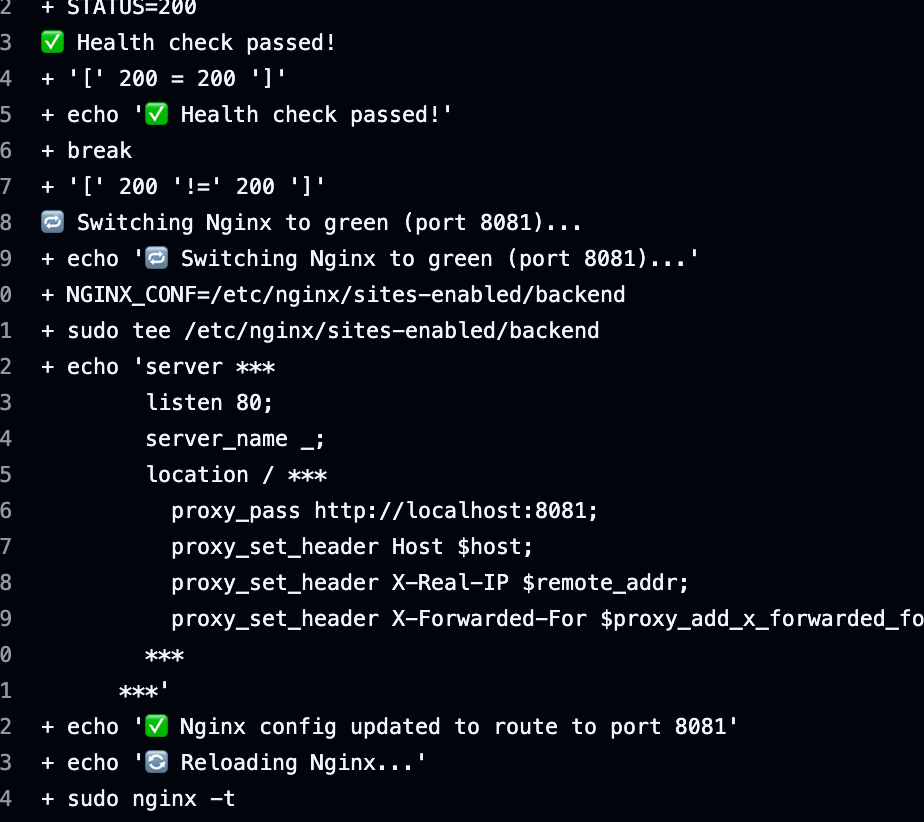
- 배포 후 헬스체크 및 Nginx 라우팅 자동 전환

아키텍처 개요
graph LR
A[GitHub Actions] -->|CI/CD 트리거| B[GCP MIG]
B --> C[VM Instance 1]
B --> D[VM Instance 2]
C & D --> E[Docker Container]
E --> F[Nginx + Blue/Green Routing]
F --> G[Client]
배포 방식 요약
feat/docker브랜치로 푸시 시 GitHub Actions가 트리거됨(테스트용)- 실제 환경은 main 브런치에 Push해서 특정 슬롯을 통해 특정 백앤드 버전을 고름
- MIG에서 모든 인스턴스의 내부 IP를 가져옴
- Jump Host를 통한 SSH 접속 후 각 인스턴스에서 Docker로 새 컨테이너 실행
- 이전 슬롯
blueorgreen상태를 확인해 반대 슬롯에 새 컨테이너 배포
(8080이면 8081에, 8081이면 8080에) - 새 컨테이너가 정상 동작하면 Nginx 라우팅을 새 슬롯으로 전환
주요 스크립트/로직 설명
1. MIG 인스턴스 IP 탐색
- mig 인스턴스.
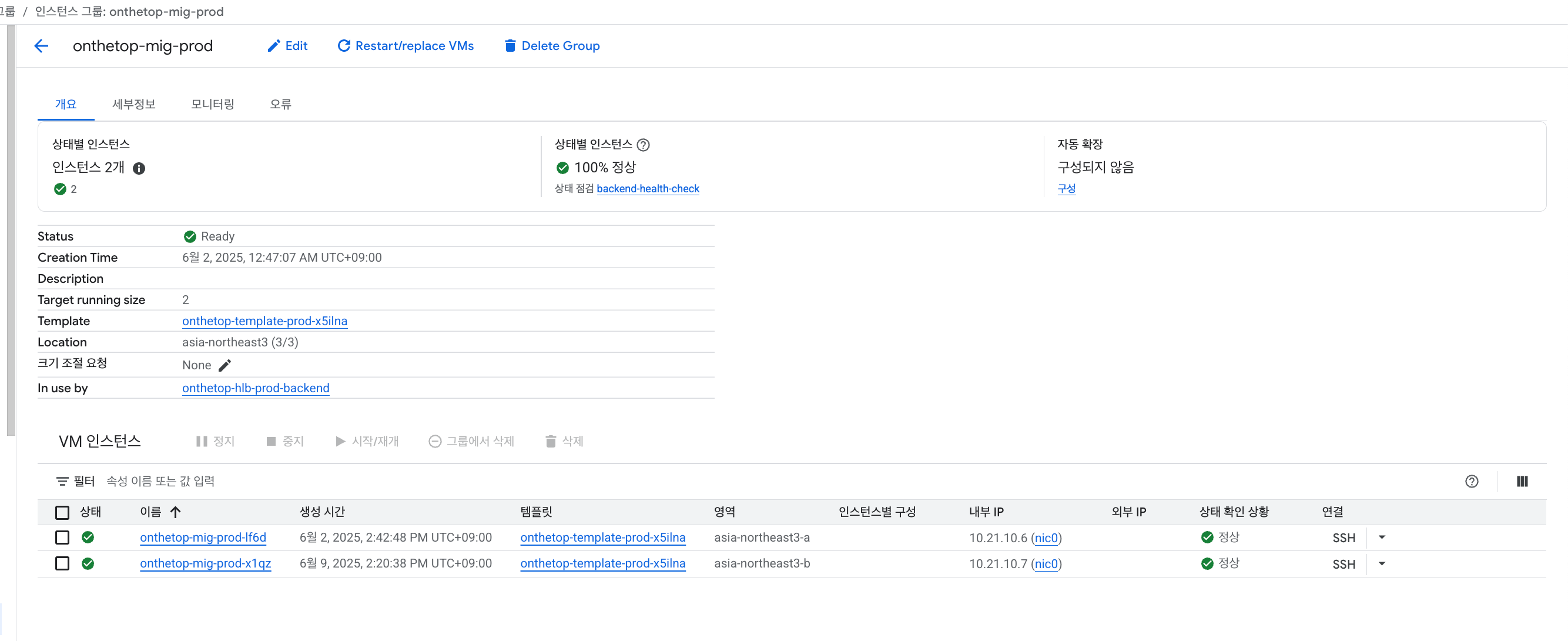
INSTANCE_NAMES=$(gcloud compute instance-groups managed list-instances ...)
IP=$(gcloud compute instances describe ...)
2. SSH 키 세팅 및 접속
ssh -o ProxyCommand="ssh -i ~/.ssh/jump_key -W %h:%p ubuntu@$JUMP_HOST" -i ~/.ssh/dev_key ubuntu@$IP3. 현재 실행 슬롯 판단 (없으면 기본 blue)
CURRENT_SLOT=$(docker ps --format '{{.Names}}' | grep onthetop-backend- | sed 's/onthetop-backend-//')
if [ -z "$CURRENT_SLOT" ]; then
  NEW_SLOT=blue
else
  if [ "$CURRENT_SLOT" = "blue" ]; then
    NEW_SLOT=green
    PORT=8081
  else
    NEW_SLOT=blue
    PORT=8080
  fi
fi
4. Docker 컨테이너 실행
docker run -d --name "onthetop-backend-$NEW_SLOT" -p $PORT:8080 ...5. Health Check (최대 10회 재시도)
for i in {1..10}; do
  echo " [$i/10] Checking health on port $PORT..."
  STATUS=$(curl -s -o /dev/null -w "%{http_code}" http://localhost:$PORT/api/v1/health || echo "000")
  if [ "$STATUS" = "200" ]; then
    echo "✅ Health check passed!"
    exit 0
  fi
  sleep 10
done

echo "❌ Health check failed after 10 attempts."
exit 1
6. 다중 컨테이너 실행 여부 확인
SLOTS_RUNNING=$(docker ps --format '{{.Names}}' | grep '^onthetop-backend-' | wc -l)
INSTANCE_NAME=$(hostname)
if [ "$SLOTS_RUNNING" -gt 1 ]; then
  echo "❌ Error: '$INSTANCE_NAME' 인스턴스에서 이미 실행중인 도커가 2개입니다."
  docker ps --format '  → {{.Names}}  ({{.Status}})' | grep '^  → onthetop-backend-'
  exit 1
fi
7. Nginx 설정 전환
NGINX_CONF="/etc/nginx/sites-enabled/backend"
echo "server {
  listen 80;
  server_name _;
  location / {
    proxy_pass http://localhost:$PORT;
    proxy_set_header Host \$host;
    proxy_set_header X-Real-IP \$remote_addr;
    proxy_set_header X-Forwarded-For \$proxy_add_x_forwarded_for;
  }
}" | sudo tee $NGINX_CONF > /dev/null

sudo nginx -t && sudo systemctl reload nginx
테스트 결과
- Find all instance IPs from MIG

-
Health check 통과, Nginx 설정 변경 로그
-
Nginx 설정파일 변경.
8080에서 8081로 바뀜
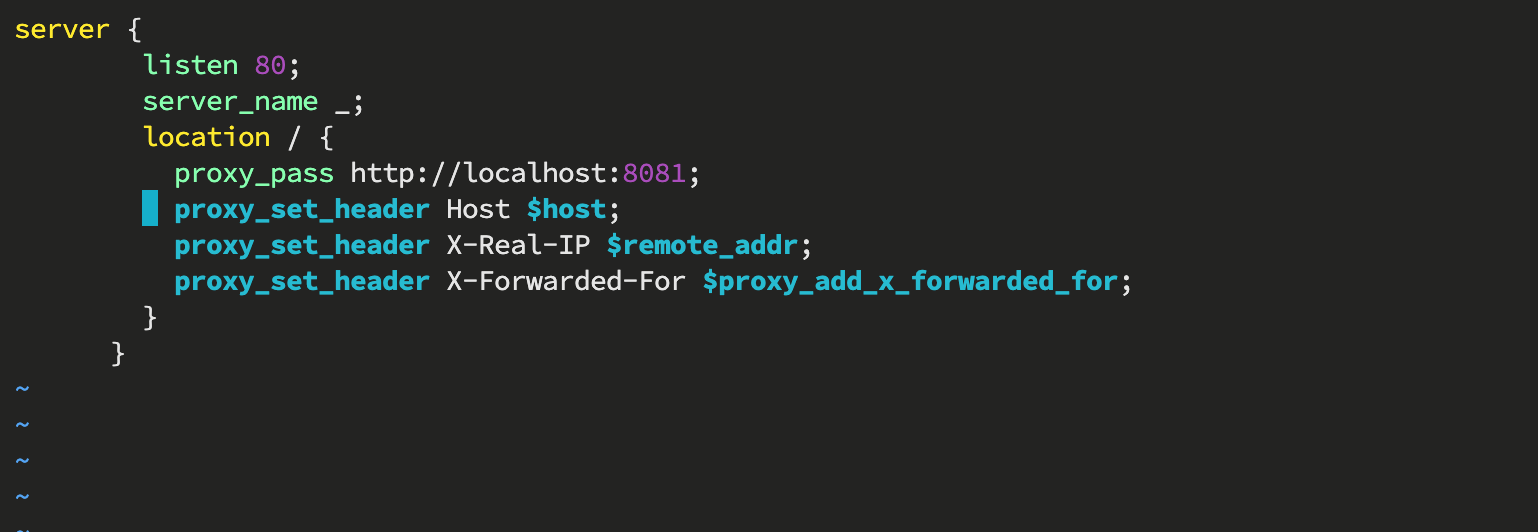
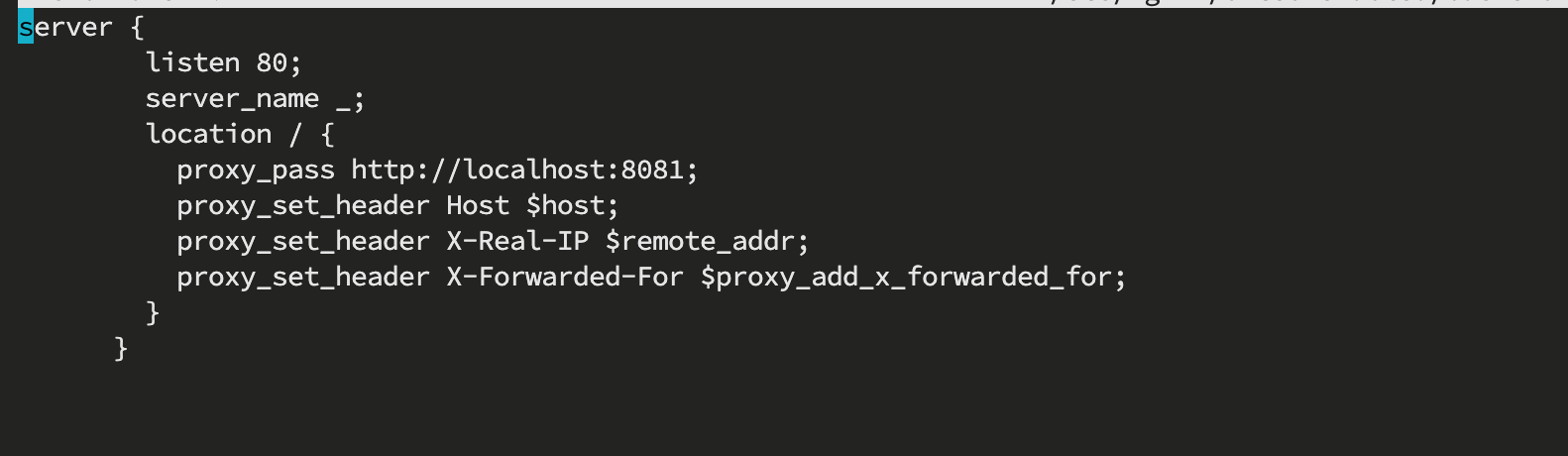
Nginx reload만 한다면 전환 성공(테스트때는 생략)
- MIG 인스턴스안에서 도커 배포 성공


- 배포 성공

향후 개선 예정
- FE 배포 자동화 다시 활성화 및 CloudFront Origin 자동 전환
- Blue-Green 배포 상태 기록을 위한 상태 저장소 도입 (예: Redis or GCS JSON)
workflow_dispatch로 수동 버전 지정 기능 다시 활성화- 롤백 처리 로직 자동화 추가
마무리
이번 구현을 통해 GCP MIG 환경에서도 안정적인 무중단 배포를 달성할 수 있었고, GitHub Actions 기반 CI/CD 흐름을 명확하게 구축할 수 있었습니다.
특히 다음과 같은 점이 중요했습니다:
- jump host를 통한 안정적인 다중 VM 배포
- Blue-Green 전략의 간단하면서도 효과적인 적용
- 헬스체크와 Nginx 연동을 통한 운영 안정성 확보
👉 이 프로젝트는 실시간 서비스 운영에도 활용 가능한 강력한 배포 전략의 기초를 마련해 줍니다!