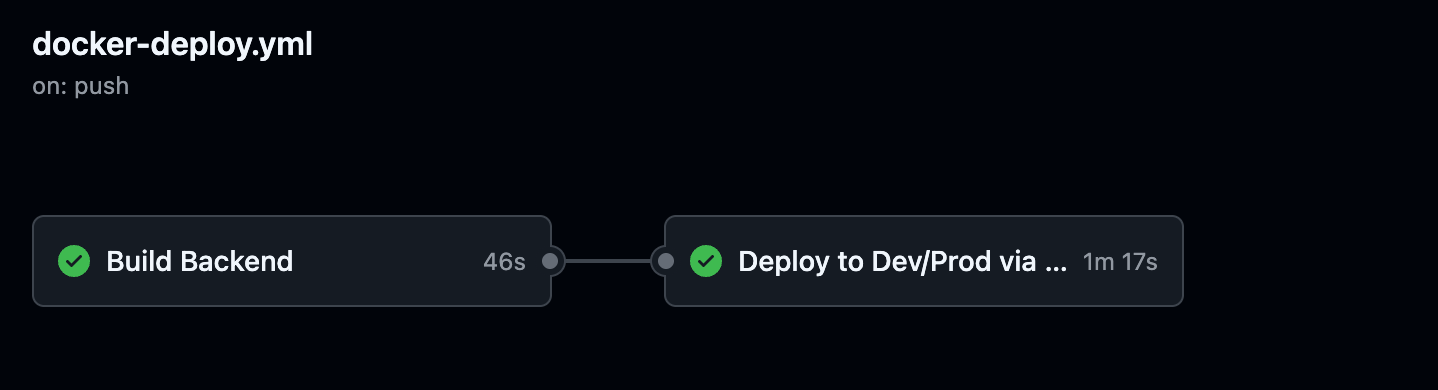
최근 백엔드 서버를 Dev 환경에 자동으로 Docker 컨테이너로 배포하는 파이프라인을 구성했습니다. 기존에는 JAR 빌드 후 수동으로 배포하거나 shell script 수준에서 멈춰 있었는데, 이를 GitHub Actions로 깔끔하게 자동화하면서 생산성을 꽤 끌어올릴 수 있었습니다.
전체 구조
- CI 단계에서는 Gradle로 JAR을 빌드하고, Docker 이미지로 만들어 DockerHub에 푸시합니다.
- CD 단계에서는 GCP 서버에 SSH 접속하여 secrets를 주입하고 Docker 컨테이너를 기동합니다.
전체 코드
name: Backend CI & Dev/Prod CD

on:
  push:
    branches:
      - dev

jobs:
  build:
    name: Build Backend and Docker image
    runs-on: ubuntu-latest
    environment: ${{ github.ref_name == 'main' && 'prod' || 'dev' }}
    env:
      DEPLOY_ENV: ${{ github.ref_name == 'main' && 'prod' || 'dev' }}

    steps:
      - name: Checkout repository
        uses: actions/checkout@v3

      - name: Set up JDK 21
        uses: actions/setup-java@v3
        with:
          distribution: 'temurin'
          java-version: '21'

      - name: Grant execute permission for gradlew
        run: chmod +x ./gradlew

      - name: Build with Gradle
        run: ./gradlew bootJar -x test

      - name: Upload artifact
        uses: actions/upload-artifact@v4
        with:
          name: backend-jar
          path: build/libs/*.jar

      - name: Log in to DockerHub
        run: echo "${{ secrets.DOCKERHUB_PAT }}" | docker login -u "${{ secrets.DOCKERHUB_USERNAME }}" --password-stdin

      - name: Build & Push Docker image (dev)
        if: ${{ env.DEPLOY_ENV == 'dev' }}
        run: |
          docker build -t luckyprice1103/onthetop-backend-dev:${{ github.sha }} .
          docker push luckyprice1103/onthetop-backend-dev:${{ github.sha }}

      - name: Build & Push Docker image (prod)
        if: ${{ env.DEPLOY_ENV == 'prod' }}
        run: |
          docker build -t luckyprice1103/onthetop-backend:${{ github.sha }} .
          docker push luckyprice1103/onthetop-backend:${{ github.sha }}

  deploy:
    name: Deploy to Dev/Prod via SSH
    needs: build
    runs-on: ubuntu-latest
    environment: ${{ github.ref_name == 'main' && 'prod' || 'dev' }}
    env:
      DEPLOY_ENV: ${{ github.ref_name == 'main' && 'prod' || 'dev' }}
      SECRET_LABELS: ${{ github.ref_name == 'main' && 'backend_shared backend_prod' || 'backend_shared backend_dev' }}

    steps:

      - name: Authenticate to GCP
        uses: google-github-actions/auth@v2
        with:
          credentials_json: '${{ secrets.GCP_SA_KEY }}'

      - name: Generate secrets.properties file
        run: |
          mkdir -p ./secrets
          touch ./secrets/secrets.properties

          for LABEL in $SECRET_LABELS; do
            gcloud secrets list --filter="labels.env=$LABEL" --format="value(name)" | while read SECRET_NAME; do
              SECRET_VALUE=$(gcloud secrets versions access latest --secret="$SECRET_NAME")
              IFS='-' read -r SERVICE KEY ENV <<< "$SECRET_NAME"
              echo "${KEY}=${SECRET_VALUE}" >> ./secrets/secrets.properties
            done
          done

      - name: Set up SSH config for jump server
        run: |
          mkdir -p ~/.ssh
          echo "${{ secrets.JUMP_SSH_KEY }}" > ~/.ssh/jump_key
          chmod 600 ~/.ssh/jump_key

          echo "${{ secrets.SSH_KEY }}" > ~/.ssh/dev_key
          chmod 600 ~/.ssh/dev_key

          cat <<EOF > ~/.ssh/config
          Host backend-server
              HostName ${{ secrets.SSH_HOST }}
              User ubuntu
              IdentityFile ~/.ssh/dev_key
              ProxyJump jump-server
              StrictHostKeyChecking no
              UserKnownHostsFile /dev/null

          Host jump-server
              HostName ${{ secrets.JUMP_SSH_HOST }}
              User ubuntu
              IdentityFile ~/.ssh/jump_key
              StrictHostKeyChecking no
              UserKnownHostsFile /dev/null
          EOF

      - name: Upload backend.jar and secrets.properties to server
        run: |
          ssh -F ~/.ssh/config backend-server 'mkdir -p ~/backend'
          scp -F ~/.ssh/config ./secrets/secrets.properties backend-server:/home/ubuntu/backend/secrets.properties

      - name: Run dev container on server
        run: |
          ssh -F ~/.ssh/config backend-server <<'EOF'
            echo "도커 테스트 컨테이너 실행 중 (port 8080)"

            if ! command -v lsof >/dev/null 2>&1; then
            echo " lsof이 설치되어 있지 않아 설치 중..."
            sudo apt update && sudo apt install -y lsof
            fi

            echo " 기존 8080 포트 사용 중인 프로세스 종료"
            PID=$(sudo lsof -t -i:8080 || true)
            if [ -n "$PID" ]; then
                echo "포트를 점유 중인 프로세스 종료 (PID: $PID)"
                kill "$PID"
                sleep 3
            else
                echo "포트를 점유한 프로세스 없음"
            fi

            # 기존 컨테이너 있으면 제거
            docker rm -f onthetop-backend || true

            # 올바른 이미지 이름으로 변경
            if [ "${{ env.DEPLOY_ENV }}" = "prod" ]; then
              IMAGE_NAME=luckyprice1103/onthetop-backend
            else
              IMAGE_NAME=luckyprice1103/onthetop-backend-dev
            fi

            docker pull $IMAGE_NAME:${{ github.sha }}

            mkdir -p /var/log/onthetop/backend

            # 도커 실행
            docker run -d \
              --name onthetop-backend \
              -p 8080:8080 \
              --memory=512m \
              --cpus=0.5 \
              -v /home/ubuntu/backend/secrets.properties:/app/secrets.properties \
              -v /var/log/onthetop/backend:/logs \
              -e SPRING_PROFILES_ACTIVE=${{ env.DEPLOY_ENV }} \
              $IMAGE_NAME:${{ github.sha }} \
              --logging.file.name=/logs/backend.log \
              --spring.config.additional-location=file:/app/secrets.properties

            echo " 컨테이너가 8080 포트에서 실행 중입니다."
          EOF
Trigger 조건
dev 브랜치에 push가 발생하면 워크플로우가 자동 실행됩니다.
on:
  push:
    branches:
      - dev
CI 단계: Gradle 빌드 + Docker 이미지 생성 및 푸시
- ./gradlew bootJar -x test
- docker build -t luckyprice1103/onthetop-backend-dev:${{ github.sha }} .
- docker push luckyprice1103/onthetop-backend-dev:${{ github.sha }}
테스트는 배포 속도를 위해 제외하고, 단순히 실행 가능한 .jar만 생성해 Docker 이미지로 빌드 후 DockerHub에 올립니다. SHA를 태그로 붙여 배포 버전을 명확히 관리합니다.
CD 단계: SSH를 통한 서버 배포
가장 까다로웠던 부분은 Jump 서버를 경유한 SSH 접속입니다.
~/.ssh/config를 동적으로 생성하여 GitHub Actions 내에서 프록시 점프 방식으로 SSH 연결을 구성했습니다.
Host backend-server
    HostName 실제 서버 IP
    User ubuntu
    IdentityFile ~/.ssh/dev_key
    ProxyJump jump-server

Host jump-server
    HostName 점프 서버 IP
    User ubuntu
    IdentityFile ~/.ssh/jump_key
secrets.properties 자동 주입
GCP Secret Manager에서 backend_shared, backend_dev 레이블이 붙은 시크릿을 가져와서 secrets.properties 파일로 자동 생성합니다. 키 포맷은 서비스명-키명-환경명으로 통일해서 관리 중입니다.
gcloud secrets list --filter="labels.env=$LABEL" ...
gcloud secrets versions access latest ...
컨테이너 실행 로직
컨테이너를 띄우기 전, 혹시 모를 기존 프로세스를 종료하고, 이전에 띄웠던 컨테이너가 있다면 삭제합니다.
그 후 도커 이미지를 새로 pull한 다음, 메모리/CPU 제한을 걸고 컨테이너를 실행합니다:
docker run -d \
  --name onthetop-backend \
  -p 8080:8080 \
  --memory=512m \
  --cpus=0.5 \
  -v /home/ubuntu/backend/secrets.properties:/app/secrets.properties \
  -v /var/log/onthetop/backend:/logs \
  -e SPRING_PROFILES_ACTIVE=dev \
  이미지명:태그 \
  --logging.file.name=/logs/backend.log \
  --spring.config.additional-location=file:/app/secrets.properties
여기서 secrets.properties를 외부에서 마운트하고, --spring.config.additional-location으로 Spring Boot에 주입합니다.
마무리
배포 시 직접 서버에 접속하거나 scp, ssh로 수작업하던 번거로운 일들이 이제는 Push 한 번으로 해결됩니다.
개발 흐름을 크게 끊지 않으면서도, Dev 환경을 언제든지 최신으로 유지할 수 있어 만족도가 높습니다.
추후에는 health check와 롤백 기능도 추가해볼 예정입니다.