
1. 들어가며
- 본 글에서는 메타 API공식문서를 기반으로 insights 엔드포인트에 접근하여 광고의 주요 지표(노출, 클릭, 전환)를 GCP에 적재하는 과정에서 얻은 레슨런을 기록합니다.
-
코드 작성 전 ads_read권한 및 애플리케이션 생성 작업이 필요하며 이전 글(링크)을 참조해주세요.
-
전반적으로 코드를 플로우차트 흐름에 따라 서술하되, Meta API에서 새롭게 학습한 사항은 ✅ 이모티콘으로 강조하였습니다.
-
최하단에서 전체 코드를 확인하실 수 있습니다. 다만 독학하며 성장 중인 주니어 데이터분석가이기 때문에 클린코드임을 담보할 수 없다는 점을 미리 밝힙니다.
2. 예상독자
- 처음 메타 API를 GCP에 적재하려고 하시는 비데이터엔지니어 출신 기획자/데이터분석가/마케터 등
3. 레슨런 및 코드 가이드
0️⃣ 플로우차트

1️⃣ 기본 설정
◾️ 액세스 토큰 및 광고계정 부여
-
랜딩되는 페이지 (자사몰, 올리브영)에 따라 광고계정을 분류하고 있었기 때문에 ACCOUNT_IDS에 광고계정마다 이름을 부여해주었습니다.
-
액세스 토큰 발급 방법을 모르실 경우 이전 글(링크)을 참조해주세요
# BigQuery 설정
PROJECT_ID = 'your_project_id'
DATASET_ID = 'your_dataset_id'
TABLE_ID = 'your_table_id'
TABLE_REF = f"{PROJECT_ID}.{DATASET_ID}.{TABLE_ID}"

# Meta API 설정
ACCESS_TOKEN = 'your_access_token'
API_VERSION = 'v22.0'
ACCOUNT_IDS = [
    {'id': 'act_your_accounts_id', 'name': '자사몰'},
    {'id': 'act_your_accounts_id', 'name': '올리브영'}
]
✅ CHUNK 단위 기준 정의
-
호출당 데이터 제한이 있기 때문에 일부 일자의 데이터가 누락될 수 있으며,
"2025년 6월 10일부터 전반적인 API 성능 개선을 위해, 분석 데이터를 적용하고 13개월을 초과하는 start_date를 사용하는 쿼리에 대해 더 이상 reach가 반환되지 않습니다." (Limitations and Best Practices 문서 링크)
-
따라서 이 기준을 활용하여
1) 13개월 이상 오래된 데이터: 더 큰 단위(월 단위)로 청크를 나누어 처리
2) 13개월 미만의 최근 데이터: 더 작은 단위(일 단위)로 처리
- 13개월 이전의 오래된 데이터는 API 요청 시 더 많은 시스템 리소스가 필요하거나 응답 시간이 길어질 수 있으므로, 더 큰 청크로 묶어서 API 호출 횟수를 줄였습니다.
# 데이터 수집 설정
MAX_MONTH_CHUNK = 1
MAX_DAYS_CHUNK = 7
OLD_DATA_THRESHOLD = 13
RETRY_ATTEMPTS = 3
DEFAULT_FIELDS = "date_start,date_stop,ad_name,campaign_name,adset_name,impressions,spend,inline_link_clicks,actions,action_values"
2️⃣ GCP 인증 및 테이블 생성
- 테이블이 없을 경우에만 새롭게 생성해줍니다.
def create_table_if_not_exists(client):
    """테이블이 없으면 생성"""
    try:
        try:
            table = client.get_table(TABLE_REF)
            logger.info(f"테이블이 이미 존재합니다: {TABLE_REF}")
        except Exception:
            logger.info(f"테이블이 존재하지 않습니다. 테이블 생성 중: {TABLE_REF}")
3️⃣ 기존 데이터 삭제
- 중복으로 집계되는 것을 방지하기 위해 만약 지정된 날짜의 데이터가 이미 존재한다면 기존 데이터를 삭제해줍니다.
def delete_existing_data(client, start_date, end_date):
    """지정된 날짜 범위의 기존 데이터 삭제"""
    query = f"""
        DELETE FROM `{TABLE_REF}`
        WHERE date BETWEEN '{start_date}' AND '{end_date}'
    """
    try:
        query_job = client.query(query)
        query_job.result()
        logger.info(f"기존 데이터 삭제 완료: {start_date} ~ {end_date}")
    except Exception as e:
        logger.error(f"기존 데이터 삭제 오류: {e}")
        raise
4️⃣ 날짜 범위 청크 분할
◾️ data_preset 고려

-
stat_date가 아닌 time_run을 사용하는 것이 효율적이지만, 현재 목적은 과거 전체 데이터 백필이므로 본 과정에선 사용하지 않았습니다.
-
data_preset이란?
-
사용자가 직접 시작일과 종료일을 지정하는 대신, 미리 정의된 날짜 범위를 사용하는 것 - today: 오늘 - yesterday: 어제 - last_3d: 최근 3일 - last_7d: 최근 7일 - last_30d: 최근 30일 - last_quarter: 지난 분기 - last_year: 지난 해 -
(참고) 활용 가능한 data_preset 매개변수 확인문서 (링크)
✅ 13개월 기준 청크 분할
-
data_preset을 사용하지 않고 청크를 분할하는 방식으로 데이터를 가져옵니다.
-
앞서 1️⃣ 로깅 설정 및 기본 세팅 단계에서 서술한대로 오래된 데이터의 기준을 13개월로 정의하여
1) 13개월 이상 지난 데이터: 월별로 분할
 2) 최근 데이터: 7일 단위로 분할
합니다.
-
전체 기간의 범위를 작은 단위의 chunk로 쪼갤 경우 API 호출 횟수도 증가하여 API 할당량 제한에 더 빨리 도달할 수 있기 때문에 데이터
많은 요청은 API 제공자 측에서 속도 제한(rate limiting)을 적용할 가능성을 높입니다. -
chunk 로직은 start_date를 기준으로 다음 월의 첫일자에서 -1을 하여 구해줍니다.
1️⃣ start_date = 2023-01-15
2️⃣ next_month의 first_date = 2023-02-01
3️⃣ This month의 last_date
   = 2️⃣-1
   = 2023-01-31
chunk = 1️⃣ ~ 3️⃣
= 2023-01-15 ~ 2023-01-31 - 단, end_date를 넘지 않도록 min을 사용하였습니다.
def get_date_chunks(start_date_str, end_date_str):
    """
    날짜 범위를 적절한 크기의 청크로 분할
    - 13개월 이상 지난 데이터: 월별로 분할
    - 최근 데이터: 7일 단위로 분할
    """
    chunks = []
    start_date = datetime.strptime(start_date_str, "%Y-%m-%d").date()
    end_date = datetime.strptime(end_date_str, "%Y-%m-%d").date()
    today = date.today()

    # 현재 날짜로부터 OLD_DATA_THRESHOLD개월 전의 날짜 계산
    threshold_date = today - relativedelta(months=OLD_DATA_THRESHOLD)

    current_date = start_date
    while current_date <= end_date:
        if current_date < threshold_date:
            # 오래된 데이터: 월 단위로 청크 나누기
            next_date = min(
                date(current_date.year + (current_date.month + MAX_MONTH_CHUNK - 1) // 12,
                    ((current_date.month + MAX_MONTH_CHUNK - 1) % 12) + 1,
                    1) - timedelta(days=1),
                end_date
            )
        else:
            # 최근 데이터: 일 단위로 청크 나누기
            next_date = min(current_date + timedelta(days=MAX_DAYS_CHUNK - 1), end_date)

        chunks.append((current_date.strftime("%Y-%m-%d"), next_date.strftime("%Y-%m-%d")))
        current_date = next_date + timedelta(days=1)

    return chunks
5️⃣ 비동기 인사이트 데이터 가져오기
✅ 동기 vs. 비동기
- 메타는 대량의 데이터를 가져올 때는 비동기 방식으로 가져오는 것을 권장하고 있습니다.
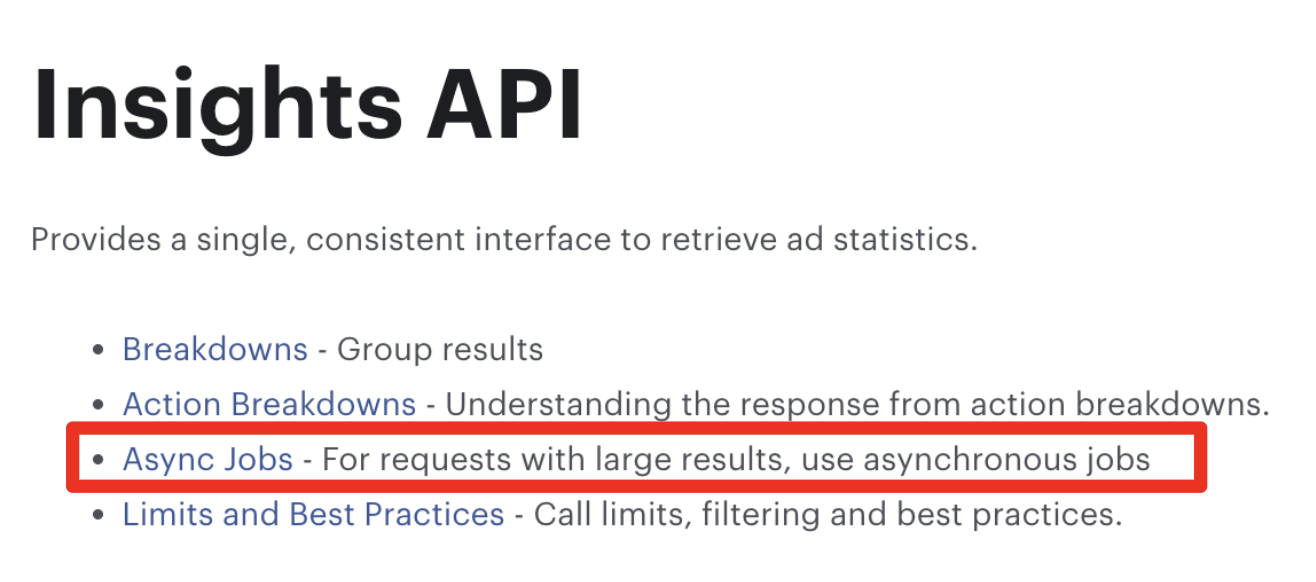
- 동기 방식에서는 한 API 호출이 완료될 때까지 대기한 후 다음 호출을 시작하지만, 비동기 방식에서는 여러 API 호출을 동시에 진행할 수 있어 전체 처리 시간을 크게 단축하여 I/O 집약적 작업에서 큰 성능 향상을 제공하기 때문입니다.
async def collect_account_data_async(...):
    # 여러 계정의 데이터를 동시에 수집할 수 있음
    for chunk_start, chunk_end in date_chunks:
        # 여러 날짜 청크의 데이터를 병렬로 요청할 수 있음
        df = await fetch_data_for_date_range_async(...)
◾️ 오류 로깅
- 오류코드페이지를 참조하여 오류가 발생할 경우 디버깅 및 호출 재시도할 수 있도록 오류 관련 로직을 설정해줍니다.
async def fetch_async_insights(
    session,
    access_token,
    api_version,
    object_id,
    params
):
    """
    비동기 인사이트 데이터 가져오기
    1. 보고서 실행 요청
    2. 작업 상태 폴링
    3. 최종 결과 수집
    """
    try:
        # 1. 비동기 보고서 실행 요청
        params['access_token'] = access_token
        async with session.post(
            f'https://graph.facebook.com/{api_version}/{object_id}/insights',
            data=params
        ) as response:
            report_run = await response.json()

            # 데이터 제한 에러 처리
            if 'error' in report_run:
                error_code = report_run['error'].get('code')
                error_subcode = report_run['error'].get('error_subcode')

                if error_code == 100 and error_subcode == 1487534:
                    error_msg = f"호출당 데이터 제한 초과 오류 발생: {object_id}"
                    logger.error(error_msg)
                    logger.error(f"데이터 제한 상세 정보: {report_run['error']}")
                    raise ApiException(error_msg)
                else:
                    error_msg = f"API 오류 발생: {report_run['error']}"
                    logger.error(error_msg)
                    raise ApiException(error_msg)

            report_run_id = report_run.get('report_run_id')

            if not report_run_id:
                error_msg = f"보고서 실행 ID 생성 실패: {report_run}"
                logger.error(error_msg)
                raise ApiException(error_msg)
6️⃣ 비동기 방식으로 특정 날짜 범위의 데이터 수집
✅ 파라미터 설정_활성 캠페인 데이터 수집
- 해당 기간동안 광고비를 태운 캠페인, 즉 spend > 0 인 ad를 필터링하기 위해 파라미터에 GREATER_THAN 필터링 조건을 추가했습니다.
          # 파라미터 설정
        params = {
            'level': 'ad',  # 집계 레벨 정의
            'fields': ','.join(DEFAULT_FIELDS),
            'time_range': json.dumps(date_range),
            'filtering': json.dumps([
                {"field": "spend", "operator": "GREATER_THAN", "value": 0}
            ]), # 활성캠페인 필터링
            'limit': 500  # 한 번에 가져올 최대 결과 수
        }
◾️ 파라미터 설정_집계 레벨 정의
- 소재 및 마케터를 식별할 수 있는 가장 최소 단위인 ad로 설정했습니다.
async def fetch_data_for_date_range_async(
    access_token,
    api_version,
    act_id,
    act_name,
    date_range
):
    """비동기 방식으로 특정 날짜 범위의 데이터 수집"""
    async with aiohttp.ClientSession() as session:
        # 파라미터 설정
        params = {
            'level': 'ad',  # 광고 수준의 상세 데이터
            'fields': ','.join(DEFAULT_FIELDS),
            'time_range': json.dumps(date_range),
            'filtering': json.dumps([
                {"field": "spend", "operator": "GREATER_THAN", "value": 0}
            ]),
            'limit': 500  # 한 번에 가져올 최대 결과 수
        }
7️⃣ 계정별 데이터 비동기 수집
- 수집할 계정이 1개 이상이었기 때문에 한 계정 수집이 모두 끝나야 다른 계정을 가져오는 것이 아니라 병렬해서 수집하였습니다.
async def collect_account_data_async(
    access_token,
    api_version,
    account,
    start_date,
    end_date
):
    """계정별 데이터 비동기 수집"""
    act_id = account['id']
    act_name = account['name']

    logger.info(f"\n계정 {act_name} ({act_id}) 처리 중...")

    date_chunks = get_date_chunks(start_date, end_date)
    logger.info(f"날짜 범위 {start_date} ~ {end_date}를 {len(date_chunks)}개 청크로 분할")

    all_data_frames = []

    for chunk_start, chunk_end in date_chunks:
        logger.info(f"날짜 청크 처리 중: {chunk_start} ~ {chunk_end}")

        date_range = {"since": chunk_start, "until": chunk_end}
        df = await fetch_data_for_date_range_async(
            access_token, api_version, act_id, act_name, date_range
        )

        if not df.empty:
            all_data_frames.append(df)
            logger.info(f"청크 {chunk_start} ~ {chunk_end}에서 {len(df)}개 행의 데이터 수집 완료")
        else:
            logger.warning(f"청크 {chunk_start} ~ {chunk_end}에서 데이터 없음")

    if all_data_frames:
        result_df = pd.concat(all_data_frames, ignore_index=True)
        logger.info(f"계정 {act_name}에서 총 {len(result_df)}개 행의 데이터 수집 완료")
        return result_df
    else:
        logger.warning(f"계정 {act_name}에서 데이터를 수집하지 못했습니다.")
        return pd.DataFrame()
8️⃣ 데이터를 DataFrame으로 변환하여 BigQuery에 업로드
- DataFrame 형태로 변환후 BigQuery의 요청 제한을 회피하고, 배치 실패시 실패 구간부터 업로드 재실행할 수 있도록 데이터를 5만 행 단위로 분할하여 업로드합니다.
def upload_to_bigquery(client, df):
    """DataFrame을 BigQuery에 업로드"""
    try:
        if df.empty:
            logger.warning("업로드할 데이터가 없습니다.")
            return False

        # 데이터 타입 변환
        df['date'] = pd.to_datetime(df['date']).dt.date
        df['impressions'] = pd.to_numeric(df['impressions'], errors='coerce').fillna(0).astype('int64')
        df['clicks'] = pd.to_numeric(df['clicks'], errors='coerce').fillna(0).astype('int64')
        df['installs'] = pd.to_numeric(df['installs'], errors='coerce').fillna(0).astype('int64')
        df['purchases'] = pd.to_numeric(df['purchases'], errors='coerce').fillna(0).astype('int64')
        df['spend'] = pd.to_numeric(df['spend'], errors='coerce').fillna(0).astype('float64')
        df['purchase_value'] = pd.to_numeric(df['purchase_value'], errors='coerce').fillna(0).astype('float64')

        # 로드 타임스탬프 추가
        df['load_timestamp'] = datetime.now()

        # 데이터 분할 업로드 (5만 행 단위)
        rows_per_batch = 50000
        total_rows = len(df)
        batches = math.ceil(total_rows / rows_per_batch)

        for i in range(batches):
            start_idx = i * rows_per_batch
            end_idx = min(start_idx + rows_per_batch, total_rows)
            batch_df = df.iloc[start_idx:end_idx]

            logger.info(f"BigQuery 배치 업로드 {i+1}/{batches} (행: {start_idx} ~ {end_idx-1})")

            # BigQuery에 데이터 적재
            job_config = bigquery.LoadJobConfig(
                write_disposition=bigquery.WriteDisposition.WRITE_APPEND
            )

            job = client.load_table_from_dataframe(
                batch_df,
                TABLE_REF,
                job_config=job_config
            )
            job.result()  # 작업 완료 대기

        logger.info(f"BigQuery에 총 {total_rows}개 행의 데이터 적재 완료")
        return True
    except Exception as e:
        logger.error(f"BigQuery 적재 오류: {e}")
        logger.error(traceback.format_exc())
        return False
9️⃣ 비동기 메인 함수 및 실행
async def main_async(start_date, end_date, key_path=None):
    """비동기 메인 함수"""
    try:
        logger.info(f"Meta Ads 데이터 수집 시작: {start_date} ~ {end_date}")

        # BigQuery 클라이언트 초기화
        client = initialize_bigquery_client(key_path)

        # 테이블 존재 확인 및 생성
        create_table_if_not_exists(client)

        # 기존 데이터 삭제
        delete_existing_data(client, start_date, end_date)

        all_results = []
        for account in ACCOUNT_IDS:
            df = await collect_account_data_async(
                ACCESS_TOKEN,
                API_VERSION,
                account,
                start_date,
                end_date
            )

            if not df.empty:
                # BigQuery에 데이터 업로드
                upload_success = upload_to_bigquery(client, df)

                if upload_success:
                    logger.info(f"{account['name']} 계정 데이터 BigQuery 업로드 성공")
                    all_results.append(df)
                else:
                    logger.error(f"{account['name']} 계정 데이터 BigQuery 업로드 실패")

        logger.info(f"Meta Ads 데이터 수집 및 적재 완료: {start_date} ~ {end_date}")
        return all_results

    except Exception as e:
        logger.error(f"메인 함수 실행 중 오류: {e}")
        logger.error(traceback.format_exc())
        return []
if __name__ == "__main__":
    parser = argparse.ArgumentParser(description='Meta Ads 데이터를 수집하여 BigQuery에 적재')
    parser.add_argument('--key_path', type=str, help='GCP 서비스 계정 키 파일 경로 (로컬 실행 시)')
    parser.add_argument('--start_date', type=str, default="2021-01-01", help='시작 날짜 (YYYY-MM-DD 형식)')
    parser.add_argument('--end_date', type=str, default="2023-12-31", help='종료 날짜 (YYYY-MM-DD 형식)')

    args = parser.parse_args()

    start_time = time.time()

    # 비동기 실행
    results = asyncio.run(main_async(args.start_date, args.end_date, args.key_path))

    end_time = time.time()
    print(f"\n===== 실행 요약 =====")
    print(f"시작 날짜: {args.start_date}")
    print(f"종료 날짜: {args.end_date}")
    print(f"총 수집된 계정 수: {len(results)}")
    print(f"총 데이터 행 수: {sum(len(df) for df in results)}")
    print(f"총 실행 시간: {end_time - start_time:.2f}초")
🔟 전체 코드
import asyncio
import aiohttp
import json
import logging
import time
import math
import traceback
import pandas as pd
import argparse
from datetime import datetime, date, timedelta
from dateutil.relativedelta import relativedelta
from google.cloud import bigquery
from google.oauth2 import service_account

# 로깅 설정
logging.basicConfig(
    level=logging.INFO,
    format='%(asctime)s - %(levelname)s - %(message)s'
)
logger = logging.getLogger(__name__)

# Meta API 설정
ACCESS_TOKEN = 'YOUR_ACCESS_TOKEN'
API_VERSION = 'v22.0'
ACCOUNT_IDS = [
    {'id': 'act_950033915476178', 'name': '자사몰'},
    {'id': 'act_708344560834213', 'name': '올리브영'}
]

# BigQuery 설정
PROJECT_ID = 'mkt-dashboard-447813'
DATASET_ID = 'test'
TABLE_ID = 'META_ADS_DATA'
TABLE_REF = f"{PROJECT_ID}.{DATASET_ID}.{TABLE_ID}"

# 데이터 수집 설정
MAX_MONTH_CHUNK = 1
MAX_DAYS_CHUNK = 7
OLD_DATA_THRESHOLD = 13
RETRY_ATTEMPTS = 3
DEFAULT_FIELDS = [
    "date_start", "date_stop", "ad_name", "campaign_name",
    "adset_name", "impressions", "spend", "inline_link_clicks",
    "actions", "action_values"
]

# API 예외 클래스 정의
class ApiException(Exception):
    """API 호출 중 발생한 예외"""
    pass

def initialize_bigquery_client(key_path=None):
    """BigQuery 클라이언트 초기화"""
    try:
        if key_path:
            # 서비스 계정 키 파일을 사용하여 인증
            credentials = service_account.Credentials.from_service_account_file(
                key_path,
                scopes=["https://www.googleapis.com/auth/cloud-platform"],
            )
            client = bigquery.Client(credentials=credentials, project=credentials.project_id)
        else:
            # 기본 인증 사용 (GCP 환경에서 실행 시)
            client = bigquery.Client()

        logger.info(f"BigQuery 클라이언트 초기화 완료: {client.project}")
        return client
    except Exception as e:
        logger.error(f"BigQuery 클라이언트 초기화 오류: {e}")
        raise

def create_table_if_not_exists(client):
    """테이블이 없으면 생성"""
    try:
        try:
            client.get_table(TABLE_REF)
            logger.info(f"테이블이 이미 존재합니다: {TABLE_REF}")
        except Exception:
            logger.info(f"테이블이 존재하지 않습니다. 테이블 생성 중: {TABLE_REF}")

            schema = [
                bigquery.SchemaField("date", "DATE", mode="REQUIRED", description="광고 날짜"),
                bigquery.SchemaField("campaign_name", "STRING", mode="NULLABLE", description="캠페인명"),
                bigquery.SchemaField("adset_name", "STRING", mode="NULLABLE", description="애드셋명"),
                bigquery.SchemaField("ad_name", "STRING", mode="NULLABLE", description="광고명"),
                bigquery.SchemaField("platform", "STRING", mode="NULLABLE", description="플랫폼"),
                bigquery.SchemaField("impressions", "INTEGER", mode="NULLABLE", description="노출수"),
                bigquery.SchemaField("spend", "FLOAT", mode="NULLABLE", description="지출 비용"),
                bigquery.SchemaField("clicks", "INTEGER", mode="NULLABLE", description="클릭수"),
                bigquery.SchemaField("installs", "INTEGER", mode="NULLABLE", description="앱 설치 수"),
                bigquery.SchemaField("purchases", "INTEGER", mode="NULLABLE", description="구매 수"),
                bigquery.SchemaField("purchase_value", "FLOAT", mode="NULLABLE", description="구매 가치"),
                bigquery.SchemaField("account_id", "STRING", mode="REQUIRED", description="계정 ID"),
                bigquery.SchemaField("account_name", "STRING", mode="REQUIRED", description="계정 이름"),
                bigquery.SchemaField("load_timestamp", "TIMESTAMP", mode="REQUIRED", description="로드 시간"),
            ]

            table = bigquery.Table(TABLE_REF, schema=schema)
            table = client.create_table(table)
            logger.info(f"테이블이 생성되었습니다: {TABLE_REF}")
    except Exception as e:
        logger.error(f"테이블 생성 오류: {e}")
        raise

def delete_existing_data(client, start_date, end_date):
    """지정된 날짜 범위의 기존 데이터 삭제"""
    query = f"""
        DELETE FROM `{TABLE_REF}`
        WHERE date BETWEEN '{start_date}' AND '{end_date}'
    """
    try:
        query_job = client.query(query)
        query_job.result()
        logger.info(f"기존 데이터 삭제 완료: {start_date} ~ {end_date}")
    except Exception as e:
        logger.error(f"기존 데이터 삭제 오류: {e}")
        raise

async def fetch_async_insights(
    session,
    access_token,
    api_version,
    object_id,
    params
):
    """
    비동기 인사이트 데이터 가져오기
    1. 보고서 실행 요청
    2. 작업 상태 폴링
    3. 최종 결과 수집
    """
    try:
        # 1. 비동기 보고서 실행 요청
        params['access_token'] = access_token
        async with session.post(
            f'https://graph.facebook.com/{api_version}/{object_id}/insights',
            data=params
        ) as response:
            report_run = await response.json()

            # 데이터 제한 에러 처리
            if 'error' in report_run:
                error_code = report_run['error'].get('code')
                error_subcode = report_run['error'].get('error_subcode')

                if error_code == 100 and error_subcode == 1487534:
                    error_msg = f"호출당 데이터 제한 초과 오류 발생: {object_id}"
                    logger.error(error_msg)
                    logger.error(f"데이터 제한 상세 정보: {report_run['error']}")
                    raise ApiException(error_msg)
                else:
                    error_msg = f"API 오류 발생: {report_run['error']}"
                    logger.error(error_msg)
                    raise ApiException(error_msg)

            report_run_id = report_run.get('report_run_id')

            if not report_run_id:
                error_msg = f"보고서 실행 ID 생성 실패: {report_run}"
                logger.error(error_msg)
                raise ApiException(error_msg)

        # 2. 작업 상태 폴링
        max_attempts = 20
        for attempt in range(max_attempts):
            async with session.get(
                f'https://graph.facebook.com/{api_version}/{report_run_id}',
                params={'access_token': access_token}
            ) as status_response:
                status_data = await status_response.json()

                # 작업 상태 폴링 중 에러 처리
                if 'error' in status_data:
                    error_code = status_data['error'].get('code')
                    error_subcode = status_data['error'].get('error_subcode')

                    if error_code == 100 and error_subcode == 1487534:
                        error_msg = f"작업 상태 폴링 중 데이터 제한 오류 발생: {object_id}"
                        logger.error(error_msg)
                        logger.error(f"데이터 제한 상세 정보: {status_data['error']}")
                        raise ApiException(error_msg)
                    else:
                        error_msg = f"작업 상태 폴링 중 API 오류 발생: {status_data['error']}"
                        logger.error(error_msg)
                        raise ApiException(error_msg)

                logger.info(f"작업 상태: {status_data.get('async_status', 'Unknown')}")

                if status_data.get('async_status') == 'Job Completed':
                    break
                elif status_data.get('async_status') in ['Job Failed', 'Job Skipped']:
                    error_msg = f"작업 상태 오류: {status_data.get('async_status')}"
                    logger.error(error_msg)
                    raise ApiException(error_msg)

                # 마지막 시도가 아니면 대기 후 재시도
                if attempt < max_attempts - 1:
                    await asyncio.sleep(10)  # 10초 대기 후 재시도
                else:
                    error_msg = f"최대 시도 횟수 초과 ({max_attempts}회): {object_id}"
                    logger.error(error_msg)
                    raise ApiException(error_msg)

        # 3. 최종 결과 가져오기
        async with session.get(
            f'https://graph.facebook.com/{api_version}/{report_run_id}/insights',
            params={'access_token': access_token}
        ) as result_response:
            result_data = await result_response.json()

            # 결과 가져오기 단계에서 에러 처리
            if 'error' in result_data:
                error_code = result_data['error'].get('code')
                error_subcode = result_data['error'].get('error_subcode')

                if error_code == 100 and error_subcode == 1487534:
                    error_msg = f"결과 가져오기 중 데이터 제한 오류 발생: {object_id}"
                    logger.error(error_msg)
                    logger.error(f"데이터 제한 상세 정보: {result_data['error']}")
                    raise ApiException(error_msg)
                else:
                    error_msg = f"결과 가져오기 중 API 오류 발생: {result_data['error']}"
                    logger.error(error_msg)
                    raise ApiException(error_msg)

            data = result_data.get('data', [])

            if not data:
                logger.warning(f"결과에 데이터가 없습니다: {object_id}")

            return data

    except ApiException as e:
        # ApiException은 이미 로깅되었으므로 여기서는 다시 로깅하지 않고 재발생
        raise
    except Exception as e:
        error_msg = f"비동기 인사이트 수집 중 예상치 못한 오류: {e}"
        logger.error(error_msg)
        logger.error(traceback.format_exc())
        raise ApiException(error_msg) from e

async def fetch_data_for_date_range_async(
    access_token,
    api_version,
    act_id,
    act_name,
    date_range
):
    """비동기 방식으로 특정 날짜 범위의 데이터 수집"""
    async with aiohttp.ClientSession() as session:
        # 파라미터 설정
        params = {
            'level': 'ad',  # 광고 수준의 상세 데이터
            'fields': ','.join(DEFAULT_FIELDS),
            'time_range': json.dumps(date_range),
            'filtering': json.dumps([
                {"field": "spend", "operator": "GREATER_THAN", "value": 0}
            ]),
            'limit': 500  # 한 번에 가져올 최대 결과 수
        }

        try:
            # 활성 캠페인 데이터 수집
            results = await fetch_async_insights(
                session,
                access_token,
                api_version,
                act_id,
                params
            )

            if not results:
                logger.warning(f"계정 {act_id}의 해당 기간에 데이터 없음: {date_range}")
                return pd.DataFrame()

            # 데이터 처리
            processed_data = []
            for item in results:
                item['account_id'] = act_id.replace('act_', '')
                item['account_name'] = act_name
                processed_data.append(item)

            logger.info(f"총 {len(processed_data)}개 데이터 항목 수집됨")
            return process_api_data(processed_data)

        except ApiException as e:
            logger.error(f"계정 {act_id} 데이터 수집 실패: {e}")
            # 재시도 로직 추가 가능
            return pd.DataFrame()
        except Exception as e:
            logger.error(f"계정 {act_id} 데이터 수집 중 예상치 못한 오류: {e}")
            logger.error(traceback.format_exc())
            return pd.DataFrame()

def get_date_chunks(start_date_str, end_date_str):
    """날짜 범위를 적절한 크기의 청크로 분할"""
    chunks = []
    start_date = datetime.strptime(start_date_str, "%Y-%m-%d").date()
    end_date = datetime.strptime(end_date_str, "%Y-%m-%d").date()
    today = date.today()

    threshold_date = today - relativedelta(months=OLD_DATA_THRESHOLD)

    current_date = start_date
    while current_date <= end_date:
        if current_date < threshold_date:
            next_date = min(
                date(current_date.year + (current_date.month + MAX_MONTH_CHUNK - 1) // 12,
                    ((current_date.month + MAX_MONTH_CHUNK - 1) % 12) + 1,
                    1) - timedelta(days=1),
                end_date
            )
        else:
            next_date = min(current_date + timedelta(days=MAX_DAYS_CHUNK - 1), end_date)

        chunks.append((current_date.strftime("%Y-%m-%d"), next_date.strftime("%Y-%m-%d")))
        current_date = next_date + timedelta(days=1)

    return chunks

def process_api_data(data_items):
    """API에서 수집한 데이터를 DataFrame으로 변환 및 처리"""
    if not data_items:
        return pd.DataFrame()

    # 데이터 처리를 위한 리스트
    processed_items = []

    for item in data_items:
        processed_item = {
            "date": item.get("date_start"),
            "campaign_name": item.get("campaign_name"),
            "adset_name": item.get("adset_name"),
            "ad_name": item.get("ad_name"),
            "platform": "Meta",  # 고정 값으로 설정
            "impressions": item.get("impressions", 0),
            "spend": item.get("spend", 0),
            "clicks": item.get("inline_link_clicks", 0),
            "installs": 0,
            "purchases": 0,
            "purchase_value": 0,
            "account_id": item.get("account_id"),
            "account_name": item.get("account_name")
        }

        # actions 처리
        if 'actions' in item:
            for action in item['actions']:
                if action.get("action_type") == "omni_app_install":
                    processed_item["installs"] = action.get("value", 0)
                elif action.get("action_type") == "omni_purchase":
                    processed_item["purchases"] = action.get("value", 0)

        # action_values 처리
        if 'action_values' in item:
            for action_value in item['action_values']:
                if action_value.get("action_type") == "omni_purchase":
                    processed_item["purchase_value"] = action_value.get("value", 0)

        processed_items.append(processed_item)

    return pd.DataFrame(processed_items)

async def collect_account_data_async(
    access_token,
    api_version,
    account,
    start_date,
    end_date
):
    """계정별 데이터 비동기 수집"""
    act_id = account['id']
    act_name = account['name']

    logger.info(f"\n계정 {act_name} ({act_id}) 처리 중...")

    date_chunks = get_date_chunks(start_date, end_date)
    logger.info(f"날짜 범위 {start_date} ~ {end_date}를 {len(date_chunks)}개 청크로 분할")

    all_data_frames = []

    for chunk_start, chunk_end in date_chunks:
        logger.info(f"날짜 청크 처리 중: {chunk_start} ~ {chunk_end}")

        date_range = {"since": chunk_start, "until": chunk_end}
        df = await fetch_data_for_date_range_async(
            access_token, api_version, act_id, act_name, date_range
        )

        if not df.empty:
            all_data_frames.append(df)
            logger.info(f"청크 {chunk_start} ~ {chunk_end}에서 {len(df)}개 행의 데이터 수집 완료")
        else:
            logger.warning(f"청크 {chunk_start} ~ {chunk_end}에서 데이터 없음")

    if all_data_frames:
        result_df = pd.concat(all_data_frames, ignore_index=True)
        logger.info(f"계정 {act_name}에서 총 {len(result_df)}개 행의 데이터 수집 완료")
        return result_df
    else:
        logger.warning(f"계정 {act_name}에서 데이터를 수집하지 못했습니다.")
        return pd.DataFrame()

def upload_to_bigquery(client, df):
    """DataFrame을 BigQuery에 업로드"""
    try:
        if df.empty:
            logger.warning("업로드할 데이터가 없습니다.")
            return False

        # 데이터 타입 변환
        df['date'] = pd.to_datetime(df['date']).dt.date
        df['impressions'] = pd.to_numeric(df['impressions'], errors='coerce').fillna(0).astype('int64')
        df['clicks'] = pd.to_numeric(df['clicks'], errors='coerce').fillna(0).astype('int64')
        df['installs'] = pd.to_numeric(df['installs'], errors='coerce').fillna(0).astype('int64')
        df['purchases'] = pd.to_numeric(df['purchases'], errors='coerce').fillna(0).astype('int64')
        df['spend'] = pd.to_numeric(df['spend'], errors='coerce').fillna(0).astype('float64')
        df['purchase_value'] = pd.to_numeric(df['purchase_value'], errors='coerce').fillna(0).astype('float64')

        # 로드 타임스탬프 추가
        df['load_timestamp'] = datetime.now()

        # 데이터 분할 업로드 (5만 행 단위)
        rows_per_batch = 50000
        total_rows = len(df)
        batches = math.ceil(total_rows / rows_per_batch)

        for i in range(batches):
            start_idx = i * rows_per_batch
            end_idx = min(start_idx + rows_per_batch, total_rows)
            batch_df = df.iloc[start_idx:end_idx]

            logger.info(f"BigQuery 배치 업로드 {i+1}/{batches} (행: {start_idx} ~ {end_idx-1})")

            # BigQuery에 데이터 적재
            job_config = bigquery.LoadJobConfig(
                write_disposition=bigquery.WriteDisposition.WRITE_APPEND
            )

            job = client.load_table_from_dataframe(
                batch_df,
                TABLE_REF,
                job_config=job_config
            )
            job.result()  # 작업 완료 대기

        logger.info(f"BigQuery에 총 {total_rows}개 행의 데이터 적재 완료")
        return True
    except Exception as e:
        logger.error(f"BigQuery 적재 오류: {e}")
        logger.error(traceback.format_exc())
        return False

async def main_async(start_date, end_date, key_path=None):
    """비동기 메인 함수"""
    try:
        logger.info(f"Meta Ads 데이터 수집 시작: {start_date} ~ {end_date}")

        # BigQuery 클라이언트 초기화
        client = initialize_bigquery_client(key_path)

        # 테이블 존재 확인 및 생성
        create_table_if_not_exists(client)

        # 기존 데이터 삭제
        delete_existing_data(client, start_date, end_date)

        all_results = []
        for account in ACCOUNT_IDS:
            df = await collect_account_data_async(
                ACCESS_TOKEN,
                API_VERSION,
                account,
                start_date,
                end_date
            )

            if not df.empty:
                # BigQuery에 데이터 업로드
                upload_success = upload_to_bigquery(client, df)

                if upload_success:
                    logger.info(f"{account['name']} 계정 데이터 BigQuery 업로드 성공")
                    all_results.append(df)
                else:
                    logger.error(f"{account['name']} 계정 데이터 BigQuery 업로드 실패")

        logger.info(f"Meta Ads 데이터 수집 및 적재 완료: {start_date} ~ {end_date}")
        return all_results

    except Exception as e:
        logger.error(f"메인 함수 실행 중 오류: {e}")
        logger.error(traceback.format_exc())
        return []

if __name__ == "__main__":
    parser = argparse.ArgumentParser(description='Meta Ads 데이터를 수집하여 BigQuery에 적재')
    parser.add_argument('--key_path', type=str, help='GCP 서비스 계정 키 파일 경로 (로컬 실행 시)')
    parser.add_argument('--start_date', type=str, default="2021-01-01", help='시작 날짜 (YYYY-MM-DD 형식)')
    parser.add_argument('--end_date', type=str, default="2023-12-31", help='종료 날짜 (YYYY-MM-DD 형식)')

    args = parser.parse_args()

    start_time = time.time()

    # 비동기 실행
    results = asyncio.run(main_async(args.start_date, args.end_date, args.key_path))

    end_time = time.time()
    print(f"\n===== 실행 요약 =====")
    print(f"시작 날짜: {args.start_date}")
    print(f"종료 날짜: {args.end_date}")
    print(f"총 수집된 계정 수: {len(results)}")
    print(f"총 데이터 행 수: {sum(len(df) for df in results)}")
    print(f"총 실행 시간: {end_time - start_time:.2f}초")
4.마무리
Marketing API 앱만들기 > 과거 데이터 백필 > Daily 업데이트
이렇게 본 글에서는 과거 데이터 백필까지 트러블슈팅하며 얻은 레슨런을 기록했습니다.
다음 글에서는 마지막 단계, GCP Cloud 환경에서 Schedule Job 설정을 통해 Daily 일배치 구현하는 방법에 대해 다룹니다.
끝.