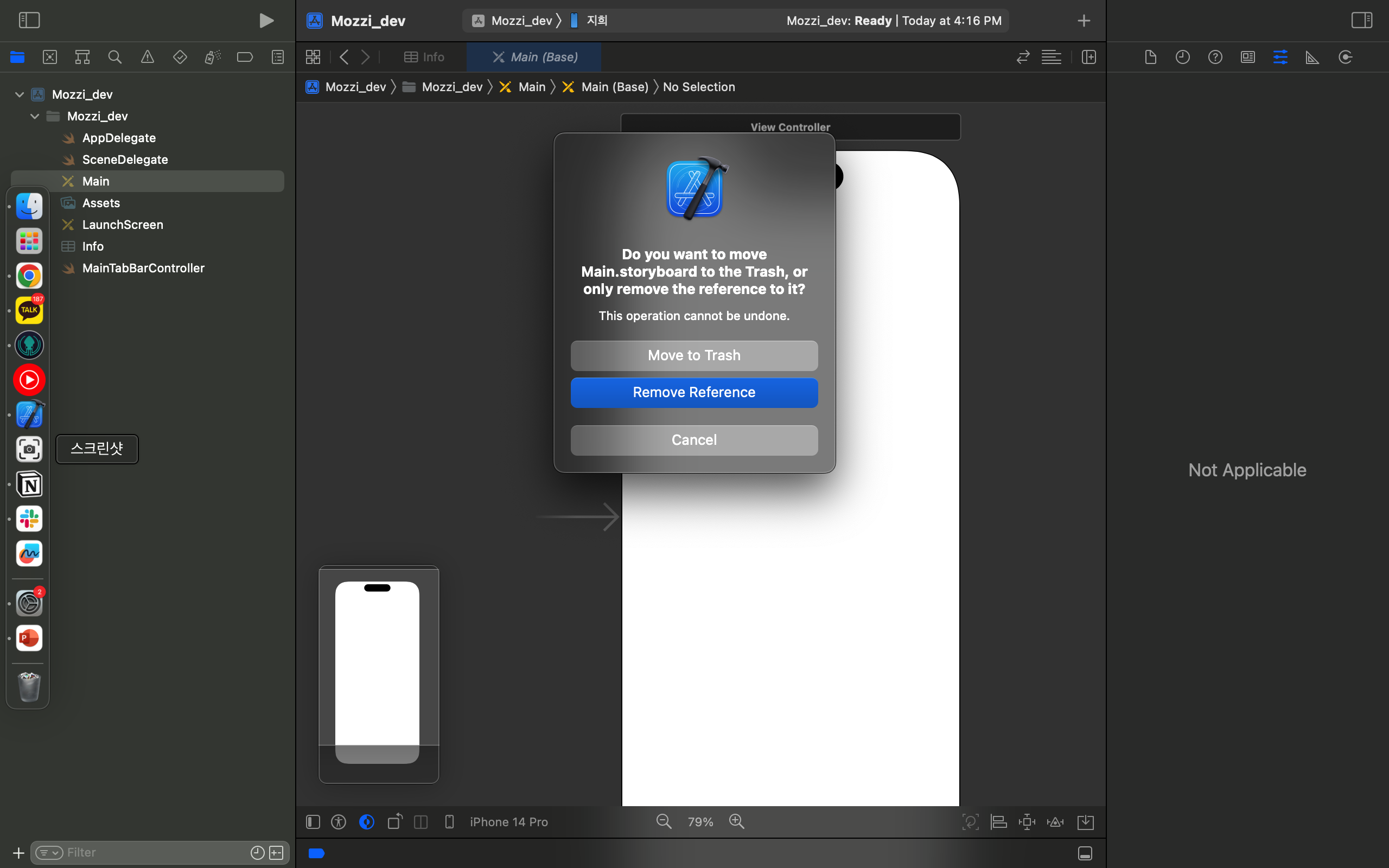
1. 스토리 보드 삭제
폴더에 있는 Main.stroyboard를 삭제합니다.
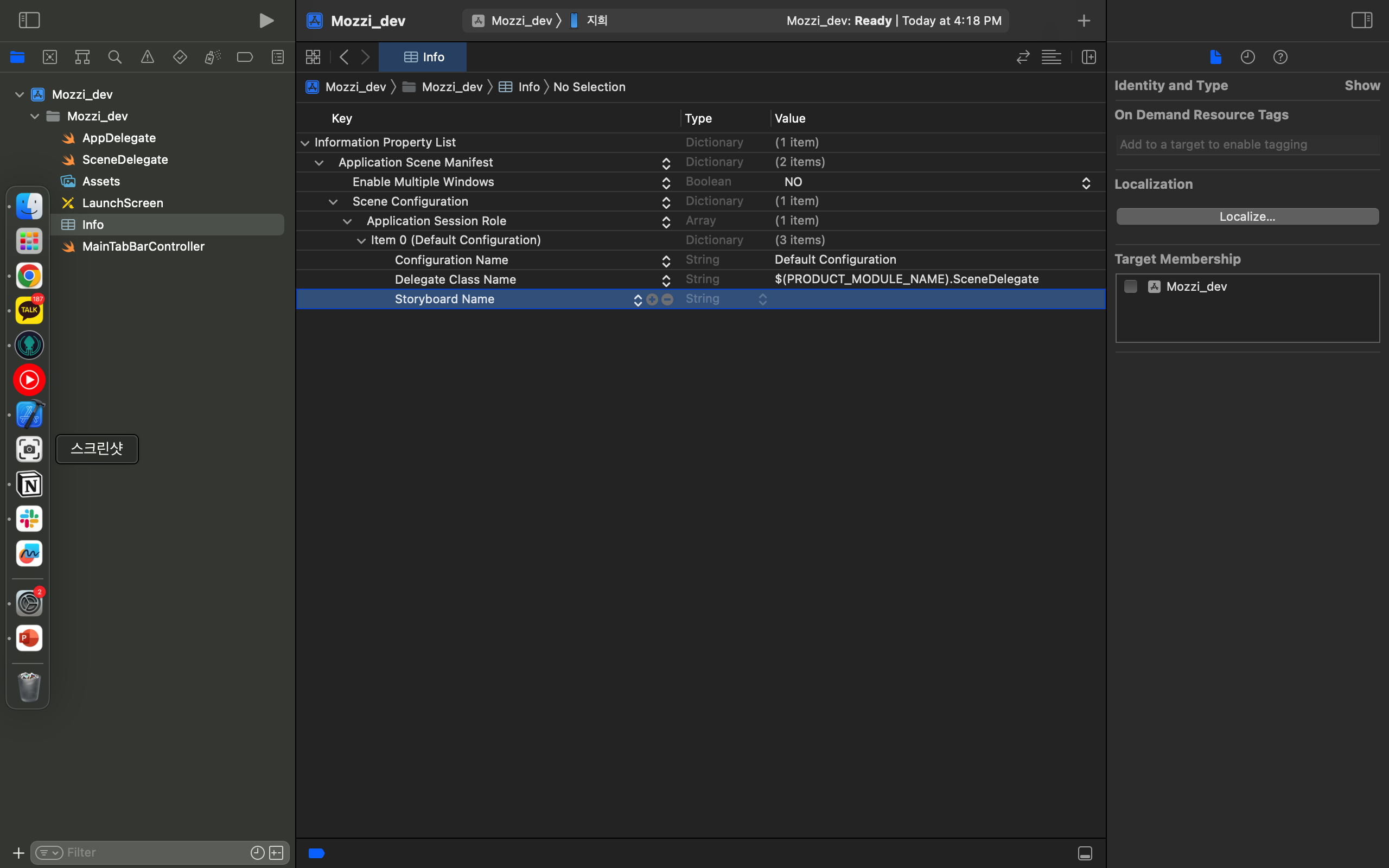
2. info.plist 변경
info.plist로 이동하여 'Storyboard Name'을 삭제해줍니다.
빌드 시 에러가 발생한다면 여기를 확인해보세용!
3. Scene Delegate 설정
기본 Window의 경우
    func scene(_ scene: UIScene, willConnectTo session: UISceneSession, options connectionOptions: UIScene.ConnectionOptions) {
        //guard let _ = (scene as? UIWindowScene) else { return }
        guard let windowScene = (scene as? UIWindowScene) else {return}
        window = UIWindow(windowScene: windowScene)
        let mainViewController = ViewController()

        window?.rootViewController = mainViewController
        window?.makeKeyAndVisible()
    }
TabBarController인 경우
 func scene(_ scene: UIScene, willConnectTo session: UISceneSession, options connectionOptions: UIScene.ConnectionOptions) {
        guard let windowScene = (scene as? UIWindowScene) else { return }
        window = UIWindow(windowScene: windowScene) // SceneDelegate의 프로퍼티에 설정해줌

        let mainTabBarController = MainTabBarController()
        // 맨 처음 보여줄 ViewController

        window?.rootViewController = mainTabBarController
        window?.makeKeyAndVisible()
        window?.windowScene = windowScene
    }
NavigationController인 경우
func application(_ application:UIApplication, didFinishLaunchingWithOptionslaunchOptions:[UIApplication.LaunchOptionsKey: Any]?) -> Bool {
// Override point for customization after application launch.
window = UIWindow(frame:UIScreen.main.bounds)
window?.makeKeyAndVisible()
let rootViewcontroller = UINavigationController(rootViewController: NavigationViewController())
window?.rootViewController = rootViewcontroller
return true
}var window: UIWindow?
func scene(_ scene: UIScene, willConnectTo session: UISceneSession, options connectionOptions: UIScene.ConnectionOptions) {
// 1.
guard let windowScene = (scene as? UIWindowScene) else { return }
// 2.
self.window = UIWindow(windowScene: windowScene)
// 3.
let navigationController = UINavigationController(rootViewController: ViewController())
self.window?.rootViewController = navigationController
// 4.
self.window?.makeKeyAndVisible()
}
```