📗 프로비저닝 - Nginx
🏳️🌈 [궁금한점]
- Bitnami 차트를 이용한 Nginx 설치 방법
🔗[목차]
Nginx 설치
1️⃣ 준비 - 헬름 차트 다운로드
helm pull oci://registry-1.docker.io/bitnamicharts/nginx --untar

Pulled: registry-1.docker.io/bitnamicharts/nginx:20.0.3
Digest: sha256:6e6683208cd289784193b8562b760f841cd64bd549f365704a8089082258adfe
cd nginx2️⃣ 설정 - 사용자 Values 파일 생성
cp values.yaml dev-values.yaml- dev-values.yaml 파일 편집
- 아래 내용 남기고 삭제
service:
  type: NodePort
3️⃣ 설치 - Nginx 설치
helm install mynginx . -n mydev --create-namespace -f dev-values.yaml

NAME: mynginx
LAST DEPLOYED: Fri May 30 13:00:53 2025
NAMESPACE: mydev
STATUS: deployed
REVISION: 1
TEST SUITE: None
NOTES:
CHART NAME: nginx
CHART VERSION: 20.0.4
APP VERSION: 1.28.0

Did you know there are enterprise versions of the Bitnami catalog? For enhanced secure software supply chain features, unlimited pulls from Docker, LTS support, or application customization, see Bitnami Premium or Tanzu Application Catalog. See https://www.arrow.com/globalecs/na/vendors/bitnami for more information.

** Please be patient while the chart is being deployed **
NGINX can be accessed through the following DNS name from within your cluster:

    mynginx.mydev.svc.cluster.local (port 80)

To access NGINX from outside the cluster, follow the steps below:

1. Get the NGINX URL by running these commands:

    export NODE_PORT=$(kubectl get --namespace mydev -o jsonpath="{.spec.ports[0].nodePort}" services mynginx)
    export NODE_IP=$(kubectl get nodes --namespace mydev -o jsonpath="{.items[0].status.addresses[0].address}")
    echo "http://${NODE_IP}:${NODE_PORT}"

WARNING: There are "resources" sections in the chart not set. Using "resourcesPreset" is not recommended for production. For production installations, please set the following values according to your workload needs:
  - cloneStaticSiteFromGit.gitSync.resources
  - resources
+info https://kubernetes.io/docs/concepts/configuration/manage-resources-containers/
노드 아이피, 포트 확인
export NODE_PORT=$(kubectl get --namespace mydev -o jsonpath="{.spec.ports[0].nodePort}" services mynginx)
export NODE_IP=$(kubectl get nodes --namespace mydev -o jsonpath="{.items[0].status.addresses[0].address}")
echo "http://${NODE_IP}:${NODE_PORT}"
4️⃣ 검증 - 설치 확인
리소스 상태
k get all -n mydev

NAME                           READY   STATUS    RESTARTS   AGE
pod/mynginx-86798488b8-khwsd   1/1     Running   0          50s

NAME              TYPE       CLUSTER-IP       EXTERNAL-IP   PORT(S)                      AGE
service/mynginx   NodePort   10.103.131.231   <none>        80:32397/TCP,443:31680/TCP   50s

NAME                      READY   UP-TO-DATE   AVAILABLE   AGE
deployment.apps/mynginx   1/1     1            1           50s

NAME                                 DESIRED   CURRENT   READY   AGE
replicaset.apps/mynginx-86798488b8   1         1         1       50s
CURL 테스트
curl http://192.168.56.10:32397<!DOCTYPE html>
<html>
<head>
<title>Welcome to nginx!</title>
<style>
html { color-scheme: light dark; }
body { width: 35em; margin: 0 auto;
font-family: Tahoma, Verdana, Arial, sans-serif; }
</style>
</head>
<body>
<h1>Welcome to nginx!</h1>
<p>If you see this page, the nginx web server is successfully installed and
working. Further configuration is required.</p>
<p>For online documentation and support please refer to
<a href="http://nginx.org/">nginx.org</a>.<br/>
Commercial support is available at
<a href="http://nginx.com/">nginx.com</a>.</p>
<p><em>Thank you for using nginx.</em></p>
</body>
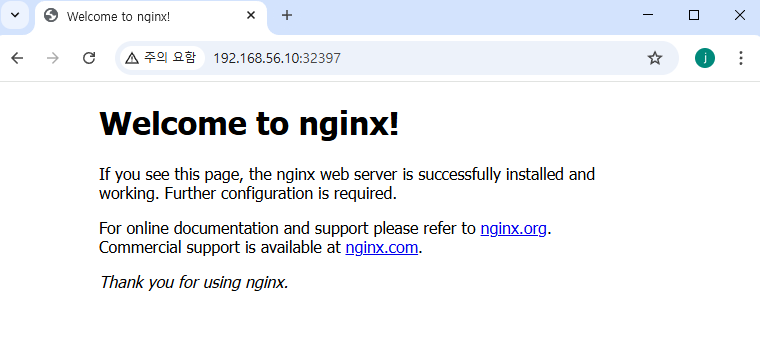
</html>브라우저 확인

khagor