
안녕하세요. 별똥별🌠입니다!
이번 글에서는 Composable Architecture (TCA)를 활용해 FocusState를 관리하는 방법을 소개합니다.
특히 사용자 입력 필드의 초점을 제어하여 보다 직관적인 폼 인터페이스를 제공하는 사례를 살펴보겠습니다.
1️⃣ Reducer 정의
FocusDemo Reducer는 사용자 입력 필드의 상태를 관리하며, 로그인 버튼 클릭 시 적절한 필드에 초점을 설정하는 로직을 포함합니다.
@Reducer
struct FocusDemo {
    @ObservableState
    struct State: Equatable {
        var focusedField: Field?
        var password: String = ""
        var username: String = ""

        enum Field: String, Hashable {
            case username, password
        }
    }

    enum Action: BindableAction {
        case binding(BindingAction<State>)
        case signInButtonTapped
    }

    var body: some Reducer<State, Action> {
        BindingReducer()
        Reduce { state, action in
            switch action {
            case .binding:
                return .none

            case .signInButtonTapped:
                if state.username.isEmpty {
                    state.focusedField = .username
                } else if state.password.isEmpty {
                    state.focusedField = .password
                }
                return .none
            }
        }
    }
}
주요 포인트
- State 정의
- focusedField: 현재 초점이 맞춰진 필드를 나타내며, nil일 경우 초점이 해제됩니다.
- username 및 password: 텍스트 필드의 입력 값을 저장합니다.
- Field: 초점 상태를 관리하는 열거형으로, username과 password 필드를 구분합니다.
- Action 정의
- binding: @Bindable을 통해 텍스트 필드 값이 변경될 때 호출됩니다.
- signInButtonTapped: 로그인 버튼 클릭 시 초점을 제어합니다.
- Reducer 로직
- BindingReducer(): 바인딩된 상태와 액션 간의 데이터 흐름을 처리합니다.
- signInButtonTapped:
- username 필드가 비어 있으면 focusedField를 .username으로 설정합니다.
- password 필드가 비어 있으면 focusedField를 .password로 설정합니다.
2️⃣ View 구현
FocusDemoView는 Reducer와 연결된 상태 및 액션을 기반으로 사용자 인터페이스를 구성합니다.
struct FocusDemoView: View {
    @Bindable var store: StoreOf<FocusDemo>
    @FocusState var focusedField: FocusDemo.State.Field?

    var body: some View {
        Form {
            AboutView(readMe: readMe)

            VStack {
                TextField("Username", text: $store.username)
                    .focused($focusedField, equals: .username)
                SecureField("Password", text: $store.password)
                    .focused($focusedField, equals: .password)
                Button("Sign In") {
                    store.send(.signInButtonTapped)
                }
                .buttonStyle(.borderedProminent)
            }
            .textFieldStyle(.roundedBorder)
        }
        // Synchronize store focus state and local focus state.
        .bind($store.focusedField, to: $focusedField)
        .navigationTitle("Focus demo")
    }
}
주요 포인트
- @Bindable와 @FocusState 연동
- @Bindable: TCA 상태와 바인딩하여 텍스트 필드 입력값을 관리합니다.
- @FocusState: SwiftUI의 FocusState를 활용해 필드 초점을 제어합니다.
- focused Modifier
- 각 텍스트 필드에 대해 초점을 설정할 조건(equals)을 지정합니다.
- focused($focusedField, equals: .username): focusedField가 .username일 때 해당 필드에 초점이 맞춰집니다.
- 로그인 버튼 동작
- "Sign In" 버튼을 클릭하면 signInButtonTapped 액션이 호출되고, 입력값에 따라 적절한 필드에 초점이 이동합니다.
- bind로 상태 동기화
- store.focusedField와 focusedField를 동기화하여 TCA 상태와 SwiftUI의 FocusState를 연결합니다.
3️⃣ Preview 구현
Preview를 통해 UI 동작을 테스트할 수 있습니다.
#Preview {
    NavigationStack {
        FocusDemoView(
            store: Store(initialState: FocusDemo.State()) {
                FocusDemo()
            }
        )
    }
}
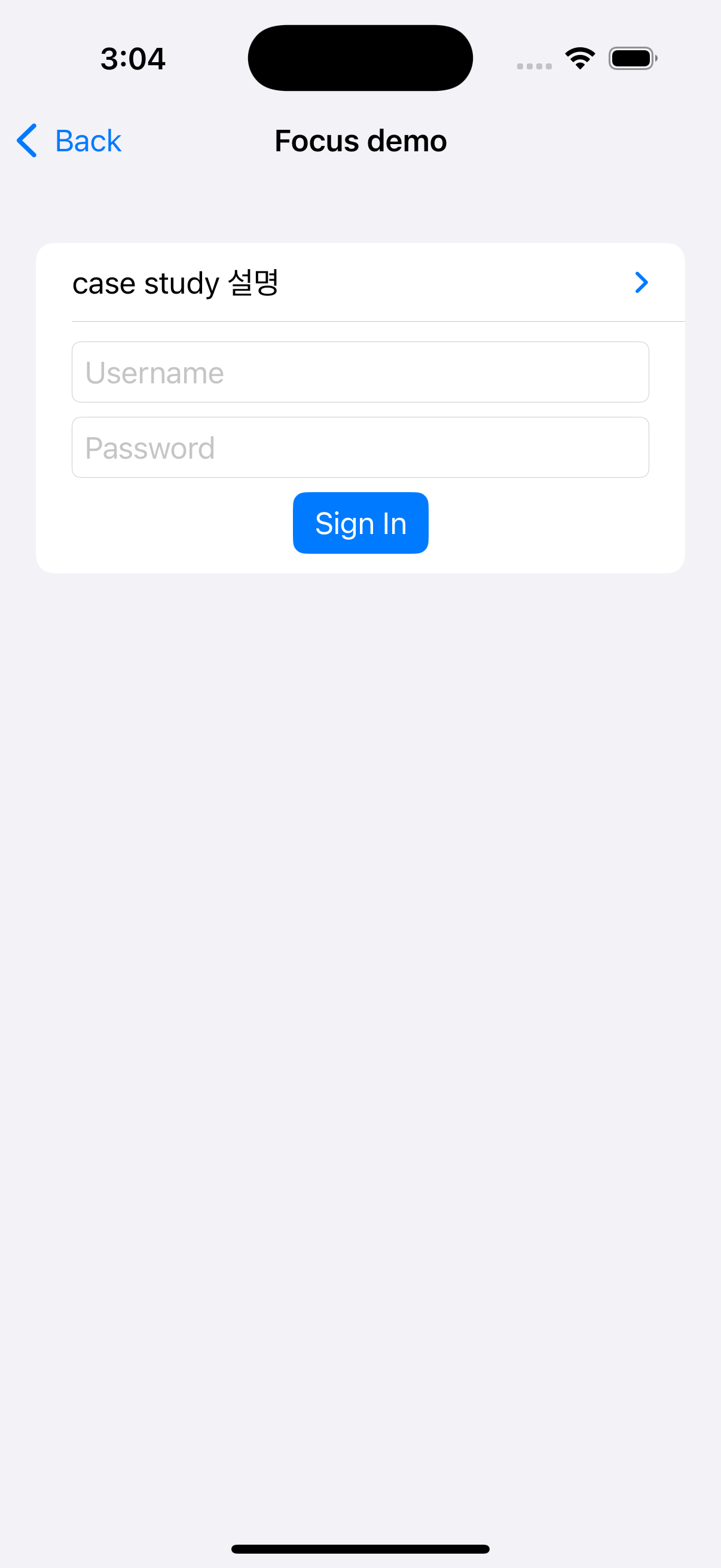
🌟 핵심 포인트 정리
- @FocusState와 TCA 상태 동기화
- TCA의 상태(focusedField)와 SwiftUI의 FocusState를 연결하면 초점 상태를 단방향 데이터 흐름으로 관리할 수 있습니다.
- 사용자 경험 향상
- 로그인 버튼 클릭 시 필수 입력값이 비어 있는 경우 해당 필드로 자동으로 초점이 이동하여, 사용자 경험을 개선합니다.
- bind로 일관된 상태 관리
- .bind를 사용해 TCA의 상태와 SwiftUI의 상태를 연결하여, 양방향 데이터 흐름을 구현합니다.
마무리
이번 사례를 통해 TCA와 FocusState를 활용하여 사용자 입력 필드 초점을 관리하는 방법을 배웠습니다.
이처럼 TCA의 강력한 상태 관리 기능을 활용하면 UI와 로직을 명확히 분리하면서도 직관적인 사용자 경험을 제공할 수 있습니다. 😊
다음 시간에는 또 다른 유용한 TCA 활용 사례로 찾아오겠습니다! 🌠

밍밍