Everything You Need to Know About DST File: A Humanized Guide to Embroidery File Formats
In the world of embroidery, technology and craftsmanship meet to produce intricate designs that bring fabric to life. One of the most critical components in this process is the DST file—a standard embroidery file format that tells machines exactly how to stitch a design.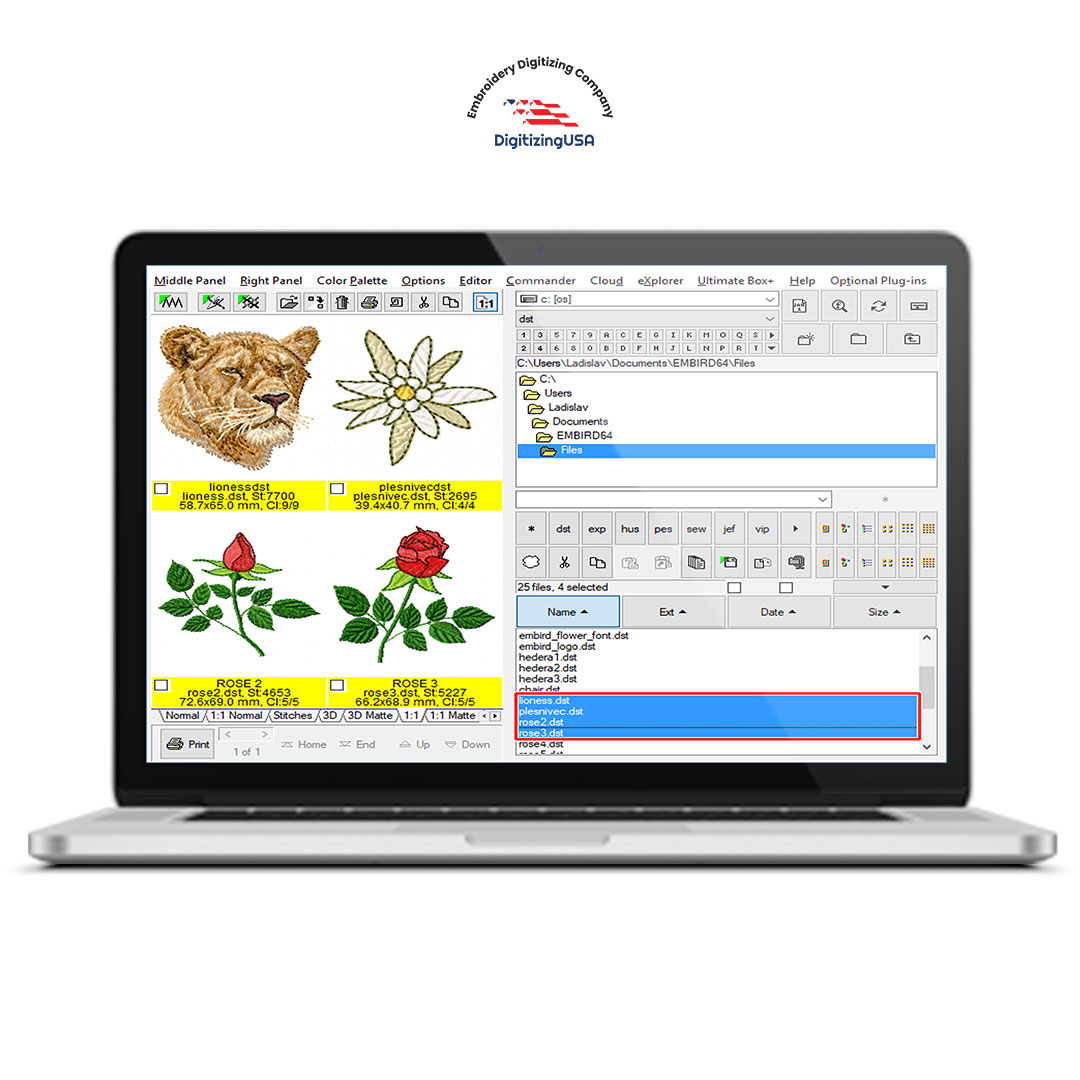
Understanding embroidery file formats with humanized content is essential for anyone involved in embroidery, from hobbyists to professionals. A properly digitized DST file ensures your design maintains clarity, color accuracy, and durability on the chosen fabric. In this comprehensive guide, we’ll explore what a DST file is, how it works, its advantages, and best practices for creating and using these files with humanized digitizing expertise.
dst file
What is a DST File?
A DST file is a type of embroidery file format developed by Tajima, a leading manufacturer of embroidery machines. Unlike a regular image file, a DST file contains machine-readable instructions including:
Stitch type (satin, fill, running, or specialty stitches)
Stitch sequence and direction
Coordinates for every stitch
Thread color changes
DST files are widely used in industrial and commercial embroidery because of their compatibility and reliability. Almost all major embroidery machines can read DST files, making it a universal choice for professional embroidery production.
Why DST Files Are Important in Embroidery
While embroidery machines can technically run other file types, DST files provide several key advantages:
Compatibility – Works with most commercial embroidery machines.
Precision – Maintains accurate stitch placement, resulting in clean, crisp designs.
Efficiency – Optimized stitch sequences reduce production time and thread breakage.
Scalability – Suitable for both small custom projects and mass production.
Durability – Properly digitized DST files ensure designs hold up after washing and frequent use.
Without a well-prepared DST file, even the highest-quality machine cannot reproduce a design accurately.
Embroidery File Formats: A Quick Overview
DST is just one of many embroidery file formats. Others include:
PES (Brother, Babylock, Bernina) – Popular for home and commercial machines.
EXP (Melco) – Often used in industrial embroidery.
JEF (Janome) – Designed for Janome machines.
VP3 (Husqvarna / Pfaff / Viking) – Specific to certain proprietary machines.
XXX (Singer) – Used in some Singer embroidery machines.
Each format has its own specifications, but all share the same goal: converting artwork into stitch instructions that machines can execute. Humanized digitizing ensures these formats are optimized for stitch quality, fabric type, and design aesthetics.
The Role of Humanized Embroidery Digitizing
While software can automatically convert artwork into DST files, automated digitizing often misses critical details. Humanized embroidery digitizing ensures each design is carefully optimized by a professional who understands:
Fabric behavior and stability
Thread tension and density
Design placement and scale
Stitch flow to minimize breaks
Color blending and shading
This human touch guarantees that the DST file not only functions technically but also produces embroidery that looks polished, professional, and visually appealing.
Step-by-Step Process for Creating a DST File
1. Artwork Evaluation
The digitizer reviews the artwork to determine its suitability for embroidery. Highly detailed or complex images may need simplification for optimal stitching.
- Design Cleanup
Refining shapes, smoothing lines, and adjusting colors ensures the design translates well to thread.
- Stitch Type Selection
Different areas of the design require specific stitch types:
Satin stitches for borders and lettering
Fill (tatami) stitches for large areas
Running stitches for fine details
4. Stitch Direction and Density
Stitch direction impacts shading and texture. Density must balance coverage and fabric integrity.
- Underlay Stitches
Underlay stabilizes the fabric, preventing distortion and ensuring a clean top stitch.
- Sequence Planning
Stitch sequencing is planned to reduce thread breaks and machine stops, increasing production efficiency.
- Test Stitching
A test run identifies potential issues and allows fine-tuning before final production.
- File Export
The final DST file is exported and ready for use in embroidery machines. Some digitizers also provide additional formats (PES, EXP) for versatility.
Common Mistakes to Avoid with DST Files
Overcomplicating Designs – Tiny details may not stitch well. Simplify if necessary.
Ignoring Fabric Type – Different fabrics need different stitch densities and underlay.
Skipping Test Runs – Errors may only become visible during production.
Using Low-Resolution Artwork – Poor-quality images lead to distorted embroidery.
Humanized digitizing addresses all these pitfalls, ensuring every DST file is optimized for flawless stitching.
Practical Tips for Working with DST Files
Use High-Quality Artwork – Vector files (AI, EPS, SVG) are ideal.
Specify Fabric Details – Provide information about type, thickness, and stretch.
Request Test Stitches – Test outputs prevent errors and save materials.
Work with Experienced Digitizers – Professionals optimize stitch placement, density, and flow.
Keep Backup Files – Always store the original DST and any converted formats for future use.
Applications of DST Files in Embroidery
Custom Apparel – T-shirts, jackets, hats, and hoodies.
Corporate Branding – Logos and uniform embroidery for a professional look.
Monograms and Personalized Gifts – Weddings, anniversaries, and special occasions.
Patches and Badges – Organizations, clubs, and schools.
Creative Textile Projects – Art, home décor, and intricate designs.
A well-digitized DST file ensures each project comes out perfect, whether it’s a small custom order or large-scale production.
Case Study: DST File Optimization for a Clothing Brand
A clothing brand used a simple automated DST conversion for their logo. The result: uneven stitching, distorted letters, and inconsistent thread tension. After switching to a professional embroidery digitizing service with humanized content, they achieved:
Smooth and precise stitch alignment
Accurate color blending
Increased production efficiency
Reduced material waste
This demonstrates the importance of human expertise in DST file creation.
Future of DST Files and Embroidery Digitizing
The embroidery industry is evolving with technology:
AI-Assisted Digitizing with Human Oversight – Faster processing without sacrificing quality.
3D Embroidery Effects – Adding depth and texture to traditional designs.
Cloud-Based Collaboration – Designers and digitizers can work remotely and efficiently.
Advanced Color Blending – Enhanced shading and gradients for realistic embroidery effects.
Despite technological advances, humanized digitizing remains the cornerstone of professional DST file quality.
Conclusion
A DST file is much more than a digital format—it’s the blueprint that brings embroidery designs to life. When paired with humanized embroidery digitizing, DST files ensure precision, durability, and visual appeal.
Whether you’re producing corporate logos, custom apparel, or intricate textile art, investing in professional digitizing services ensures every stitch is perfectly placed and every design meets the highest quality standards. In embroidery, details matter—and the right DST file makes all the difference.
embroidery file format