HTML 기본 레이아웃 구성
- wrapper(전체)
- header(헤더)
- article(content)
- footer
slide 레이아웃
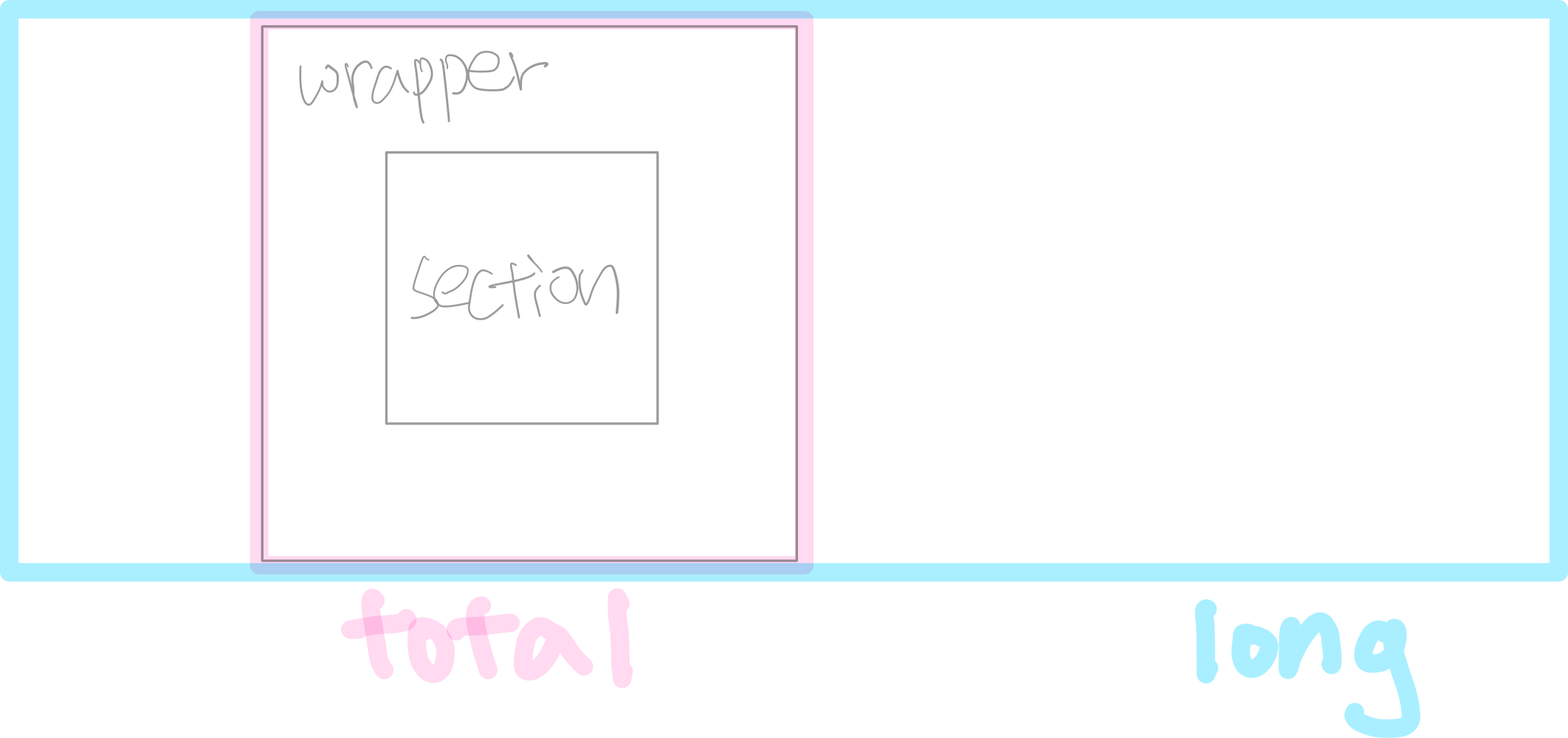
- html : 화면 전체
- total : 보여주고자하는 화면 (렌즈)
- long : 보여지는 내용 전체 (기차 전체 길이)
- wrapper : 내용 1칸 (기차 한 칸)
- section(or article) : 코어 내용
code
<!DOCTYPE html>
<html lang="en">
<head>
    <meta charset="UTF-8">
    <meta name="viewport" content="width=device-width, initial-scale=1.0">
    <title>slide_homework</title>
    <style>
        *{
            margin: 0;
            padding: 0;
        }
        .total{
            position: relative;
        }
        .menus{
            display: flex;
            width: 800px;
            height: 50px;
            background-color: rgba(200,200,200,1);
            position: fixed;
            z-index: 1;
        }
        .menu{
            position: relative;
            width: 200px;
            height: 50px;
            text-align: center;
            line-height: 50px;
        }
        .section{
            position: relative;
            top: 50px;
                }
        .wrapper{
            position: relative;
            overflow: auto;
            width: 800px;
            height: 500px;
        }
        .long{
            position: absolute;
            left: 0px;
            top: 52.405px;
            display: flex;
            width: 2400px;
        }
        img{
            width: 800px;
        }
        .btn{
            width: 50px;
            height: 50px;
            background-color: rgba(200,200,200,0.3);
            text-align: center;
            line-height: 50px;
            border-radius: 25px;
            position: sticky;
            top: 225px;
            z-index: 1;
        }
        .back{
            left: 0px;
        }
        .next{
            left: 750px;
        }
    </style>
</head>
<body>
    <h1>저소음</h1>
    <div class="total">
        <div class="menus">
            <div class="menu cur">상세정보</div>
            <div class="menu">리뷰</div>
            <div class="menu">Q&A</div>
            <div class="menu">반품/교환정보</div>
        </div>
        <div class="section">
            <p>내용</p>
            <p>내용</p>
            <p>내용</p>
            <p>내용</p>
            <p>내용</p>
            <p>내용</p>
            <p>내용</p>
            <p>내용</p>
            <p>내용</p>
            <p>내용</p>
            <p>내용</p>
            <p>내용</p>
            <p>내용</p>
            <p>내용</p>
            <p>내용</p>
            <p>내용</p>
            <p>내용</p>
            <p>내용</p>

            <div class="wrapper">
                <div class="btn back"><</div>
                <div class="btn next">></div>
                <div class="long">
                    <img src="./source/ls.png" alt="">
                    <img src="./source/mg.png" alt="">
                    <img src="./source/a.png" alt="">
                </div>
            </div>
            <p>내용</p>
            <p>내용</p>
            <p>내용</p>
            <p>내용</p>
            <p>내용</p>
            <p>내용</p>
            <p>내용</p>
            <p>내용</p>
            <p>내용</p>
            <p>내용</p>
            <p>내용</p>
            <p>내용</p>
            <p>내용</p>
            <p>내용</p>
            <p>내용</p>
            <p>내용</p>
            <p>내용</p>
            <p>내용</p>
        </div>
    </div>
</body>
</html>
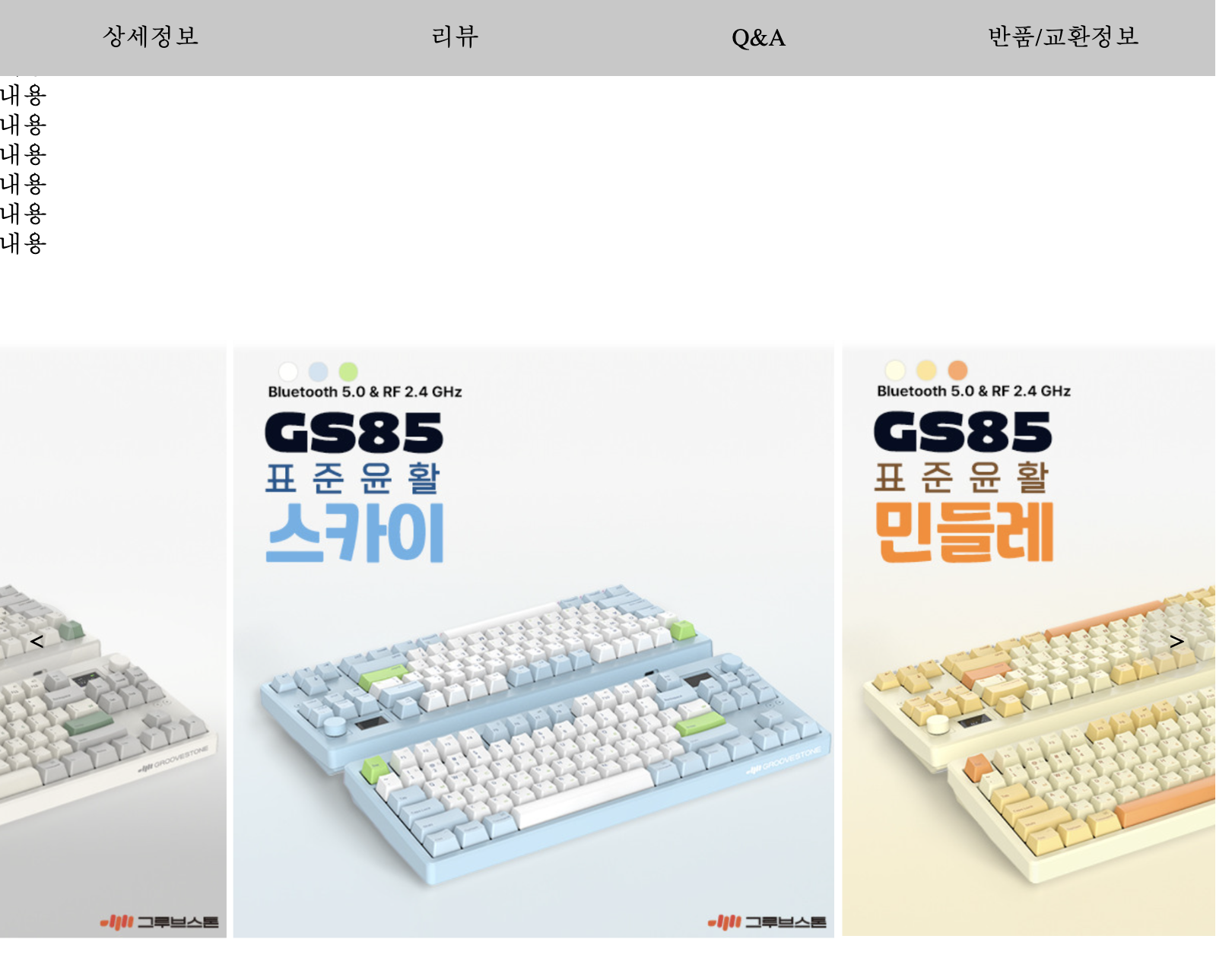
Q&A
왜 absolute 는 글자가 겹쳐서 붙지 않을까?
- {float:;} 와 달리 {position:absolute;} 는 글자가 있으면 글자도 블록으로 판단하여 그 아래에 붙음
- 즉, 글자가 없으면 바로 붙음
- 반대로 {float:;}는 그 위에 떠있는 형태이기 때문에 겹쳐서 붙음
float를 레이아웃 짤 때 사용시 문제점
- float는 떠다니도록 설정하는 문법으로 부모태그와 상관없이 설정되어 height를 반드시 지정해주어야한다.
즉, 내용이 박스를 넘어가면 저절로 늘어나지 않고 height값을 변경해주어야 한다.