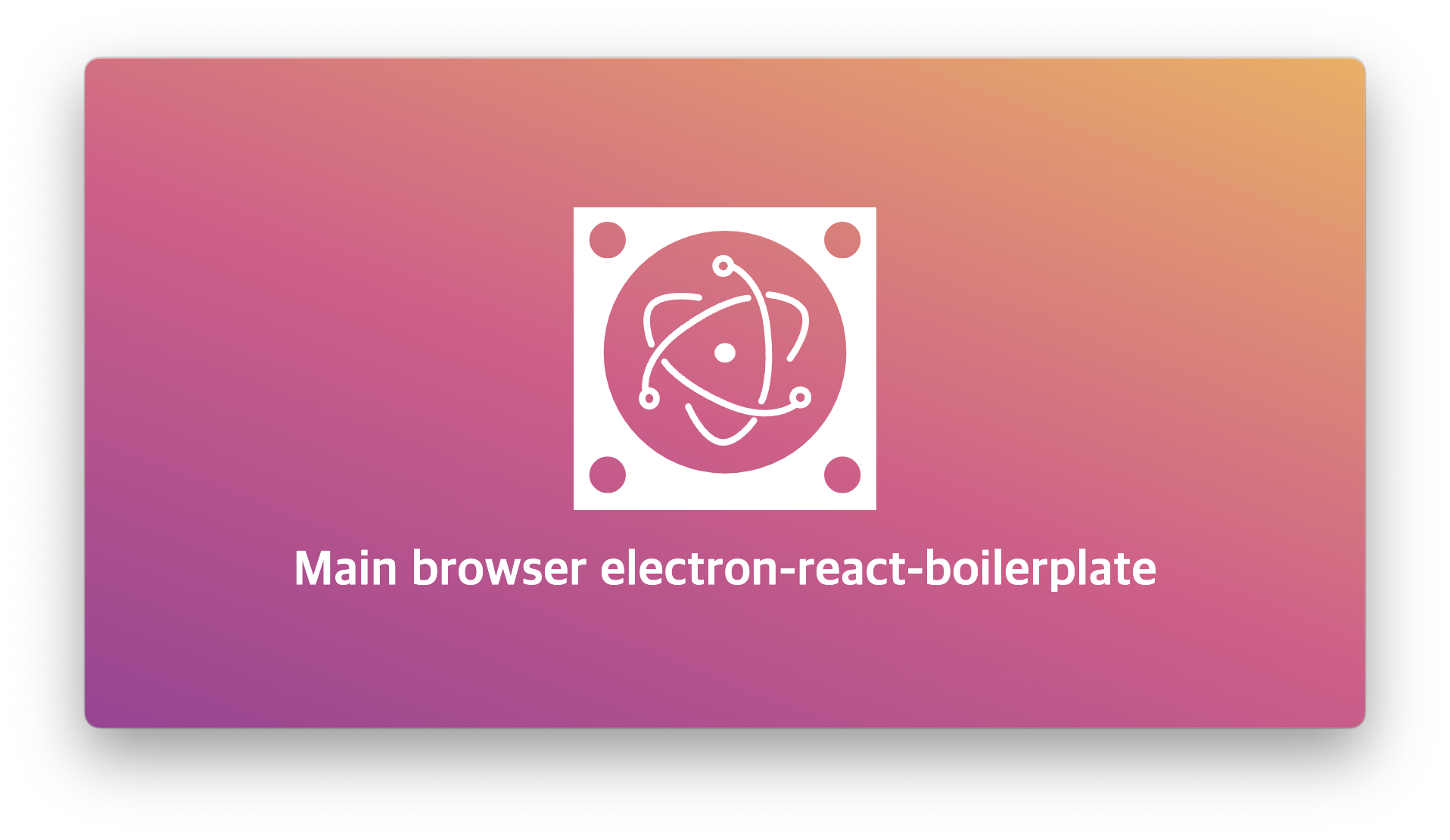
tsx,ejs 파일 추가하기
renderer 폴더 하위에 새로운 Browser 창을 추가할 디렉토리 생성 후 파일명.tsx, 파일명.ejs, index.tsx 파일을 생성
Electron-React-Boilerplate에서 .tsx, index.tsx, .ejs가 세트처럼 사용되는 이유는 이 구조가 Electron의 메인 프로세스와 렌더러 프로세스 간의 작업 분리와 효율적인 통신과 React를 활용한 UI 개발을 통합하기 때문
/**
* index.tsx
* React의 시작 포인트로 DOM을 랜더링함
*/
import { createRoot } from 'react-dom/client';
import Main from './Main';

const container = document.getElementById('root') as HTMLElement;

// browser window에 사용할 dom 선택을 위해 분기문 추가
//분기문 추가를 안 할 경우 webpack에서 마지막으로 세팅한 화면으로만 browserWindow가 노출될 가능성이 있음.
//기존 index.tsx에도 해당 분기문 추가 container.getAttribute('data-type') == 'index'
if (container.getAttribute('data-type') == 'main') {
  const root = createRoot(container);
  root.render(<Main />);
}
<!--main.ejs
BrowserWindow가 로드할 기본 HTML 파일
-->
<!DOCTYPE html>
<html>
<head>
<meta charset="utf-8" />
<meta
http-equiv="Content-Security-Policy"
content="script-src 'self' 'unsafe-inline'"
/>
<title>Hello Electron React!</title>
</head>
<body>
<!--data-type 설정... index.ejs에도 data-type 설정을 추가해주어야한다.-->
<div id="root" data-type="main"></div>
</body>
</html>/**
* Main.tsx
* React UI 기능 구현
*/
import { MemoryRouter as Router, Routes, Route } from 'react-router-dom';
import icon from 'assets/icon.svg';
import 'css/App.css';
function Hello() {
return (
<div>
<div className="Hello">
<img width="200" alt="icon" src={icon} />
</div>
<h1>Main browser electron-react-boilerplate</h1>
</div>
);
}
export default function Main() {
return (
<Router>
<Routes>
<Route path="/" element={<Hello />} />
</Routes>
</Router>
);
}webpack 등록
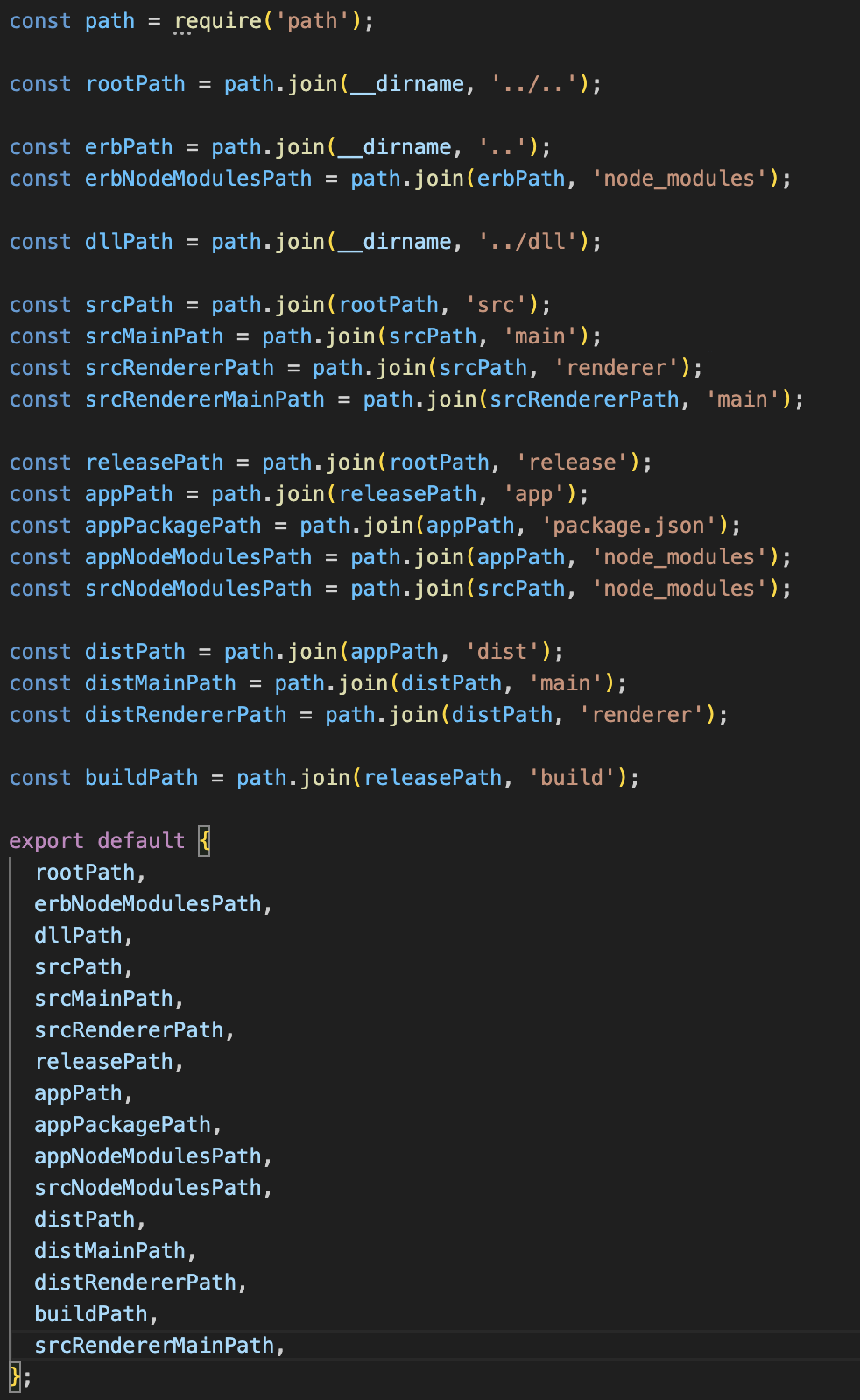
추가한 Browser를 개발에서 실행, 배포하기 위해 설정 추가가 필요
/**
 .erd/webpack.config.renderer.dev.ts
*/
...
const srcRendererMainPath = path.join(srcRendererPath, 'main');
...
/**
.erd/webpack.config.renderer.dev.ts // 개발 실행용
.erd/webpack.config.renderer.prod.ts // 배포용
*/
...,
  entry: [
    'webpack/hot/only-dev-server',
    path.join(webpackPaths.srcRendererPath, 'index.tsx'),
    path.join(webpackPaths.srcRendererMainPath, 'index.tsx'),
  ],
...,
  plugins: [
    ...,
    new HtmlWebpackPlugin({
      filename: path.join('index.html'),
      template: path.join(webpackPaths.srcRendererPath, 'index.ejs'),
      minify: {
        collapseWhitespace: true,
        removeAttributeQuotes: true,
        removeComments: true,
      },
      isBrowser: false,
      env: process.env.NODE_ENV,
      isDevelopment: process.env.NODE_ENV !== 'production',
      nodeModules: webpackPaths.appNodeModulesPath,
    }),
    new HtmlWebpackPlugin({
      filename: path.join('main.html'),
      template: path.join(webpackPaths.srcRendererPath, 'main/main.ejs'),
      minify: {
        collapseWhitespace: true,
        removeAttributeQuotes: true,
        removeComments: true,
      },
      isBrowser: false,
      env: process.env.NODE_ENV,
      isDevelopment: process.env.NODE_ENV !== 'production',
      nodeModules: webpackPaths.appNodeModulesPath,
    }),
  ],
소스 수정 후 실행 시 오류가 발생할 가능성이 있음.. 저같은 경우 아래와 같은 오류가 발생했습니다...
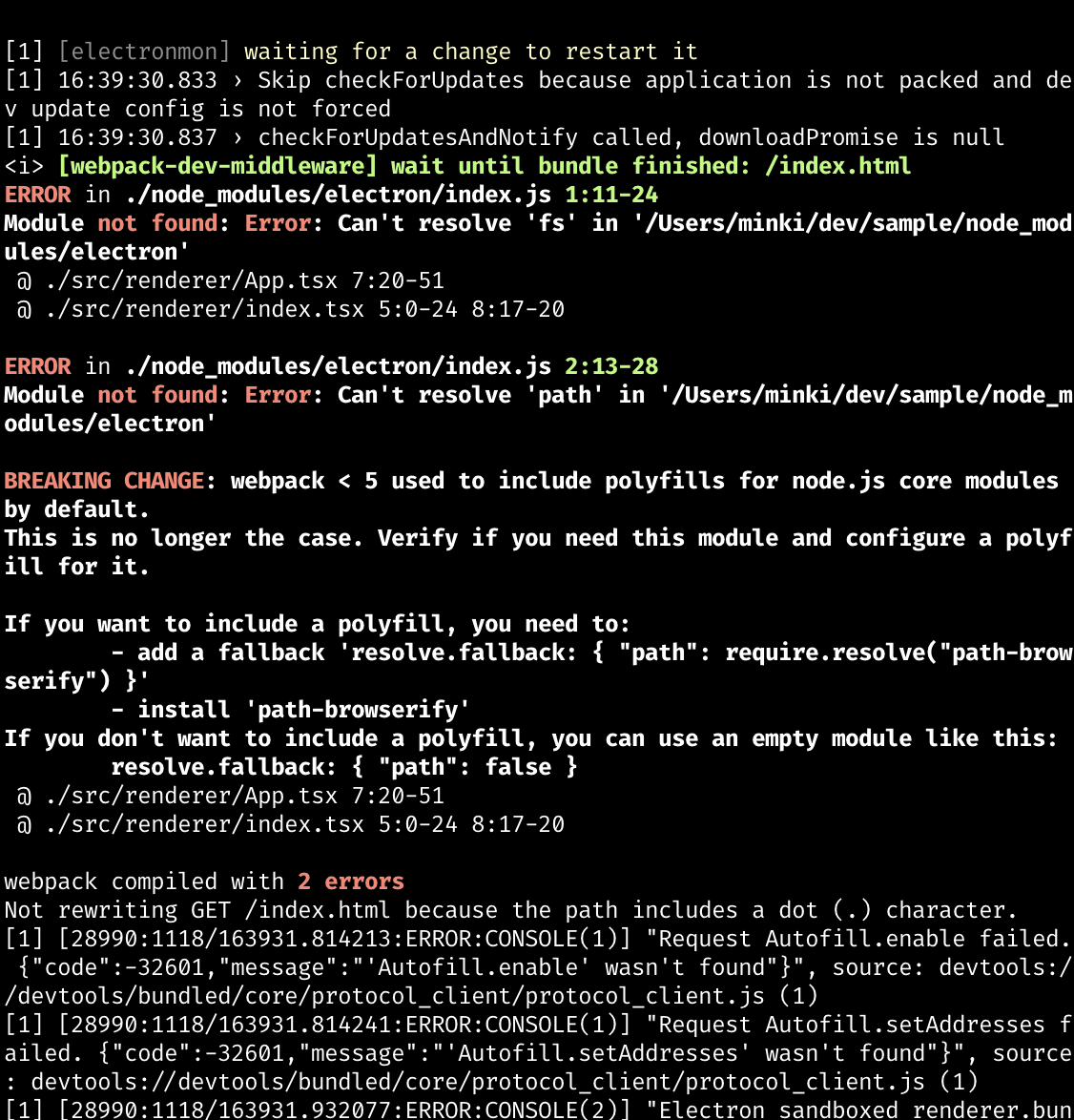
비슷한 오류가 난 경우 path, process, querystring-es3 npm 설치하시면 됩니다.
설치 후 webpack.config.base.ts 파일 수정
resolve: {
    extensions: ['.js', '.jsx', '.json', '.ts', '.tsx'],
    modules: [webpackPaths.srcPath, 'node_modules'],
    // There is no need to add aliases here, the paths in tsconfig get mirrored
    plugins: [new TsconfigPathsPlugins()],
    fallback: {
      querystring: require.resolve('querystring-es3'),
      path: false,
      os: false,
      fs: false,
      util: false,
      url: false,
      http: false,
      https: false,
    }, // 해당 옵션 추가
  },
새 Browser Window를 띄우기 위한 세팅이 정상적으로 완료될 경우 실행이 잘 되는 걸 확인할 수 있다~
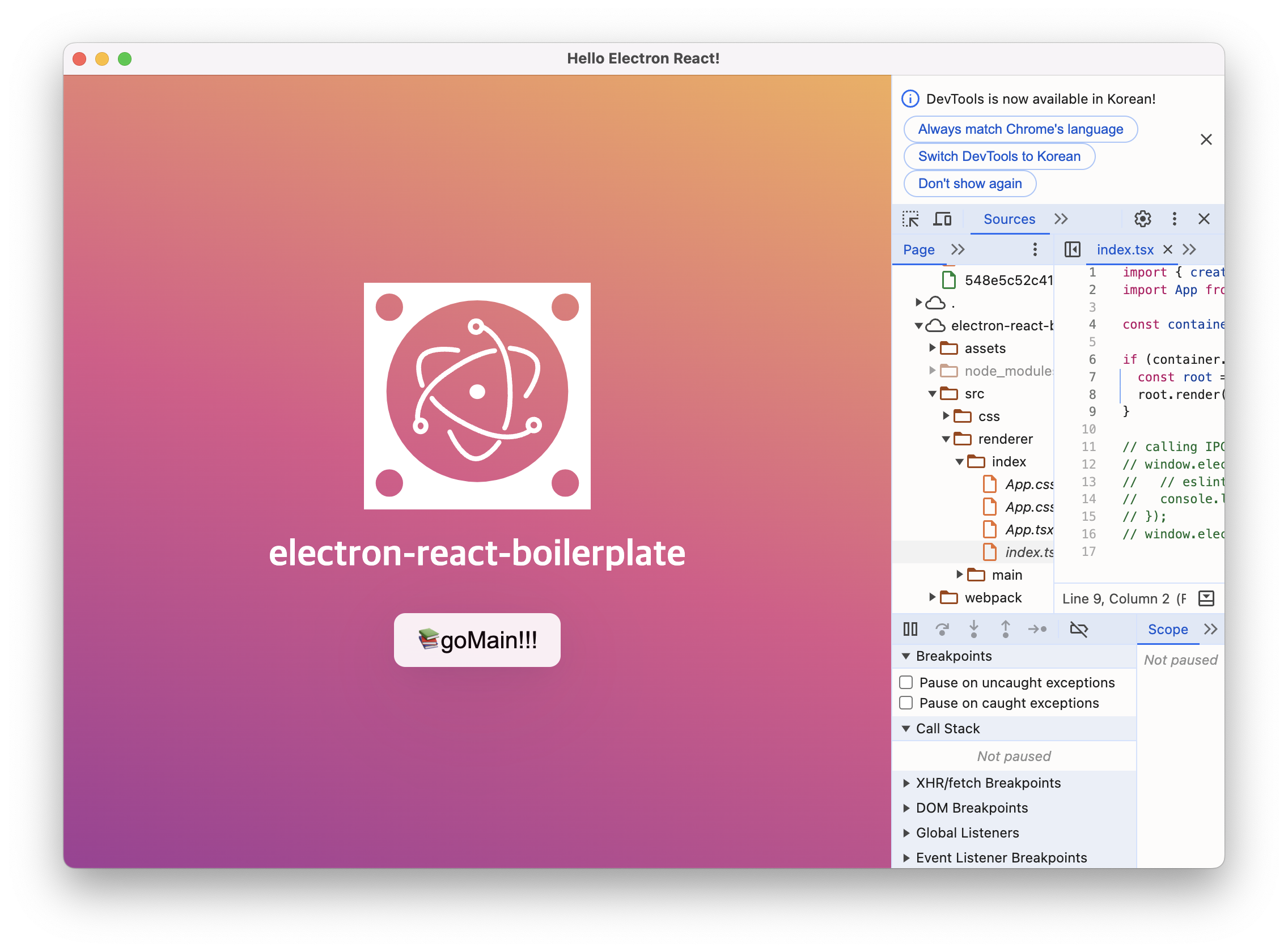
IPC 통신을 사용한 새창 띄우기!
//App.tsx
function Hello() {
  const goMain = () => {
    window.electron.ipcRenderer.sendMessage('ipc-example', ['goMain']);
  };
  return (
    <div>
      <div className="Hello">
        <img width="200" alt="icon" src={icon} />
      </div>
      <h1>electron-react-boilerplate</h1>
      <div className="Hello">
        <a
          // href="https://electron-react-boilerplate.js.org/"
          target="_blank"
          rel="noreferrer"
        >
          <button type="button" onClick={goMain}>
            <span role="img" aria-label="books">
              📚
            </span>
            goMain!!!
          </button>
        </a>
      </div>
    </div>
  );
}
/**
main.ts
전역에 아래 소스 추가
*/
ipcMain.on('ipc-example', async (event, arg) => {
let main = new BrowserWindow({
width: 846,
height: 443,
show: false,
frame: false,
webPreferences: {
nodeIntegration: true,
sandbox: false,
contextIsolation: false,
},
fullscreen: false,
});
main.show();
main.loadURL(resolveHtmlPath(`main.html`));
console.log(arg);
});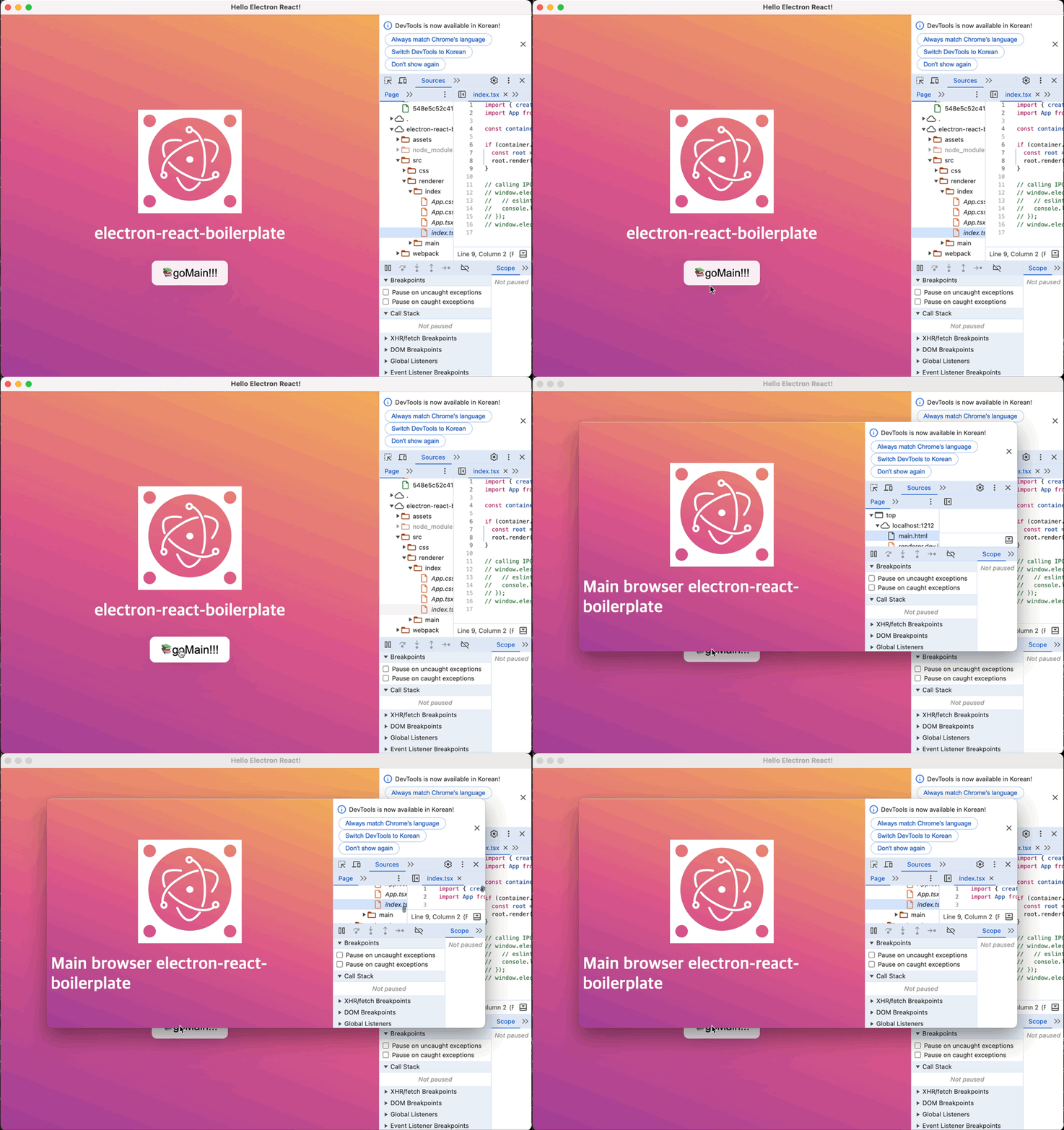
goMain 버튼 클릭 시 추가한 브라우저가 노출
궁금한 점 있으시면 언제든 댓글 환영합니다~🙌🏻

이것저것 찍먹 좋아하는 개발자입니다 👩🏻💻