
jQuery 속성 선택자
속성 선택자는 태그이름에 속성을 조합해서 선택하는 방식
| 선택자 형태 | 설명 |
|---|---|
| 요소[속성] | 특정 속성을 가지고 있는 문서 객체를 선택 |
| 요소[속성=값] | 속성 안의 값이 특정 값과 같은 문서 객체를 선택 |
| 요소[속성~=값] | 속성 안의 값이 특정 값을 단어로써 포함하는 문서 객체를 선택 |
| 요소[속성^=값] | 속성 안의 값이 특정 값으로 시작하는 문서 객체를 선택 |
| 요소[속성$=값] | 속성 안의 값이 특정 값으로 끝나는 문서 객체를 선택 |
| 요소[속성*=값] | 속성 안의 값이 특정 값을 포함하는 문서 객체를 선택 |
<!DOCTYPE html>
<html lang="en">
<head>
    <meta charset="UTF-8">
    <meta name="viewport" content="width=device-width, initial-scale=1.0">
    <title>속성 선택자</title>
    <script src="https://ajax.googleapis.com/ajax/libs/jquery/3.7.1/jquery.min.js"></script>
    <script>
    // 문서가 준비 완료되면 매개 변수로 전달된 함수를 실행
    $(document).ready(function(){
        $('button[name]').html('하하');  // html 메서드는 태그의 내용을 제어
        // => name이 선언된 버튼의 이름을 하하라고 변경하게 된다

        $('input[type="text"]').val('Hello jQuery');    // val 메서드는 value 속성을 제어
        // => input 요소의 type 속성이 text의 Value에 Hello jQuery가 삽입된다.

        // 특정 값을 단어(공백으로 구분되어 있는 단어)를 포함하는 문서 객체
        $('input[name~="한국"]').css('background','pink');
        //=> input의 요소 name 속성에 한국이 들어있는 배경색을 분홍색으로 바꾸는데,
        // 공백이 미포함된 부분은 변경이 되지 않는다.

        $('input[id*="한강"]').css('background','yellow');

        $('div[id^="content-"]').css('background','skyblue');

        $('div[id$="2"]').css('background','gray');
    });
    </script>
</head>
<body>
    <h3>속성 선택자</h3>
    <button name="btn">버튼 1</button>
    <button id="prev_btn">버튼 2</button>
    <br>

    <input type="text">
    <input type="password">
    <br>

    <input name="한국" value="한국">
    <input name="한국인" value="한국">
    <input name="한국 사람" value="한국">
    <input name="최고 한국 영웅" value="한국">
    <br>

    <input id="한강" value="한강">
    <input id="한강의 기적" value="한강의 기적">
    <input id="한 강의 배" value="한 강의 배">
    <input id="한강유람선" value="한강유람선">
    <br><br>

    <div id="content-1">DIV content-1</div>
    <div id="content_2">DIV content_2</div>
</body>
</html>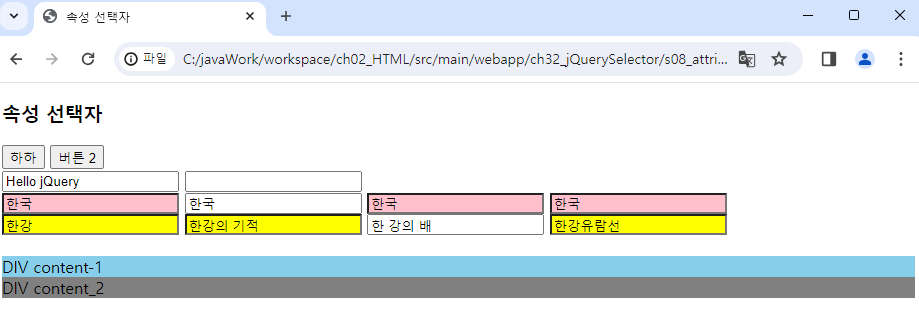
jQuery 입력 양식 필터 선택자
| 선택자 형태 | 설명 |
|---|---|
| 요소:button | input 태그 중 type 속성이 button인 문서 객체와 button 태그를 선택 |
| 요소:checkbox | input 태그 중 type 속성이 checkbox인 문서 객체를 선택 |
| 요소:file | input 태그 중 type 속성이 file인 문서 객체를 선택 |
| 요소:image | input 태그 중 type 속성이 image인 문서 객체를 선택 |
| 요소:password | input 태그 중 type 속성이 password인 문서 객체를 선택 |
| 요소:radio | input 태그 중 type 속성이 radio인 문서 객체를 선택 |
| 요소:reset | input 태그 중 type 속성이 reset인 문서 객체를 선택 |
| 요소:submit | input 태그 중 type 속성이 submit인 문서 객체를 선택 |
| 요소:text | input 태그 중 type 속성이 text인 문서 객체를 선택 |
<!DOCTYPE html>
<html lang="en">
<head>
    <meta charset="UTF-8">
    <meta name="viewport" content="width=device-width, initial-scale=1.0">
    <title>입력 양식 필터 선택자</title>
    <script src="https://ajax.googleapis.com/ajax/libs/jquery/3.7.1/jquery.min.js"></script>
    <script>
    // 문서가 준비 완료되면 매개 변수로 전달된 함수를 실행
    $(document).ready(function(){
        $('input:text').val('input:text');
        $('input:password').css('background', 'pink');
        $('input:button').val('input:button');

    });
    </script>
</head>
<body>
    <input type="text">
    <input type="password">
    <input type="button">
</body>
</html>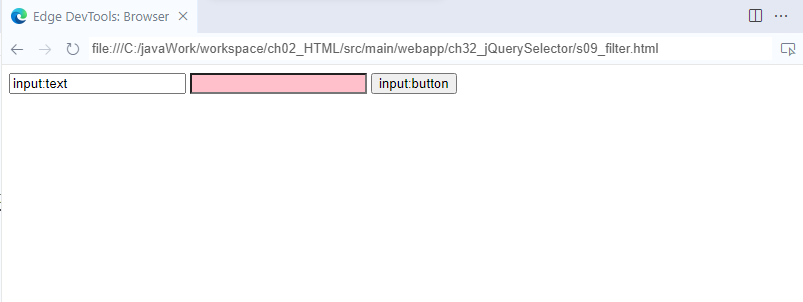
| 선택자 형태 | 설명 |
|---|---|
| 요소:checked | 체크된 입력 양식을 선택 |
| 요소:disabled | 비활성화된 입력 양식을 선택 |
| 요소:enabled | 활성화된 입력 양식을 선택 |
| 요소:focus | 초점이 맞춰져 있는 입력 양식을 선택 |
| 요소:input | 모든 입력 양식을 선택(input,textarea,select,button 태그) |
| 요소:selected | option 객체 중 선택된 태그를 선택 |
<!DOCTYPE html>
<html lang="en">
<head>
    <meta charset="UTF-8">
    <meta name="viewport" content="width=device-width, initial-scale=1.0">
    <title>입력 양식 필터 선택자2</title>
    <script src="https://ajax.googleapis.com/ajax/libs/jquery/3.7.1/jquery.min.js"></script>
    <script>
    // 문서가 준비 완료되면 매개 변수로 전달된 함수를 실행
    $(document).ready(function(){
        //5초 후에 코드를 실행
        setTimeout(function() {
            // select 태그에서 선택한 option에 접근
            let value = $('select > option:selected').val();
            alert(value);
        }, 5000);
    });
    </script>
</head>
<body>
    <select>
        <option>사과</option>
        <option>바나나</option>
        <option>멜론</option>
        <option>딸기</option>
        <option>포도</option>
        <option>복숭아</option>
    </select>
</body>
</html>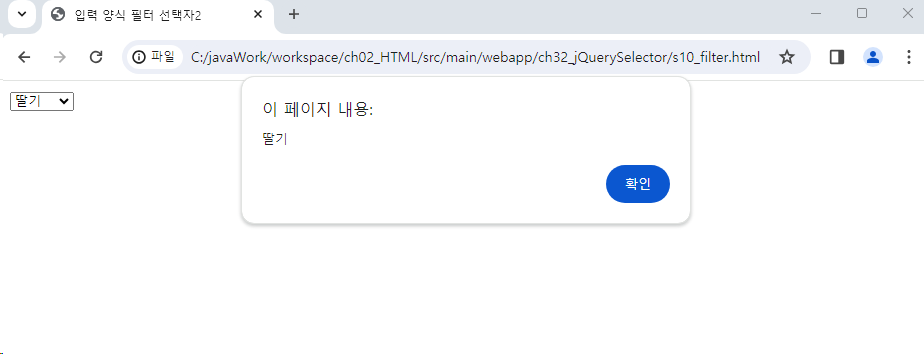
<!DOCTYPE html>
<html lang="en">
<head>
    <meta charset="UTF-8">
    <meta name="viewport" content="width=device-width, initial-scale=1.0">
    <title>입력 양식 필터 선택자2</title>
    <script src="https://ajax.googleapis.com/ajax/libs/jquery/3.7.1/jquery.min.js"></script>
    <script>
    $(document).ready(function(){
        // attr 메서드 : 태그의 속성 제어
        $('input:checked').attr('checked', false);
        $('input:disabled').val('클릭할 수 없음');
        $('input[type=button]:enabled').val('클릭할 수 있음');
    });
    </script>
</head>
<body>
    <input type="checkbox" name="city" value="서울" checked>서울
    <input type="button" value="확인" disabled>
    <input type="button" value="확인">
</body>
</html>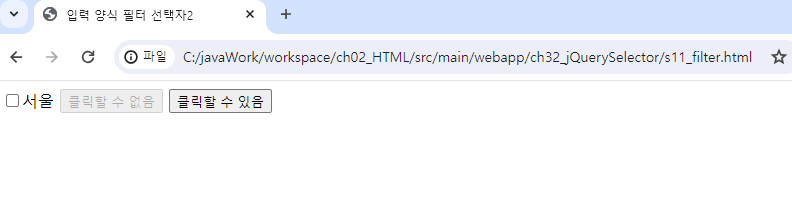
jQuery 기본 필터 선택자
| 선택자 형태 | 설명 |
|---|---|
| 요소:odd | 홀수 번째에 위치한 문서 객체를 선택 |
| 요소:even | 짝수 번째에 위치한 문서 객체를 선택 |
| 요소:first | 첫 번째 위치한 문서 객체를 선택 |
| 요소:last | 마지막에 위치한 문서 객체를 선택 |
<!DOCTYPE html>
<html lang="en">
<head>
    <meta charset="UTF-8">
    <meta name="viewport" content="width=device-width, initial-scale=1.0">
    <title>기본 필터 선택자</title>
    <script src="https://ajax.googleapis.com/ajax/libs/jquery/3.7.1/jquery.min.js"></script>
    <script>
    $(document).ready(function(){
        $('tr:odd').css('background','yellow')
        $('tr:even').css('background','pink')

        // $('tr:first').css('background','#000')
        // $('tr:first').css('color','#fff')
        // => 두 가지 합쳐서 명시하기
        $('tr:first').css('background','#000')
                     .css('color','#fff');

    });
    </script>
</head>
<body>
<table>
    <tr>
        <th>이름</th><th>혈액형</th><th>지역</th>
    </tr>
    <tr>
        <td>강민수</td><td>AB형</td><td>서울</td>
    </tr>
    <tr>
        <td>이동욱</td><td>A형</td><td>제주</td>
    </tr>
    <tr>
        <td>공유</td><td>B형</td><td>강원</td>
    </tr>
    <tr>
        <td>송강</td><td>O형</td><td>인천</td>
    </tr>
    <tr>
        <td>유재석</td><td>AB형</td><td>부산</td>
    </tr>
    <tr>
        <td>김제니</td><td>A형</td><td>전주</td>
    </tr>
    <tr>
        <td>아현</td><td>O형</td><td>광주</td>
    </tr>
</table>
</body>
</html>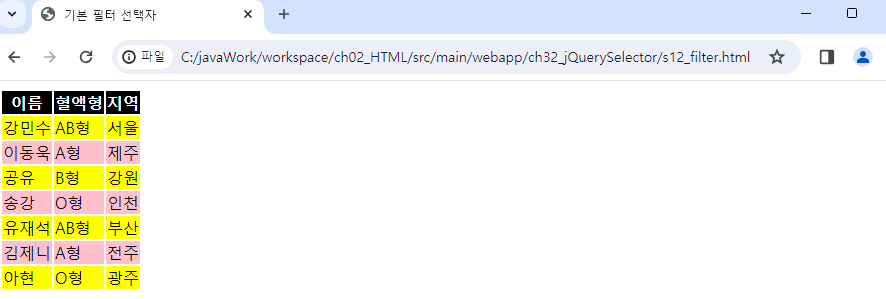
배열
<!DOCTYPE html>
<html lang="en">
<head>
    <meta charset="UTF-8">
    <meta name="viewport" content="width=device-width, initial-scale=1.0">
    <title>배열</title>
    <script src="https://ajax.googleapis.com/ajax/libs/jquery/3.7.1/jquery.min.js"></script>
    <script>
    $(document).ready(function(){
        // 배열 생성
        const array = [
            {name:'naver', link:'https://www.naver.com'},
            {name:'daum', link:'https://www.daum.net'},
            {name:'nate', link:'https://www.nate.com'},
            {name:'google', link:'https://www.google.com'},
        ];
        // 반복문을 대신하는 메소드
            // 배열  배열로부터 데이터를 받아서 처리하는 함수
        $.each(array,function(index,item){
            // index: 배열의 index
            // item : 배열의 index를 통해 접근한 객체
            let output ='';
            output +='<h1>';
            output += '<a href="'+item.link+'">'+item.name+'<a>';
            output +='<h1>';

            document.body.innerHTML += output;
        });

    });
    </script>
</head>
<body>

</body>
</html>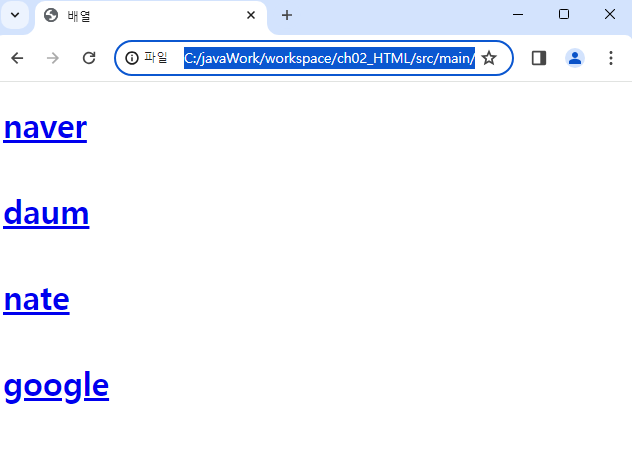
addClass
addClass(): 문서 객체의 클래스 속성을 추가
<!DOCTYPE html>
<html lang="en">
<head>
    <meta charset="UTF-8">
    <meta name="viewport" content="width=device-width, initial-scale=1.0">
    <title>addClass</title>
    <style>
        .high_light{
            background-color: aliceblue;
        }
    </style>
    <script src="https://ajax.googleapis.com/ajax/libs/jquery/3.7.1/jquery.min.js"></script>
    <script>
    $(document).ready(function(){
        // addClass 메서드는 태그에 css 클래스 추가
        $('h1').addClass('high_light');
    });
    </script>
</head>
<body>
    <h1>item-0</h1>
    <h1>item-1</h1>
    <h1>item-2</h1>
    <h1>item-3</h1>
    <h1>item-4</h1>
</body>
</html>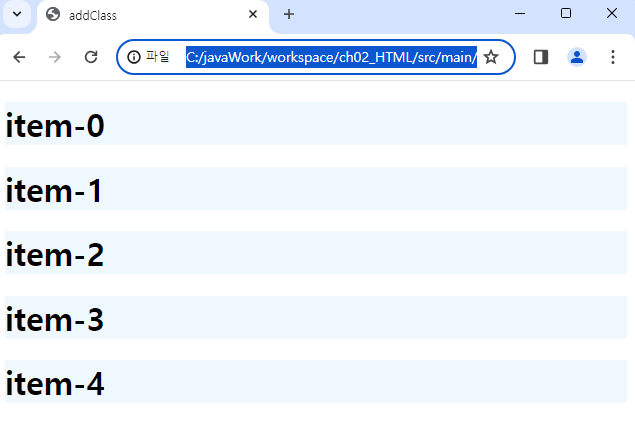
addClass 2
<!DOCTYPE html>
<html lang="en">
<head>
    <meta charset="UTF-8">
    <meta name="viewport" content="width=device-width, initial-scale=1.0">
    <title>addClass</title>
    <style>
        .high_light_0{
            background: lightgoldenrodyellow;
        }
        .high_light_1{
            background: lightsalmon;
        }
        .high_light_2{
            background: lightblue;
        }
        .high_light_3{
            background: lightgreen;
        }
        .high_light_4{
            background: lightcoral;
        }
    </style>
    <script src="https://ajax.googleapis.com/ajax/libs/jquery/3.7.1/jquery.min.js"></script>
    <script>
    $(document).ready(function(){
        $('h1').addClass(function(index){
            // index : 배열의 인덱스
            return 'high_light_' + index; //클래스 명 반환
        });
    });
    </script>
</head>
<body>
    <h1>item-0</h1>
    <h1>item-1</h1>
    <h1>item-2</h1>
    <h1>item-3</h1>
    <h1>item-4</h1>
</body>
</html>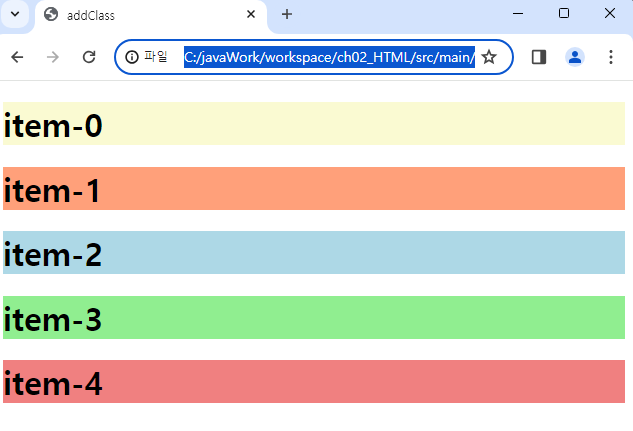
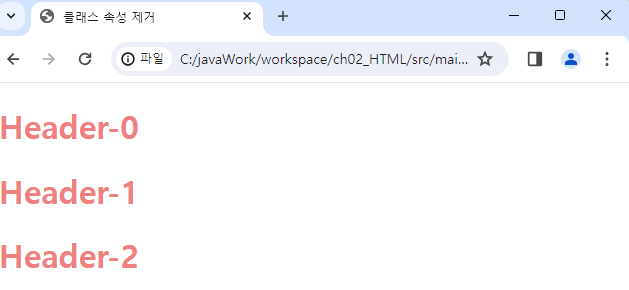
removeClass()
<!DOCTYPE html>
<html lang="en">
<head>
    <meta charset="UTF-8">
    <meta name="viewport" content="width=device-width, initial-scale=1.0">
    <title>클래스 속성 제거</title>
    <style>
    .item{color: lightcoral;}
    .select{background: lightgoldenrodyellow;}
    </style>
    <script src="https://ajax.googleapis.com/ajax/libs/jquery/3.7.1/jquery.min.js"></script>
    <script>
    $(document).ready(function(){
        //3초 후에 태그에 적용된 클래스를 제거
        setTimeout(function(){
            $('h1').removeClass('select');
        },3000)
    });
    </script>
</head>
<body>
    <h1 class="item">Header-0</h1>
    <h1 class="item select">Header-1</h1>
    <h1 class="item">Header-2</h1>
</body>
</html>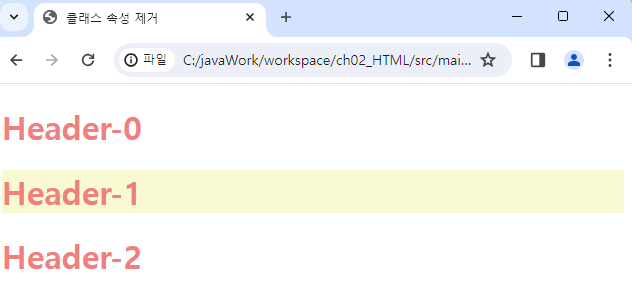
attr
<!DOCTYPE html>
<html lang="en">
<head>
    <meta charset="UTF-8">
    <meta name="viewport" content="width=device-width, initial-scale=1.0">
    <title>문서 객체의 속성 처리</title>
    <script src="https://ajax.googleapis.com/ajax/libs/jquery/3.7.1/jquery.min.js"></script>
    <script>
    $(document).ready(function(){
        //attr 메소드는 속성과 관련된 모든 기능을 수행
        // 하나의 속성 제어
        // $('img').attr('width',100)

        // 복수의 속성 제어
        // $('img').attr('width', 100).attr('height', 100);

        $('img').attr({
            width:200,
            height:200
        });
    });
    </script>
</head>
<body>
    <img src="../files/Desert.jpg">
    <img src="../files/Koala.jpg">
    <img src="../files/Penguins.jpg">
</body>
</html>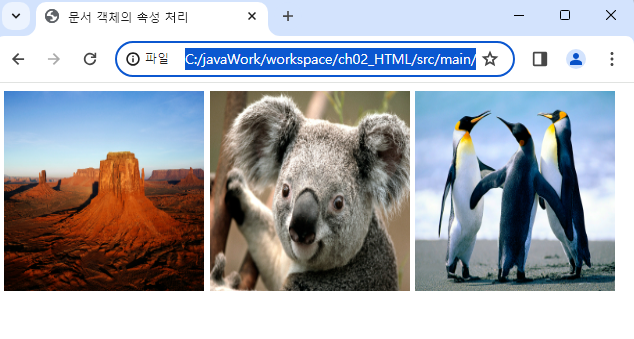
<!DOCTYPE html>
<html lang="en">
<head>
    <meta charset="UTF-8">
    <meta name="viewport" content="width=device-width, initial-scale=1.0">
    <title>문서 객체의 속성 처리</title>
    <script src="https://ajax.googleapis.com/ajax/libs/jquery/3.7.1/jquery.min.js"></script>
    <script>
    $(function(){
        // $('img').attr('width',function(index){
        //     return (index + 1) * 100;
        // });

        // $('img').attr('height',function(index){
        //     return (index + 1) * 100;
        // });

        $('img').attr({
            width : function(index) {
                return(index+1)*100;
            },
            height : function(index) {
                return(index+1)*100;
            }
        });

    });
    </script>
</head>
<body>
    <img src="../files/Desert.jpg">
    <img src="../files/Koala.jpg">
    <img src="../files/Penguins.jpg">
</body>
</html>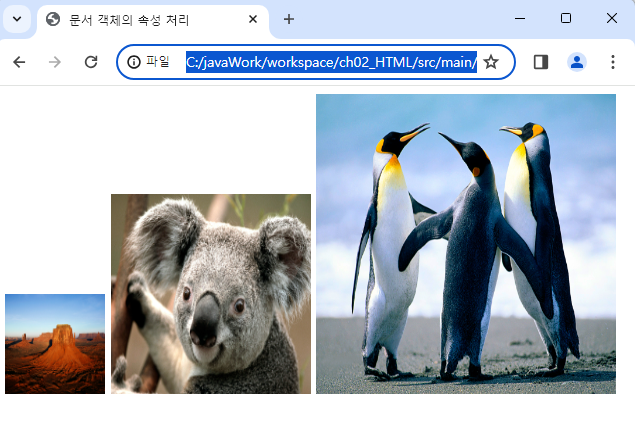
<!DOCTYPE html>
<html>
<head>
<meta charset="UTF-8">
<title>문서 객체의 속성 처리</title>
<script src="https://ajax.googleapis.com/ajax/libs/jquery/3.7.1/jquery.min.js"></script>
<script type="text/javascript">
$(function(){
	//3초 후에 매개변수로 전달된 함수를 실행
	setTimeout(function(){
		let src = $('img').attr('src');//src 속성값을 반환
		alert(src);
	},3000);
});
</script>
</head>
<body>
	<img src="../files/Penguins.jpg">
</body>
</html>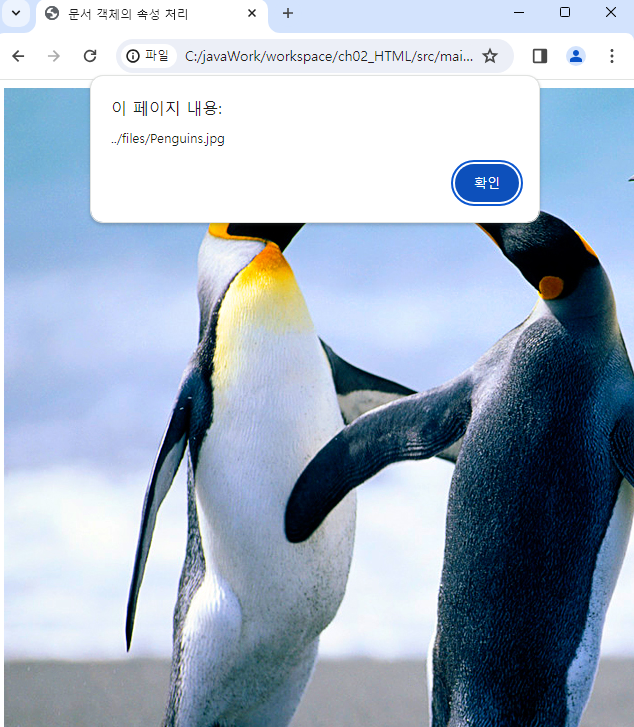
RemoveAttr
<!DOCTYPE html>
<html>
<head>
<meta charset="UTF-8">
<title>속성 제거</title>
<script src="https://ajax.googleapis.com/ajax/libs/jquery/3.7.1/jquery.min.js"></script>
<script type="text/javascript">
$(function(){
	//3초 후에 매개변수로 전달된 함수를 실행
	setTimeout(function(){
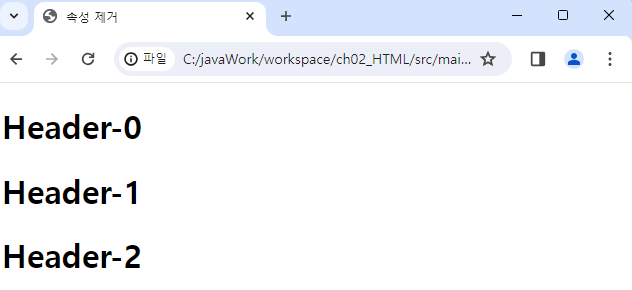
		$('h1').removeAttr('align');//속성 제거
	},3000);
});
</script>
</head>
<body>
	<h1 align="center" data-index="0">Header-0</h1>
	<h1 data-index="1">Header-1</h1>
	<h1 data-index="2">Header-2</h1>
</body>
</html>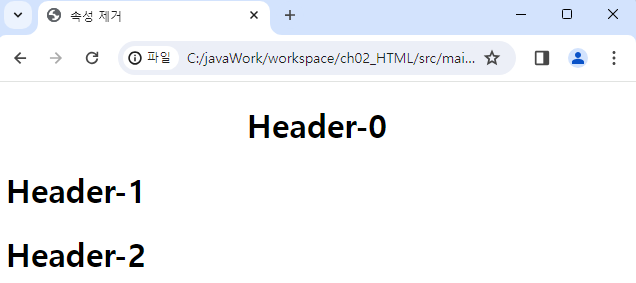
html()
<!DOCTYPE html>
<html lang="en">
<head>
    <meta charset="UTF-8">
    <meta name="viewport" content="width=device-width, initial-scale=1.0">
    <title>HTML</title>
    <script src="https://ajax.googleapis.com/ajax/libs/jquery/3.7.1/jquery.min.js"></script>
    <script>
    $(function(){
        // html 메서드는 태그의 내용을 제어(HTML 태그 허용)
        $('div').html('<h1>날씨가 화창한 오후</h1>');
        //=> innerHTML 속성을 구현한 것이다.

        // text 메서드는 태그의 내용을 제어(text로만 표시)
        $('p').text('<h1>놀이동산의 곰인형</h1>');
        // => textContent

        // $('div.header').html('여기는 서울입니다');

        //접근하는 태그의 내용을 다르게 설정하기
        $('div.header').html(function(index){
            return'<h2>Header -'+index+'</h2>';
        });

        // 태그의 내용을 읽어서 내용을 새롭게 가공한 후 태그에 다시 설정
        $('h1').html(function(index,html){
            return '**' + html + '**';
        })
    });
    </script>
</head>
<body>
<div></div>
<p></p>

<div class="header"></div>
<div class="header"></div>
<div class="header"></div>

<h1>**서울-0**</h1>
<h1>**서울-1**</h1>
<h1>**서울-2**</h1>

</body>
</html>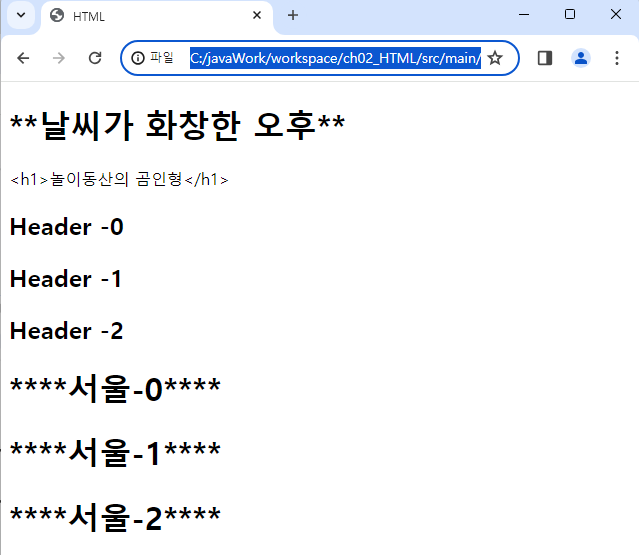
empty
<!DOCTYPE html>
<html lang="en">
<head>
    <meta charset="UTF-8">
    <meta name="viewport" content="width=device-width, initial-scale=1.0">
    <title>HTML</title>
    <script src="https://ajax.googleapis.com/ajax/libs/jquery/3.7.1/jquery.min.js"></script>
    <script>
    $(function(){
        // 3초 후에 매개변수로 전달되는 함수를 실행
        setTimeout(function(){
            // empty 메서드는 특정 문서 객체의 후손을 모두 제거
            $('div').empty();
        }, 3000);

        setTimeout(function(){
            //remove 메서드는 특정 문서의 객체를 제거
            $('p').remove();
        }, 6000);
    });
    </script>
</head>
<body>
<div>
    <h1>Header-0</h1>
    <h1>Header-1</h1>
</div>
<p>
    <span>Content-0</span>
    <span>Content-1</span>
</p>
</body>
</html>
AppendTo()
| 메서드 이름 | 설명 |
|---|---|
| $(A).appendTo(B) | A를 B의 기존 자식의 뒤에 추가 |
| $(A).prependTo(B) | A를 B의 기존 자식의 앞에 추가 |
| $(A).insertAfter(B) | A를 B의 뒤에 형제로 추가 |
| $(A).insertBefore(B) | A를 B의 앞에 형제로 추가 |
<!DOCTYPE html>
<html lang="en">
<head>
    <meta charset="UTF-8">
    <meta name="viewport" content="width=device-width, initial-scale=1.0">
    <title>문서 객체 생성</title>
    <script src="https://ajax.googleapis.com/ajax/libs/jquery/3.7.1/jquery.min.js"></script>
    <script>
    $(function(){
        //문서 객체 생성
        // $('<h1>Hello World</h1>').appendTo('div');
        // $('<h1>Hello World</h1>').prependTo('div');
        // $('<h1>Hello World</h1>').insertAfter('div');
        $('<h1>Hello World</h1>').insertBefore('div');
    });
    </script>
</head>
<body>
<div>
    <h1>안녕하세요</h1>
</div>
</body>
</html><!DOCTYPE html>
<html lang="en">
<head>
<meta charset="UTF-8">
<meta name="viewport" content="width=device-width, initial-scale=1.0">
<title>문서 객체 생성</title>
<script src="https://ajax.googleapis.com/ajax/libs/jquery/3.7.1/jquery.min.js"></script>
<script>
$(function(){
$('<img>').attr({
src:'../files/Koala.jpg',
width:400,
height:250
}).appendTo('body');
});
</script>
</head>
<body>
</body>
</html><!DOCTYPE html>
<html lang="en">
<head>
<meta charset="UTF-8">
<meta name="viewport" content="width=device-width, initial-scale=1.0">
<title>문서 객체 생성</title>
<script src="https://ajax.googleapis.com/ajax/libs/jquery/3.7.1/jquery.min.js"></script>
<script>
$(function(){
//이미지 크기 조정
$('img').css('width',250);
// 2초마다 매개 변수로 전달되는 함수 실행
setInterval(function(){
// 첫번째 이미지가 body의 맨 뒤로 옮겨진다.
$('img').first().appendTo('body');
},2000);
});
</script>
</head>
<body>
<img src="../files/Chrysanthemum.jpg">
<img src="../files/Desert.jpg">
<img src="../files/Hydrangeas.jpg">
<img src="../files/Jellyfish.jpg">
<img src="../files/Koala.jpg">
</body>
</html>Append()
| 메서드 이름 | 설명 |
|---|---|
| $(A).append(B) | B를 A의 기존 자식의 뒤에 추가 |
| $(A).prepend(B) | B를 A의 기존 자식의 앞에 추가 |
| $(A).after(B) | B를 A의 뒤에 추가 |
| $(A).before(B) | B를 A의 앞에 추가 |
<!DOCTYPE html>
<html lang="en">
<head>
    <meta charset="UTF-8">
    <meta name="viewport" content="width=device-width, initial-scale=1.0">
    <title>문서 객체 생성 및 추가</title>
    <script src="https://ajax.googleapis.com/ajax/libs/jquery/3.7.1/jquery.min.js"></script>
    <script>
    $(function(){
        // $('div').append('<h1> Hello jQuery</h1>');
        // $('div').prepend('<h1> Hello jQuery</h1>');
        // $('div').after('<h1> Hello jQuery</h1>');
        $('div').before('<h1> Hello jQuery</h1>');
    });
    </script>
</head>
<body>
<div>
    <h1>여기는 서울</h1>
</div>
</body>
</html><!DOCTYPE html>
<html lang="en">
<head>
<meta charset="UTF-8">
<meta name="viewport" content="width=device-width, initial-scale=1.0">
<title>문서 객체 생성 및 추가</title>
<script src="https://ajax.googleapis.com/ajax/libs/jquery/3.7.1/jquery.min.js"></script>
<script>
$(function(){
//배열 생성
const content = [
{ name:'김유신', region : '경주'},
{ name:'이순신', region : '여수'},
{ name:'홍길동', region : '서울'}
];
let output = '';
// 배열 배열의 요소에 접근할 때 호출되는 메서드
$.each(content,function(index,item){
// index : 배열의 index
// item : 배열의 요소(객체)
output += '<div>';
output += '<h2>' + item.name +'</h2>';
output += '<span>'+item.region+'</span>';
output += '</div>';
});
$('#output').append(output);
});
</script>
</head>
<body>
<div id="output"></div>
</body>
</html>실습
<!DOCTYPE html>
<html lang="en">
  <head>
    <meta charset="UTF-8" />
    <meta name="viewport" content="width=device-width, initial-scale=1.0" />
    <title>문서 객체 생성 및 추가</title>
    <script src="https://ajax.googleapis.com/ajax/libs/jquery/3.7.1/jquery.min.js"></script>
    <script>
      $(function () {
        /*
        [실습]
        도서 정보를 테이블에 표시하세요.
        배열에 도서명, 분류, 정상 가격만 저장하고
        할인 가격은 연산을 통해 명시한다.
        ----------------------------------
        도서명      분류        정상 가격       할인 가격(5%)
        자바        IT          20,000원        19,000원
        미술사      예술        30,000원        28,500원
        노래 연습   예술        10,000원        9,500원
        한국사      역사        50,000원        47,000원
        */

        const content = [
          { name: "자바", category: "IT", price: 20000 },
          { name: "미술사", category: "예술", price: 30000 },
          { name: "노래 연습", category: "예술", price: 10000 },
          { name: "한국사", category: "역사", price: 50000 },
        ];

        let output =
          "<tr><th>도서명</th><th>분류</th><th>정상 가격</th><th>할인 가격</th></tr>";
        $.each(content, function (index, item) {
          output += "<tr>";

          output += "<td>" + item.name + "</td>";
          output += "<td>" + item.category + "</td>";
          output += "<td>" + item.price.toLocaleString() + "원</td>";
          output += "<td>" + (item.price * 0.95).toLocaleString() + "원</td>";

          output += "</tr>";
        });
        $("#output").append(output);
      });
    </script>
  </head>
  <body>
    <table id="output" border="1"></table>
  </body>
</html>
jQuery Event
1) 이벤트 연결
| 메서드 이름 | 설명 |
|---|---|
| bind() | 현재 존재하는 문서 객체에만 이벤트를 연결 |
| one() | 이벤트 한 번만 연결 |
2) 이벤트 연결 제거
| 메서드 이름 | 설명 |
|---|---|
| unbind() | bind() 메서드를 사용해 연결한 이벤트를 제거 |
3) 이벤트 강제 발생
| 메서드 이름 | 설명 |
|---|---|
| trigger() | 이벤트를 강제로 발생시킴 |
4) 기본 이벤트와 이벤트 전달
| 메서드 이름 | 설명 |
|---|---|
| preventDefault() | 기본 이벤트 제거 |
| stopPropagation() | 이벤트 전달 제거 |
5) 이벤트 통합 메서드
| 메서드 이름 | 설명 |
|---|---|
| on() | 이벤트 연결. 이벤트를 등록한 이후에도 동적으로 생성된 이벤트를 등록한 요소와 동일한 새 요소에도 이벤트가 등록됨. |
| off() | 이벤트 제거 |
6) 마우스 이벤트
| 이벤트 이름 | 설명 |
|---|---|
| click | 마우스를 클릭할 때 발생 |
| dblclick | 마우스를 더블클릭할 때 발생 |
| mousedown | 마우스 버튼을 누를 때 발생 |
| mouseup | 마우스 버튼을 뗄 때 발생 |
| mouseenter | 마우스가 요소의 경계 외부에서 내부로 이동할 때 발생 |
| mouseleave | 마우스가 요소의 경계 내부에서 외부로 이동할 때 발생 |
| mousemove | 마우스를 움직일 때 발생 |
| mouseout | 마우스가 요소를 벗어날 때 발생 |
| mouseover | 마우스를 요소 안에 들어올 때 발생 |
7) 키보드 이벤트
| 이벤트 이름 | 설명 |
|---|---|
| keydown | 키보드가 눌러질 때 발생 |
| keypress | 글자가 입력될 때 발생 *한글로 사용할 수 없음 |
| keyup | 키보드가 떼어질 때 발생 |
8) 윈도우 이벤트
| 이벤트 이름 | 설명 |
|---|---|
| ready | 문서 객체가 준비를 완료 |
| load | 윈도우(문서 객체)를 불러들일 때 발생 |
| unload | 윈도우(문서 객체)를 닫을 때 발생 |
| resize | 윈도우의 크기를 변화시킬 때 발생 |
| scroll | 윈도우를 스크롤할 때 발생 |
| error | 에러가 있을 때 발생 |
9) 입력 양식 이벤트
| 이벤트 이름 | 설명 |
|---|---|
| change | 입력 양식의 내용을 변경할 때 발생 |
| focus | 입력 양식에 초점을 맞추면 발생 |
| focusin | 입력 양식에 초점이 맞춰지기 바로 전에 발생 |
| focusout | 입력 양식에 초점이 사라지기 바로 전에 발생 |
| blur | 입력 양식에 초점이 사라지면 발생 |
| select | 입력 양식을 선택할 때 발생(input[type=text]태그와 texarea 태그 제외) |
| submit | submit 버튼을 누르면 발생 |
| reset | reset 버튼을 누르면 발생 |
Click Event
<!DOCTYPE html>
<html lang="en">
  <head>
    <meta charset="UTF-8" />
    <meta name="viewport" content="width=device-width, initial-scale=1.0" />
    <title>click, mouseover, mouseout 이벤트</title>
    <script src="https://ajax.googleapis.com/ajax/libs/jquery/3.7.1/jquery.min.js"></script>
    <script>
      $(function () {
        $('#btn1').click(function () {
          $('p').css('background', 'yellow');
        });
        $('#btn2').mouseover(function () {
          $('p').css('background-color', 'pink');
        });
        $('#btn2').mouseout(function () {
          $('p').css('background-color', 'purple');
        });

        // hover 메서드를 이용해서 mouseover,mouseout 이벤트 연결
        $('#btn3').hover(
          function () {
            // mouseover 이벤트를 처리하는 이벤트 핸들러
            $('p').css('background-color', 'green');
          },
          function () {
            // mouseout 이벤트를 처리하는 이벤트 핸들러
            $('p').css('background-color', 'skyblue');
          }
        );
      });
    </script>
  </head>
  <body>
    <button id="btn1">click</button>
    <button id="btn2">mouseover/out</button>
    <button id="btn3">hover</button>
    <p>내용</p>
  </body>
</html>
Hover Event
<!DOCTYPE html>
<html lang="en">
  <head>
    <meta charset="UTF-8" />
    <meta name="viewport" content="width=device-width, initial-scale=1.0" />
    <title>hover 메서드를 이용한 mouseover,mouseout 이벤트 처리</title>
    <style>
        .reverse{
            background-image: url(../files/landscape.jpg);
            color: white;
        }
    </style>
    <script src="https://ajax.googleapis.com/ajax/libs/jquery/3.7.1/jquery.min.js"></script>
    <script>
      $(function () {
        // hover 메서드를 이용한 이벤트 연결
        $('h1').hover(function(){
            // mouseover 이벤트 처리를 위한 이벤트 핸들러
            $(this).addClass('reverse');
        }, function(){
            // mouseout 이벤트 처리를 위한 이벤트 핸들러
            $(this).removeClass('reverse');
        });
      });
    </script>
  </head>
  <body>
    <h1>Header-0</h1>
    <h1>Header-1</h1>
    <h1>Header-2</h1>
  </body>
</html>
KeyUp Event
<!DOCTYPE html>
<html lang="en">
  <head>
    <meta charset="UTF-8" />
    <meta name="viewport" content="width=device-width, initial-scale=1.0" />
    <title>hover 메서드를 이용한 mouseover,mouseout 이벤트 처리</title>
    <script src="https://ajax.googleapis.com/ajax/libs/jquery/3.7.1/jquery.min.js"></script>
    <script>
      $(function () {
        // keyup 이벤트 연결
        $('textarea').keyup(function(){
            // 입력한 글자 수를 구함
            let inputLength = $(this).val().length;
            let remain = 30 - inputLength;

            // 문서 객체에 저장
            $('h1').text(remain);

            // 문서 객체의 색상을 변경
            if(remain >= 0){
                $('h1').css('color','black');
            } else{
                $('h1').css('color','red');
            }
        })
      });
    </script>
  </head>
  <body>
    <div>
        <p>지금 내 생각을</p>
        <h1>30</h1>
        <textarea cols="70" rows="5"></textarea>
    </div>
  </body>
</html>

Lucky Things🍀