
jQuery 이벤트 연결
| 메서드 이름 | 설명 |
|---|---|
| on() | 이벤트 연결. 이벤트를 등록한 이후에도 동적으로 생성된 이벤트를 등록한 요소와 동일한 새 요소에도 이벤트가 등록됨. |
| off() | 이벤트 제거 |
<!DOCTYPE html>
<html>
  <head>
    <meta charset="UTF-8" />
    <title>on메서드를 이용한 이벤트 연결</title>
    <style>
        .reverse{
            background: black;
            color: whitesmoke;
        }
    </style>
    <script src="https://ajax.googleapis.com/ajax/libs/jquery/3.7.1/jquery.min.js"></script>
    <script>
      $(function () {
        //하나의 이벤트 연결
                //이벤트 타입
        $('h1').on('click', function() {
            $(this).html(function(index,html){
                return html + '+';
            });
        });

        // 복수의 이벤트 연결
        $('h1').on({
            mouseover : function() {
                $(this).addClass('reverse');
            },
            mouseout : function() {
                $(this).removeClass('reverse');
            }
        });
      });
    </script>
  </head>
  <body>
    <h1>Header-0</h1>
    <h1>Header-1</h1>
    <h1>Header-2</h1>
  </body>
</html>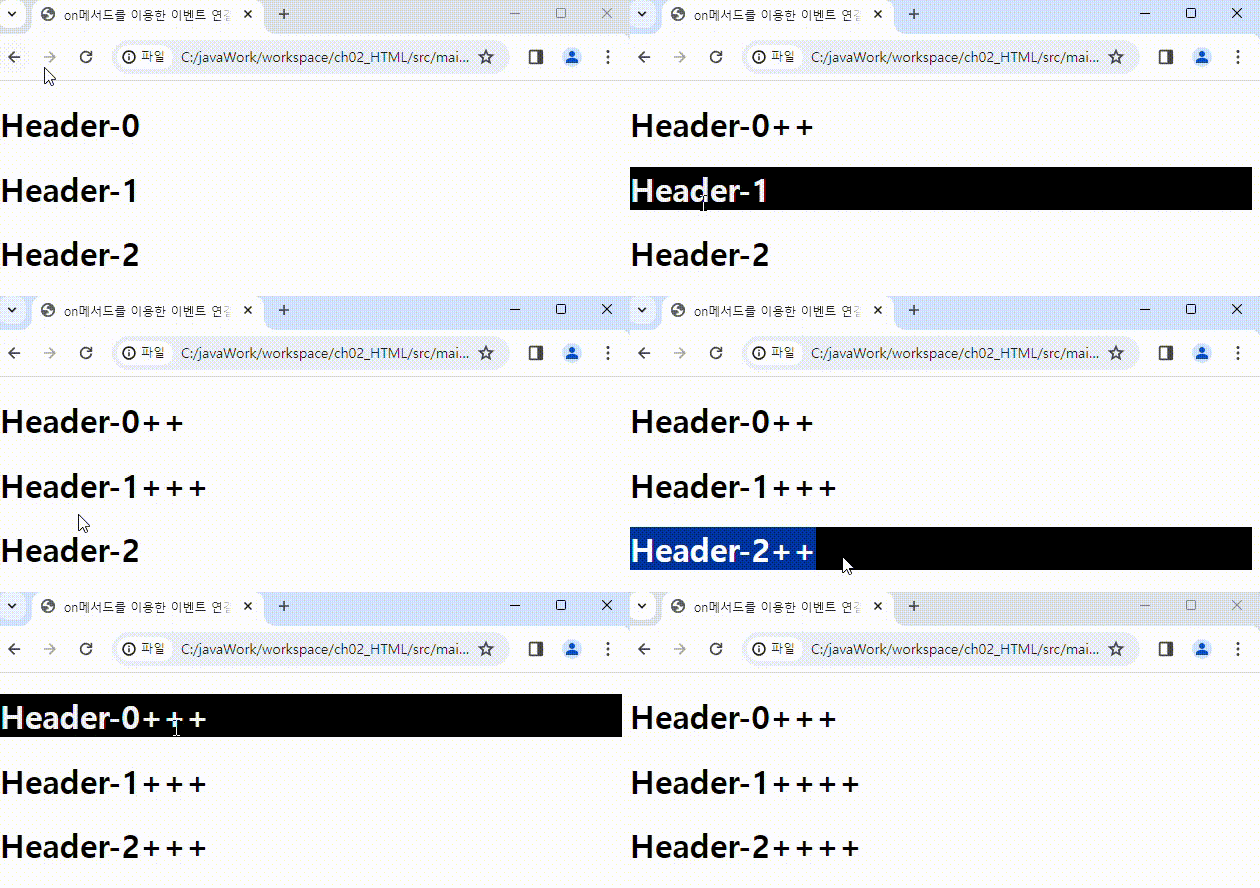
<!DOCTYPE html>
<html>
  <head>
    <meta charset="UTF-8" />
    <title>on 메서드를 이용한 이벤트 연결</title>
    <style>
      div{
        margin: 5px;
        padding: 3px;
        border-width: 3px;
        border-style: solid;
        border-color: black;
        border-radius: 10px;
      }
    </style>
    <script src="https://ajax.googleapis.com/ajax/libs/jquery/3.7.1/jquery.min.js"></script>
    <script>
      $(function () {
        // 이벤트 연결
        $('div').on('click',function(){
          // this = div 태그 의미 => div 태그의 내용을 불러오는 것
          // 읽어올 하위 태그, 이벤트가 발생한 태그
          let header = $('h1',this).text();
          let paragraph = $('p',this).text();
          alert(header +'\n'+ paragraph);
        });
      });
    </script>
  </head>
  <body>
    <div>
      <h1>Header1</h1>
      <p>Paragraph1</p>
    </div>
    <div>
      <h1>Header2</h1>
      <p>Paragraph2</p>
    </div>
    <div>
      <h1>Header3</h1>
      <p>Paragraph3</p>
    </div>
  </body>
</html>
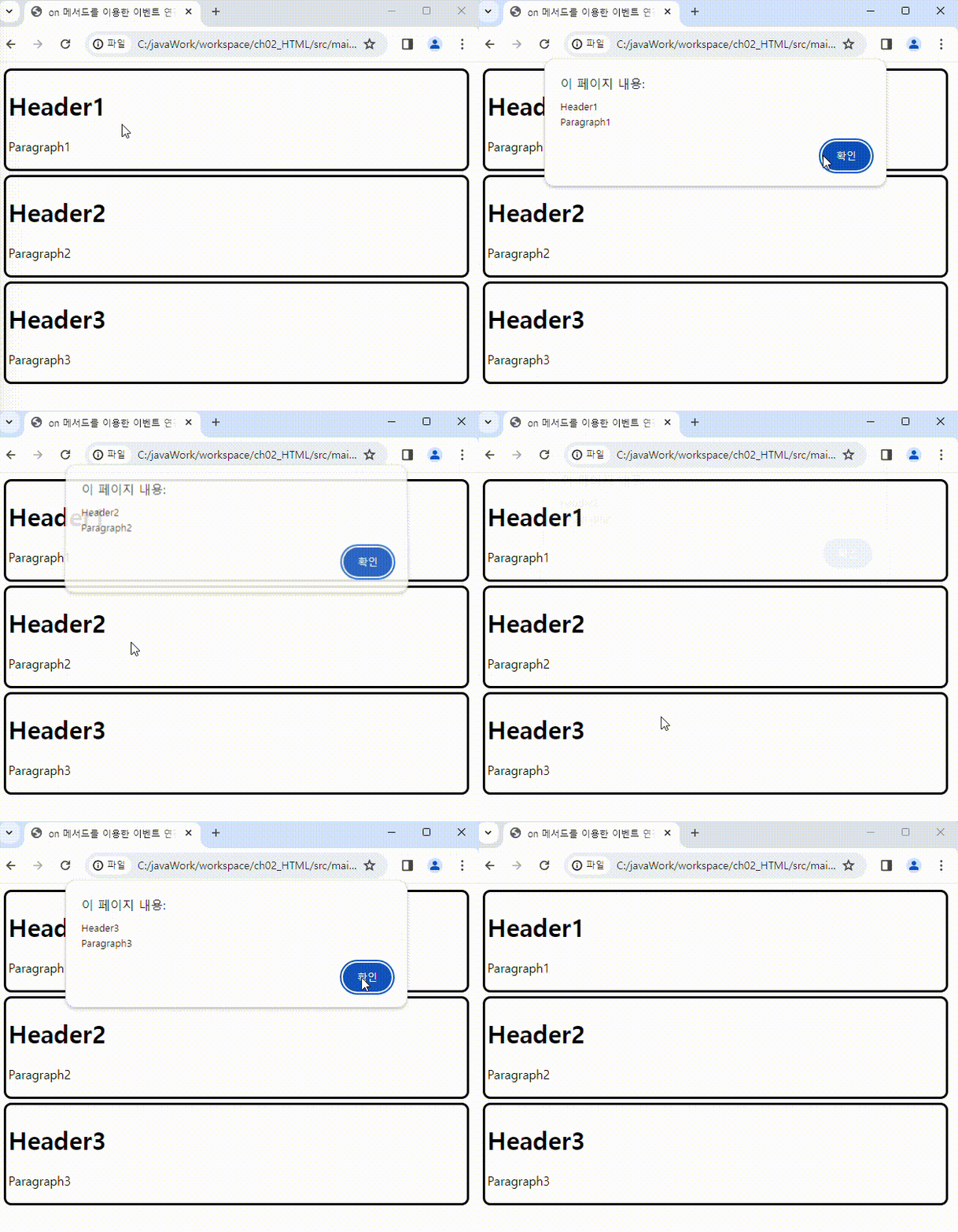
동적으로 생성된 태그에 이벤트 연결
<!DOCTYPE html>
<html>
  <head>
    <meta charset="UTF-8" />
    <title>동적으로 생성된 태그에 이벤트 연결</title>
    <script src="https://ajax.googleapis.com/ajax/libs/jquery/3.7.1/jquery.min.js"></script>
    <script>
      $(function () {
        // 현재 존재하는 태그뿐만아니라 미래에 새로 생성되는 태그에도 이벤트 연결
                //  이벤트 타입, 이벤트 발생 태그, 이벤트 핸들러
        $(document).on('click','h1',function() {
            let length = $('h1').length; // h1 태그의 개수
            let targetHTML = $(this).html(); // 이벤트가 발생한 h1 태그의 내용 반환
            $('#wrap').append('<h1>'+length+'-'+targetHTML+'</h1>')
        });
      });
    </script>
  </head>
  <body>
    <div id="wrap">
        <h1>Header</h1>
    </div>
  </body>
</html>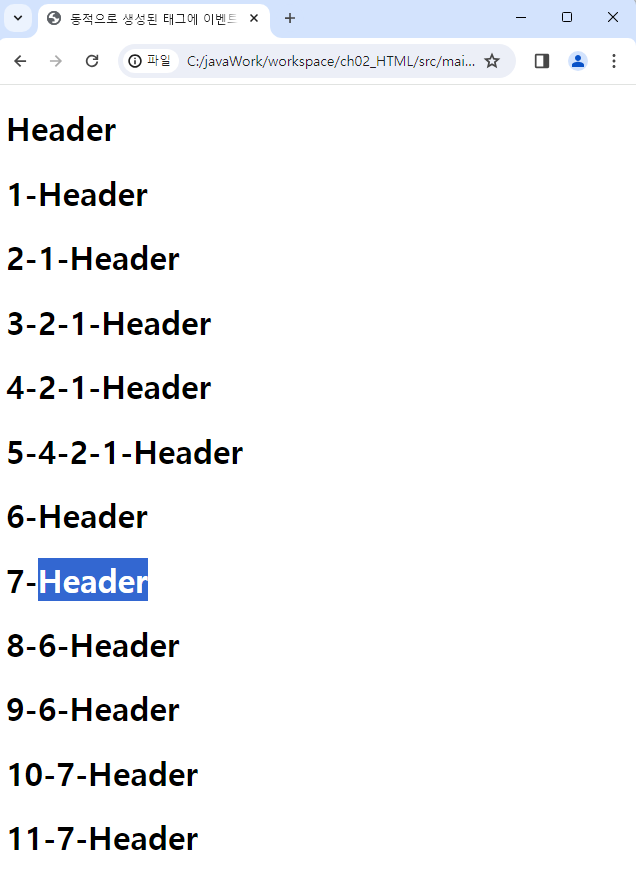
Trigger()
trigger() : 이벤트를 강제로 발생시킴
<!DOCTYPE html>
<html>
  <head>
    <meta charset="UTF-8" />
    <title>trigger를 이용한 이벤트 강제 발생</title>
    <script src="https://ajax.googleapis.com/ajax/libs/jquery/3.7.1/jquery.min.js"></script>
    <script>
        // trigger 메서드는 이벤트를 강제 발생시킬 때 사용
      $(function () {
        $('h1').on('click',function(){
            $(this).html(function(index,html){
                return html + '*'
            });
        });
        // 1초마다 매개변수로 전달된 함수를 실행
        setInterval(function(){
                        //  이벤트 타입
                $('h1').trigger('click');
            },1000);
      });
    </script>
  </head>
  <body>
    <h1>Start : </h1>
  </body>
</html>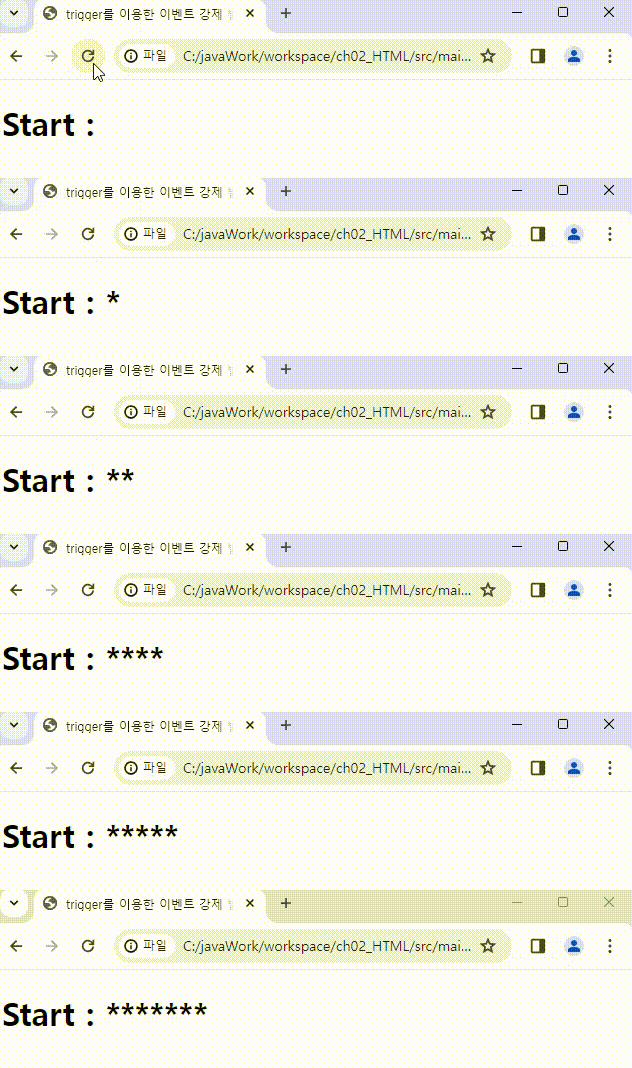
Default()
<!DOCTYPE html>
<html>
  <head>
    <meta charset="UTF-8" />
    <title>기본 이벤트 제거</title>
    <script src="https://ajax.googleapis.com/ajax/libs/jquery/3.7.1/jquery.min.js"></script>
    <script>
      $(function () {
        $('a').click(function(event){
            $(this).css('background-color','skyblue');

            // 기본이벤트 제거, 매개변수 event객체를 꼭 받아야한다.
            event.preventDefault(); // return false 와 동일한 효과를 준다.
        });
      });
    </script>
  </head>
  <body>
    <h1>
        <a href="https://www.naver.com">네이버</a>
    </h1>
  </body>
</html>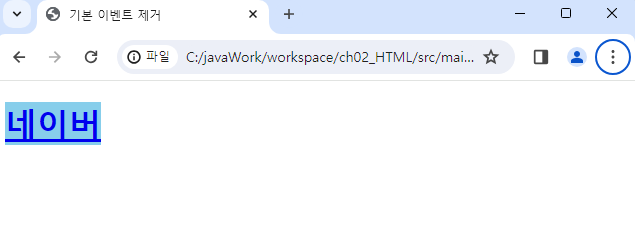
jQuery Effect
- 효과 메서드 종류
| 종류 | 내용 |
|---|---|
| hide() | 노출되어 있는 요소를 숨김 |
| show() | 숨겨져 있던 요소를 노출시킴 |
| toggle() | 숨겨져 있던 요소는 노출시키고, 노출되어 있던 요소는 숨김 |
| fadeIn() | 숨겨져 있던 요소가 점점 선명해지면서 노출 |
| fadeOut() | 노출되어 있던 요소는 점점 투명해지면서 숨겨짐 |
| fadeToggle() | 노출되어 있던 요소는 점점 투명해지며 사라지고, 사라져 있던 요소는 선명해지면서 노출 |
| fadeTo() | 노출되어 있던 요소에 투명도를 지정한 만큼 숨김 |
| slideDown() | 숨겨져 있던 요소가 밑으로 펼쳐지며 노출 |
| slideUp() | 노출되어 있던 요소를 위로 접으며 숨김 |
| slideToggle() | 숨겨져 있던 요소는 아래로 펼쳐지며 노출되고, 노출되어 있던 요소는 위로 접으면서 숨김 |
| animate() | 선택한 요소에 애니메이션을 적용 |
- 효과 제어 메서드 종류
효과 또는 애니메이션이 적용된 요소에 동작을 정지시키거나
동작 초기 실행을 지연시키는 등의 제어를 할 수 있는 메서드를 말함
| 종류 | 내용 |
|---|---|
| stop() | 현재 실행 중인 효과를 모두 정지시킴 |
| delay() | 스택에 대기 중인 애니메이션 효과를 지연시킴. 다시 말하면, 대기 중인 효과가 지정한 시간만큼 지연된 후 발생 |
| queue() | 선택된 요소의 스택에 대기 중인 큐를 반환하거나 함수에 실행문을 큐로 추가시킬 수 있음 |
| clearQueue() | 첫 번째 큐에 해당하는 효과 또는 애니메이션만 실행하고 대기 중인 큐를 모두 삭제 |
| dequeue() | 스택에 쌓인 큐를 모두 제거 |
| finish() | 선택한 요소의 진행 중인 애니메이션이 강제로 완료 시점으로 간 후 종료 |
Show(), Hide(), Toggle()
<!DOCTYPE html>
<html>

<head>
    <meta charset="UTF-8" />
    <title>효과</title>
    <script src="https://ajax.googleapis.com/ajax/libs/jquery/3.7.1/jquery.min.js"></script>
    <script>
        $(function () {

            $('#btn1').on('click',function(){
                //  속도값 : fast(200), normal(400), slow(600) - 밀리세컨드 지정 가능
                // 태그 노출    // 속도값, 태그의 노출이 완료된 후 호출되는 함수
                $('#dog').show('slow',function(){
                    alert('사진 노출 성공');
                });
            });

            $('#btn2').on('click',function(){
                $('#dog').hide(1000, function(){
                    alert('사짐 숨김 성공');
                });
            });

            // 태그 노출, 숨김 이벤트 연결
            $('#btn3').on('click',function(){
                // 선택한 요소가 보이면 숨기고, 숨겨져 있으면 나타나도록 처리
                $('#dog').toggle('slow')
            });
        });
    </script>
</head>

<body>
    <button id="btn1">Show</button>
    <button id="btn2">Hide</button>
    <button id="btn3">Toggle</button>
    <br>

    <img src="../files/dog.png" id="dog" width="120" height="100" style="display: none;">
</body>

</html>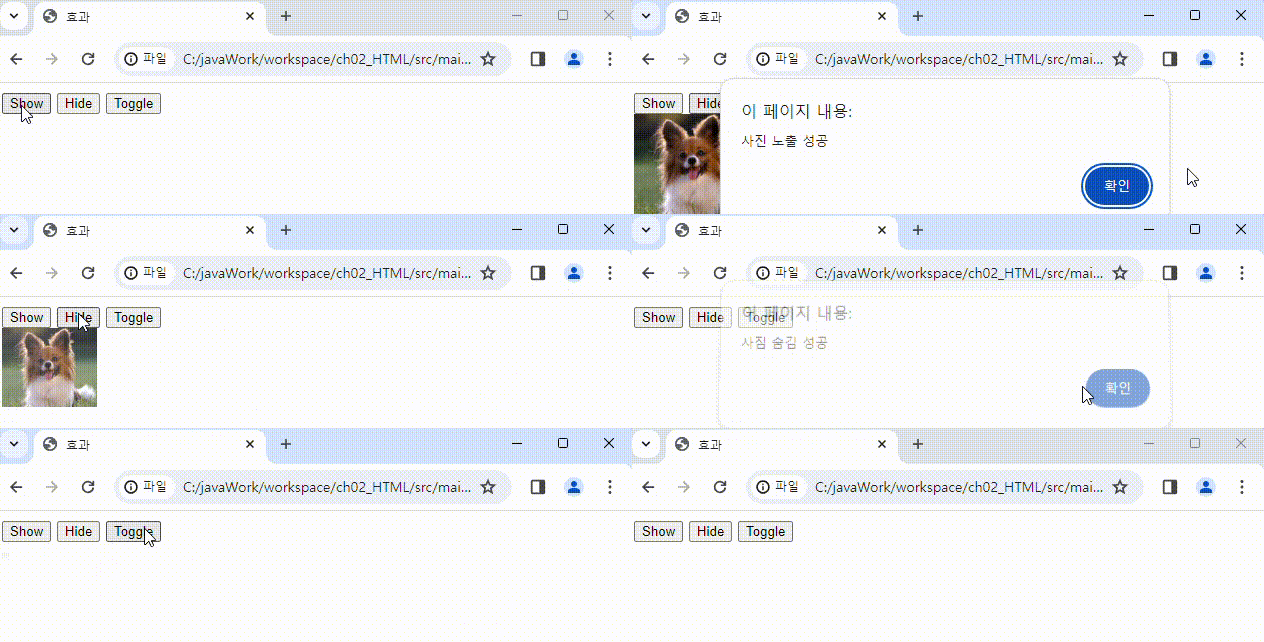
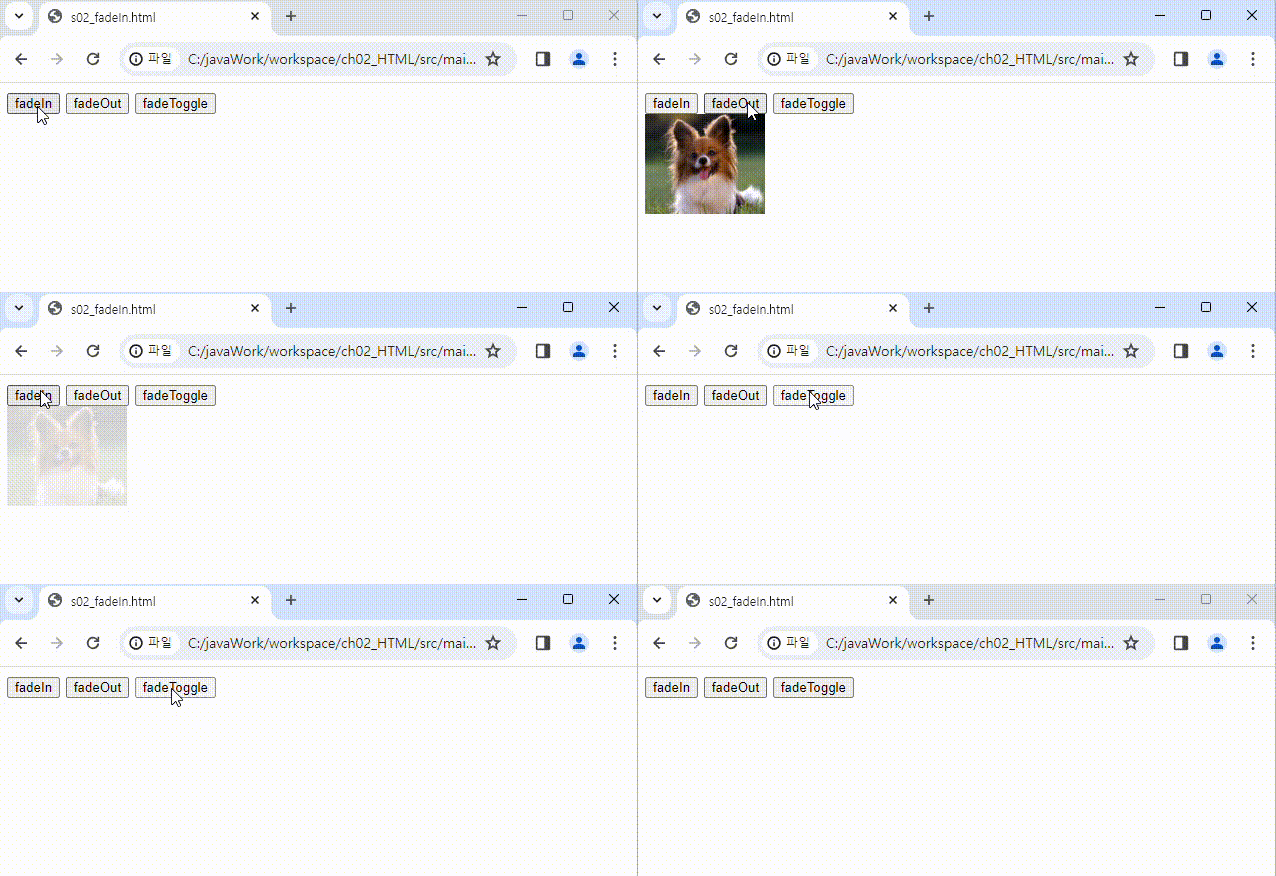
FadeIn(), FadeOut(), FadeToggle()
<!DOCTYPE html>
<html>
  <head>
    <meta charset="UTF-8" />
    <title></title>
    <script src="https://ajax.googleapis.com/ajax/libs/jquery/3.7.1/jquery.min.js"></script>
    <script>
      $(function () {
        $('#btn1').on('click',function(){
            $('#dog').fadeIn('slow');
        });
        $('#btn2').on('click',function(){
            $('#dog').fadeOut(1000);
        });
        $('#btn3').on('click',function(){
            $('#dog').fadeToggle('slow');
        });
      });
    </script>
  </head>
  <body>
    <button id="btn1">fadeIn</button>
    <button id="btn2">fadeOut</button>
    <button id="btn3">fadeToggle</button>
    <div>
        <img src="../files/dog.png" id="dog" width="120" height="100" style="display: none;">
    </div>
  </body>
</html>
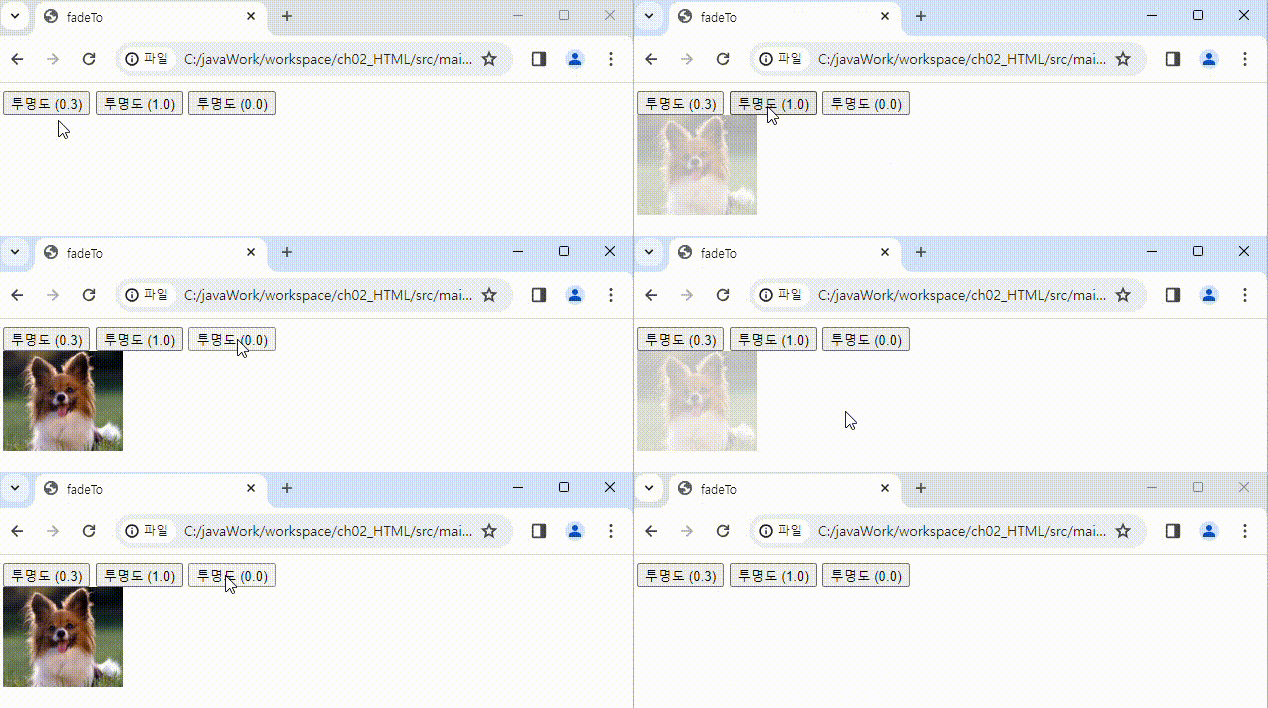
FadeTo()
<!DOCTYPE html>
<html>
  <head>
    <meta charset="UTF-8" />
    <title>fadeTo</title>
    <script src="https://ajax.googleapis.com/ajax/libs/jquery/3.7.1/jquery.min.js"></script>
    <script>
      $(function () {
        $('#btn1').on('click',function(){
            $('#dog').fadeTo('slow',0.3);
        });

        $('#btn2').on('click',function(){
            $('#dog').fadeTo(1000,1.0);
        });

        $('#btn3').on('click',function(){
            $('#dog').fadeTo('slow',0.0);
        });

      });
    </script>
  </head>
  <body>
    <button id="btn1">투명도 (0.3)</button>
    <button id="btn2">투명도 (1.0)</button>
    <button id="btn3">투명도 (0.0)</button>
    <div>
        <img src="../files/dog.png" id="dog" width="120" height="100">
    </div>
  </body>
</html>
slideUp(), slideDown(), slideToggle
<!DOCTYPE html>
<html>
  <head>
    <meta charset="UTF-8" />
    <title>slideUp, slideDown, slidToggle</title>
    <style>
        h1{
            width: 300px;
            height: 200px;
            background-color: lemonchiffon;
        }
    </style>
    <script src="https://ajax.googleapis.com/ajax/libs/jquery/3.7.1/jquery.min.js"></script>
    <script>
      $(function () {
        $('#btn1').on('click', function(){
            // 위로 올라가면서 숨겨짐
            $('h1').slideUp(1000);
        })
        $('#btn2').on('click', function(){
            // 아래로 내려가면 보여짐
            $('h1').slideDown('slow');
        })
        $('#btn3').on('click', function(){
            $('h1').slideToggle('fast');
        })
      });
    </script>
  </head>
  <body>
    <button id="btn1">slideUp</button>
    <button id="btn2">slideDown</button>
    <button id="btn3">slideToggle</button>
    <h1>내용</h1>
  </body>
</html>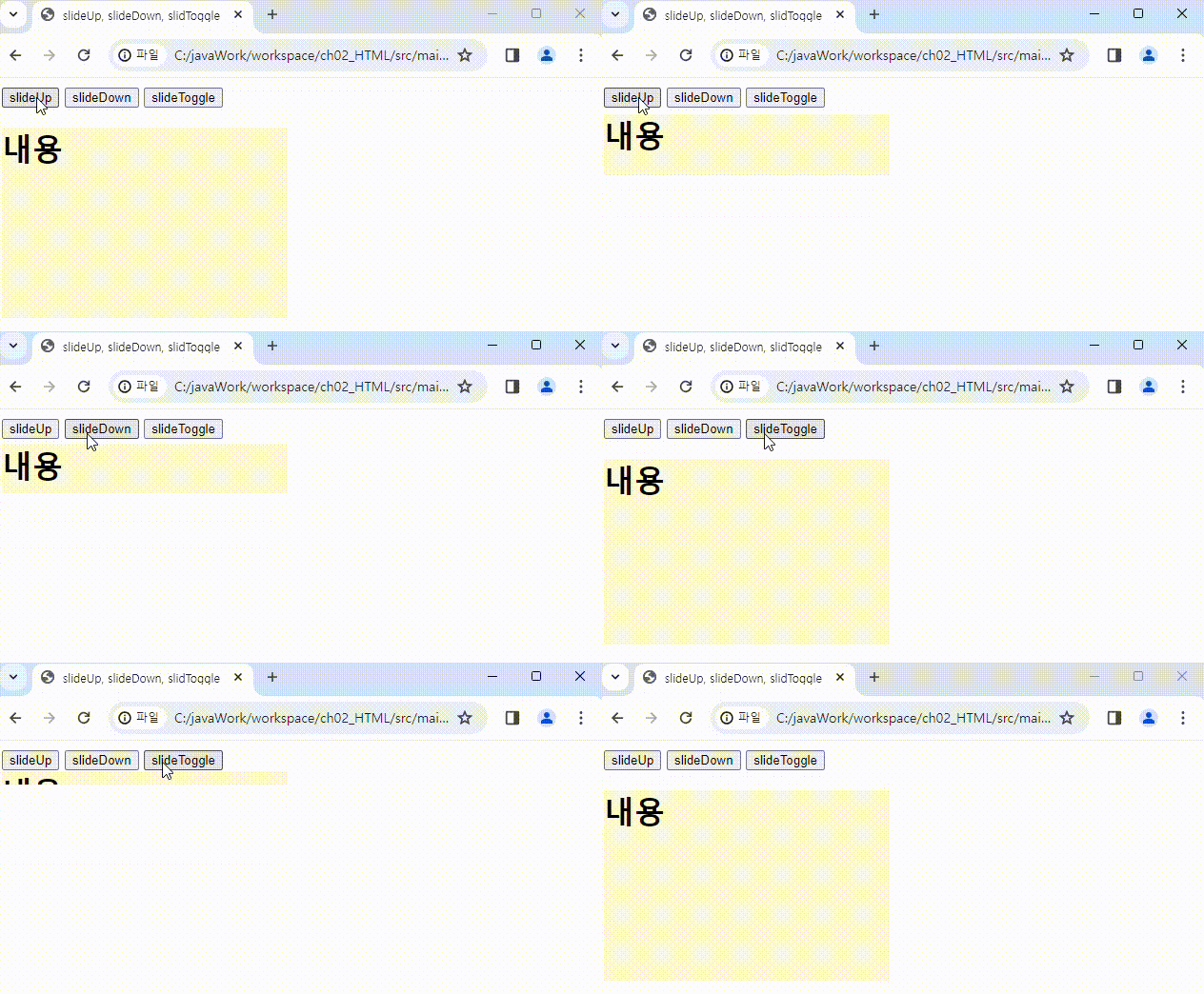
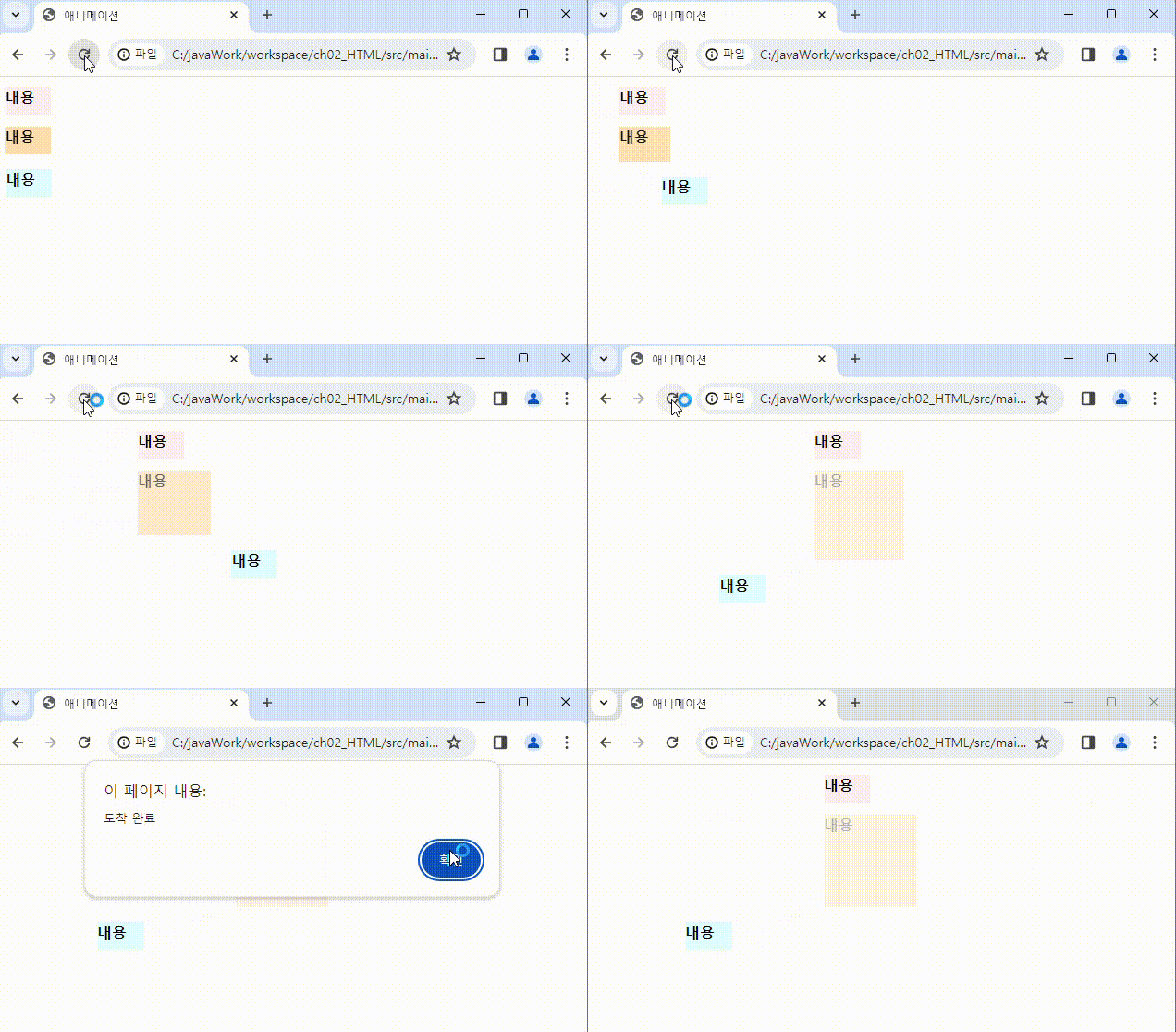
Animate()
<!DOCTYPE html>
<html>
  <head>
    <meta charset="UTF-8" />
    <title>애니메이션</title>
    <style>
        h1{
            width: 50px;
            height: 30px;
            background-color: lavenderblush;
            font-size: 100%;
        }
        h2{
            width: 50px;
            height: 30px;
            background-color: navajowhite;
            font-size: 100%;
        }
        h3{
            width: 50px;
            height: 30px;
            background-color: lightcyan;
            font-size: 100%;
        }
    </style>
    <script src="https://ajax.googleapis.com/ajax/libs/jquery/3.7.1/jquery.min.js"></script>
    <script>
      $(function () {
        // animate({애니메이션 속성 => css로 명시, '효과 속도', 콜백 함수})
        // 애니메이션 속성 : 모션으로 적용할 속성을 스타일(CSS)을 이용해서 입력한다
        $('h1').animate({
            // 5초 동안 왼쪽 여백을 늘린다
            marginLeft : '250px'
        },5000,function(){
            // 애니메이션 종료시 수행할 작업
            alert('도착 완료');
        });

        $('h2').animate({
            // 5초 동안 왼쪽 여백을 늘린다
            marginLeft : '250px',
            opacity: 0.3,
            width : '100px',
            height : '100px'
        },5000);

        $('h3').animate({
            // 5초 동안 왼쪽 여백을 늘린다
            marginLeft : '250px'
        },3000).animate({
            marginLeft:'100px'
        },2000);

      });
    </script>
  </head>
  <body>
    <h1>내용</h1>
    <h2>내용</h2>
    <h3>내용</h3>
  </body>
</html>
jQuery UI
Draggable
<!DOCTYPE html>
<html lang="en">

<head>
    <meta charset="utf-8">
    <meta name="viewport" content="width=device-width, initial-scale=1">
    <title>Draggable</title>
    <link rel="stylesheet" href="../css/jquery-ui.min.css">
    <script src="https://ajax.googleapis.com/ajax/libs/jquery/3.7.1/jquery.min.js"></script>
    <script src="../js/jquery-ui.min.js "></script>
    <style>
        #draggable {
            width: 150px;
            height: 150px;
            padding: 0.5em;
        }
    </style>
    <script>
        $(function () {
            $("#draggable").draggable();
        });
    </script>
</head>

<body>
    <div id="draggable" class="ui-widget-content">
        <p>Drag me around</p>
    </div>
</body>

</html>
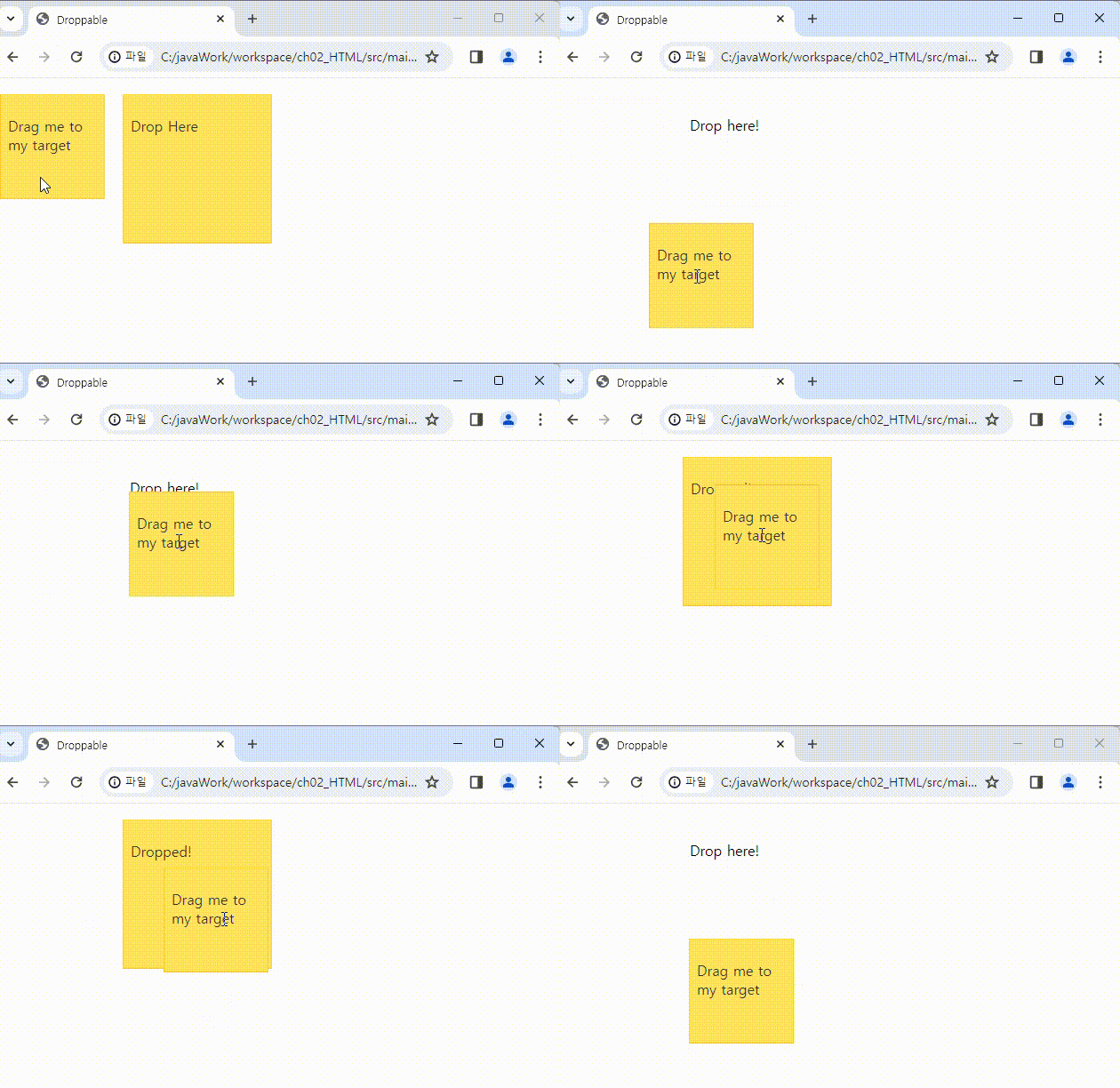
Droppable
<!DOCTYPE html>
<html>
<head>
<meta charset="UTF-8" />
<title>Droppable</title>
<link rel="stylesheet" href="../css/jquery-ui.min.css">
<script src="https://ajax.googleapis.com/ajax/libs/jquery/3.7.1/jquery.min.js"></script>
<script src="../js/jquery-ui.min.js "></script>
<style>
#draggable {
width: 100px;
height: 100px;
padding: 0.5em;
float: left;
margin: 10px 10px 10px 0;
}
#droppable {
width: 150px;
height: 150px;
padding: 0.5em;
float: left;
margin: 10px;
}
</style>
<script>
$(function () {
$('#draggable').draggable();
$('#droppable').droppable({
drop: function (event, ui) {
$(this).addClass('ui-state-highlight').find('p').html('Dropped!');
},
out: function (event, ui) {
$(this).removeClass('ui-state-highlight').find('p').html('Drop here!');
}
});
});
</script>
</head>
<body>
<div id="draggable" class="ui-state-highlight">
<p>Drag me to my target</p>
</div>
<div id="droppable" class="ui-state-highlight">
<p>Drop Here</p>
</div>
</body>
</html>
Accordion
<!DOCTYPE html>
<html>

<head>
    <meta charset="UTF-8" />
    <title>Accordion</title>
    <link rel="stylesheet" href="../css/jquery-ui.min.css">
    <script src="https://ajax.googleapis.com/ajax/libs/jquery/3.7.1/jquery.min.js"></script>
    <script src="../js/jquery-ui.min.js "></script>
    <script>
        $(function () {
            $('#accordion').accordion();
        });
    </script>
</head>

<body>
    <div id="accordion">
        <h3>맛집 투어</h3>
        <div>
            <p>
 주변에 맛집이 많이 있어도 너무 비싸고 가성비 좋은 곳을 찾지만 너무 멀리 있어요.
 주변에 맛집이 많이 있어도 너무 비싸고 가성비 좋은 곳을 찾지만 너무 멀리 있어요.
 주변에 맛집이 많이 있어도 너무 비싸고 가성비 좋은 곳을 찾지만 너무 멀리 있어요.
 주변에 맛집이 많이 있어도 너무 비싸고 가성비 좋은 곳을 찾지만 너무 멀리 있어요.
 주변에 맛집이 많이 있어도 너무 비싸고 가성비 좋은 곳을 찾지만 너무 멀리 있어요.
            </p>
        </div>

        <h3>문화 여행</h3>
        <div>
            <p>
 주변에 맛집이 많이 있어도 너무 비싸고 가성비 좋은 곳을 찾지만 너무 멀리 있어요.
 주변에 맛집이 많이 있어도 너무 비싸고 가성비 좋은 곳을 찾지만 너무 멀리 있어요.
 주변에 맛집이 많이 있어도 너무 비싸고 가성비 좋은 곳을 찾지만 너무 멀리 있어요.
 주변에 맛집이 많이 있어도 너무 비싸고 가성비 좋은 곳을 찾지만 너무 멀리 있어요.
 주변에 맛집이 많이 있어도 너무 비싸고 가성비 좋은 곳을 찾지만 너무 멀리 있어요..
            </p>
        </div>

        <h3>주말 여행</h3>
        <div>
            <p>
 주변에 맛집이 많이 있어도 너무 비싸고 가성비 좋은 곳을 찾지만 너무 멀리 있어요.
 주변에 맛집이 많이 있어도 너무 비싸고 가성비 좋은 곳을 찾지만 너무 멀리 있어요.
 주변에 맛집이 많이 있어도 너무 비싸고 가성비 좋은 곳을 찾지만 너무 멀리 있어요.
 주변에 맛집이 많이 있어도 너무 비싸고 가성비 좋은 곳을 찾지만 너무 멀리 있어요.
 주변에 맛집이 많이 있어도 너무 비싸고 가성비 좋은 곳을 찾지만 너무 멀리 있어요.
            </p>
        </div>

    </div>
</body>

</html>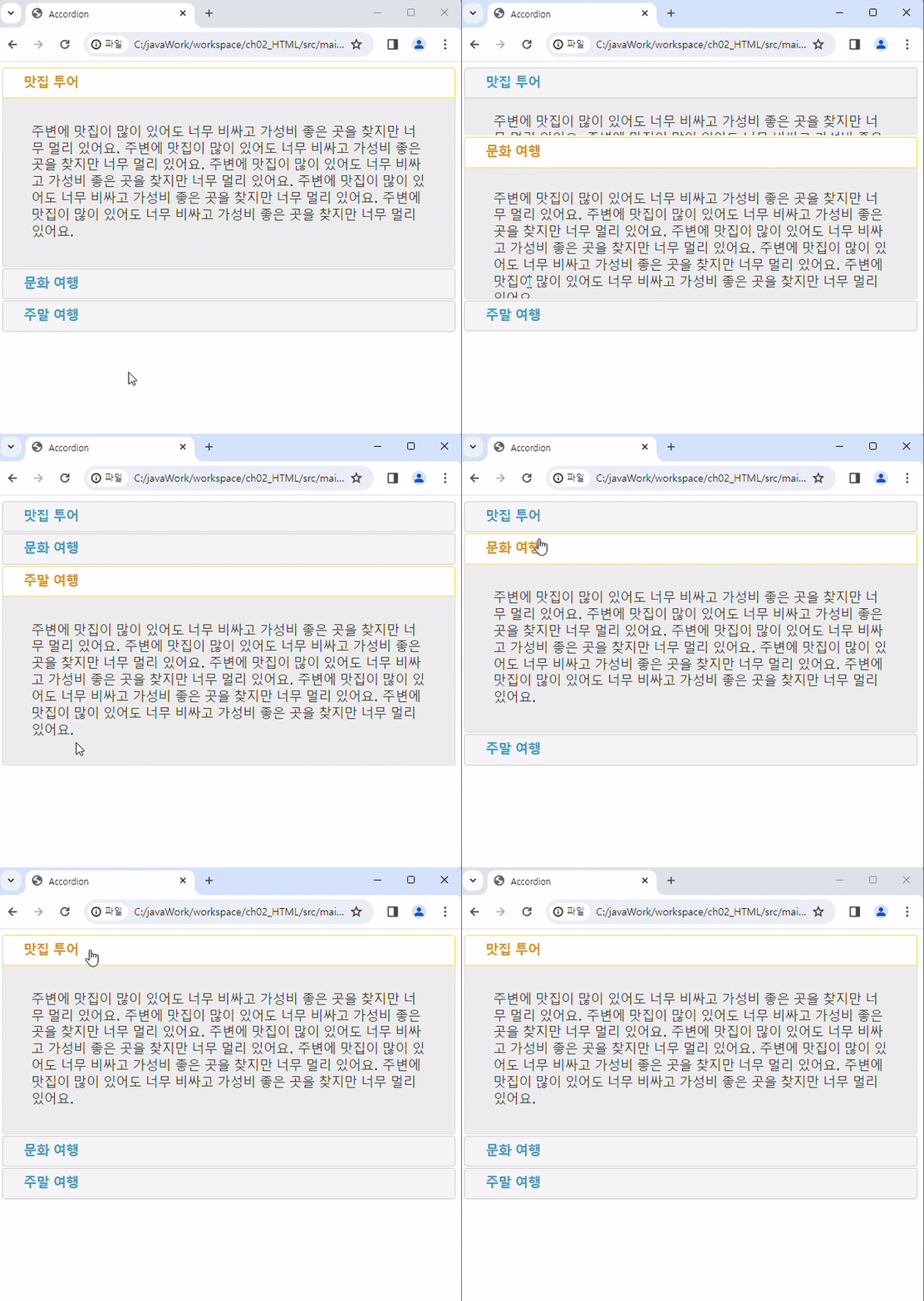
DatePicker
<!DOCTYPE html>
<html>

<head>
    <meta charset="UTF-8" />
    <title>DatePicker</title>
    <link rel="stylesheet" href="../css/jquery-ui.min.css">
    <script src="https://ajax.googleapis.com/ajax/libs/jquery/3.7.1/jquery.min.js"></script>
    <script src="../js/jquery-ui.min.js "></script>
    <script>
        $(function () {
            $('#datepicker').datepicker({
                showMonthAfterYear:true,
                dateFormat:'yy-mm-dd',
                dayNamesMin:['일','월','화','수','목','금','토'],
                monthNames:['1월','2월','3월','4월','5월','6월','7월','8월','9월','10월','11월','12월']
            });

        });
    </script>
</head>

<body>
<p>
    Date : <input type="text" id="datepicker">
</p>
</body>

</html>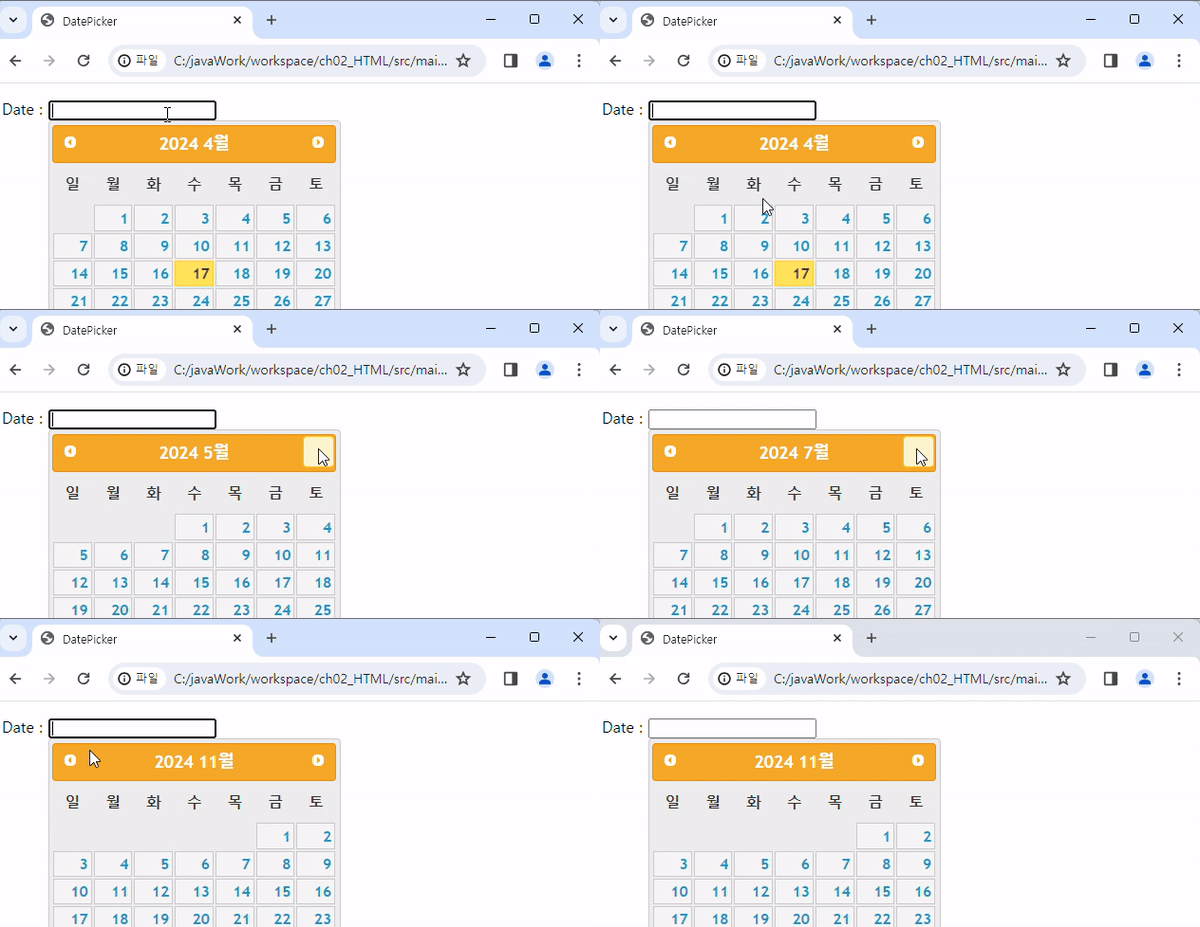
<!DOCTYPE html>
<html>

<head>
    <meta charset="UTF-8" />
    <title>DatePicker</title>
    <link rel="stylesheet" href="../css/jquery-ui.min.css">
    <script src="https://ajax.googleapis.com/ajax/libs/jquery/3.7.1/jquery.min.js"></script>
    <script src="../js/jquery-ui.min.js "></script>
    <script>
        $(function () {
            $('#datepicker').datepicker({
                showMonthAfterYear:true,
                dateFormat:'yy년mm월dd일',
                dayNamesMin:['일','월','화','수','목','금','토'],
                monthNamesShort:['1월','2월','3월','4월','5월','6월','7월','8월','9월','10월','11월','12월'],
                changeMonth:true,
                changeYear:true
            });

        });
    </script>
</head>

<body>
<p>
    Date : <input type="text" id="datepicker">
</p>
</body>

</html>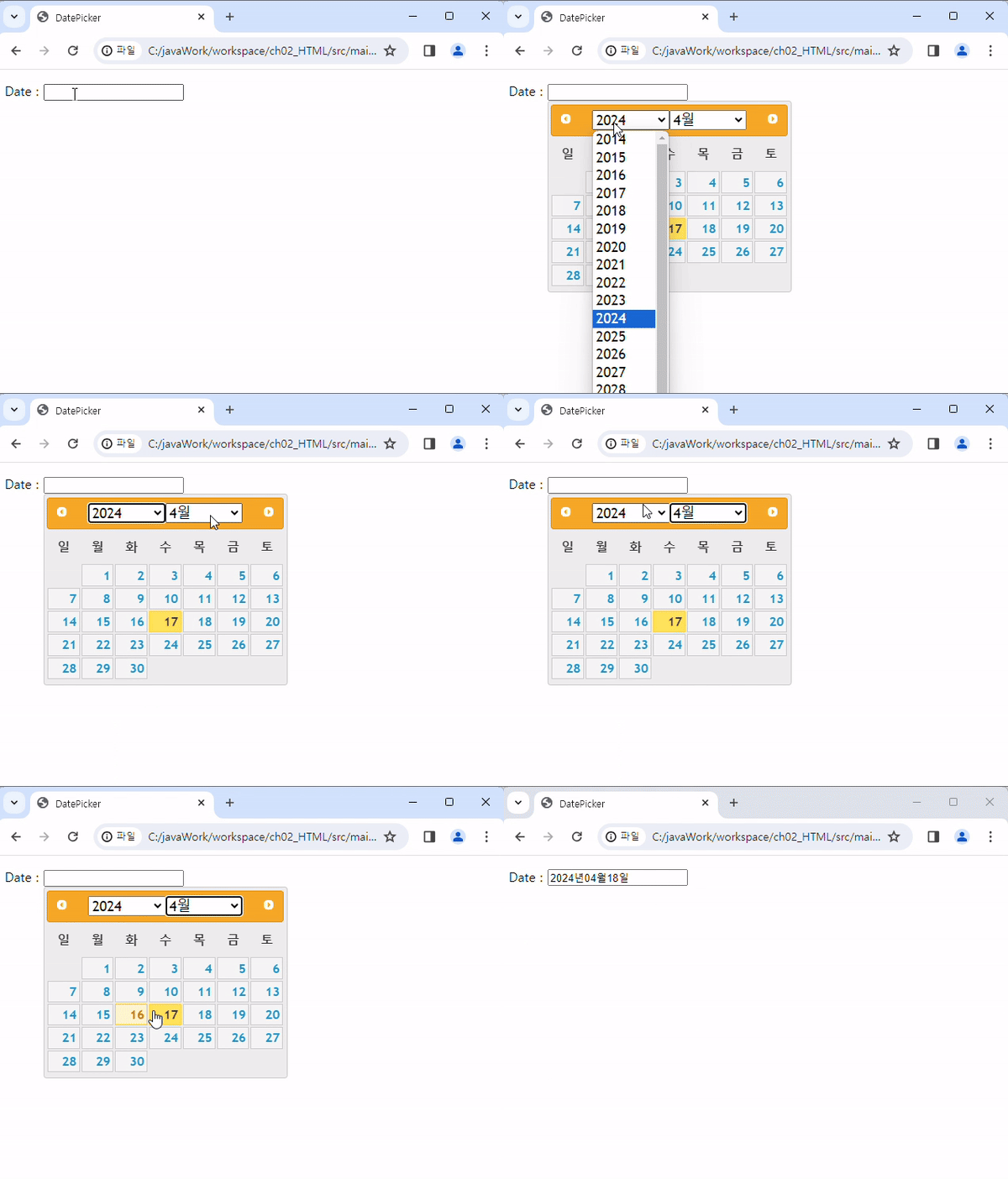
Dialog
- Dialog 기본
<!DOCTYPE html>
<html>

<head>
    <meta charset="UTF-8" />
    <title>dialog</title>
    <link rel="stylesheet" href="../css/jquery-ui.min.css">
    <script src="https://ajax.googleapis.com/ajax/libs/jquery/3.7.1/jquery.min.js"></script>
    <script src="../js/jquery-ui.min.js "></script>
    <script>
        $(function () {
            $('#dialog').dialog();
        });
    </script>
</head>

<body>
    <div id="dialog" title="Basic dialog">
        <p>다이얼로그는 움직일 수 있으며 다이얼로그 창은 x버튼을 누르면 닫을 수도 있음</p>
    </div>

    <div>
        Welcome
    </div>
</body>
</html>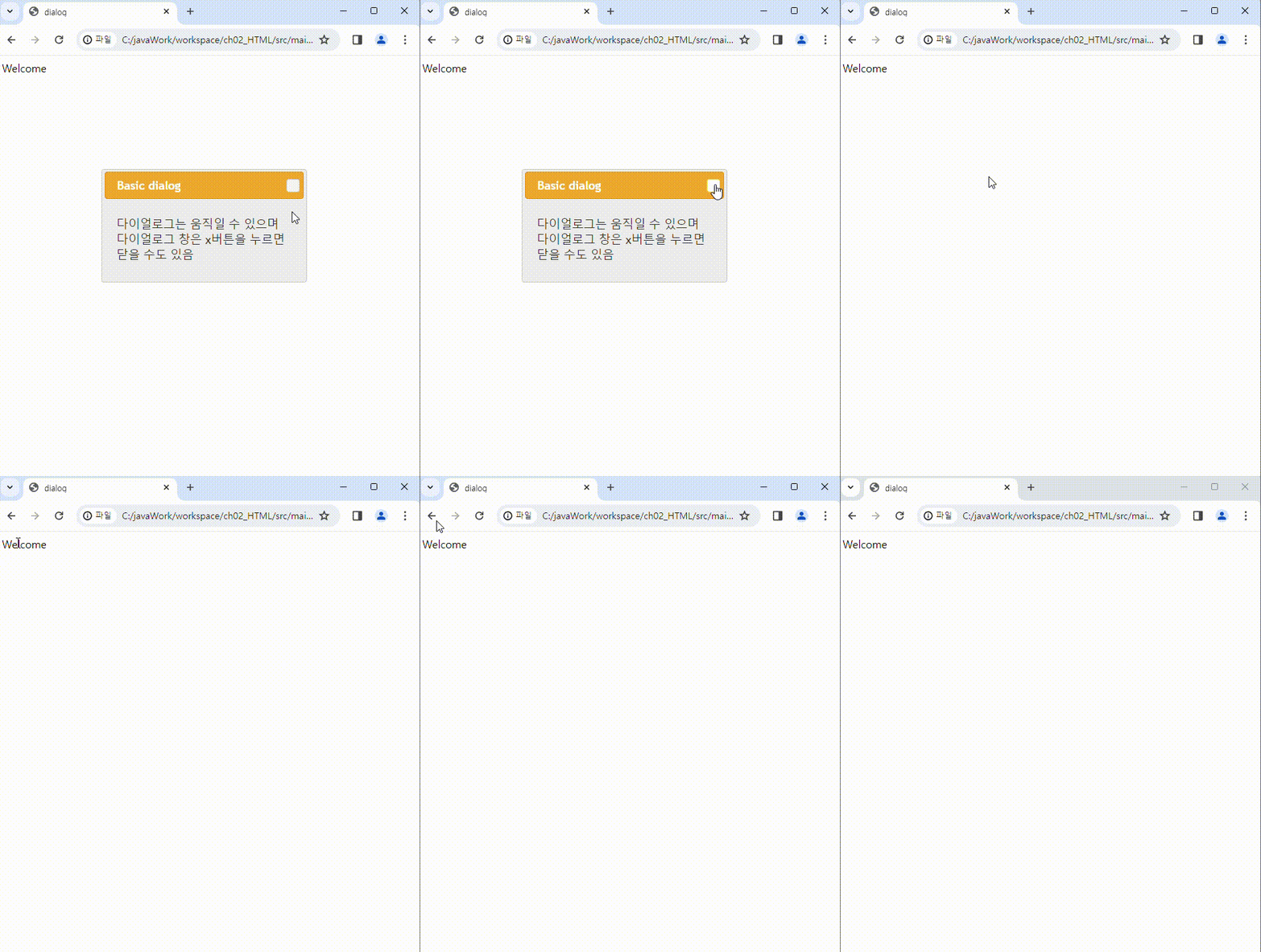
- button 이용하여 dialog 불러오기
<!DOCTYPE html>
<html>

<head>
    <meta charset="UTF-8" />
    <title>dialog</title>
    <link rel="stylesheet" href="../css/jquery-ui.min.css">
    <script src="https://ajax.googleapis.com/ajax/libs/jquery/3.7.1/jquery.min.js"></script>
    <script src="../js/jquery-ui.min.js "></script>
    <script>
        $(function () {
            $('#dialog').dialog({
                autoOpen:false, // 수동으로 다이얼로그 열기
                show:{
                    effect : 'blind',
                    duration : 1000
                },
                hide:{
                    effect:'explode',
                    duration: 1000
                }
            });

            // 버튼 이벤트 연결
            $('#opener').click(function(){
                $('#dialog').dialog('open');
            });
        });
    </script>
</head>

<body>
    <button id="opener">Open Dialog</button>

    <div id="dialog" title="Basic dialog">
        <p>다이얼로그는 움직일 수 있으며 다이얼로그 창은 x버튼을 누르면 닫을 수도 있음</p>
    </div>

</body>
</html>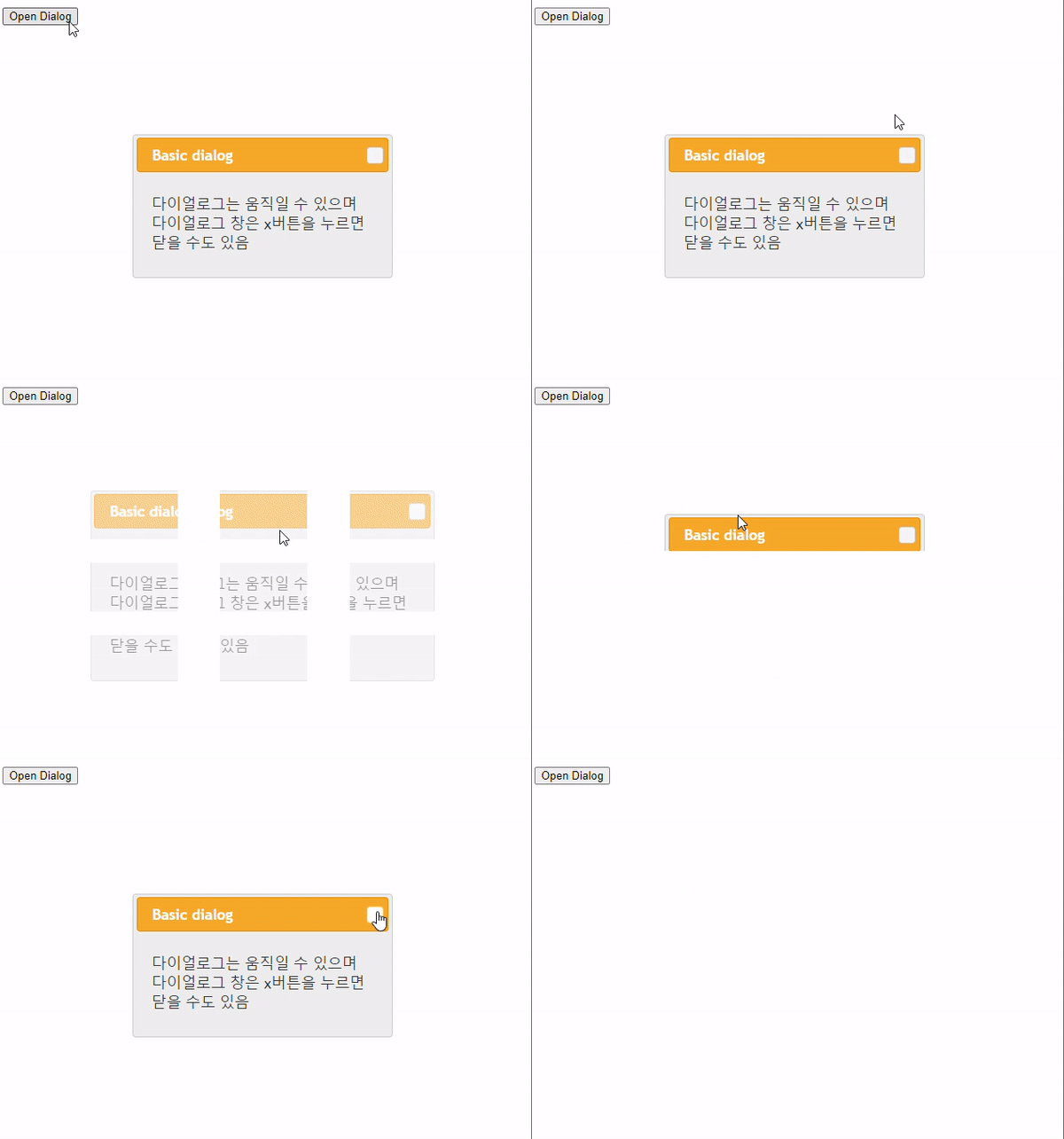
- cancel 버튼 만들기
<!DOCTYPE html>
<html>

<head>
    <meta charset="UTF-8" />
    <title>dialog</title>
    <link rel="stylesheet" href="../css/jquery-ui.min.css">
    <script src="https://ajax.googleapis.com/ajax/libs/jquery/3.7.1/jquery.min.js"></script>
    <script src="../js/jquery-ui.min.js"></script>
    <script>
$(function () {
    $('#dialog').dialog({
        resizable: false, // 수정된 부분
        height: 300,
        modal: true,
        buttons: {
            'DELETE ALL ITEMS': function () {
                $(this).dialog('close');
            },
            Cancel: function () {
                $(this).dialog('close');
            }
        }
    });
});

    </script>
</head>

<body>
    <div id="dialog" title="Basic dialog">
        <p>다이얼로그는 움직일 수 있으며 다이얼로그 창은 x버튼을 누르면 닫을 수도 있음</p>
    </div>
    <div>Welcome</div>
</body>
</html>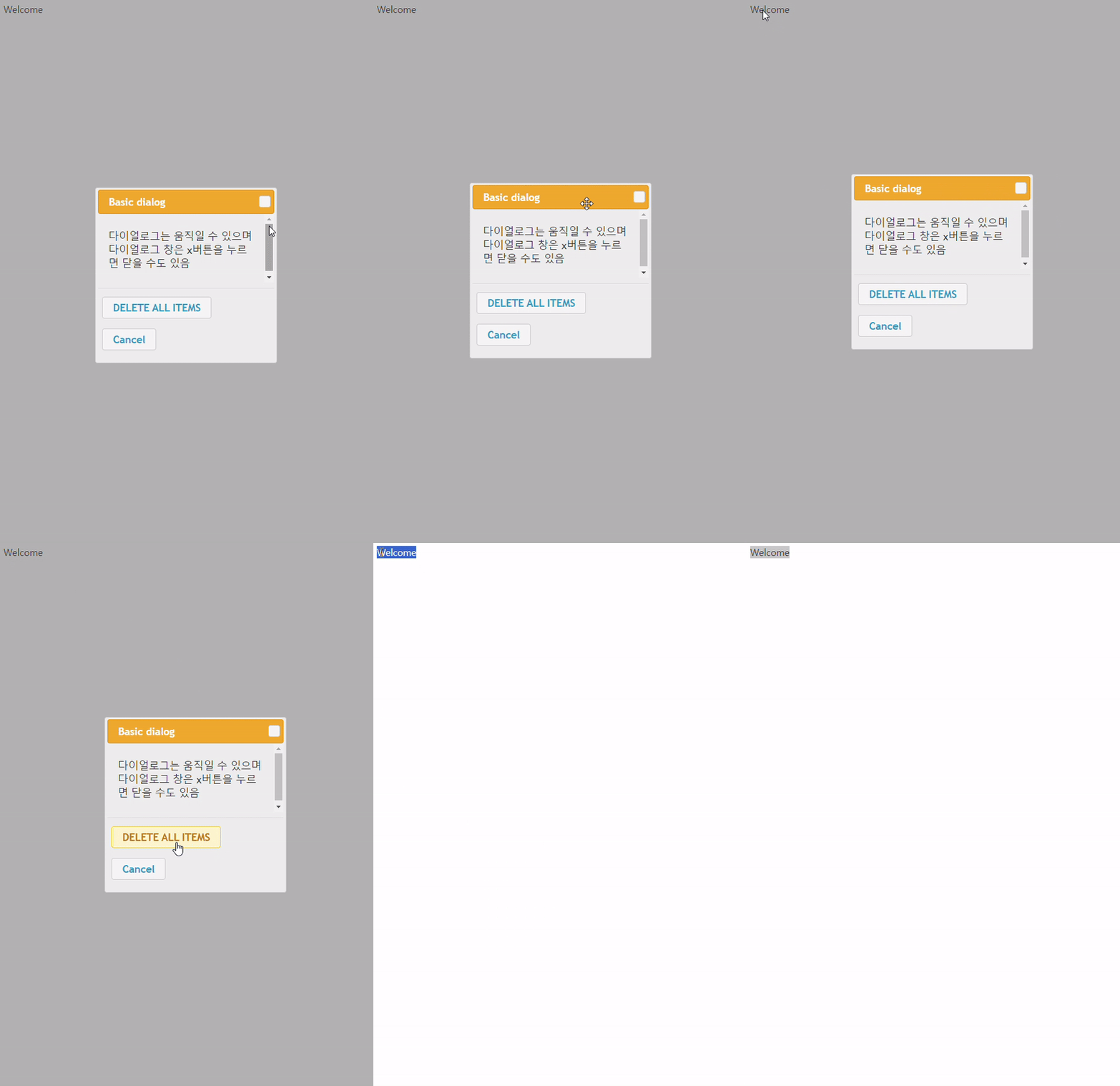
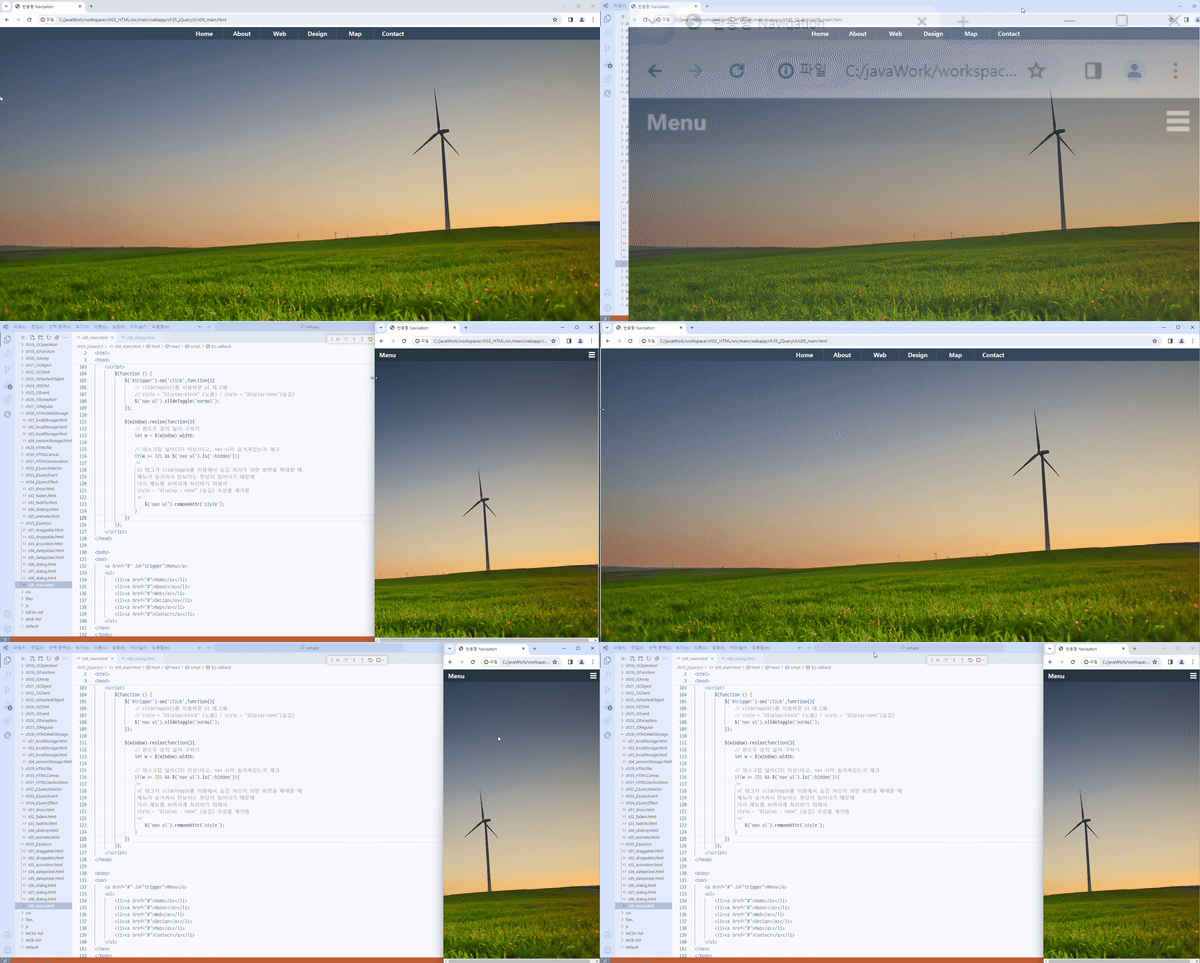
Menu 만들기
CSS 설정
        *{
            margin: 0;
            padding: 0;
        }
        body{
            background: url(../files/windmill.jpg) no-repeat right bottom fixed;
            background-size: cover;
        }
        a:link, a:hover, a:visited {
            color: #fff;
            text-decoration: none;
            text-shadow: 1px 1px 0 #283744;
        }
        nav{
            width: 100%;
            height: auto;
            background: #34495e;
            font-size: 1.2em;
            font-weight: bold;
            position: relative;
        }
        nav ul{
            display: none;
        }
        nav ul li{
            display: block;
            width: 100%;
            text-align: center;
            border-bottom: 1px solid #576979;
        }
        nav ul li a{
            line-height: 50px;
        }
        nav a#trigger{
            display: block;
            background-color: #283744;
            width: 100%;
            padding-left: 15px;
            line-height: 40px;
            position: relative;
        }
        nav a#trigger::after{
            /*content 텍스트, 이미지 등을 추가하기 위해 사용, 배경으로 처리해서 내용을 비어있게 처리함*/
            content: "";
            background: url('../files/nav.png') no-repeat;
            width: 30px;
            height: 30px;
            display: inline-block;
            position: absolute;
            right: 15px;
            top: 10px;
        }

        @media screen and (min-width:721px) {
            nav{
                height: 40px;
            }
            nav ul{
                display: block;
                width: 720px;
                height: 30px;
                padding: 0;
                margin: 0 auto;
            }
            nav ul li{
                /*
                box-sizing은 박스의 크기를 화면에 표시하는 방식을 변경하는 속성.
                넓이와 높이를 지정할 때 테두리를 지정하면 넓이(500) + 테두리의 두께(20)로
                실제 넓이(520)가 더 커지는 현상
                box-sizing:border-box 로 지정하면 테두리(20)가 있어도 지정한 넓이(500)만큼
                실제 넓이(500)을 보여준다
                */
                box-sizing: border-box;
                display: inline-block;
                width: 120px;
                border-bottom: 0;
                border-right: 1px solid #576979;
                margin-left: -6px;
            }
            nav ul li:last-child{
                border-right: 0;
            }
            nav ul li a{
                font-size: 1em;
                line-height: 40px;
            }
            nav a#trigger{
                display: none;
            }

        }
JS 설정
        $(function () {
            $('#trigger').on('click',function(){
                // slideToggle()를 이용하면 ul 태그에
                // style = "display:block" (노출) | style = "display:none"(숨김)
                $('nav ul').slideToggle('normal');
            });

            $(window).resize(function(){
                // 윈도우 창의 넓이 구하기
                let w = $(window).width;

                // 데스크탑 넓이(721 이상)이고, nav ul이 숨겨져있는지 체크
                if(w >= 721 && $('nav ul').is(':hidden')){
                 /*
                 ul 태그가 slideToggle를 이용해서 숨김 처리가 되면 화면을 확대할 때
                 메뉴가 숨겨져서 안보이는 현상이 일어나기 때문에
                 다시 메뉴를 보여지게 처리하기 위해서
                 style = "display : none" (숨김) 속성을 제거함
                 */
                    $('nav ul').removeAttr('style');
                }
            })
        });
HTML 기본 틀
<!DOCTYPE html>
<html>
<head>
    <meta charset="UTF-8">
    <meta name="viewport" content="width=device-width, initial-scale=1,maximum-scale=1">
    <title>반응형 Navigation</title>
    <link rel="stylesheet" href="../css/jquery-ui.min.css">
    <script src="../js/jquery-ui.min.js "></script>
    <style>
	// CSS 내용
    </style>
   	<script src="https://ajax.googleapis.com/ajax/libs/jquery/3.7.1/jquery.min.js">
 	</script>
    <script>
	// JS 내용
    </script>
</head>

<body>
<nav>
    <a href="#" id="trigger">Menu</a>
    <ul>
        <li><a href="#">Home</a></li>
        <li><a href="#">About</a></li>
        <li><a href="#">Web</a></li>
        <li><a href="#">Design</a></li>
        <li><a href="#">Map</a></li>
        <li><a href="#">Contact</a></li>
    </ul>
</nav>
</body>
</html>
BootStrap 기본 설정
https://getbootstrap.com/
-> Docs 가서 JS, CSS 링크 복붙 해오기
<!DOCTYPE html>
<html lang="ko">

<head>
    <meta charset="UTF-8">
    <!-- 모바일 장치에서 웹사이트가 원하는 사이즈로 보여지게 처리 -->
    <meta name="viewport" content="width=device-width, initial-scale=1.0">
    <title>BootStrap</title>
    <!-- BootStrap CSS 링크 -->
    <link href="https://cdn.jsdelivr.net/npm/bootstrap@5.3.3/dist/css/bootstrap.min.css" rel="stylesheet"
        integrity="sha384-QWTKZyjpPEjISv5WaRU9OFeRpok6YctnYmDr5pNlyT2bRjXh0JMhjY6hW+ALEwIH" crossorigin="anonymous">
</head>

<body>
    <h1>
        Hello BootStrap!
    </h1>
    <!-- BootStrap JS 링크 -->
    <script src="https://cdn.jsdelivr.net/npm/bootstrap@5.3.3/dist/js/bootstrap.bundle.min.js"
        integrity="sha384-YvpcrYf0tY3lHB60NNkmXc5s9fDVZLESaAA55NDzOxhy9GkcIdslK1eN7N6jIeHz"
        crossorigin="anonymous"></script>
</body>

</html>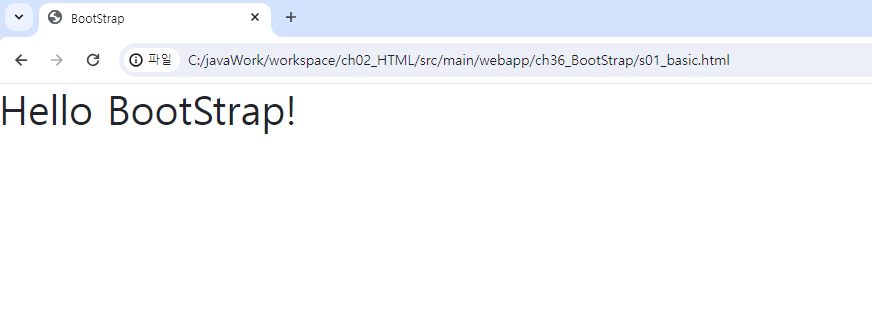
Container
<!DOCTYPE html>
<html lang="ko">

<head>
    <meta charset="UTF-8">
    <!-- 모바일 장치에서 웹사이트가 원하는 사이즈로 보여지게 처리 -->
    <meta name="viewport" content="width=device-width, initial-scale=1.0">
    <title>BootStrap</title>
    <!-- BootStrap CSS 링크 -->
    <link href="https://cdn.jsdelivr.net/npm/bootstrap@5.3.3/dist/css/bootstrap.min.css" rel="stylesheet"
        integrity="sha384-QWTKZyjpPEjISv5WaRU9OFeRpok6YctnYmDr5pNlyT2bRjXh0JMhjY6hW+ALEwIH" crossorigin="anonymous">

    <style>
        div{
            border:1px solid #ccc;
            background: #EEE;
        }
    </style>
</head>

<body>
    <h4>
        container - 좌우에 여백이 있음
    </h4>

    <div class="container">
        내용
    </div>
    <br>

    <h4>
        container-fluid - viewport를 꽉 채우는 container
    </h4>
    <div class="container-fluid">
        내용
    </div>

    <!-- BootStrap JS 링크 -->
    <script src="https://cdn.jsdelivr.net/npm/bootstrap@5.3.3/dist/js/bootstrap.bundle.min.js"
        integrity="sha384-YvpcrYf0tY3lHB60NNkmXc5s9fDVZLESaAA55NDzOxhy9GkcIdslK1eN7N6jIeHz"
        crossorigin="anonymous"></script>
</body>

</html>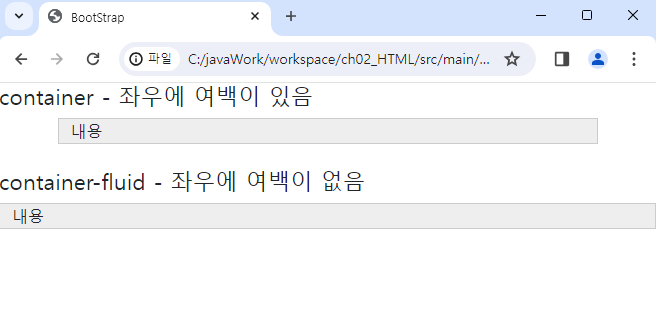
| Class | 특징 | 설명 |
|---|---|---|
| .container | ||
| .container-sm | Small | 576px 이상에 대응 |
| .container-md | Medium | 768px 이상에 대응 |
| .container-lg | Large | 992px 이상에 대응 |
| .container-xl | X-Large | 1200px 이상에 대응 |
| .container-xxl | XX-Large | 1400px 이상에 대응 |
| .container-fluid |
<!DOCTYPE html>
<html lang="ko">

<head>
    <meta charset="UTF-8">
    <!-- 모바일 장치에서 웹사이트가 원하는 사이즈로 보여지게 처리 -->
    <meta name="viewport" content="width=device-width, initial-scale=1.0">
    <title>BootStrap</title>
    <!-- BootStrap CSS 링크 -->
    <link href="https://cdn.jsdelivr.net/npm/bootstrap@5.3.3/dist/css/bootstrap.min.css" rel="stylesheet"
        integrity="sha384-QWTKZyjpPEjISv5WaRU9OFeRpok6YctnYmDr5pNlyT2bRjXh0JMhjY6hW+ALEwIH" crossorigin="anonymous">

    <style>
        div{
            border:1px solid #ccc;
            background: #EEE;
        }
    </style>
</head>

<body>
    <!--

    -->
    <h4>
        모니터 해상도에 따른 container 적용
    </h4>

    <div class="container-sm">
        내용
    </div>
    <div class="container-md">
        내용
    </div>
    <div class="container-lg">
        내용
    </div>
    <div class="container-xl">
        내용
    </div>
    <div class="container-xxl">
        내용
    </div>

    <!-- BootStrap JS 링크 -->
    <script src="https://cdn.jsdelivr.net/npm/bootstrap@5.3.3/dist/js/bootstrap.bundle.min.js"
        integrity="sha384-YvpcrYf0tY3lHB60NNkmXc5s9fDVZLESaAA55NDzOxhy9GkcIdslK1eN7N6jIeHz"
        crossorigin="anonymous"></script>
</body>

</html>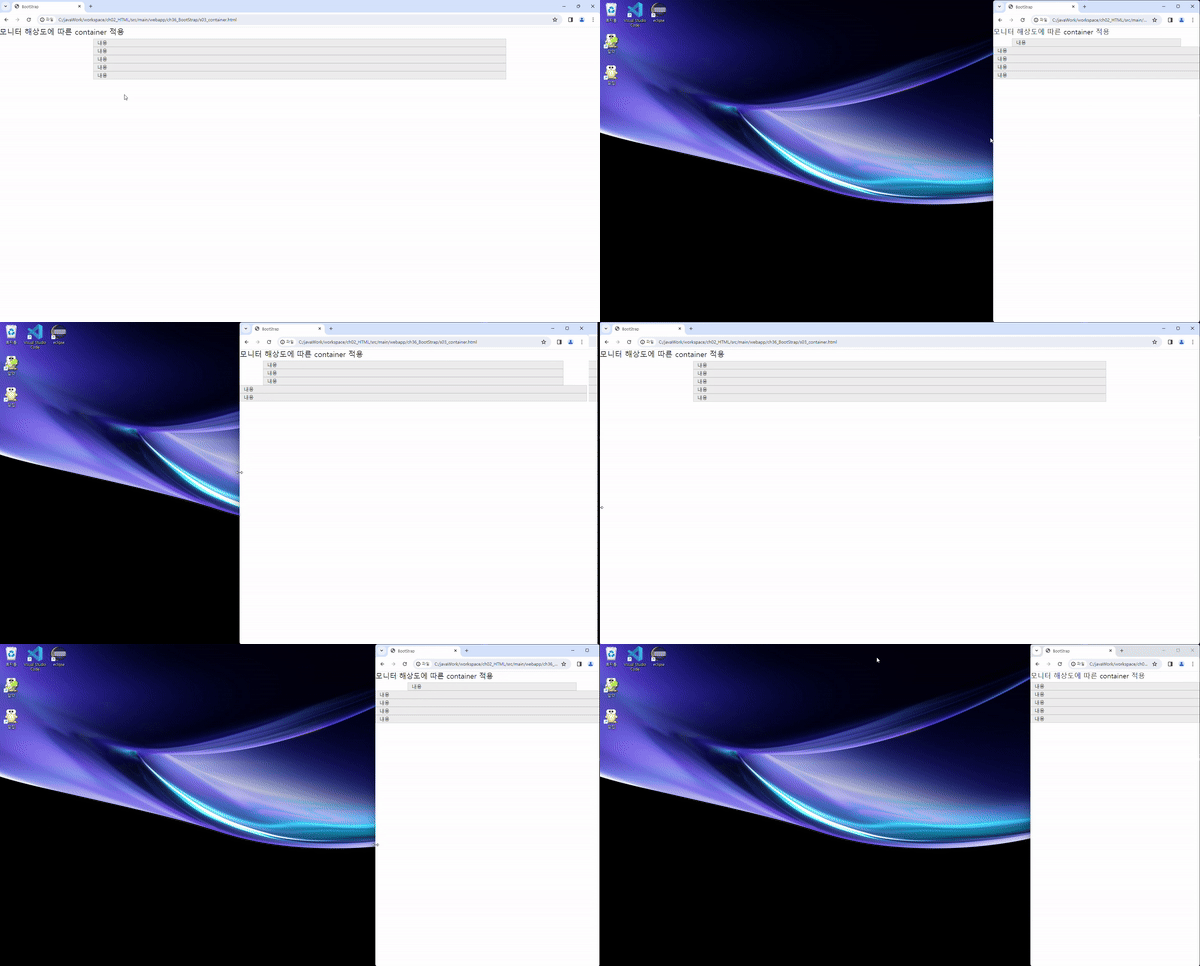

Lucky Things🍀