개발을 하다 보면 여러 깃허브 계정들이 생긴다 (개인 계정, 회사 계정 등등)
그래서 새로운 맥을 세팅할 때 마다 ssh 연결 설정을 하고 있다.
그때마다 다시금 읽을 용도의 ssh 연결 세팅 글을 작성하고자 한다.
.ssh 폴더 생성 및 이동
[ -d ~/.ssh ] || mkdir -p ~/.ssh && cd ~/.sshssh Key 생성
ssh-keygen -t ed25519 -C "myEmail@gmail.com"이후 생성되고자 하는 파일명을 입력 (Enter 하면 자동으로 파일명 생성)
난 보통 이메일명을 파일명으로 그대로 사용
myEmail@gmail.com이후 엔터 두번 (passphrase 불필요)
ssh-agent 활성화
eval "$(ssh-agent -s)"config 파일 생성
아래 형식으로 작성 필요
여기서 Host, IdentityFile 값들이 중요
Host github.com.myEmail
  AddKeysToAgent yes
  UseKeychain yes
  IdentitiesOnly yes
  HostName github.com
  User git
  IdentityFile ~/.ssh/myEmail@gmail.com
ssh-agent 에 ssh 개인키 추가
ssh-add --apple-use-keychain ~/.ssh/myEmail@gmail.com그러면 myEmail@gmail.com.pub 파일이 생성됌
Repository ssh key 추가
Github 내 Setttings > SSH and GPG keys 로 이동
우측 New SSH key 클릭
그러면 key 내용을 입력해야 하는데 여기에 아래를 실행 후 붙여넣기 하여 생성 완료
pbcopy < ~/.ssh/myEmail@gmail.com.pubssh clone
그럼 이제 github 에서 clone 을 받아볼 차례
HTTPS 대신 SSH 로 변경하여 복사
git@github.com:TimerTiTi/TiTi_iOS.git이대로 클론하는 대신 config 파일 내 Host 로 설정한 명칭으로 변경하여 clone 시도
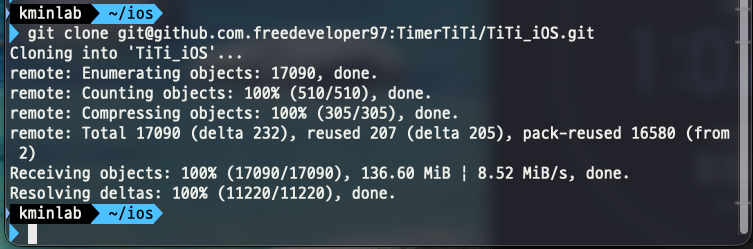
git clone git@github.com.myEmail:TimerTiTi/TiTi_iOS.gitprivate repository 인데도 클론이 되고 있다면 ssh 연결에 성공한 것이다!
git config 설정
clone 은 성공했지만, 이 상태로 commit 및 push 하게 되면 원치 않은 작성자로 올라가지는 것을 겪게 된다.
나의 경우는 그냥 repository 마다 한번 씩 설정하여 해결하고자 함
git config user.name "minsangKang"
git config user.email "myEmail@gmail.com"
iOS Developer