
JSDoc를 사용하면 자바스크립트 함수에 주석을 달아, 함수 호출 시 툴팁으로 노출하여 협업시 유용하게 사용할 수 있다.
JSDoc 사용 방법
함수 및 주석 생성하기
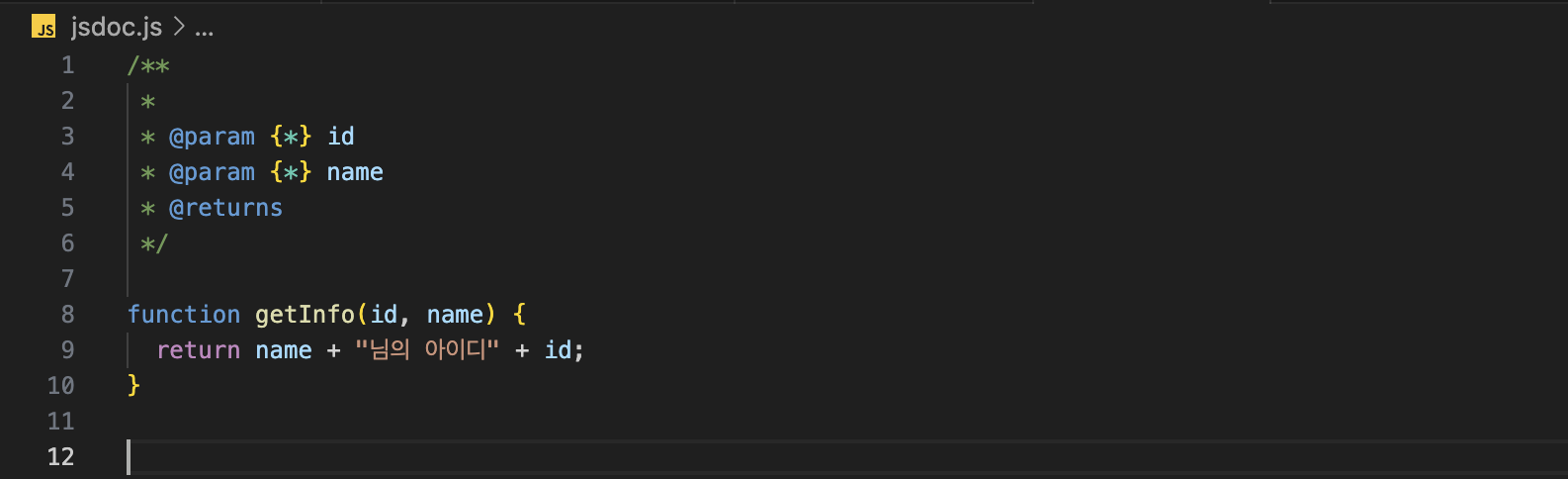
- 함수를 선언하고 함수의 바로 윗 부분에서
/**까지 입력하고 엔터를 치면 함수 주석이 자동완성된다. id,name을 파라미터로 받아 반환하는getInfo함수를 만들고 주석을 생성해보자.- 함수 선언 후 주석을 생성하면 주석 형식이 자동완성 된다.

주석 작성하기
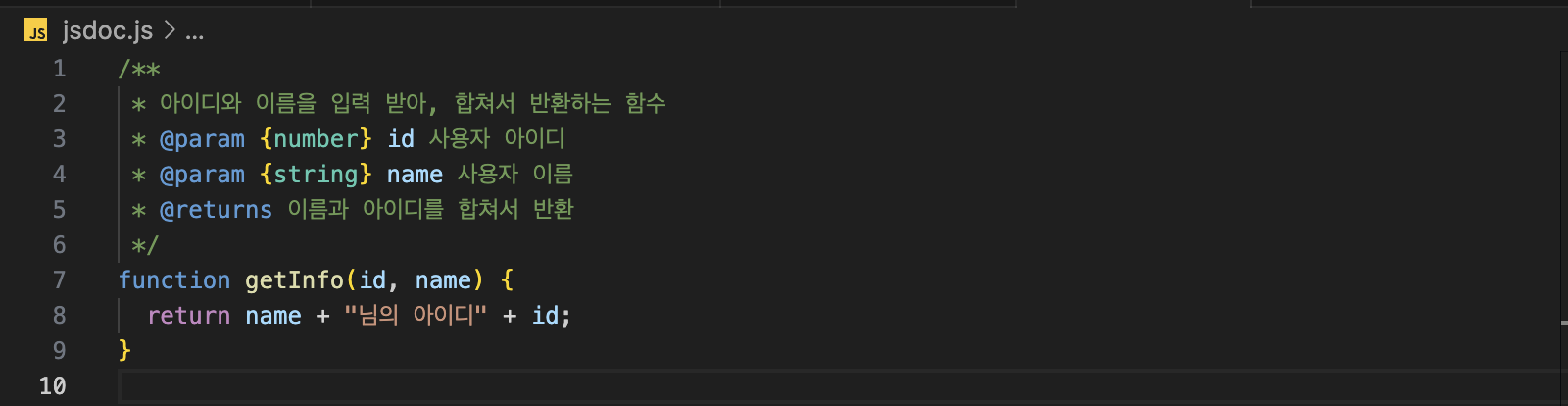
- 주석 맨 위에는 함수에 대한 설명을 적는다.
@param옆의 대괄호 사이에는number,string등의 파라미터 타입을, 파라미터 값 옆에는 파라미터가 무엇을 의미하는지 적는다.@returns옆에는 함수 반환값을 적는다.
/**
 * 아이디와 이름을 입력 받아, 합쳐서 반환하는 함수
 * @param {number} id 사용자 아이디
 * @param {string} name 사용자 이름
 * @returns 이름과 아이디를 합쳐서 반환
 */
function getInfo(id, name) {
  return name + "님의 아이디" + id;
}
함수 호출하기
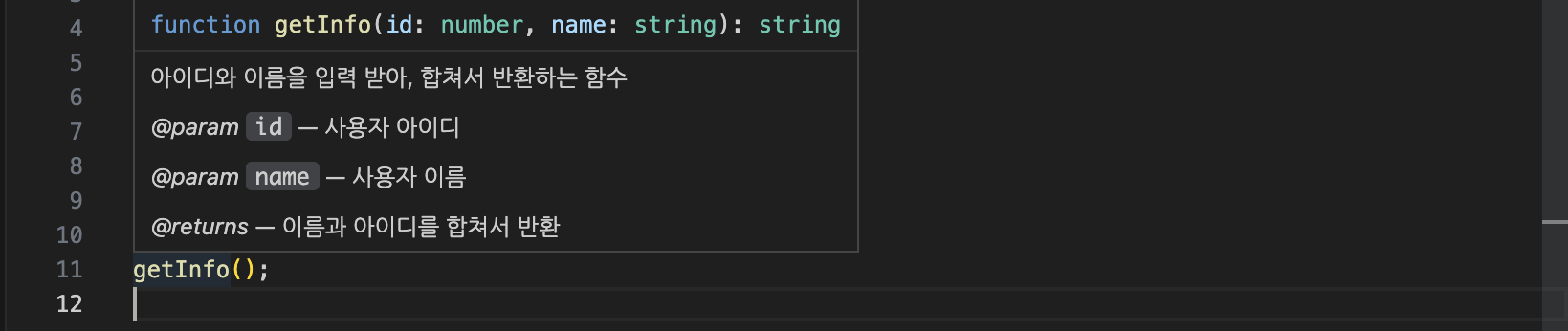
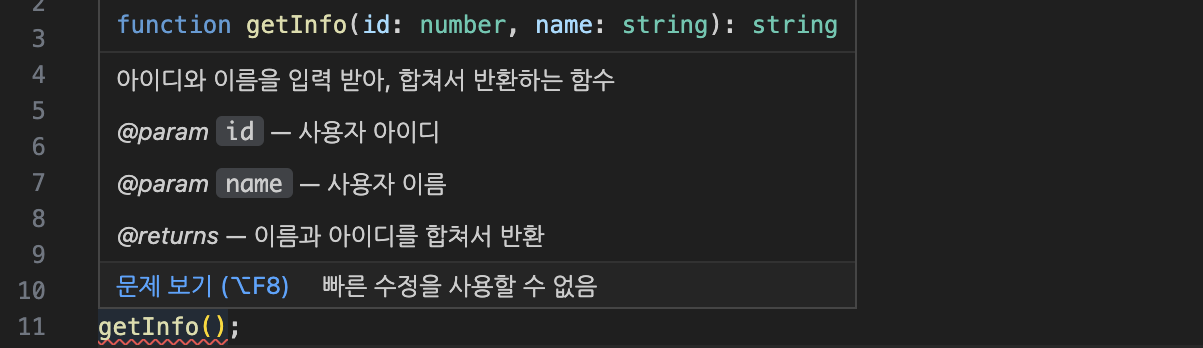
- 이제 함수 호출 시, 아래와 같이 함수에 대한 설명이 툴팁으로 노출된다.
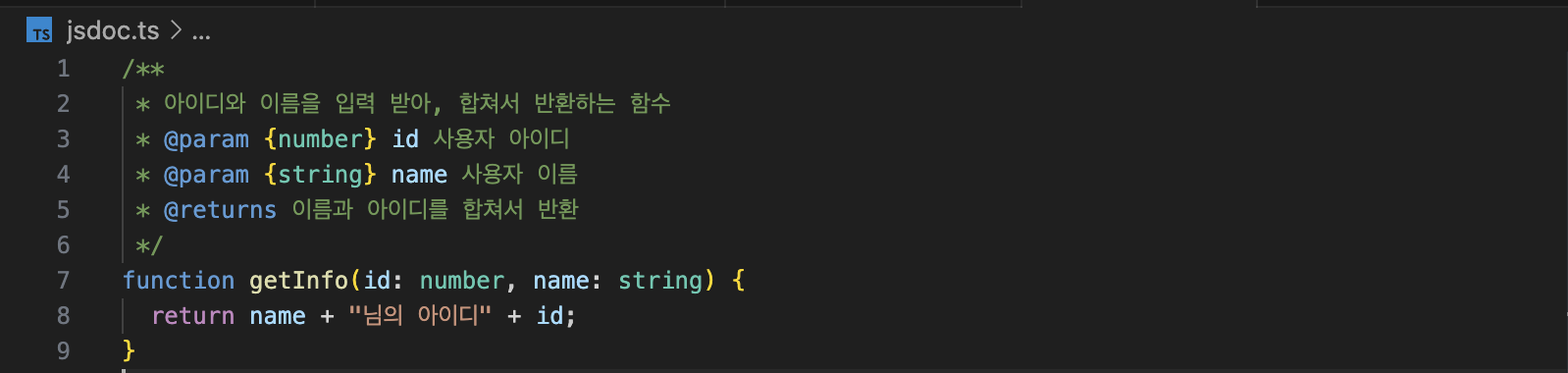
- 타입스크립트에서도 사용 가능하다.
/**
 * 아이디와 이름을 입력 받아, 합쳐서 반환하는 함수
 * @param {number} id 사용자 아이디
 * @param {string} name 사용자 이름
 * @returns 이름과 아이디를 합쳐서 반환
 */
function getInfo(id: number, name: string) {
  return name + "님의 아이디" + id;
}
@annotation
- JSDoc에는
@param,@returns외에도 다양한 annotation을 통해 문서를 설명할 수 있다.
@author
- 작성자 식별, 이메일 주소가 있으면 이름 뒤에 꺽쇠괄호로 작성
// @author <name>
// @author <name> [<emailAddress>]
@version
- 라이브러리 버전 정보
// @version 버전정보@copyright
- 파일 개요, 설명에 대한 저작권 정보 (w.@file)
// @copyright <some copyright text>@file (@fileoverview, @overview)
- 파일에 대한 설명
// @file <some text>@license
- 소프트웨어 라이센스
- 표준오픈소스 라이브러리 식별자(identifier) 입력
// @license <identifier>@this
- 해당 함수내부의 this가 참조하는 것을 표시
// @this <namePath>@constant(@const)
- 상수를 표시
// @constant [<type> <name>]@throws (@exception)
- 메소드에 의해 발생된 오류나 예외사항을 표시
// @throws free-form description
// @throws {<type>}
// @throws {<type>} free-form description
@requires
- 필요한 모듈이 있음을 표현
// @requires <someModuleName>@todo
- 해야하거나, 완료해야할 작업이 필요할때 표시
// @todo text describing thing to do.@see
- 연관성 있는 문서나 리소스 참조함을 표시
{@link}와 같이 사용 가능
// @see <namepath>
// @see <text>
@link ({@linkcode}, {@linkplain})
- namepath 또는 url에 대한 링크 생성
// {@link namepathOrURL}
// [link text]{@link namepathOrURL}
// {@link namepathOrURL|link text}
// {@link namepathOrURL link text (after the first space)}
@since
- 클래스, 메서드 등이 특정 버전에서 추가되었을때 사용
// @since <versionDescription>@fires (@emits)
- 메소드가 호출 될 때 지정된 유형의 이벤트를 발생시킬 수 있음을 표현
// @fires <className>#<eventName>
// @fires <className>#[event:]<eventName>
@event
- 특정 이벤트를 정의
// @event <className>#<eventName>
// @event <className>#[event:]<eventName>
@listens
- 지정된 이벤트를 수신하는 것을 표현
// @listens <eventName>References

코드로 꿈을 펼치는 개발자의 이야기, 노력과 열정이 가득한 곳 🌈