쿠키
클라이언트의 상태 정보를 유지하기 위한 기술
클라이언트 상태에 대한 정보를 key와 value(값)형태로 클라이언트 PC에 저장하는 것.
웹 사이트가 방문자를 기억하는 수단.
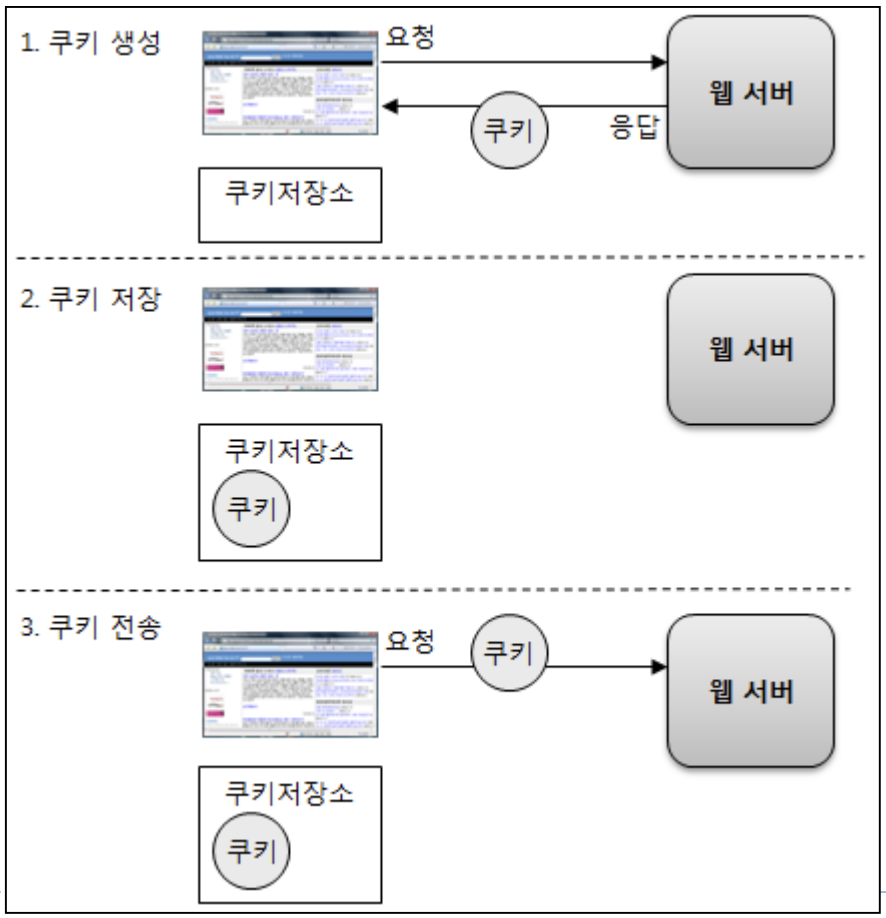
특징
쿠키는 처음 만들어진 시점에서 서버는 아직 쿠키를 읽을 수 없다.
속성과 API
- name : 쿠키를 구별하는 이름
- setName 빼고 모든 get set 메소드가 존재한다.
- name은 생성자를 통해서 생성하고 그 뒤에 변경할 수 없다.
- name은 문자열 입력하는데 , ; 같은 특수문자는 포함할 수 없다. - value : 쿠키 값, 쿠키에 저장할 실제 데이터
- domain : 쿠키를 적용할 도메인
- path :쿠키를 적용할 경로
path는 특정 경로를 입력하면 그 하위에 경로까지 적용이 된다. - maxAge : 쿠키 유지 기간 (초단위), 하루라면 86400
age를 설정 안하면 브라우저가 종료될 때 쿠키가 만료된다.
getMaxAge를 설정안했을 때는 -1 반환한다.
<%@ page contentType="text/html;charset=UTF-8" language="java" %>
<html>
<head>
    <title>Title</title>
</head>
<body>
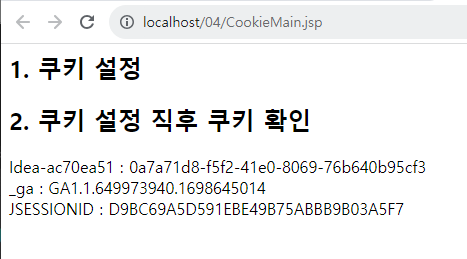
<h2>1. 쿠키 설정</h2>
<%
Cookie cookie = new Cookie("myCookie", "내가만든쿠키"); //쿠키 생성
    cookie.setPath(request.getContextPath()); //최상위 경로로 설정
    cookie.setMaxAge(3600);// 유지시간 1시간
    response.addCookie(cookie); //response 헤더에 쿠키 추가.
%>
<h2>2. 쿠키 설정 직후 쿠키 확인</h2>
<%
Cookie[] cookies = request.getCookies(); //요청 헤더의 모든 쿠키 가져오기
if (cookies!=null){
    for(Cookie c : cookies){
        String cookieName = c.getName();  //쿠키 이름 얻기
        String cookieValue = c.getValue(); //쿠키 값 얻기
        out.println(String.format("%s : %s<br/>", cookieName, cookieValue));
    }
}
%>


</body>
</html>
<%@ page import="com.common.Person" %>
<%@ page contentType="text/html;charset=UTF-8" language="java" %>
<html>

<%
    request.setAttribute("reqStr", "request영역의 문자열");
    request.setAttribute("reqPerson", new Person("안중근", 30));


%>
<head>
    <title>request 영역</title>
</head>
<body>

<h2>request 영역 속성값 삭제하기</h2>
<%
    request.removeAttribute("reqString");
    request.removeAttribute("reqInteger");

%>
<h2>request 영역 속성값 읽기</h2>
<%
Person rPerson = (Person)request.getAttribute("requestPerson");
%>
<ul>
    <li>String 객체 : <%= request.getAttribute("reqString")%></li>
    <li>Person 객체 : <%= rPerson.getName() %>, <%= rPerson.getAge() %>
    </li>
</ul>
<h2>포워드된 페이지에서 request 영역 속성값 읽기</h2>
<%--<%--%>
<%--request.getRequestDispatcher("RequestForward.jsp?paramHanEng=English").forward(request, response);--%>
<%--%>--%>
</body>
</html>
//CookieResult
<%@ page contentType="text/html;charset=UTF-8" language="java" %>
<html>
<head>
    <title>CookieResult</title>
</head>
<body>
<h2>쿠키 확인하기 (쿠키가 생성된 이후의 페이지)</h2>
<%
    Cookie[] cookies = request.getCookies(); //요청 헤더의 모든 쿠키 가져오기
    if (cookies!=null){
        for(Cookie c : cookies){
            String cookieName = c.getName();  //쿠키 이름 얻기
            String cookieValue = c.getValue(); //쿠키 값 얻기
            out.println(String.format("쿠키명 : %s - 쿠키값 : %s<br/>", cookieName, cookieValue));
        }
    }
%>


</body>
</html>
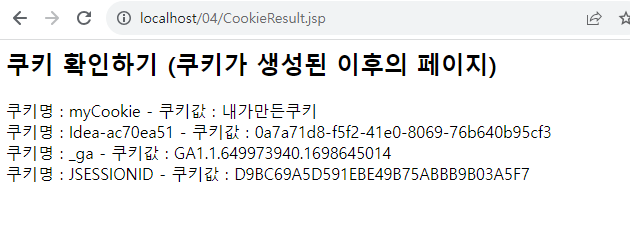
- 쿠키지우기 전 쿠키 확인하기 창(CookieResult)
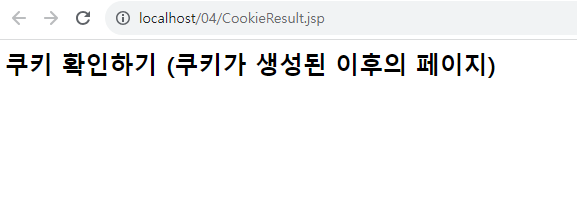
- 쿠키를 지우고 다시 확인하면 사라져있다.
[Web] Cookie Invalid Character[32] Error 확인 및 해결
https://kkang-joo.tistory.com/33