🫂 키오스크 팀 프로젝트 3일차!
- 오늘도 팀 프로젝트로 개발중인 주류 키오스크 앱
🍶터치더주이어서 개발 했다.
🍶 터치 더 주 기능 개발!
🔹 총 금액 및 총 수량 기능 구현
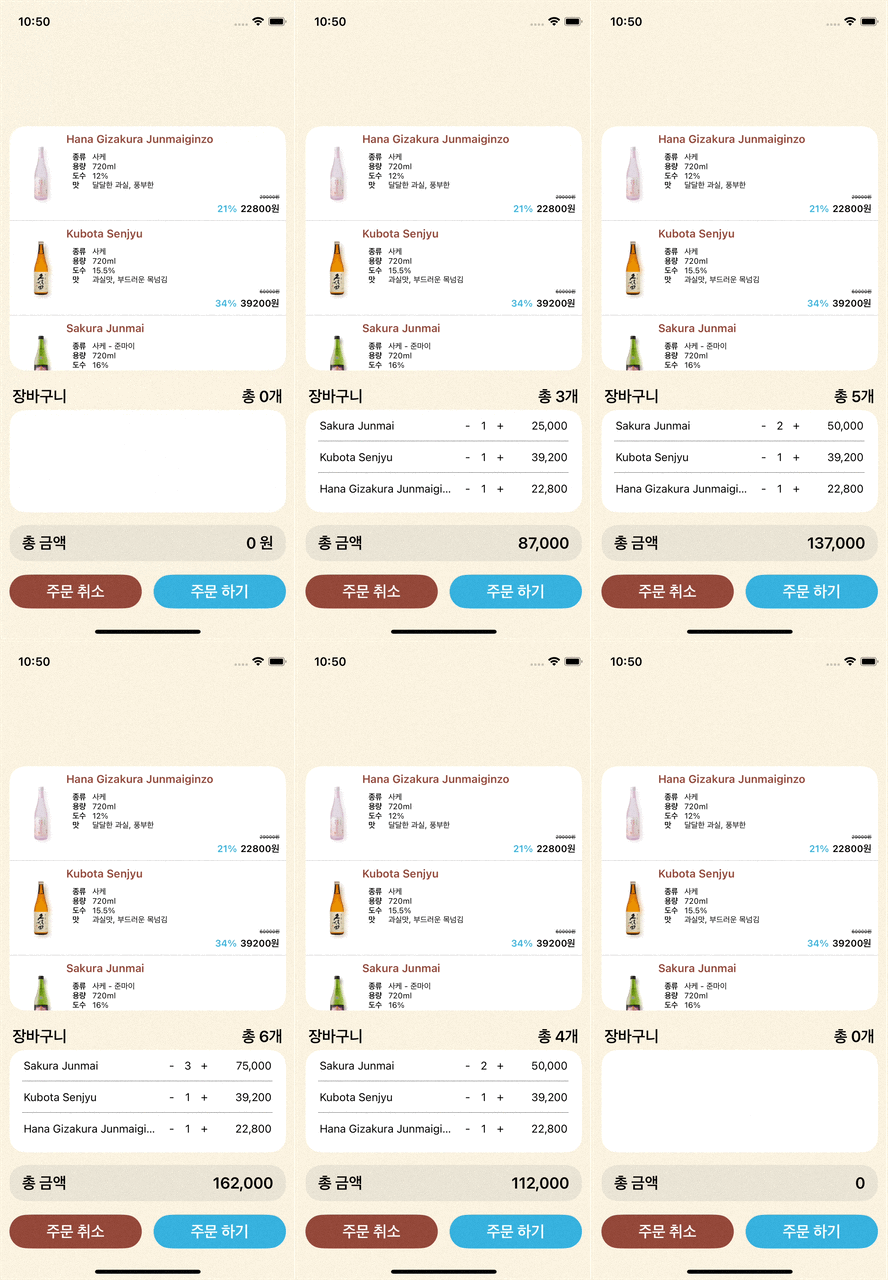
총 금액을 나타내는 기능 개발
-
예상 화면

-
StackView에 "총 금액"Label과 가격을 표시하는Label을 만들어 구현했다.// 왼쪽 총금액 표시 라벨 let totalAmountTitleLabel: UILabel = { let label = UILabel() label.text = "총 금액" label.textColor = .font label.textAlignment = .left label.font = .boldSystemFont(ofSize: 20) label.translatesAutoresizingMaskIntoConstraints = false return label }() // 오른쪽 금액 라벨 let totalAmountLabel: UILabel = { let label = UILabel() label.text = "0 원" label.textColor = .black label.font = .boldSystemFont(ofSize: 20) label.textAlignment = .right label.translatesAutoresizingMaskIntoConstraints = false return label }() // 총금액 스택뷰 lazy var totalAmountStackView: UIStackView = { // StackView 구성 // 클로저로 생성한 객체는 미리 메모리에 올라가서 self를 못 건드림. // 따라서 lazy var 로 선언해줘야됨 let stackView = UIStackView(arrangedSubviews: [totalAmountTitleLabel, totalAmountLabel]) stackView.axis = .horizontal stackView.spacing = 8 stackView.distribution = .equalSpacing stackView.alignment = .center stackView.translatesAutoresizingMaskIntoConstraints = false // 배경 뷰처럼 스타일 주기 위해 layer 직접 적용 stackView.backgroundColor = .sub3 stackView.layer.cornerRadius = 20 stackView.isLayoutMarginsRelativeArrangement = true stackView.layoutMargins = UIEdgeInsets(top: 12, left: 16, bottom: 12, right: 16) return stackView }() -
총 금액이 장바구니의 상품에 따라 변하는 기능 구현!
// 총 금액 업데이트 메소드
func updateTotalPrice(to newPrice: Int) {
    totalAmountLabel.text = "\(convertToCurrencyFormat(price: newPrice))"
}

// 총 수량 업데이트 메소드
func updateTotalQuantity(to newQuantity: Int) {
    totalItemLabel.text = "총 \(newQuantity)개"
}

// 총 금액 및 총 수량 업데이트 함수
func calculateCartSummary() {
    let total = cartItems.reduce(0) { $0 + ($1.item.price * $1.quantity) }
    let quantity = cartItems.reduce(0) { $0 + $1.quantity }

    updateTotalPrice(to: total)
    updateTotalQuantity(to: quantity)
}

// 가격에 콤마 넣기
func convertToCurrencyFormat(price: Int) -> String {
    let numberFormatter = NumberFormatter()
    numberFormatter.numberStyle = .decimal
    numberFormatter.maximumFractionDigits = 0
    let result = numberFormatter.string(from: NSNumber(value: price)) ?? ""
    return result
}
결과: 성공
🔹 Bug Fix
오토 레이아웃 경고 발생 수정
- 장바구니에 상품을 담으면 아래의 사진처럼 디버그 창에 경고가 나타난다.
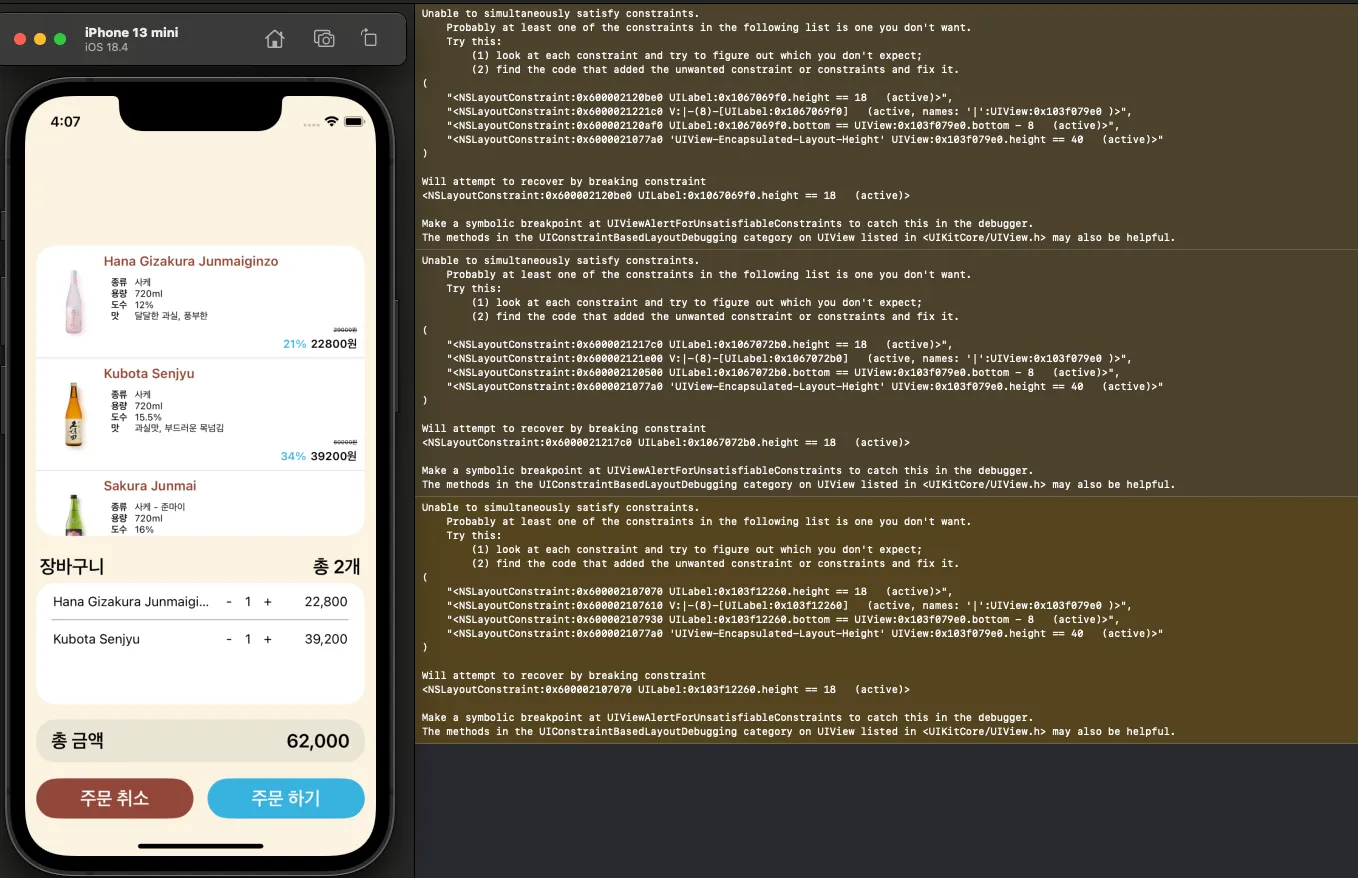
- 원인은 장바구니 셀에서 상품명, 수량, 가격 라벨의 제약 설정이 잘못되어있었다.
- 제약 설정을 제대로 설정한 뒤에 경고가 사라졌다!
총금액 표시하는 라벨에서 "원" 이 사라지는 현상 수정
- 장바구니에 상품을 담으면 총 금액을 표시하는 라벨에서 "원" 글자가 사라진다....
- 확인 결과: 총 금액을 업데이트 해주는 메소드에서 "원" 을 실수로 빼먹었다...
// 변경 전
func updateTotalPrice(to newPrice: Int) {
    totalAmountLabel.text = "\(convertToCurrencyFormat(price: newPrice))"
}

// 변경 후
func updateTotalPrice(to newPrice: Int) {
    totalAmountLabel.text = "\(convertToCurrencyFormat(price: newPrice)) 원"
}- 결과: 성공!
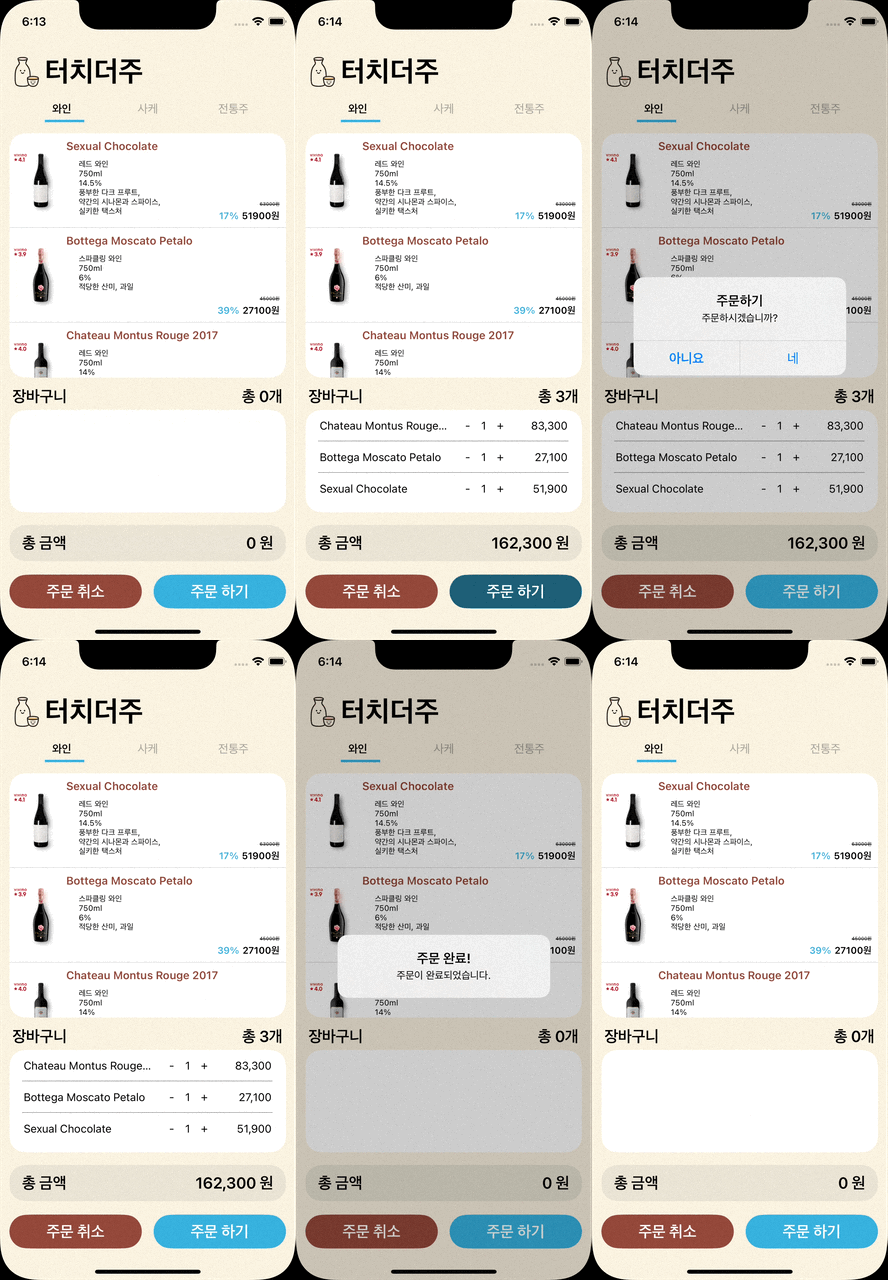
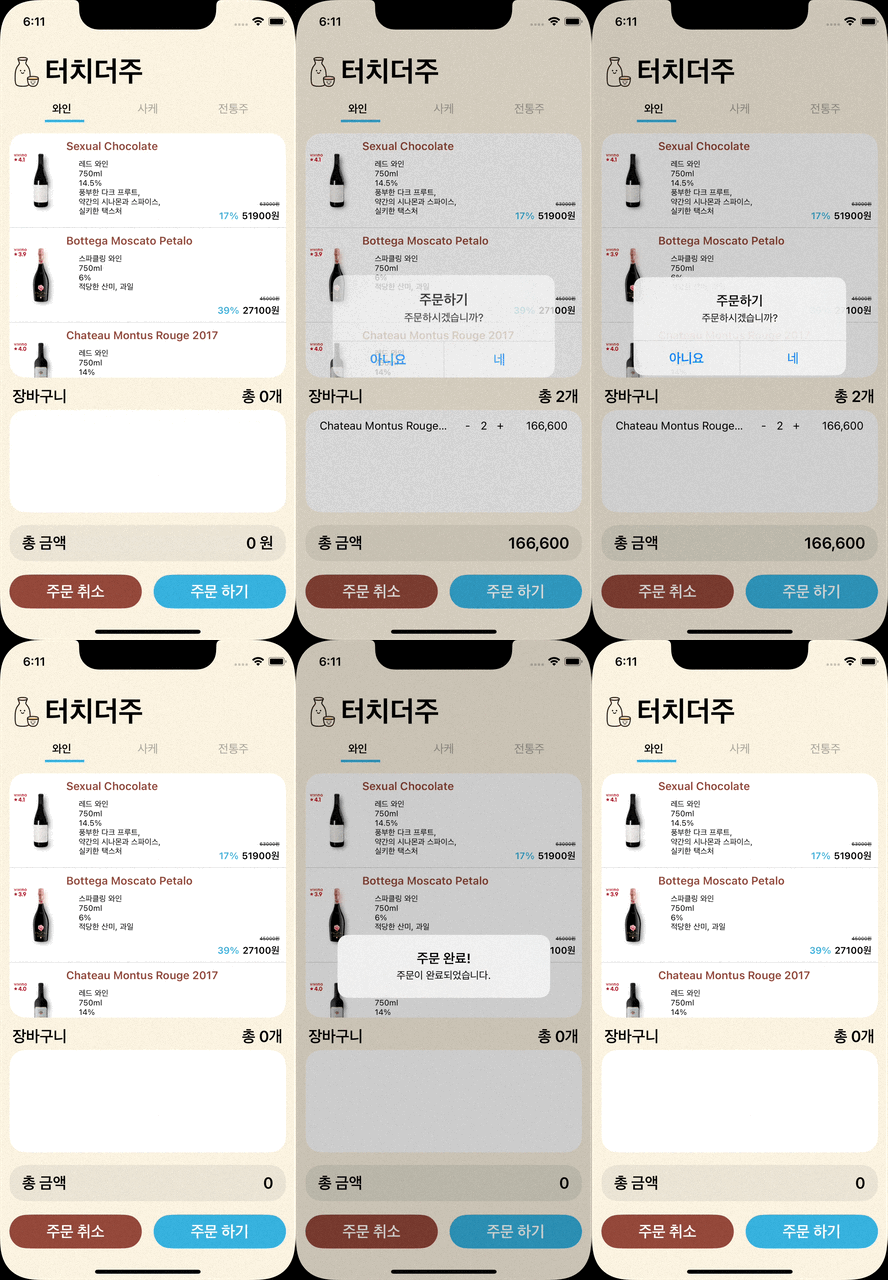
- 그리고 다른 팀원이 개발한 부분까지 Merge 되어서 이제 앱 타이틀과 아이콘도 나온다!!!
- 이제 진짜 앱같다..
그리고 오늘..
많은 시행착오 끝에..
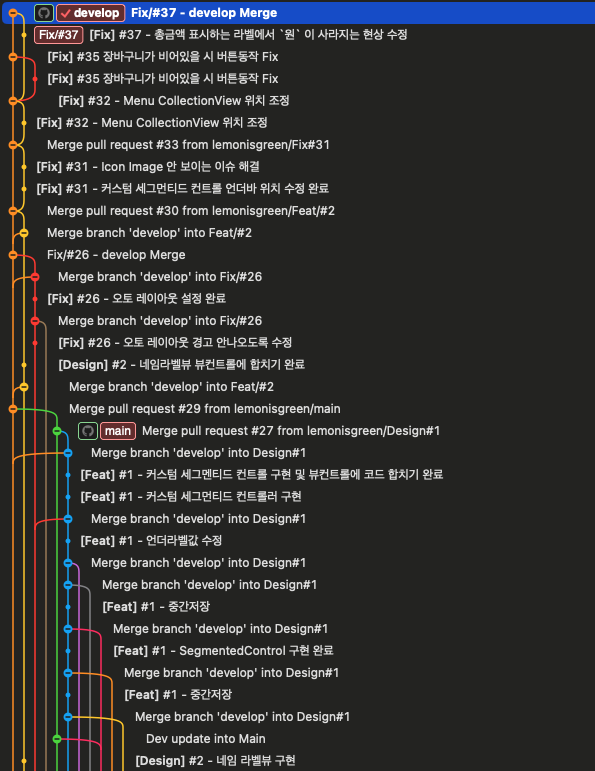
🥳 우리팀은 팀프로젝트 개발을 완료했다!!🎉
- 팀프로젝트는 너무 힘들었다...
- 개인 프로젝트 때와는 달리 더 무거워진 책임감 때문에 힘들었던 한 주였다.
- 팀원들한테 피해를 주기 싫어서 밤늦게까지 개발을 한 날도 있다...
- 또 코드베이스 환경이 아직은 익숙하지 않고, 심지어 iOS 앱을 개발 하려니까 쉽지 않았다.
- 이번 팀 프로젝트 때 CollectionView를 사용해보았는데 아직 내가 그릇이 작은지, CollectionView 라는 큰 기능을 담지 못하고 깨져 버렸다. (like 쿠쿠다스)
- 아직도 완벽하게 이해하지 못한 기능과 코드가 많아 아쉬움이 많은 프로젝트였습니다.
- 하지만 팀 프로젝트를 하면서 같이 git도 써보고 모르는 것을 서로 알려주고 물어보고 하면서 혼자보다는 팀원이 있어서 든든하다 라는 생각이 들다.
항상 저에게 도움의 손길을 주는 1정진 여러분 사랑합니다 🫶🫶🫶🫶🫶🫶🫶🫶🫶🫶🫶🫶🫶🫶🫶🫶

iOS 개발 블로그