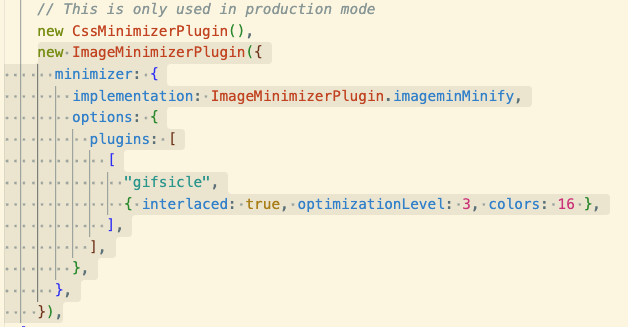
지난 글에서, 이미지 포맷을 수동적으로 변경시켜 프로젝트에 적용시키는 1번 방법을 적용시켜 보았지만 일일히 이미지들을 수동적으로 프로세싱하는 것이 썩 마음에 들지는 않았다. 그래서, 4번 방법 - 이미지를 import해 사용할 때, 웹팩 플러그인을 이용해 이미지를 최적화하는 방법을 시도해보았다.

위에서 언급했듯, 리액트 컴포넌트에 import된 이미지가 Webpack를 거치며 빌드될 때, 이미지들을 최적화시키는 플러그인을 적용시켜 원하는 설정대로 압축되는 등의 프로세싱을 적용시킬 수 있다.
웹팩 설정을 변경시켜야 하기에, 먼저 CRA로 만들어진 앱을 eject 시켰다.
eject를 진행했을 때의 프롬프트를 읽어보자. (궁금하다면..)
donggyulee@idong-gyuui-Macmini portfolio % npm run eject

> portfolio@0.1.0 eject
> react-scripts eject

NOTE: Create React App 2+ supports TypeScript, Sass, CSS Modules and more without ejecting: https://reactjs.org/blog/2018/10/01/create-react-app-v2.html

✔ Are you sure you want to eject? This action is permanent. … yes
Ejecting...

Copying files into /Users/donggyulee/Desktop/code/personal/justindglee.com/portfolio
  Adding /config/env.js to the project
  Adding /config/getHttpsConfig.js to the project
  Adding /config/modules.js to the project
  Adding /config/paths.js to the project
  Adding /config/webpack.config.js to the project
  Adding /config/webpackDevServer.config.js to the project
  Adding /config/jest/babelTransform.js to the project
  Adding /config/jest/cssTransform.js to the project
  Adding /config/jest/fileTransform.js to the project
  Adding /scripts/build.js to the project
  Adding /scripts/start.js to the project
  Adding /scripts/test.js to the project
  Adding /config/webpack/persistentCache/createEnvironmentHash.js to the project

Updating the dependencies
  Removing react-scripts from dependencies
  Adding @babel/core to dependencies
  Adding @pmmmwh/react-refresh-webpack-plugin to dependencies
  Adding @svgr/webpack to dependencies
  Adding babel-jest to dependencies
  Adding babel-loader to dependencies
  Adding babel-plugin-named-asset-import to dependencies
  Adding babel-preset-react-app to dependencies
  Adding bfj to dependencies
  Adding browserslist to dependencies
  Adding camelcase to dependencies
  Adding case-sensitive-paths-webpack-plugin to dependencies
  Adding css-loader to dependencies
  Adding css-minimizer-webpack-plugin to dependencies
  Adding dotenv to dependencies
  Adding dotenv-expand to dependencies
  Adding eslint to dependencies
  Adding eslint-config-react-app to dependencies
  Adding eslint-webpack-plugin to dependencies
  Adding file-loader to dependencies
  Adding fs-extra to dependencies
  Adding html-webpack-plugin to dependencies
  Adding identity-obj-proxy to dependencies
  Adding jest to dependencies
  Adding jest-resolve to dependencies
  Adding jest-watch-typeahead to dependencies
  Adding mini-css-extract-plugin to dependencies
  Adding postcss to dependencies
  Adding postcss-flexbugs-fixes to dependencies
  Adding postcss-loader to dependencies
  Adding postcss-normalize to dependencies
  Adding postcss-preset-env to dependencies
  Adding prompts to dependencies
  Adding react-app-polyfill to dependencies
  Adding react-dev-utils to dependencies
  Adding react-refresh to dependencies
  Adding resolve to dependencies
  Adding resolve-url-loader to dependencies
  Adding sass-loader to dependencies
  Adding semver to dependencies
  Adding source-map-loader to dependencies
  Adding style-loader to dependencies
  Adding tailwindcss to dependencies
  Adding terser-webpack-plugin to dependencies
  Adding webpack to dependencies
  Adding webpack-dev-server to dependencies
  Adding webpack-manifest-plugin to dependencies
  Adding workbox-webpack-plugin to dependencies

Updating the scripts
  Replacing "react-scripts start" with "node scripts/start.js"
  Replacing "react-scripts build" with "node scripts/build.js"
  Replacing "react-scripts test" with "node scripts/test.js"

Configuring package.json
  Adding Jest configuration
  Adding Babel preset

Running npm install...


removed 190 packages, and audited 1499 packages in 2s

230 packages are looking for funding
  run `npm fund` for details

17 vulnerabilities (4 moderate, 12 high, 1 critical)

To address issues that do not require attention, run:
  npm audit fix

To address all issues (including breaking changes), run:
  npm audit fix --force

Run `npm audit` for details.
Ejected successfully!

Staged ejected files for commit.

Please consider sharing why you ejected in this survey:
  http://goo.gl/forms/Bi6CZjk1EqsdelXk1

donggyulee@idong-gyuui-Macmini portfolio %
eject 완료 후, Webpack - ImageMinimizerWebpackPlugin 을 참고해 플러그인을 설정파일(webpack.config.js)에 추가한다.
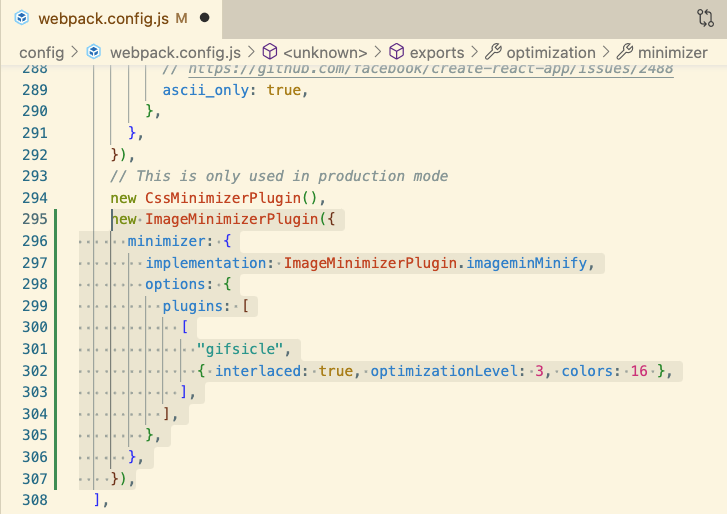
이 설정을 추가하는 부분이 가장 난해한 부분인데,
링크된 문서에서 '기본적으로 이렇게 설정할 수 있어' 라고 이야기해주지만 플러그인 별로 어떤 설정이 가능한지, 해당 설정들이 어떤 영향을 끼치는지 등등은 알려주지 않는다. 여기에서 개발자에게 '눈치'가 필요하다. 눈치있는 개발자는 다음과 같이 생각할 수 있다.
아, 여기에서 알려주는 부분은
ImageMinimizerPlugin이고, 그 안에서 사용되는 구체적인 프로세싱을 담당하는 gifsicle과 같은 플러그인, 정확히 말하면 플러그인의 플러그인(...)은 그것들의 깃허브 등을 따로 참고해 보아야겠군!
나도 여기까지는 생각했다. 문제는 gifsicle의 깃허브에서도 그런 설정을 이야기해주지 않았고, 깃허브에서 공식홈페이지의 링크를 발견해 접속한다. 공식 홈페이지에서도 랜딩페이지에서 옵션과 관련된 내용은 없었고 한번 링크를 타고 들어가야 확인할 수 있었다.
그러나 gifsicle은 웹팩 플러그인으로 사용되기 위해 개발된 것이 아니라, 그냥 gif를 최적화하기 위해 사용되는 하나의 standalone 패키지이다. 내가 사용하는 것은, 정확히 말하면 npm 패키지로서 제공되는 imagemin-gifsicle 이라는 점을 깨달았다, 이것을 깨닫기까지 '야, 이거 왜 안될까! ㅠㅠ' 라는 지피티와의 설왕설래가 존재했다. 그렇다, 나는 지피티를 마치 러버덕처럼 사용하고 있다.
노고 끝에, image-gifsicle npm 패키지 에서 내가 원하는 정보인 '무엇을 최적화 옵션으로 사용할 수 있느냐' 를 발견할 수 있었다. 그리고는 위 스크린샷과 같이 옵션을 적용하였다.
이후에는 npm run build 를 통해 build 폴더에 생성되는 gif의 크기를 비교해보며 계속 빌드를 생성해보았다.
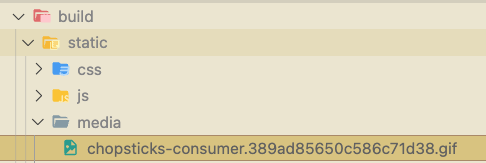
아래는 플러그인을 적용했을 때, 적용하지 않았을 때의 gif 파일 크기이다.


그리고 적용되는 색상의 갯수제한도 추가시켰을 때, 보이는 것과 같이 색상의 차이도 추가된다.
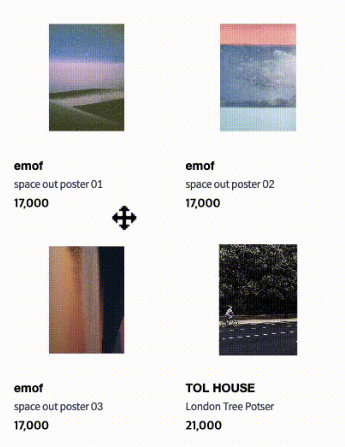
아주 신기하다. 웹팩을 통해 이미지들을 최적화 해 보았다. 이미지의 갯수와 종류가 많아지는 경우에는 플러그인을 통한 최적화가 매우 매우 도움이 될 것으로 예상된다.