프리랜서 업무에서 실제로 자주 쓰이는 계약/인보이스/정산 관리를 MVP로 구현했습니다.
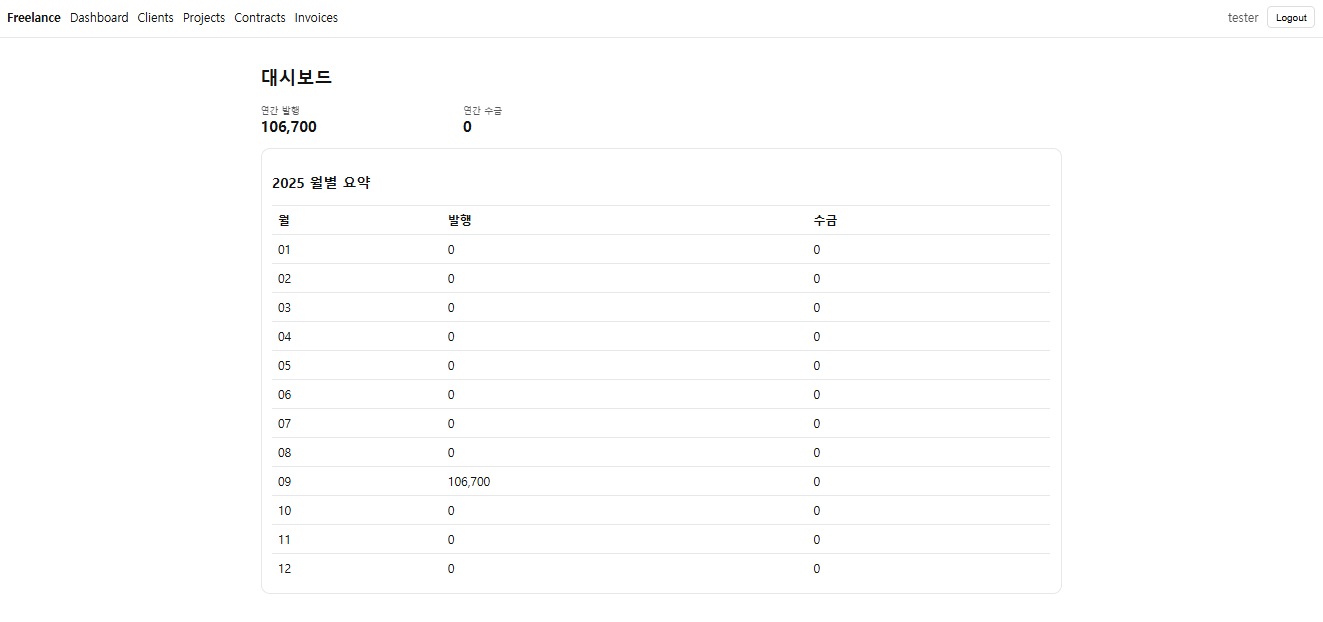
로그인(JWT) → 고객/프로젝트/계약 → 인보이스/결제 → 대시보드(월별 발행/수금) 플로우를 모두 포함하고,
사용자별 데이터 스코핑과 Admin 읽기 전용 모니터링까지 반영했습니다.
프로젝트 개요
- ✅ 인증/인가: 로그인·회원가입·토큰 리프레시(JWT), Swagger 테스트 지원
- ✅ 도메인 모델: Client, Project, Contract, Invoice, Payment
- ✅ 인보이스 계산:
subtotal/tax/withholding/total+ 상태 전이(DRAFT → SENT → OVERDUE/PAID) - ✅ 사용자 스코핑: 각 사용자별 owner 필드 자동 기록(JPA Auditing) + 조회/수정/삭제 제한
- ✅ Admin 모니터링 전용: 전체 데이터 조회만 가능, 모든 쓰기 요청은 403(읽기 전용)
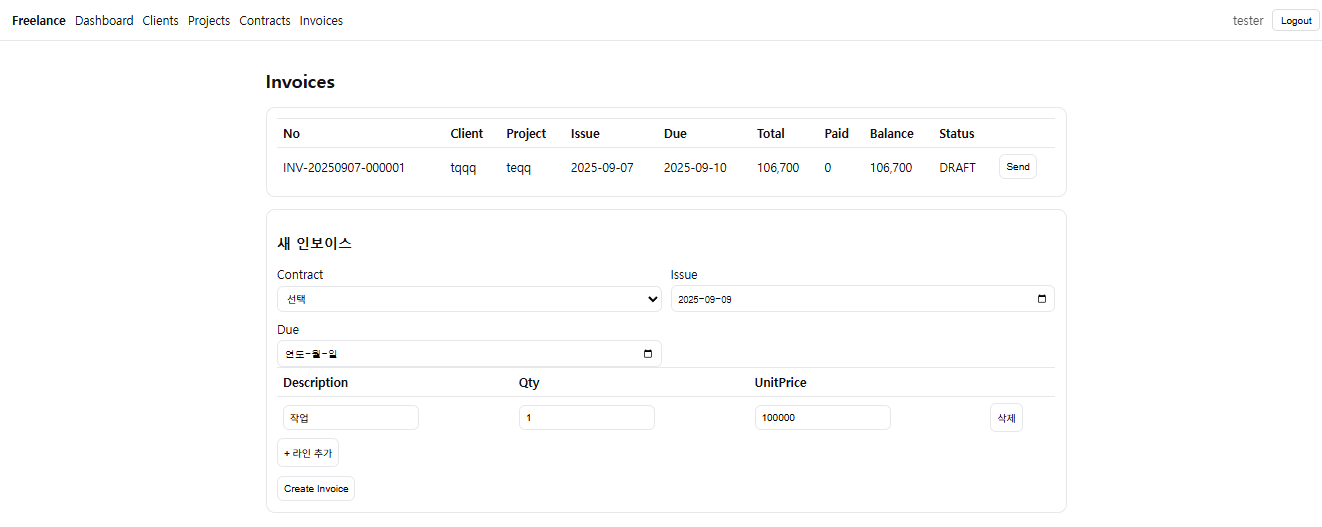
- ✅ 인보이스 번호 체계:
INV-YYYYMM-000001(소유자+월별 시퀀스, 유니크 / 불변) - ✅ 프론트 MVP: React + Vite + TS. 로그인 후 보호 라우팅, 기본 CRUD 화면 제공
- ☑️ 확장 여지: PDF 발행/메일 전송, 고객별/에이징 리포트, Docker 배포, 캐시·인덱스 튜닝
왜 이렇게 설계했나? (의사결정 메모)
- 데이터 스코핑: 프리랜서 SaaS의 핵심은 멀티테넌시. 각 사용자가 자기 데이터만 보게
owner를 JPA Auditing으로 자동 채움 → 리포지토리/서비스/컨트롤러에서 일관된 필터. - Admin 읽기 전용: 운영/모니터링 필요는 있지만 데이터 오염을 막기 위해 읽기 전용으로 고정. UI 버튼도 감추고, 서버는 403으로 이중 방어.
- 번호 체계: 회계/세무 흐름상 번호는 변하지 않는 식별자여야 함. 동시성 고려해 (owner, YYYYMM)별 시퀀스를 비관 잠금으로 발급,
number는updatable=false. - 프론트 MVP: 기능 검증이 목적. React Router로 보호 라우팅 + Axios 인터셉터(401→리프레시)만 넣고, 테이블/폼은 심플하게.
실행 화면(플로우)
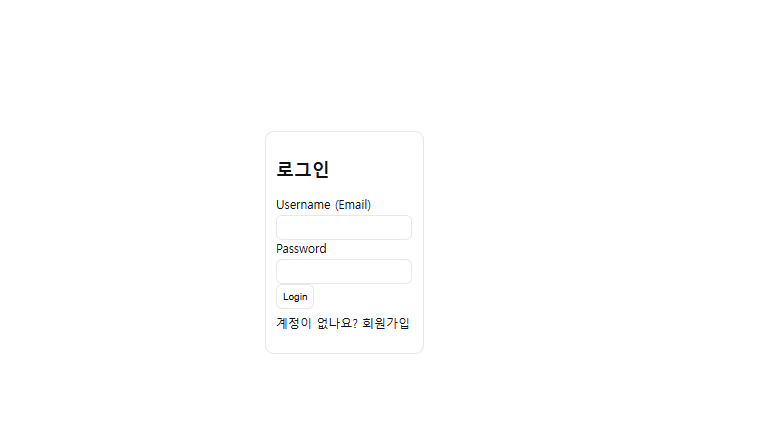
- 로그인
2) 대시보드(月별 발행/수금)
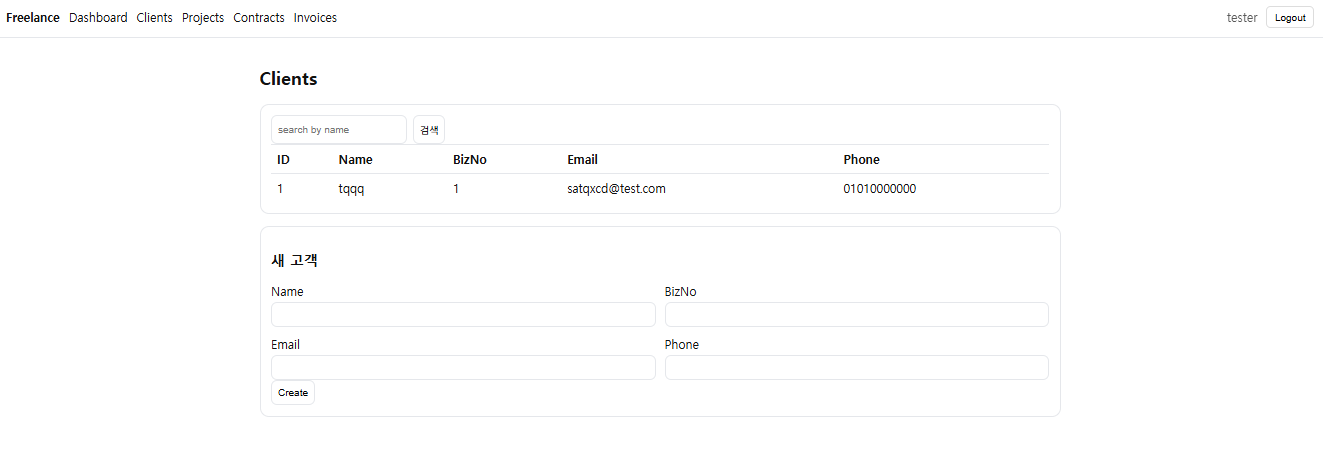
3) 고객/프로젝트/계약 생성
4) 인보이스 생성/발송
백엔드 구조
com.devcraft.freelance
 ├─ auth (JWT 로그인/리프레시/회원관리)
 ├─ common (ApiResponse, GlobalException, OwnedAuditable, Authz)
 ├─ client (entity/dto/repo/web)
 ├─ project (entity/dto/repo/web)
 ├─ contract (entity/dto/repo/web)
 ├─ invoice
 │   ├─ entity (Invoice/InvoiceLine/Payment/InvoiceStatus/PayMethod/InvoiceNumberSeq)
 │   ├─ repo (InvoiceRepository/InvoiceLineRepository/PaymentRepository/InvoiceNumberSeqRepository)
 │   ├─ service (InvoiceService/InvoiceNumberingService)
 │   └─ web (InvoiceController/PaymentController)
 └─ config (CurrentAuditor)
핵심 설정
// JPA Auditing + Swagger + Validation 등은 일반적인 Spring Boot 설정
@EnableJpaAuditing
@SpringBootApplication
public class FreelanceApplication { ... }
// 소유자 자동 기록
@Component
public class CurrentAuditor implements AuditorAware<String> {
  @Override public Optional<String> getCurrentAuditor(){
    var a = SecurityContextHolder.getContext().getAuthentication();
    return Optional.ofNullable(a!=null ? a.getName() : null);
  }
}
// 모든 도메인 엔티티는 OwnedAuditable 상속(owner/createdAt/updatedAt)
@MappedSuperclass @EntityListeners(AuditingEntityListener.class)
public abstract class OwnedAuditable {
  @CreatedBy @Column(updatable=false) private String owner;
  @CreatedDate @Column(updatable=false) private Instant createdAt;
  @LastModifiedDate private Instant updatedAt;
}
인보이스 번호 부여 (소유자+월별 시퀀스)
@Service
public class InvoiceNumberingService {
  @Transactional
  public String nextNumber(String owner, LocalDate issueDate){
    String yyyymm = (issueDate!=null? issueDate: LocalDate.now()).format(DateTimeFormatter.ofPattern("yyyyMM"));
    var seq = repo.findForUpdate(owner, yyyymm)
       .orElseGet(() -> repo.save(InvoiceNumberSeq.builder().owner(owner).prefix(yyyymm).nextValue(1L).build()));
    long v = seq.getNextValue(); seq.setNextValue(v+1);
    return "INV-" + yyyymm + "-" + String.format("%06d", v);
  }
}
// Invoice 엔티티의 번호 컬럼은 불변 & 유니크
@Table(
  uniqueConstraints=@UniqueConstraint(name="uk_invoice_owner_number", columnNames={"owner","number"}),
  indexes={ @Index(name="idx_invoice_owner", columnList="owner"),
            @Index(name="idx_invoice_issueDate", columnList="issueDate"),
            @Index(name="idx_invoice_status", columnList="status") }
)
public class Invoice extends OwnedAuditable {
  @Column(nullable=false, updatable=false, length=32)
  private String number;
  // ... subtotal/tax/withholding/total, status, lines 등
}
Admin 읽기 전용(컨트롤러 한 줄 가드)
// 예: ClientController
@PostMapping
public ApiResponse<ClientResponse> create(@Valid @RequestBody ClientRequest req, Authentication auth){
  if (Authz.isAdmin(auth)) throw new ResponseStatusException(HttpStatus.FORBIDDEN, "Admin is read-only");
  // ... 사용자 소유 검증 후 생성
}
프론트 구조 (React + Vite + TS)
src/
 ├─ api/axios.ts               # baseURL, 401→리프레시, 타입 안전 인터셉터
 ├─ auth/{AuthProvider.tsx,useAuth.ts}
 ├─ components/Navbar.tsx
 ├─ pages/
 │   ├─ auth/{LoginPage.tsx,RegisterPage.tsx}
 │   ├─ Dashboard.tsx
 │   ├─ Clients.tsx / Projects.tsx / Contracts.tsx / Invoices.tsx
 ├─ App.tsx (보호 라우팅, Admin UI 숨김)
 └─ index.css (심플 스타일)
Axios 인터셉터 (타입 안전 버전)
// axios.d.ts에서 InternalAxiosRequestConfig<D = any>에 _retry 보강
// eslint는 d.ts 전용으로 no-explicit-any off
import axios from "axios";
import type { AxiosError, AxiosRequestHeaders, InternalAxiosRequestConfig } from "axios";

const api = axios.create({ baseURL: import.meta.env.VITE_API_BASE_URL });

api.interceptors.request.use((cfg) => {
  const tokens = JSON.parse(localStorage.getItem("tokens")||"null");
  const t = tokens?.accessToken; if (t){
    cfg.headers = (cfg.headers||{}) as AxiosRequestHeaders;
    (cfg.headers as AxiosRequestHeaders).Authorization = `Bearer ${t}`;
  }
  return cfg;
});

// 401 → refresh → 대기중 요청 재시도
api.interceptors.response.use(
  (r)=>r,
  async (error: AxiosError) => { /* ...생략(본문에 구현) */ }
);
export default api;
Admin UI 숨김(프론트)
const { user } = useAuth();
const isAdmin = user?.role === "ADMIN";
// 헤더/셀 모두 조건부 렌더링
{!isAdmin && <th/>}
{!isAdmin ? <td><button onClick={()=>send(i.id)}>Send</button></td> : null}
스모크 테스트 (cURL)
# 1) 로그인
curl -X POST http://localhost:8080/api/auth/login -H 'Content-Type: application/json' \
 -d '{"username":"admin@example.com","password":"admin1234"}'

# 2) 고객 생성 (USER 계정으로)
curl -X POST http://localhost:8080/api/clients -H "Authorization: Bearer <access>" -H 'Content-Type: application/json' \
 -d '{"name":"테스트고객","bizNo":"222-33-44444","email":"test@client.com","phone":"010-9999-0000"}'

# 3) 프로젝트/계약/인보이스/결제는 Swagger에서 Authorize 후 순서대로 테스트
제약 & 예외 처리
- 계산 규칙:
amount = qty * unitPrice,total = subtotal + tax - withholding - 검증:
qty ≥ 0,unitPrice ≥ 0,payment.amount > 0,contract.rate ≥ 0 - 상태 전이:
paid ≥ total → PAID,dueDate < today && paid < total → OVERDUE, 취소는 최우선 - Admin: 모든 POST/PUT/PATCH/DELETE는 403. UI에서도 버튼 숨김
트러블슈팅 메모 (개발 중 맞닥뜨린 이슈)
verbatimModuleSyntax환경에서 타입 전용 import 필요 (import type { ... })- Axios
_retry속성: 모듈 보강(augmentation)으로 타입 에러 해결 - ESLint
no-explicit-any: d.ts에 한해 override (원본 제네릭이any이므로 동일 유지해야 TS 충돌 없음) - 관리자 화면의 "Send" 버튼: disabled가 아니라 렌더 자체를 조건부로 숨겨 UI/UX 일관성 유지
실행 방법 (로컬)
- Backend:
./gradlew bootRun→http://localhost:8080/swagger-ui.html - Frontend:
npm i && npm run dev→http://localhost:5173 - 로그인: 시드(
admin@example.com/admin1234) 또는 직접 회원가입 후 로그인
prod에선 Swagger 비활성화, JPA
ddl-auto=validate, JWT Secret 교체 권장
확장 아이디어
- PDF 인보이스 생성 + 메일 발송(SMTP)
- 에이징 리포트·고객별 매출 리포트
- Docker·Reverse Proxy(Nginx)·CORS 화이트리스트
- React Query/TanStack Table로 캐싱·페이지네이션·정렬
마무리
이번 MVP는 실사용 워크플로(로그인 → 계약/인보이스 → 정산)과 데이터 안전장치(소유자 스코핑, Admin 읽기 전용, 불변 번호)를 중심으로 만들었습니다.
필요 기능(PDF/메일/리포트/배포)이 붙어도 핵심 아키텍처는 그대로 재사용 가능하도록 설계했습니다.
✅ 참고

Java 개발자 | 사이드 프로젝트 마니아 | GPT 기반 자동화 툴 연구 중 기술 리뷰, 개발일지