
Flutter에서 kakaotalk으로 공유하는 기능에 대해 정리해보겠습니다
kakao 세팅
📌 1-1. 패키지 설치
우선적으로 Flutter 프로젝트 내부 설정을 진행해보겠습니다.
kakao_flutter_sdk
https://pub.dev/packages/kakao_flutter_sdk
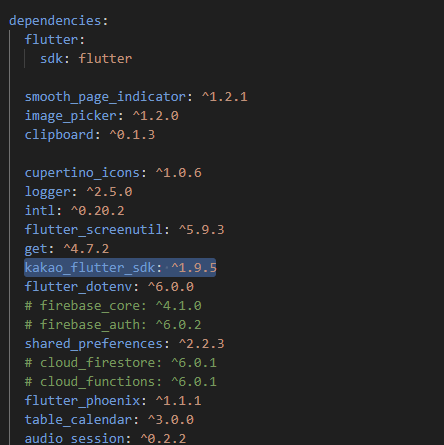
dependencies:
  kakao_flutter_sdk: ^x.x.x
.yaml파일에 kakao flutter sdk 패키지를 설치해줍니다
📌 1-2. SDK 초기화
main.dart

네이티브 앱 키는 .env 파일에 숨겨두었습니다.
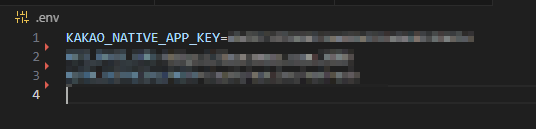
이렇게 하면 제 네이티브 앱 키가 들키지 않습니다!
📌 1-3. Android 설정
AndroidManifest.xml
위치는 android/app/src/main/AndroidManifest.xml 이곳이구요,
- 인터넷 권한 설정을 해줍니다

<queries>부분 (카카오톡 설치 여부 확인)
여기는 Android11이상에서 중요한 부분인데요, 아래처럼 해줍니다
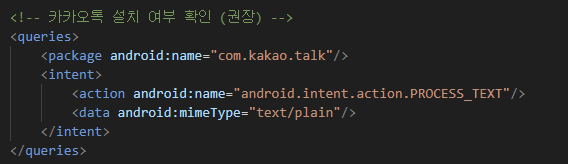
<queries>
    <package android:name="com.kakao.talk"/>
    <intent>
        <action android:name="android.intent.action.PROCESS_TEXT"/>
        <data android:mimeType="text/plain"/>
    </intent>
</queries>
이렇게 하는 이유는
- Android 11부터는 다른 앱 조회 제한
- 카카오톡 설치 여부 확인
- isKakaoTalkSharingAvailable()와 연결되는 부분
이기 때문입니다.
- ❗Kakao SDK Callback Activity
중요한 부분인데요!
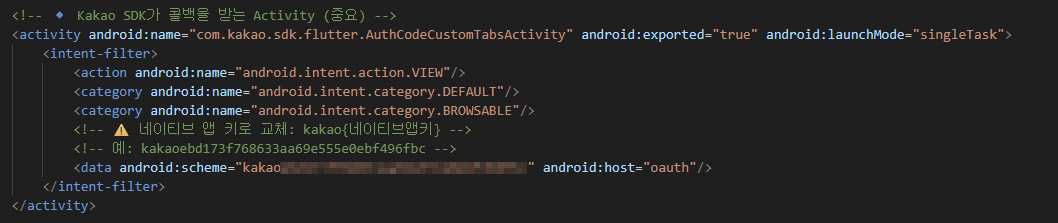
kakao SDK가 콜백을 받는 Activity입니다.
모자이크 부분은 앱 키가 들어가면 됩니다.
<activity
    android:name="com.kakao.sdk.flutter.AuthCodeCustomTabsActivity"
    android:exported="true"
    android:launchMode="singleTask">
    <intent-filter>
        <action android:name="android.intent.action.VIEW"/>
        <category android:name="android.intent.category.DEFAULT"/>
        <category android:name="android.intent.category.BROWSABLE"/>
        <data
            android:scheme="kakao---Appkey---"
            android:host="oauth"/>
    </intent-filter>
</activity>
여기까지 진행하셨다면 다음은 kakao developer 웹 페이지로 넘어가서 설정을 해주겠습니다.
앱 설정부터 진행해야해서 다음 장에 이어서 쓰도록 하겠습니다!

다른 건 노력의 시간