바보같은 벨로그가 이틀치? 글 다 날려먹었다ㅋ
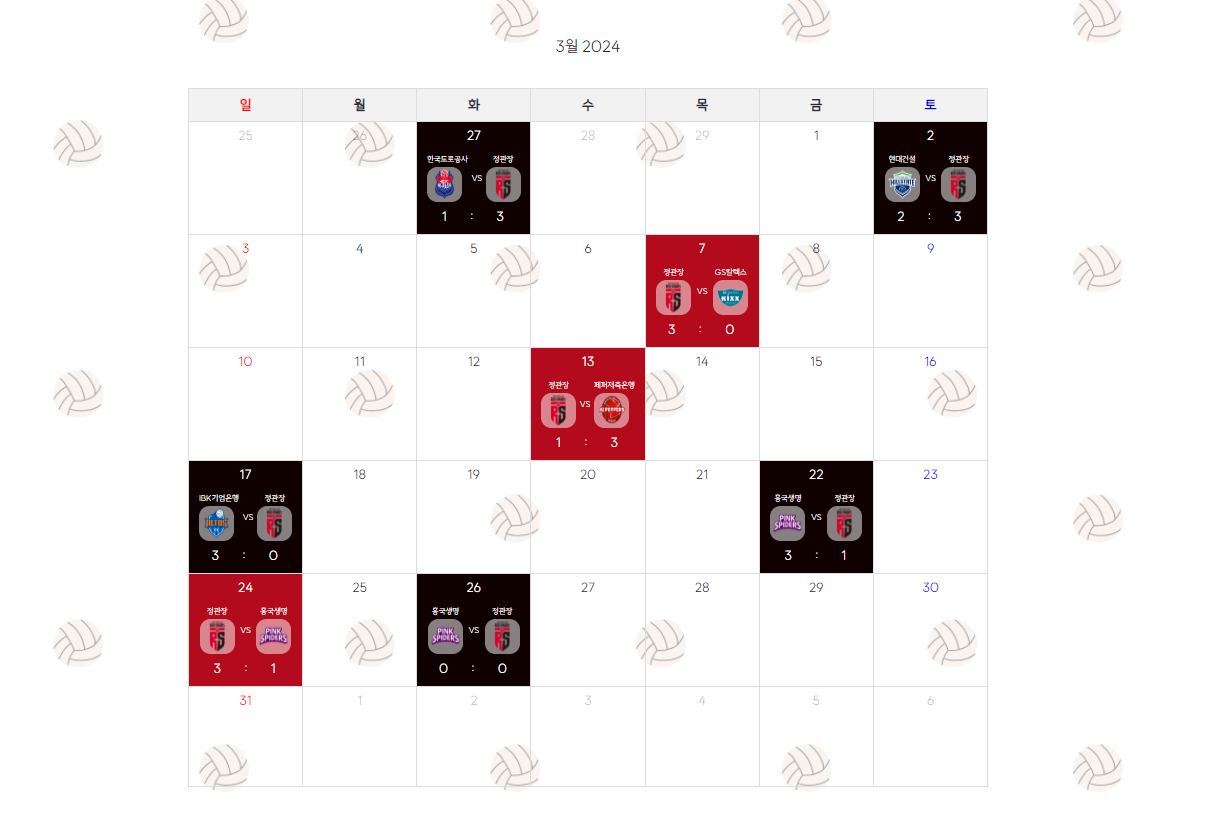
- 달력에 색 지정!
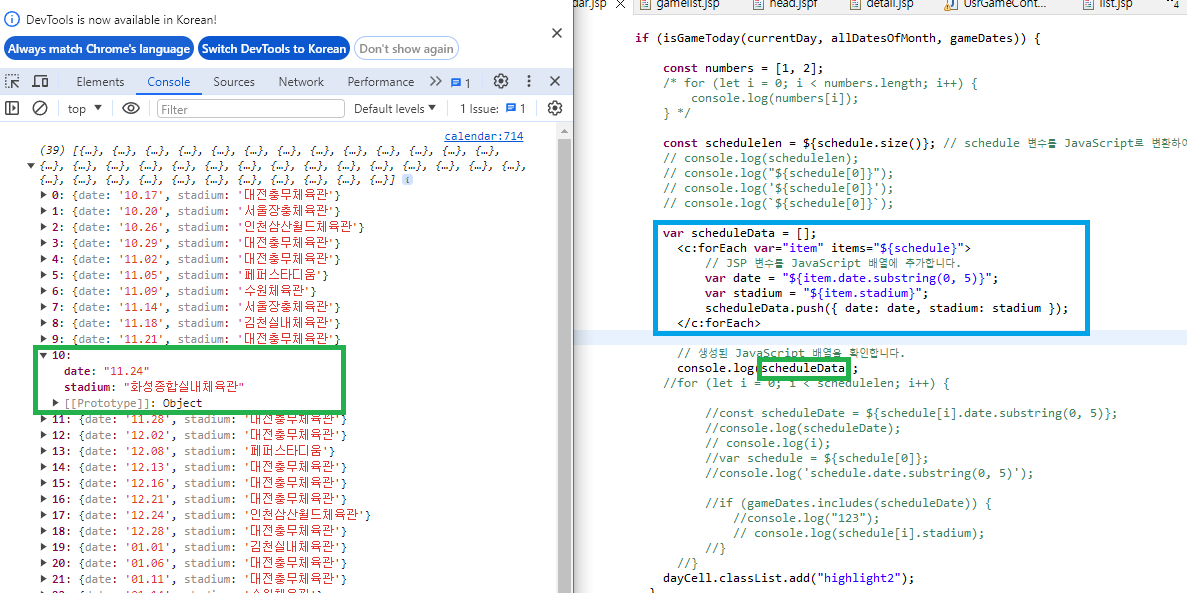
- 배열 넘겨준걸 그대로 쓰려니까 안됐음 다시 배열로 받아서 뽑아써야했다
- 그리고 달력을 그리면서 일~토를 반복하는 구문이 있는데 그 사이에 넣으니까 반복문이 중첩돼서 이상하게 그려졌다
          if (isGameToday(currentDay, allDatesOfMonth, gameDates)) {

        	 for(let i = 0; i < scheduleData.length; i++){
        		 // const modalContent = document.getElementById("modal-content");
        		 const formatcurrentDay = getFormattedDate(currentDay);
        		 if(formatcurrentDay == scheduleData[i].date){
        		  const gameimg = document.createElement("div");
               	  gameimg.classList.add("gameimg"); // div의 클래스명을 지정해줘
               	  dayCell.appendChild(gameimg);

               	  // scheduleData[i].game에서 팀 이름 추출
               	  const gameInfo = scheduleData[i].game.split(" ");
               	  const team1 = gameInfo[0];
               	  const team2 = gameInfo[gameInfo.length - 1];
               	  const score = gameInfo[1] + "   :   " + gameInfo[3];

               	  if (scheduleData[i].stadium === "대전충무체육관") {
              			  dayCell.classList.add("highlight2");
              		  } else {
              			  dayCell.classList.add("highlight3");
              		  }

               	  // 홈 팀
               	  const firstChildDiv = document.createElement("div");
               	  firstChildDiv.textContent = team1;
               	  firstChildDiv.classList.add("gameteam1");
               	  gameimg.appendChild(firstChildDiv);

              	  const team1Image = document.createElement("img");
              	  team1Image.src = GameTeamInfo(team1); // 팀 1 이미지의 경로를 지정해줘
               	  team1Image.alt = team1; // 대체 텍스트로 팀 1 이름을 설정해줘
               	  firstChildDiv.appendChild(team1Image);

               	  // VS
               	  const vs = document.createElement("div");
               	  vs.textContent = "VS";
               	  vs.classList.add("vs");
               	  gameimg.appendChild(vs);

               	  // 원정 팀
               	  const secondChildDiv = document.createElement("div");
               	  secondChildDiv.textContent = team2;
               	  secondChildDiv.classList.add("gameteam2");
               	  gameimg.appendChild(secondChildDiv);

               	  const team2Image = document.createElement("img");
               	  team2Image.src = GameTeamInfo(team2); // 팀 2 이미지의 경로를 지정해줘
               	  team2Image.alt = team2; // 대체 텍스트로 팀 2 이름을 설정해줘
               	  secondChildDiv.appendChild(team2Image);

               	  // score
               	  const scoreresult = document.createElement("div");
               	  scoreresult.textContent = score;
               	  scoreresult.classList.add("scoreresult");
               	  dayCell.appendChild(scoreresult);

               	  dayCell.addEventListener("click", function () {
  	        	  	openModal('myModal'); // 복제된 날짜 객체를 전달
  	        	  	setmodal(team1, team2, score, formatcurrentDay);
	  	          });
            	 }

        	 }

        	}

function setmodal(team1, team2, score, formatcurrentDay){
    	 const hometeam = document.getElementById("hometeam");
    	 const otherteam = document.getElementById("otherteam");

    	 hometeam.textContent = team1;
    	 otherteam.textContent = team2;
}
새로 정의한 scheduleData 배열에서 원하는 값들을 뽑아서 추출하고 그 추출한 값들을 넣어주거나 넘겨주어서 데이터를 활용하는 중이다~
-
모달
-
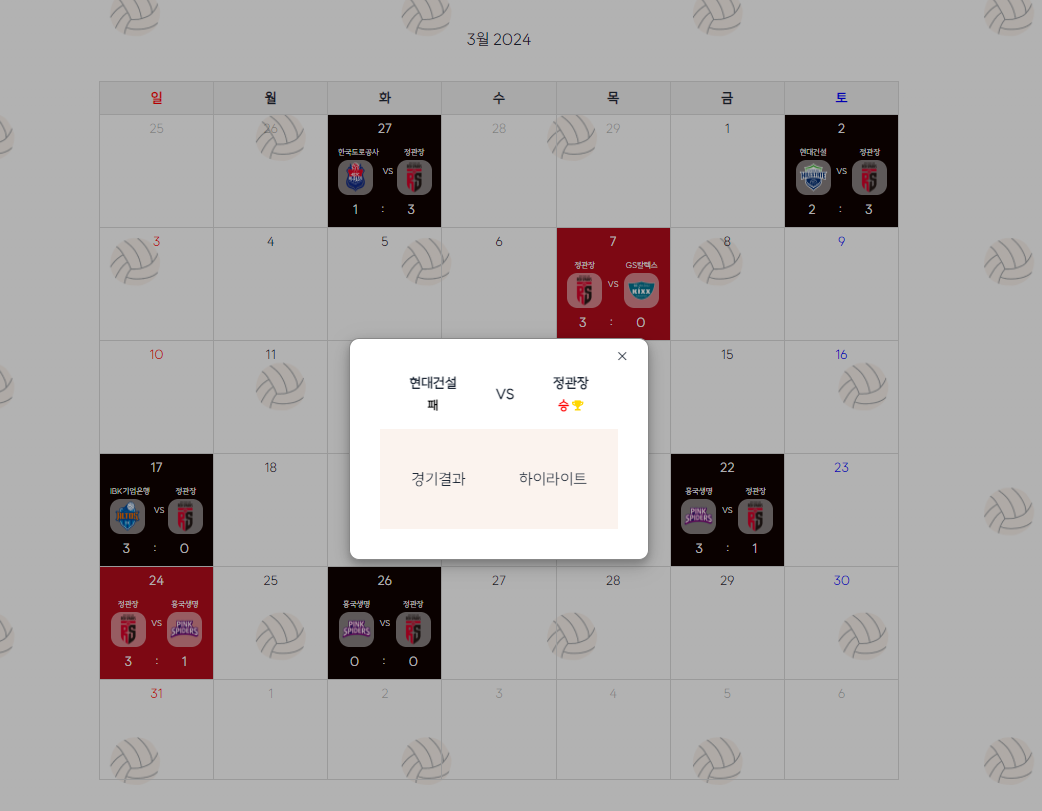
경기일자에 맞는 모달 나오도록
-> 아래 코드에서 보이듯이 경기날짜 형식 바꾼거 넘겨줬어! -
경기결과 링크 넘겨주기
const num = scheduleData[i].num; const round = scheduleData[i].round.substring(0,4); setmodal(team1, team2, score, **num, round**, formatcurrentDay); function setmodal(team1, team2, score, num, round, formatcurrentDay){ const hometeam = document.getElementById("hometeam"); const otherteam = document.getElementById("otherteam"); const hometeamscore = document.getElementById("hometeamscore"); const otherteamscore = document.getElementById("otherteamscore"); const gameresult = document.getElementById("gameresult"); let gameresultLink = "https://kovo.co.kr/redsparks/game/v-league/" + num + "?season=020&gPart=201&gender=%EC%97%AC%EC%9E%90%EB%B6%80&first=%EC%9D%BC%EC%A0%95+%EB%B0%8F+%EA%B2%B0%EA%B3%BC"; if(round != "V-리그"){ gameresultLink = "https://kovo.co.kr/redsparks/game/v-league/" + num + "?season=020&gPart=202&gender=%EC%97%AC%EC%9E%90%EB%B6%80&first=%EC%9D%BC%EC%A0%95+%EB%B0%8F+%EA%B2%B0%EA%B3%BC"; } hometeam.textContent = team1; otherteam.textContent = team2; gameresult.href = gameresultLink; } -
오류 발견! 플레이오프는 경기결과 링크가 조금 달랐음 gPart가 201이 아니라 202였음 -> 링크를 const로 선언했었다! 근데 안돼서 GPT한테 물어봤더니 let으로 선언하래 그래서 바꾸니까 됨....
 ```javascript
    const gameresultLink = "https://kovo.co.kr/redsparks/game/v-league/" + num + "?season=020&gPart=201&gender=%EC%97%AC%EC%9E%90%EB%B6%80&first=%EC%9D%BC%EC%A0%95+%EB%B0%8F+%EA%B2%B0%EA%B3%BC";
    ```
GPT 답변 (왜 let으로 하면 안되는지 물어봄)
변수를 const로 선언하면 한 번 초기화되면 다시 할당할 수 없습니다.
따라서 const를 사용하면 초기화된 후에는 변수의 값을 변경할 수 없습니다.
그러나 let을 사용하면 변수를 다시 할당할 수 있습니다.
여기서 let을 사용하여 gameresultLink 변수를 선언하면, 이 변수의 값은 나중에 코드에서 변경할 수 있습니다.
이렇게 하면 round 변수의 값에 따라 gameresultLink의 값을 조건부로 변경할 수 있게 됩니다. -
경기의 승, 패를 구분
-> score에서 3점인 팀이 승!이야
-
const modalscore = score.split("   :   ");

    	 if(modalscore[0] == 3){
    		 hometeamscore.textContent = "승"
        	 hometeamscore.style.color = "red";
        	 otherteamscore.textContent = "패"
        	 otherteamscore.style.color = "black";
    		 const winIcon = document.createElement("i");
    	     winIcon.classList.add("fas", "fa-trophy");
    	     winIcon.style.color = "gold";
    	     winIcon.style.paddingLeft = "3px";
    	     hometeamscore.appendChild(winIcon);

    	 } else if(modalscore[1] == 3){
    		 hometeamscore.textContent = "패"
    		 hometeamscore.style.color = "black";
        	 otherteamscore.textContent = "승"
        	 otherteamscore.style.color = "red";
        	 const winIcon = document.createElement("i");
             winIcon.classList.add("fas", "fa-trophy");
             winIcon.style.color = "gold";
             winIcon.style.paddingLeft = "3px";
             otherteamscore.appendChild(winIcon);
    	 }
score에서 : 기준으로 나눠서 홈팀이 3이면 어쩌구 원정팀이 3이면 저쩌구 시킴