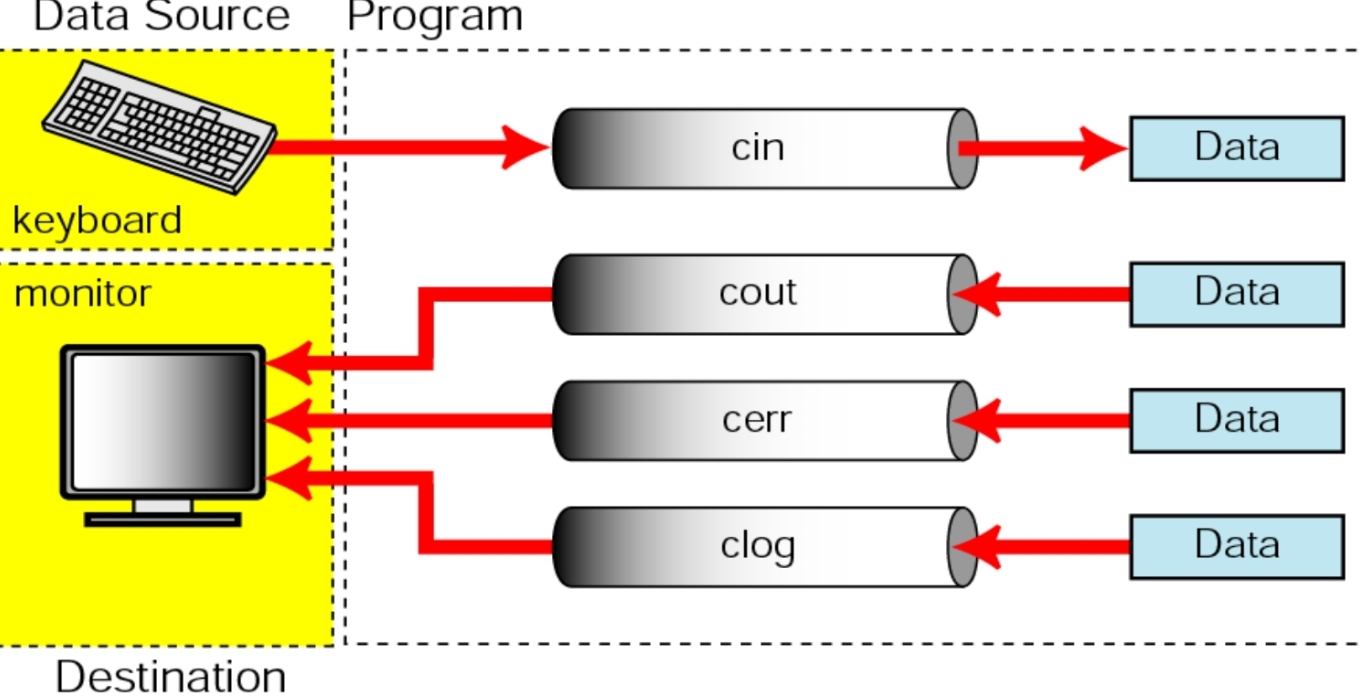
Console Stream
File Stream
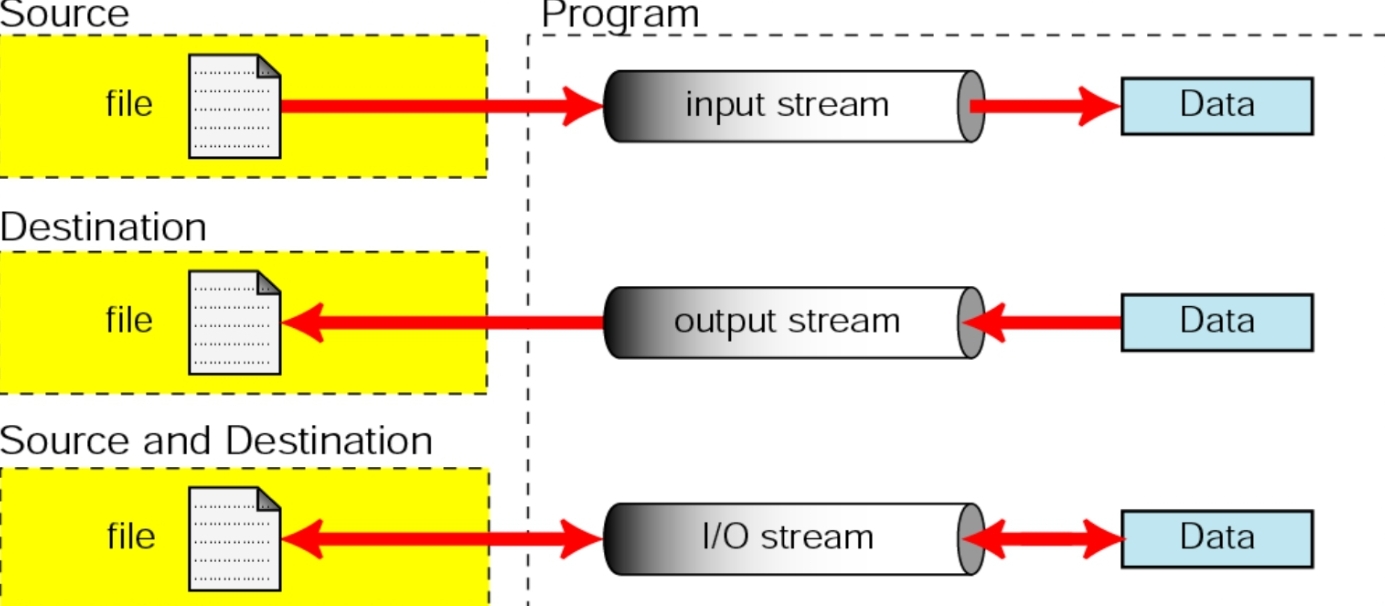
File streams are created, connected to files, and disconnected from files by the programmer.
Stream
Stream이란?
프로그램과 키보드, 모니터, 파일, 네트워크 등과 연결시켜주는 역할.
컴퓨터에서 데이터를 이동시키기 위한 중요한 개념.
데이터를 이동시키기 위해서 Stream을 생성하여 두 객체를 연결.
메모리나 하드디스크(HDD)와 같은 저장 매체에 데이터를 저장하거나 로드할 때, 데이터를 바이트 단위로 전달하는 역할.
-> 파일 입출력, 네트워크 통신, 데이터베이스 등 다양한 컴푸터 시스템에서 사용할 수 있음.
File Streams in C++
Creating and Disconnecting File Streams
1. First define stream objects
(a) ifstream [steram variable name]
for reading from file
(b) ofstream [stream variable name]
for writing to file
(c) fstream [stream variable name]
read and write
2. Connecting file streams
Open()
3. Disconnecting file streams
Close()
ifstream
for reading from file. '.txt'파일로부터 내용을 읽어오는 파일스트림.
ifstream fsTemp;
int a;
fsTemp.open("temp.txt");
**fsTemp >> a;**   // fsTemp.get(a);
cout << a;
fsTemp >> a; 와 fsTemp.get(a);의 차이점
>> 연산자는 공백 문자를 기준으로 입력을 분리.
get()함수는 공백을 포함한 모든 문자를 읽을 수 있음.
while(fsTemp >> a) {} 라고 하면 공백을 기준으로 입력을 분리하므로 문장이나 문단의 띄어쓰기가 없어질 수 있음.
#include <iostream>
#include <string>
#include <fstream>
using namespace std;

int main() {
	string line;
	ifstream myfile("text.txt");
	if (myfile.is_open()) {
		while (getline(myfile, line)) {
			cout << line << '\n';
		}
		myfile.close();
	}
	else {
		cout << "Unable to open file";
	}

	return 0;
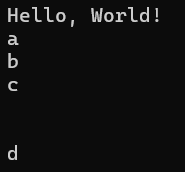
}
ofstream
for writing to file.
사용자가 ofstream 객체를 생성하면, 해당 파일이 존재하지 않는 경우 새로운 파일을 생성하고, 이미 존재하는 파일이 있다면 해당 파일을 연다.
ofstream을 사용하여 파일을 쓰려고 할 때, 파일이 이미 존재하면 해당 파일에 내용을 덮어쓰게 됨. (기존의 내용이 날라감. 파일의 내용을 유지하면서 파일 끝에 내용을 추가하려면 추가적인 설정이 필요.)
ofstream fsTemp;
int a;
fsTemp.Open("temp.txt");
cin >> a;
**fsTemp << a;**   // fsTemp.put(a);
#include <iostream>
#include <string>
#include <fstream>
using namespace std;
int main() {
string line;
ofstream myfile;
myfile.open("text.txt");
myfile << "Writing this to a file\n";
myfile.close();
return 0;
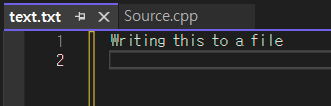
}기존의 text.txt에는 앞서 ifstream의 예시로 출력결과에 나와있던 내용이 있었으나, ofstream 코드를 실행시킨 후의 text.txt을 확인해보았다.
(대신, Source.cpp를 실행시켰을 때는 아무것도 출력되지 않았다.)
ifstream과 ofstream의 응용
#include <iostream>
#include <string>
#include <fstream>
#include <iomanip>
using namespace std;

int main() {
	ofstream fout;  // processor->file 저장
	fout.open("example.txt");        // example.txt 열기

	string s2 = "Objective Oriented Programming";
	fout << s2 << endl;
	fout << "Random Variables" << endl;
	fout << "Linear Algebra" << endl;

	fout.close();        // fout 닫기

	ifstream fin;
	string s1;
	fin.open("example.txt");        // example.txt 열기
	if (!fin) {
		cout << "Error, no such file exists" << endl;
		exit(100);
	}

	while (getline(fin, s1)) { // **line by line으로** example.txt에서 읽어와서 출력
		cout << s1 << endl;
	}


	//한번에 실행되지 않기 때문에 주석처리 해놓음
	//while (1) { // **띄어쓰기 단위로** example.txt에서 읽어와서 출력

	//	if (!(fin >> s1)) {
	//		break;
	//	}
	//	cout << s1 << '\n';
	//}

	fin.close();
}
while(input >> s){ // **단어 단위로** input.txt에서 읽어와서 output.txt에 다시 작성
output << s;
}