🌿 View 작성법
Controller에서는 상단에 패키지 경로를 sap/m/Text
View에서는 sap.m 선언 후 Text 태그를 작성
<mvc:View controllerName="class05.ui501.controller.View1"
    displayBlock="true"
    xmlns:mvc="sap.ui.core.mvc"
    xmlns="sap.m">
    <Text text="monday" width="20em" textAlign="Center"/>
    <Text text="월요일" width="20em" textAlign="End"/>
</mvc:View>
API에서 Properties 찾기

Label 추가하기
<Label text="배고파" width="15em" design="Bold" textAlign="End"/>
🌿 Controller와 View 작성법 차이
- Controller: Json의
{key: value}형식으로 작성 - View: 태그 안에 properties 작성
🌿 Button 만들기
“Event 가 발생했다”고 표현 (API의 Events에서 찾기)
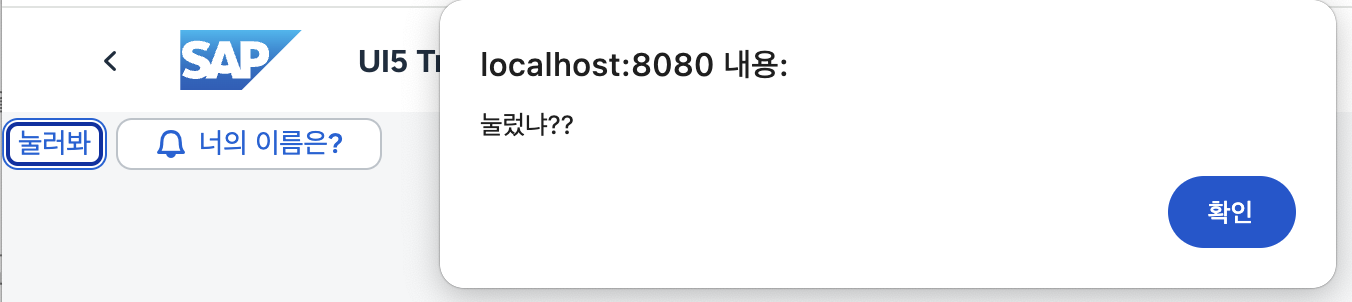
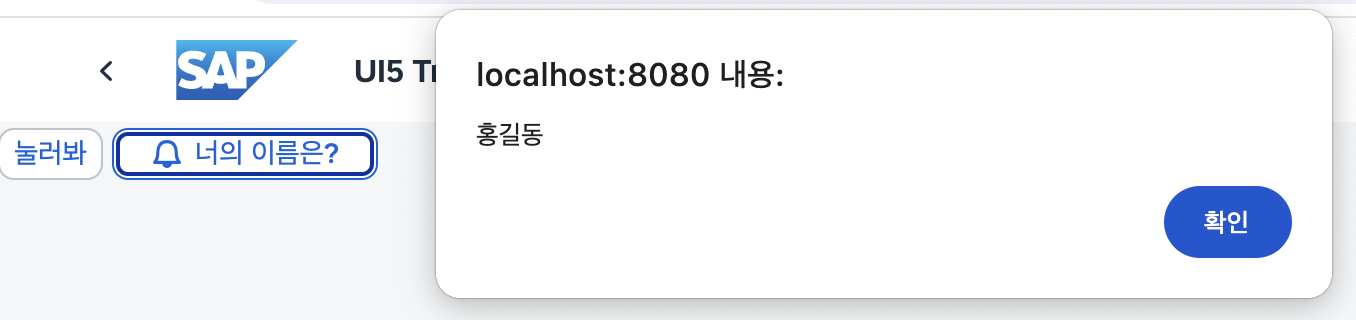
Controller
sap.ui.define(
  ["sap/ui/core/mvc/Controller", "sap/m/Text"],
  function (Controller, Text) {
    "use strict";

    return Controller.extend("class05.ui501.controller.View1", {
      onInit: function () {},
      onMsg: function () {
        alert("눌렀냐??");
      }, //Json은 콤마로 구분 !!!

      onName: function () {
        alert("홍길동");
      },
    });
  }
);
View
<mvc:View controllerName="class05.ui501.controller.View1"
    displayBlock="true"
    xmlns:mvc="sap.ui.core.mvc"
    xmlns="sap.m">
    <Button text="눌러봐" press="onMsg"/>
    <Button  text="너의 이름은?" icon="sap-icon://bell" press="onName" width="10em"/>
</mvc:View>
🌿 아이콘 삽입
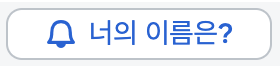
🔗icon explorer 페이지에서 아이콘 복사 후 properties 삽입
<Button text="너의 이름은?" icon="sap-icon://bell"/>
멋쟁이 토마토