아직 이해는 잘 가지않지만 여러번 돌려보며 익숙해져야한다
코드 길이가 짧아서 생각보다 쉽다고 느낄 수 있지만, 완벽한 이해가 어렵다
시연 동영상_45분이므로 Inspector등 기타 설정만 확인 추천
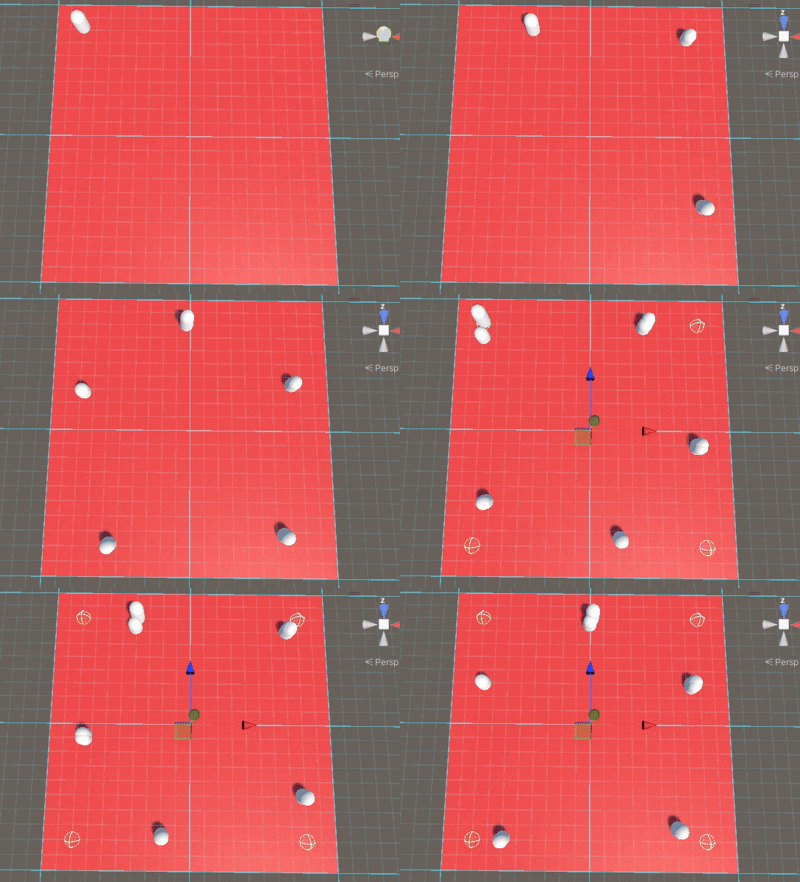
gif 도중에 보이는 4개의 웨이포인트를 순회하는 오브젝트 이다.
핵심
스크립트 2개 생성
- WaypointMoverScript (물체 이동 스크립트)
오브젝트를 이동시키는 스크립트 이며, wayPoint도달시 Trigger 이벤트로 index를 증가시켜 다른 waypoint(Child 위치)로 이동한다 - MoverSpawnerScript (물체 소환 스크립트)
코루틴으로 오브젝트를 생성하고, 초기 이동 위치를 지정해준다
Hierachy 구조
plane은 바닥
WayPoints 는 왼쪽위, 오른쪽위,오른쪽아래,왼쪽아래 로 지정된 4좌표
MoverSpawner는 MoverSpawnerScript 라는 물체소환 스크립트를 가진 object
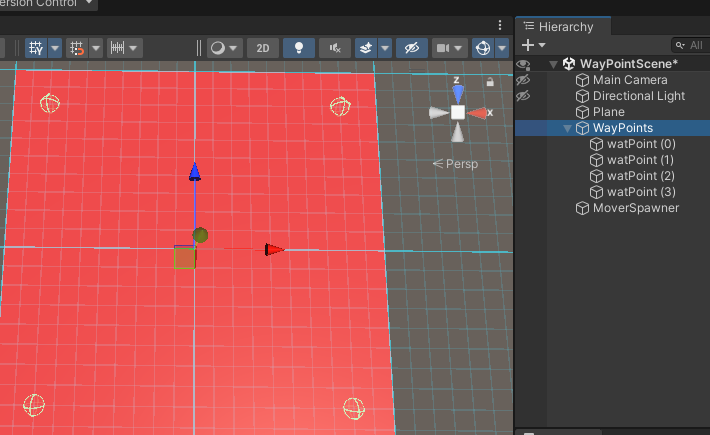
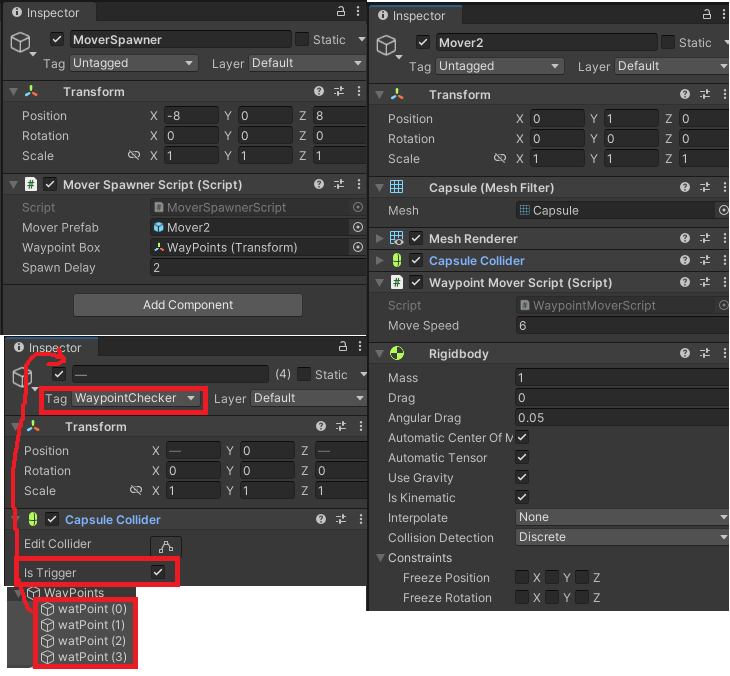
전체 Inspector 설정
Mover2는 기본 capsule 오브젝트에 Rigidbody와 스크립트 추가하고 Prefab 설정한 오브젝트임
코드
1.WaypointMoverScript
public class WaypointMoverScript : MonoBehaviour
{
    [SerializeField] private float _moveSpeed; //이동속도
    private int _currentTargetIndex = 0; //웨이포인트 몇번쨰 위치에 와있는지 확인
    private Transform _wayPointBox;

    private void OnTriggerEnter(Collider other)
    {
        if(other.CompareTag("WaypointChecker"))
        {
            if (_wayPointBox == null) return;
            _currentTargetIndex += 1;

            if (_currentTargetIndex >= _wayPointBox.childCount)
                _currentTargetIndex = 0;
           // Debug.Log(_currentTargetIndex);
        }
    }
    private void Update()
    {
        MoveObj();
    }

    public void SetWayPointBox(Transform waypointBox) //웨이포인트 설정
    {
        _wayPointBox = waypointBox;
    }
    private void MoveObj() //이동함수
    {
        if (_wayPointBox == null) return;

        Transform targerTrf = _wayPointBox.GetChild(_currentTargetIndex);  //현재 가려고하는 지점 정보
        Vector3 direction = (targerTrf.position - transform.position).normalized; //이동해야할 방향 계산
        transform.position += direction * _moveSpeed * Time.deltaTime; //이동
    }
}
2.MoverSpawnerScript
public class MoverSpawnerScript : MonoBehaviour
{
    [SerializeField] private GameObject _moverPrefab; //소환할 대상 프리팹
    [SerializeField] private Transform _waypointBox; //웨이포인트 정보 (소환대상에게 전달)
    [SerializeField] private float _spawnDelay; //소환 간격

    private void Start()
    {
        StartCoroutine(SpawnMover());
    }
    private IEnumerator SpawnMover() //소환 코루틴 함수
    {
        if (_waypointBox == null) yield break;

        while(true) //계속 소환
        {
            GameObject newMoverObj = Instantiate(_moverPrefab, transform); //새 객체 생성
            WaypointMoverScript newMover = newMoverObj.GetComponent<WaypointMoverScript>(); //객체에서 컴포넌트 가져옴
            newMover?.SetWayPointBox(_waypointBox); //이동할 위치 전달
            yield return new WaitForSeconds(_spawnDelay);
        }
    }
}