transform
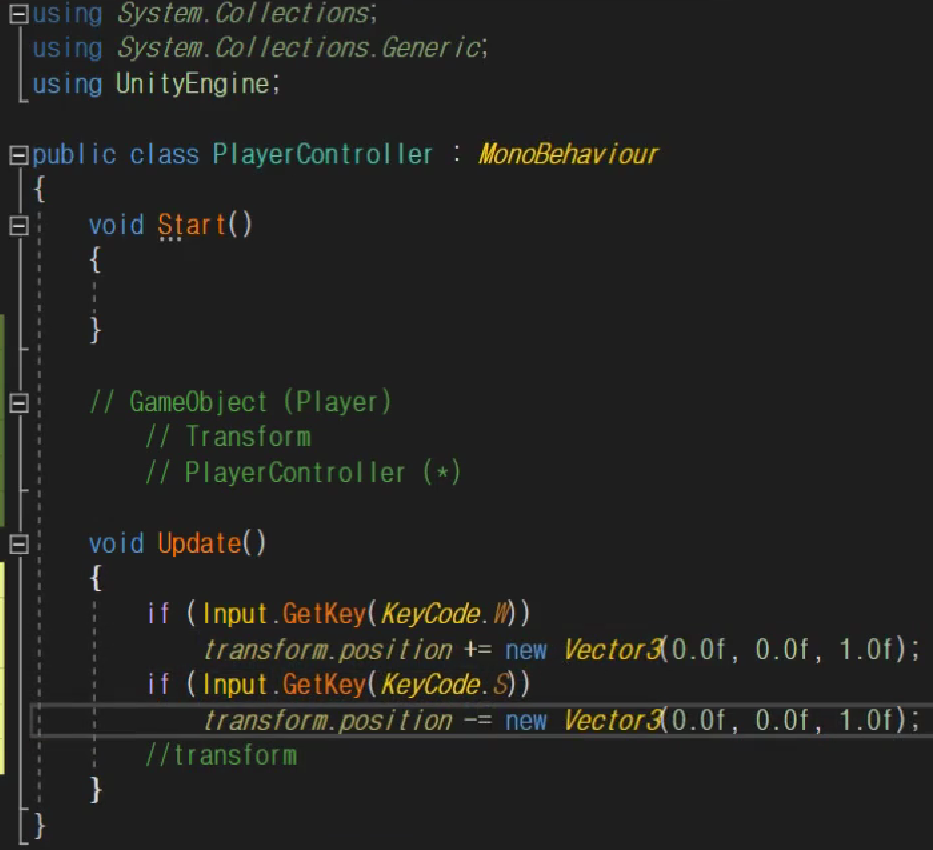
- transform에 접근하고싶다면 보통은 부모에 접근한다음에 transform에 접근하는게 일반적이나 transform은 워낙 자주 사용되기 때문에 바로 접근이 가능하다.
world 좌표, local 좌표
게임세상 기준은 world 좌표
각 플레이어 기준은 local 좌표
좌표끼리의 변환 가능하다.
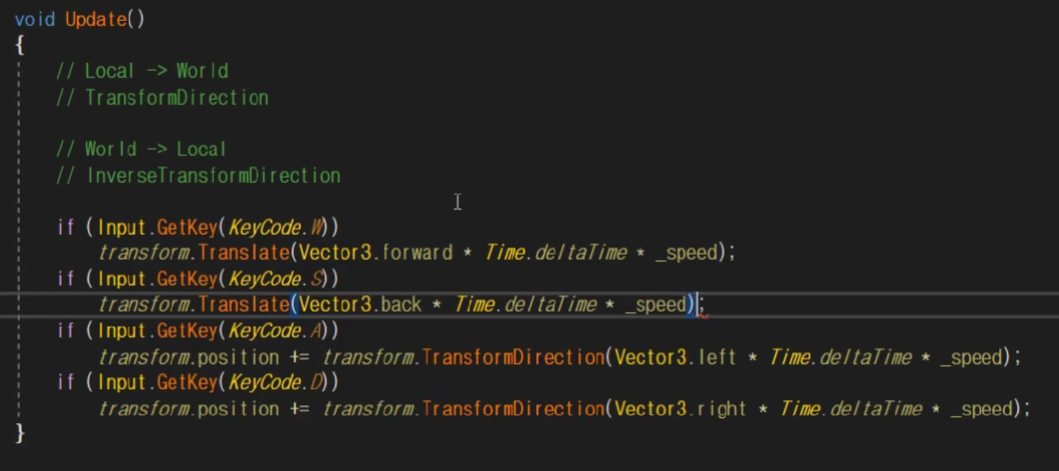
Vector3(position)
- 벡터라는 것은 float값을 3개 들고 있는 간단한 구조체이다.
- 사용하는 방법에 따라 위치벡터, 방향벡터로 사용이 가능하다.
- 간단하게 구현
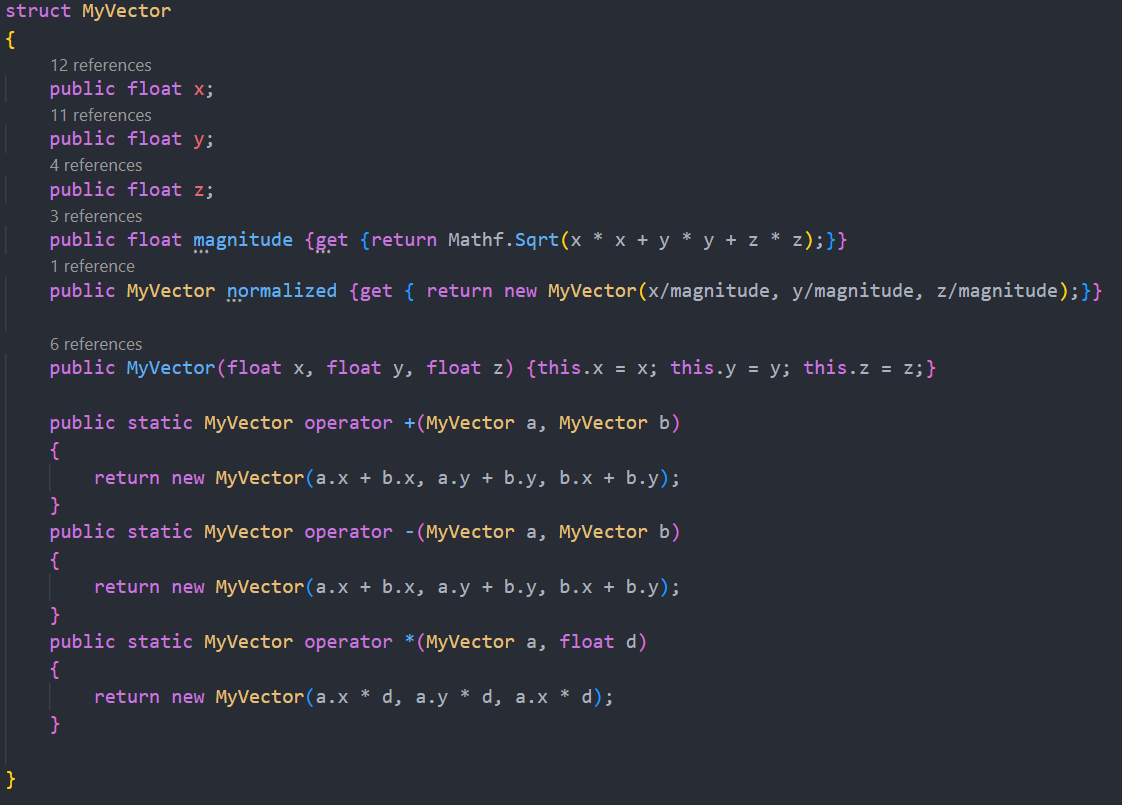
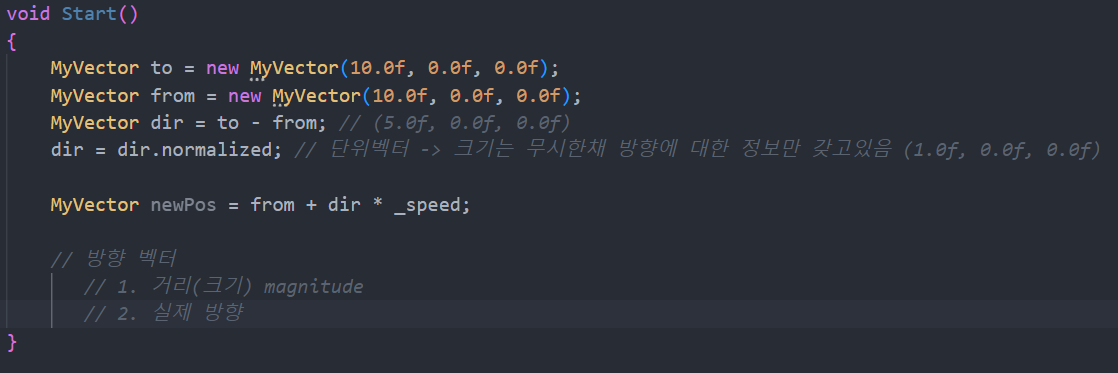
- 간단하게 구현
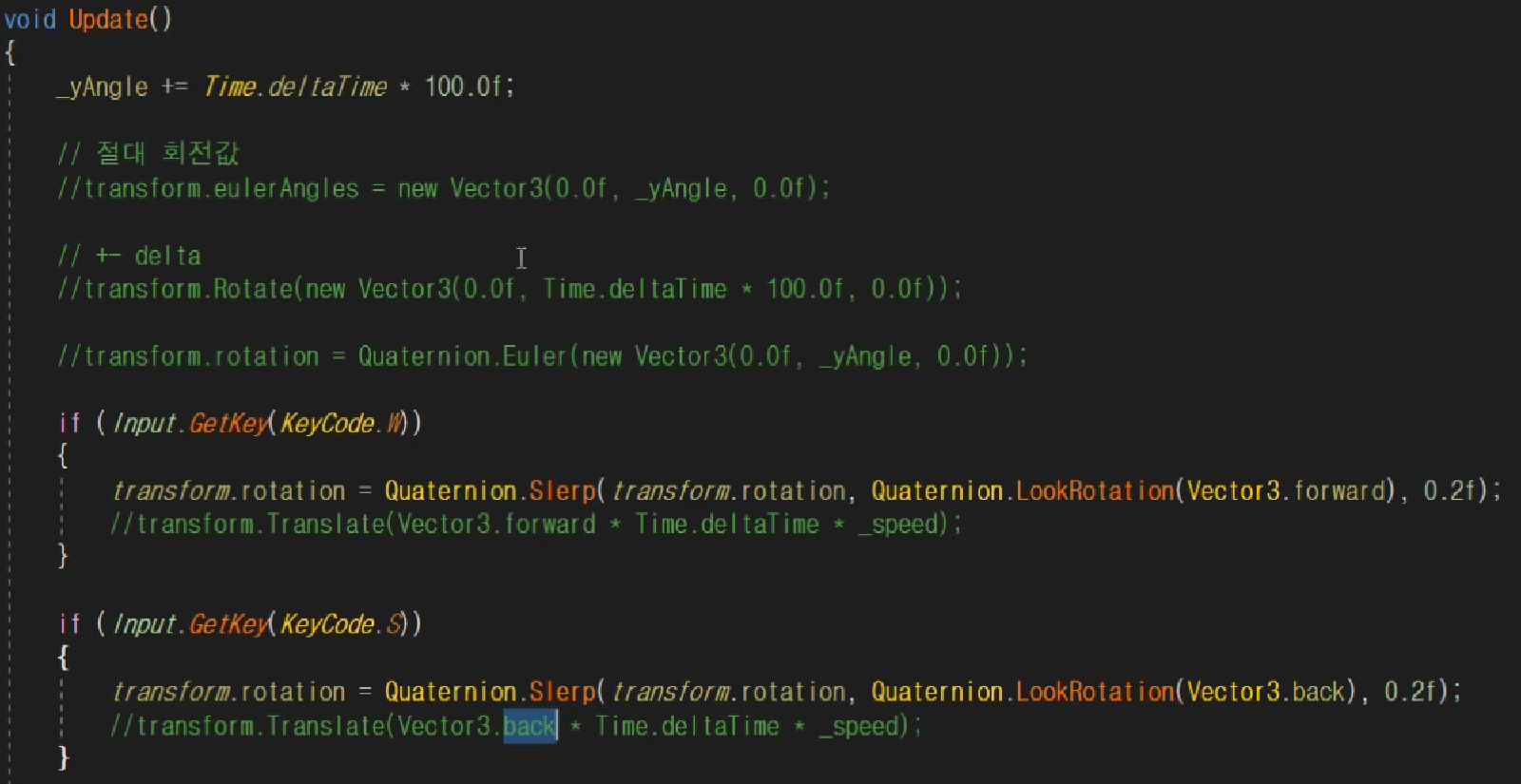
Rotation
- 짐벌록 현상을 해결하기위해 vector3가 아닌 쿼터니언을 사용하게 되는데 네개의 float값이 있다.
InputManager
using System;
using System.Collections;
using System.Collections.Generic;
using UnityEngine;

public class InputManager
{
    // 리스너 패턴
    // InputManager가 대표로 입력을 체크한다음에 입력이 있다면 구독신청한 사람은 이벤트를 전파받게됨
    public Action KeyAction = null;
    public Action<Define.MouseEvent> MouseAction = null;

    bool _pressed = false;

    public void OnUpdate() //PlayController가 100개든 1000개든 상관없이 한번만 체크하는 방식으로 이벤트를 전파
    {
        if (Input.anyKey && KeyAction != null)
            KeyAction.Invoke();

        if (MouseAction != null)
        {
            if (Input.GetMouseButton(0))
            {
                MouseAction.Invoke(Define.MouseEvent.Press);
                _pressed = true;
            }
            else
            {
                if (_pressed)
                    MouseAction.Invoke(Define.MouseEvent.Click);
                _pressed = false;
            }
        }
    }
}
using System.Collections;
using System.Collections.Generic;
using UnityEngine;
public class Managers : MonoBehaviour
{
static Managers s_instance; // 유일성이 보장된다
static Managers Instance { get { Init(); return s_instance; } } // 유일한 매니저를 갖고온다
InputManager _input = new InputManager();
ResourceManager _resource = new ResourceManager();
public static InputManager Input { get { return Instance._input; } }
public static ResourceManager Resource { get { return Instance._resource; } }
// Start is called before the first frame update
void Start()
{
Init();
}
// Update is called once per frame
void Update()
{
_input.OnUpdate();
}using System.Collections;
using System.Collections.Generic;
using UnityEngine;
public class PlayerController : MonoBehaviour
{
[SerializeField]
float _speed = 10.0f;
bool _moveToDest = false;
Vector3 _destPos;
void Start()
{
Managers.Input.KeyAction -= OnKeyboard;
Managers.Input.KeyAction += OnKeyboard; // InputManager한테 혹시라도 어떤 키가 눌리면 Onkeyeboard함수를 실행해주세요
}
void Update()
{
if (_moveToDest)
{
Vector3 dir = _destPos - transform.position;
if (dir.magnitude < 0.0001f)
{
_moveToDest = false;
}
else
{
float moveDist = Mathf.Clamp(_speed * Time.deltaTime, 0, dir.magnitude);
transform.position += dir.normalized * moveDist;
transform.rotation = Quaternion.Slerp(transform.rotation, Quaternion.LookRotation(dir), 20 * Time.deltaTime);
}
}
}
void OnKeyboard()
{
if (Input.GetKey(KeyCode.W))
{
transform.rotation = Quaternion.Slerp(transform.rotation, Quaternion.LookRotation(Vector3.forward), 0.2f);
transform.position += Vector3.forward * Time.deltaTime * _speed;
}
if (Input.GetKey(KeyCode.S))
{
transform.rotation = Quaternion.Slerp(transform.rotation, Quaternion.LookRotation(Vector3.back), 0.2f);
transform.position += Vector3.back * Time.deltaTime * _speed;
}
if (Input.GetKey(KeyCode.A))
{
transform.rotation = Quaternion.Slerp(transform.rotation, Quaternion.LookRotation(Vector3.left), 0.2f);
transform.position += Vector3.left * Time.deltaTime * _speed;
}
if (Input.GetKey(KeyCode.D))
{
transform.rotation = Quaternion.Slerp(transform.rotation, Quaternion.LookRotation(Vector3.right), 0.2f);
transform.position += Vector3.right * Time.deltaTime * _speed;
}
_moveToDest = false;
}
공부기록용