[이론1] 테이블과 인덱스는 같은 테이블스페이스가 아닌 별도의 분리된 테이블스페이스에 만들어줘야, data file과 디스크의 경합으로 인한 성능저하를 예방할 수 있음
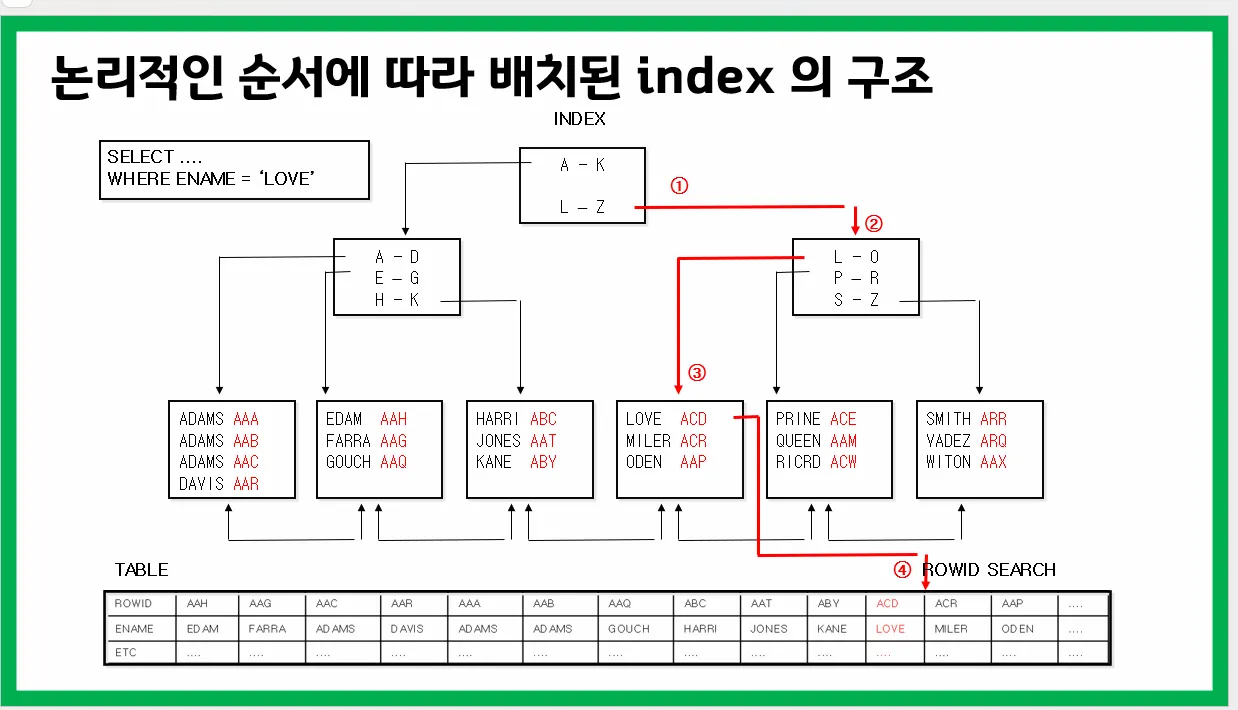
[실습1] demo 스크립트를 돌리고 emp 테이블이 어느 테이블 스페이스에 있는지 확인하시오
@demo

select * from emp;

select table_name, tablespace_name
 from user_tables
 where table_name='EMP';

SELECT *
 from database_properties
 where property_name ='DEFAULT_PERMANENT_TABLESPACE';

ALTER DATABASE DEFAULT TABLESPACE ts07;

SELECT *
 from database_properties
 where property_name ='DEFAULT_PERMANENT_TABLESPACE';

create table emp904
(empno  number(10),
 ename  varchar2(20) );

select table_name, tablespace_name
 from user_tables
 where table_name='EMP904';
--> users 테이블스페이스에 emp 테이블이 존재하는 것 확인
[실습2] emp 테이블의 sal 에 단일 컬럼 인덱스를 생성하고 이 인덱스가 어느 테이블 스페이스에 만들어졌는지 확인하시오.
create index emp_sal
 on emp(sal);

select index_name, tablespace_name
 from user_indexes
 where index_name='EMP_SAL';
--> EMP 테이블도 USERS에 있고 EMP_SAL 인덱스도 USERS에 있으면
해당 데이터 파일에 경합이 발생해서 성능이 느려짐
[실습3] emp_sal 인덱스를 dro 하고 emp_sal 인덱스를 다른 테이블 스페이스에 생성하기 위해서 index_ts01 이라는 테이블 스페이스를 생성하시오
drop index emp_sal;

create tablespace index_ts01
 datafile '/home/oracle/index_ts01.dbf' size 10m;
[실습4] emp_sal 인덱스를 다시 생성하는데 index_ts01 테이블 스페이스에 생성하시오
create index emp_sal
 on emp(sal)
 tablespace index_ts01;

select index_name, tablespace_name
 from user_indexes
 where index_name='EMP_SAL';
[실습5] hr 계정이 가지고 있는 테이블들이 어느 테이블 스페이스에 있는지 확인하시오
select table_name, tablespace_name
 from dba_tables
 where owner='HR';
[실습6] hr 계정이 가지고 있는 테이블들을 모두 ts07 로 이동시키시오
select table_name, tablespace_name
 from dba_tables
 where owner='HR';

alter table hr.DEPARTMENTS move tablespace ts07;
alter table hr.LOCATIONS move tablespace ts07;
alter table hr.REGIONS move tablespace ts07;
alter table hr.JOBS move tablespace ts07;
alter table hr.EMPLOYEES move tablespace ts07;
alter table hr.JOB_HISTORY move tablespace ts07;
scott에서 옮기는 거라서 hr.을 붙여줘야 됨
[문제1] scott 계정이 가지고 있는 모든 테이블을 ts07로 이동하시오
select table_name, tablespace_name
 from dba_tables
 where owner='SCOTT';

alter table EMPLOYEES move tablespace ts07;
alter table EMP07 move tablespace ts07;
alter table EMP904 move tablespace ts07;
alter table EMP400 move tablespace ts07;
alter table EMP778 move tablespace ts07;
alter table EMP999 move tablespace ts07;
alter table EMP600 move tablespace ts07;
alter table CHAINED_ROWS move tablespace ts07;
alter table EMP_KBM move tablespace ts07;
alter table DEPARTMENTS move tablespace ts07;
alter table DEPT move tablespace ts07;
alter table EMP move tablespace ts07;
alter table DEPT777 move tablespace ts07;
alter table EMP777 move tablespace ts07;
[실습7] EMP 테이블의 월급과 직업에 각각 단일 컬럼 인덱스를 생성하시오
drop index emp_sal;

create  index  emp_sal
 on emp(sal);


create index emp_job
 on emp(job);
[실습8] 지금 만든 인덱스가 어느 테이블 스페이스에 만들어졌는지 확인하시오
select index_name, tablespace_name
   from  user_indexes
   where table_name='EMP';
[실습9] emp 테이블에 걸려있는 인덱스들을 전부 index_ts01 로 이동하시오
select index_name, tablespace_name
 from user_indexes
 where table_name='EMP';

alter index  emp_sal  rebuild  tablespace index_ts01;
alter index  emp_job  rebuild  tablespace index_ts01;
💡 table과 index가 별도의 테이블스페이스에 분리가 되어있어야함
문제1. hr 계정의 employees 테이블의 테이블 스페이스와 인덱스의 테이블 스페이스를 따로 분리하시오
select index_name, tablespace_name
 from dba_indexes
 where table_name='EMPLOYEES' and owner='HR';

alter index hr.EMP_EMAIL_UK  		rebuild online tablespace index_ts01;
alter index hr.EMP_EMP_ID_PK 		rebuild online tablespace index_ts01;
alter index hr.EMP_DEPARTMENT_IX 	rebuild online tablespace index_ts01;
alter index hr.EMP_JOB_IX 			rebuild online tablespace index_ts01;
alter index hr.EMP_MANAGER_IX 		rebuild online tablespace index_ts01;
alter index hr.EMP_NAME_IX 			rebuild online tablespace index_ts01;
alter index hr.EMP_HIRE_DATE_IX 	rebuild online tablespace index_ts01;
💡 rebuild 다음에 online을 꼭 써줘야 누군가 이 인덱스와 관련된 테이블을 변경할 때 락(lock)이 걸리지 않음
--> rebuild 하고있을 때는 락이 걸리지 않음
위의 작업들(테이블 move와 index rebuild 작업)을 “db reorg 작업” 이라고 함
