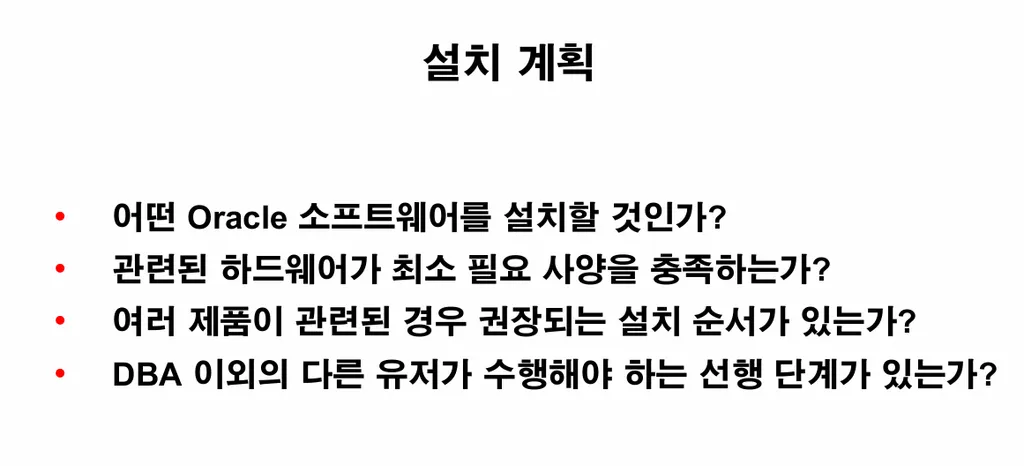
이론1. 오라클 소프트웨어를 설치한다는 것은?
💡 오라클 엔진을 설치하는 것임. 엔진 안에 설치 파일들이 있어서 그 파일들을 가지고 네트워크도 구성하고 db도 생성하는 것
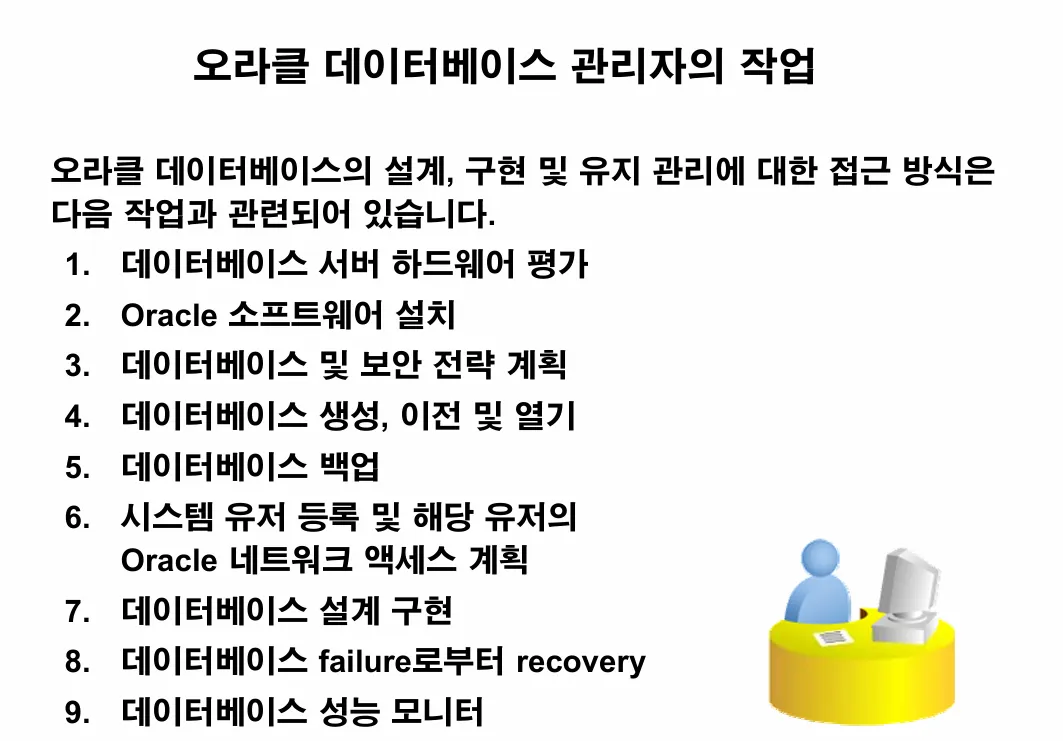
이론2. dba가 주로 하는 역할
💡 db성능 모니터링, 에러가 발생했을 때 문제해결, 장애발생시 복구
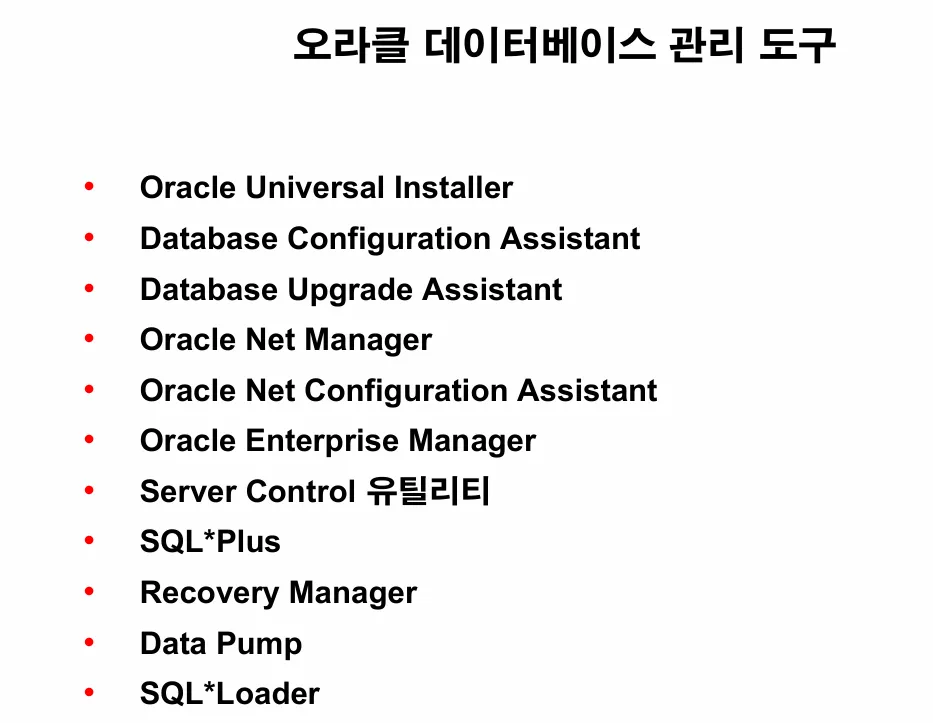
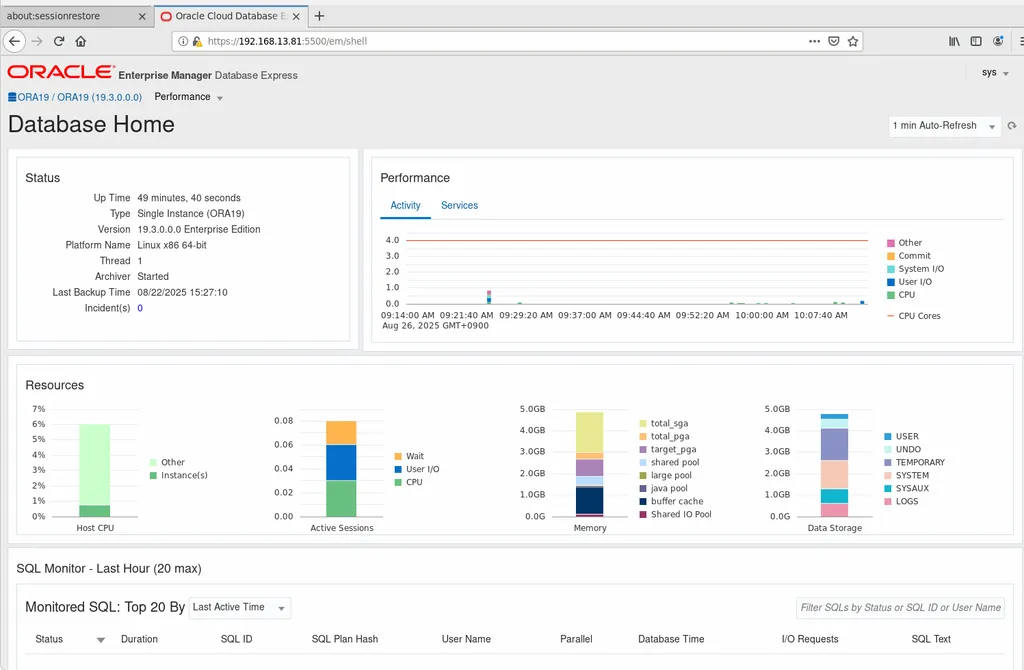
실습1. 위의 도구 중에 EM을 켜고 접속하시오
[oracle@ora19c ~]$ vi .bash_profile
[oracle@ora19c ~]$ cat .bash_profile
# .bash_profile

# Get the aliases and functions
if [ -f ~/.bashrc ]; then
        . ~/.bashrc
fi

# User specific environment and startup programs

PATH=$PATH:$HOME/.local/bin:$HOME/bin
export ORACLE_BASE=/u01/app/oracle
export ORACLE_HOME=/u01/app/oracle/product/19.3.0/dbhome_1
export ORA_INVENTORY=/u01/app/oraInventory
export ORACLE_SID=ORA19
#export TNS_ADMIN=/u01/app/oracle/product/19.3.0/dbhome_1/network/admin
export PATH=$PATH:$HOME/bin:$ORACLE_HOME/bin
export LD_LIBRARY_PATH=$ORACLE_HOME/lib:/lib:/usr/lib
export CLASSPATH=$ORACLE_HOME/JRE:$ORACLE_HOME/jlib:$ORACLE_HOME/rdbms/jlib
export NLS_LANG=KOREAN_KOREA.AL32UTF8
export PATH
export DISPLAY=:0.0

alias sys='sqlplus / as sysdba'
alias scott='sqlplus scott/tiger'
alias net='cd /u01/app/oracle/product/19.3.0/dbhome_1/network/admin/'

[oracle@ora19c ~]$ source .bash_profile


[oracle@ora19c ~]$ xauth list
ora19c/unix:11  MIT-MAGIC-COOKIE-1  24551edfd83a41c71a6b5185549b1120
ora19c/unix:12  MIT-MAGIC-COOKIE-1  0cb66bf5d837e76d967c4cc86ebed531
ora19c/unix:10  MIT-MAGIC-COOKIE-1  609e2e537a28570c6585dfc9796e3e30
[oracle@ora19c ~]$
[oracle@ora19c ~]$ export DISPLAY=:10.0
[oracle@ora19c ~]$
[oracle@ora19c ~]$ firefox https://192.168.13.81:5500/em
Running without a11y support!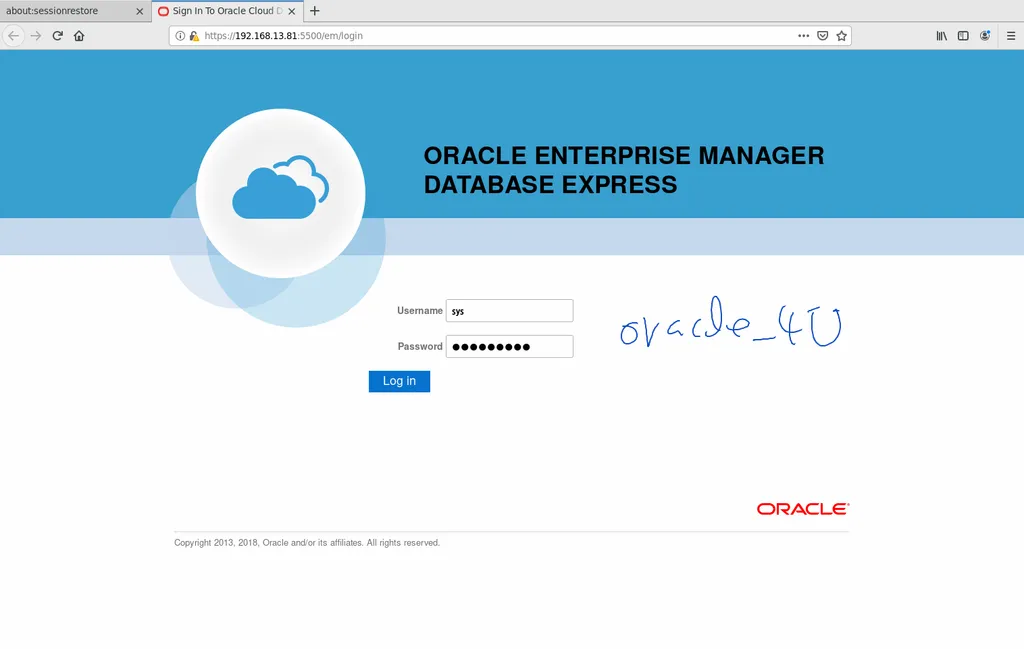
실습1. 오라클 소프트웨어가 무엇이 설치되었는지 확인합니다.
SQL> select * from v$version;

BANNER
--------------------------------------------------------------------------------
BANNER_FULL
--------------------------------------------------------------------------------
BANNER_LEGACY
--------------------------------------------------------------------------------
    CON_ID
----------
Oracle Database 19c Enterprise Edition Release 19.0.0.0.0 - Production
Oracle Database 19c Enterprise Edition Release 19.0.0.0.0 - Production
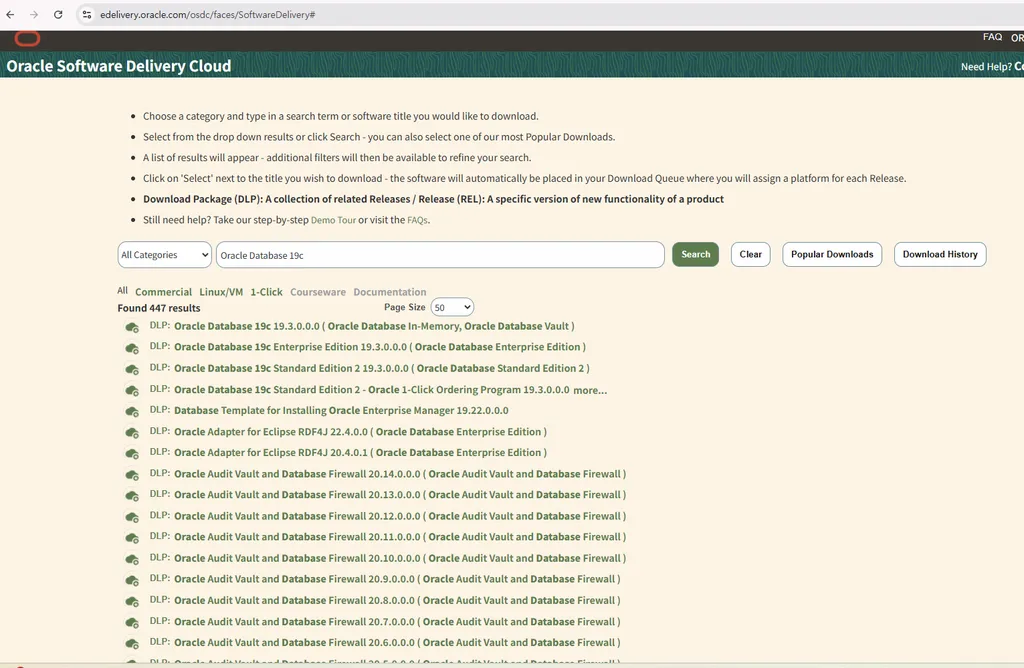
실습2. 오라클 소프트웨어 설치파일이 있는 곳에 접속합니다.
https://www.oracle.com/downloads/
이론1. 위의 그룹은 왜 만들어야 하는가?
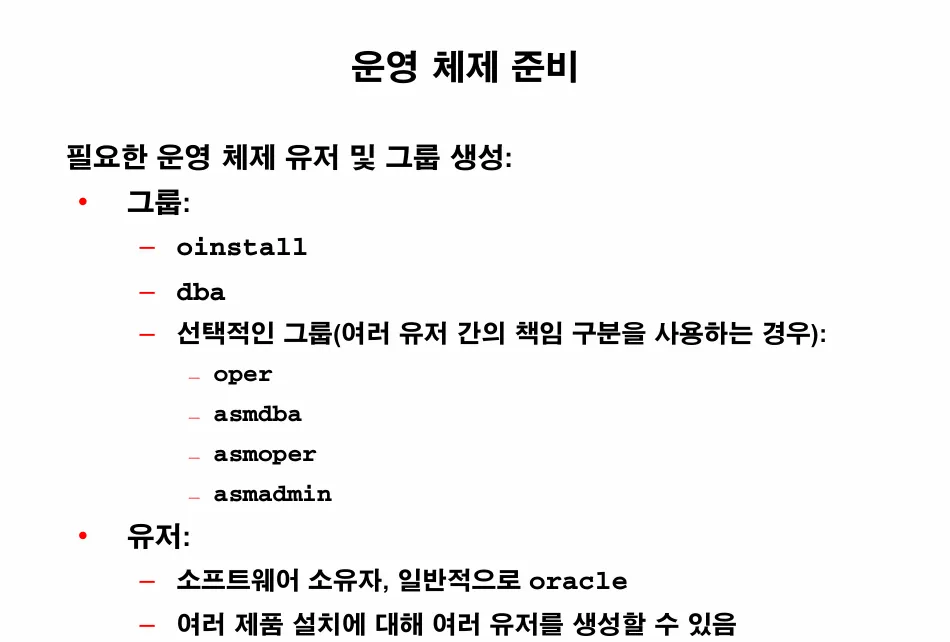
💡 위의 그룹에 속해있어야 오라클을 설치할 때 권한 오류가 나지 않음
실습1. oracle 유져가 oinstall 그룹에 속해 있는지 확인하시오
[oracle@ora19c ~]$ id
uid=1000(oracle) gid=54321(oinstall) groups=54321(oinstall),1000(oracle),54322(dba),54323(oper),54324(backupdba),54325(dgdba),54326(kmdba),54330(racdba) context=unconfined_u:unconfined_r:unconfined_t:s0-s0:c0.c1023

[oracle@ora19c ~]$ groups oracle
oracle : oinstall oracle dba oper backupdba dgdba kmdba racdba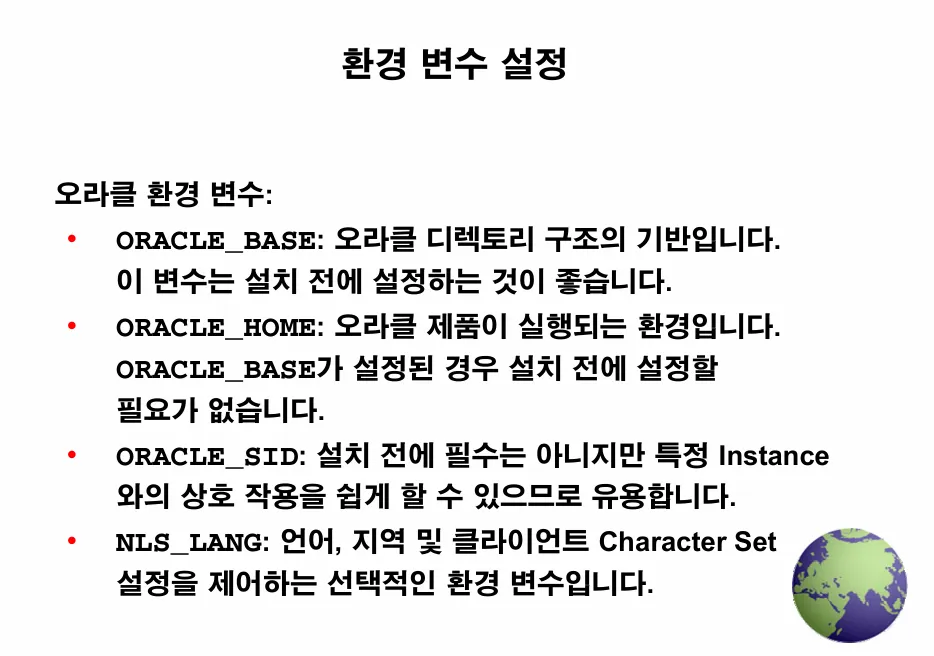
이론1. 오라클을 설치할 때 위와 같은 환경변수를 설정해줘야되는 이유
💡 오라클 프로그램을 어디에 설치할지를 지정해주게 되면 나중에 오라클을 관리할 때 편해짐
-
19c 버전과 12c 버전을 동시에 하나의 서버에 설치해야 한다면 다음과 같이 19c와 12c를 별도로 구성
ex. /u01/app/oracle/product/19.3.0/dbhome_1 ←- 19c의 위치
/u01/app/oracle/product/12.2.0/dbhome_1 ←- 12c의 위치 -
19c를 실행할 때와 12c를 실행할 때 명확하게 다른 위치에 오라클 실행파일을 실행할 수 있게 됩니다.
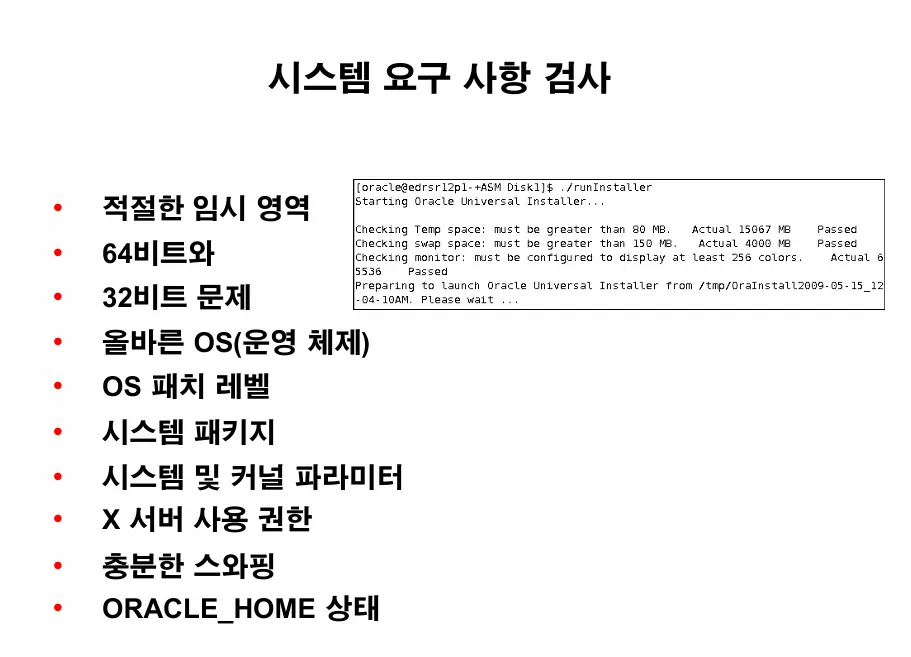
⭐ 설치시 가장 주의해야할 구성 단계
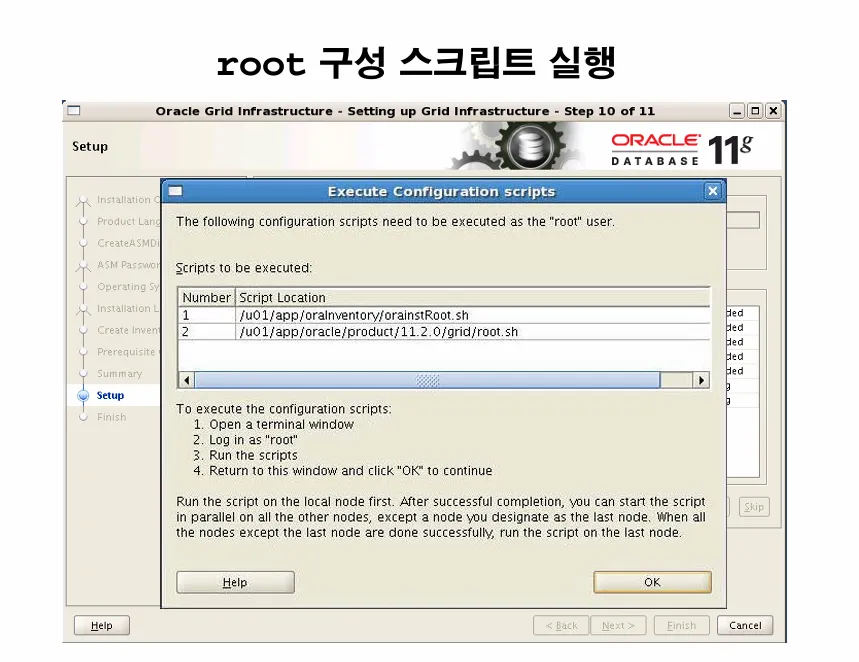
이론1. 위의 스크립트를 설치시 돌려야 하는 이유
orainstRoot.sh 스크립트는 읽기, 쓰기 및 실행 권한을 완전히 제거하는 것과 함께 그룹에 대한 읽기 및 쓰기 권한을 추가하여 Oracle Central Inventory 디렉토리의 권한을 변경합니다. root.sh 스크립트는 파일을 /usr/local/bin 디렉토리에 복사하고, /etc/oratab 파일을 생성하고, grid 유저에 대한 OCR 키를 생성하고, ohasddaemon을 시작하고, /etc/inittab를 수정하여 시스템이 시작될 때 ohasddaemon을 자동으로 시작합니다.
