오늘은 원형 체력, 스태미너 , 목마름
구현해 볼것이다.
원형 체력 , 스태미너, 목마름, 배고픔

전에 실행시키면 fill amount가 0.5에서 1로 바꿔졌던게 있었는데 그냥 반원의 이미지를 찾아서 fill amount를 1로해서 하는게 낫다 싶어서 반원의 이미지를 찾아서 설정을 하게 되었다.
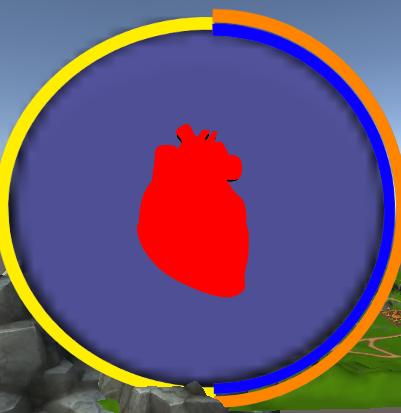
이미지 처럼 왼쪽은 스태미너 가운데는 체력, 오른쪽 파란색은 목마름, 주황색은 배고픔으로 설정을 해두었다.
스크립트
Condition 스크립트
using System.Collections;
using System.Collections.Generic;
using UnityEngine;
using UnityEngine.UI;

public class Condition : MonoBehaviour
{
    public float curValue;
    public float maxValue;
    public float startValue;
    public float regenRate;
    public Image uiBar;

    private void Start()
    {
        curValue = startValue;

    }

    private void Update()
    {
        uiBar.fillAmount = GetPerventage();
    }

    public void Add(float amount)
    {
        curValue = Mathf.Min(curValue + amount, maxValue);
    }

    public void Subtract(float amount)
    {
        curValue = Mathf.Max(curValue - amount, 0.0f);
    }

    public float GetPerventage()
    {
        return curValue / maxValue;
    }

}
UIcondition 스크립트
using UnityEngine;

public class UICondition : MonoBehaviour
{
    public Condition health;
    public Condition hunger;
    public Condition stamina;

    private void Start()
    {
        CharacterManager.Instance.Player.condition.uiCondition = this;
    }
}
PlayerConditions 스크립트
using System;
using UnityEngine;

public interface IDamagable
{
    void TakePhysicalDamage(int damageAmount);
}

public class PlayerCondition : MonoBehaviour, IDamagable
{
    public UICondition uiCondition;

    Condition health { get { return uiCondition.health; } }
    Condition hunger { get { return uiCondition.hunger; } }
    Condition stamina { get { return uiCondition.stamina; } }

    public float noHungerHealthDecay;
    public event Action onTakeDamage;

    private void Update()
    {
        hunger.Subtract(hunger.passiveValue * Time.deltaTime);
        stamina.Add(stamina.passiveValue * Time.deltaTime);

        if(hunger.curValue < 0.0f)
        {
            health.Subtract(noHungerHealthDecay * Time.deltaTime);
        }

        if(health.curValue < 0.0f)
        {
            Die();
        }
    }

    public void Heal(float amount)
    {
        health.Add(amount);
    }

    public void Eat(float amount)
    {
        hunger.Add(amount);
    }

    public void Die()
    {
        Debug.Log("플레이어가 죽었다.");
    }

    public void TakePhysicalDamage(int damageAmount)
    {
        health.Subtract(damageAmount);
        onTakeDamage?.Invoke();
    }
}
Player 스크립트
using System;
using UnityEngine;

public class Player : MonoBehaviour
{
    public PlayerController controller;
    public PlayerCondition condition;

    private void Awake()
    {
        CharacterManager.Instance.Player = this;
        controller = GetComponent<PlayerController>();
        condition = GetComponent<PlayerCondition>();
    }
}
를 만들어
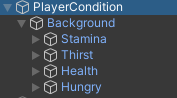
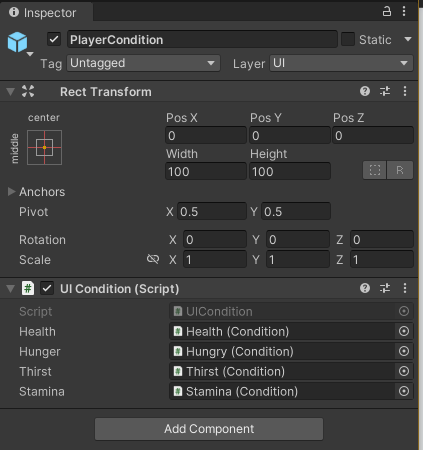
인스펙터 창안에 다 넣어주게되면 된다.
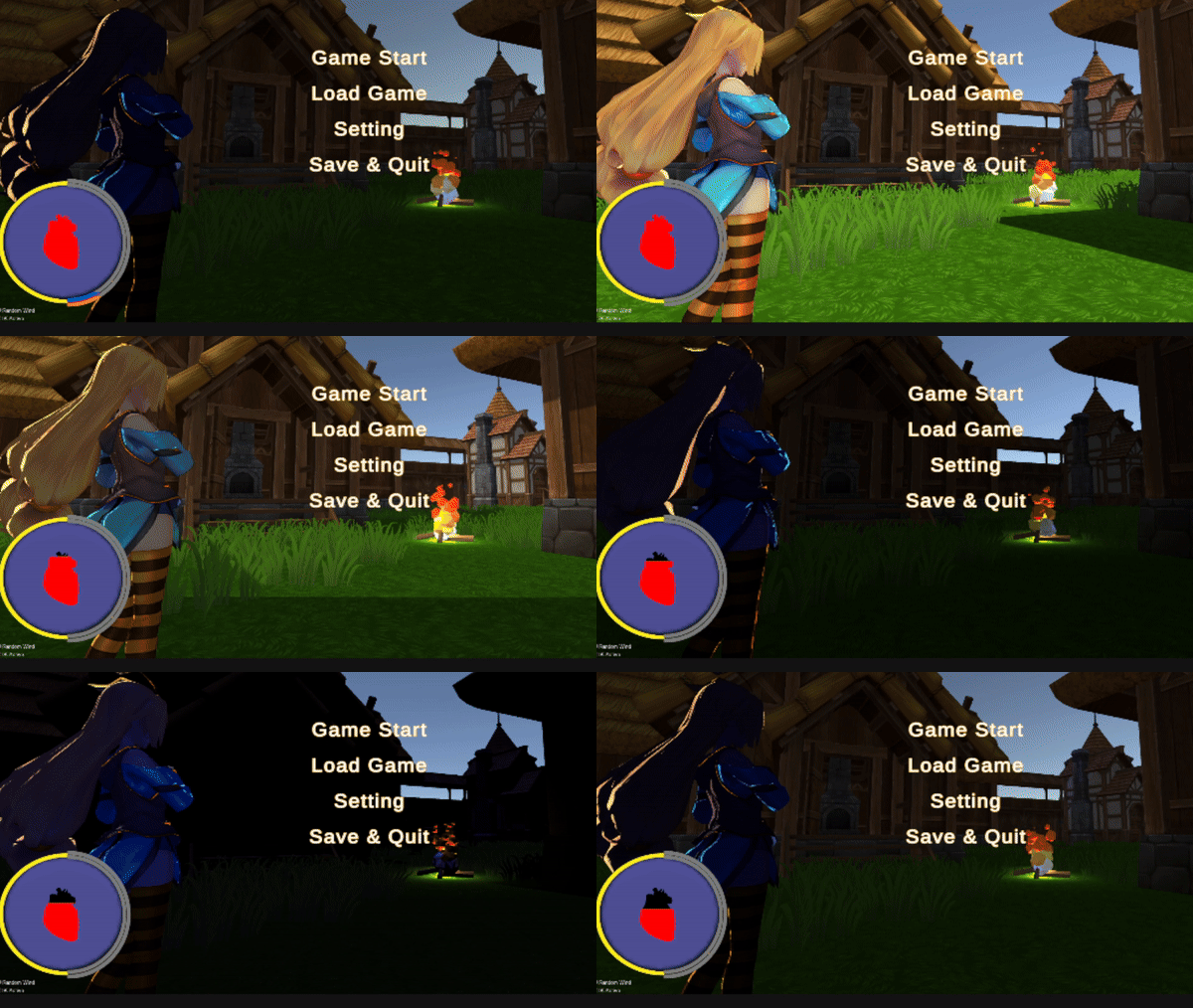
완성화면

게임개발자꿈나무