백준 11723번 C풀이 (집합)
오늘은 백준 11723번, "집합" 문제를 풀어보았다.
처음엔 단순히 조건 분기만 잘 하면 될 줄 알았는데, 최적의 자료구조를 선택하는 것도 중요한 문제였다.
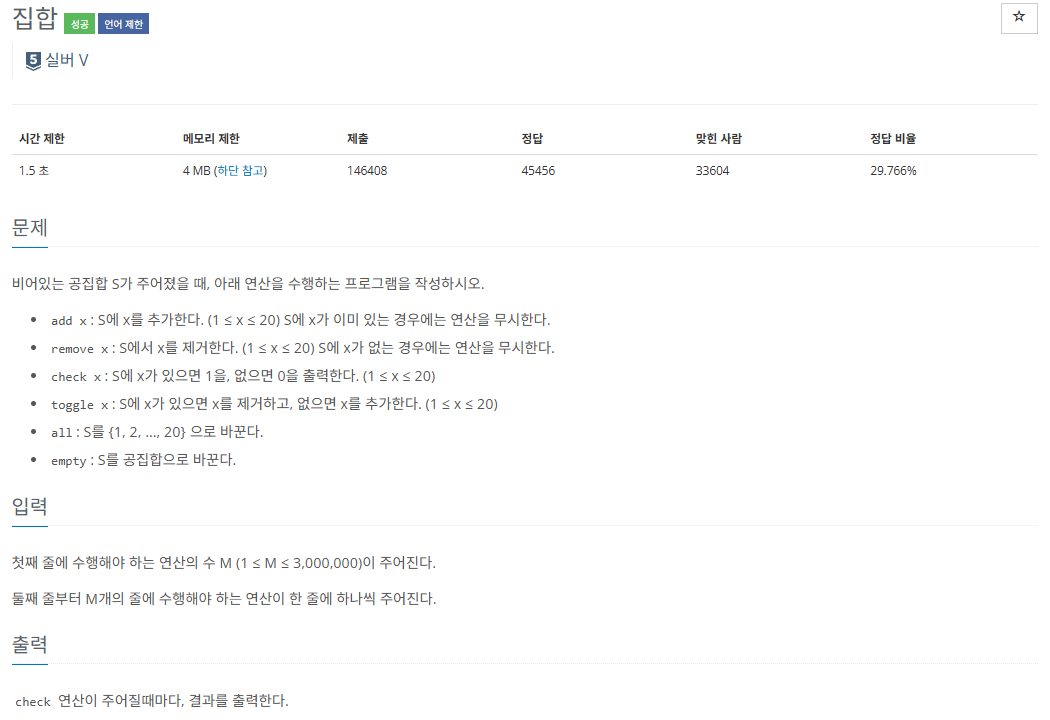
https://www.acmicpc.net/problem/11723
문제 요약
비어 있는 집합 S가 주어지고, 다음과 같은 명령을 수행한다.
-
add x: x를 집합에 추가 (1 ≤ x ≤ 20)
-
remove x: x를 집합에서 제거
-
check x: x가 집합에 있으면 1, 없으면 0 출력
-
toggle x: x가 있으면 제거, 없으면 추가
-
all: 1~20까지 모두 추가
-
empty: 집합을 공집합으로 초기화
처음 접근
처음엔 단순하게 List<int>를 사용해서 풀려고 했다.
하지만 Contains()나 Remove()가 리스트에서는 시간 복잡도가 커서, 많은 입력을 처리할 때 시간이 오래 걸릴 수 있다는 점이 마음에 걸렸다.
선택한 자료구조 - HashSet
그래서 HashSet<int>를 사용했다.
중복을 허용하지 않고, Add, Remove, Contains가 모두 빠르게 동작한다는 점이 이 문제에 적합했다.
주요 개념 정리
-
set.Add(x)→ 집합에 x 추가 -
set.Remove(x)→ 집합에서 x 제거 -
set.Contains(x)→ 집합에 x가 포함되어 있는지 확인 → true / false 반환 -
set.Clear()→ 집합을 비움
작성한 코드
using System;
using System.Collections.Generic;
using System.Text;

namespace backjoon
{
    internal class Program
    {
        static void Main()
        {
            int m = int.Parse(Console.ReadLine());
            HashSet<int> set = new HashSet<int>();
            StringBuilder sb = new StringBuilder();

            for (int i = 0; i < m; i++)
            {
                string[] input = Console.ReadLine().Split();
                string command = input[0];

                if (command == "add")
                {
                    int x = int.Parse(input[1]);
                    set.Add(x);
                }
                else if (command == "remove")
                {
                    int x = int.Parse(input[1]);
                    set.Remove(x);
                }
                else if (command == "check")
                {
                    int x = int.Parse(input[1]);
                    sb.AppendLine(set.Contains(x) ? "1" : "0");
                }
                else if (command == "toggle")
                {
                    int x = int.Parse(input[1]);
                    if (set.Contains(x)) set.Remove(x);
                    else set.Add(x);
                }
                else if (command == "all")
                {
                    set.Clear();
                    for (int j = 1; j <= 20; j++) set.Add(j);
                }
                else if (command == "empty")
                {
                    set.Clear();
                }
            }

            Console.Write(sb.ToString());
        }
    }
}
배운 점
Contains()를 통해 간단하게 요소 존재 여부를 체크할 수 있다.
출력이 많을 경우에는 StringBuilder를 쓰는 게 훨씬 효율적이다.

게임개발자꿈나무