💡 학습목표
OAuth 2.0 이란 (Open Authorization)
사용자가 자신의 계정 정보를 직접 공유하지 않아도 서드 파티 애플리케이션들이 제한된 접근을 할 수 있게 해줍니다.
카카오 로그인은 카카오계정으로 다양한 서비스에 로그인할 수 있도록 하는 소셜 로그인 서비스입니다. 카카오싱크는 서비스 간편가입 등 카카오 로그인에 더 다양한 확장 기능을 제공하는 비즈니스 설루션입니다. 카카오 로그인과 카카오싱크가 제공하는 핵심 기능은 다음과 같습니다.
Authorization Code Grant
 The authorization code grant type is used to obtain both access
   tokens and refresh tokens and is optimized for confidential clients.
   Since this is a redirection-based flow, the client must be capable of
   interacting with the resource owner's user-agent (typically a web
   browser) and capable of receiving incoming requests (via redirection)
   from the authorization server.

     +----------+
     | Resource |
     |   Owner  |
     |          |
     +----------+
          ^
          |
         (B)
     +----|-----+          Client Identifier       +---------------+
     |         -+----(A)-- & Redirection URI ----> |               |
     |  User-   |                                  | Authorization |
     |  Agent  -+----(B)-- User authenticates ---> |     Server    |
     |          |                                  |               |
     |         -+----(C)-- Authorization Code ---< |               |
     +-|----|---+                                 +---------------+
       |    |                                         ^      v
      (A)  (C)                                        |      |
       |    |                                         |      |
       ^    v                                         |      |
     +---------+                                      |      |
     |         |>---(D)-- Authorization Code ---------'      |
     |  Client |          & Redirection URI                  |
     |         |                                             |
     |         |<---(E)----- Access Token -------------------'
     +---------+       (w/ Optional Refresh Token)

   Note: The lines illustrating steps (A), (B), and (C) are broken into
   two parts as they pass through the user-agent.

                     Figure 3: Authorization Code Flow
OAuth 2.0은 인증을 위한 프레임워크로, 아래와 같이 네 가지 주요 인증 방식을 제공합니다
1. Authorization Code Grant (인증 코드 부여)
- 개념:
- 이 방식은 세 번째 자(Third-party) 애플리케이션에 액세스 토큰을 직접 전달하지 않습니다.
- 대신 인증 코드가 클라이언트로 전달되며, 이 코드를 사용하여 액세스 토큰을 얻을 수 있습니다.
- 사용처:
- 웹 애플리케이션이나 모바일 애플리케이션과 같이 클라이언트 비밀(client secret)을 안전하게 보관할 수 있는 환경에서 사용됩니다.
- 흐름:
- 유저가 클라이언트를 통해 리소스 소유자로 로그인합니다.
- 인증 서버는 인증 코드를 클라이언트에게 반환합니다.
- 클라이언트는 인증 코드와 클라이언트 비밀을 인증 서버에게 전송하여 액세스 토큰을 얻습니다.
2. Implicit Grant (암시적 부여)
- 개념:
- 이 방식은 클라이언트에게 인증 코드를 제공하는 대신 바로 액세스 토큰을 전달합니다.
- 사용처:
- 주로 JavaScript를 사용한 클라이언트 사이드 애플리케이션에서 사용됩니다.
- 이 방식은 클라이언트 비밀을 저장할 수 없는 상황에서 사용됩니다.
- 흐름:
- 유저가 클라이언트를 통해 리소스 소유자로 로그인합니다.
- 인증 서버는 액세스 토큰을 바로 클라이언트에게 반환합니다.
3. Resource Owner Password Credentials Grant (리소스 소유자 암호 자격증명 부여)
- 개념:
- 이 방식은 사용자의 아이디와 비밀번호를 직접 요구합니다.
- 사용자의 자격 증명을 사용하여 액세스 토큰을 얻을 수 있습니다.
- 사용처:
- 이 방식은 클라이언트가 사용자의 자격증명을 안전하게 처리할 수 있을 때, 특히 사용자와 클라이언트 사이에 높은 신뢰가 있을 때 사용됩니다.
- 흐름:
- 유저가 아이디와 비밀번호를 클라이언트에게 제공합니다.
- 클라이언트는 이 자격 증명을 사용하여 인증 서버에 액세스 토큰을 요청합니다.
4. Client Credentials Grant (클라이언트 자격증명 부여)
- 개념:
- 이 방식은 클라이언트 자격증명을 사용하여 액세스 토큰을 얻는 방법입니다.
- 사용처:
- 이 방식은 클라이언트 자체의 리소스에 접근할 때 주로 사용됩니다.
- 흐름:
- 클라이언트는 자신의 ID와 비밀번호를 사용하여 인증 서버에 액세스 토큰을 요청합니다.
각 인증 방식은 상황과 요구 사항에 따라 다르게 적용될 수 있으며, 각 방식의 보안 리스크와 트레이드 오프를 고려하여 적절한 방식을 선택해야 합니다.
내 애플리케이션 - 애플리케이션 추가하기
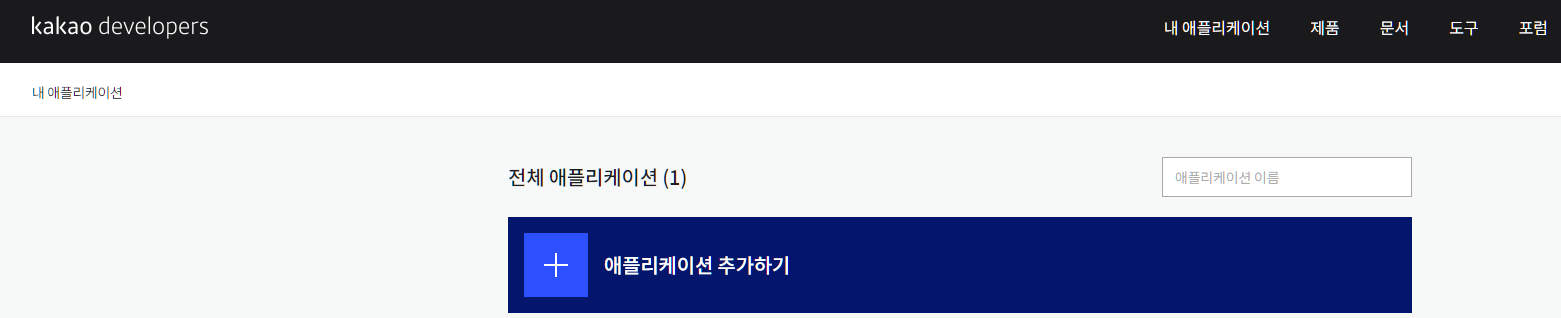
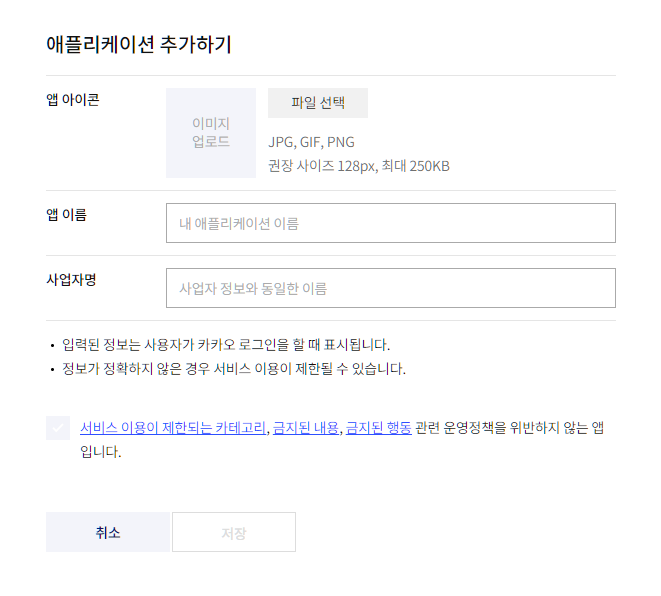
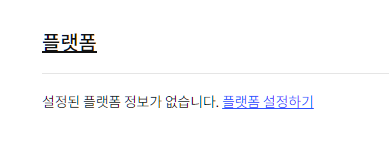
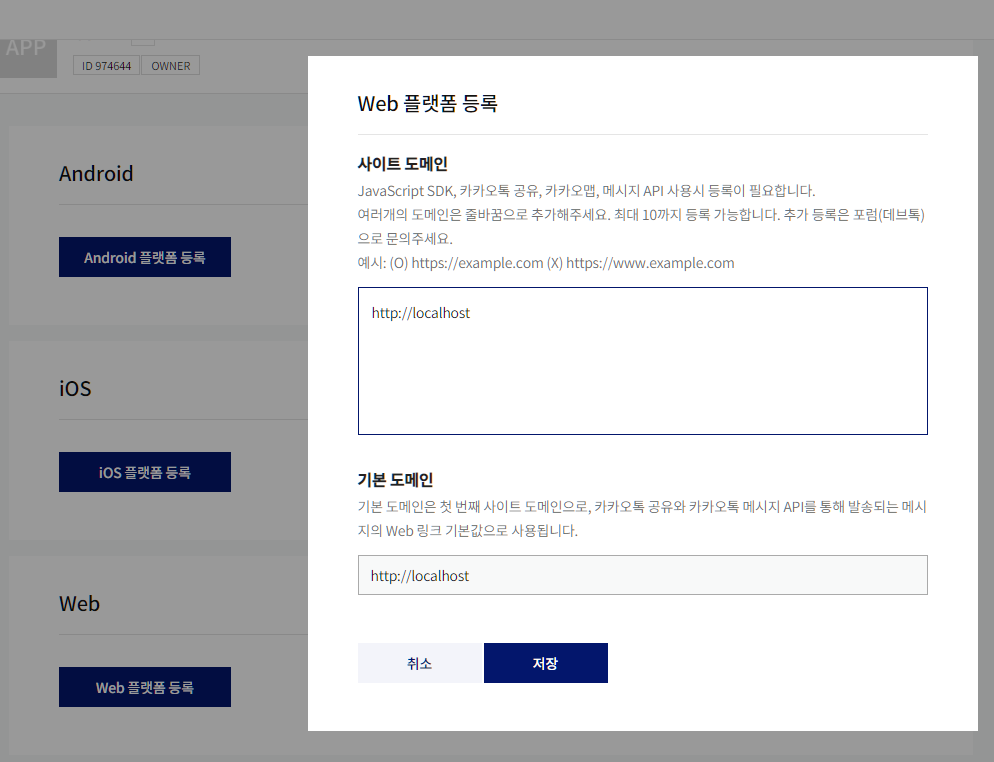
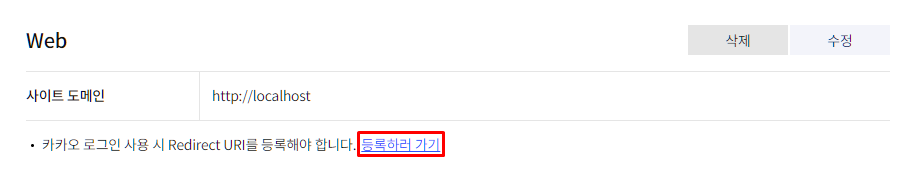
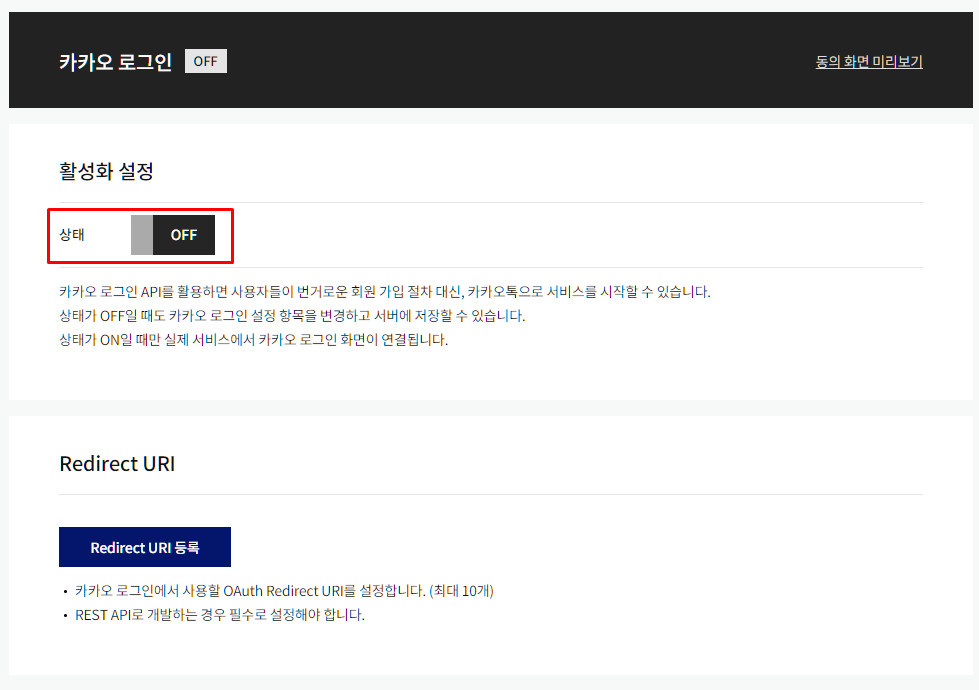
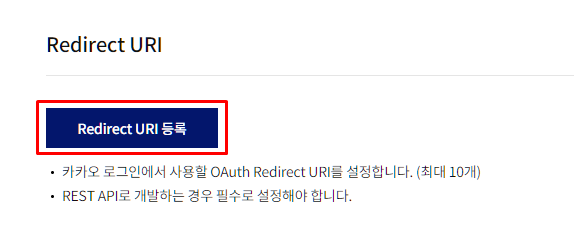
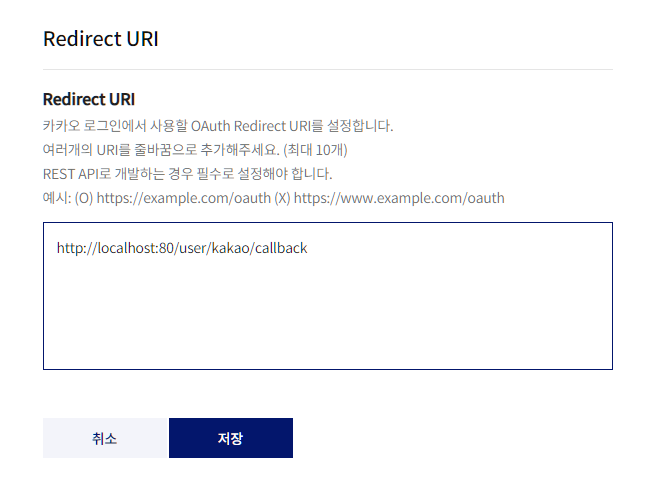
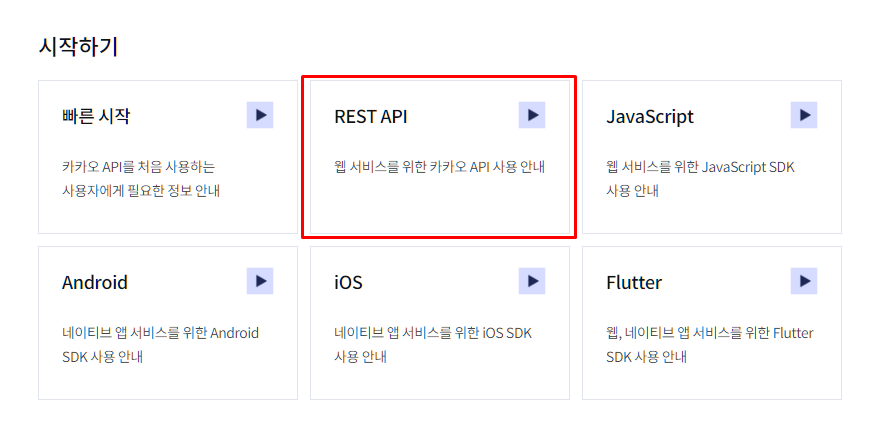
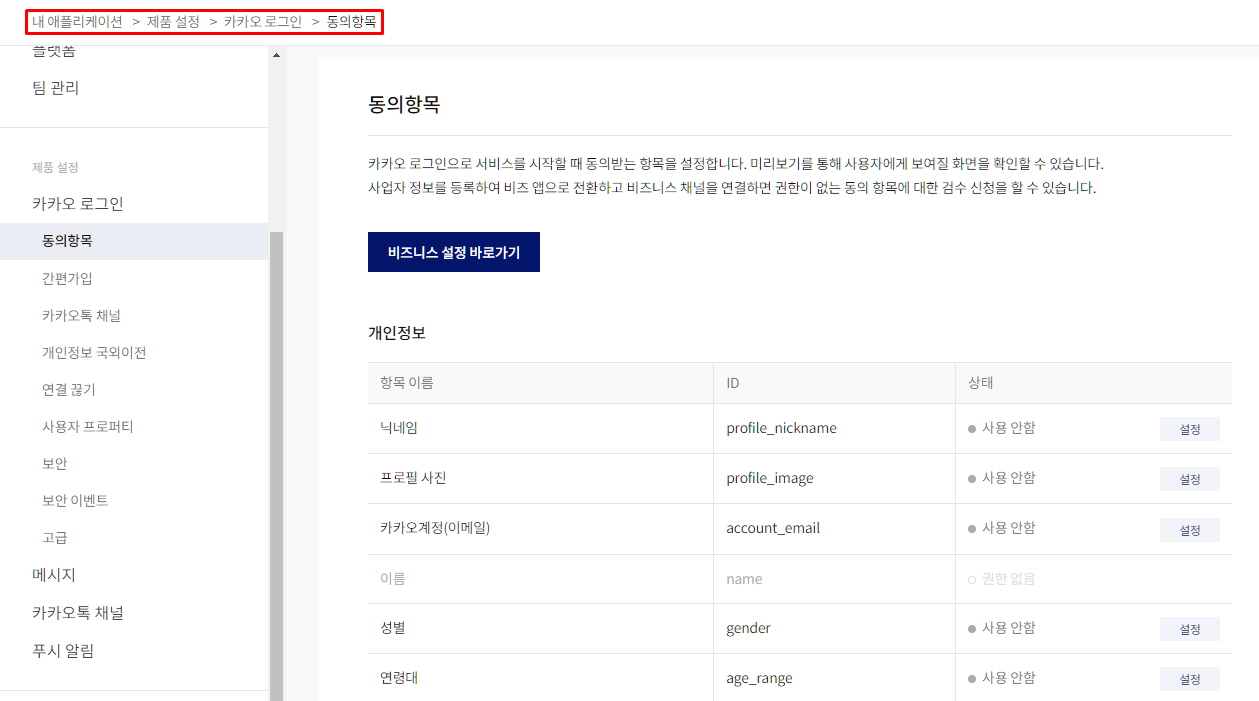
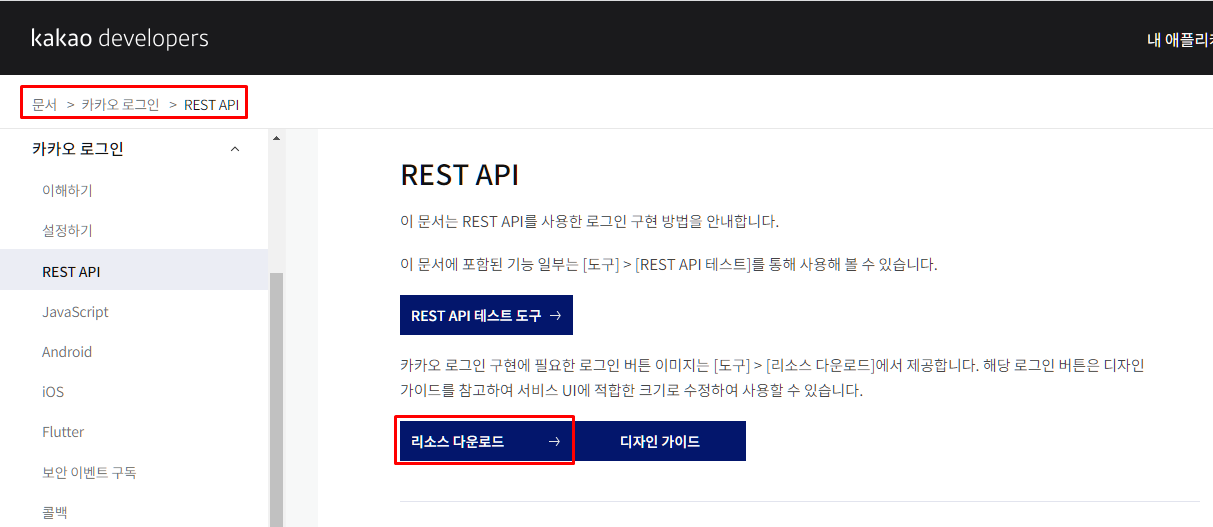
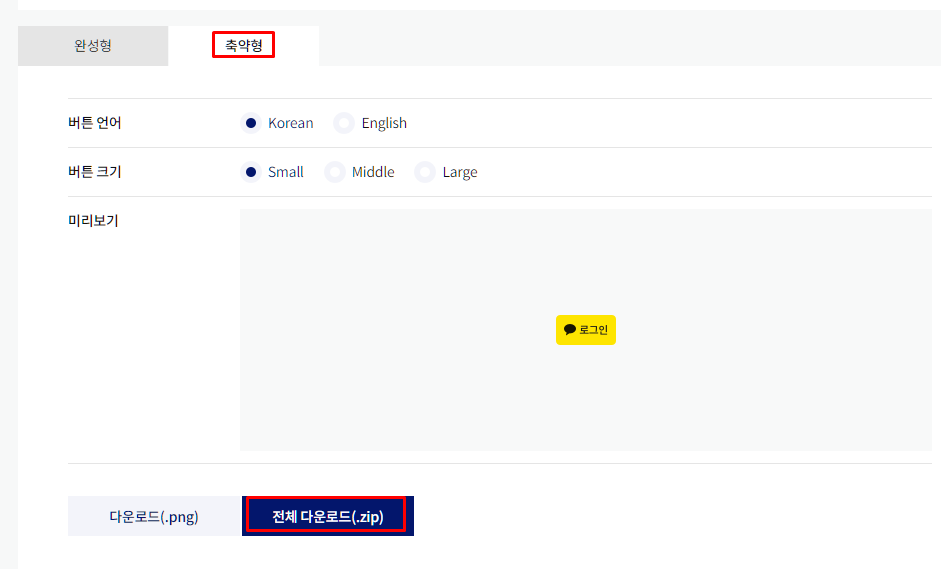
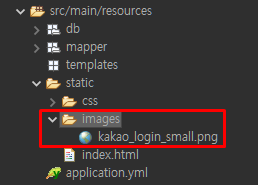
resources -> static -> images생성 -> 이미지 아이콘 붙여넣기
{REST_API_KEY} - REST_API_KEY
{REDIRECT_URI} - REDIRECT_URI
인가 코드 받기
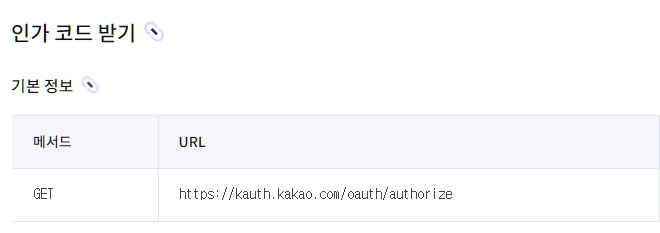
인가 코드 요청 주소
https://kauth.kakao.com/oauth/authorize?response_type=code&client_id=${REST_API_KEY}&redirect_uri=${REDIRECT_URI}토큰 받기
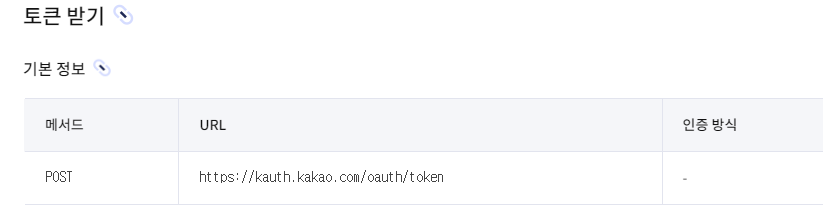
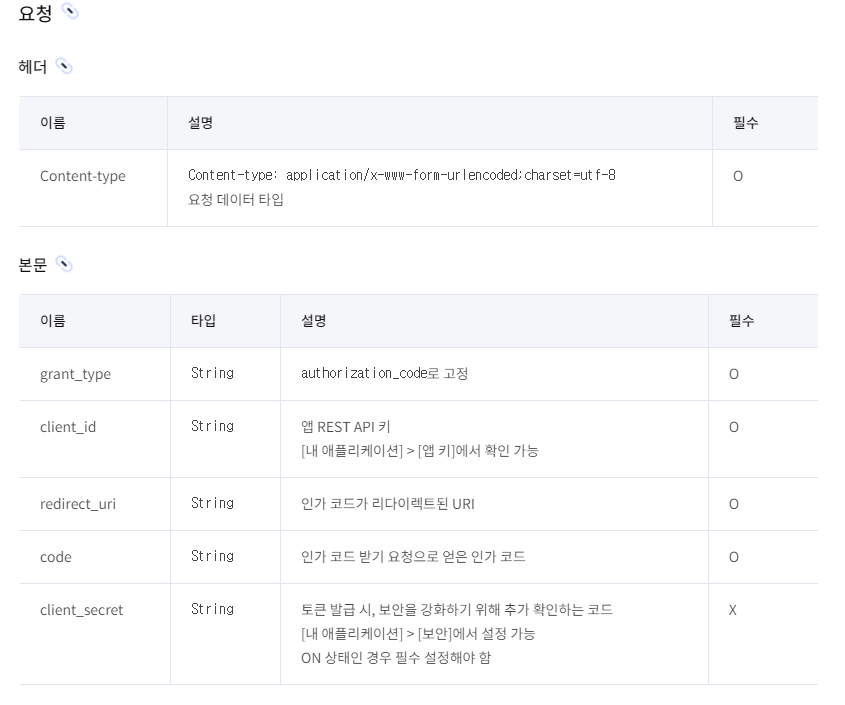
토큰 요청
<%@ page language="java" contentType="text/html; charset=UTF-8" pageEncoding="UTF-8"%>

<!-- header.jsp -->
<%@ include file="/WEB-INF/view/layout/header.jsp"%>

<!-- start main.jsp -->
<div class="col-sm-8">
	<h2>로그인 페이지</h2>
	<h5>어서오세요 환영합니다.</h5>
	<div class="bg-light p-md-5 h-75">
	<!-- 로그인은 보안 때문에 예외적으로 POST 방식을 활용한다 -->
		<div class="form-group">
			<form action="/user/sign-in" method="post">
				<div class="form-group">
					<label for="username">username</label>
					<input class="form-control" type="text" id="username" name="username" placeholder="Enter username" value="길동">
				</div>
				<div class="form-group">
					<label for="pwd">password</label>
					<input class="form-control" type="password" id="pwd" name="password" placeholder="Enter password" value="1234">
				</div>
				<button type="submit" class="btn btn-primary">Submit</button>
				<a href="https://kauth.kakao.com/oauth/authorize?response_type=code&client_id=받은 REST_API_KEY&redirect_uri=콜백주소"><img alt="카카오" src="/images/kakao_login_medium.png" width="76.27px" height="38.21px"></a>
			</form>
		</div>
	</div>


	</div>
	</div>
</div>
<!-- end main.jsp -->


<!-- footer.jsp -->
<%@ include file="/WEB-INF/view/layout/footer.jsp"%>
package com.tencoding.bank.controller;

import javax.servlet.http.HttpSession;

import org.springframework.beans.factory.annotation.Autowired;
import org.springframework.http.HttpEntity;
import org.springframework.http.HttpHeaders;
import org.springframework.http.HttpMethod;
import org.springframework.http.HttpStatus;
import org.springframework.http.ResponseEntity;
import org.springframework.stereotype.Controller;
import org.springframework.util.LinkedMultiValueMap;
import org.springframework.util.MultiValueMap;
import org.springframework.web.bind.annotation.GetMapping;
import org.springframework.web.bind.annotation.PostMapping;
import org.springframework.web.bind.annotation.RequestMapping;
import org.springframework.web.bind.annotation.RequestParam;
import org.springframework.web.bind.annotation.ResponseBody;
import org.springframework.web.client.RestTemplate;

import com.tencoding.bank.dto.KakaoDto;
import com.tencoding.bank.dto.SignInFormDto;
import com.tencoding.bank.dto.SignUpFormDto;
import com.tencoding.bank.handler.exception.CustomRestfulException;
import com.tencoding.bank.repository.model.User;
import com.tencoding.bank.service.UserService;
import com.tencoding.bank.util.Define;

@Controller
@RequestMapping({"/user","/"})
public class UserController {

	@Autowired // DI 처리
	private UserService userService;

	// 회원 가입 페이지 요청
	// http://localhost:80/user/sign-up

	@Autowired // DI 처리
	private HttpSession session;

	@GetMapping("/sign-up")
	public String signUp() {
		return "user/signUp";
	}

	// 로그인 페이지 요청
	// http://localhost:80/user/sign-in
	@GetMapping({"/sign-in","/"})
	public String signIn() {
		return "user/signIn";
	}

	// 회원 가입 처리
	// @param signUpFormDto
	// @return 리다이렉트 처리 - 로그인 페이지

	@PostMapping("/sign-up")
	public String signUpProc(SignUpFormDto signUpFormDto) {

		// 1. 유효성 검사
		if(signUpFormDto.getUsername() == null
				|| signUpFormDto.getUsername().isEmpty()) {
			throw new CustomRestfulException("username을 입력하세요", HttpStatus.BAD_REQUEST);
		}

		// 2. 유효성 검사 2
		if(signUpFormDto.getPassword() == null
				|| signUpFormDto.getPassword().isEmpty()) {
			throw new CustomRestfulException("password을 입력하세요", HttpStatus.BAD_REQUEST);
		}

		// 3. 유효성 검사 3
		if(signUpFormDto.getFullname() == null
				|| signUpFormDto.getFullname().isEmpty()) {
			throw new CustomRestfulException("fullname을 입력하세요", HttpStatus.BAD_REQUEST);
		}


		// 로직 추가 -- 서비스 호출
		userService.signUp(signUpFormDto);
		return "redirect:/user/sign-in";
	}

	/**
	 * 로그인 로직 처리
	 * @param signInFormDto
	 * @return 계좌 리스트 페이지로 리턴
	 */
	@PostMapping("/sign-in")
	public String signInProc(SignInFormDto signInFormDto) {
		// 1. 유효성 검사
		if(signInFormDto.getUsername() == null
				|| signInFormDto.getUsername().isEmpty()) {
			throw new CustomRestfulException("username을 입력하세요", HttpStatus.BAD_REQUEST);
		}

		if(signInFormDto.getPassword() == null
				|| signInFormDto.getPassword().isEmpty()) {
			throw new CustomRestfulException("password을 입력하세요", HttpStatus.BAD_REQUEST);
		}

		// 2. 서비스 -> 인증된 사용자 여부 확인
		User principal = userService.signIn(signInFormDto);
		principal.setPassword(null);
		// 3. 쿠키 + 세션
		session.setAttribute(Define.PRINCIPAL, principal);

		return "redirect:/account/list";
	}

	/**
	 * 로그아웃 처리
	 * @return redirect - 로그인 페이지로 이동
	 */
	@GetMapping("/logout")
	public String logout() {
		session.invalidate();
		return "redirect:/user/sign-in";
	}

	// http://localhost:80/user/
	@GetMapping("/kakao/callback")
	@ResponseBody
	public String kakaoCallBack(@RequestParam String code) {
		System.out.println("메서드 동작");

		// POST 방식 - exchage() 메서드 활용
		// Header 헤더 구성
		// body 구성

		RestTemplate rt = new RestTemplate();
		// 헤더 구성
		HttpHeaders headers = new HttpHeaders();
		headers.add("Content-type", "application/x-www-form-urlencoded;charset=utf-8");

		// body 구성
		MultiValueMap<String, String> params = new LinkedMultiValueMap<>();
		params.add("grant_type", "authorization_code");
		params.add("client_id", "받은 REST_API_KEY");
		params.add("redirect_uri", "http://localhost/user/kakao/callback"); // 콜백 주소
		params.add("code", code);

		// HttpEntity 결합 (헤더 + 바디)
		HttpEntity<MultiValueMap<String, String>> reqMes
		= new HttpEntity<>(params, headers);

		// HTTP 요청 -
		ResponseEntity<String> response = rt.exchange("https://kauth.kakao.com/oauth/token",
				HttpMethod.POST, reqMes, String.class);

		// 액세스 토큰

		// 1. 회원 가입 여부 확인
		// - 최초 사용자라면 우리 회원가입에 맞는 형식을 만들어서 회원가입 처리

		// 2. 로그인 -> 세션 메모리에 사용자를 등록 (세션 생성)
		//
//		System.out.println("액세스 토큰 : "+response.getBody().getAccess_token());

		return "카카오 액세스 토큰 받기 완료 : " + response;
	}
}