개요
멀티플레이 게임에서 사용되는 Client Side Prediction 기법을 사용하기 위해서는 움직임 로직을 재시뮬레이션하기에 쉽고 정확해야 합니다.
하지만, 기존에 존재하는 Rigidbody 컴포넌트와 PhysX 엔진으로는 특정 Tick에서 부터 다시 시뮬레이션 하는게 번거로울 뿐더러, 비결정론적이기 때문에 물리처리를 직접 해주도록 하겠습니다.
구현
	/// <summary>
	/// Client -> Server
	/// Player Input Info for Client Side Prediction
	/// </summary>
	[StructLayout(LayoutKind.Sequential, Pack = 1)]
	public struct PlayerInput
	{
		public int tick;
		public Vector2 move;
		public bool isJump;
		public bool isRun;
		public bool isCrouch;

		public float yaw;
		public float pitch;
	}

	/// <summary>
	/// Server -> Client
	/// Player State Info for Synchronization
	/// </summary>
	[StructLayout(LayoutKind.Sequential, Pack = 1)]
	public struct PlayerState
	{
		public int tick;
		public Vector3 position;
		public Vector3 velocity;
		public bool isGrounded;
	}
플레이어의 입력 및 상태 정보를 주고 받기위한 구조체입니다.
// PlayerController.Client.cs

private void Update()
{
	ClientPlayerUpdate();
}

private void ClientPlayerUpdate()
{
	timer += Time.deltaTime;

	while (timer >= TICK_DT)
	{
		Tick();
		timer -= TICK_DT;
	}
}

private void Tick()
{
	int tick = currentTick++;

	PlayerInput input = GetInput(tick);
	input.tick = tick;

	int index = tick % BUFFER_SIZE;

	inputBuffer[index] = input;

	curState = Simulate(curState, input, TICK_DT);
	stateBuffer[index] = curState;
	ApplyState(curState);

    // Input 정보 서버에 보내야함
}
간단한 틱 연산입니다.
입력을 받기 위해 Update문 안에 작성하였고, 모든 클라이언트가 동일한 dt를 가질 수 있도록 Update문 안에서 TICK_DT 마다 Tick 함수를 실행하여 같은 시뮬레이션을 진행할 수 있도록 하였습니다.
private PlayerState Simulate(PlayerState state, PlayerInput input, float dt)
{
	// Ground Check (임시)
	state.isGrounded = true;

	// Accel / Friction
	Vector3 wishDir = new Vector3(input.move.x, 0, input.move.y);
	float accel = state.isGrounded ? walkAccel : airAccel;
	float friction = state.isGrounded ? groundFriction : airFriction;

	state.velocity += wishDir * accel * dt;

	Vector3 horizontalVel = new Vector3(
		state.velocity.x,
		0,
		state.velocity.z
	);

	float speed = horizontalVel.magnitude;

	if (speed > 0.0001f)
	{
		float drop = speed * friction * dt;

		float newSpeed = Mathf.Max(speed - drop, 0);
		horizontalVel *= newSpeed / speed;

		state.velocity.x = horizontalVel.x;
		state.velocity.z = horizontalVel.z;
	}

	// Jump
	if (state.isGrounded && input.isJump)
		state.velocity.y = jumpForce;

	// Gravity
	state.velocity += Vector3.down * gravity * dt;

	// Collision Move
	MoveWithCollision(ref state, dt);

	return state;
}

private void MoveWithCollision(ref PlayerState state, float dt)
{
	Vector3 velocity = state.velocity;
	Vector3 remaining = velocity * dt;

	for (int i = 0; i < 3; i++)
	{
		if (remaining.magnitude < 0.0001f) break;

		Vector3 bottom = state.position + Vector3.up * radius;
		Vector3 top = bottom + Vector3.up * (height - radius * 2);

		if (Physics.CapsuleCast(
			bottom,
			top,
			radius,
			remaining.normalized,
			out RaycastHit hit,
			remaining.magnitude + skinWidth,
			collisionMask,
			QueryTriggerInteraction.Ignore))
		{
			float moveDist = Mathf.Max(0, hit.distance - skinWidth);
			state.position += remaining.normalized * moveDist;

			remaining = Vector3.ProjectOnPlane(remaining - (remaining.normalized * moveDist), hit.normal);

			state.velocity = Vector3.ProjectOnPlane(state.velocity, hit.normal);
		}
		else
		{
			state.position += remaining;
			break;
		}
	}
}
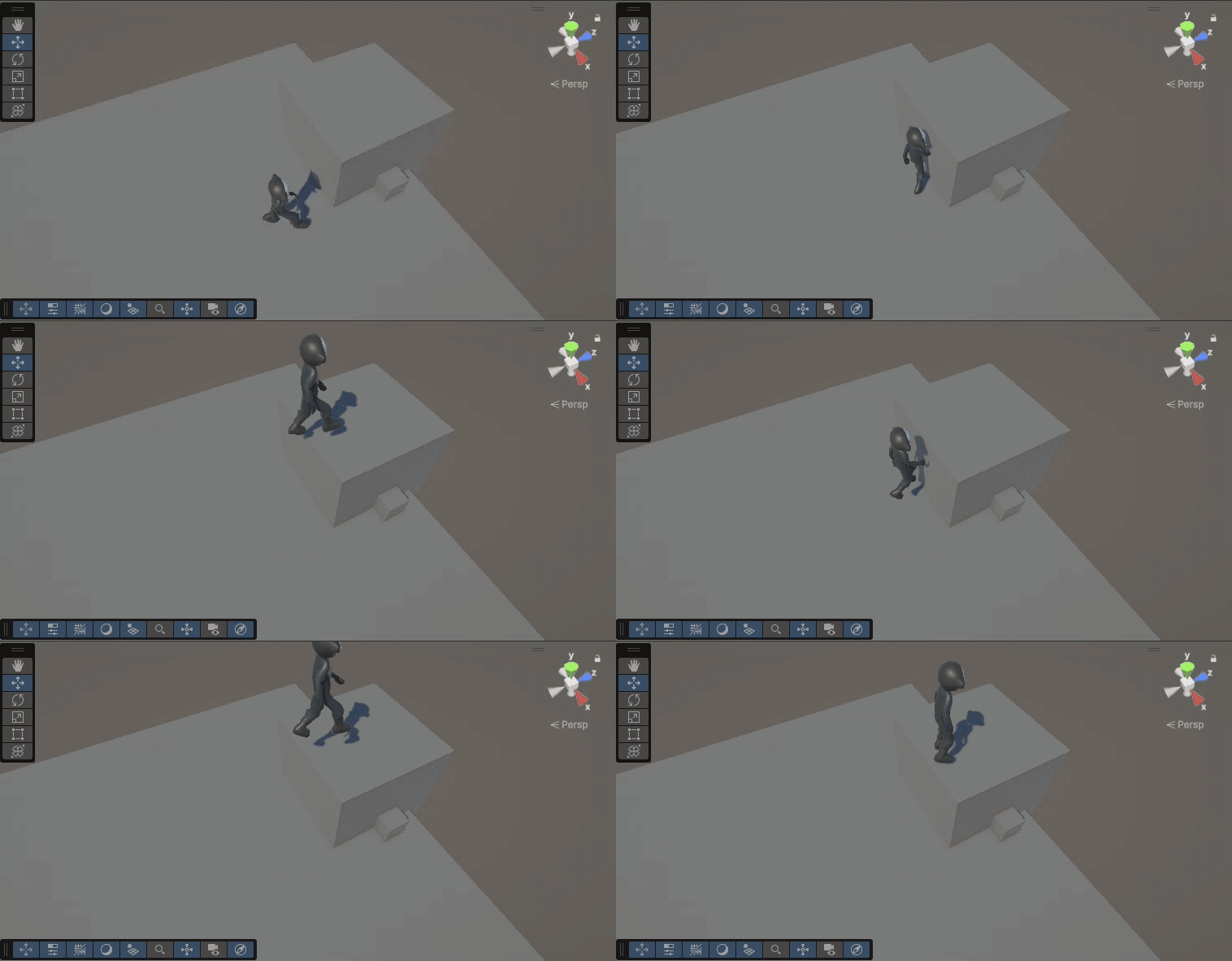
충돌 시뮬레이션을 할 때, 세 번을 반복하여 두 방향에 대한 충돌 처리 및 미끄러짐 계산을 해주었습니다.
추가적으로, skinWidth를 추가하여 물체의 Collider와 겹쳤을 때, Cast 연산에 물체가 감지되지 않는 문제 때문에 추가해주었습니다.
그 이외에 애니메이션을 추가해주고 테스트 해보겠습니다.
마무리
Rigidbody 컴포넌트 없이 장애물 및 바닥의 충돌처리를 구현해보았습니다.
아직 낙하 종단 속도를 고려하지 않아서, 빨라질 때 바닥을 뚫는 터널링 현상이 발생할 수 있습니다. 또한, 바닥을 감지하는 로직이 아직 구현되지 않았습니다.
다음에는 해당 부분들을 보완하고 서버측에 통신하여 재시뮬레이션 및 복원하는 과정을 구현해보도록 하겠습니다.