개요
CSP를 활용한 FPS/TPS 게임에서의 발사 판정과 총알 및 재장전 동기화를 구현해보도록 하겠습니다.
구현
우선 클라이언트 측에서 구현해보도록 하겠습니다.
간단하게 카메라 에임이 가리키고 있는 곳을 총 끝에서부터 Ray를 쏴서 처음으로 맞는 곳에 피격 처리를 해보도록 하겠습니다.
총을 발사하는 이벤트가 클라와 서버에서 동일하게 시뮬레이션되기 위해서는 다음과 같은 요소들이 필요합니다.
- Camera - position, direction
- Gun - MuzzlePosition
- Range
- Tick
public struct CameraContext
{
	public Vector3 camPosition;
	public Vector3 camForward;
	public float range;
}

public struct FireResult
{
	public Vector3 origin;
	public Vector3 direction;

	public bool isFired;
	public int tick;
}
우선 새로운 구조체를 정의합니다.
CameraContext 는 카메라와 관련된 정보를 파라미터로 넘기기 위한 구조체이고,
FireResult 는 SimulateWeapon 함수에서 발사 정보를 반환받기 위한 구조체입니다.
public static Vector3 CalculateWeaponDir(Vector3 position, CameraContext cameraCtx)
{
	Ray camRay = new Ray(cameraCtx.camPosition, cameraCtx.camForward);
	Vector3 targetPoint;

	if (Physics.Raycast(camRay, out RaycastHit hit, cameraCtx.range))
	{
		targetPoint = hit.point;
	}
	else
	{
		targetPoint = camRay.GetPoint(cameraCtx.range);
	}

	return (targetPoint - position).normalized;
}
간단하게 카메라가 가리키는 곳을 Weapon에서 Muzzle에서 가리키는 방향으로 변환하는 함수입니다.
해당 함수를 통해 FireResult 의 direction 필드를 계산합니다.
private void HandleTestFireFX(in FireResult result)
{
	if (!result.isFired) return;

	Ray ray = new Ray(result.origin, result.direction);
	Vector3 targetPoint;

	if (Physics.Raycast(ray, out RaycastHit hit, 60/*HACK*/))
	{
		targetPoint = hit.point;
	}
	else
	{
		targetPoint = ray.GetPoint(60);
	}

	// HACK - TEST
	Instantiate(testPrefab, targetPoint, Quaternion.identity);
}
간단하게 피격 지점을 테스트해보는 함수입니다.
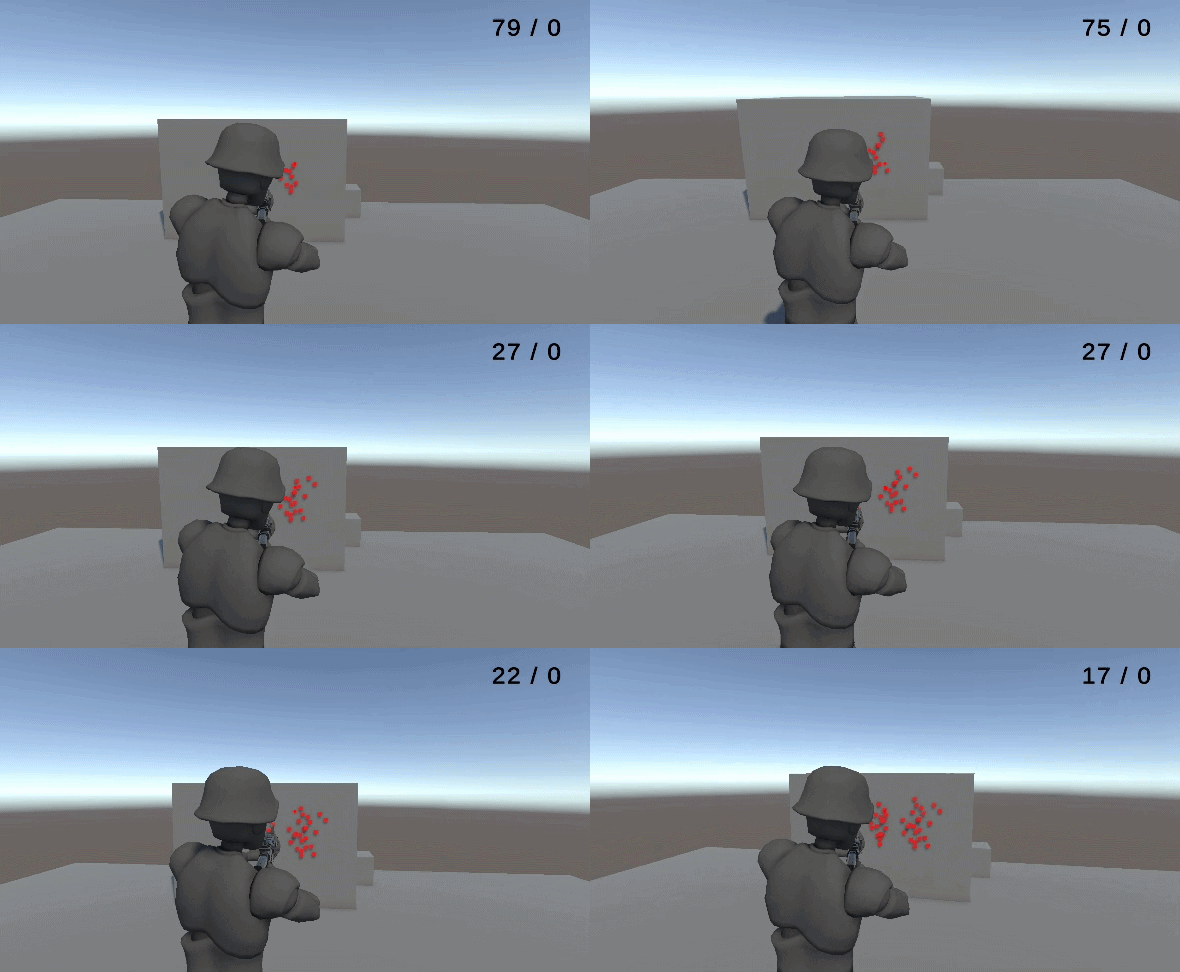
한 번 실행해보도록 하겠습니다.
화면 중심에 있는 UI에 맞게 피격 지점이 잘 설정되어있는 모습을 확인할 수 있습니다.
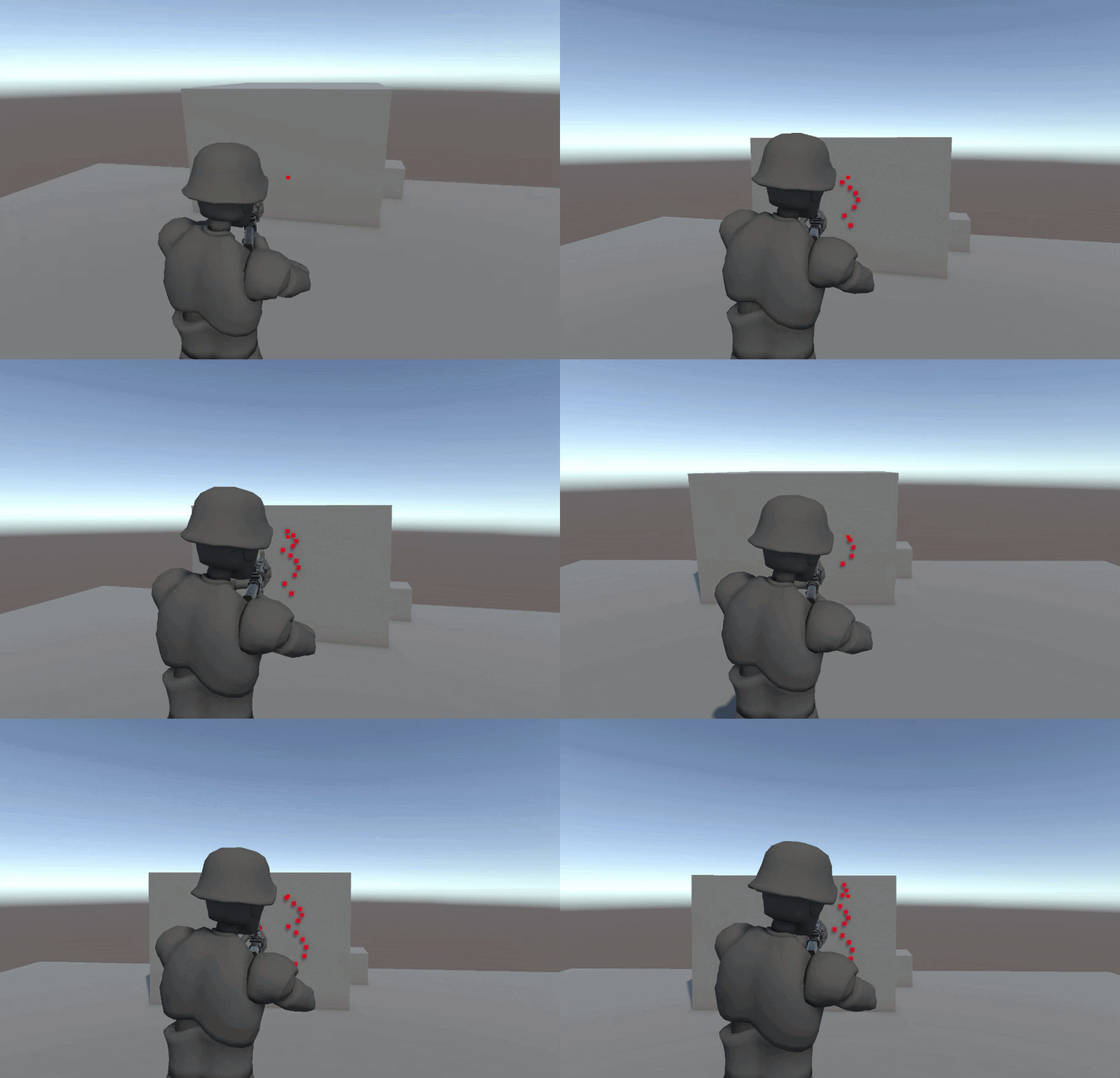
이제 서버에서도 똑같이 시뮬레이션을 해보도록 하겠습니다.
private void OnGetInput(IPEndPoint clientEP, PlayerInput input)
{
	curPlayerState = Simulate(curPlayerState, input, Constants.TICK_DT);

	curPlayerState.tick = input.tick;
	inputBuffer[input.tick] = input;
	stateBuffer[input.tick] = curPlayerState;

	curWeaponState = WeaponSystem.SimulateWeapon(currentWeapon, curWeaponState, input,
		new CameraContext
		{
			camPosition = targetCamera.position,
			camForward = targetCamera.forward,
			range = 60
		}
		, out FireResult fireResult);
	weaponBuffer[input.tick] = curWeaponState;

	HandleTestFireFX(fireResult);

	ApplyState(curPlayerState);
	ApplyServerView(input);

	ServerManagers.Dedi.Send(clientEP, Serializer.Serialize<PlayerState>(PacketType.S2C_Snapshot, curPlayerState));
}
서버에서 Input 정보를 받았을 때에도 Client 측에서 Tick 마다 인풋을 처리할때와 비슷하게 코드를 작성해줍니다.
이후에 테스트용으로 로그를 몇 개 찍어보았습니다.
private void HandleTestFireFX(in FireResult result)
{
	if (!result.isFired) return;

	Ray ray = new Ray(result.origin, result.direction);
	Vector3 targetPoint;

	if (Physics.Raycast(ray, out RaycastHit hit, 60/*HACK*/))
	{
		targetPoint = hit.point;
	}
	else
	{
		targetPoint = ray.GetPoint(60);
	}

	// HACK - TEST
	Debug.Log("DEBUG : " + transform.position + ", " + transform.rotation);
	Debug.Log("target : " + targetCamera.position + ", " + targetCamera.forward);
	Debug.Log(result.tick + " : TARGET POINT : " + targetPoint);
	Instantiate(testPrefab, targetPoint, Quaternion.identity);
}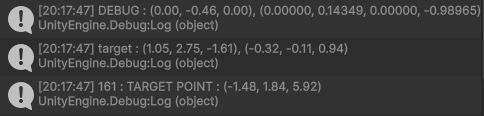

서버측과 클라이언트 측에서 일치하는 것들은 다음과 같습니다.
- 플레이어의 Position,Rotation
- 카메라의 Position, Rotation
- FireResult의 Tick, TargetPoint
따라서, 양측에서 동일하게 시뮬레이션 되는 것을 확인할 수 있습니다.
이제 총알 정보가 적힌 WeaponState를 다시 클라이언트로 넘겨 총알을 Reconciliation 해보도록 하겠습니다.
우선 서버로부터 Snapshot을 받았을 때, 이동 로직과 비슷하게 weaponState도 시뮬레이션을 해주도록 합니다.
while (tick != (currentTick + 1) % Constants.BUFFER_SIZE)
{
	simulateState = Simulate(simulateState, inputBuffer[tick], Constants.TICK_DT);
	weaponState = WeaponSystem.SimulateWeaponSimple(currentWeapon, weaponState, inputBuffer[tick]);
	tick = (tick + 1) % Constants.BUFFER_SIZE;
}
물론, recoil같은 rotation은 Reconcile 대상이 아니기 때문에 시뮬레이션을 하지 않도록 간단한 WeaponSimulation 함수를 따로 만들어 주었습니다.
public static NetworkWeaponState SimulateWeaponSimple(
	GunBase currentWeapon,
	NetworkWeaponState state,
	PlayerInput input)
{
	int tickBetweenShots = Mathf.RoundToInt(Constants.TICK_RATE / currentWeapon.Spec.FireRate);

	bool canFire = input.isFired
		&& ((input.tick < state.lastFiredTick ? input.tick + Constants.BUFFER_SIZE : input.tick) - state.lastFiredTick) >= tickBetweenShots
		&& state.ammoInMagazine > 0;

	var adjustedInput = input;
	adjustedInput.isFired = canFire;

	if (canFire)
	{
		state.ammoInMagazine--;
		state.lastFiredTick = input.tick;
	}

	return state;
}
위 함수는 총알과 lastFiredTick 만 시뮬레이션 하는 간단한 함수입니다.
이후에 시뮬레이션 된 WeaponState를 적용합니다.
private void ReconcileWeapon(NetworkWeaponState weaponState)
{
	curWeaponState.ammoInMagazine = weaponState.ammoInMagazine;
	curWeaponState.reserveAmmo = weaponState.reserveAmmo;
	curWeaponState.lastFiredTick = weaponState.lastFiredTick;
}
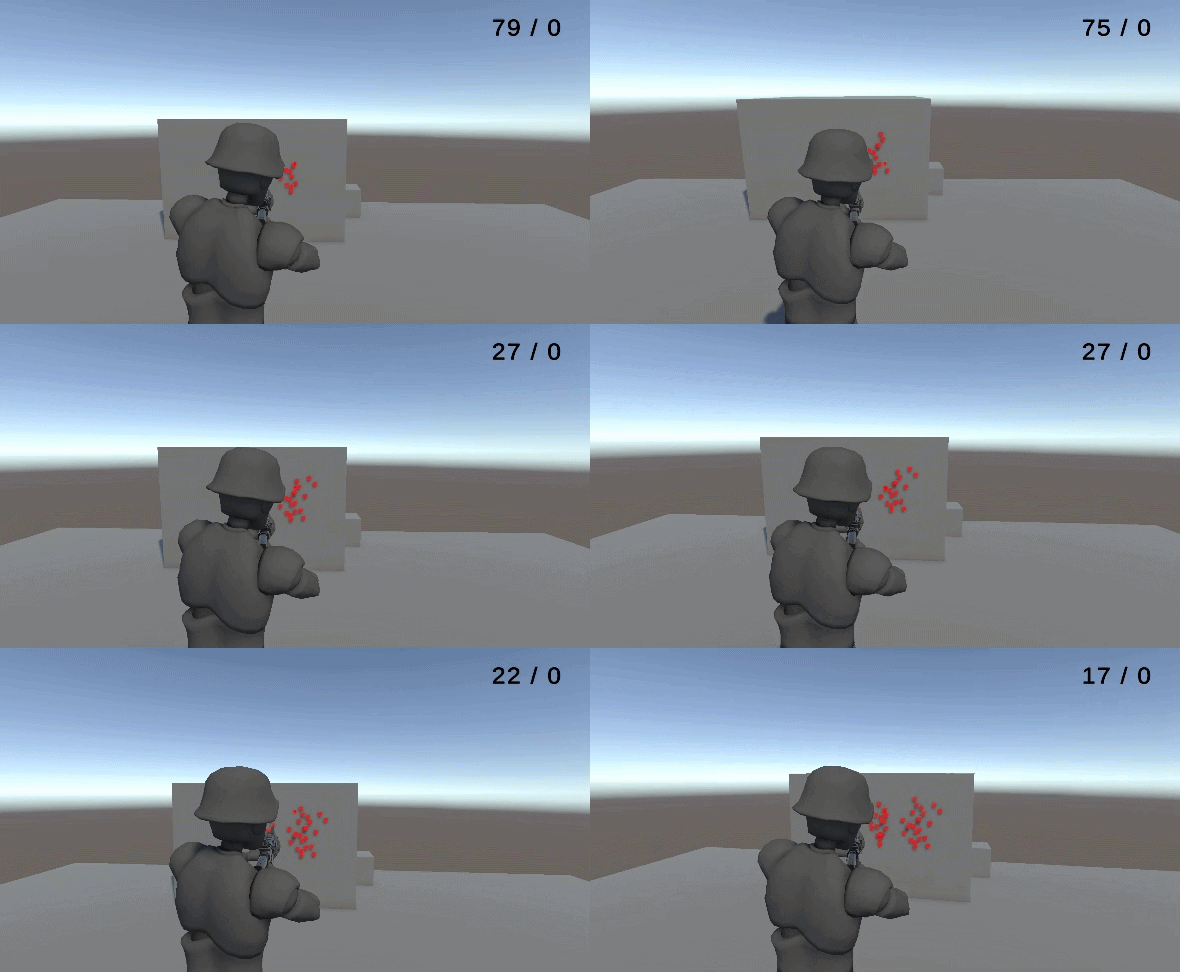
구현을 전부 다 했으니, UI 로 총알 개수를 알아보기 쉽도록 해주고 테스트를 해보겠습니다.
마무리
클라이언트에서 ammo를 임의로 조작한 이후에, 중간에 서버를 켰습니다.
클라이언트에서 임의로 조작한 ammo를 믿지 않고, 서버의 ammo를 바로 반영해주는 모습을 확인할 수 있습니다.
다음은 Reload를 간단하게 구현하고 이 또한 Server-Authority 하게 구현해보도록 하겠습니다.