Git 시작하기
1) git 가입 및 셋팅
git 가입
git SSH key 발급
깃허브 공식 ssh key 발급 가이드(기존 키 확인/신규 키 발급/추가 키 발급)
1) git bash 또는 cmd/powershell 등 열기
2) 신규 key 발급 받기
ssh-keygen -t ed25519 -C "your_email@example.com"3) 키 발급 확인
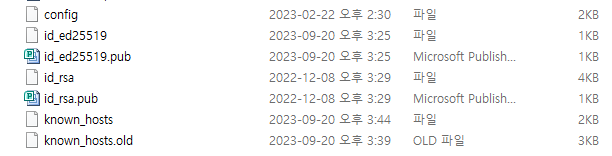
- C:/Users/사용자명/.ssh 폴더 확인
- id{} 파일 및 id{}.pub, 두 파일 확인
- id_{}.pub 파일의 경우 향후 git에 입력
git SSH key 입력
- 단순히 오픈소스 데이터 당겨 받아서(pull) 사용하는 경우도 있지만, private repository를 사용하는 경우에는 미리 ssh key를 입력하는 것이 편하게 사용할 수 있음
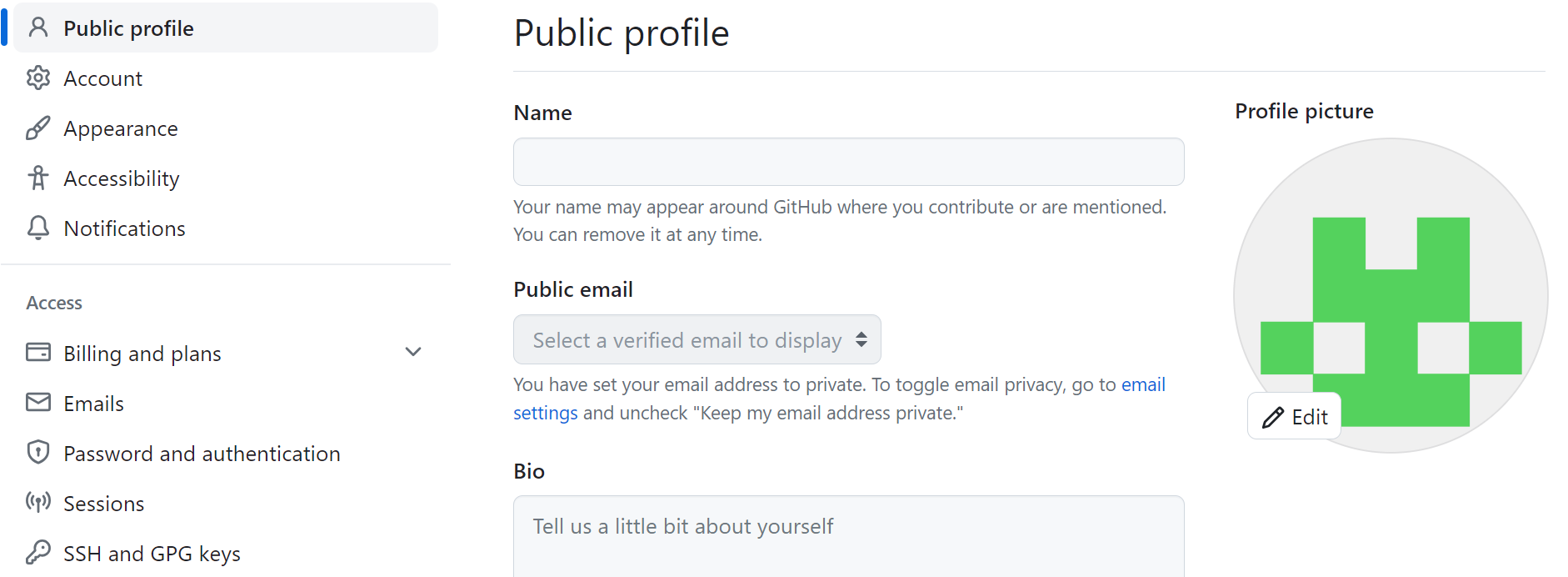
1) 로그인 후 오른쪽 아이콘 클릭
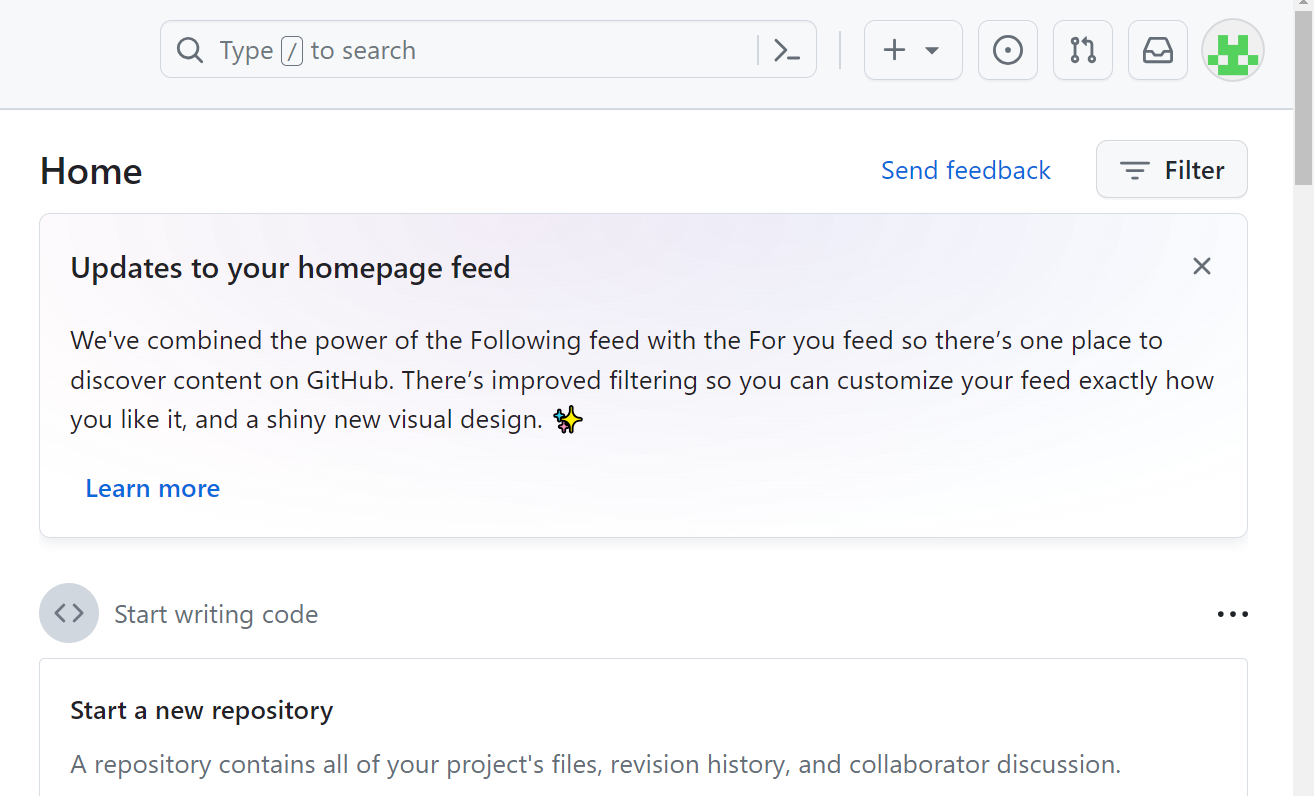
2) Setting 클릭
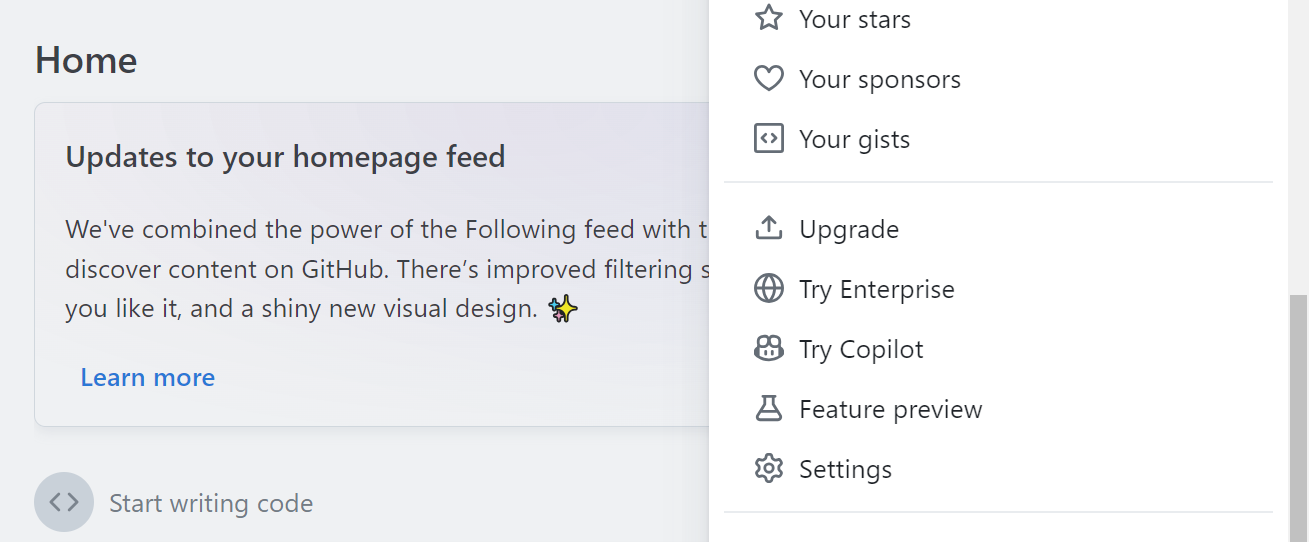
3) 좌측 메뉴에서 SSH and GPG keys 클릭
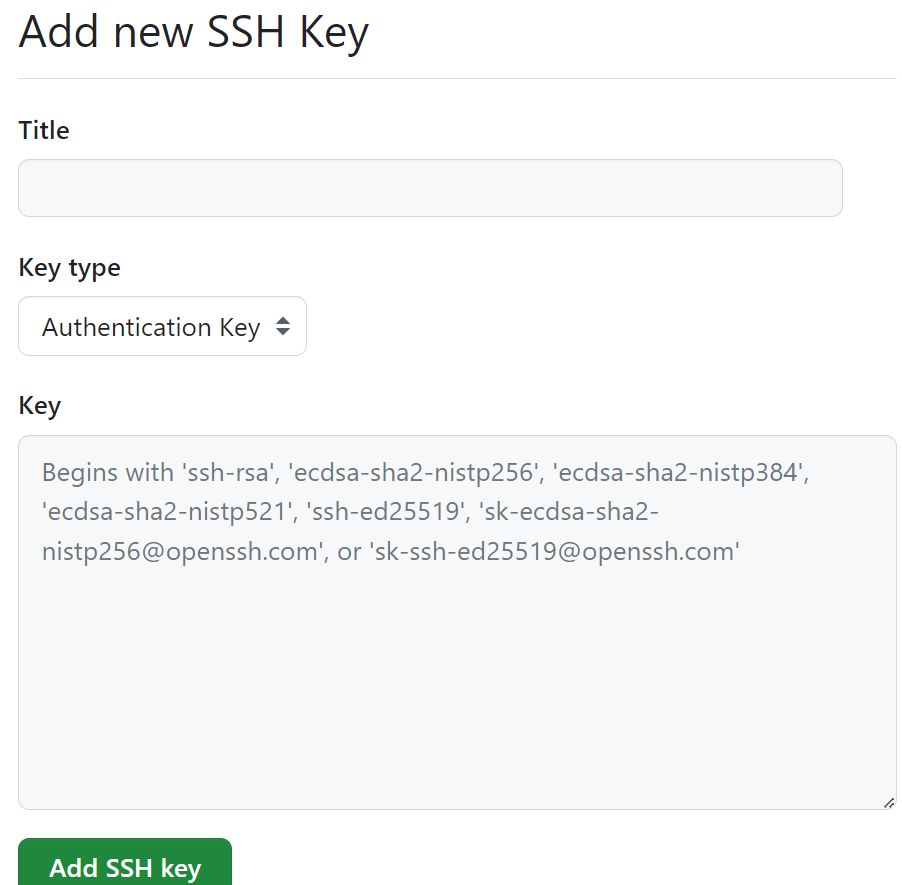
4) New SSH Key 클릭

5) ssh 퍼블릭키 Key에 쓰고 등록
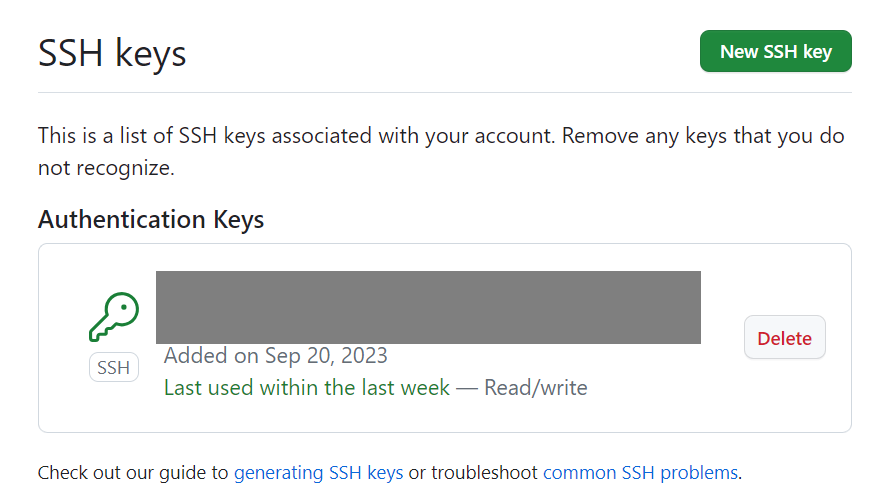
6) 등록 완료
1-1) git 저장소에 로컬 코드 올리기(push)
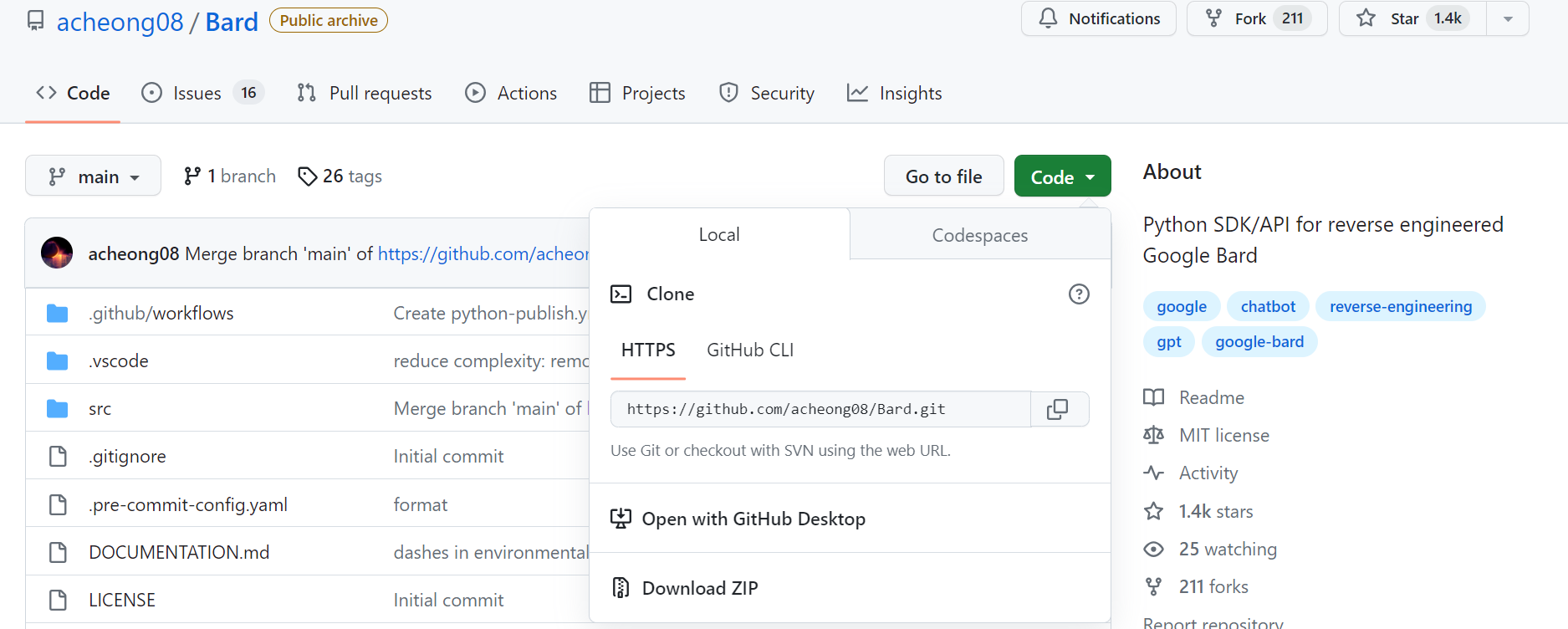
1) git 허브에 repository/project 생성
2) git init
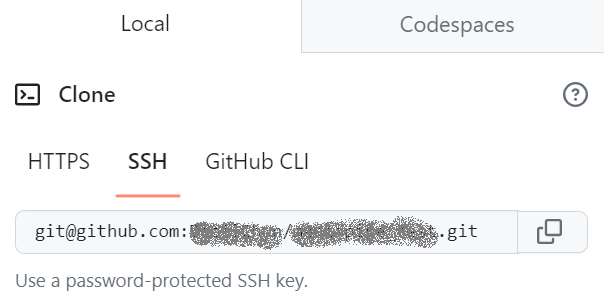
3) git remote add {지역저장소명} ssh주소
git retmoe add origin git@github.com:{레파지토리생성한사람이름}/{레파지토리명}.git- 유의사항 : 회사내 사내망의 경우에는 ip를 직접 입력해야 하는 경우도 있음
- 예를 들면 : git remote add origin git@{ip주소}:{레파지토리생성한사람이름}/{레파지토리명}.git
4) git ignore 작성 및 적용
4-1) .ignore 파일 생성
4-2) 캐시파일, 모델, 데이터 등의 파일 제외 작성
윗 라인에서 확장자가 .a인 파일은 무시하게 했지만 lib.a는 무시하지 않음
!lib.a현재 디렉토리에 있는 TODO파일은 무시하고 subdir/TODO처럼 하위디렉토리에 있는 파일은 무시하지 않음
/TODObuild/ 디렉토리에 있는 모든 파일 무시
build/doc/notes.txt 파일은 무시하고 doc/server/arch.txt 파일은 무시하지 않음
doc/*.txtdoc 디렉토리 아래 모든 .pdf 파일 무시
doc/ ** / *.pdf
- 참조 : git ignore 작성
- 참조 : git ignore 자동 작성
- 참조 : git push 이후에 ignore를 적용하는 경우
git rm -r --cached .
git add .
git commit -m "Apply .gitignore"
git push
5) git add 업로드파일/폴더 등
- .은 모든 파일을 업로드 한다는 것임
git add .6) 커밋하기
git commit -m "커밋 코멘트 작성"7) 업로드하기
- git push -u {로컬저장소명} {원격저장소명}
git push -U origin main1-2) git 저장소에서 코드 받기(pull)
초기 받기
1) git init
2) git remote add origin ssh주소
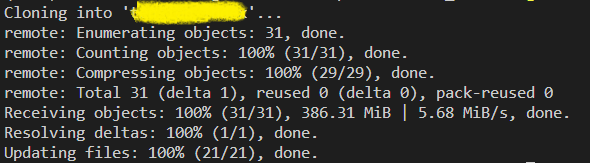
3) git clone ssh주소
추가 받기
1) git pull origin main
git 사용시 주의사항
- 로컬 저장소에서도 브랜치를 만들어서 merge하는 방식으로 하면 좋은데, 그런 경우 원격저장소에 업로드하기 직전에 로컬에 Pull 받아서 merge 후 push하는 것이 좋음(branch 관리 잘하기!)
- 사내 로컬에서 가끔 파일들이 보안상으로 잠김이 되는 경우가 있고, 해당 파일을 깃에서 트랙킹하는 경우 merge가 안되는 문제가 발생할 수 있다.(해당 파일은 별도 저장소로 관리하자!)
유용한 git 명령어
- git status : 현재 git 상황을 볼 수 있음
- git diff : 로컬 및 원경 저장소의 다른 부분을 비교해 줌
- git log : 사용 로그를 확인할 수 있음
- git remote -v : 깃과 연결된 레파지토리 확인
git에서 발생하는 error
- Everything up-to-date 해결하기
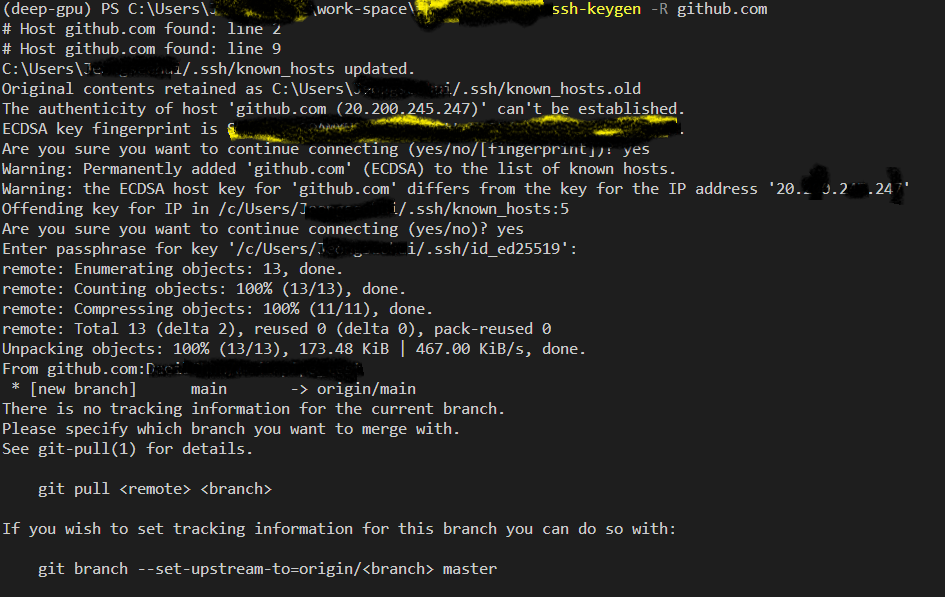
- "Warning: the ECDSA host key for 'github.com' differs from the key for the IP address" issue
- Git pull 실행시 "no tracking information for the current branch" 오류 해결하기
- git 서버 변경으로 인한 에러
@@@@@@@@@@@@@@@@@@@@@@@@@@@@@@@@@@@@@@@@@@@@@@@@@@@@@@@@@@@
@ WARNING: REMOTE HOST IDENTIFICATION HAS CHANGED! @
@@@@@@@@@@@@@@@@@@@@@@@@@@@@@@@@@@@@@@@@@@@@@@@@@@@@@@@@@@@
IT IS POSSIBLE THAT SOMEONE IS DOING SOMETHING NASTY!
Someone could be eavesdropping on you right now (man-in-the-middle attack)!
It is also possible that a host key has just been changed.
The fingerprint for the RSA key sent by the remote host isPlease contact your system administrator.
Add correct host key in /c/Users/ /.ssh/known_hosts to get rid of this message.
Offending RSA key in /c/Users/ /.ssh/known_hosts:2
RSA host key for github.com has changed and you have requested strict checking.
Host key verification failed.
fatal: Could not read from remote repository.Please make sure you have the correct access rights
and the repository exists.
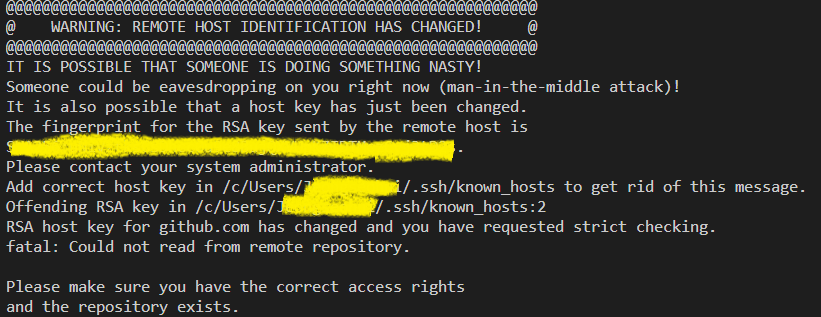
해결하기 : ssh-keygen -R ip혹은URL
- 기존 파일은 .old로 백업됨